




Free Resume Template
Free Google Docs resume template (ATS-friendly) by Rezi
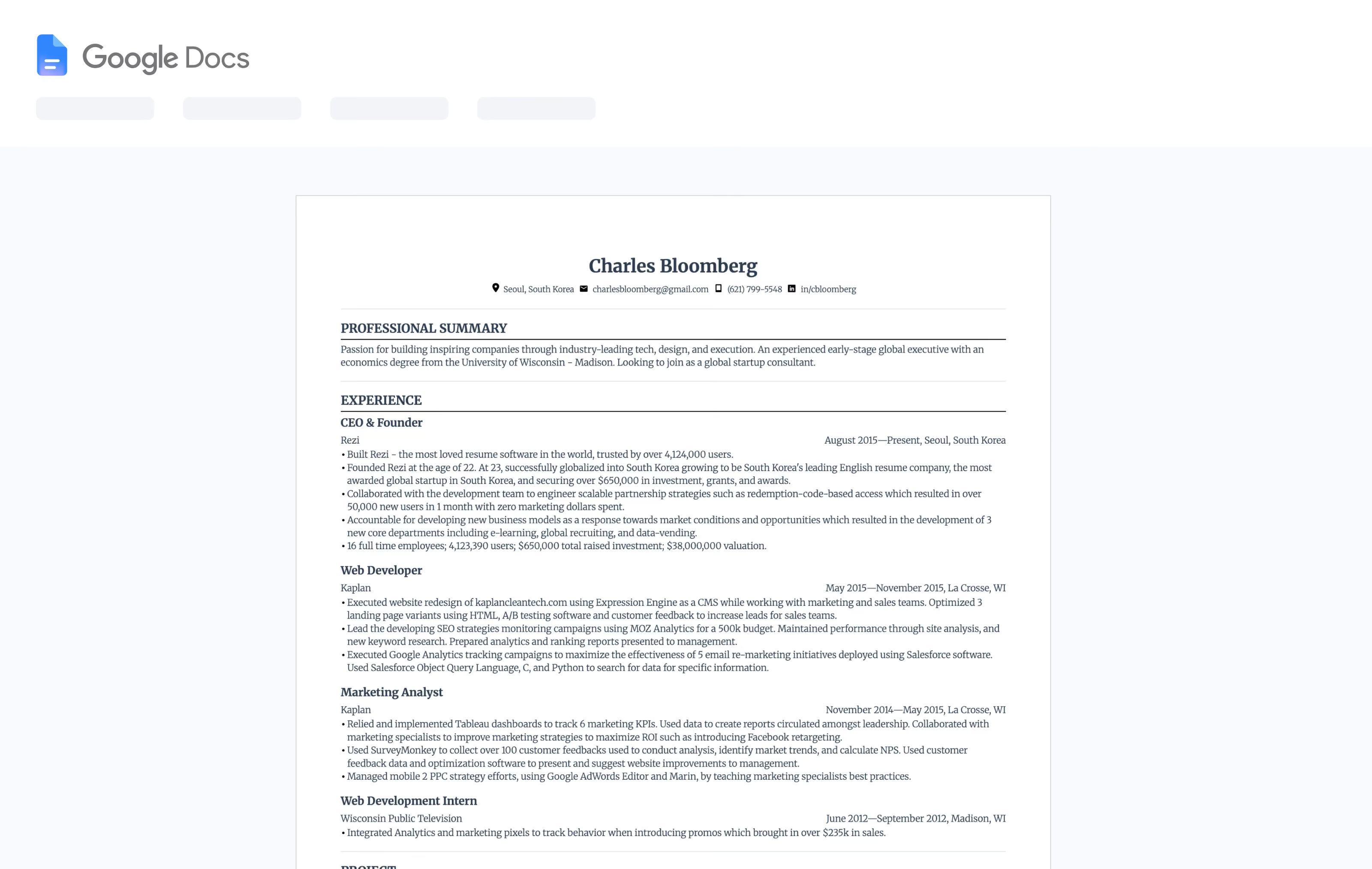
Ready to skip the blank page and jump straight into a proven, high-performing resume layout? This free Google Docs resume template is based on Rezi’s most successful ATS-friendly format—optimized to get past resume scanners and in front of real hiring managers.
Why It Works
A resume template that clears ATS filters and still reads well to a human
One-click copy
Open the template in Google Docs and click “Use Template” to add it to your Drive.
ATS-friendly structure
Built to follow best practices for modern resume scanners—no complex columns, images, or text boxes that can break parsing.
Recruiter-approved layout
A simple, easy-to-skim design that highlights your experience, impact, and skills.
Flexible for every role
Works for students, career switchers, and experienced professionals in tech, business, and beyond.
Why this Google Docs resume template works so well
Most free Google Docs resume templates look nice—but many quietly fail ATS checks. Rezi’s template is built first and foremost for ATS compatibility and recruiter readability, so your resume doesn’t get filtered out before a human ever sees it.
ATS-safe formatting
Simple sections, consistent fonts, and no hidden tables or graphics that confuse resume scanning software.
Logical section order
Contact, summary, experience, skills, and education are organized exactly the way recruiters expect, making it easy to scan in seconds.
Room for strong achievements
Bulleted experience sections give you space to quantify results—so you can showcase impact, not just responsibilities.
Designed to grow with you
The layout works whether you’re applying for your first internship or a senior-level role; you can easily duplicate sections for projects, certifications, or publications.
How to use this free Google Docs resume template (step-by-step)
Open the template in Google Docs
Click “Use this template” to create your own editable copy in Google Docs. All changes save automatically to your Drive.
Add your information
Replace the placeholder text with your details:
- Name and contact info
- Professional summary
- Work experience and achievements
- Skills and tools
- Education, certifications, and relevant projects
Download your resume as DOCX or PDF
When you’re ready, download your Google Docs resume as a DOCX or PDF so you can upload it to job applications and into Rezi. Most ATS systems prefer these formats, and Rezi supports them for analysis.
Optimize with Rezi’s AI tools
Upload your resume to Rezi to:
- Scan for 30+ content and formatting issues with the ATS Resume Checker
- Get keyword suggestions tailored to the job description using AI Keyword Targeting
- Improve your bullets and summary with AI writing assistance
This way, you still get the convenience of Google Docs—plus the intelligence of an AI resume builder built specifically for ATS success.
What’s inside the Rezi Google Docs resume template
Use this section to show a visual or quick bullets of the layout.
Core sections included:
- Professional header. Name, job title, location, and contact info.
- Summary. 2–4 lines tailored to your target role, ideal for Rezi’s AI summary suggestions.
- Experience. Reverse-chronological job history with achievement-focused bullet points.
- Skills. A concise skills section that lines up with keywords from your target job description.
- Education. Degrees, institutions, dates, and relevant coursework or honors.
Optional blocks you can easily add:
- Projects
- Certifications or licenses
- Awards & publications
- Languages
Who this template is perfect for
This Google Docs resume template is intentionally versatile. It’s a great fit for:
- Students & recent graduates. Highlight internships, projects, and relevant coursework with a clean, professional layout.
- Career switchers. Organize your transferable skills and experiences so recruiters quickly see the match.
- Professionals in tech, business, or creative roles. Ideal for roles that value clarity and impact over flashy design.
- Busy job seekers on a deadline. Start from a proven structure, and let Rezi’s AI help with the heavy lifting on wording and optimization.
Rezi vs. a regular Google Docs resume template
Most Google Docs resume templates stop at design. Rezi goes further.
With a generic Google Docs template, you get:
- A basic layout
- Manual editing and rewriting
- No automated feedback
- No insight into ATS readiness
With Rezi’s Google Docs template + AI tools, you get:
- A layout specifically built to get past ATS filters
- Real-time content analysis and AI suggestions while you refine your resume in Rezi
- The Rezi Score to see how strong your resume is for each job you apply to
- Easy exporting and saving formats, including Google Drive, DOCX, and PDF
Use Google Docs to edit comfortably. Use Rezi to get results.
Frequently Asked Questions
Is this Google Docs resume template really free?
Yes. You can use, edit, and customize this Google Docs resume template for free. You don’t need a credit card to make a copy or start editing.
Do I need a Rezi account to use the template?
No. You can use the template in Google Docs without signing up. However, if you want AI feedback, keyword optimization, and ATS checking, you’ll need a free Rezi account to upload your resume.
Is this template ATS-friendly?
Yes. The template follows Rezi’s ATS-first design principles: clean structure, standard fonts, and no complex formatting that can break ATS parsing. That’s the same approach used across Rezi’s templates.
Can I download my resume as a PDF or Word document?
Absolutely. From Google Docs, you can download as PDF or DOCX. If you later rebuild or refine your resume inside Rezi, you’ll also be able to download in PDF, DOCX, or save directly to Google Drive.
Can I customize the design?
Yes. You can adjust section headings, fonts, spacing, or colors to match your style. Just keep the overall structure simple if you want to stay ATS-friendly.
Start with a proven template. Finish with a job-winning resume.
You don’t need to be a resume expert to create a resume that works. Start from Rezi’s most successful ATS-friendly template in Google Docs, then let AI do the heavy lifting on keywords, structure, and wording.

Upload or drop your resume to get started
Upload your resume to get started
Score my resume
Contents
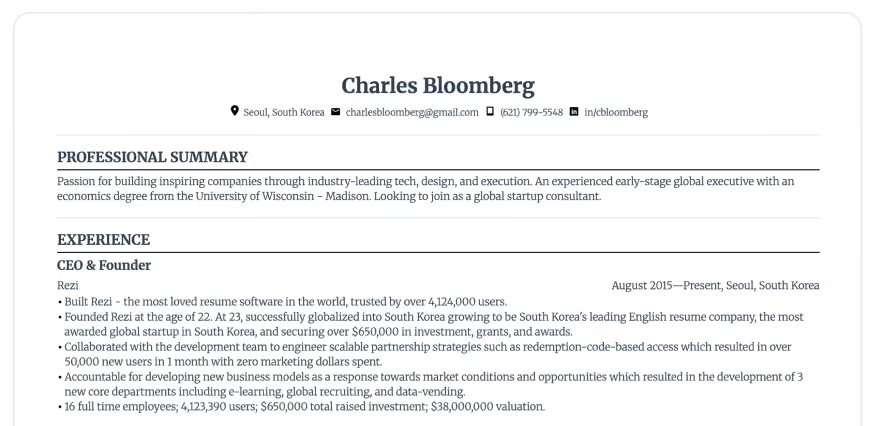
Start from Rezi's most successful ATS-friendly Google Docs template
Newest Resumes
Latest arrivals
Freshly designed layouts that combine modern design trends with the latest ATS compatibility standards. Be the first to apply with these new formats.

