Resume
8 Best AI Resume Builders in 2026 (We Tested All of Them)
We tested the top AI resume builders so you don't have to. See real examples, pricing, ATS scores, and which tool actually helped land interviews in our 2026 comparison.

Published on
March 7, 2025
Updated on
April 15, 2026
Key Takeaways
• Rezi scored highest in this 2026 test (5/5) for ATS-friendly templates and broader AI features; Sheets Resume placed second (4/5) for a simple, practical flow.
• Pick by job: Enhancv/Kickresume for design-heavy resumes, Resume Worded to score/refine an existing resume, Teal for job tracking + builder, Jobscan for keyword matching.
• Strong builders share the same green flags: ATS-safe layouts, clearer action-driven wording, gap spotting, JD-based tailoring, and keyword help.
• Skip tools that push elaborate graphics over parseable layouts, or that lock downloads behind paywalls with thin AI (Resume Nerd ranked last here at 1/5, paid-only download).
• ChatGPT alone isn’t a full builder — use AI inside a resume workflow that still controls formatting and ATS structure.
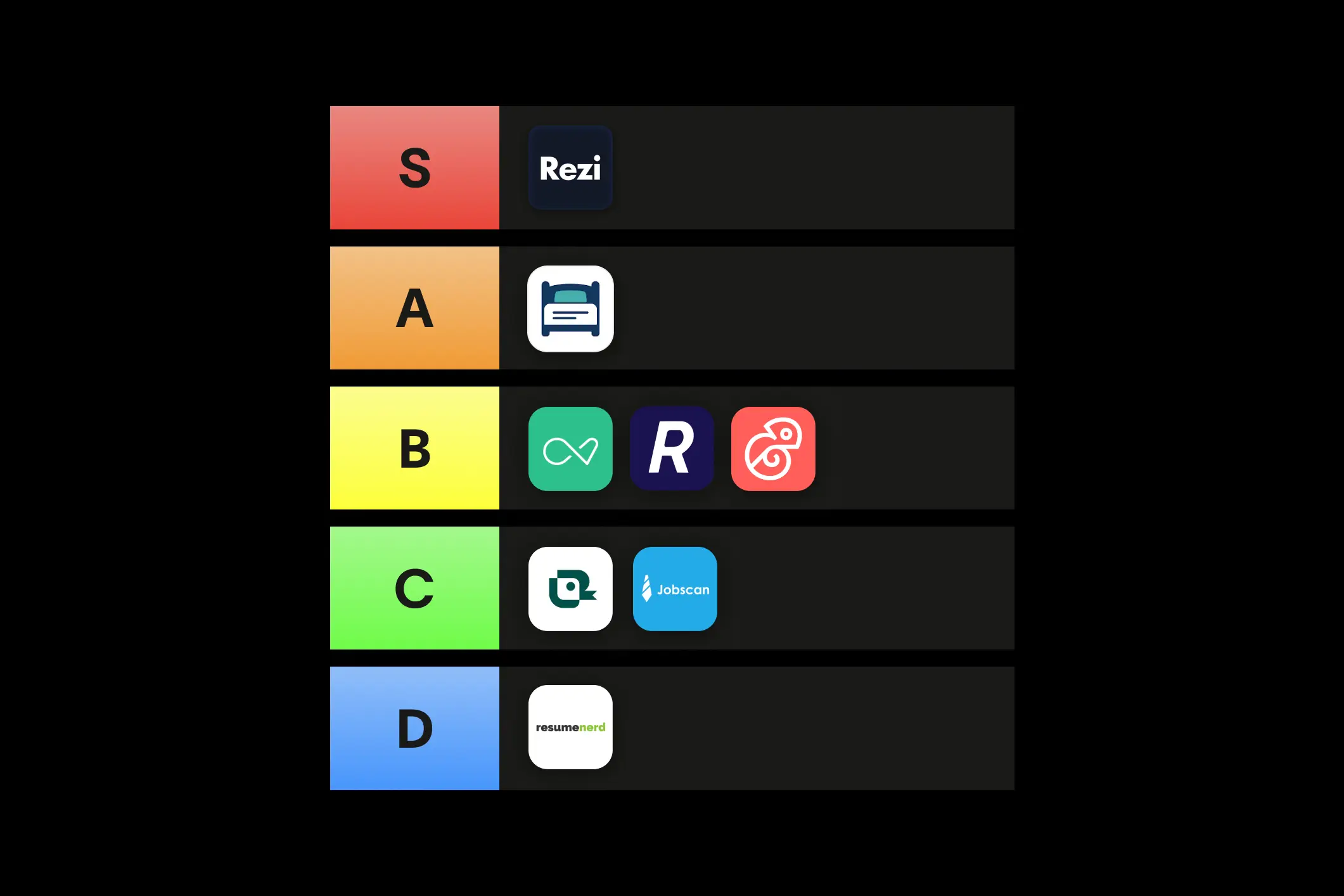
In a rush? We tested and reviewed 13 top tools to find the best ai resume builder for every type of job seeker. Below is a summary of our findings, ranked by score, to help you choose the right software for your 2026 job search.
| Resume Builder | Best For | Pricing Model | Our Score |
|---|---|---|---|
| Rezi | Best Overall: ATS-friendly templates & comprehensive AI features. | Free / Paid | 5/5 |
| Sheets Resume | Best for Simplicity: A no-frills, practical process. | Free / Paid | 4/5 |
| Enhancv | Best for Creativity: visually striking, design-heavy templates. | Free / Paid | 3/5 |
| Resume Worded | Best for Optimization: Refining and scoring an existing resume. | Free / Paid | 3/5 |
| Kickresume | Best for Visuals: Creative resumes (less focus on ATS). | Free / Paid | 3/5 |
| Teal | Best for Management: Job tracking and 2-column layouts. | Free / Paid | 2/5 |
| Jobscan | Best for Matching: Tracking jobs and keyword matching. | Free / Paid | 2/5 |
| Resume Nerd | Simple Guidance: Basic builder (but requires payment to download). | Paid Only | 1/5 |
The Verdict: For the most robust, ATS-compliant experience, Rezi is our top pick. If you prefer a highly simplified Google Docs-style approach, Sheets Resume is a strong runner-up.
You’ve sent out dozens of applications (maybe even stretched the definition of “dream job” a little), but no callbacks, no interviews. I’ve been there, it’s beyond frustrating. While the job market is tough, your resume is the first thing standing between you and that opportunity. No pressure.
And you’re not the only one feeling stuck — that’s why resume builders exist. They’ve evolved with AI technology to help you build your resume from start to finish. They can tailor your experiences to match your dream job, highlight your skills, optimize for ATS, and refine your wording.
I’ve tested and compared the best AI resume builders to help you find the right fit. Here’s what this guide covers:
- The best AI resume creators and their standout features.
- If you can use ChatGPT to write your job application.
- How to use AI generators to create a professional resume.
And find out more about using AI in your job search:
- Best AI Cover Letter Generators
- How to Use AI to Write a Resume
- How to Tell if a Resume Is AI-Generated
- How to Use AI to Tailor a Resume to the Job Description
What Makes a Top AI Resume Builder?
Everyone has their style regarding resumes, so the best builder really depends on your needs. But let’s be honest — some resume builders just aren’t worth your time. Job hunting is already stressful enough without dealing with clunky, mediocre tools.
So, which ones are worth exploring? We’ll break down the top AI resume builders in more detail, but first, here are some green flags to look for when choosing the right one for you.
- Time-saving features: Look for a resume builder that speeds up the resume-writing process by handling formatting and generating content — especially handy for first-time job seekers.
- ATS-friendly formatting: The best AI resume builders don’t draw you in with excessive graphics and elaborate formatting. This will only hold you back. Look for simple, professional layouts that will get past Applicant Tracking Systems (ATS).
- Language and clarity: AI should improve your wording, making bullet points more concise and action-driven while maintaining a personal yet professional tone.
- Guidance: Opt for tools that spot missing skills or incomplete sections. They should help you fill the gaps and create a more competitive resume tailored to the job requirements.
- Tailored content: AI personalizes resumes by analyzing job descriptions and adjusting content to highlight the most relevant skills and experience for the role.
- Keyword optimization: Look for tools that use AI to identify key terms from job descriptions (like skills and industry-specific language) and integrate them into your resume for better ATS compatibility.
Check pricing transparency and reviews
One of the first things I look at when evaluating any resume builder is legitimacy. Resume tools sit in that gray area between SaaS software and career services, so transparency matters. If a platform hides pricing, buries its terms, or avoids public reviews, that’s a red flag.
Here’s what I look out for:
- Real, public reviews, not just hand-picked testimonials. If you can’t find Google reviews, Trustpilot feedback, or Reddit discussions, maybe it’s time to rethink. Established tools generate real feedback (both positive and critical).
- Clear pricing. You should know exactly what you’re paying for, including downloads, AI features, revisions, or human reviews. Surprise paywalls at checkout instantly damage credibility.
- Secure and professional payment processes. Legitimate tools use trusted payment processors and clearly outline what happens after you pay.
Compare against your master resume
When I tested these builders, I used a detailed “master resume” with extensive experience, metrics, and projects. Why? Because a good builder should handle complexity and copy your details over without breaking your formatting or forcing you to oversimplify (plus it makes your life easier).
What this tells you about a builder:
- Whether it can accurately read your existing information.
- Whether it makes tailoring multiple resumes easy or clunky.
- Whether it helps you improve content or just rewrite it.
Check out our free Resume Keyword Scanner to see which words and phrases will give you the green light from ATS scanners. You can also use our resume bullet point generator for help in writing resume sentences.
13 Best AI Resume Builders
Let’s get something out of the way — I work for Rezi. So naturally, I believe we’ve built one of the best AI resume builders out there (and I’ll explain exactly why). But I also know that what works for one person might not be the best fit for another, and the last thing I want is to give you a one-sided take.
That’s why I’ve researched and tested a range of top resume makers. I’ve created my own resume with each tool, explored their AI capabilities, checked their customization options, and weighed the pros and cons firsthand. My goal isn’t just to push Rezi — it’s to help you find the best AI resume builder for you.
Here’s a quick overview of my top picks and what makes them stand out:

Now, let’s dive into my honest reviews of each resume builder — the notable features, strengths, and any drawbacks you should know about.
Rezi

Rezi’s AI Resume Builder creates simple, professional, and ATS-friendly resume templates. We aren’t here for the fuss and frills — our AI technology generates job-specific bullet points and optimizes resumes for readability.
Job hunting is already a headache, but the platform’s step-by-step layout ensures each section is easy to complete without overwhelming you. Whether starting from scratch or updating an existing resume, Rezi tailors your content to fit industry and employer expectations.
With features like AI-generated summaries, keyword targeting, and real-time content analysis, Rezi guides you through the resume writing process and boosts your chances of making it past Applicant Tracking Systems (ATS).

Key Features
- AI Bullet Point Writer: Creates industry-specific job descriptions based on your background and target role.
- AI Resume Summary Generator: Delivers a tailored resume summary by focusing on your experience and desired job role.
- Keyword Targeting: Scans job descriptions and suggests must-have keywords to improve ATS compatibility.
- AI Skills Explorer: Recommends additional relevant skills to strengthen your resume.
- Real-Time Resume Checker: Instantly analyzes your resume and provides feedback as you edit.
- Resume Score: Rates your resume out of 100 based on 23 key factors to measure effectiveness.
Pros
- Rezi is built for ATS success, ensuring your resume has the right keywords and layout to get through those digital gatekeepers.
- The real-time resume checker gives instant feedback, helping you tweak your resume to fit a specific job.
- The step-by-step interface makes resume-building easy for beginners.
- AI-generated bullet points help you write strong job descriptions tailored to your industry.
Cons
- Rezi’s templates focus on being ATS-friendly — they aren’t designed for those who want all the frills and design elements.
- You can only access the full range of features with a paid plan, which might not be ideal if you’re on a budget.
Learn more about the resume writing process using our AI technology: Rezi AI Resume Builder
Sheets Resume

Sheets Resume is a refreshingly simple resume builder built around one ATS-friendly template and a thoughtful set of AI tools. Ex-recruiter Colin McIntosh and software engineer Nate Schier came up with the idea after Colin’s resume advice on Reddit gained a lot of traction.
And this personal connection to job seekers is clear throughout the whole resume-building process. As quoted on their website, “This is a passion project, not a full-on business. We do this for the love of the game (and that 'game' is getting you and your family employer-provided healthcare... great system we've got)”.
The idea is very much “practical over flashy,” with AI prompts that guide you instead of doing everything for you. It’s not fully hands off, but that’s kind of the point. You stay in control while getting real coaching along the way.

Key Features
- ATS-friendly template: A single-column, no-frills layout designed to pass Applicant Tracking Systems without issues.
- Work Experience Assistant: An AI chatbot that asks smart follow-up questions and generates strong, action-driven bullet points.
- AI Quick Suggestions: Instantly offers multiple rewritten versions of an existing bullet point.
- AI Chat Assistant: Acts like a resume coach, prompting you to add metrics, outcomes, and scope.
- Resume tailoring: Lets you paste a job description and automatically adjusts your resume to better match it.
- Content analysis: Flags formatting issues like missing dates or sections.
Pros
- They don’t try to tempt you with flashy designs. You get one template that’s straightforward and proven to work, keeping the focus firmly on the content.
- The expert guidance throughout each section feels personal and genuinely helpful, not generic filler advice.
- You can access and test all features for free, and even export or reuse the template on Google Docs.
- The AI chat feels more like a coach than a robot, helping you identify details you might’ve skipped.
Cons
- Resume tailoring can be inconsistent, with some suggestions feeling repetitive, off-target, or plain redundant.
- Some advice (like including hobbies, adding company descriptions, and skipping the resume summary) won’t apply to every situation.
- The option to add sub-bullets to show key results made my resume look cluttered and could have been included in a single point.
- Content analysis doesn’t catch grammar or spelling errors, so you’ll need another tool for proofreading.
See if Sheets Resume is the right fit for you:
Teal

Teal isn’t just a resume builder — it’s also a job search management tool. It helps you create ATS-friendly resumes with AI-powered customization while keeping your job search organized.
This resume writer makes sure your content aligns with your future job, using features like a resume bullet point generator, keyword scanner, and job description matcher.
There’s also a nice emphasis on achievement-driven content, helping you highlight measurable results that set you apart from the competition. Plus, its job application tracker keeps everything in one place so you can keep an eye on job opportunities.

Key Features
- AI Bullet Point Generator: Creates metric-driven, achievement-focused bullet points emphasizing tangible results.
- Resume Checker: Evaluates your resume for gaps, weaknesses, and areas for improvement.
- AI Summary Generator: Drafts a summary based on your work history and achievements for a professional introduction.
- Keyword Finder & Scanner: Identifies essential keywords from job descriptions and ensures they’re included in your resume.
- Job Description Match Feature: Compares your resume against a job posting and provides a compatibility score.
- Resume Skills Generator: Pinpoints missing skills by analyzing your resume against the job ad.
Pros
- You can directly link a job description to your resume and optimize your content to match the right keywords for ATS compatibility.
- Teal has a transparent pricing model with a free plan offering valuable features, plus an affordable premium plan for advanced tools.
- The free version includes 11 resume templates, giving you solid design choices without spending a dime.
- I uploaded my existing resume and was happy to see that Teal imported and formatted all my details into its system without any slip-ups.
Cons
- The resume templates are professional but a little basic and repetitive in design.
- Some free templates use a two-column layout, which isn’t great for ATS scanners and could affect readability.
- My resume isn’t packed, but the spacing between sections still looked cramped. Unfortunately, I could only add more white space with the paid version.
Find out more with our honest review: Rezi vs. Teal: What Makes Them Different?
Jobscan

Jobscan is all about making sure your resume passes ATS scanners. It offers nine professional templates designed to be easily read by hiring software — no fancy graphics that could cause issues. You can start from scratch, upload an existing resume, or pull info directly from your LinkedIn profile.
Jobscan’s standout features include AI-powered tools that optimize your resume based on job descriptions, helping you use the right keywords and formatting to get noticed.
With built-in resume scoring, skill suggestions, and a job tracker, it’s great for job seekers who want to update their existing resume for new job opportunities. But just a heads up: while the free version is useful, many advanced features require a paid plan.

Key Features
- Resume Bullet Point Generator: Uses AI to create job-relevant bullet points.
- AI-Powered Rewriting: Improves sentences by rewording them for impact and clarity.
- Resume Summary Generator: Instantly creates a tailored summary highlighting your skills and experience.
- Resume Score: Analyzes your resume against job descriptions and offers personalized suggestions to increase your match rate.
- Job Tracker: Includes a Chrome extension that lets you save and organize job listings from major job boards.
- Power Edit: Highlights missing skills from job descriptions and helps you integrate them into your resume.
Pros
- It was easy for me to set up an account and start working. You can upload an existing resume, import from LinkedIn, or create one from scratch.
- Unlike other AI resume tools, Jobscan’s rewriter improves sentences without all the extra details (which I end up cutting out).
- The free plan includes useful features like five resume scans per month, a job tracker, a job board, a Chrome extension, and one ATS analysis.
Cons
- Even with my minimal extra resume sections, most templates still spilled my details onto the second page.
- When importing an existing resume, some information didn’t transfer perfectly. For example, they mistakenly added my remote locations to the job description.
- Your resume downloads are limited to PDF and Word formats — there’s no direct Google Drive integration.
See how Resume Worded stacks up: Rezi vs. Resume Worded
Kickresume

Kickresume helps you write creative resumes with the support of OpenAI’s GPT-4. Unlike other resume software focusing on ATS compatibility, Kickresume has an eye for design.
The platform offers colorful templates, icons, and profile pictures to make your resume stand out (whether that’s for the right reasons is a different story). You can generate a resume from scratch with AI, autofill details using LinkedIn, or choose from over 20,000 pre-written phrases.
While the free plan provides some solid features, the advanced customization and AI writing tools require a paid subscription. Overall, it’s best suited for creative professionals who want their resumes to have more personality.

Key Features
- AI Resume Generator: Creates a first draft based on your job title, filling in any relevant details.
- AI Rewriter: Suggests refined phrasing for your resume bullet points, allowing you to edit or regenerate options.
- AI Resume Checker: Provides a resume score based on design, structure, and content, with feedback for improvement.
- Error Detection: Identifies mistakes in grammar, formatting, and overall structure.
- Proofreading Service: Offers a paid ($26) option for professional resume proofreading within two business days.
- Pre-Written Phrases: Free users get access to a library of 20,000+ resume phrases to help fill in content.
Pros
- You can create and download a basic resume for free.
- The AI resume generator gave me a solid starting point to refine it further with the AI rewriter.
- You can autofill content using LinkedIn or import an existing resume — this feature worked great for me and was accurate in copying everything over.
Cons
- Many templates have way too many design elements (colors, graphics, and icons), making them less ATS-friendly.
- Some templates include photos, which are generally discouraged for resumes in the U.S. job market.
- The default formatting often spills to two pages, and I found reducing spacing or font size to fit everything on one page a little tricky.
- The free version is limited, with restricted design customization, fewer work experience entries, and no extra sections.
Find out more: Rezi vs Kickresume: AI Resume Builder Comparison
Resume Worded

Resume Worded isn’t technically a typical resume builder — it’s more of an AI-powered resume improvement tool. Instead of helping you create a resume from scratch, it analyzes your existing resume and provides feedback on impact, word choice, style, and brevity.
The free AI Resume Checker scores your resume based on what recruiters and hiring managers look for, offering tailored suggestions for improvement. It also includes keyword optimization and grammar-checking tools to help clean up your content.
While some features are free, most of the in-depth suggestions and AI-generated improvements need you to cough up for the paid version.

Key Features
- Magic Rewrite: Transforms outdated or weak bullet points into professional achievements with AI-generated suggestions.
- Resume Scoring: Analyzes your resume based on impact, brevity, and style, with a detailed assessment and solid advice.
- ATS Keyword Analysis: Compares your resume against a job description to identify missing keywords and optimize for ATS.
- Grammar Checker: Flags grammatical errors, typos, and other writing issues while scoring your resume based on recruiter-approved criteria.
- Line-by-Line Analysis: Reviews each line of your resume individually, providing targeted suggestions for improvement.
Pros
- The free AI Resume Checker instantly provides a resume score and feedback, giving a quick overview of areas to improve.
- AI-generated suggestions let you refine and rewrite bullet points with just a few clicks.
- It provides detailed feedback that helps your resume keep up with hiring standards.
Cons
- The free version is limited, offering only a couple of AI-generated rewrites before requiring a paid upgrade.
- Many useful features, including top fixes, full-line analysis, and ATS keyword suggestions, require a paid account.
- The AI-generated bullet points added exaggerated or inaccurate details to my work experiences. I had to review and edit them to make them more authentic.
- And for the obvious one — you can’t create a resume from scratch; you can only analyze an existing resume or LinkedIn profile.
Enhancv

Enhancv makes its mark with creative and highly customizable templates. You can use one of their templates to create a resume from scratch or refine your existing content with AI-powered suggestions.
Its standout feature is its visually striking templates that let users add graphs, charts, and unique design elements. Not great for ATS scanners but could work for smaller, creative companies.
Enhancv also offers an “ATS Check” tool to analyze how well your resume matches a job description. However, while its AI assistant can enhance your writing, the free version has its limitations — most notably, you can’t download your resume without upgrading to a paid plan.

Key Features
- AI Writing Assistant: Improves your resume content but requires enough input before it can generate suggestions.
- Custom AI Enhancements: Helps create summaries, bullet points, and headlines tailored to a job description.
- Improve Text: Offers suggestions while you write (full access requires a paid plan).
- ATS Check: Scans your resume against a job description to assess its strength.
- Synonym Suggestions: Double-click any word to see alternative phrasing options.
- Collaboration Feature: Share your resume with a link so friends or colleagues can leave comments.
Pros
- All 20 resume templates are available, even with a free account, giving you plenty of design choices.
- The AI assistant suggests ways to improve your writing, and I like that it gives rewrite options instead of automatically changing my text.
- The synonym tool is a nice touch, helping you refine wording without sounding repetitive.
Cons
- Some AI suggestions can come across as robotic, making manual edits necessary.
- While the templates are certainly creative, their two-column layout and design elements could cause issues with ATS scanners.
- When I imported my existing resume, it added sections I didn’t include, like “Training” and “Key Achievements” (though they were pretty easy to remove).
- The biggest drawback is easily the inability to download your resume on a free plan, totally limiting usability unless you upgrade.
Find out more: Rezi vs. Jobscan: Which is Better for Building an ATS Resume?
Resume Nerd

ResumeNerd is a resume builder designed to make the process as easy as possible with step-by-step guidance, AI-generated content, and professionally designed templates. It offers a range of modern designs suited for different industries.
The platform also provides tailored bullet points and professional summary suggestions based on your job title. While it’s great for inspiration, the biggest downside is that you can’t download your resume without paying — a frustrating detail that wasn’t made clear upfront.

Key Features
- AI Bullet Points: Provides AI-generated job description suggestions based on your specific job title.
- AI Resume Scoring: Evaluates your resume’s quality and offers recommendations for improvement.
- Summary Generator: Creates different professional summaries based on your work history and skills.
- Template Variety: Offers 13 professional templates without excessive graphics or colors.
- Customization Options: Allows you to adjust colors, spacing, and template styles (though options are limited).
- Writing Tips: Provides basic advice for each section of your resume to help guide your writing.
Pros
- You get access to 13 simple templates that don’t distract from your content with flashy graphics.
- The AI-generated bullet points provide helpful suggestions based on job titles, making it easier to refine your descriptions.
- The resume builder walks you through every section with basic resume-writing tips, making it beginner-friendly.
Cons
- Most templates automatically place skills at the top, which isn’t the standard resume format. You can rearrange your sections, but this might not be the obvious choice for a resume beginner.
- Many templates use two-column layouts, which can cause issues with ATS scanners.
- Customization is pretty limited. You can only adjust colors, spacing, and templates, and even those options are minimal.
- You can’t download your resume without upgrading to a paid plan. This isn’t clear until you’ve created your whole resume — pretty misleading.
Need extra help with your resume? Take a look: 8 Best Resume Writing Services
Resume.io

Resume.io is a modern resume builder that combines basic AI assistance with flexible editing. It lets you see your resume update in real time as you work, which makes the process feel intuitive and fast. While the AI tools are more limited compared to other AI platforms, they’re useful for refining existing content.

Key Features
- Templates: Includes dozens of templates across 14 categories, including ATS, simple, creative, and one-page formats.
- AI Writer: Expands or improves existing resume content with custom prompts.
- Tailoring Tool: Matches your resume to a job description and provides a score.
- AI Review: Highlights strengths, weaknesses, and improvement tips.
- Live Preview Editor: Shows changes to your resume as you edit.
Pros
- The AI Writer suggestions added useful and specific details, helping me to expand existing points without starting from scratch.
- Section navigation is flexible, making it easy to jump back and adjust without redoing my previous work.
- Live preview as you edit is really convenient; you can immediately see how bullet points and spacing look.
Cons
- Some templates labeled as ATS-friendly still included charts and graphics.
- The auto-tailoring feature can misinterpret job titles or over-expand summaries, so I had to make some manual corrections.
- AI Review sometimes gave vague advice, like “use bullet points,” after I had already used them in my work experience section.
Huntr

Huntr combines AI-powered writing tools with job search features. You get help generating summaries, bullet points, and skills, while tracking applications, interviews, and progress. And a major plus is you can try all these basic features for free and still download a resume without hitting an immediate paywall.

Key Features
- Resume Checker: Scores your resume and suggests improvements for keywords, structure, and clarity.
- Resume Summary Generator: Creates tailored summaries based on your experience and job description.
- Resume Bullet Point Generator: Suggests achievement-driven bullets with relevant metrics and context.
- Resume Skill Generator: Recommends skills aligned with your current or target job title.
- AI Resume Tailor: Rewrites sections of your resume to match job requirements and optimize for ATS.
- Resume Keyword Scanner: Identifies important keywords from job descriptions and highlights gaps.
- AI Resume Review: Provides detailed, role-specific feedback on grammar, impact, and overall content quality.
Pros
- The tailoring experience stands out because it immediately asks for your target role and lets you paste a job ad, plus the AI rewrites entire sections to match the job.
- I found the achievement suggestions genuinely helpful since they focused on measurable impact and gave me a solid starting point to tweak.
- The feedback goes beyond surface-level tips and explains how to improve specific bullet points, which made it feel more like coaching than just robotic suggestions.
Cons
- The interface feels crowded right from the start, and having the resume preview, scoring system, feedback, and editing tools all on one screen can be overwhelming, especially for those new to resume builders.
- While most templates are simple and usable, a couple lean too heavily into design elements, which could distract from content or create issues with ATS readability.
Resume Genius

Resume Genius is a beginner-friendly resume builder that walks you through each section. It offers a large library of templates, AI-assisted content suggestions, and built-in guidance throughout the process. Alongside resume building, it also includes a cover letter generator and access to resume-writing tips, making it feel more like an all-in-one job application hub.

Key Features
- Template Library: Offers 200+ templates across categories like ATS, modern, creative, and academic.
- AI Content Suggestions: Provides bullet point ideas based on your job title.
- Skill Enhancer: Suggests alternative wording for existing skills.
- Summary Generator: Rewrites summaries or suggests multiple options based on job title.
- Cover Letter Generator: Builds a draft based on your experience and role.
Pros
- The main appeal is that the resume-building process is simple and easy to use for beginners.
- The 50+ AI suggestions gave me plenty of inspiration, even if I had to tweak most of them myself.
- The basic built-in tips throughout the process were genuinely helpful, like reminding me to quantify results or clarify scope.
Cons
- Many templates included graphics, charts, or headshots that could cause issues with ATS systems or with hiring managers.
- There’s a serious lack of tailoring. The AI suggestions for the work experience bullets were very vague and only tailored to the job title (there’s no option to add a job ad).
- It’s never fun hitting a paywall only after finishing my resume.
FlowCV
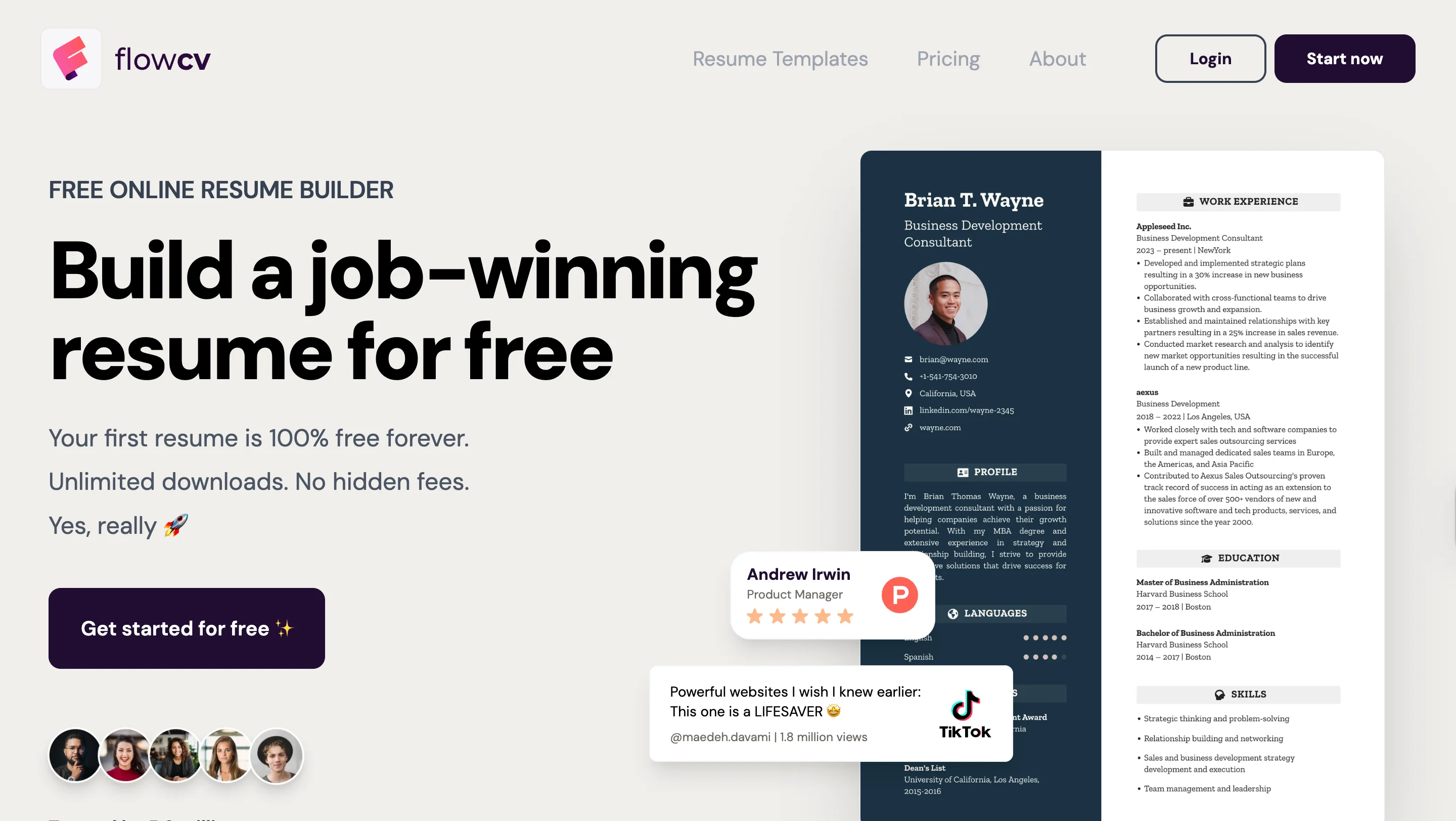
FlowCV is a design-focused resume builder with a generous free plan and a modern interface. It’s easy to navigate, offers real-time previews, and provides strong formatting control even without paying. While AI tools are available only on the Pro plan, the free version is still fully functional for creating and downloading resumes.

Key Features
- Template Library: Offers dozens of templates with varying ATS compatibility.
- Formatting: Adjust layout, spacing, fonts, and section order.
- AI Writing Tools: Generates and improves content.
- Resume Translation: Creates translated versions while preserving layout (Beta)
Pros
- The interface is simple and intuitive; seeing my resume take shape in real-time was a nice touch.
- The free plan includes unlimited PDF downloads and access to all templates.
- Formatting options let me adjust spacing and fonts to personalize without overcomplicating the design.
Cons
- Many templates include skills charts, which I recommend avoiding for job applications.
- AI features require a paid plan, so you’ll have to do a lot of content tweaking if you’re settling for the free version.
- There’s no job description tailoring tool yet, so keywords and alignment need manual work.
Visme

Visme isn’t your casual graphic design tool, it’s an all in one design tool that helps teams and individuals to create anything including stunning resumes that can easily grab hiring managers attention and secure your dream job.
Visme AI Resume Builder offers tens of easy to customize templates to help you land your dream job. Pick the best one that matches your personal brand and industry and customize it using Visme’s easy drag and drop editor. You can edit every aspect of your resume including fonts, colors, and other elements. Download it in various formats including PDF, print it directly or send it via email for an interview.

Key features
- Free resume builder: Visme offers a free resume maker for creating professional and beautiful resumes.
- Access to fonts: Visme makes it easier to access dozens of easy-to-read serif and sans serif fonts.
- Library of design elements: Visme has hundreds of thousands of icons and photos to choose from
- Easy editor: It provides easy drag-and-drop design tools, made with the non-designer in mind
- Full customization: Visme allows users to customize every aspect of your resume by adding your personal information into the preset sections
Pros
- Easy downloadable formats: Once you finalize your design, you can download your resume as an image file or PDF. You can also create animated resumes and share them with a public Visme link.
- Powerful AI features: Visme’s powerful AI features allows you to create stunning resumes with just a single prompt. Write a clear prompt to design a highly engaging resume.
- AI writer: Having a writer’s block? Leverage its powerful AI features like AI writer to create and design crisp resumes.
- Beautiful resume templates: Visme offers beautiful resume templates. You can customize every aspect of your resume, including fonts, colors, images, etc.
- Budget friendly resume builder: Visme offers a budget friendly approach to create stunning resumes for free.
Cons
- Some premium resumes require a paid version, and this might not be feasible for anyone who is looking for entirely free resume builders.
- Visme requires constant internet connectivity.
Can ChatGPT Generate Resumes?
ChatGPT can help you put together a resume — but it’s not a resume builder. Unlike tools like Rezi or Jobscan, ChatGPT won’t guide you through the process. Instead, it works solely based on the prompts you provide. Sure, you have more flexibility, but you also have more responsibility to ensure everything is accurate, well-structured, and tailored.
So, how do you use ChatGPT to write a resume? You can ask it to suggest resume formats, rewrite bullet points to sound stronger, and help with keyword optimization. It’s handy for getting ideas and rewording sentences when you have brain fog.
But there’s the obvious drawback — ChatGPT doesn’t provide templates, just the content. You’ll have to copy and paste everything into an actual resume template, which is just extra work compared to a dedicated resume builder. And let’s be honest — recruiters are catching on to overly “AI phrasing”, so you’ll need to edit anything that sounds robotic.
My advice? ChatGPT can be a great writing assistant, but it’s not a one-and-done resume solution. Use it for brainstorming, editing, and refining, but don’t rely on it to build a resume. And double-check all the answers it gives you.
Here are a few ways to make the most out of ChatGPT for resume ideas:
- Paste a job description and ask ChatGPT to pull out the most important keywords to include in your resume.
- Give it a job description and ask it to rewrite your bullet points to make them more tailored and results-driven.
- Ask it to list key skills for your field to make sure you’re hitting all the industry requirements.
- ChatGPT can help draft a resume summary based on your unique experiences and career goals.
- If your resume starts to sound a little monotonous, ChatGPT can suggest alternative ways to phrase your achievements (just make sure the final product isn’t too robotic).
How does ChatGPT compare to specialized resume builders? Find out more: Rezi vs ChatGPT: Which is Better?
Tips for Using AI Resume Generators
AI is a game-changer, but it can’t replace a good old-fashioned human. Your resume tells your professional story — your experiences, skills, and the value you bring. No AI can fully capture that without your input. While AI resume builders can give you a solid starting point, it’s up to you to refine and personalize the details to take your resume to the next level.
Check out these top tips for perfecting your resume using an AI builder.
Be prepared with your professional details
Building anything without a strong foundation will just end up being sloppy and time-consuming. Before diving into an AI resume builder, gather all your professional details from LinkedIn or in a separate document. Got an existing resume? Even better, it’ll save you a lot of time.
Many AI tools analyze job descriptions to tailor your resume, so keep the job posting on hand. This helps integrate key skills and industry-specific terms, increasing your chances of passing ATS and showing the recruiter that you’re the right fit.
And remember, AI isn’t a mind reader (yet) — it can’t capture every personal achievement or explain notable details in your work history. Note your accomplishments and measurable results to make your resume stronger and more personalized.
Know the best resume practices
Relying on AI completely will only give your resume a robotic edge that won’t impress recruiters. Do some research about how to write a resume and the best resume formatting so you know where to make improvements.
Some AI-generated content can be generic, so tweak the language to reflect your personality and specific achievements. AI also tends to list broad responsibilities instead of emphasizing your unique contributions — don’t be afraid to add a personal touch to those resume bullet points.
And make sure the tone and style match the role you’re applying for — AI may miss subtle industry expectations that could make your resume stand out. The general rule? Think of AI as a helpful assistant rather than a one-click solution.
Compare different AI resume builders
Don’t just settle for the first resume builder you find — popularity doesn’t always translate to the best results. For example, some tools lure you in with flashy (yet ineffective) designs, while others focus on keyword optimization to help your resume match job descriptions.
So, what actually matters?
The best AI resume builders offer smart suggestions for bullet points, work experiences, and skills. To get the most out of them, look for features like ATS checks, content analysis, and customization options. Checking reviews or testing free versions can help you find a tool that’s easy to use and tailored to your preferences.
Rezi will always be my top choice, but check out our other picks: Best Rezi Alternatives
Select an ATS-friendly resume template
Bright colors and a smiley headshot might look great on your Pinterest board, but they won’t do you any favors with ATS software. Frilly templates with graphics, columns, skill bars, or images? They can be more of a hindrance than a help.
To keep your resume ATS-friendly, stick with a simple template that won’t confuse the system. A little color is fine to add personality, but don’t go overboard. And skip the photo. Many companies have strict policies against them to prevent hiring bias — keep the focus on your skills and experience.
Keep your resume updated
Your resume isn’t a static document — it should grow with your career. Have you picked up new certifications, shown a strong leadership style, or mastered a new skill? Yes, it takes more time, but continuously updating your resume will reflect your most relevant qualifications.
And don’t expect AI to be up to speed with the latest industry trends — it’s worth manually adding in-demand resume skills and relevant buzzwords to show you’re staying ahead. Also, don’t forget to tailor and tweak each resume to align with the job description, emphasizing the qualifications that align with the role.
Learn more about customizing your resume: 12 Steps to Edit and Perfect Your Resume
Is It Worth Using a Resume Writing Service?
Short answer? Sometimes, but it’s certainly not for everyone.
If you’re comfortable writing and can use modern resume builders or AI tools, you probably don’t need a resume writing service. But if you’re stuck, overwhelmed, or dealing with a complicated career story, a good writer can help you move faster and position yourself better.
Here’s when a resume writing service can be worth it:
- It can be helpful if you’ve never written a resume or don’t know current standards, because a good writer can guide you on structure, achievements, and how to avoid common mistakes.
- Services are useful if your career path is complex, such as having gaps, freelance work, career pivots, or senior roles that need strategic framing rather than just formatting.
- A resume writing service can save you time and mental energy if you don’t have the bandwidth to create and tailor resumes yourself.
And here’s when it’s probably not worth it:
- Resume writing services can be expensive, and many people can get similar results using strong AI tools and some careful editing.
- Some services don’t offer direct communication with the writer before creating your documents, which can result in a generic resume that doesn’t reflect your experience.
- Guarantees can be misleading because even the best resume cannot guarantee a job if you’re targeting the wrong positions or struggling with networking and interviews.
- If a service lacks transparent reviews or testimonials, it’s hard to know if they consistently deliver quality work for people in your industry or with similar experience.
Final Thoughts: What Is the Best Resume AI Builder?
If you want an ATS-friendly, AI-driven tool that optimizes content and structure, Rezi is my top pick. Teal and Jobscan are also great alternatives with solid AI features and job tracking tools.
If you’re after something more creative, Kickresume and Enhancv offer stylish designs but don’t focus as much on ATS compatibility. Need quick feedback on an existing resume? Resume Worded is a handy option.
When choosing a resume builder, focus on AI-generated content, customization, and ATS compatibility. Whether you want a professional resume or something visually unique, the right tool should match your style and job search goals.
FAQ
Can AI write a resume?
Yes, AI can write a resume, but it’s only as good as the information you provide. AI tools can generate job descriptions, format your resume, and optimize it for ATS, but they can’t fully replace human input. You’ll still need to review, edit, and personalize the content to make it sound authentic and highlight your unique experiences.
Do employers check for AI-generated resumes?
Most employers don’t have a specific way to detect AI-written resumes, but they can often tell when a resume feels too generic or robotic. Recruiters look for clear, well-structured resumes with strong, personalized content.
If AI-generated bullet points sound unnatural or lack real impact, they might raise red flags. The key is to use AI as a tool — let it help with structure and phrasing, but always add your personal touch to ensure your resume stands out and feels genuine.
What is the AI federal resume builder?
There is no official AI federal resume builder, but you can use a resume maker to create a resume specifically for federal government positions. Federal resumes are longer and more detailed than private-sector resumes, often requiring specific formatting and key information.
AI-powered resume builders can streamline the process by structuring the resume correctly, suggesting relevant keywords, and ensuring compliance with government application guidelines. While these tools can save time, it’s still important to carefully review the final product to make sure it meets all federal job application requirements.
Do employers care if you use ChatGPT for a resume?
Most employers don’t mind if you use AI to help with your resume — as long as the final product is strong, relevant, and accurate. What matters most is that your resume clearly shows your skills and experience in a way that fits the job.
However, if it’s obvious that AI wrote the resume (like if it includes generic buzzwords or lacks a personal touch), it might hurt your chances as it shows you didn’t make the extra effort to personalize. AI is a great tool, but employers still value resumes that feel human and authentic.
Are AI resume builders worth it?
AI resume builders are worth it if you need help with structure, wording, or ATS optimization. They can save time, suggest strong bullet points, and ensure your resume is formatted correctly.
However, they’re not perfect — many templates are basic, some features require payment, and AI-generated content can sound generic. If you use one, make sure to review and personalize your resume so it truly represents you.
How to build a resume for free?
Start with online resume builders with free plans like Rezi, Sheets Resume, or FlowCV, which offer ATS templates and AI suggestions. You can also draft one manually using Google Docs or Word, then refine it with free keyword tools and spell-checkers. Focus on results-focused content, instead of fancy visuals, to achieve ATS compatibility.
How to create a resume on Google Docs?
Open Google Docs, click “Template Gallery,” and select a resume template. Fill in your details section by section, including contact information, experience, skills, and education. Keep formatting clean with a single-column layout, readable fonts, and consistent spacing. You can also copy AI-generated text or use your master resume to populate it, then tweak the content for each job application. When done, download as PDF for submissions or share a link directly.
Or you can skip some steps and use this template: Google Docs Resume Template
Can you use Canva to create a resume?
Yes, Canva works if you want a visually striking resume. You can drag and drop elements, change colors, and add icons or charts. The downside is that some designs may confuse ATS software, so it’s best for creative roles, not mass job applications. Focus on templates with a clear structure and minimal graphics if you plan to submit through online portals.

Upload or drop your resume to get started
Upload your resume to get started
Score my resume

Lauren Bedford is a seasoned writer with a track record of helping thousands of readers find practical solutions over the past five years. She's tackled a range of topics, always striving to simplify complex jargon. At Rezi, Lauren crafts genuine and actionable content that guides readers in creating standout resumes to land their dream jobs.