




User Guides
Create Account
Find out how to create a Rezi account, access your dashboard, and start building resumes with Rezi’s AI-powered tools.
.webp)
Published on
August 13, 2026
Updated on
August 19, 2026
Creating a Rezi account takes less time than deciding what to watch on Netflix. We don’t ask you to confirm your identity or hand over your credit card. The whole process only takes a few minutes. After that, you can start building your resume alongside over 4 million job seekers who use Rezi to create stronger applications.
In this guide, I’ll show you how to create an account and take advantage of our features.
Get started with our free AI Resume Builder. We offer tailored feedback, AI suggestions, and ATS-friendly templates to help you create a memorable job application.
You can also go beyond resumes with these advanced tools:
And learn more about how to make the most out of Rezi:
- Does Rezi AI Actually Work
- How to Use the Rezi Resume Builder
- Everything You Need to Know About Rezi AI
Creating Your Account
You won’t hit any paywalls or have to send some sort of photo ID just to create a Rezi account. All you need is an email address and password to access your free account.
Once you’re in, you’ll land on your dashboard, where you can start building resumes, tailoring applications, searching for jobs, and exploring Rezi’s AI tools. You’re also free to explore all of our basic features before deciding to upgrade for complete access (more on that later).
{{cta-upload}}
How to Create an Account
Here’s a quick breakdown of how to create an account with Rezi:
- Go to the Rezi homepage and click Login or Try for free to open the sign-up page and create your account.
- Enter your email address or sign up with your Google or Apple account, then review the Terms of Use if you’d like to learn how your information is protected.
- Check your inbox for the email confirmation, which usually arrives within a minute, then copy and paste it within 10 minutes to sign in.
- Start building your resume from your dashboard, where you can access Rezi’s AI-powered tools and upgrade your account whenever you want additional features.
Let’s go through the whole process in more detail.
1. Go to the Rezi homepage
Visit the Rezi homepage and choose any button that takes you to the sign-in page. The easiest options are Login or Try for free. Both will open the account page, where you can create a new account.

2. Enter your email address
Once you reach the sign-in page, select Sign Up if prompted, or you’ll be directed straight to the Create your Rezi account screen.

You can either sign up with your Google or Apple account or enter the email address you want to use for your account. And if you’re curious, this is also a good time to check the Terms of Use and Privacy Policy to see exactly how we protect your data.
3. Check your inbox for your code
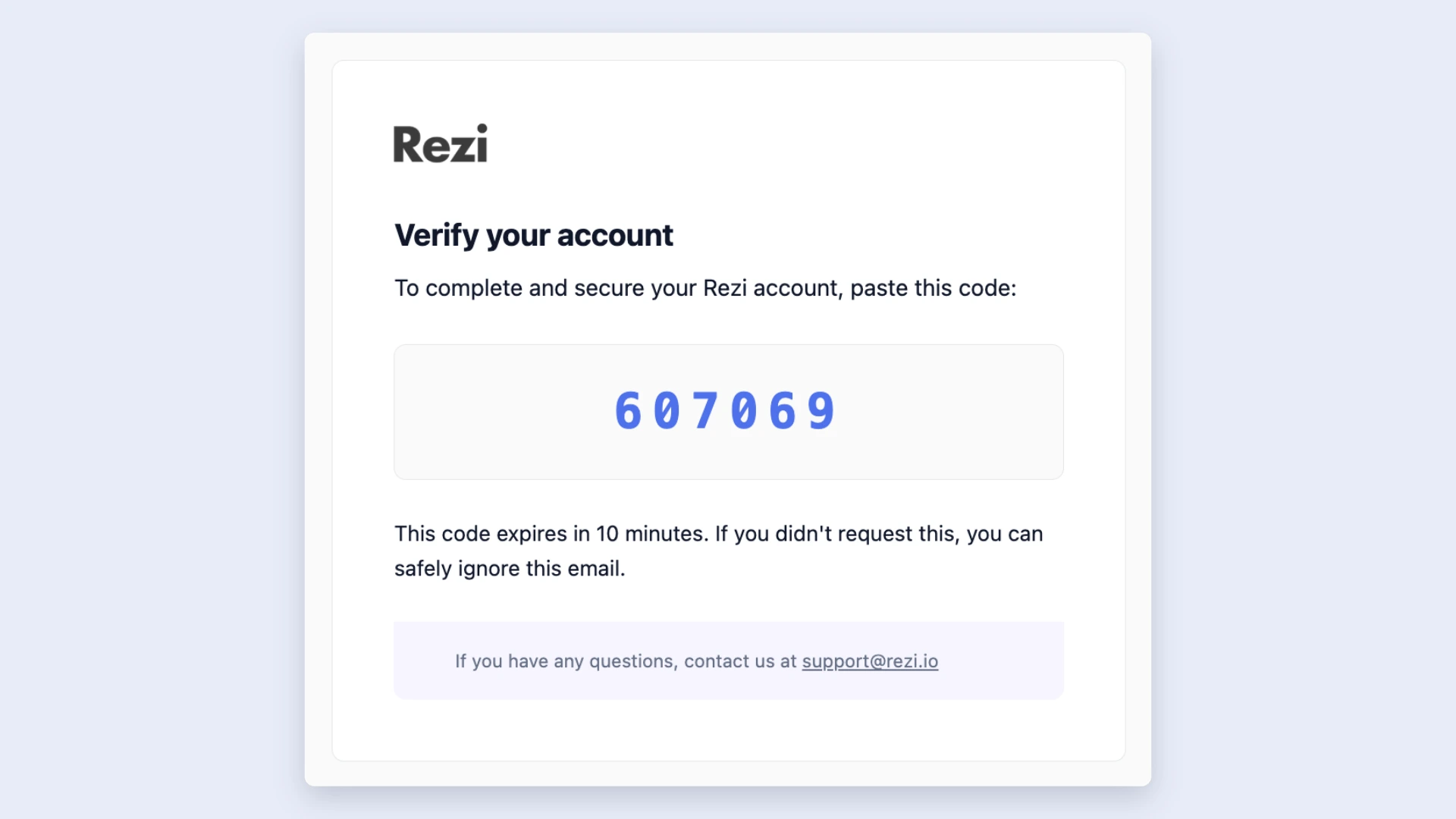
Once you enter your email address and password, Rezi will send you an email confirmation code within about a minute. When the email arrives, you have 10 minutes to copy and paste the code back into Rezi.
4. Start building your resume
Once you enter the code, Rezi will take you straight to your dashboard. From there, you can jump into building your resume and explore the platform’s AI-powered tools, including:
- AI Bullet Point Writer to create stronger, results-focused achievements.
- ATS Resume Checker for instant feedback and resume scoring.
- AI Keyword Targeting to tailor your resume to a specific job description.
- Resume Summary Generator to quickly create a professional introduction.
If you decide you want access to Rezi’s full set of features and job search tools, click Upgrade in the top-right corner of your dashboard. You can choose a Pro subscription for $29 per month or make a one-time payment of $149 for a Lifetime account.

Summary
Here’s an overview of everything you need to know about creating an account with Rezi:
- Creating a Rezi account is free and only takes a couple of minutes.
- Visit the Rezi homepage and click Login or Try for Free to access the sign-up page.
- Enter the email address and password you want to associate with your account.
- You’ll get an email confirmation with a code within about a minute. Simply copy and paste the code back into Rezi.
- Your magic link usually arrives within about a minute. Click Log In Automatically or copy and paste the link into your browser.
- Once you’re signed in, you’ll arrive at your dashboard, where you can create a new resume, upload an existing one, or explore Rezi’s AI-powered tools.
- Your work saves to your account, so you can sign back in anytime using a new magic link and continue where you left off.
- You can upgrade at any time if you want access to Rezi’s full suite of AI features and job search tools.
{{cta}}
FAQ
Is creating a Rezi account free?
Yes, creating a Rezi account is completely free, and you can start building and saving resumes without paying anything upfront. If you decide you want access to all of Rezi’s AI features and job search tools, you can upgrade whenever you want.
That said, there’s no pressure to choose a paid plan when you create your account, so you can explore the platform first and upgrade only if it suits your needs.
Do you need a password to create a Rezi account?
Yes, you need to create a password or sign-in with your existing Google or Apple account. If you decide to create a password, choose one that’s long, includes a mix of uppercase and lowercase letters, numbers, and special characters, and avoid anything easy to guess. Using a different password for every account also helps prevent a breach on one website from putting your other accounts at risk.
Can you create a Rezi account with Google or Apple?
Yes. If you’d rather not enter your email manually, you can choose to continue with Google or Apple when creating your account. After you sign in with your Google or Apple account, Rezi will create your account automatically, and you can start building your resume straight away.
Can you change the email address linked to your Rezi account?
Yes, you can update your email address at any time from your account settings. Once you save the change, Rezi will use your new email address for future magic links and account notifications.

Upload or drop your resume to get started
Upload your resume to get started
Score my resume

Lauren Bedford is a seasoned writer with a track record of helping thousands of readers find practical solutions over the past five years. She's tackled a range of topics, always striving to simplify complex jargon. At Rezi, Lauren crafts genuine and actionable content that guides readers in creating standout resumes to land their dream jobs.



