Resume
How to Use the Rezi Resume Builder in 11 Easy Steps
Find out how to use the Rezi resume builder step by step, with AI tools, templates, and tips to create an ATS-friendly, tailored, and polished resume.
Published on
February 10, 2026
Updated on
February 10, 2026
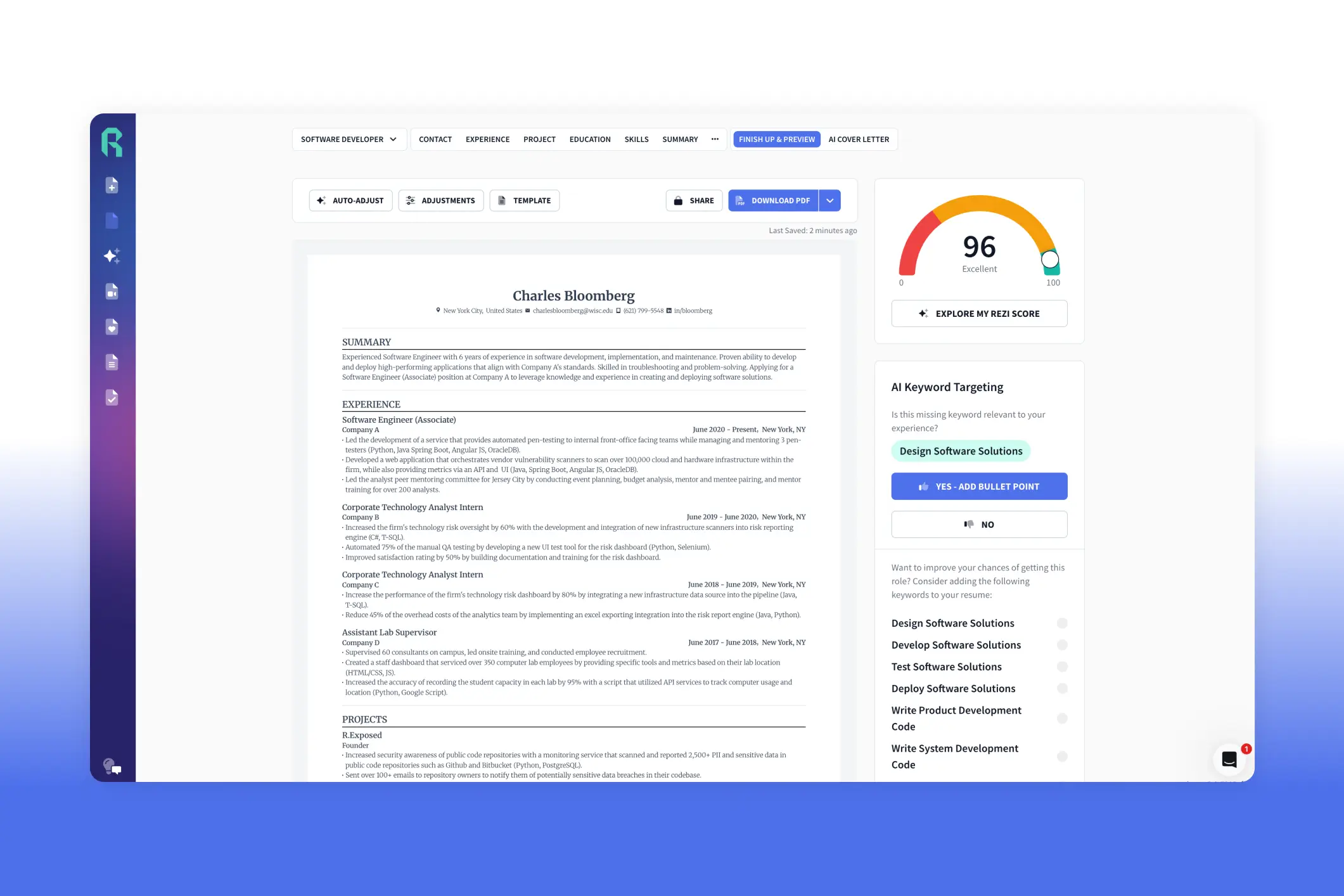
The Rezi resume builder is one of the best AI platforms to help you write and format a professional resume that’s compliant with applicant tracking systems (ATS). It’s easy to use and designed to make your resume ATS-friendly and tailored to each job. Upload your resume, import from LinkedIn, or create one from scratch, and add your contact info, work experience, education, and skills. Use the AI tools to craft bullet points, generate a summary, get skill suggestions, and add extra sections like projects or certifications. Tailor your resume with the AI Keyword Targeting tool, choose a template, adjust formatting, and check your Rezi Score to see where improvements are needed. Our users love how it saves time, guides them step by step, and makes customizing resumes easy and effective.
I’ve seen nearly all the YouTube videos of people trying out and talking about our resume builder (thanks, guys). Like this one:
Even though, in the comments, he said he wouldn’t pay for it. What the heck, Benjamin? I thought we were friends.
But I get it. Our free plan is enough for one application anyway. But once you’ve used up your free downloads and you’re still job hunting, you might find yourself wandering back to Rezi. And don’t worry, we’ll welcome you with open arms.
It’s time we shared our two cents, too. Not just another walkthrough, but a step-by-step guide with a few extra tips most videos gloss over.
If you’d rather jump straight into it, you can try our AI Resume Builder for free. If not, stick around, I’ve got some valuable instructions coming up.
Or check out these guides:
- How to Use AI to Write a Resume
- What Does a Good Resume Look Like?
- Tips for Creating an ATS Resume
- How to Pick the Right Resume Template
How to Use the Rezi Resume Builder (Step-by-Step Guide)
Here’s how to use the Rezi resume builder:
- Upload an old resume, import from LinkedIn, or start a brand-new one. Name it and pick your experience level so Rezi knows what advice to give.
- Add the job description so it matches your resume with the role.
- Put in your name, professional email, phone, LinkedIn, portfolio (if you have one), and your city and state.
- Let AI craft your work experience bullets, suggest metrics, or rewrite them until they sound strong and clear.
- Fill in your education and, if relevant, include coursework, projects, or extracurriculars to showcase skills beyond work history.
- Pull key skills from the job posting and use Rezi’s suggestions to expand your list.
- Build a summary from your most relevant past role and key skills, then tweak or regenerate until it feels right.
- Add optional sections like certifications, volunteer work, awards, or publications to give your resume extra depth.
- Check for missing keywords with the AI Keyword Targeting tool, and have Rezi generate bullets for them automatically.
- Pick a template, adjust formatting as needed, and hit auto-adjust to stay ATS-friendly.
- Use the Rezi Score to see how your resume measures up and fix areas that could use improvement.
For this demo, as you’ll see in the images, we’re pretending our name is Pedro Pascal. He’s based in New York and works as a successful project manager. And he’s about to build a resume. Let’s go.
For guides on how to use Rezi for different types of job applications, check out:
- How to Use Rezi for a Career Change
- How to Use Rezi for Students and Recent Graduates
- How to Use Rezi for Senior Job Applications
- How to Use Rezi for Tech Job Applications
- How to Use Rezi for Creative Job Applications
- How to Use Rezi for Job Hopping
1. Upload your resume or start fresh
Name your resume with your full name and job title, then select your experience level (internship through executive). Rezi adjusts its guidance based on your seniority, like suggesting 3–6 bullet points per role for entry-level positions and up to 10 for senior roles.
From there, you can:
- Import your resume from LinkedIn.
- Upload and improve an existing resume.
- Start from scratch.
For this example, we’re starting fresh.

Related guides:
- How to Write a Resume
- How to Write a Resume With No Experience
- How to Write a Career Change Resume
- How to Change Careers
- How to Get a Job Fast
- What Are the Best Job Search Strategies?
- How to Create a Good LinkedIn Profile
2. Target your resume to a specific job
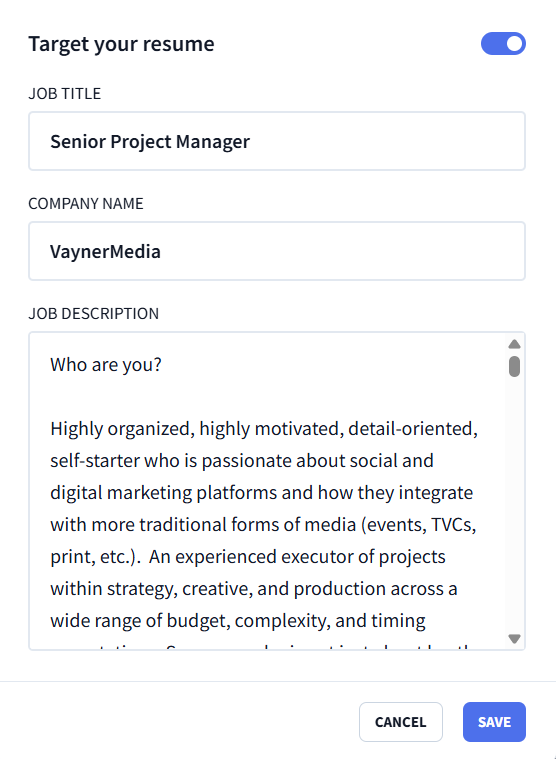
Paste in the job title, company name, and full job description.
Sending the same resume to every job is one of the easiest ways to get ignored. Targeting your resume means:
- Calling out the role and company in your resume summary.
- Focusing on experience that actually fits the job.
- Weaving in the right skills and keywords naturally.
This is where Rezi really shines. As Davis, a software developer, shares, tailoring a resume used to eat up hours; Rezi made it fast and painless.
Read more on How to Target a Job Description With Your Resume.
3. Fill in your contact information
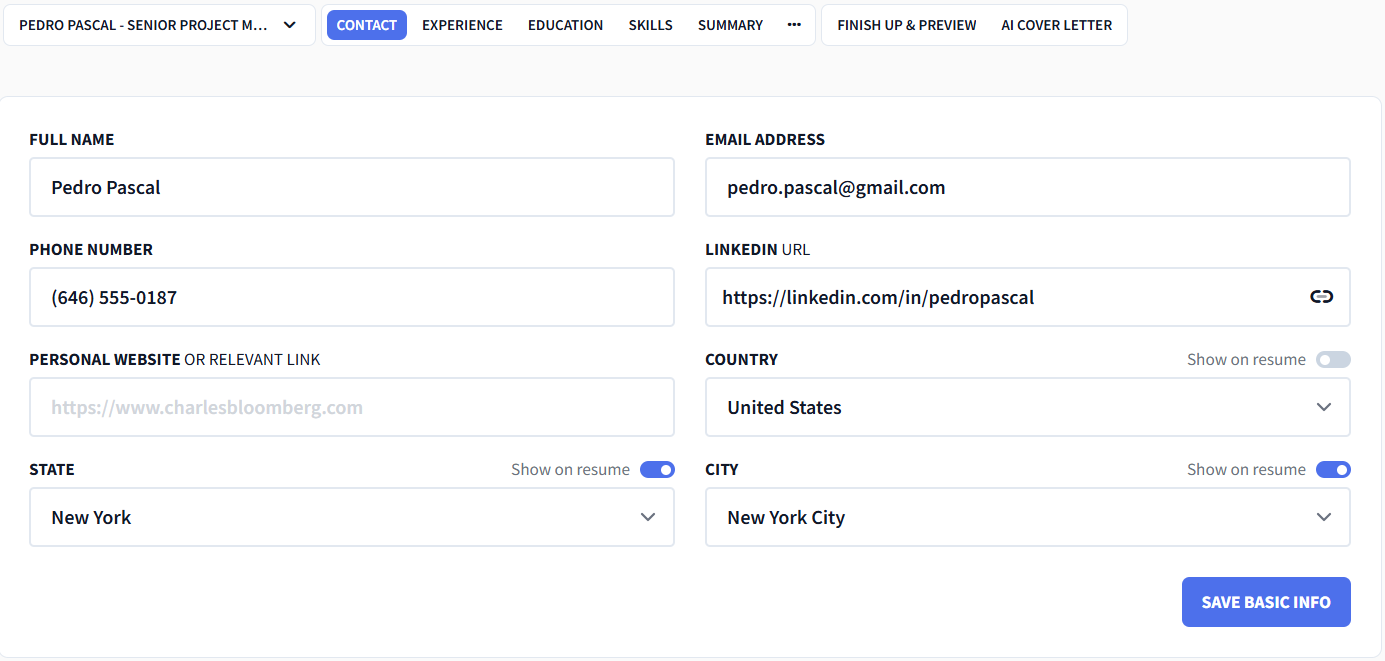
Put the basics in your resume header: full name, professional email (emphasis on professional), phone number, LinkedIn, and a website or portfolio if it’s relevant.
If you’re applying internationally, toggle on the country option. Otherwise, just include your city and state.
4. Write your experience section with Rezi AI Bullet Point Writer
As you add your work experience, our Real-Time Content Analysis tool checks what’s working and what needs fixing as you go.
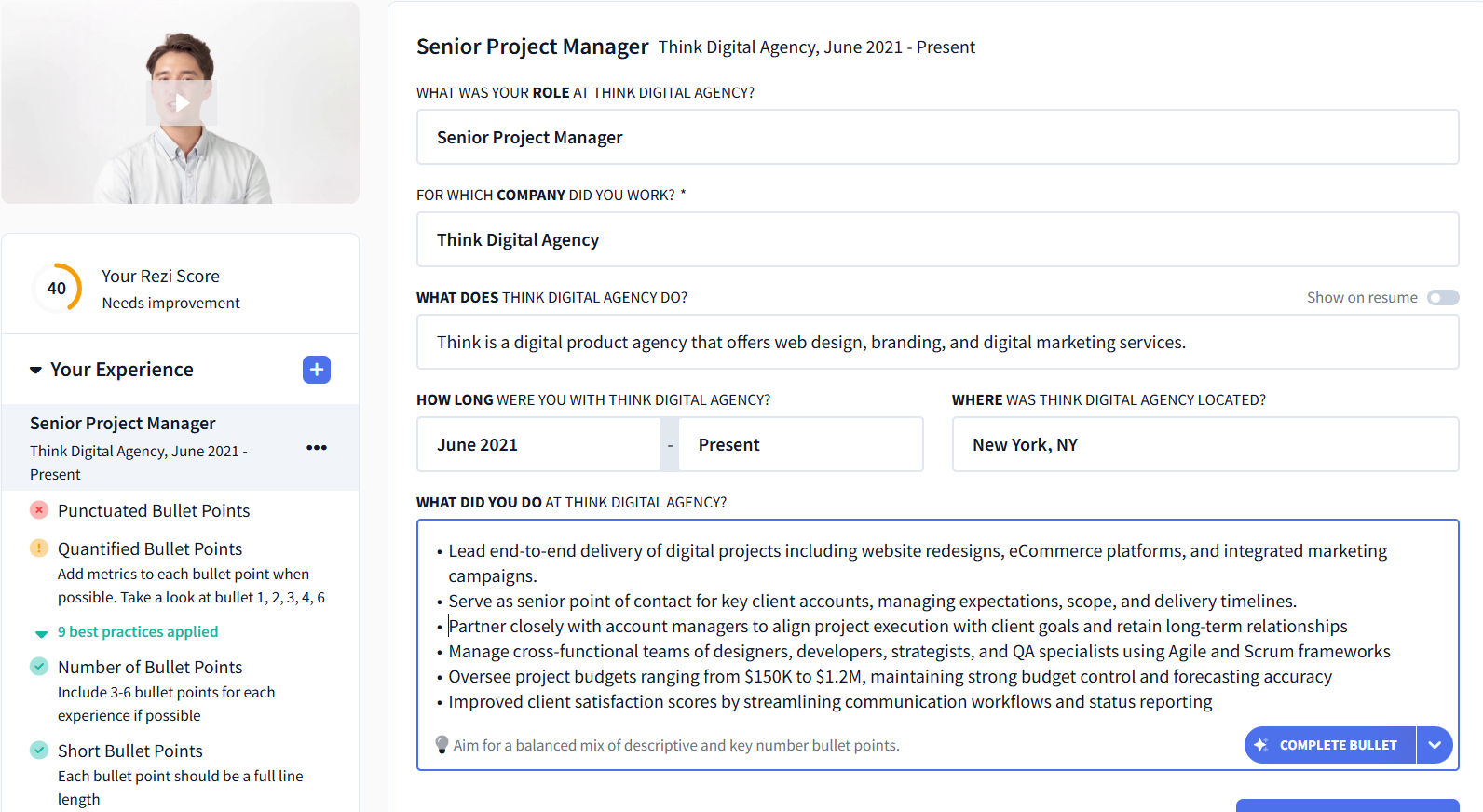
If you need help writing your bullets, click “Complete Bullet” to generate another one, or use the dropdown to add metrics.
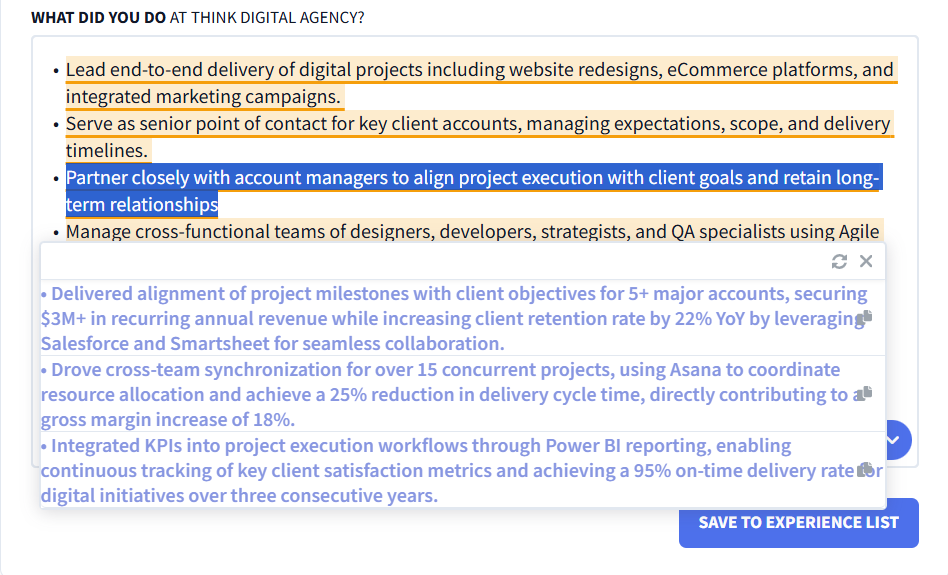
Want to improve something you already wrote? Highlight the bullet, select “Rewrite Bullet” (with or without metrics), and choose from three improved options:
5. Add your education section
Include the essentials: degree, school, and location. If your degree is more than 10 years old, you can skip the year; if your GPA is under 3.5, leave it out too.
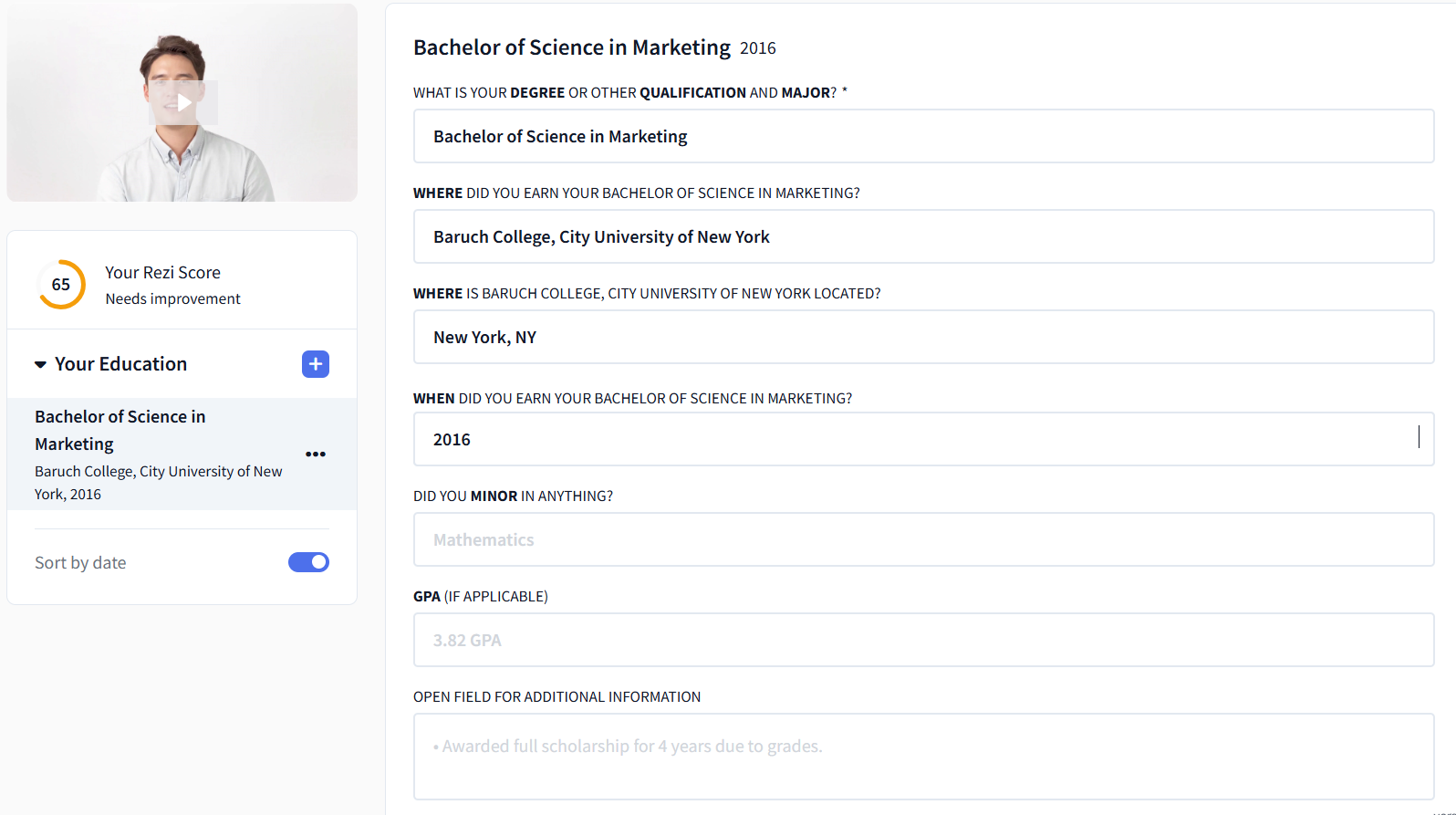
If you’re early in your career or light on experience, strengthen this section by emphasizing transferable skills, for example, through extracurricular activities on your resume.
6. List your skills and use Rezi AI Skills Explorer
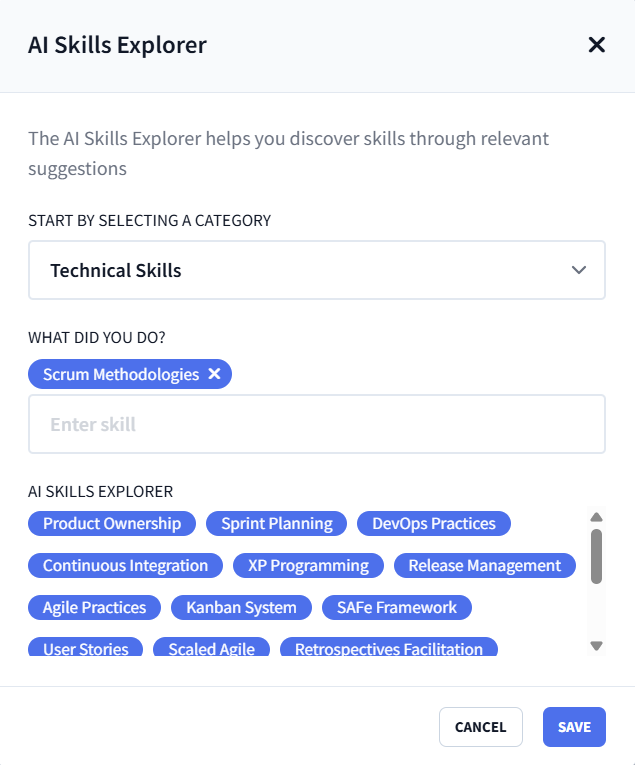
The best skills to put on your resume are usually hiding in plain sight in the job description. Add the skills the role actually asks for, then use the AI Skills Explorer to fill in the gaps.
Pick a category and a skill from your line of work, and Rezi will suggest relevant skills you can add with a click:
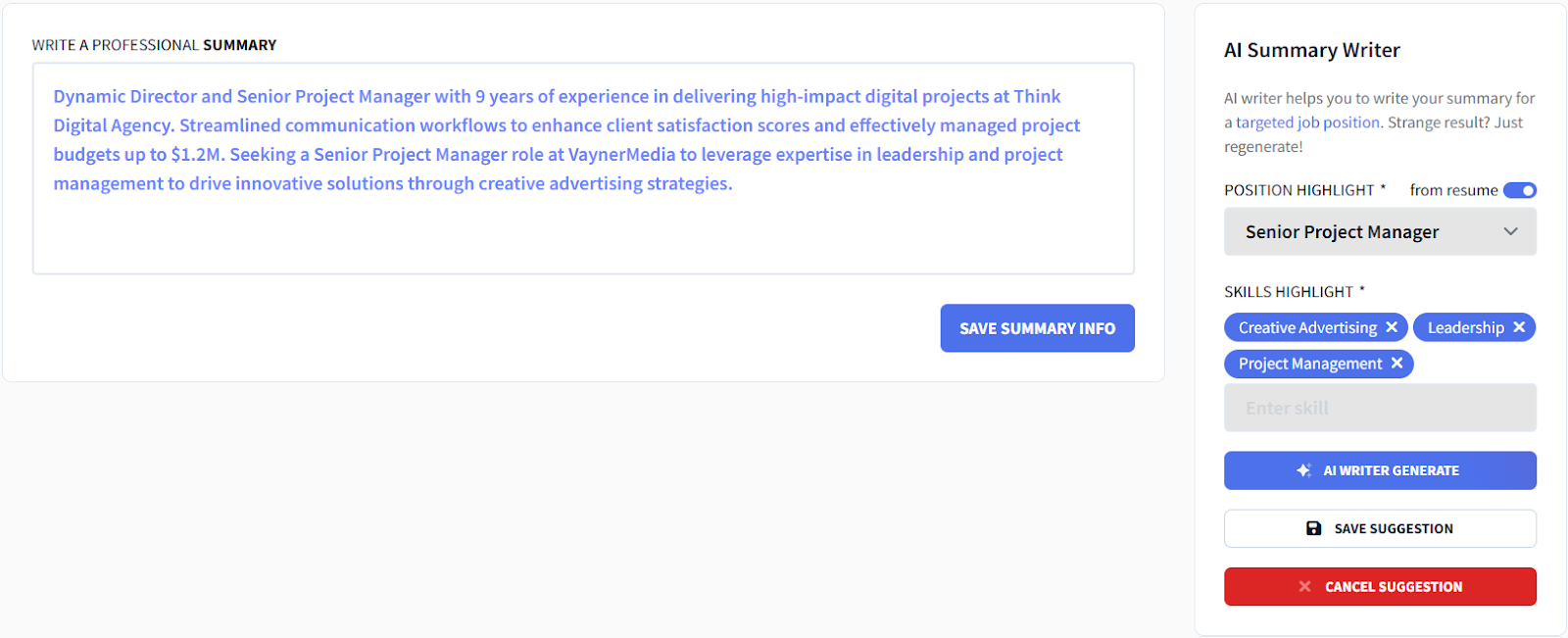
7. Create a summary with the Rezi AI Resume Summary Generator
A super helpful tool. Choose a past role that best matches the job you’re applying for, select a few skills you want mentioned, and let Rezi draft the summary.
Not quite right? Regenerate it until it sounds like you. You’re always in control.
8. Add extra resume sections
A few extra sections can help your resume stand out. Add the details that matter, and Real-Time Content Analysis will keep giving feedback as you go.
Some extra resume sections to consider:
- Projects
- Certifications
- Relevant coursework
- Involvement (like volunteer work)
- Awards & honors (mostly for academic resumes)
- Publications (also for academic resumes)
- References (usually unnecessary — skip unless requested)
9. Tailor your resume using Rezi AI Keyword Targeting
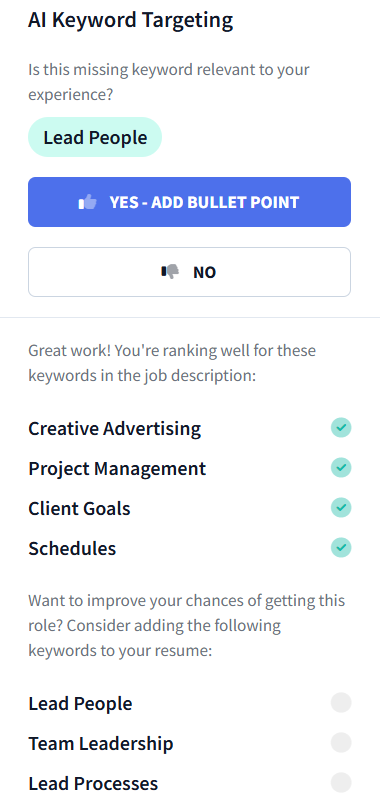
On the “Finish Up & Preview” tab, the AI Keyword Targeting tool checks if you have the resume keywords that ATS and hiring managers are looking for. It tells you which ones you’ve included and which are missing.
Click a missing keyword, pick a past job it applies to, and Rezi will generate a bullet including that skill.
10. Choose a resume template and adjust formatting
Rezi gives you the flexibility to shape your resume exactly how you want it. Adjust margins, fonts, and sizes, or even add a photo, though that isn’t recommended in most countries.

If you changed something and want to go back to its ATS-optimized self, hit the “auto-adjust” button.
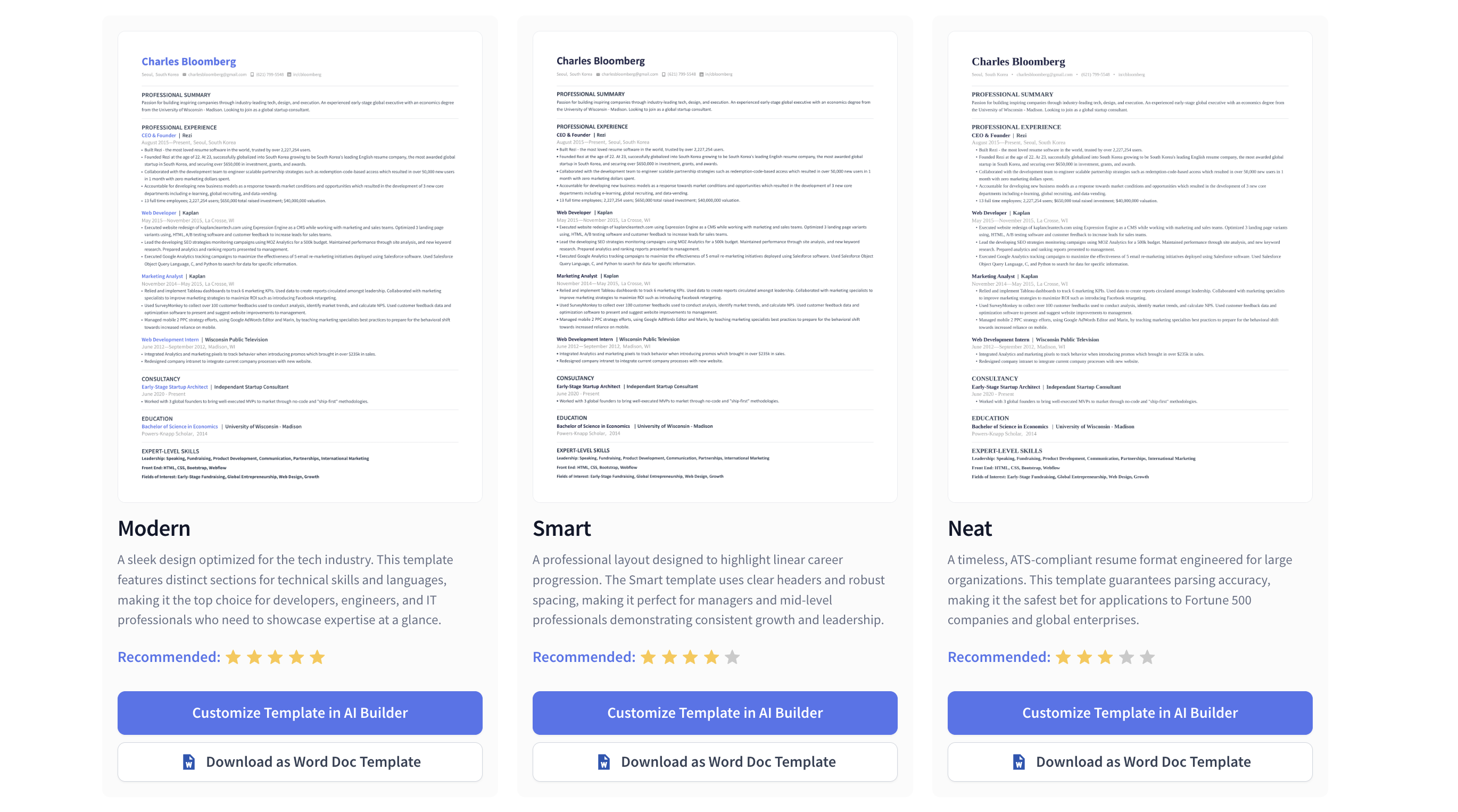
You can also pick from our selection of ATS-friendly templates, like the standard or modern resume templates:
Related guides:
- The Best Resume Format Examples & Tips
- What’s the Best Resume Format for AI Resume Screening?
- ATS Resume Format
11. Check and improve your Rezi Score
The Rezi Score grades your resume from 1–100, based on content, formatting, optimization, best practices, and overall readiness. It highlights where you’re losing points so you can make quick fixes.
It’s a handy way to make sure your resume is ready to send off with confidence.

And if you’d like an expert on our team to review your resume, you can opt for a human resume review.
Rezi AI Resume Builder Reviews from Our Users
Instead of telling you more about Rezi as someone who works for them, we’ll let the people actually using it do the talking. With over 4 million users and an average rating of 8.23 out of 10, there are a few reasons job seekers keep coming back.
If we were a boy band, they’d probably be called the Rezinators. Not that I call them that already, but that would be interesting.
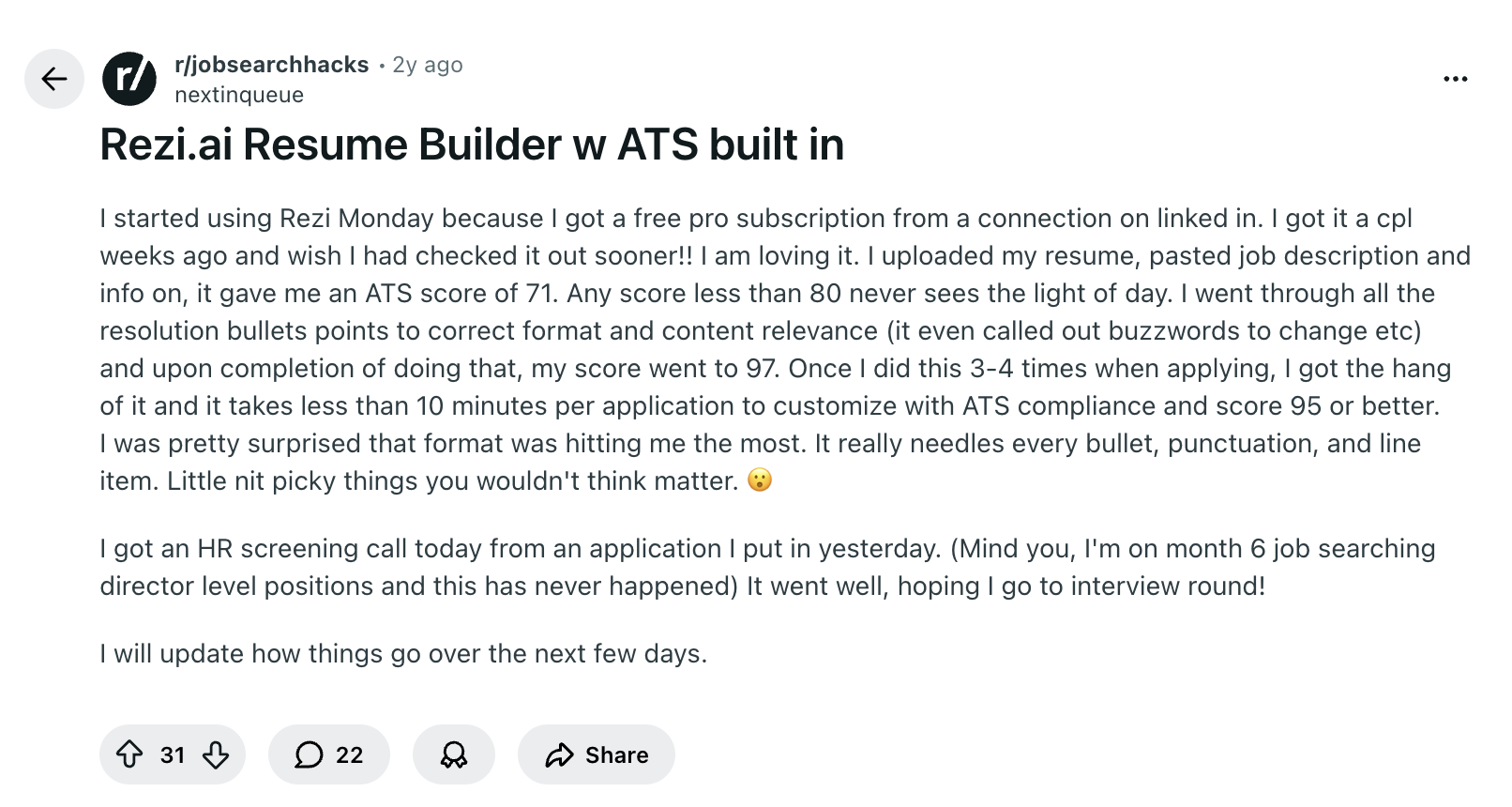
Britannia talks about how Rezi helps her get past ATS filters:
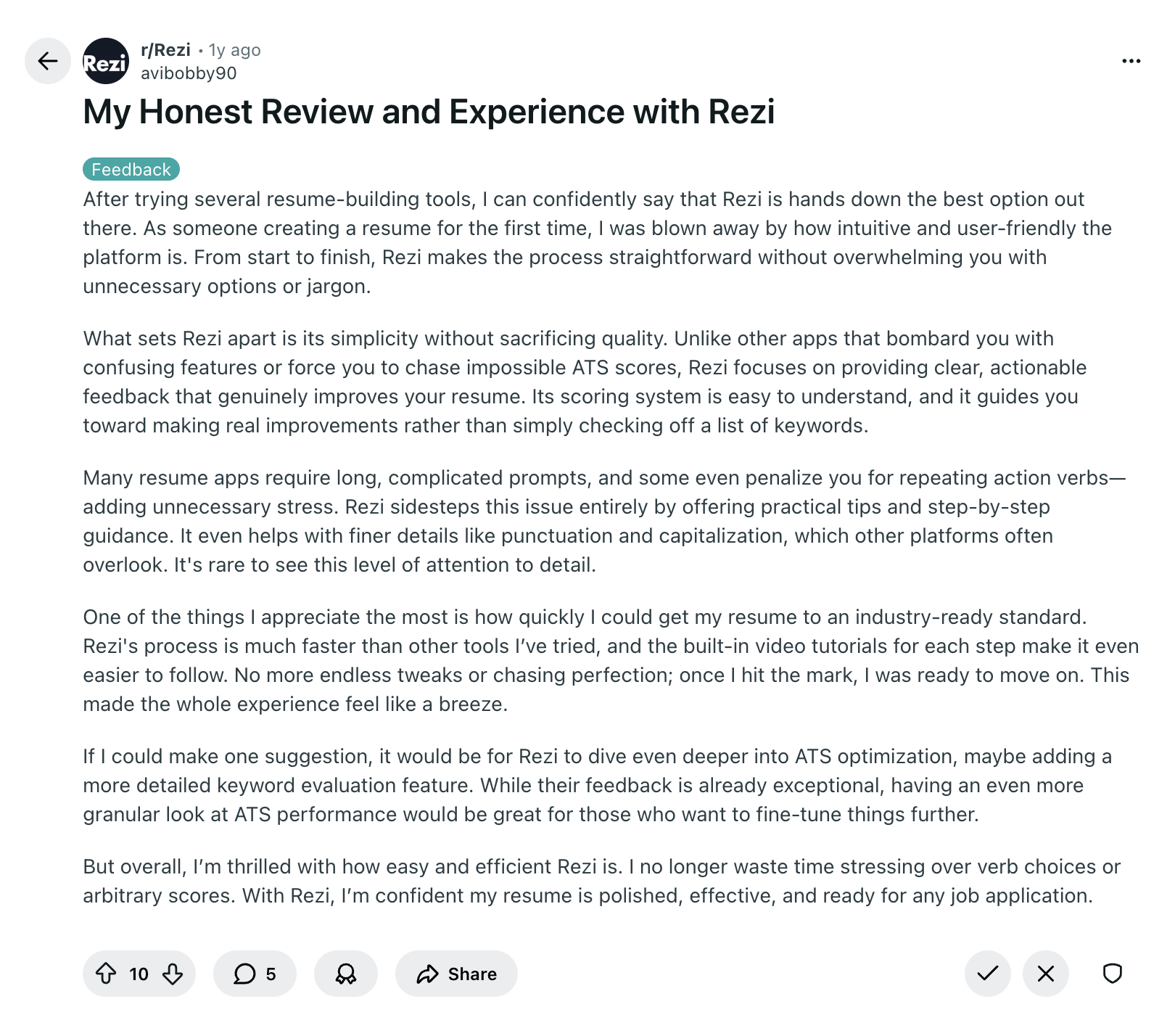
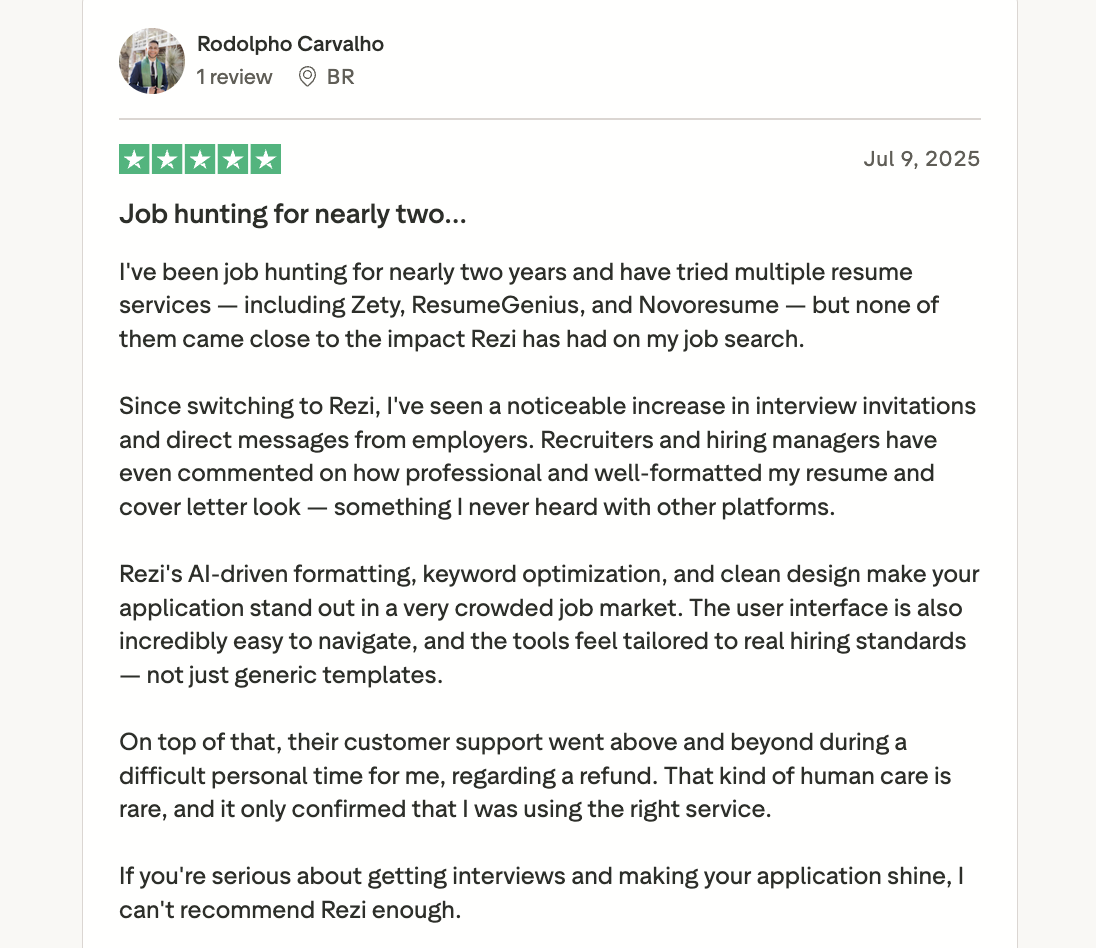
Celine shares that Rezi completely changed how she approaches resume writing; saving her time, showing her what’s important, and even making the application process fun with the Rezi Score:
Summary
Here’s a recap on how to use the Rezi resume builder:
- Rezi helps you create an ATS-friendly resume quickly, whether starting from scratch, importing from LinkedIn, or improving an existing resume.
- Fill in your contact information, like your name, professional email, phone, location, LinkedIn, and portfolio or website if relevant.
- Use the AI tools to write bullet points, generate a professional summary, and get skill suggestions.
- Add optional sections like projects, certifications, volunteer work, awards, publications, or relevant coursework to strengthen your resume.
- Use the AI Keyword Targeting tool to ensure your resume includes the skills ATS and hiring managers are looking for.
- Pick an ATS-friendly template, adjust formatting, and use the auto-adjust button to maintain optimization.
- Check your Rezi Score to see where improvements are needed and make quick fixes before sending.
FAQ
Is Rezi resume builder legit?
Rezi is a trusted resume builder used by millions worldwide. It’s designed to help you create an ATS-friendly and recruiter-ready resume using AI guidance, keyword targeting, and real-time feedback.
Hear more from our users: Rezi Reviews
Can Rezi improve my resume?
Rezi can help improve your resume by optimizing formatting for ATS and tailoring it to the job you want. Its AI tools suggest stronger bullet points, highlight missing skills and keywords, and even draft a summary that showcases your experience in a way that matches the role.
How much does Rezi resume builder cost?
Rezi offers a free plan to try it out, which includes three resume downloads and access to the AI writing tools. Paid plans start at $29 a month, or you can grab lifetime access for $149.
Who has the best AI resume builder?
It depends on what you need. For easy-to-use AI tools and strong ATS optimization, Rezi is a top choice. Sheets Resume is another solid option, while Enhancv can work too if you want more creative, visually varied templates.
Learn more:
Can ChatGPT build a resume?
ChatGPT can help you write sections, bullet points, and summaries, but it won’t format your resume or automatically optimize it for ATS. You’ll need to provide the job description and prompt it to include relevant keywords naturally throughout your resume.
Related comparisons:

Upload or drop your resume to get started
Upload your resume to get started
Score my resume

Sarah Coghlan is a writer and editor passionate about making resume and career advice clear and accessible to all. Based in Barcelona, her goal is to help job seekers create standout resumes and navigate the job search process with confidence and ease.