Interviews
How to Use AI for an Interview: Preparation & Practice Tips
Learn how to use AI for an interview the right way as we explore mock interview practice, company research, ethical tips, AI tools, and common red flags.
Published on
June 5, 2026
Updated on
June 5, 2026
Before the interview, use AI to analyze the job description, research the company, generate tailored questions, and build strong examples from your experience. Practice mock interviews to improve confidence, pacing, and delivery. During interviews, avoid relying on AI in real time; overly scripted answers, awkward pauses, or unnatural behavior can raise red flags. If you face an AI interview, treat it like a real conversation: look into the camera, speak clearly, and stay concise.
I get the hesitation around AI in interviews. Some people hear “AI” and think robotic answers, zero personality, and candidates cheating the system. And that’s fair. Interviews are supposed to be human and authentic.
But job hunting doesn’t feel especially human right now either.
You’re applying through resume filters, competing with hundreds of applicants, and sometimes interviewing with a screen before speaking to a real person. If employers are using technology to make hiring faster, it makes sense for job seekers to use technology to prepare smarter.
That doesn’t mean relying on AI to think for you. It’s about using it strategically to practice questions, organize your thoughts, calm nerves, and walk into interviews feeling more confident.
Let’s explore how to use AI the right way without crossing ethical lines. This guide will cover:
- How to use AI to practice job interview questions.
- When using AI during interviews crosses the line.
- The best way to pass an AI interview.
Want interview practice that feels relevant to your experience? Try Rezi AI Interview to get personalized questions, realistic mock interviews, and detailed feedback.

And check out more job interview tips and examples:
How to Use AI for an Interview?
Here’s the quick version of how to use AI for a job interview:
- Research the company and check the job description using AI to identify key skills, responsibilities, and recurring themes in the role.
- Use an AI tool to practice job interview questions by generating tailored behavioural and technical prompts based on your resume and target role.
- Ask AI to help you brainstorm interview answers by creating structured STAR stories, simulating mock interviews, and suggesting strong questions you can ask.
- Get feedback on your interview answers through transcripts and using AI to highlight strengths, unclear points, filler words, and areas for improvement.
Let’s get into the details.
1. Research the company and check the job description
Many candidates skim the company website before an interview. Then they go blank when the recruiter mentions anything beyond the basics (been there, lesson learnt). If you want to sound more than vaguely familiar, AI can help you move beyond the bare minimum.
Start with the job description. Paste it into an AI tool and ask it to identify the skills, qualifications, and responsibilities that appear most often. You can use that insight to shape the stories and examples you bring into the interview.
You can do this with the AI Resume Agent. Simply use the search engine to ask it to identify key skills and requirements in the job description, then use the findings to brainstorm questions.
Here’s what that looks like:

AI also works well as a research assistant. Feed it information about the company’s history, market position, culture, business strategy, recent challenges, or press coverage. Then ask something like: “What themes are likely to matter in an interview for this role?”
That said, AI can lag behind real-time events and sound very confident while being very wrong. Before repeating a “fact” in an interview, verify it through recent news, announcements, or other sources. You can even ask the chatbot to include the sources for you to investigate.
2. Use an AI tool to practice job interview questions
Knowing your experience and skills isn’t the same thing as explaining them well under pressure. An intense interview can humble even the most confident finance bro without preparation. So, give yourself an idea of what to expect.
Ask AI to generate interview questions tailored to your target role. Better yet, upload your resume and say: “Based on my background and this job listing, what questions am I likely to get?” You want to practice a mix of obvious questions alongside a few curveballs.
Make sure you include both:
- Behavioral questions: These dig into how you work with people, solve problems, and handle pressure. For example: “Tell me about a time you dealt with a difficult customer” or “Describe a conflict you resolved.”
- Technical questions: These test the hard skills tied directly to the role, from software knowledge to industry expertise and job-specific responsibilities.
Will AI predict every question? No. But it’s better than nothing and can get close enough to give you a rough idea. You’ll start noticing themes, seeing your weak spots, and building confidence before you’re in front of a camera trying to remember what you did in 2022.
3. Ask AI to help you brainstorm interview answers
You might know the job and what you offer inside out. Until the interview starts, adrenaline kicks in, and somehow every good example turns into a directionless ramble.
Try pasting in your resume and prompting AI with something like: “Based on my experience, help me create three STAR stories that show how I handle difficult clients.” The STAR method (Situation, Task, Action, Result) works well because it gives your answers structure and direction.
Just don’t attempt to memorise everything. It’s much better to use AI outputs as inspiration or as a foundation than to try to remember every word (this isn’t a performance).
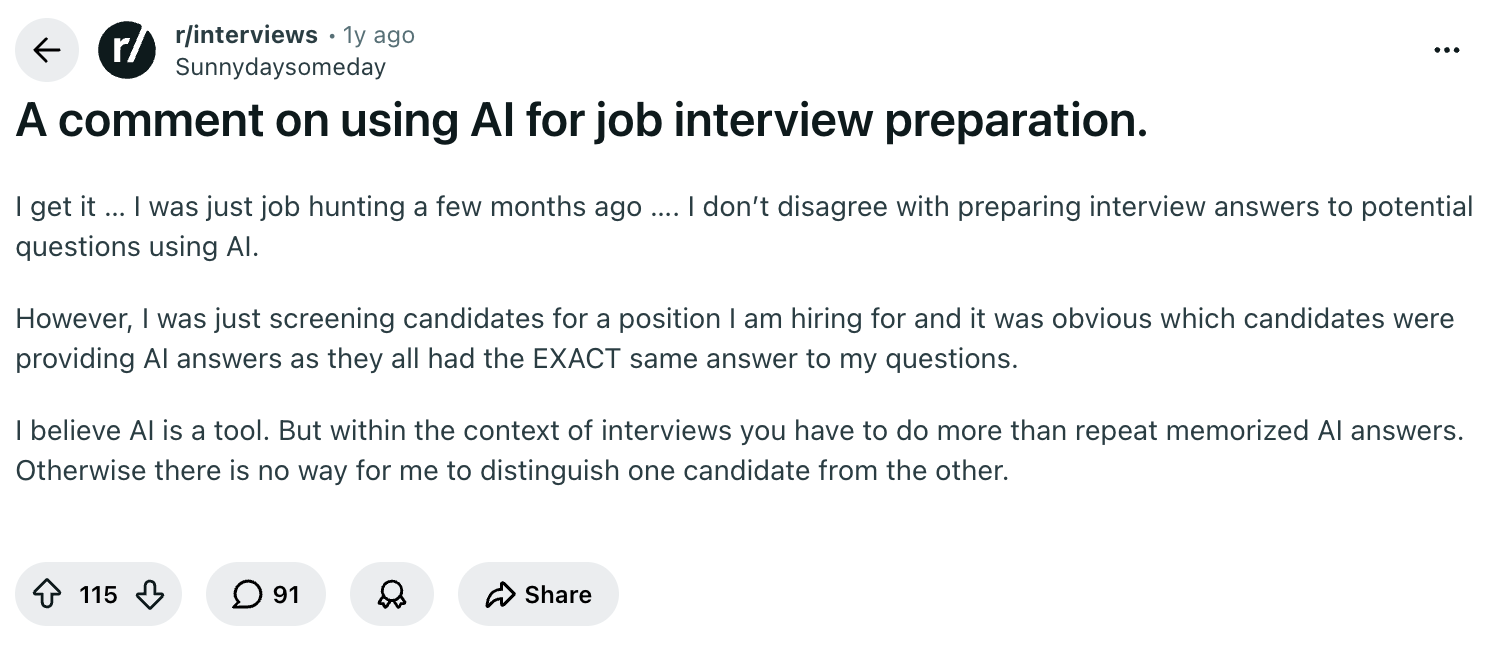
Here’s what a hiring professional shared about what not to do:
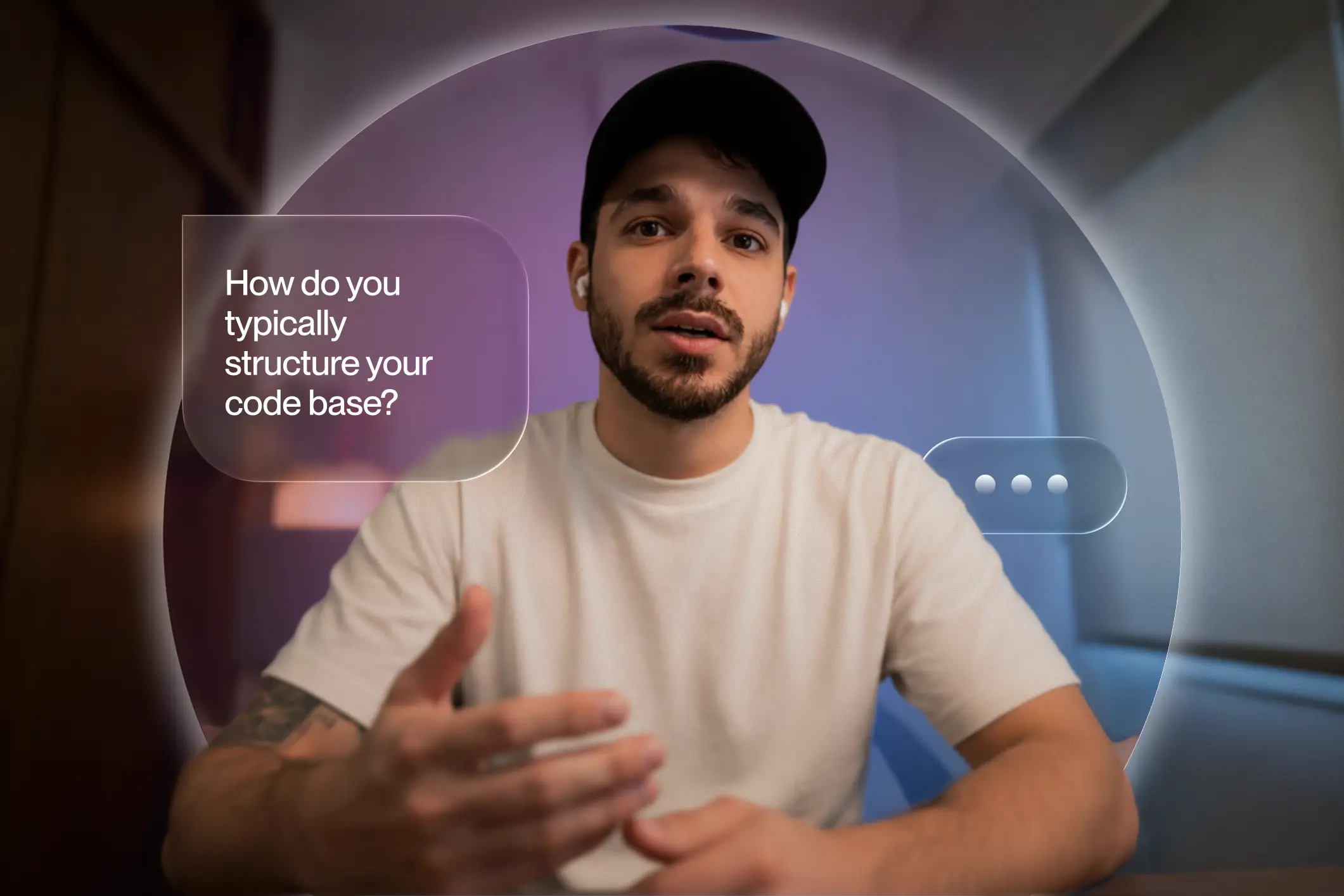
Some AI tools let you use your camera or voice during mock interviews (ahem, Rezi). Yes, it feels awkward at first, but honestly, no more awkward than a real interview. You’ll notice filler words, rushed explanations, bad posture, or moments where your answer made sense in your head but came out sideways.
AI can also help you prepare the questions you’ll ask at the end of the interview. Strong closing questions can reveal your curiosity, eagerness, and preparation. Rather than saying, “Nope, I think you covered everything,” ask questions that show you’re seriously evaluating the role.
For example:
- Instead of: “What does the company do?”
Ask: “How does the company differentiate itself from competitors in this space?” - Instead of: “What’s the culture like?”
Ask: “What qualities tend to help people succeed on this team?”
Just avoid asking questions you could answer in ten seconds on the company website. Curiosity is impressive. Laziness disguised as curiosity? Less so.
Check out these examples for more ideas: Unique Interview Questions to Ask Employers
4. Get feedback on your interview answers
Once you’ve completed a mock interview with AI, don’t just close the tab and congratulate yourself for “doing prep.” Go back through the conversation and look for patterns:
- Did your answers drift off-topic?
- Did you rely too much on buzzwords?
- Were your examples specific enough?
- Did you use too many filler words?
Paste in your interview notes or transcript and ask AI: “What sounded strong, what felt unclear, and what should I improve before the next round?” Then take the feedback and run another mock interview focused specifically on your weakest area.
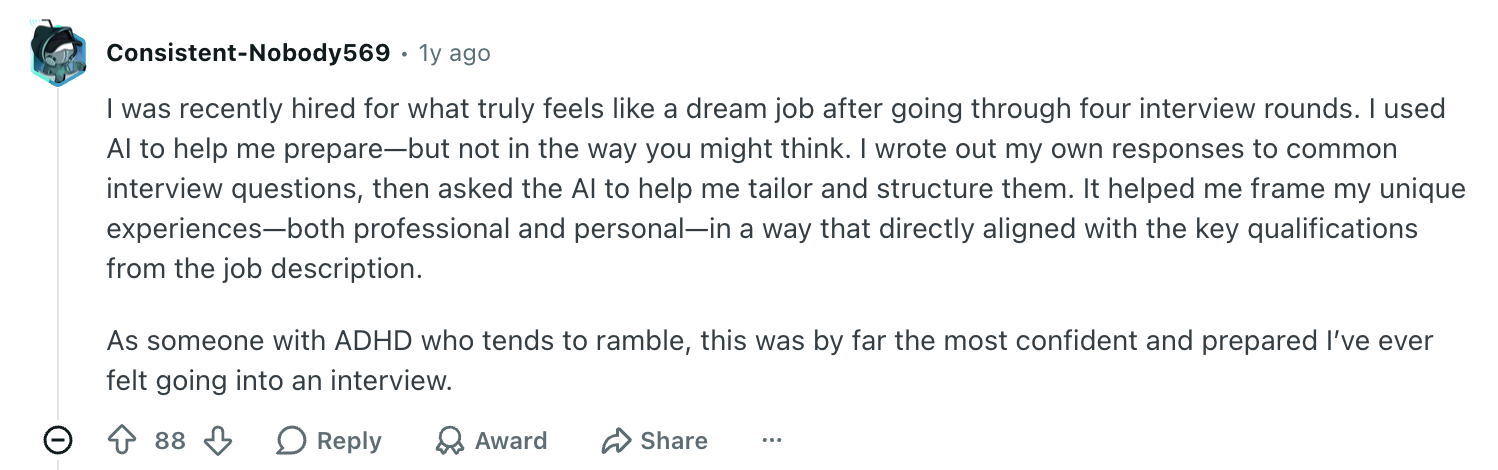
Here’s how one job seeker used AI feedback to improve their answers:
Voice-based AI tools can also help with delivery. For example, the voice mode in ChatGPT can simulate an interview and give feedback on pacing, clarity, confidence, and structure. If your answer sounds hesitant, overly long, or scattered, you’ll catch it before the real interview.
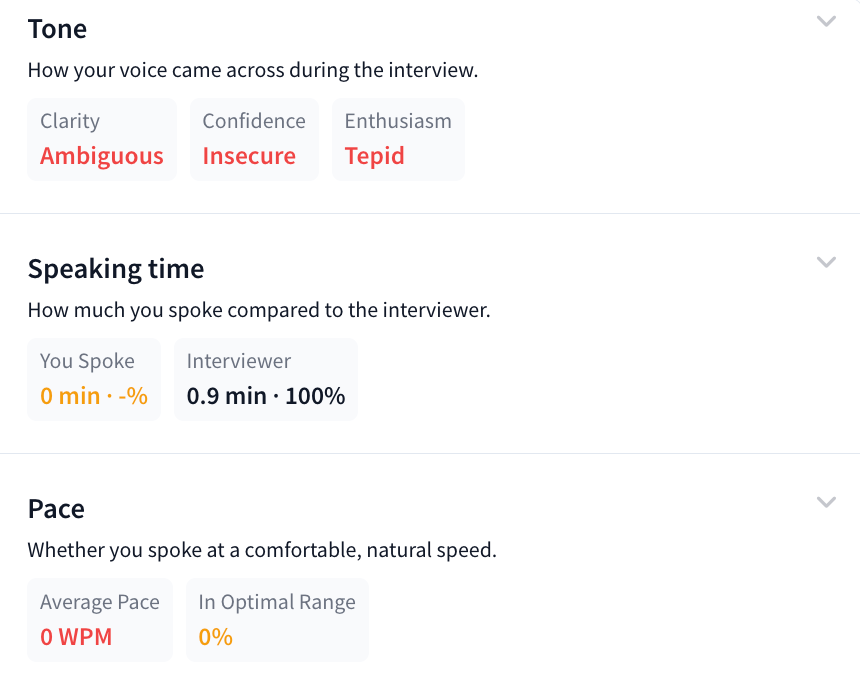
Or you can make things easier by keeping everything in one place with Rezi AI Interview. Once you finish your interview, get immediate feedback on several factors, such as pace and tone.
What Is the Best AI Interview Tool?
Some AI interview tools act like a personal coach, helping you practice answers and improve delivery. Others lean more into real-time support during interviews (which, ethically speaking, sits in murkier territory). The best tool for you depends on whether you want to improve confidence, prep for technical interviews, or get expert feedback.
Here are some of the strongest options worth checking out:
- Rezi AI Interview: Our tool is a solid option if you want interview practice tailored to your background. You upload your resume or LinkedIn profile, add a job description, and the platform generates customized questions. The 20-minute mock interview uses your camera and microphone, which makes practice feel closer to the real thing. Afterwards, you get a transcript, score, and feedback on pacing, speaking time, tone, and filler words.
- Interviews by AI: This platform is handy if you want realistic practice without overcomplicating things. Paste in a job description and get tailored behavioral and technical questions linked to the role. You can respond via text or audio, then get instant feedback on your answer alongside a stronger sample response.
- InterviewMe AI: Best suited for technical candidates who need more than standard interview prep. You can customize sessions based on your role, tech stack, and experience level, then practice coding challenges, technical questions, and behavioral prompts. The platform gives immediate feedback so you can tighten weak spots and improve how you explain technical decisions.
- LockedIn AI: After uploading your resume and job ad, the platform analyzes both to tailor guidance to your target role. It uses two systems simultaneously: one generates suggestions based on your background, while another focuses on delivery, monitoring things like pacing, clarity, and tone. It’s built for candidates who want extra support, though it edges closer to real-time assistance than traditional prep tools.
- Final Round AI: This platform offers mock interviews, post-interview performance analysis, and live support tools across behavioral, technical, coding, case-study, and system design interviews. After practice sessions, it breaks down your performance with insights into speech clarity, engagement, and answer quality.
Now, as a couple of these platforms help you answer questions during the interview, let’s see if that’s actually a good idea or if the risk just isn’t worth it (you can already guess my stance).
And check out more smart ways to use AI:
Should You Use AI During Interviews?
Short answer? Probably not.
Using AI during a live interview sits in a very different category from using it to prepare. There’s a big difference between practicing answers beforehand and having a chatbot quietly feed you responses while someone’s trying to assess your skills in real time.
AI can’t replace human judgment. Sure, you might get lucky with the classic “Tell me about yourself,” but what about when the interviewer surprises you with a detailed follow-up question? If the AI tool hasn’t anticipated this shift, you can end up scrambling for something authentic to say.
Despite this, an interviewer posted on Reddit confirming that using AI is becoming more common:

There’s also the trust factor. When employers speak with candidates, they want a real sense of who they’re hiring. Rely too heavily on outside assistance, and you risk replacing your genuine personality and judgment with an act that’ll be hard to keep up in the real world.
And yes, this is very much on hiring managers’ radar.
According to TopResume research, 57% of hiring managers believe candidates shouldn’t use real-time AI tools during interviews, particularly answer-generating apps or whispering assistants. Their reasoning? If technology handles the response, it becomes much harder to judge someone’s actual skill level.
How do job seekers feel about using AI in an interview?
I don’t support using AI during interviews. That said, I’ve played my part as a desperate job seeker, and I understand the lengths people will go to land a job.
Interviews are stressful. Your brain can suddenly forget every achievement you’ve ever had, your mouth goes dry, and somehow the simple question “Tell me about yourself” feels like a test. Under pressure, anyone can come off as unprepared simply due to nerves.
And when the interview itself is led by AI with no real human in sight? I get the temptation to play them at their own game.
Here’s an interesting perspective on how hiring managers are also guilty of using AI:
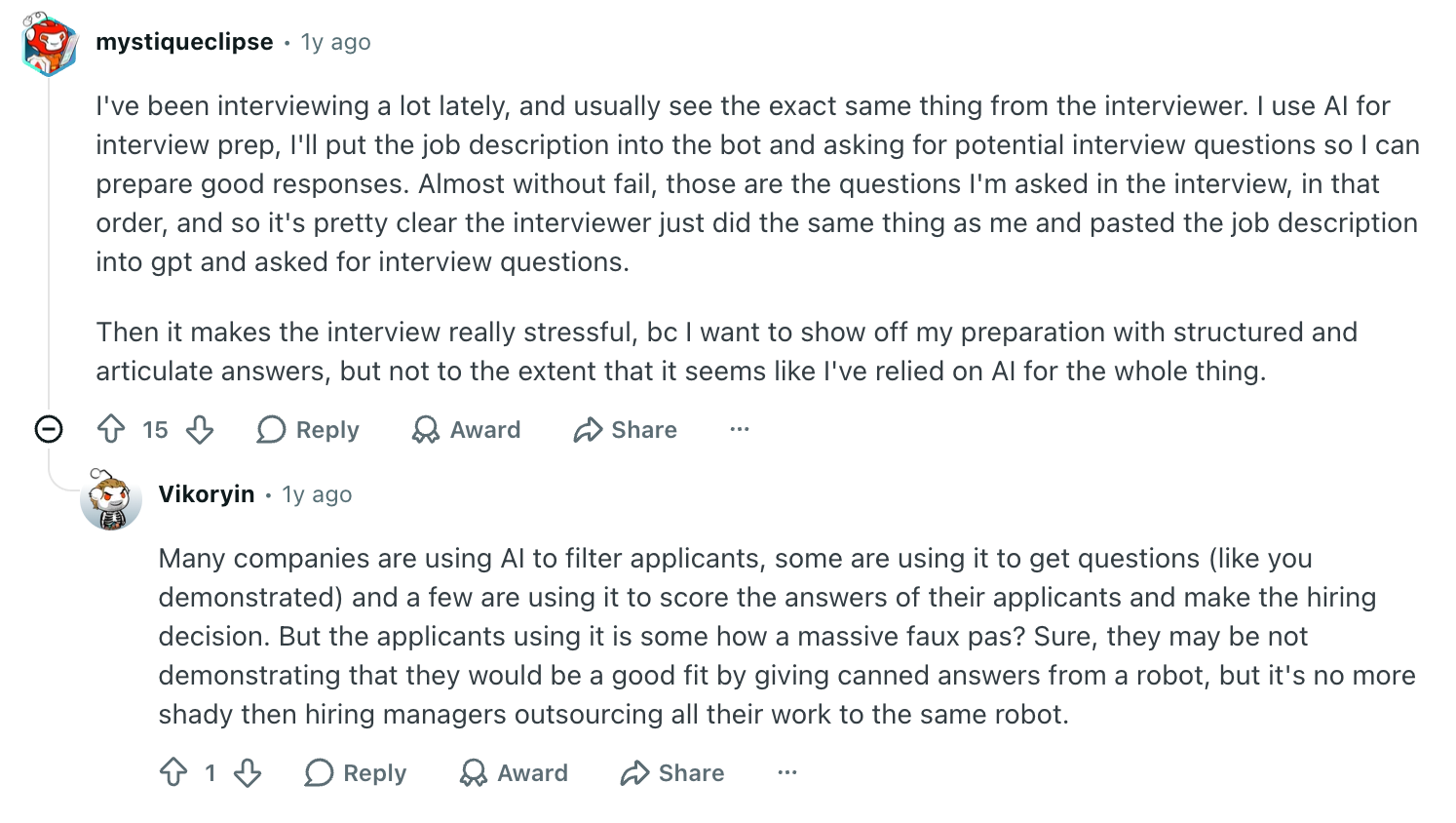
Like hiring professionals, candidates are also experimenting with AI. Research from Resume Genius found that more than one in five job seekers say they’ve used AI in real time during interviews, while many also report using it during assessments or skills tests.
Here’s how a job seeker successfully used AI in an interview and got to the next round:
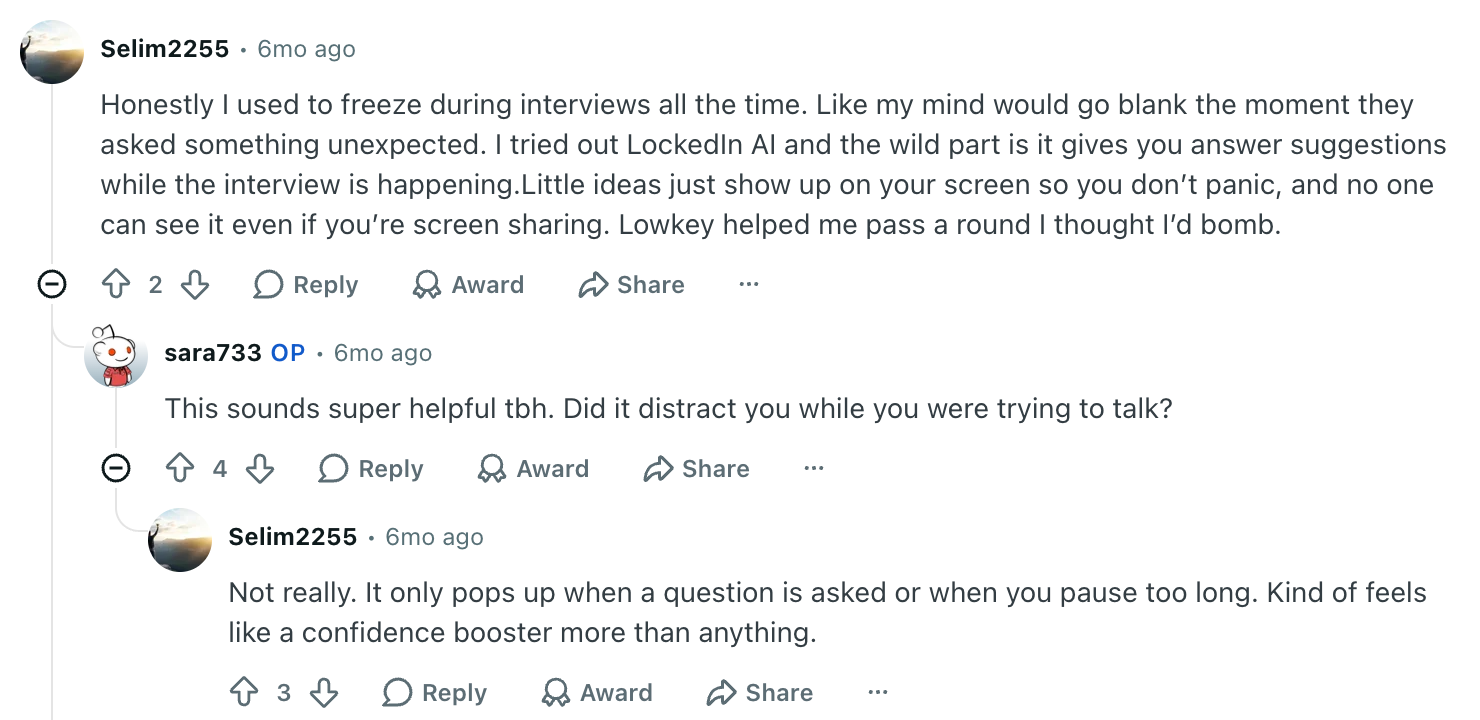
But all this can backfire if the interviewee notices even a slight flick of your eyes or awkward hesitation. A better approach? Use AI aggressively before the interview and minimally (if at all) during it for ideas. Let it help you pressure-test answers, build STAR stories, and provide inspiration without over relying on it.
Can Interviewers Tell if You’re Using AI?
Interviewers may not always know with certainty that someone is using AI, but they’re usually pretty good at spotting when something feels… off.
And apparently, it’s becoming more common. According to hiring platform Fabric, an analysis of more than 50,000 candidates found that detected cheating more than doubled in just six months, rising from 15% in June 2025 to 35% by December 2025.
And there’s no shortage of complaints from hiring professionals online:

All this doesn’t mean every candidate gets caught using AI specifically, but employers are certainly paying closer attention to suspicious interview behavior.
Here are just a few of the telltale signs.
The “teleprompter” eyes
Humans don’t think in straight lines. When people genuinely recall experiences, their eyes naturally wander. You pause, look up, glance sideways, maybe stare into the existential void for a second.
But if someone’s eyes move repeatedly left to right, it looks pretty obvious that you’re reading from a hidden script. Recruiters are increasingly recognizing this pattern, especially in virtual interviews where body language sits front and center on screen.
Here’s how someone’s shifty eyes got them rejected after an interview:

And please, if you’re going to read from a screen, don’t wear reflective glasses.
Hesitations and robotic answers
A few seconds of silence before answering a difficult question? Completely normal.
But if every answer starts with an identical three-to-five-second pause, even for easy questions like “Tell me about yourself” or “Why are you interested in this role?”, interviewers may start wondering whether something else is happening behind the scenes.
This hesitation was a telltale sign for this interviewer:

The same goes for answers that sound too perfect. People pause, rethink points, and occasionally ramble before landing somewhere useful. When every response sounds strangely robotic with ideal phrasing and zero hesitation, it can sound rehearsed.
So yes, trying to sound flawless often makes people sound less believable.
Shortcut solutions in technical interviews
Experienced engineers, hiring managers, and technical interviewers often notice patterns that suggest outside help. Some of the biggest red flags include:
- Instant, fully formed answers with little visible thinking
- Code pasted in large chunks rather than built step by step
- Explanations that don’t match the sophistication of the solution
Real engineers rarely produce perfect solutions straight away. They test assumptions, tweak logic, hit dead ends, and occasionally mutter things they shouldn’t in professional settings. Candidates relying too heavily on AI sometimes skip natural problem-solving processes and jump straight to that perfect solution.
Here’s an example of how a hiring professional detects AI use in technical interviews:
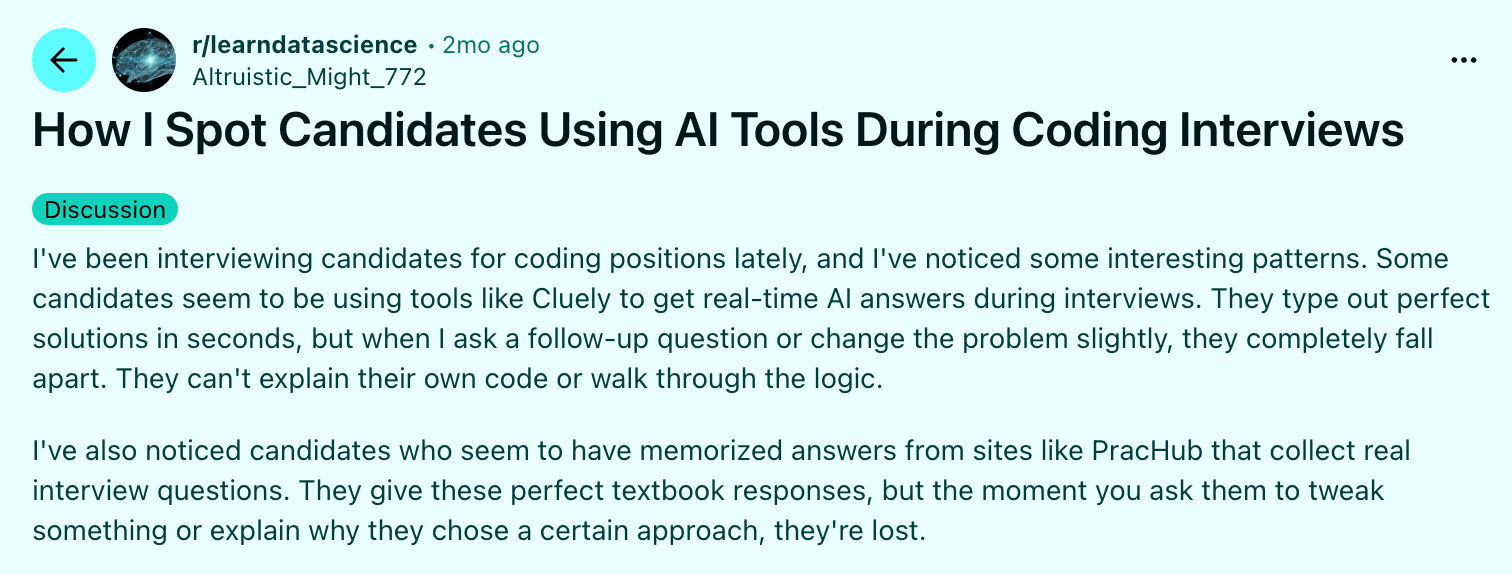
It’s simply not realistic to get an optimized answer immediately without explaining how you got there. Strong technical candidates usually narrate their thinking: “I considered X, but that creates an issue, so I’d probably try Y instead.” Hiring managers care as much about reasoning as the final answer.
What’s an AI Interview?
Now, let’s flip the script and look at AI interviews from the other side of the table — where you’re not talking to a human at all (at least not at first).
An AI interview is a hiring system powered by algorithms. Instead of a back-and-forth conversation with a recruiter, you respond to prompts (video, voice, or chat-based), and the software evaluates your answers. It can look at your language, tone, structure, and sometimes behavioral signals before a human gets involved.
And we’re already seeing this in practice. CV-Library surveyed nearly 500 recruiters and found that 83% of recruiters use AI tools to speed up hiring or improve efficiency. But at the same time, 52% of recruiters admit that AI doesn’t always perform well when conducting interviews. So even the people using it aren’t completely sold.
How does an AI interview work?
Depending on the company, you might run into a few different formats:
- One-way video interviews: You record answers to pre-set questions on your own time. No live interviewer, just you and a camera.
- Real-time AI chat interviews: You answer questions in a chat interface, and the system analyzes your responses as you go.
- Automated video analysis interviews: You speak to a camera, and AI evaluates everything from structure and keywords to tone and delivery.
- Technical AI assessments: Common in engineering or data roles, where the system evaluates problem-solving steps and output quality.
But to nobody’s surprise, not everyone is vibing with this shift.
- CV-Library found that about 28% of candidates say they’re less likely to apply for jobs that use AI in hiring.
- Around 20% have actually abandoned applications altogether because of it.
- And Resume Genius reports that roughly 19% of job seekers list AI or one-way video interviews among their biggest frustrations.
So yeah, the enthusiasm isn’t exactly there yet.
AI Interview Tips
AI interviews can feel strange (talking to a camera that doesn’t even blink back at you is an experience), but once you understand what the system is actually looking for, you can tweak your usual interview strategies to make them work in this new setup.
Here are some tips to help you get over the awkwardness and stop you from stumbling.
Pretend you’re talking to a real human
Even though an AI system may evaluate your responses, a real human will probably review your recording later. So you want your delivery to feel natural, not mechanical.
And yes, this is tricky when you’re essentially just staring at yourself on camera. But a few small shifts make a big difference:
- Smile slightly when you speak to help you seem more engaged.
- Look at the camera lens, not your own face on the screen ( it feels weird, but it reads as direct eye contact).
- Keep your energy warm and conversational, not scripted or overly formal.
Why does this matter? AI systems don’t just “listen” — they analyze. Many tools look at:
- Speech clarity, pace, and tone
- Facial expressions and body language (in video formats)
- Confidence and how naturally you explain your experience
Remember: how you say things matters just as much as what you say.
Structure your answers
If there’s one thing that instantly improves AI interview performance (or any type of interview), it’s structure. Having a clear path for your answers helps you avoid going into ramble territory.
For behavioral questions, stick with a simple flow:
Situation → Challenge → Action → Result
This keeps your answer focused and easy to follow. You set the scene, explain the problem, walk through what you did, and finish with the outcome.
Here’s how this job seeker successfully structured their answers to pass the interview:

A few more things to keep in mind:
- Be specific about your actions (vague answers lose impact).
- Always close with a result (bonus points if you can quantify it).
- Pick stories that actually show something useful: leadership, problem-solving, conflict resolution, or handling pressure.
Don’t rush your answers
Many AI interview platforms give you a short prep window before you answer. That little countdown can make people panic and start talking before they’ve even formed a thought.
Take a breath. Collect your thoughts. Then speak slowly and deliberately.
A few things that can help here:
- Replace filler words like “um,” “you know,” and “like” (my personal challenge) with a pause. That brief silence sounds way more confident than hesitation and filler.
- Repeat the question in your head (or even out loud) to buy a second or two to structure your response.
- Remember that speed doesn’t equal competence.
People often think faster answers look more confident. In reality, controlled pacing reads as more professional and self-assured. It’s totally fine to think before you speak. It’s encouraged in daily life, and interviews are no exception.
Send a quick follow-up email
I don’t blame you for thinking, “I didn’t even talk to a real person, why should I email anyone?” And you’re probably right, but follow-up emails are still good professional etiquette in many hiring processes.
Keep it simple and concise:
- Thank them by name for the opportunity
- Mention the role and timing of the interview
- Reference something specific from your answers or experience
- Reaffirm your interest in the position
And if your mind has gone blank after an hour-long interview, you can use AI to draft a base version of your thank-you email. Feed it context, such as the role, what you discussed, and your experience, and ask it to generate a short follow-up note. Then, tweak it so it sounds like you.
Summary
Here’s a quick overview of everything you need to know about using AI for an interview:
- Use AI before the interview, not as a crutch during it. Let it help you research the company, analyze the job description, and spot key skills and themes.
- Ask AI to generate technical and behavioural interview questions tailored to your role, resume, and experience.
- Use AI to build strong STAR stories (Situation, Task, Action, Result) from your experience to create clear and memorable responses.
- Treat mock interviews like the real thing. Practice out loud using voice or video tools to improve confidence, pacing, posture, tone, and clarity before interview day.
- Verify company research and recent developments yourself. AI can summarize information quickly, but it can also miss updates or provide inaccurate details.
- Avoid relying on AI during live interviews. Overdependence can make answers feel scripted, create awkward pauses, and leave you struggling when interviewers ask unexpected follow-up questions.
- Remember that interviewers can sometimes spot AI reliance through unnatural pauses, eye movement, overly polished responses, or inconsistent explanations.
- In AI-recorded or one-way interviews, pretend you’re speaking to a real person. Look into the camera, smile naturally, speak clearly, and bring energy.
- Don’t rush your answers. Pause, think, and speak at a steady pace. Replacing filler words with brief silence usually sounds more confident and professional.
- After the interview, use AI to review weak spots, improve future answers, and draft a personalized thank-you email.
FAQ
How to pass an AI interview?
Passing an AI interview comes down to preparation and clarity, not trying to “beat the system.” Treat it like a real interview: speak clearly, structure answers with examples, and show enthusiasm. Many AI interview platforms assess communication, confidence, and how well your experience matches the role. Practice common questions beforehand, look into the camera instead of at yourself, and avoid rambling. Clear, concise answers almost always land better than overly rehearsed speeches.
What is an AI interview bot?
An AI interview bot is software that conducts or supports interviews using automation and machine learning. Instead of chatting with a recruiter, you might answer questions through video, voice, or text while the system evaluates your responses. Some bots score answers based on keywords, communication style, or job-fit indicators. Others simply automate scheduling or screening.
Do recruiters care if you use AI for a resume?
Most recruiters don’t mind if you use AI to improve your resume. In fact, many expect it at this point. Using AI to improve wording, tailor skills to a job description, or fix formatting is generally fair game. Problems start when candidates exaggerate achievements or include skills they can’t actually back up in an interview. You should also avoid sounding too robotic or mirroring the job description too closely, as it can come across as generic.
What impact does AI have on interview fairness?
AI can make hiring feel more consistent because every candidate gets the same questions and evaluation framework. In theory, that reduces some human bias. But AI systems can also inherit bias from training data, over-prioritize certain communication styles, or disadvantage candidates who are nervous, neurodivergent, or less comfortable on camera. Done well, AI can improve efficiency. Done poorly, it risks turning hiring into an inconsistent guessing game.
Which AI is best for interview preparation?
Rezi AI Interview stands out as the strongest all-around option. It builds mock interviews directly from your resume and the job description, so the questions feel realistic and highly relevant. You can practice on camera with voice input, then get detailed feedback on pacing, tone, filler words, and structure. It’s especially useful because it goes beyond creating a realistic interview setting; it also actively shows you how to improve.

Upload or drop your resume to get started
Upload your resume to get started
Score my resume

Lauren Bedford is a seasoned writer with a track record of helping thousands of readers find practical solutions over the past five years. She's tackled a range of topics, always striving to simplify complex jargon. At Rezi, Lauren crafts genuine and actionable content that guides readers in creating standout resumes to land their dream jobs.

.webp)
%2520(1).webp)