Resume
Huntr Resume Builder Review: Job Tracking & AI Tools
Get an honest breakdown of Huntr’s AI resume tools, job tracker, Chrome extension, and pricing in this Huntr review to see if it’s actually worth using.
Published on
July 1, 2026
Updated on
July 1, 2026
Huntr is an all-in-one job search toolkit, not just a resume builder. It covers everything from resume creation and tailoring to keyword optimization, cover letters, and job tracking. On paper, that’s an impressive amount of functionality packed into a single platform.
But in practice, it feels like sitting down at a restaurant with a suspiciously long menu; it’s a lot to take in at once. The tools are solid, but the crowded interface and sheer number of features can feel overwhelming before you even get to the resume building.
So, let’s see if it’s worth your time. In this guide, I’ll cover:
- What is Huntr, and how to use the platform.
- A breakdown of all the AI tools and features.
- If Huntr is the right job search platform for you.
You can also try our free AI Resume Builder to see how it compares. Use our platform to create a tailored, ATS-friendly resume with personalized feedback and tips.
And check out more of our honest reviews:
What Is Huntr?
Huntr is an AI-powered resume builder and job search platform to help job seekers create, optimize, and manage their applications. You can access a bunch of tools, including AI resume tailoring, keyword optimization, ATS checking, cover letter generation, job application tracking, and application autofill through its Chrome Extension.
How to Use Huntr?
Getting started with the Huntr AI Resume Builder is pretty simple. Just enter your target job title, experience level, and document title, then choose whether you want to build a resume from scratch, upload an existing resume, or import details directly from LinkedIn.
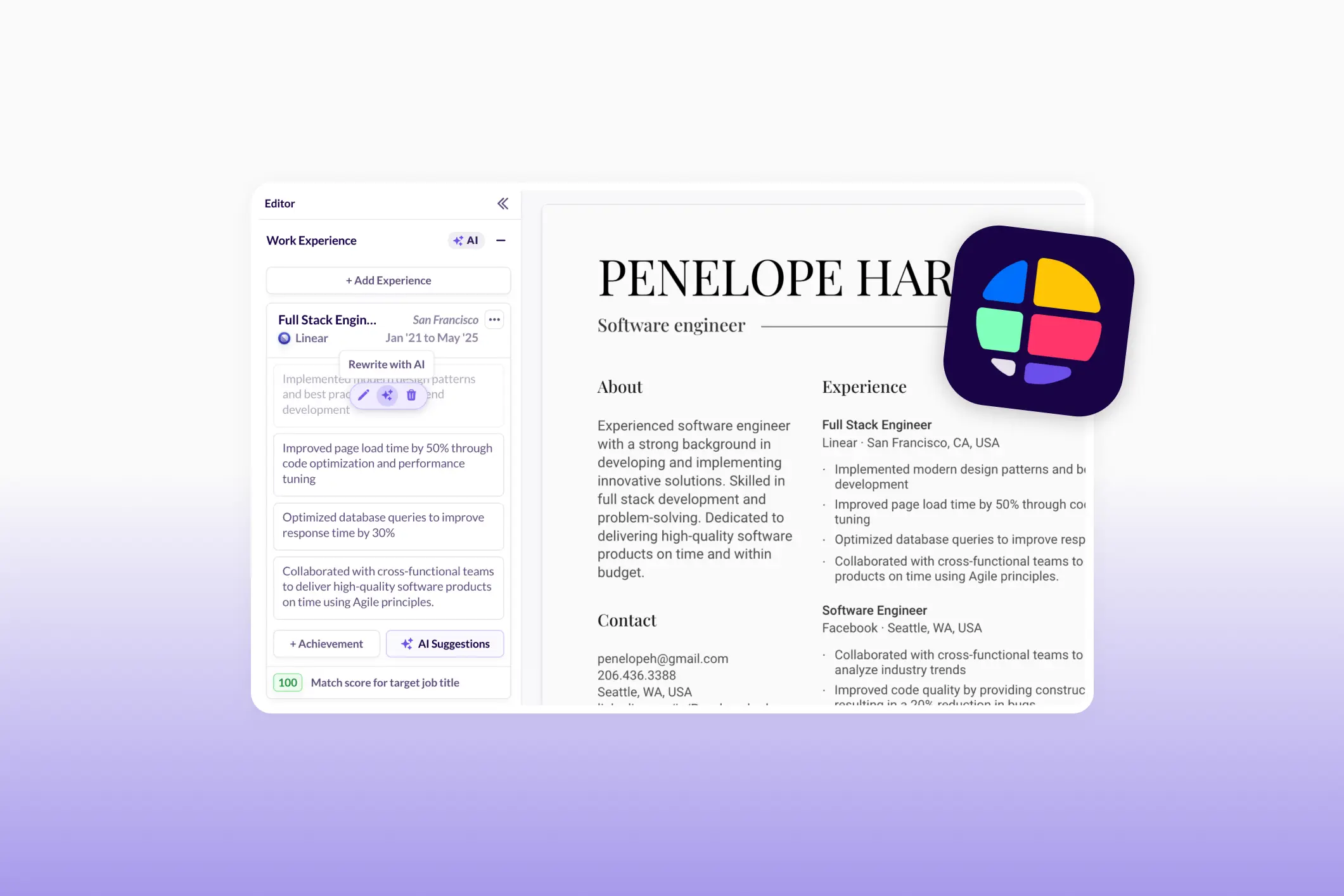
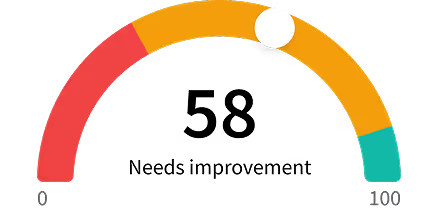
Once you upload your resume, Huntr takes you to its main dashboard, where all of its tools are accessible from a single workspace. Here, you can build your resume, tailor it to job listings, generate summaries and bullet points, scan for keywords, and track your overall score.
To customize your resume, simply paste in a job description or job posting URL. Huntr will analyze the posting, identify keywords, qualifications, and responsibilities, and suggest ways to integrate them into your resume. You can then accept, reject, or edit the AI recommendations.
Here’s what the finished product could look like:

Beyond resume building, you can also generate cover letters and other job search documents, track job applications, and use the Chrome Extension to save jobs, autofill applications, and manage your job search across different websites.
Huntr: Pros and Cons
Don’t have time for the full review? Here’s a quick rundown of the benefits and red flags to help you decide if Huntr is right for you.
Pros
- AI Resume Tailoring: Rewrites and optimizes resumes based on job descriptions while incorporating relevant keywords and ATS best practices.
- Effective AI Achievement Generator: Creates results-focused bullet points with relevant examples and measurable outcomes that can be customized.
- Keyword Scanner and Job Match Tools: Highlights missing skills, qualifications, and responsibilities from job postings and provides actionable suggestions.
- Helpful Job Tracker and Chrome Extension: Makes it easy to organize applications, save jobs, track interviews, and autofill applications across multiple websites.
- Generous Free Plan: Includes resume building, job tracking, templates, PDF exports, and basic optimization tools without requiring payment.
Cons
- Overwhelming Interface: The dashboard feels crowded, with numerous tools, feedback panels, and settings competing for attention on the same screen.
- AI Can Invent Details: Some AI-generated summaries, bullet points, and rewrites include inaccurate metrics or accomplishments that require more manual editing.
- Weak Cover Letter Generator: Generated cover letters often feel overly conversational, robotic, and filled with unnecessary descriptive language.
- Generic AI Feedback: Some resume review suggestions lack depth, repeat obvious advice, or don’t accurately reflect the resume content.
- Best Features Require Pro: Many of Huntr’s most valuable AI tools, including unlimited tailoring, reviews, and cover letters, are locked behind the paid plan.
Huntr Resume Builder: AI Tools and Features
The moment you upload your resume, you’re dropped into a pretty busy interface.
On a single screen, you have your resume preview, scoring, feedback panels, resume sections, AI tailoring tools, design settings, and various optimizations. Everything lives on essentially the same page, which means you’re constantly opening, closing, and switching between tabs.

This comes down to personal preference, but I found this pretty overwhelming (and job hunting is already stressful enough). Yes, I eventually found my way around everything, but I had to do quite a bit of digging to explore all the tools and sub-features.
That said, there are a lot of tools packed into that dashboard. So, let’s explore them.
Resume AI Tailor
The AI Tailor is one of the first features Huntr pushes you toward when creating your resume.
You simply paste in a job description along with the company name and role, and Huntr will suggest or rewrite parts of your resume to better match the posting. And it doesn’t just sprinkle in keywords; it can completely rework sections to improve impact and ATS optimization.

I was impressed by how thorough the tailoring process was, covering all sections with a focus on weaving in keywords. And beyond keyword matching, it also made some meaningful adjustments to the wording and structure of my content.
Overall, this was one of the strongest AI features on the platform.
You can also check out our AI Keyword Scanner to find professional ways to add essential terms and phrases from the job listing to your resume.
Resume Summary Generator
Huntr’s Resume Summary Generator creates a professional summary based on your experience, education, and target role. If you’re applying to a specific job, it can also take qualifications, responsibilities, and keywords directly from the job description.
You can either:
- Generate a summary from scratch
- Rewrite an existing summary
- Edit and personalize the AI-generated version afterward
I put it to the test by feeding it an existing summary (the results were hit or miss).

On the positive side, it successfully identified keywords related to my target role and rewrote parts of my summary to match those requirements. It also included those all-important metrics (something many resume tools fail to do).
On the downside, it occasionally got a little too creative. In some cases, it invented details and metrics that weren’t accurate for the sake of keyword stuffing. It also removed important details, including the number of years I’d been working as a content writer.
That said, every generated summary is editable, so fixing inaccuracies isn’t too difficult. Still, you’ll definitely want to fact-check anything the AI produces before sending it to recruiters.
Don’t want to spend too much time editing? You can also try our Resume Summary Generator to get a professional, tailored draft in seconds.
AI Achievement Suggestion Generator
The AI Achievement Suggestion Generator creates achievement-focused bullet points based on your job title. It starts by generating context-specific keywords related to your role, then provides multiple suggestions you can use or customize.
You can also add your own context by entering:
- Tools
- Skills
- Specific accomplishments
- Industry-specific keywords
Overall, I was pretty happy with the results. The suggested resume keywords were relevant to my job title, covered both hard and soft skills, and generated results-focused accomplishments with concrete examples and measurable outcomes.
My only wish is that Huntr relied more on the overall job description for this feature. Right now, it leans heavily on individual keywords, which makes the suggestions sound a little vague and repetitive. Being able to combine role-specific keywords from a job posting would make tailoring and editing bullets much faster.

There’s also an AI Achievement Rewriter that gives you three alternative versions of an existing bullet point. I found these rewrites somewhat less useful because they mostly took my original content and inserted metrics that I’d need to verify, edit, or remove.

You can also enter custom prompts for more control over the rewrites. I tried the pre-written “Make it sound natural” prompt, but the output didn’t feel noticeably different from the standard suggestions.
Not happy with the results? You’re also free to try our AI Bullet Point Generator if you need personalised and impactful suggestions to add to your job application.
Resume Skills Generator
The Resume Skills Generator recommends skills based on your target job title or a specific job posting. It organizes suggestions into several categories:
- Hard skills
- Soft skills
- Knowledge areas
- Industry-related skills
- Education-related skills
- Custom skill categories

In terms of volume, Huntr doesn’t leave you short on options. I got a long list of recommendations ranging from highly specific skills like CapCut and campaign support to broader traits and competencies.
But not all suggestions felt equally valuable.
Some recommendations were highly relevant and specific. Others were too generic, like motivation and confidence (literally anyone could claim this). I also noticed a few near-duplicates, such as TikTok and TikTok Live, and variations of influencer collaborations that were almost identical.
Personally, I’d prefer the tool to place more emphasis on industry-specific and technical skills. Soft skills certainly have a place, but recruiters can usually infer those from your experience.
Resume Keyword Scanner
The Resume Keyword Scanner analyzes a job description and identifies keywords that may be missing from your resume across different categories, like hard skills and technologies.
Once the keywords are identified, you can choose which ones to add and where they should appear, including your:
- Skills section
- Work experience
- Summary
- Education section

One thing I really liked was the flexibility. Instead of blindly forcing every keyword into your resume, Huntr lets you accept or reject individual suggestions. If a keyword doesn’t accurately reflect your experience, you can simply remove it without your resume score being penalized.
With the suggested keywords, the AI can also generate different bullet-point options showing how to incorporate them into your resume sections.
While many of the generated bullets were tailored to my job title and the job description, they weren’t well aligned with specific roles already listed in my work history. As a result, I often had to rewrite them before they fit naturally into a particular experience entry.
Still, as a keyword discovery tool, it’s genuinely useful.
Resume Templates & Customization
Huntr offers seven resume templates, which should be enough variety for most job seekers without creating analysis paralysis.
I’m happy to report that most of the templates are professional and ATS-friendly. But there are a couple of them that lean a little too heavily into design elements for my liking and risk drawing attention away from the actual content or confusing ATS scanners.

Huntr also gives you a decent amount of control over the appearance of your resume. You can customize:
- Section Order and Titles: Rename and reorder sections.
- Text and Font Settings: Adjust font sizes, heading styles, line spacing, and font packs.
- Date Formatting: Choose between different date formats and abbreviations.
- Page Size, Margins, and Layouts: Customize page dimensions, margins, and even certification layouts.
- Headshots (Optional): Huntr includes guidance that recommends only using a headshot if it’s standard practice in your country.
I appreciated the level of customization available, particularly for formatting and layout. Small details like spacing, margins, and section order can make a big difference when you’re trying to fit experience neatly onto one or two pages.
Are you curious what a truly ATS-friendly resume looks like? Check out our complete template gallery to see all our options.
Huntr Resume Builder: Feedback and Scoring
Once your resume is in the system, Huntr starts layering on feedback, scoring, and AI suggestions. You get everything at once: ATS scores, keyword match analysis, section-by-section feedback, and improvement prompts, all displayed alongside your resume.
Yes, a lot is happening at once, and some of the feedback can be a bit generic or repetitive. Still, it gives you a clear starting point for improvements, especially around keywords.
Let’s take a closer look.
Resume Checker
The Resume Checker evaluates things like:
- Section completion
- Use of metrics and numbers
- Repetitive action verbs
- Buzzwords
- Duplicate bullet points
- Overall resume length
The ATS Job Match Checker goes even deeper by analyzing:
- Keyword match score
- Job title match score
- Qualification match score
- Responsibility match score
- AI keyword integration
- AI qualification and responsibility integration
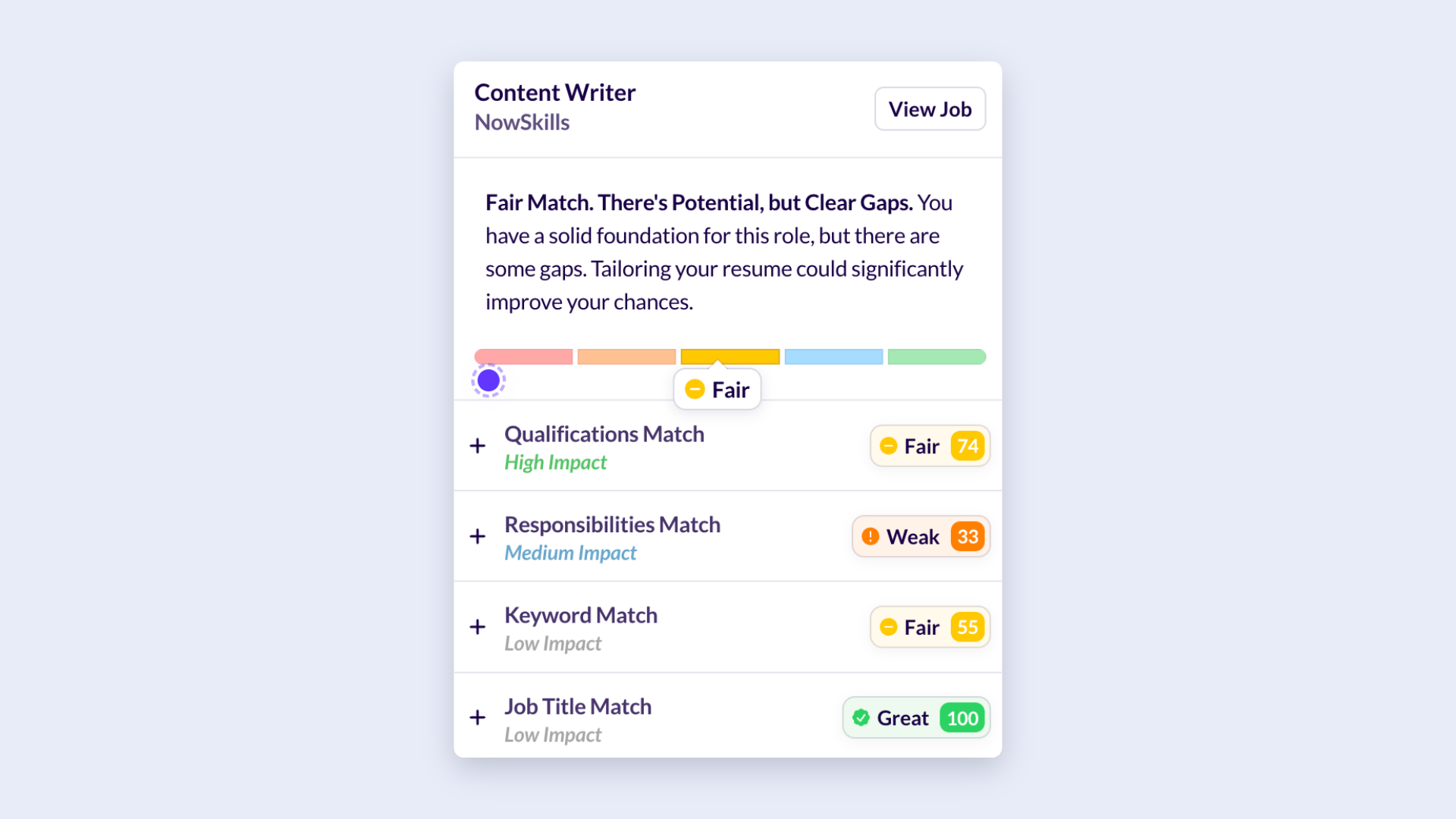
Rather than simply assigning a score and leaving you to figure it out, Huntr breaks down the job requirements and shows which areas your resume covers well and which areas need improvement.
As a visual person, the traffic light matching system made it incredibly easy to spot gaps. I also appreciated being able to add recommended skills directly from the analysis.
More importantly, the feedback wasn’t limited to “you need more keywords.” The tool explained why specific improvements mattered and provided guidance on issues like repetitive content, resume length, overused buzzwords, and missing metrics.
AI Resume Review
The AI Resume Review performs a deeper line-by-line analysis of your resume, evaluating everything from grammar and formatting to ATS optimization. Every recommendation comes with an explanation and a best-practice label, and you can accept or reject suggestions individually.

The review caught several legit issues, including some contact detail improvements and keyword opportunities I’d overlooked. A few of the recommendations were genuinely helpful and integrated job-description keywords naturally into my summary and work experience section.
But while some suggestions added meaningful improvements, others simply reworded existing content without any major differences. Some of the section-level comments were also often extremely generic, with suggestions like:
“Fix Errors: Correct Mistakes and Inaccuracies.”
Thanks, AI. Very insightful.
Other recommendations also seemed disconnected from the actual document. For example, it suggested limiting positions to 3–5 bullet points, when all my positions already had 3–5 bullets. It also told me to replace placeholder metrics even though my resume already had numerous quantified achievements.
So while the review can catch some useful issues, I’d treat it as a second opinion rather than a source of absolute truth.
Need more specific feedback? Our ATS Resume Checker tools offer detailed, personalized suggestions to improve your overall application.
Additional Features and Tools
Beyond the resume builder, Huntr also covers the rest of your job search with AI-generated cover letters, job application tracking, and a Chrome extension.
Individually, these tools have aspects that are genuinely helpful and make job searching more organized and efficient. But the quality varies, especially with cover letters, which often need a heavy edit before they feel ready to send.
Let’s get into the details.
Huntr AI Cover Letter
Huntr’s AI Cover Letter Generator creates a cover letter tailored to both your resume and the job description you’re targeting. All you need to do is paste in the job details, let the AI write your draft, then edit the draft to reflect your own experience and voice.
And Huntr doesn’t stop at cover letters. It can also generate several other job-search documents, including:
- Follow-Up After Application
- Thank You After Interview
- Decline Interview
- Offer Negotiation
- Offer Decline
Back to the cover letter, which was one of my least favorite AI features.
The letters sounded surprisingly flowery for a professional document. While the AI took relevant keywords and phrases from the job description, the writing itself didn’t feel authentic, like it was trying too hard to sound human and enthusiastic, but forgot to say anything meaningful.
Some of the lines it generated genuinely made me stop and raise an eyebrow:
- “It’s not lost on me that the internet is an ocean of content.”
- “I’m not shy about jumping into the less polished, more immediate world of live content.”
- “My history degree taught me to pay attention to patterns and context—skills that serve me just as well when tracking viral moments or competitor moves.” (hello AI em dash)
None of these statements are necessarily wrong, but they read more like creative writing exercises than professional cover letter content.
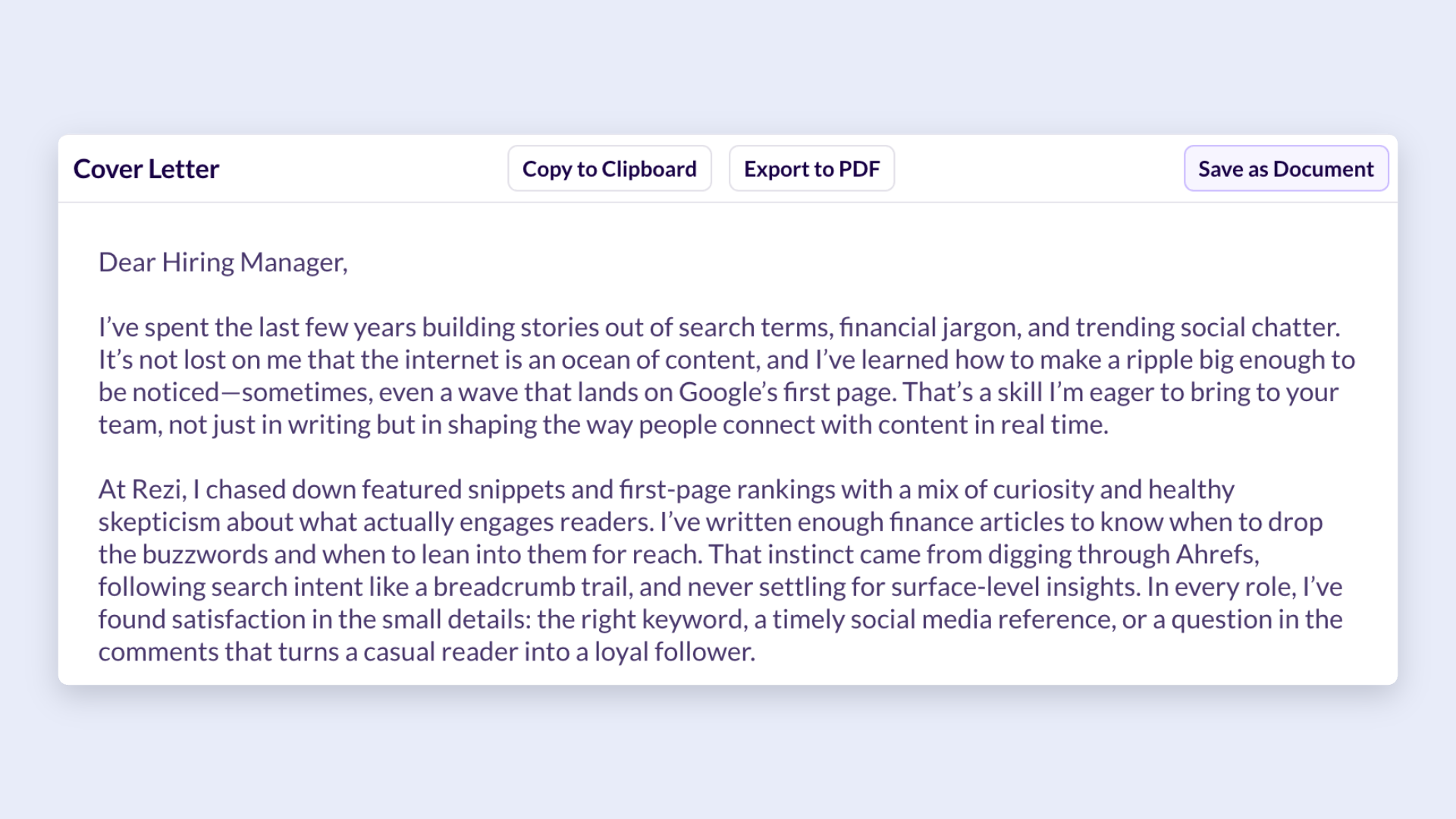
Generally, the AI focused more on descriptive language and personality, but not enough emphasis on why I was qualified for the role. As a result, I had to rewrite large portions of the letter to make it more direct, specific, and recruiter-friendly.
See how this compares to our own AI Cover Letter Generator, which will write you a professional draft based on job details and your resume in seconds.
Huntr Job Search Tracker
The Job Tracker is designed to keep your entire job search organized in one place. Instead of juggling spreadsheets, bookmarked job listings, and that one half-finished Google Doc, Huntr lets you manage everything from a single dashboard.
You can track:
- Job applications
- Company information
- Contacts and networking efforts
- Interview schedules
- Documents and resumes
- Activity history and notes
This all happens on Huntr’s Kanban-style board, where you can drag-and-drop applications between different stages of the hiring process. Think Trello, but specifically for job hunting.

I really liked this approach. Job applications can pile up surprisingly fast, especially if you’re applying to multiple roles every week. Visually moving applications from “Applied” to “Interview” to “Offer” (manifesting, obviously) makes it much easier to stay organized.
The contact and interview tracking features are also useful additions. You can log interview dates and times, save recruiter information, and keep track of networking conversations.
Sure, the job tracking tools aren’t particularly groundbreaking, but they’re simple and convenient, with everything directly built into the same platform you’re already using to manage your resume and applications.
Want to expand your job hunt? Check out our Rezi’s Job Search platform to find real, recent opportunities while managing all your applications in one place.
Huntr Chrome Extension
The Huntr Chrome Extension is arguably one of Huntr’s more practical features. Instead of manually entering every job application into the platform, the extension lets you collect and track opportunities directly from job boards and company websites as you browse.
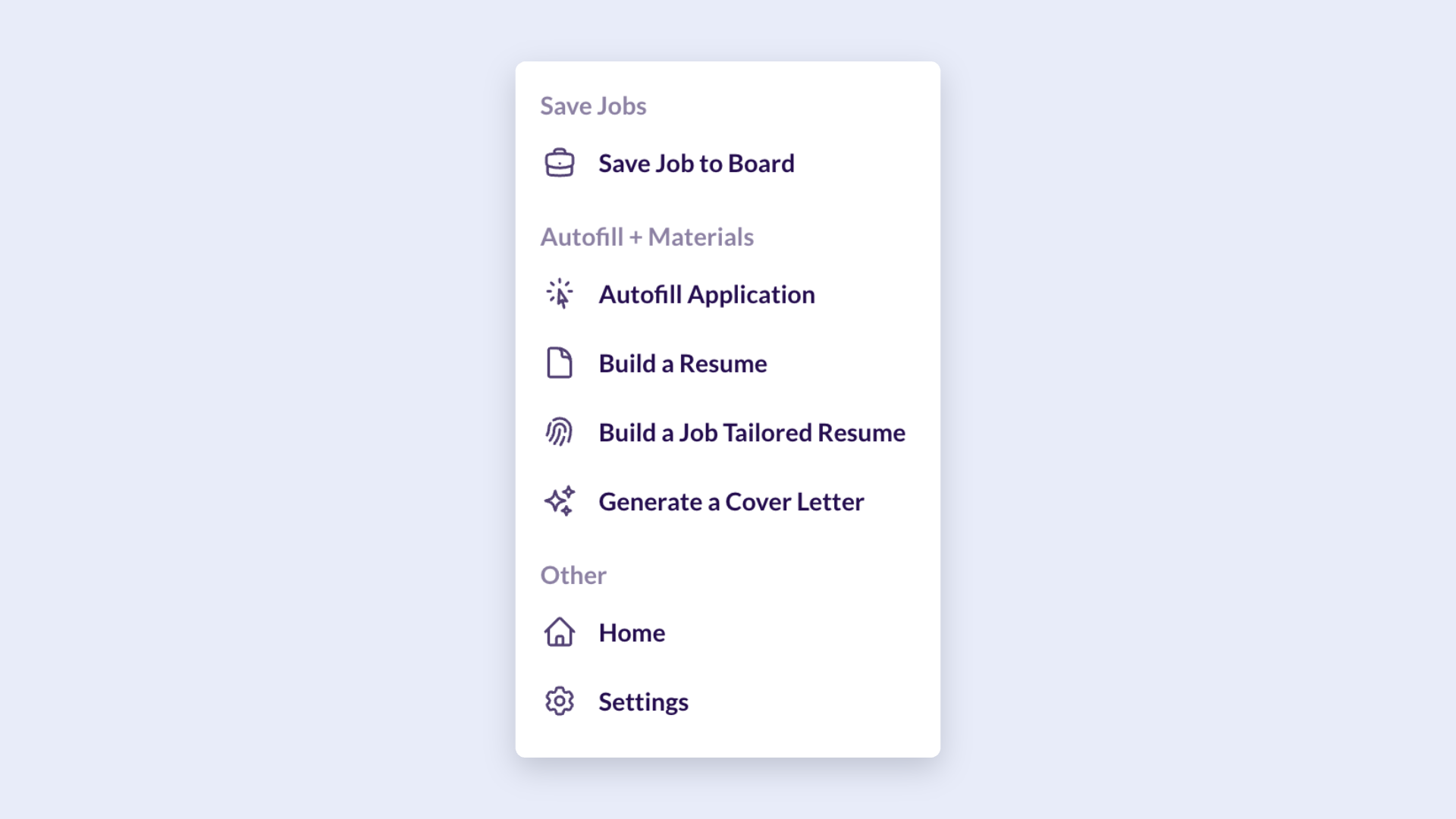
One feature that stood out to me was the auto-fill functionality. Huntr can pull information from your profile and automatically populate application forms, saving time when you’re filling out your tenth nearly identical application of the day.
The biggest perk here is convenience. If you spend hours browsing LinkedIn, Indeed, company career pages, and niche job boards, the extension helps centralize everything instead of forcing you to switch between tabs and manually copy information.
You can also check out the Rezi Chrome Extension, which has some similar features, plus the ability to import details from your LinkedIn profile and practice for interviews.
Huntr Pricing
Huntr uses a freemium model, meaning you can get quite far without paying anything.
The free plan is generous enough for basic use, especially if you just need one resume or you’re testing the platform. But the Pro plan unlocks unlimited AI features and deeper resume optimization tools for users actively tailoring multiple applications.
Here’s how Huntr’s pricing tiers break down.
Free Plan
The free plan is completely free to use; all you need to do is create an account. It’s a good choice for basic resume-building, tracking a few applications, and testing the platform.
Resume Tools
- Resume Builder access
- Unlimited base resumes
- Free PDF export
- 2 job-tailored resumes
- 2 application packets
- Access to all resume templates
- Basic resume job matching
- Basic resume scoring
Job Tracking & Tools
- Job tracker (up to 100 jobs)
- Chrome job clipper
- Map view
- Unlimited contact management
- Unlimited application autofill
- Up to 100 document uploads
Pro Plan
The Pro Plan will set you back a steep $40 a month, and includes all the free features, plus more advanced tools and unlimited access.
Resume Tools
- Unlimited job-tailored resumes
- Unlimited application packets
- Unlimited AI resume generations
- AI-powered job tailoring
- Unlimited AI cover letters
- AI resume review and tailor tools
- Unlimited AI resume reviews and tailoring
Advanced Optimization & Tracking
- Resume checker
- Advanced job matching
- Advanced resume scoring
- Unlimited job tracking
- Advanced job insights
- Advanced job search metrics
- Unlimited document uploads
Final Thoughts: Is Huntr Worth It?
Huntr packs an impressive amount of AI-powered resume tools into one platform, and several of them genuinely save time. The AI Tailor, Achievement Generator, Keyword Scanner, and Resume Checker were the standouts for me because they offered practical improvements.
Where Huntr struggles is consistency. Some AI suggestions are excellent; others feel generic, repetitive, or occasionally inaccurate. You’ll still need to review everything carefully rather than accept changes blindly.
But my biggest complaint was the interface. Nearly every feature (and there’s a lot) is crammed into the same workspace, which makes the platform feel busier than it needs to be. Once you learn where everything is, it’s manageable, but there’s definitely a learning curve.
If you’re looking for a toolkit that helps you write stronger bullet points, identify missing keywords, tailor applications faster, and improve ATS compatibility, Huntr does a pretty good job. Just keep one hand on the steering wheel and don’t let the AI drive unsupervised.
FAQ
Is Huntr free to use?
Yes, Huntr offers a free plan that includes limited access to its resume builder, resume templates, job tracker, Chrome extension, PDF exports, and basic resume scoring and job matching tools. However, many of the platform’s AI features are limited on the free plan.
Is Huntr Pro worth it?
If you’re only updating your resume occasionally, the free plan is likely enough. However, if you’re applying to multiple jobs and tailoring your resume for each application, Pro unlocks the features to support this, including unlimited AI resume tailoring, resume reviews, cover letters, job matching, and unlimited job tracking.
Based on my experience, the strongest features were the resume tailoring tools, keyword scanner, achievement generator, and job match checker. Just keep in mind that the AI suggestions still require human editing, so you’re paying for efficiency rather than a fully automated resume-writing service.
Does Huntr create ATS-friendly resumes?
Yes, most of Huntr’s resume templates are professional and designed with ATS compatibility in mind. The platform also includes several optimization tools that help improve ATS performance, such as keyword scanning, job matching, resume scoring, and AI-powered resume tailoring.
That said, ATS-friendly doesn’t automatically mean recruiter-friendly. While Huntr does a good job identifying keywords and qualifications from job descriptions, you’ll still need to ensure the content accurately reflects your experience and doesn’t become overloaded with AI-generated keywords.
Can you generate resume bullet points with Huntr AI?
Yes. Huntr’s AI Achievement Suggestion Generator can create accomplishment-focused bullet points based on your job title, skills, tools, and experience. It also includes an AI Achievement Rewriter that generates alternative versions of existing bullet points.
Is Huntr easy to use?
The actual resume-building process is straightforward, and most tools are relatively easy to understand. The challenge is that Huntr packs a huge number of features into a single dashboard. Between the resume preview, AI tools, scoring system, keyword scanner, feedback panels, and design settings, the interface can feel crowded and overwhelming.

Upload or drop your resume to get started
Upload your resume to get started
Score my resume

Lauren Bedford is a seasoned writer with a track record of helping thousands of readers find practical solutions over the past five years. She's tackled a range of topics, always striving to simplify complex jargon. At Rezi, Lauren crafts genuine and actionable content that guides readers in creating standout resumes to land their dream jobs.

.webp)