Resume
How to Use the Rezi Resume Builder in 11 Easy Steps
Find out how to use the Rezi resume builder step by step, with AI tools, templates, and tips to create an ATS-friendly, tailored, and polished resume.
Published on
February 10, 2026
Updated on
February 10, 2026
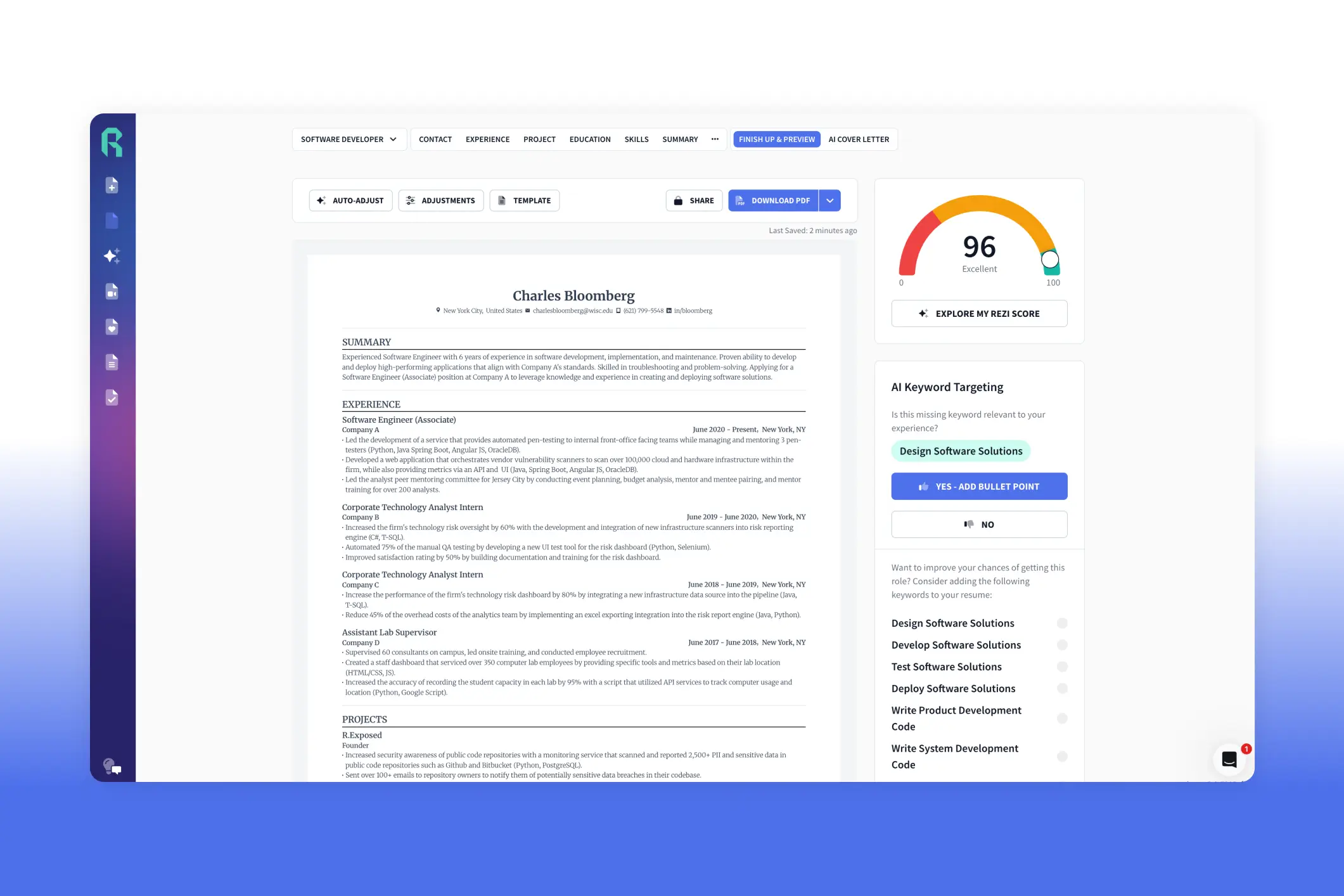
The Rezi resume builder is one of the best AI platforms to help you write and format a professional resume that’s compliant with applicant tracking systems (ATS). It’s easy to use and designed to make your resume ATS-friendly and tailored to each job. Upload your resume, import from LinkedIn, or create one from scratch, and add your contact info, work experience, education, and skills. Use the AI tools to craft bullet points, generate a summary, get skill suggestions, and add extra sections like projects or certifications. Tailor your resume with the AI Keyword Targeting tool, choose a template, adjust formatting, and check your Rezi Score to see where improvements are needed. Our users love how it saves time, guides them step by step, and makes customizing resumes easy and effective.
I’ve seen nearly all the YouTube videos of people trying out and talking about our resume builder (thanks, guys). Like this one:
Even though, in the comments, he said he wouldn’t pay for it. What the heck, Benjamin? I thought we were friends.
But I get it. Our free plan is enough for one application anyway. But once you’ve used up your free downloads and you’re still job hunting, you might find yourself wandering back to Rezi. And don’t worry, we’ll welcome you with open arms.
It’s time we shared our two cents, too. Not just another walkthrough, but a step-by-step guide with a few extra tips most videos gloss over.
If you’d rather jump straight into it, you can try our AI Resume Builder for free. If not, stick around, I’ve got some valuable instructions coming up.
Or check out these guides:
- How to Use AI to Write a Resume
- What Does a Good Resume Look Like?
- Tips for Creating an ATS Resume
- How to Pick the Right Resume Template
How to Use the Rezi Resume Builder (Step-by-Step Guide)
Here’s how to use the Rezi resume builder:
- Upload an old resume, import from LinkedIn, or start a brand-new one. Name it and pick your experience level so Rezi knows what advice to give.
- Add the job description so it matches your resume with the role.
- Put in your name, professional email, phone, LinkedIn, portfolio (if you have one), and your city and state.
- Let AI craft your work experience bullets, suggest metrics, or rewrite them until they sound strong and clear.
- Fill in your education and, if relevant, include coursework, projects, or extracurriculars to showcase skills beyond work history.
- Pull key skills from the job posting and use Rezi’s suggestions to expand your list.
- Build a summary from your most relevant past role and key skills, then tweak or regenerate until it feels right.
- Add optional sections like certifications, volunteer work, awards, or publications to give your resume extra depth.
- Check for missing keywords with the AI Keyword Targeting tool, and have Rezi generate bullets for them automatically.
- Pick a template, adjust formatting as needed, and hit auto-adjust to stay ATS-friendly.
- Use the Rezi Score to see how your resume measures up and fix areas that could use improvement.
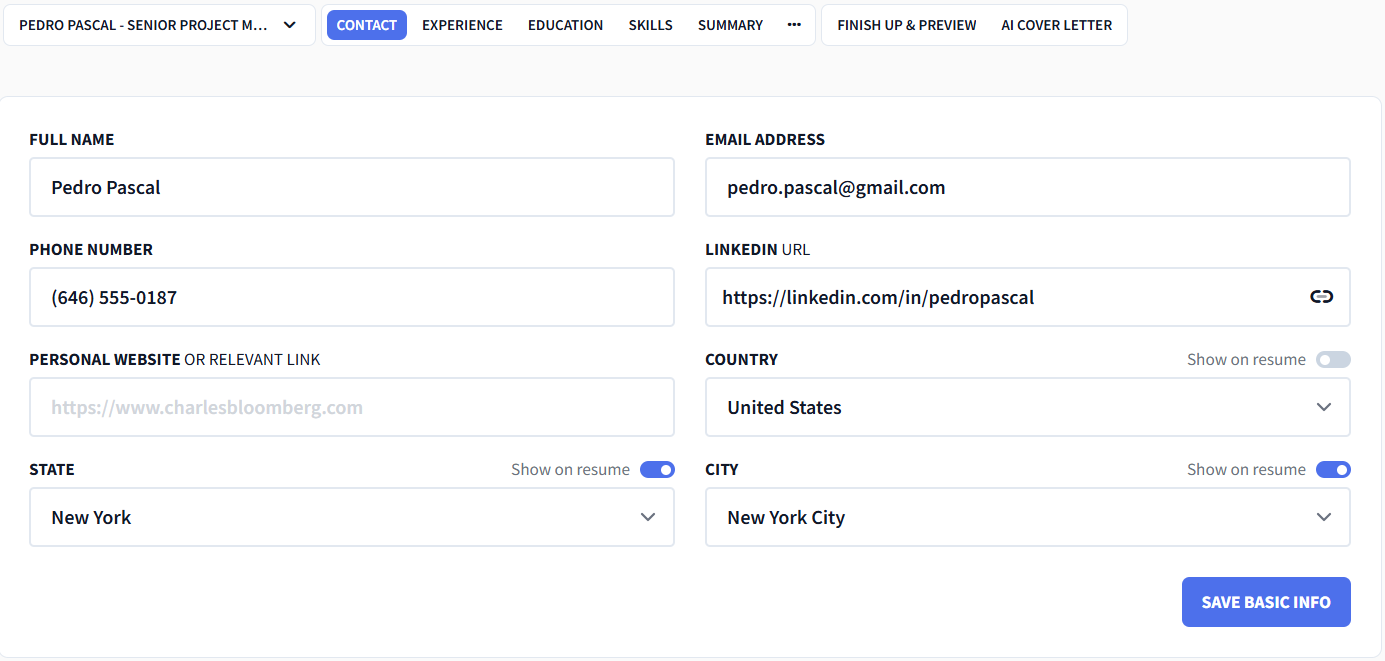
For this demo, as you’ll see in the images, we’re pretending our name is Pedro Pascal. He’s based in New York and works as a successful project manager. And he’s about to build a resume. Let’s go.
For guides on how to use Rezi for different types of job applications, check out:
1. Upload your resume or start fresh
Name your resume with your full name and job title, then select your experience level (internship through executive). Rezi adjusts its guidance based on your seniority, like suggesting 3–6 bullet points per role for entry-level positions and up to 10 for senior roles.
From there, you can:
- Import your resume from LinkedIn.
- Upload and improve an existing resume.
- Start from scratch.
For this example, we’re starting fresh.

Related guides:
- How to Write a Resume
- How to Write a Resume With No Experience
- How to Write a Career Change Resume
- How to Change Careers
- How to Get a Job Fast
- How to Create a Good LinkedIn Profile
2. Target your resume to a specific job
Paste in the job title, company name, and full job description.
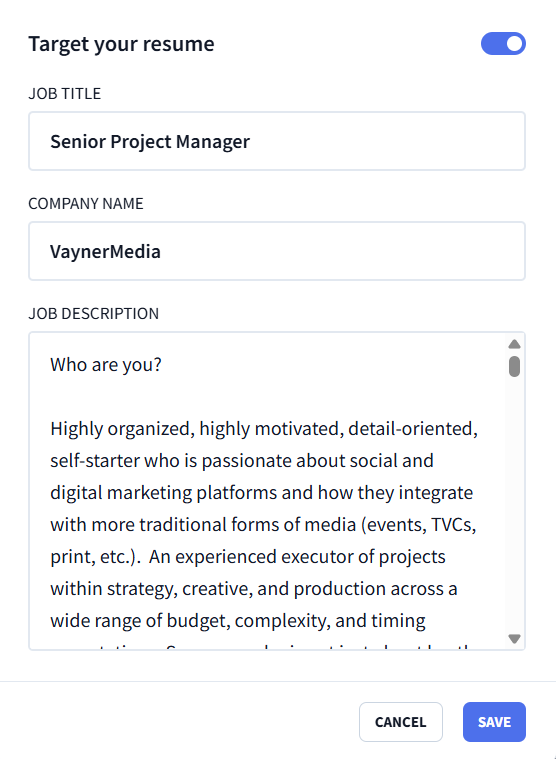
Sending the same resume to every job is one of the easiest ways to get ignored. Targeting your resume means:
- Calling out the role and company in your resume summary.
- Focusing on experience that actually fits the job.
- Weaving in the right skills and keywords naturally.
This is where Rezi really shines. As Davis, a software developer, shares, tailoring a resume used to eat up hours; Rezi made it fast and painless.
Read more on How to Tailor Your Resume to a Job Description With AI.
3. Fill in your contact information
Put the basics in your resume header: full name, professional email (emphasis on professional), phone number, LinkedIn, and a website or portfolio if it’s relevant.
If you’re applying internationally, toggle on the country option. Otherwise, just include your city and state.
4. Write your experience section with Rezi AI Bullet Point Writer
As you add your work experience, our Real-Time Content Analysis tool checks what’s working and what needs fixing as you go.
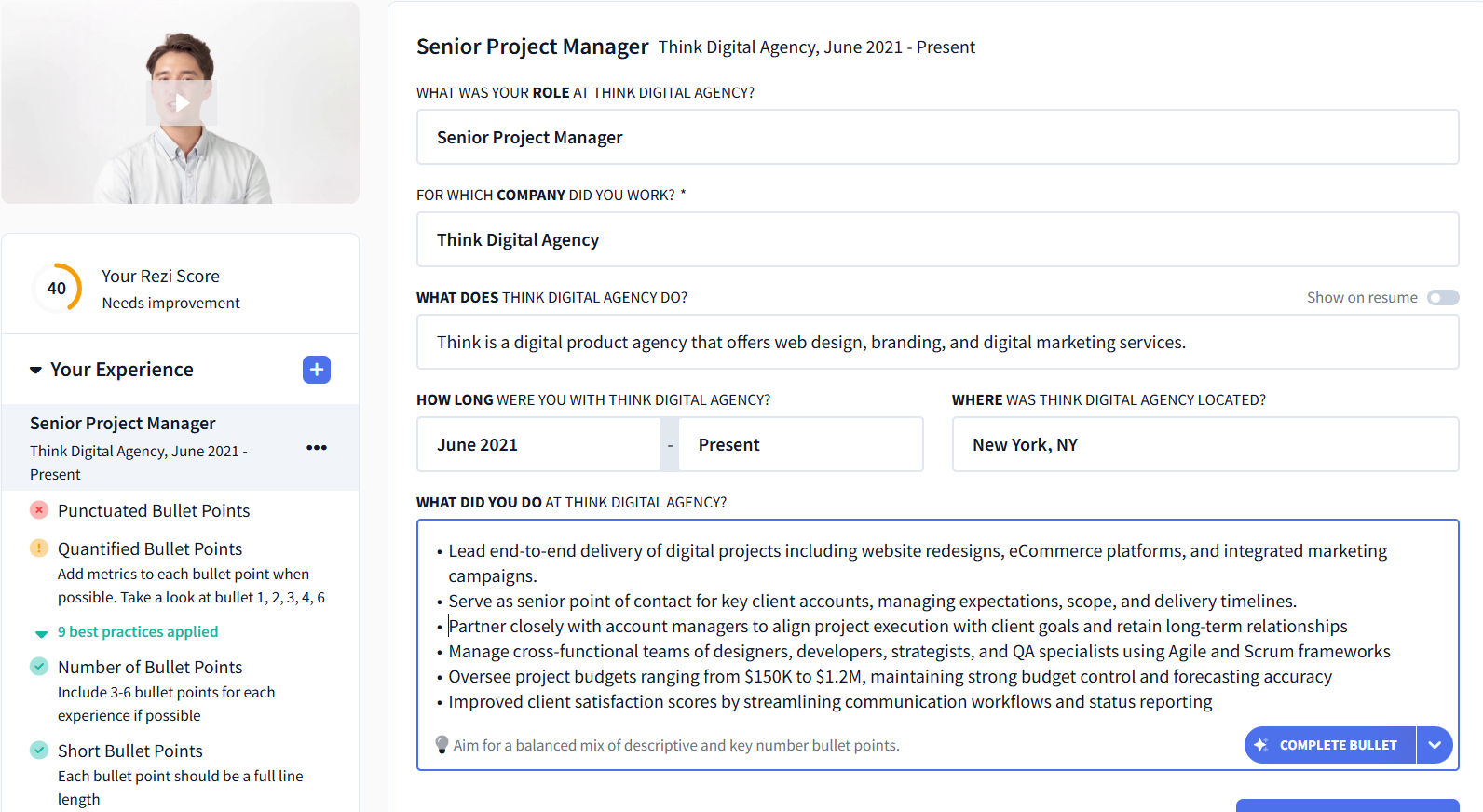
If you need help writing your bullets, click “Complete Bullet” to generate another one, or use the dropdown to add metrics.
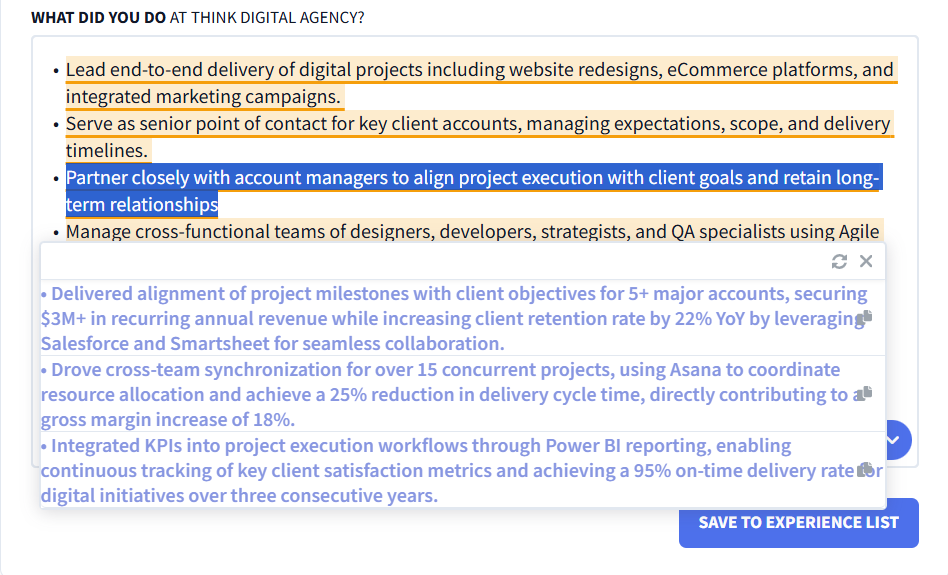
Want to improve something you already wrote? Highlight the bullet, select “Rewrite Bullet” (with or without metrics), and choose from three improved options:
5. Add your education section
Include the essentials: degree, school, and location. If your degree is more than 10 years old, you can skip the year; if your GPA is under 3.5, leave it out too.
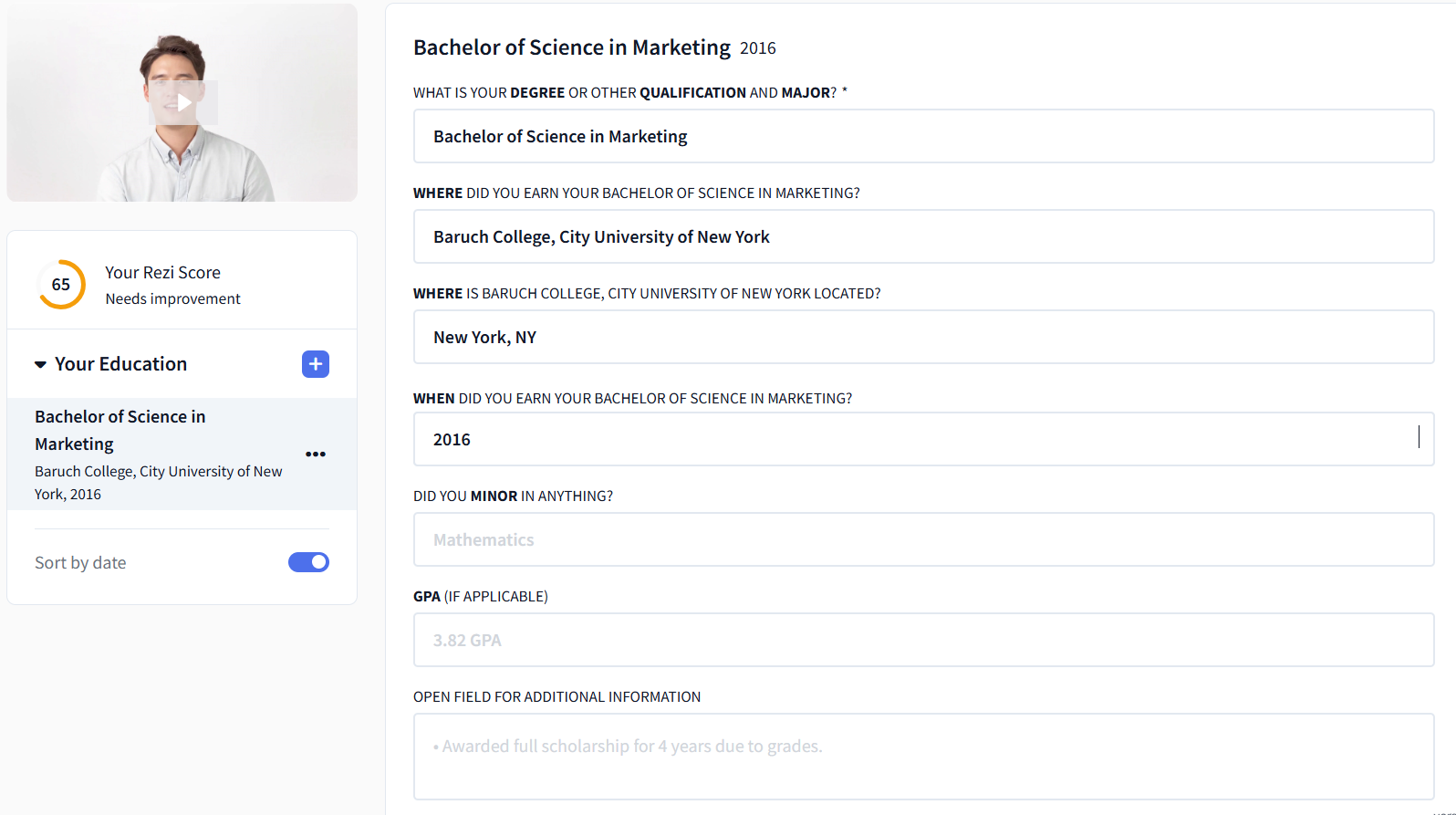
If you’re early in your career or light on experience, strengthen this section by emphasizing transferable skills, for example, through extracurricular activities on your resume.
6. List your skills and use Rezi AI Skills Explorer
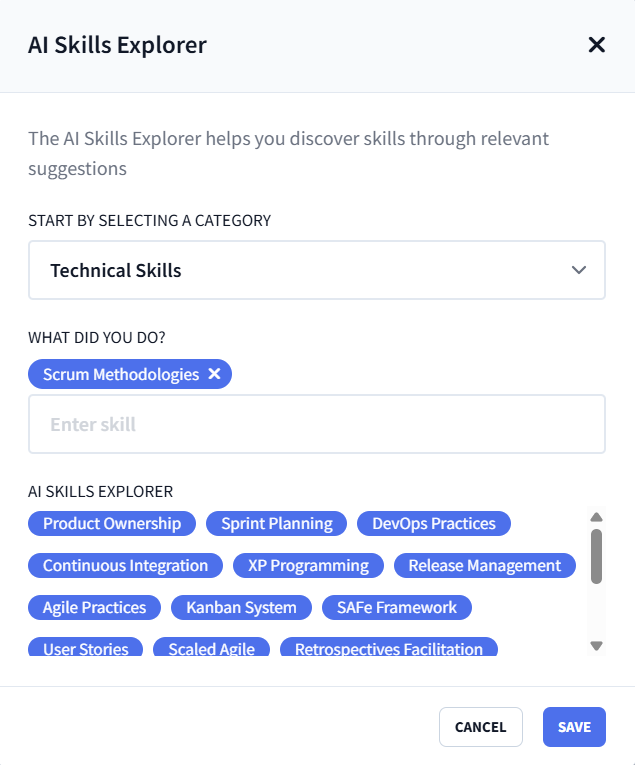
The best skills to put on your resume are usually hiding in plain sight in the job description. Add the skills the role actually asks for, then use the AI Skills Explorer to fill in the gaps.
Pick a category and a skill from your line of work, and Rezi will suggest relevant skills you can add with a click:
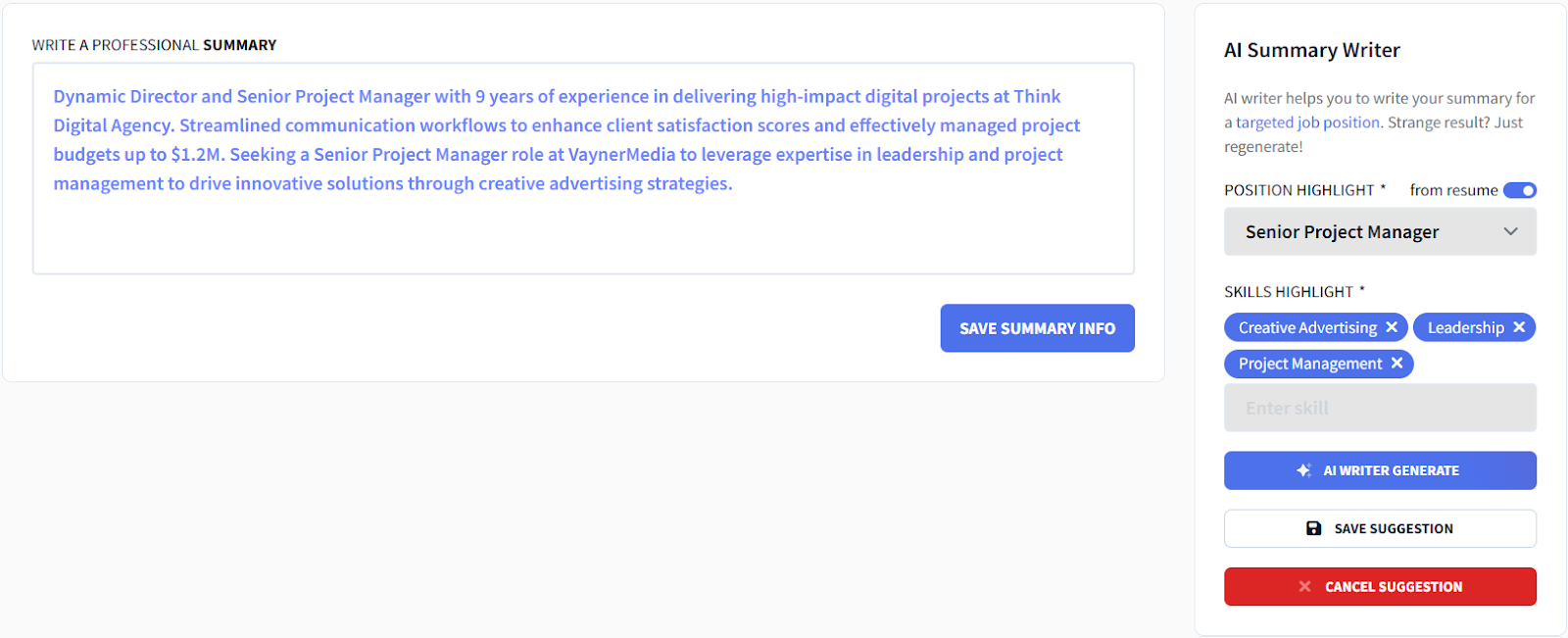
7. Create a summary with the Rezi AI Resume Summary Generator
A super helpful tool. Choose a past role that best matches the job you’re applying for, select a few skills you want mentioned, and let Rezi draft the summary.
Not quite right? Regenerate it until it sounds like you. You’re always in control.
8. Add extra resume sections
A few extra sections can help your resume stand out. Add the details that matter, and Real-Time Content Analysis will keep giving feedback as you go.
Some extra resume sections to consider:
- Projects
- Certifications
- Relevant coursework
- Involvement (like volunteer work)
- Awards & honors (mostly for academic resumes)
- Publications (also for academic resumes)
- References (usually unnecessary — skip unless requested)
9. Tailor your resume using Rezi AI Keyword Targeting
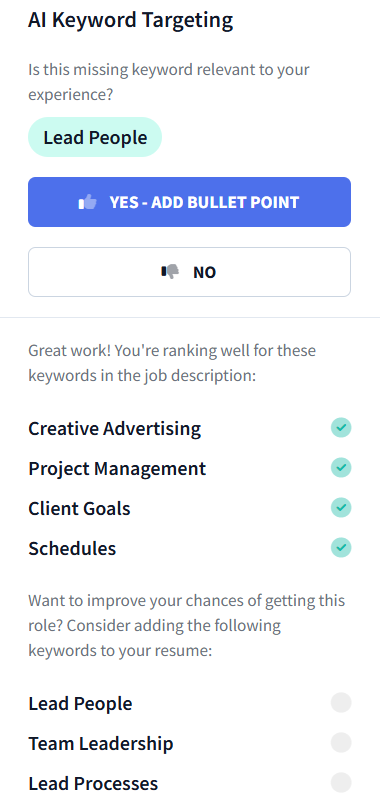
On the “Finish Up & Preview” tab, the AI Keyword Targeting tool checks if you have the resume keywords that ATS and hiring managers are looking for. It tells you which ones you’ve included and which are missing.
Click a missing keyword, pick a past job it applies to, and Rezi will generate a bullet including that skill.
10. Choose a resume template and adjust formatting
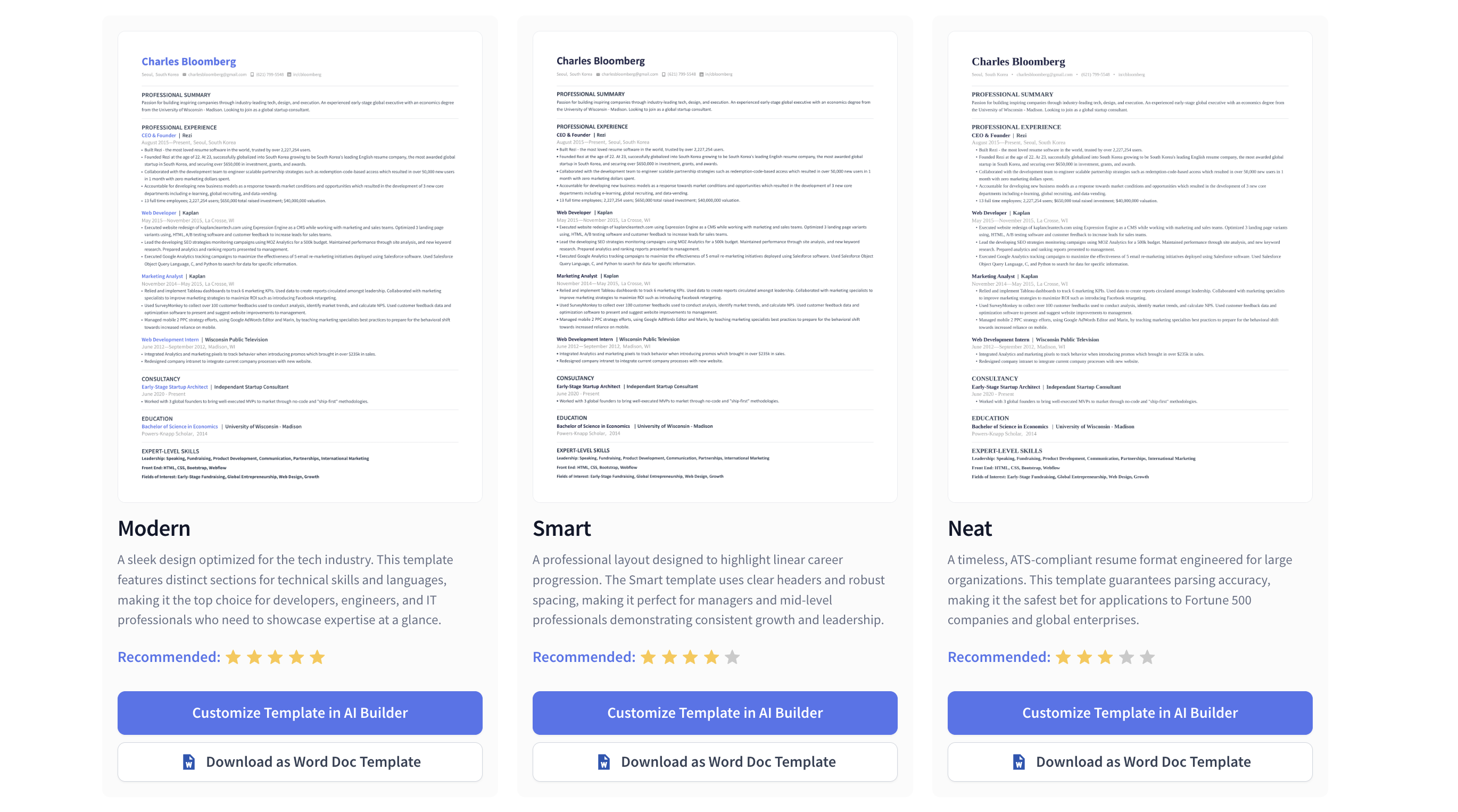
Rezi gives you the flexibility to shape your resume exactly how you want it. Adjust margins, fonts, and sizes, or even add a photo, though that isn’t recommended in most countries.

If you changed something and want to go back to its ATS-optimized self, hit the “auto-adjust” button.
You can also pick from our selection of ATS-friendly templates, like the standard or modern resume templates:
Related guides:
11. Check and improve your Rezi Score
The Rezi Score grades your resume from 1–100, based on content, formatting, optimization, best practices, and overall readiness. It highlights where you’re losing points so you can make quick fixes.
It’s a handy way to make sure your resume is ready to send off with confidence.

And if you’d like an expert on our team to review your resume, you can opt for a human resume review.
After Your Resume Is Ready: Other Rezi Tools
The builder gets your resume ready. These tools help with the rest of your application.
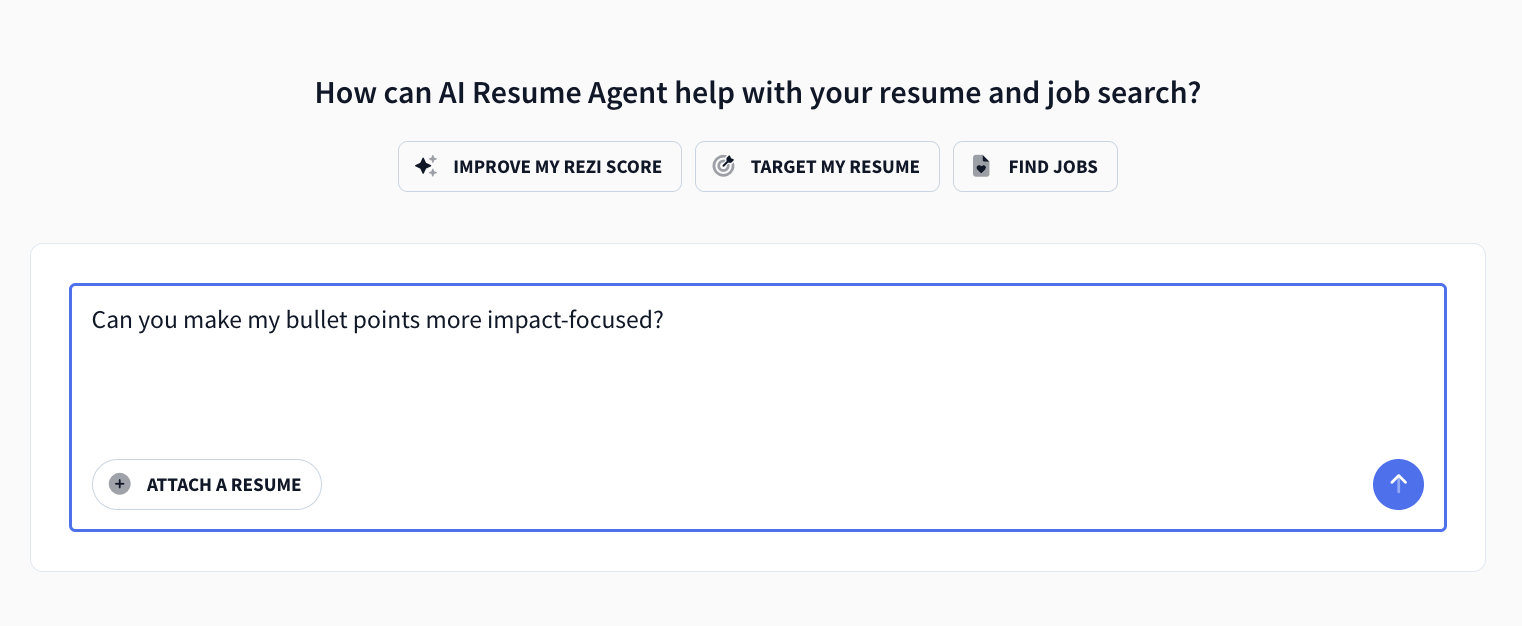
AI Resume Agent
The AI Resume Agent is like ChatGPT for everything related to your job search and application. One of its key features is helping you adapt your resume to each role.
- Upload your resume and a job description, then ask the AI Agent to tailor your summary and bullet points.
- Ask for help translating your experience into business outcomes (revenue, productivity, cost savings).
- Generate multiple resume versions for different roles and companies.
- Use it to prepare answers for behavioral interviews based on your resume.
AI Job Search
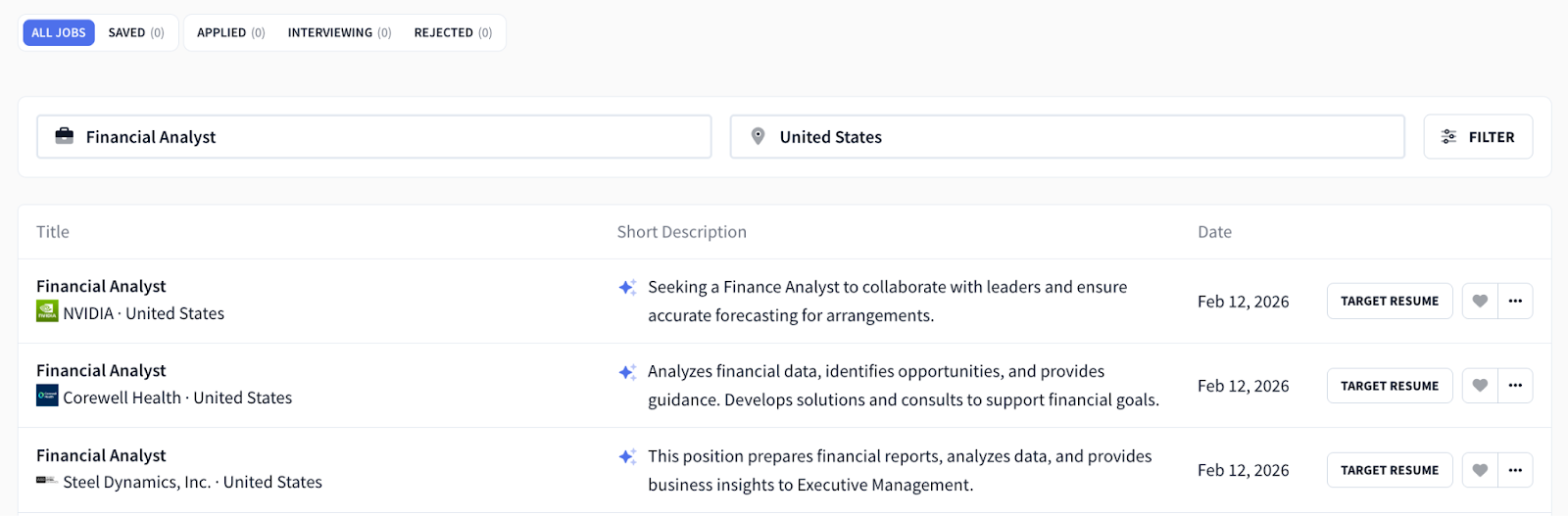
Rezi Job Search helps by pulling listings directly from company career pages. It also helps you stay organized when you’re applying to multiple roles at once.
How to use it:
- Track every application on your dashboard so you can follow up (important in slower hiring cycles)
- Use the job description and our tools to tailor your resume to that specific role.
AI Cover Letter Writer
The AI Cover Letter Writer creates a professional cover letter from your resume and the job you’re applying for.
- Enter the job title and company, and let Rezi generate a solid draft.
- Use your edits to bring in personality: why this company, why this role.
- Include one or two specific wins to back up your claims.

AI Interview Practice
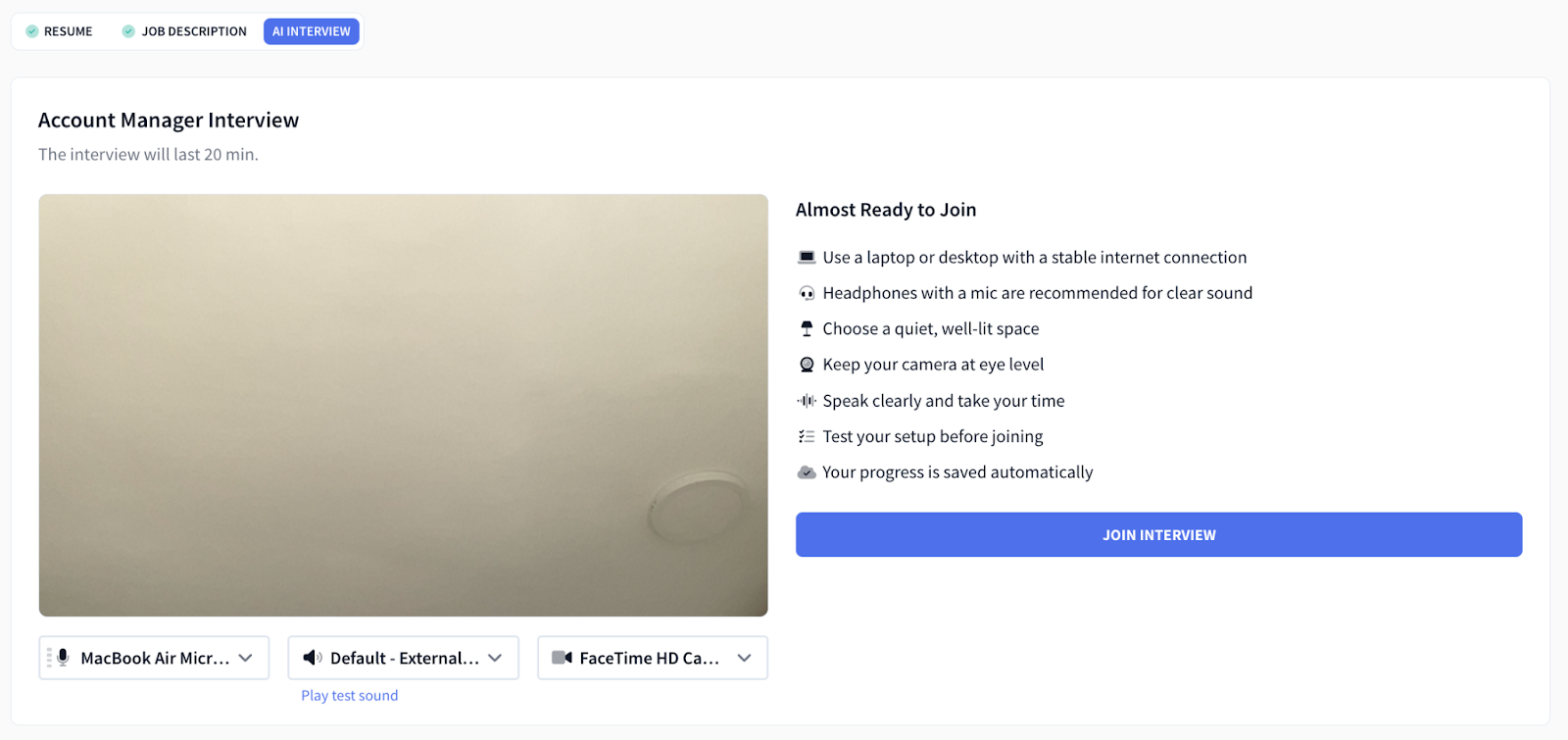
Rezi AI Interview helps you practice with role-specific questions pulled from your resume and the job description. You can use the tool to prepare stories that show both results and professionalism.
- Simulate real interviews by practicing multiple question sets with voice activation.
- Practice answering behavioral questions using the STAR method.
- Prepare scenario stories about teamwork, conflict resolution, and project delivery.
- Use our detailed feedback to refine answers and include job-specific language.
Tips for Specific Situations
If you’re changing careers
Resumes show what you’ve done, but cover letters explain why you’re making the switch. A professional AI Cover Letter Writer helps you build your case by pulling your resume data and framing it into a clear story. If you’re changing careers, it’s the perfect place to address your transition head-on.
A strong career change statement or resume summary should connect your past skills and experience to your new direction, so the hiring manager doesn’t have to guess why you’d be a fit. Here’s an example:
“After several years of managing teams in education, I’m excited to transition into project management. The organizational skills, leadership, and problem-solving I developed in the classroom translate directly to coordinating projects, meeting deadlines, and working with diverse stakeholders.”
If you’re a senior professional
If you listed everything you’ve done over the years, your resume could easily stretch to four pages. Instead, focus on achievements on your resume, include numbers where possible, and explain how you delivered results.
When you have years of experience, fitting everything onto one or two pages can feel impossible. Rezi’s templates are designed to solve that problem. They’re professional, stay ATS-friendly, and fit more content without looking cramped.
If you’ve job-hopped
Here’s some advice for explaining job hopping on your resume:
- Frame your experience around themes, not short stints. If you held several similar roles over a short period, group them to show continuity. This takes attention away from how often you moved, to what you actually did and learned. It also helps employers focus on your experience rather than getting distracted by frequent transitions.
- Use dates and formatting strategically. You don’t need to include specific dates for everything. Listing years alone can smooth out quick changes without being misleading. You can also keep employment dates low-key by avoiding highlighting them with bold text or placing them front and center.
- Prioritize roles that match the job you want: Tailor your resume to the position you’re applying for by emphasizing relevant skills and experiences. You can also group freelance work under one heading to better suit the job you want. This shows focus and a stronger connection between your background and the role.
- Edit out roles that don’t serve your story: You’re not required to list every job you’ve ever had. If a role was extremely short or unrelated to your current goals, consider removing it. A tighter resume with purposeful choices tells a stronger career story.
If you’ve been laid off
Go through relevant reports to find the numbers and document what you’re able to (as long as it doesn’t go against what’s stated in your employment contract). Think about what changed from your contributions.
Ask yourself things like:
- Did you help save time, money, or resources?
- Did you introduce a new process or tool that improved how work got done?
- Did you train or mentor others?
- How many projects were you handling in a typical week or month?
You can simply say your role was impacted by company-wide layoffs or eliminated due to restructuring. Layoffs are common right now, so this won’t surprise most recruiters.
Here’s a simple script you can follow when addressing a layoff:
“My position was eliminated as part of a company-wide reduction. Since then, I’ve used this time to deepen my experience in [skill/software], completed a [course name], and I’m excited to bring those skills to a new team.”
Rezi AI Resume Builder Reviews from Our Users
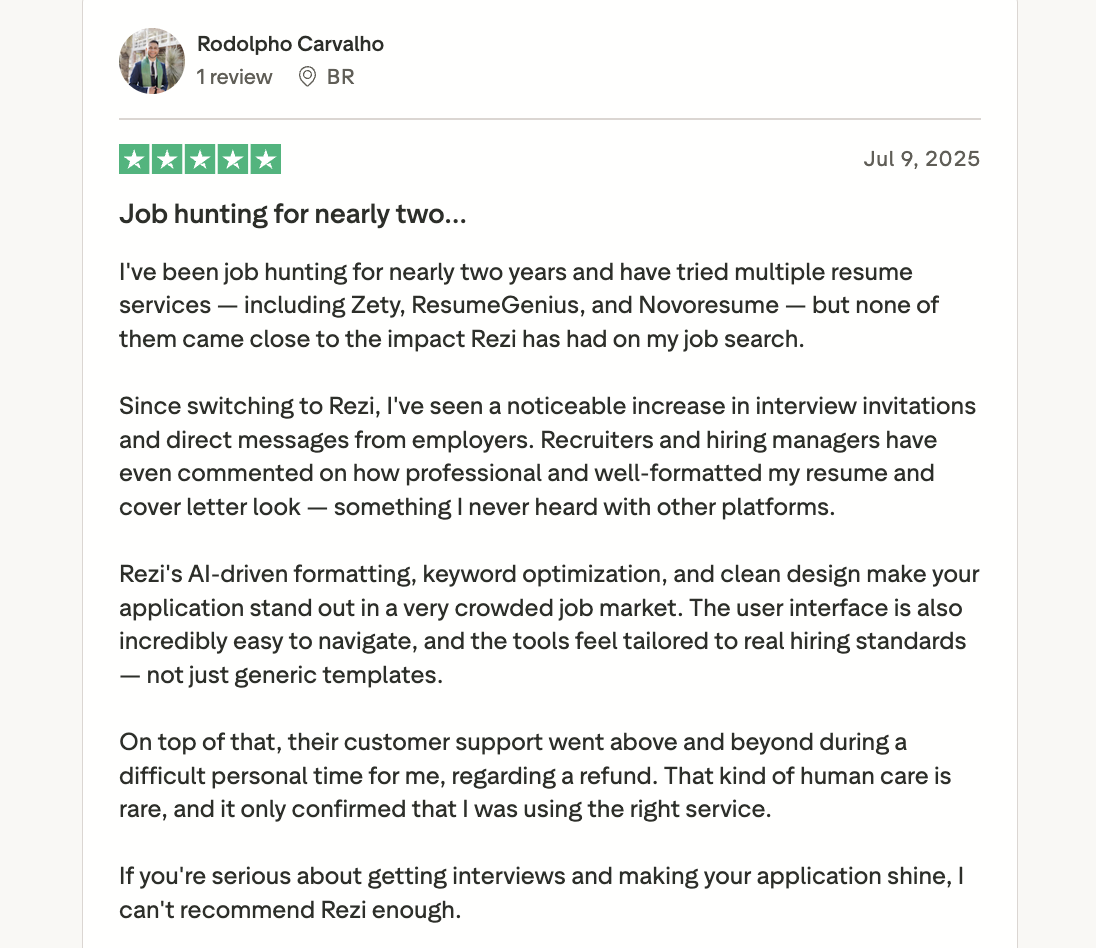
Instead of telling you more about Rezi as someone who works for them, we’ll let the people actually using it do the talking. With over 4 million users and an average rating of 8.23 out of 10, there are a few reasons job seekers keep coming back.
If we were a boy band, they’d probably be called the Rezinators. Not that I call them that already, but that would be interesting.
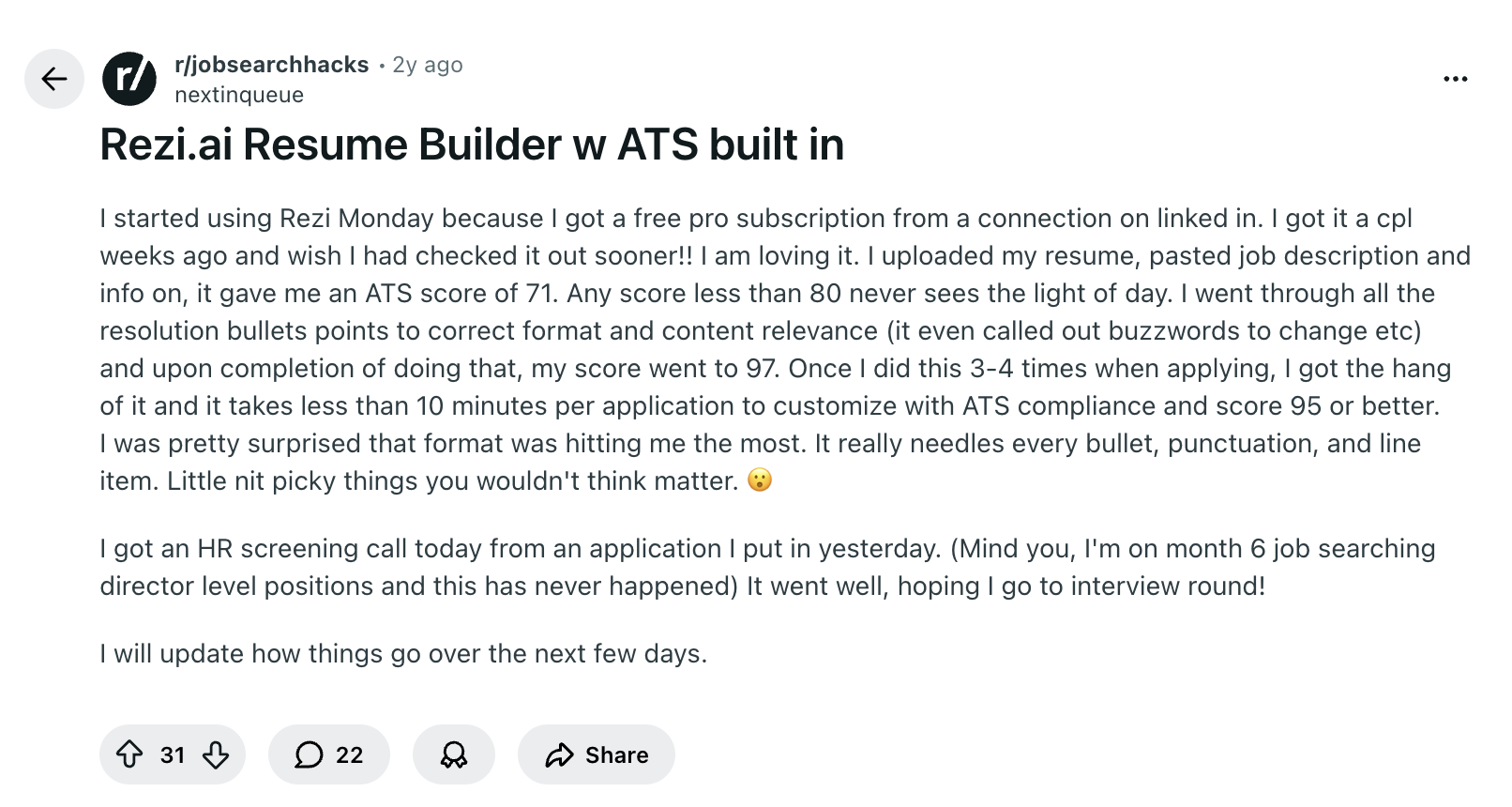
Britannia talks about how Rezi helps her get past ATS filters:
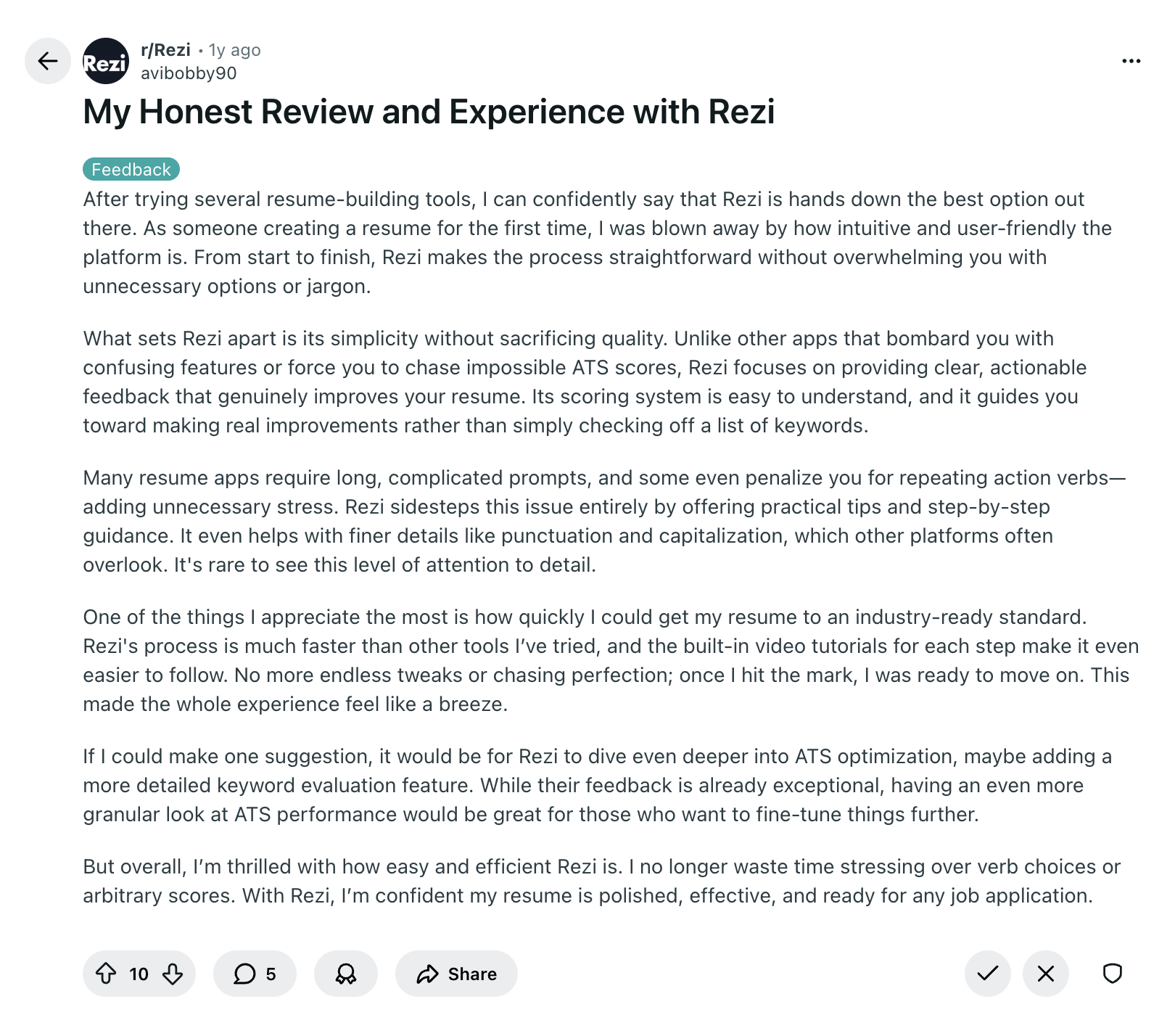
Celine shares that Rezi completely changed how she approaches resume writing; saving her time, showing her what’s important, and even making the application process fun with the Rezi Score:
Summary
Here’s a recap on how to use the Rezi resume builder:
- Rezi helps you create an ATS-friendly resume quickly, whether starting from scratch, importing from LinkedIn, or improving an existing resume.
- Fill in your contact information, like your name, professional email, phone, location, LinkedIn, and portfolio or website if relevant.
- Use the AI tools to write bullet points, generate a professional summary, and get skill suggestions.
- Add optional sections like projects, certifications, volunteer work, awards, publications, or relevant coursework to strengthen your resume.
- Use the AI Keyword Targeting tool to ensure your resume includes the skills ATS and hiring managers are looking for.
- Pick an ATS-friendly template, adjust formatting, and use the auto-adjust button to maintain optimization.
- Check your Rezi Score to see where improvements are needed and make quick fixes before sending.
FAQ
Is Rezi resume builder legit?
Rezi is a trusted resume builder used by millions worldwide. It’s designed to help you create an ATS-friendly and recruiter-ready resume using AI guidance, keyword targeting, and real-time feedback.
Can Rezi improve my resume?
Rezi can help improve your resume by optimizing formatting for ATS and tailoring it to the job you want. Its AI tools suggest stronger bullet points, highlight missing skills and keywords, and even draft a summary that showcases your experience in a way that matches the role.
How much does Rezi resume builder cost?
Rezi offers a free plan to try it out, which includes three resume downloads and access to the AI writing tools. Paid plans start at $29 a month, or you can grab lifetime access for $149.
Who has the best AI resume builder?
It depends on what you need. For easy-to-use AI tools and strong ATS optimization, Rezi is a top choice. Sheets Resume is another solid option, while Enhancv can work too if you want more creative, visually varied templates.
Learn more:
Can ChatGPT build a resume?
ChatGPT can help you write sections, bullet points, and summaries, but it won’t format your resume or automatically optimize it for ATS. You’ll need to provide the job description and prompt it to include relevant keywords naturally throughout your resume.
Related comparisons:

Upload or drop your resume to get started
Upload your resume to get started
Score my resume

Sarah Coghlan is a writer and editor passionate about making resume and career advice clear and accessible to all. Based in Barcelona, her goal is to help job seekers create standout resumes and navigate the job search process with confidence and ease.