Resume
50 Free MS Word Resume Templates for 2026 (.docx Download)
Download 50 free Microsoft Word resume templates in .docx format. ATS-compatible designs for every career level. Easy to edit, professional formatting, ready to send to employers today.
Published on
February 13, 2025
Updated on
February 25, 2026
Microsoft Word resume templates offer a wide range of designs for different industries, from creative and modern to simple and professional. The most effective templates are clean, easy to read, and optimized for Applicant Tracking Systems (ATS), especially when paired with bullet points and clear section headings. Formatting matters: reverse chronological order, simple fonts, and one-page layouts help hiring managers quickly scan for details. While Word templates are familiar and easy to customize, they lack features like keyword targeting or resume checking. For best results, pair a strong design with content that highlights achievements and aligns with the job description.
So it’s time to write your resume. Deep breath. You’re staring at the screen, wondering: Should I stick with that tried-and-true plain Word format? Is this font too boring? Do I need to get fancy? And where do I even find these templates? Are they free? Are they actually good? Most importantly, will my resume end up looking like it was made in 1998?
Trust me, I’ve been there. Endlessly scrolling through templates, each one more confusing than the last. Sometimes, having too many options just makes it harder to choose.
That’s why I put this together. From classic Microsoft templates to sleek, Word-compatible designs from Rezi, I’ve rounded up the best options to make your job search easier and help your resume stand out in any stack.
We’ll cover:
- 50 MS Word resume templates with easy download links.
- Expert advice on writing and formatting your resume.
- The pros and cons of going with a Word template.
Want to take the guesswork out of the process? Try our AI Resume Builder. Or check out these helpful guides for more advice:
- How to Update and Improve Your Resume for 2025
- Tips on Using ChatGPT to Write Your Resume
- How to Write a Career Change Resume
- How to Showcase Your Work Ethic on Your Resume
Sample Rezi & Microsoft Word Resume Templates
Browse through our collection of Rezi and MS Word templates to find one that best suits your style and industry. Whether you’re in tech, marketing, or anything in between, we’ve got a design that’s perfect for you. Plus, most resume templates have matching Microsoft Word cover letters, so you can look extra professional and organized by pairing them up.
Let’s start by checking out a range of Rezi resume templates that work seamlessly with MS Word. (Or, start with this free resume template that's ATS-friendly.)
Simple resume template
A clean and straightforward design, perfect for highlighting your skills and experience in an easy-to-read format. Ideal for entry-level candidates, students, or anyone in a traditional field seeking a polished resume.
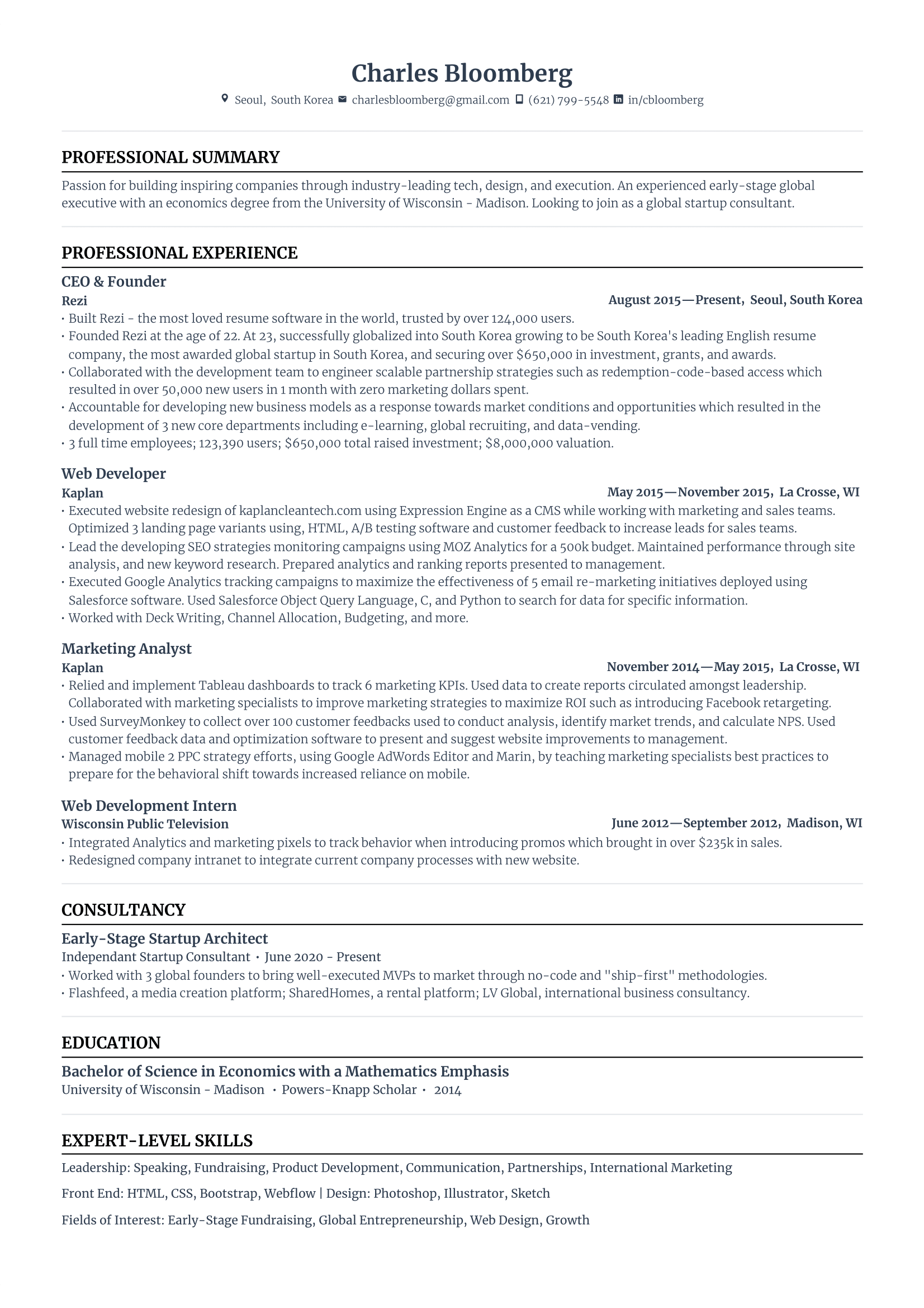
Modern resume template
A sleek, contemporary design that combines subtle design elements with clean lines and a pop of color. Perfect for tech roles, marketing, or any professional wanting a balance of innovation and style.
-1.png)
Creative resume template
Featuring a unique design with vibrant color accents, this template adds personality while remaining professional. Best suited for creative roles like design, marketing, or the arts.
-1.png)
Compact resume template
An efficient, well-organized layout that allows you to pack in relevant details without clutter. Ideal for industries like law or finance, especially for professionals with diverse roles.
-1.png)
Harvard resume template
The Harvard resume template offers a sophisticated, traditional layout that communicates professionalism. Perfect for business, law, or academia, catering to mid-to-senior professionals applying for high-level positions.
-1.png)
Quick note: Some templates come with multiple columns or blocks of color. Use with discretion, as the most ATS-friendly resumes are single-column, black and white, and distraction-free. If you're sending your resume straight to a hiring manager (and you know it's skipping ATS), feel free to get more creative.
Now, let’s dive into the MS Word resume templates.
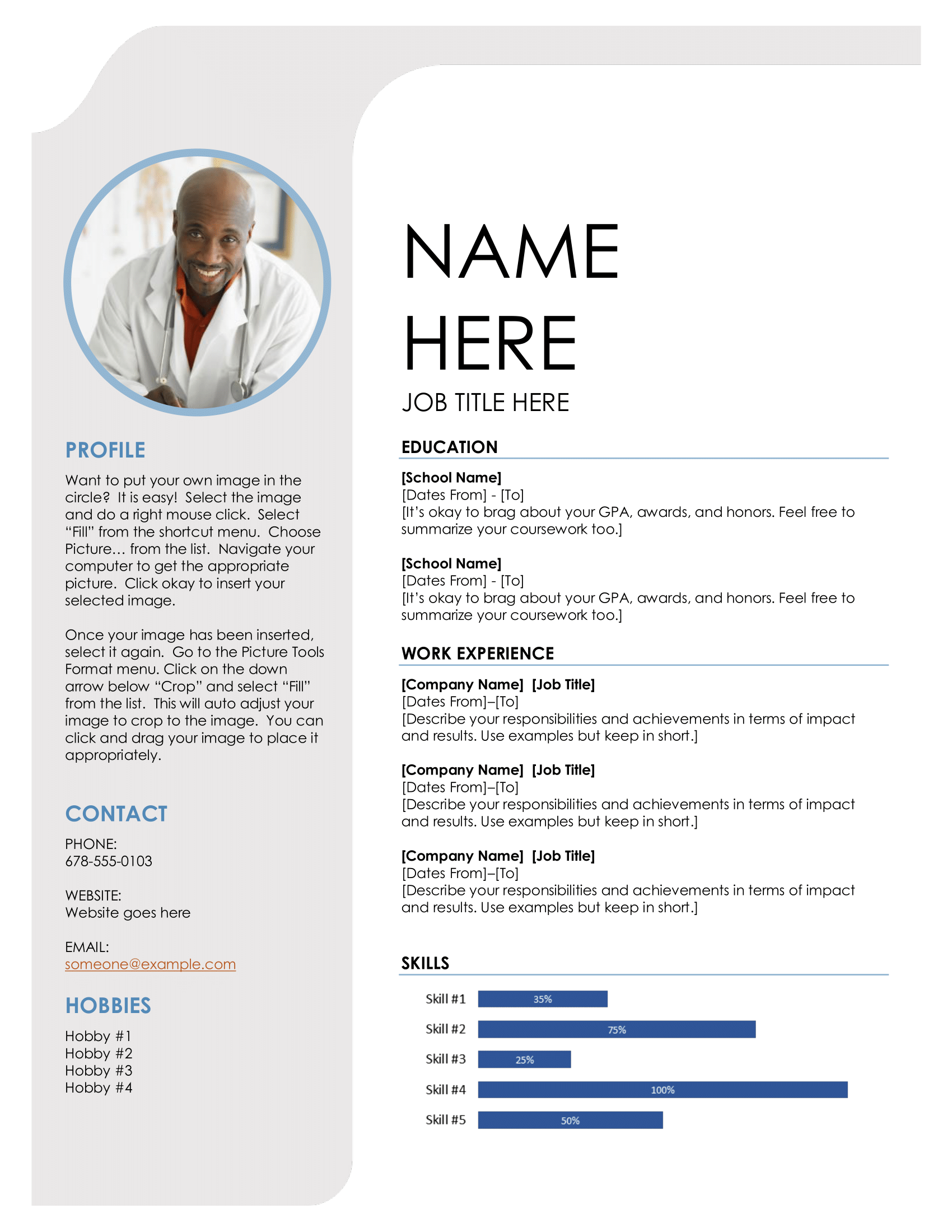
Creative resume template
This modern resume template is sleek and eye-catching, perfect for entertainment roles like modeling or acting, though photos aren’t typical for other types of resumes, especially in the US. Its clear layout and guided sections make showcasing skills and achievements a breeze. ATS most likely won't be able to scan the skills bar chart, so you’re better off listing the skills instead.
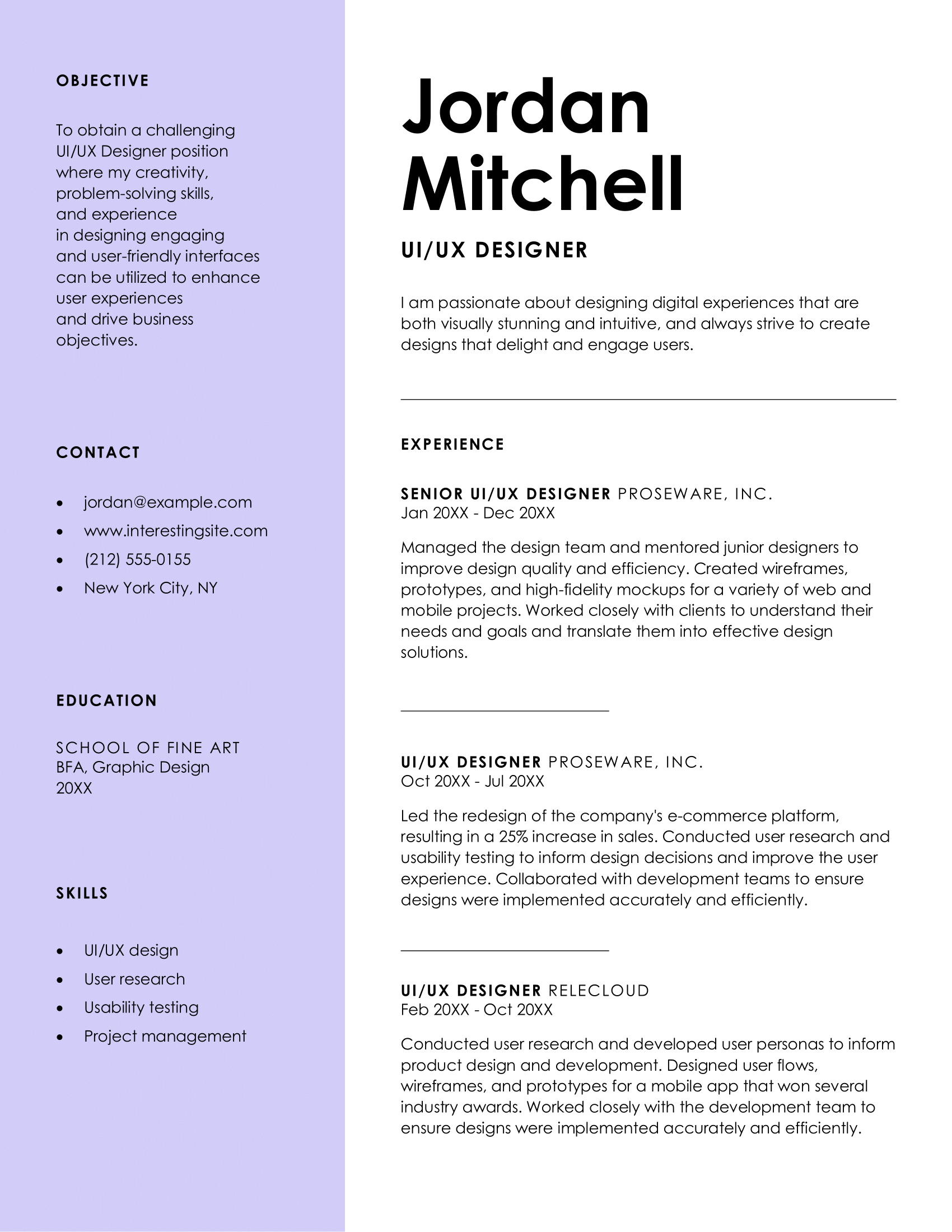
Color block resume template
A bold, colorful layout that highlights key details, making it ideal for graphic designers or UI/UX professionals. Its spacious layout allows for an expanded work history section, but remember to add bullet points and write a single, focused resume summary.
ATS classic resume template
Simple and structured, this template is optimized for ATS. Perfect if you want a professional resume that focuses on accomplishments without unnecessary details. Use bullet points to outline your achievements and stick to city and state instead of your full address. I'm not sure if your highlighted headings will be read by ATS, so better to leave them alone.

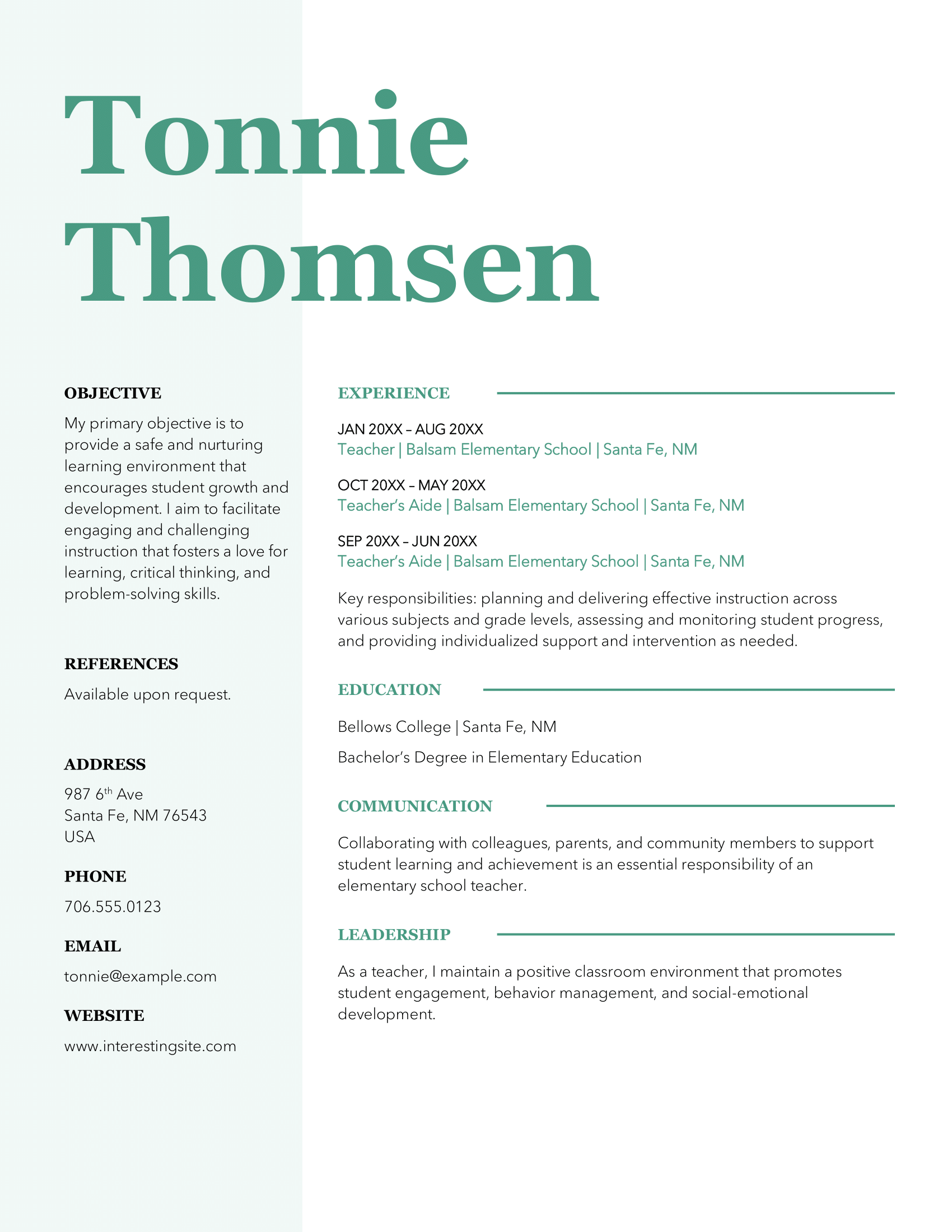
Stylish resume template
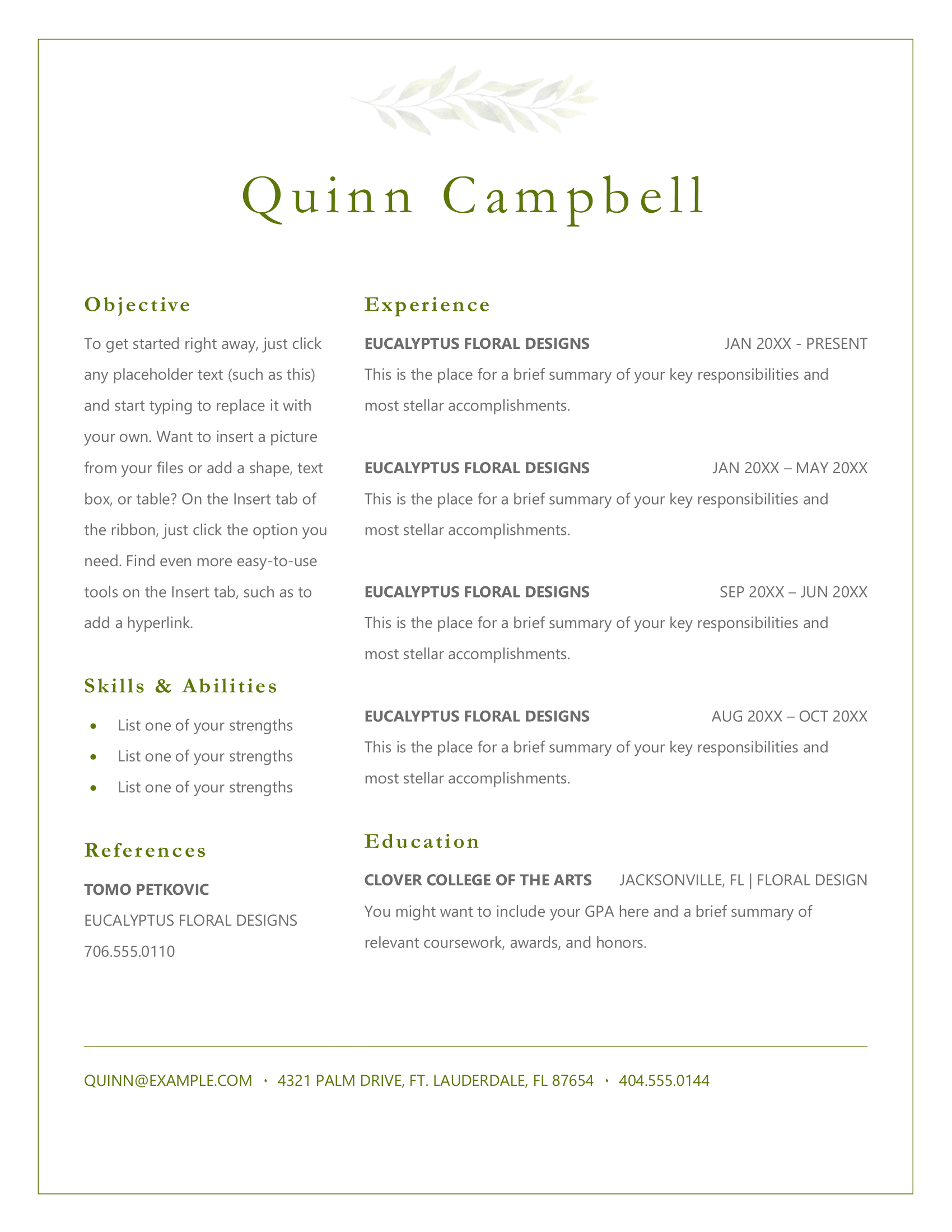
A refined design with a modern twist, using clean fonts and a subtle shade of green. Just leave out your full address, “references available upon request,” and focus on achievements rather than general responsibilities in your experience. Also, mix in examples of communication skills and leadership skills throughout your work history rather than giving them separate sections.
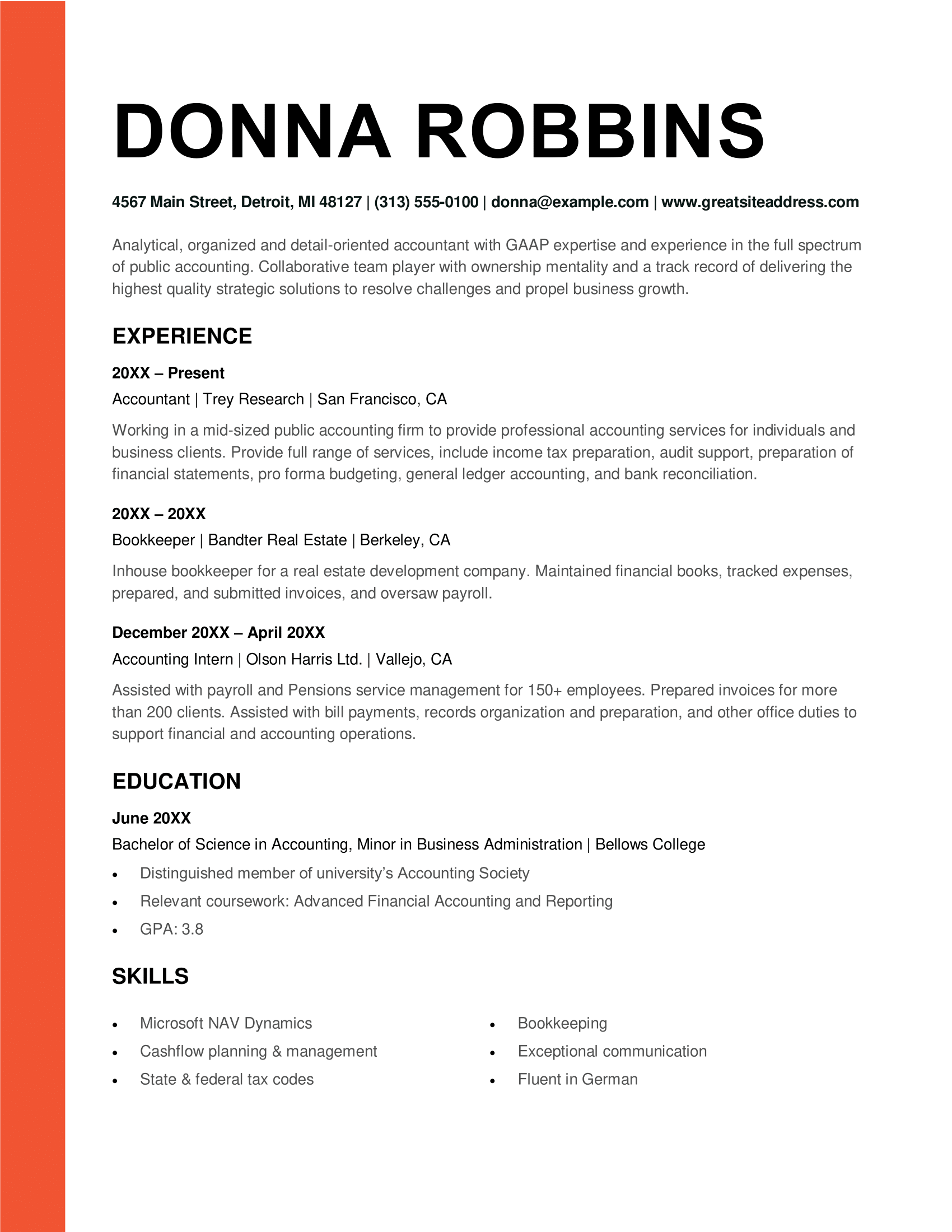
ATS bold resume template
Designed for seasoned professionals, this ATS-friendly template offers clear headings and a straightforward layout, ensuring readability and organization. Just skip the street address and don’t focus too much on your education (when you have relevant experience).
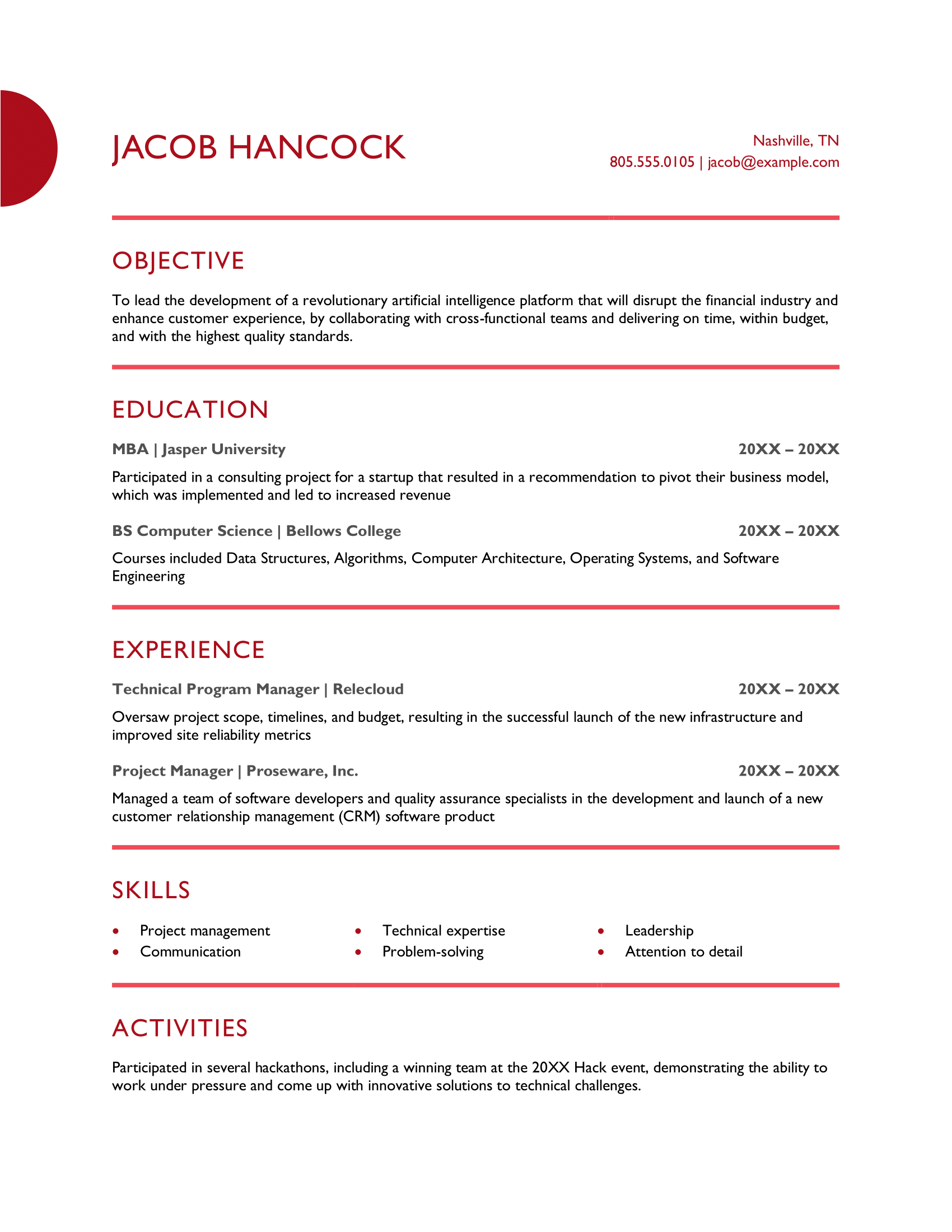
Red resume template
This project management resume stands out with a pop of red (or an optional blue or green), adding some personality. If you’re switching careers or don’t have much experience, start with an objective and your education. If you have experience, lead with a summary and dive into your work history next — recruiters will appreciate the easy-to-scan layout.
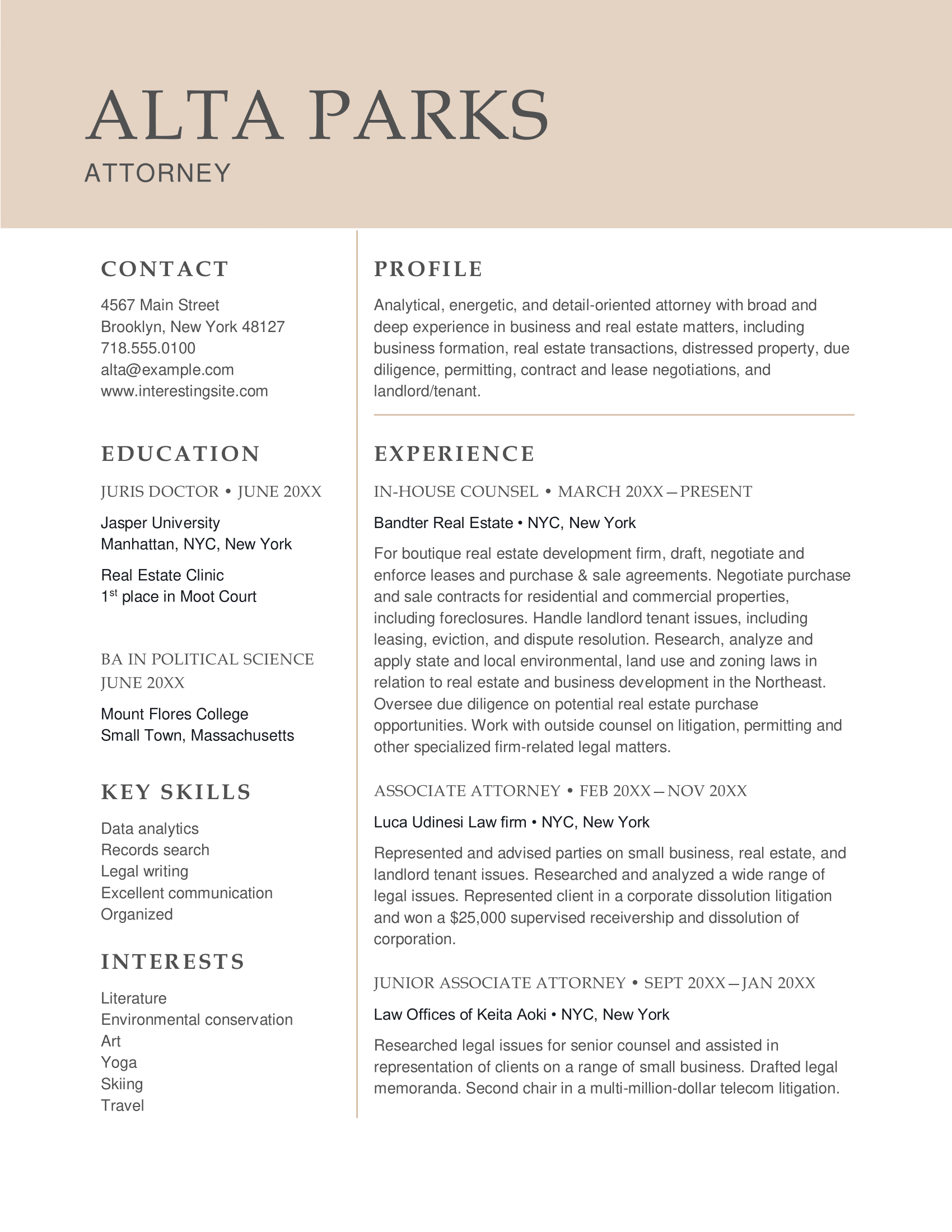
Professional resume template
This straightforward template is perfect for legal professionals, with a focus on experience and qualifications. Its clear, no-nonsense layout makes it easy for hiring managers to spot key details. Remember to use bullet points in your experience section.
Playful resume template
This playful resume template is colorful and fun, perfect for roles in entertainment like modeling or acting, especially with the space for a photo. Describe your achievements and skills under each job, and make sure the content backs up the creativity.
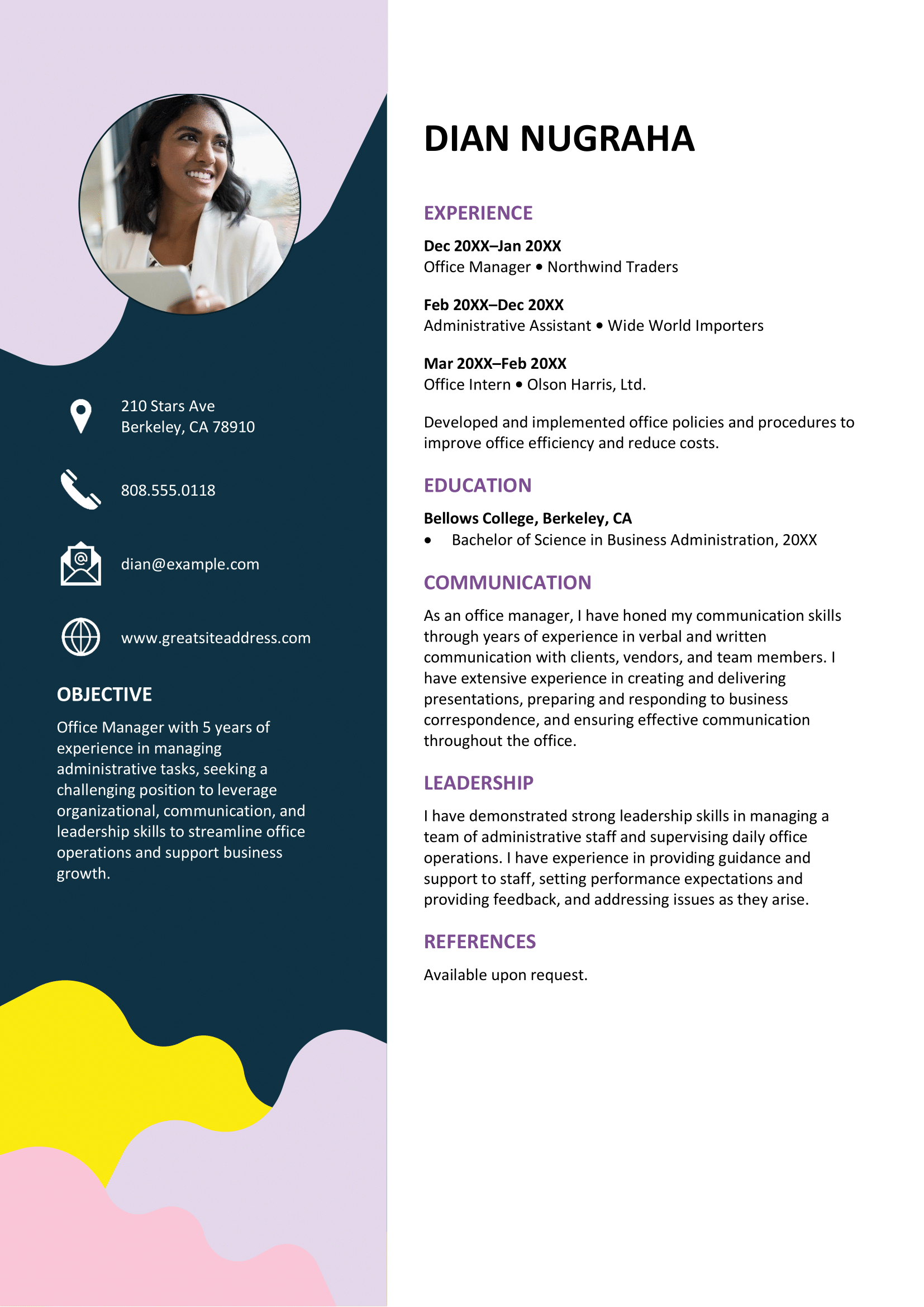
Basic professional resume template
The basic professional resume template has a simple, no-fuss design that focuses on your core qualifications. Perfect for professionals who value clarity and directness in their resume.
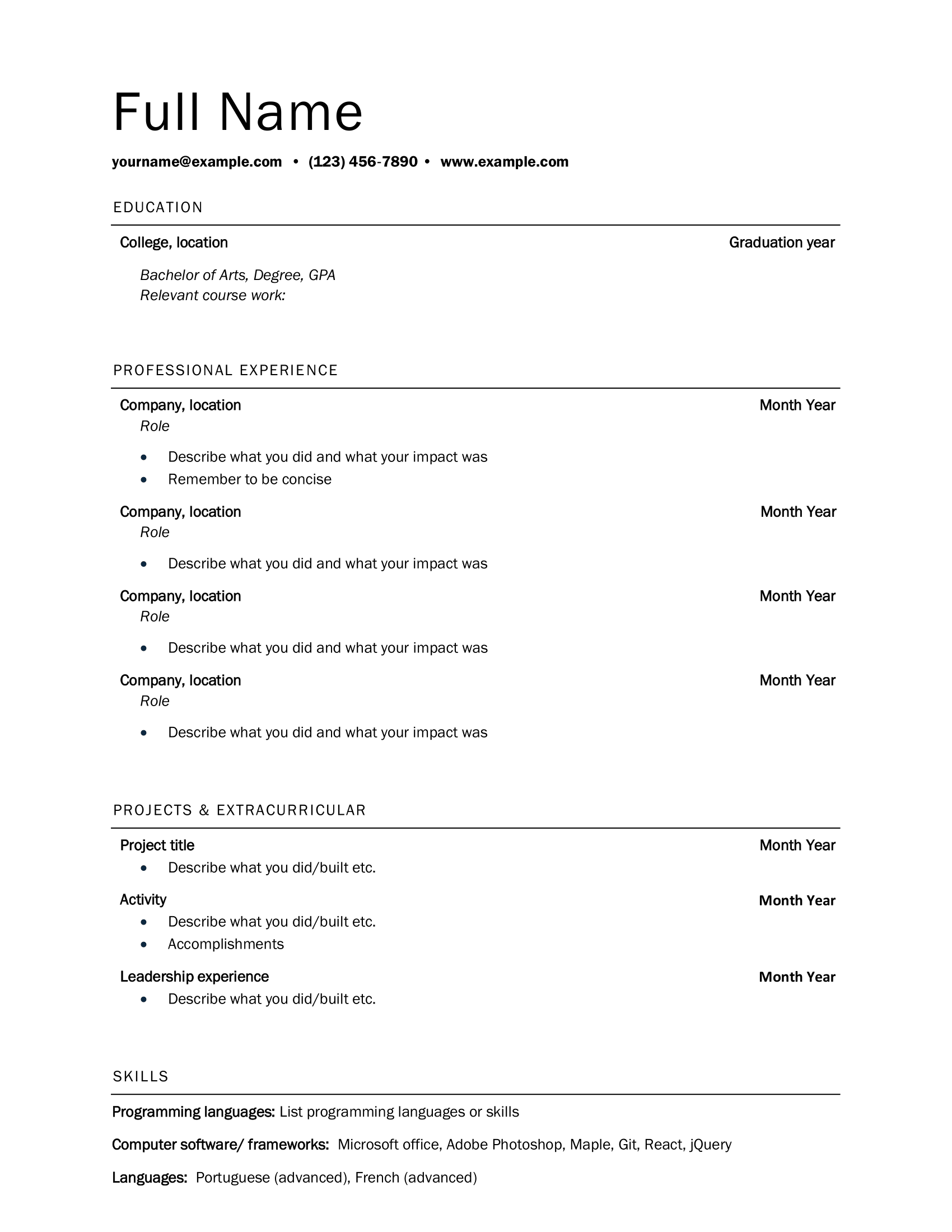
Elegant resume template
A polished template that blends creativity with professionalism, ideal for individuals in design or the arts. Make sure your achievements stand out and keep them specific to the role you’re applying for.
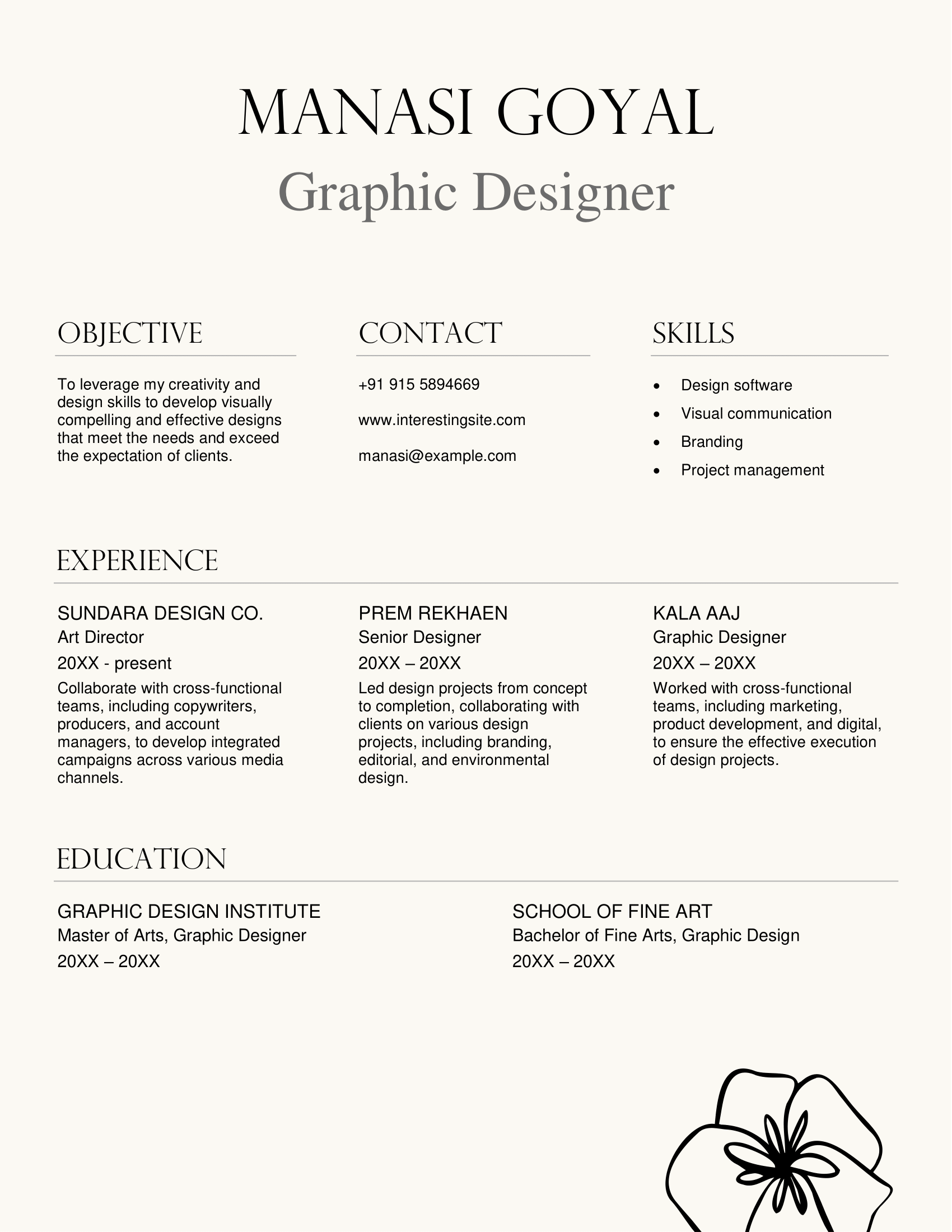
ATS resume template
Optimized for both ATS and recruiters, this template works well for experienced professionals or those with limited experience, with space to highlight relevant coursework, extracurriculars, or volunteer work.
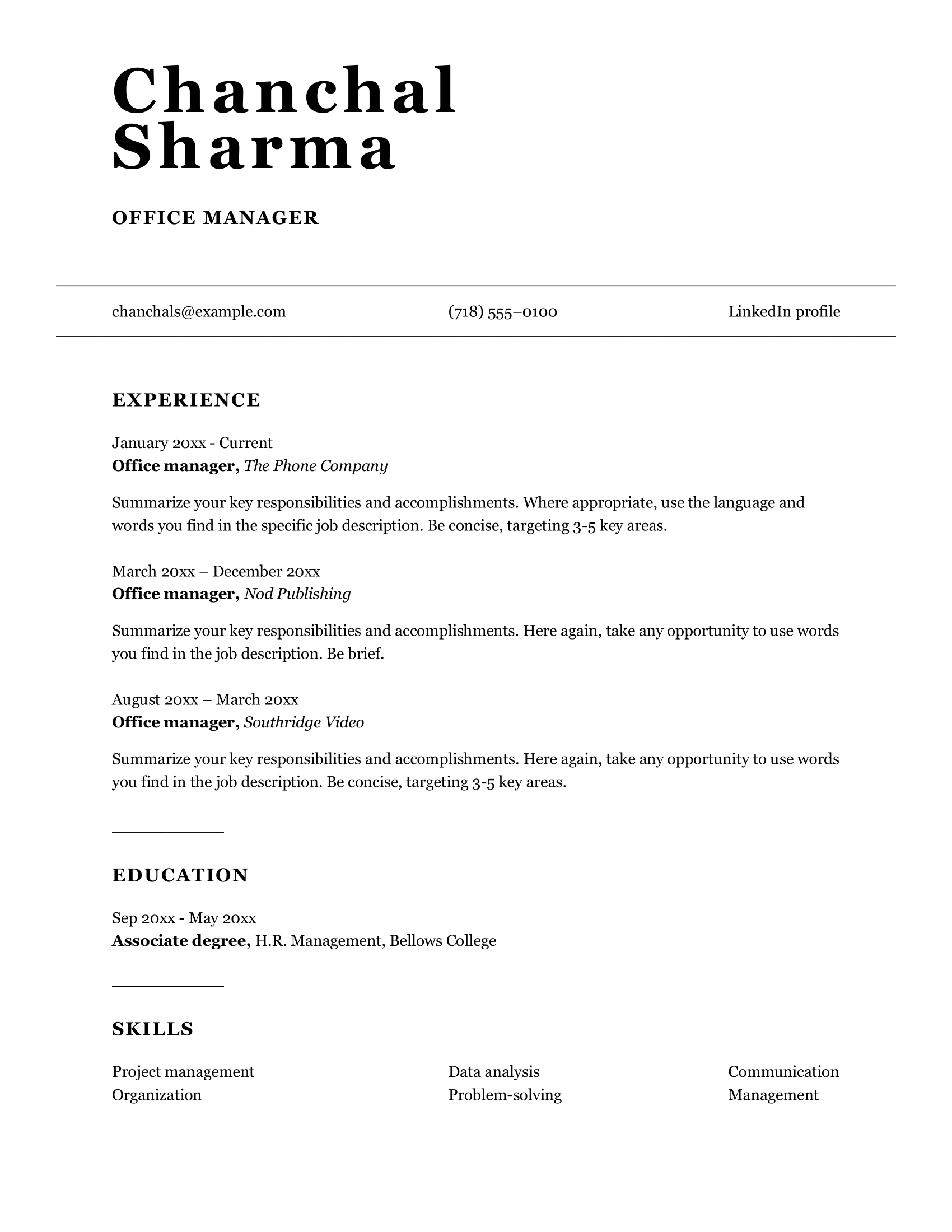
Simple classic resume template
This minimalist design is perfect for new graduates or those entering the workforce (read more about how to write a resume with no experience). To make it easier to scan, add some spacing and bullet points under your experience. If you run out of space, make the margins smaller.
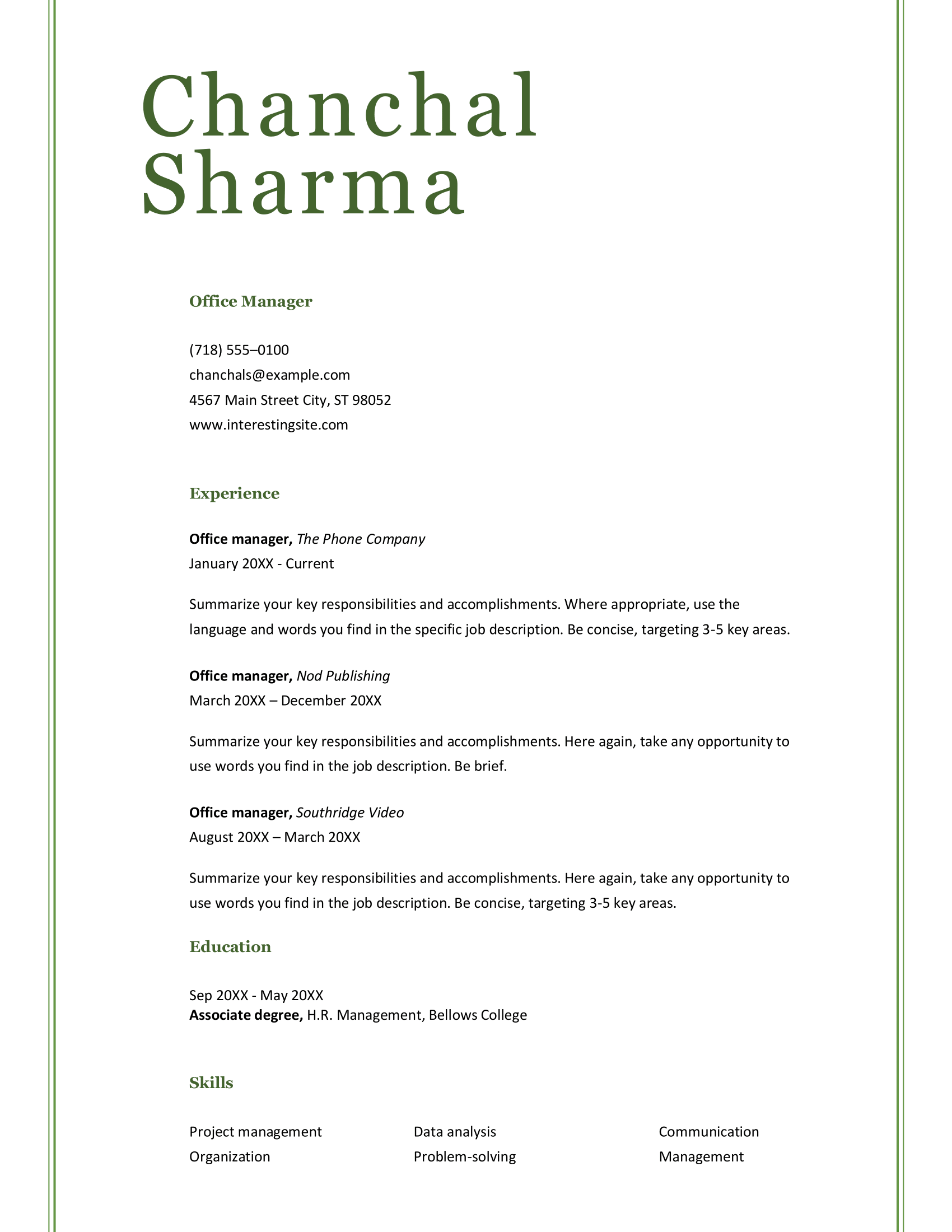
Column resume template
The structure of this template helps you showcase your skills and experience efficiently, especially for those starting out. Skip the “references available upon request” line and tailor your resume for the specific role.
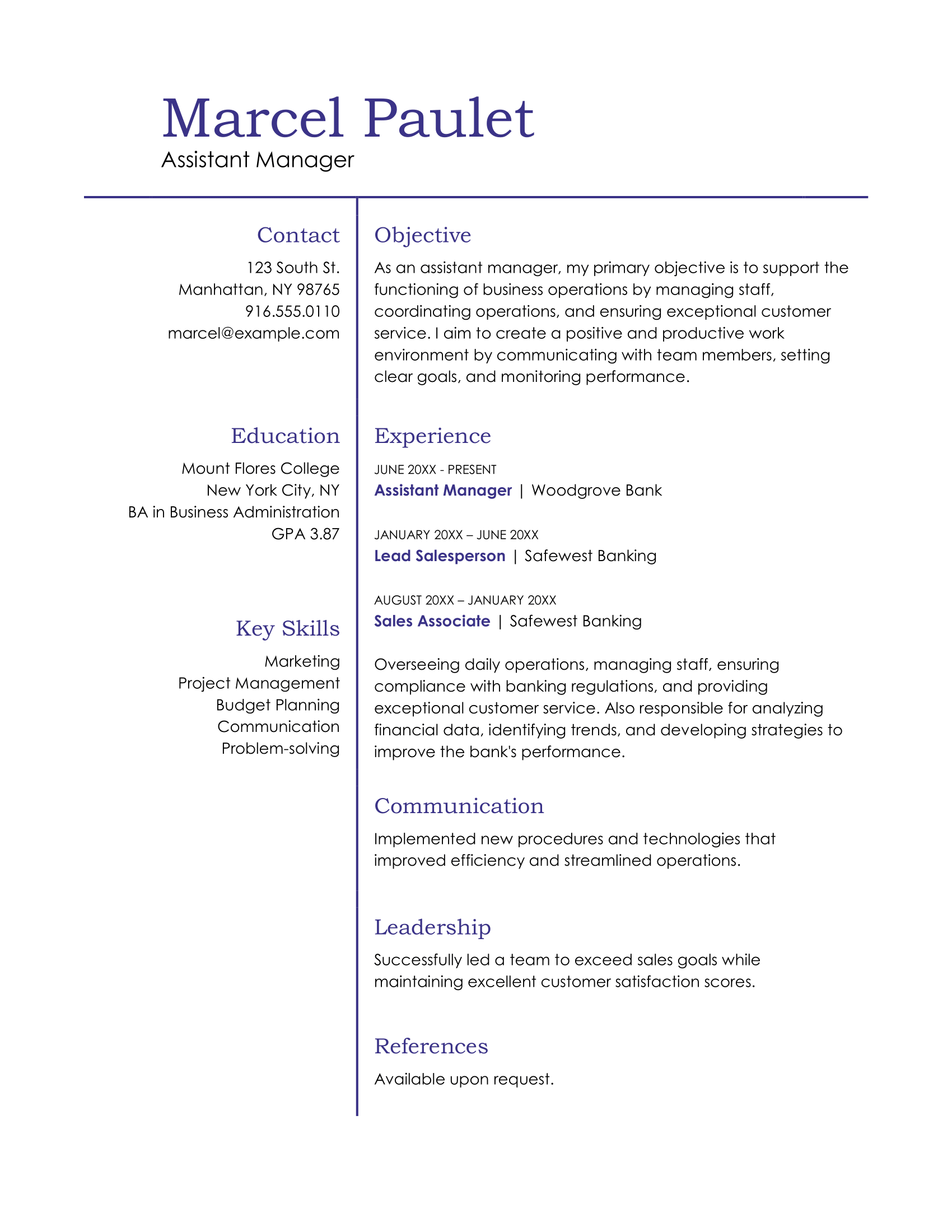
Classic resume template
Designed with food service professionals in mind, this versatile template also works across other industries. There's ample space to showcase your key achievements.
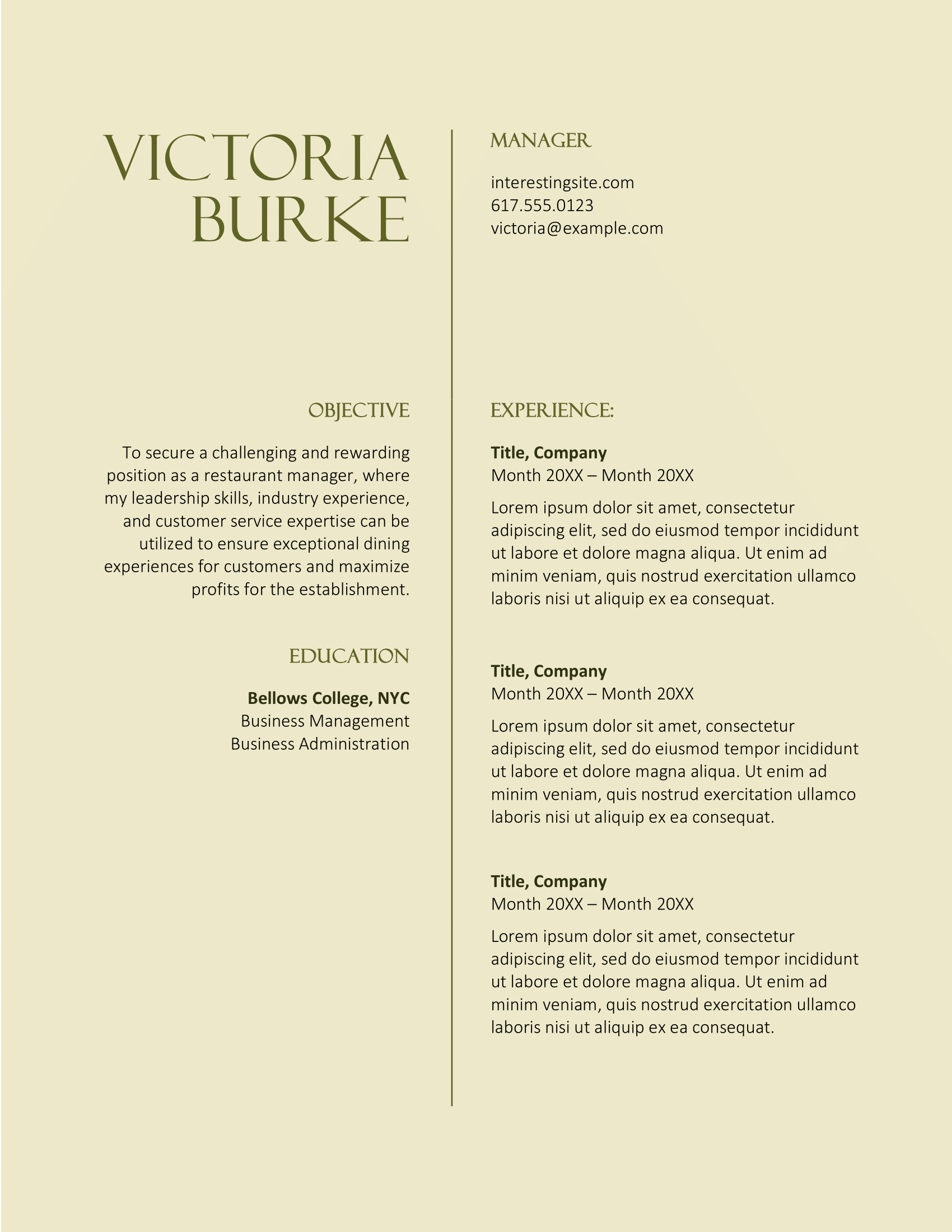
CV resume template
This CV template follows the US resume style (check out CV vs. Resume: The Difference Explained if you’re curious). The color and font are fun, but it’s a bit text-heavy, so trim it down to key details and use bullet points to keep things clear.
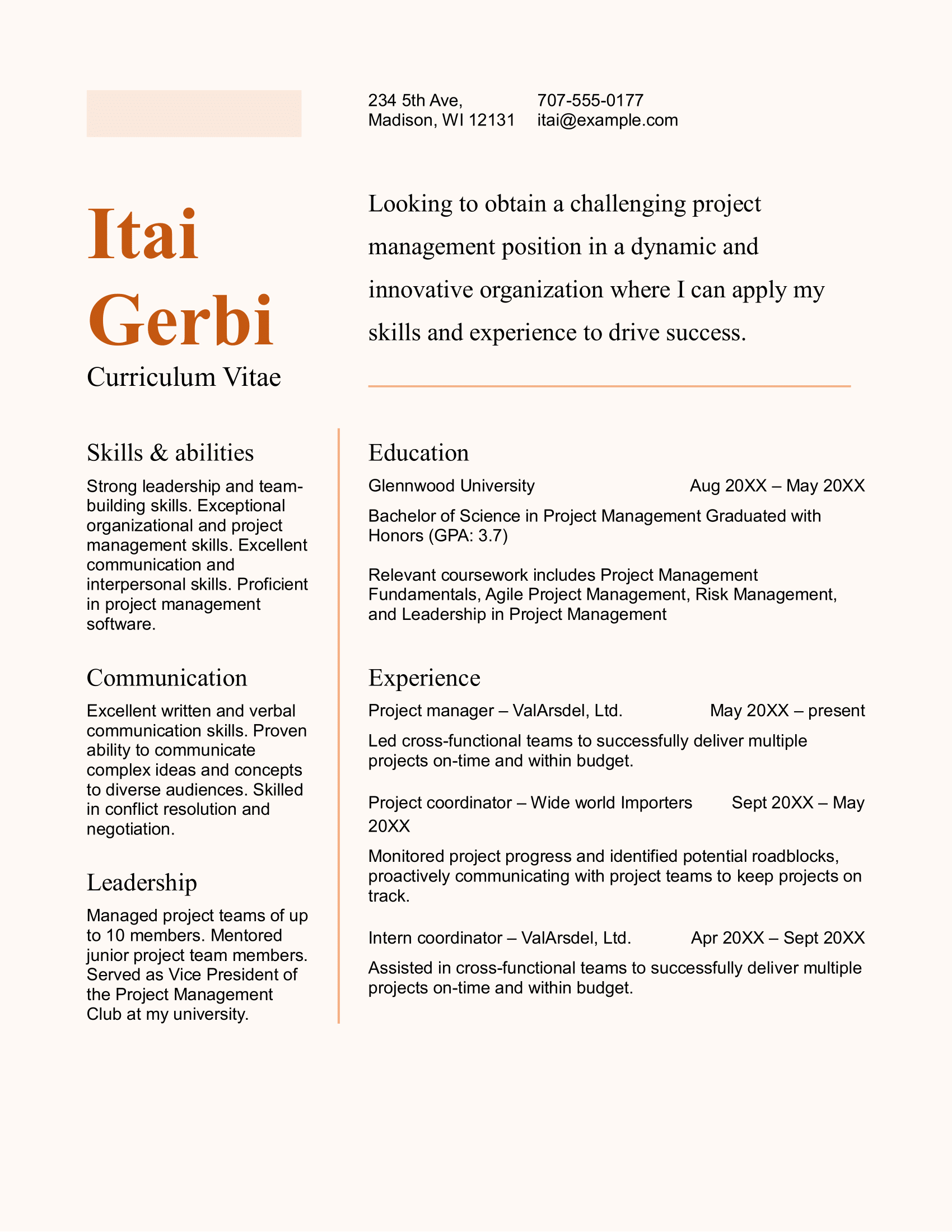
Black and white resume template
A minimalist design ideal for those seeking a clean and professional layout. Perfect for entry-level candidates or anyone wanting to showcase their qualifications without distractions.
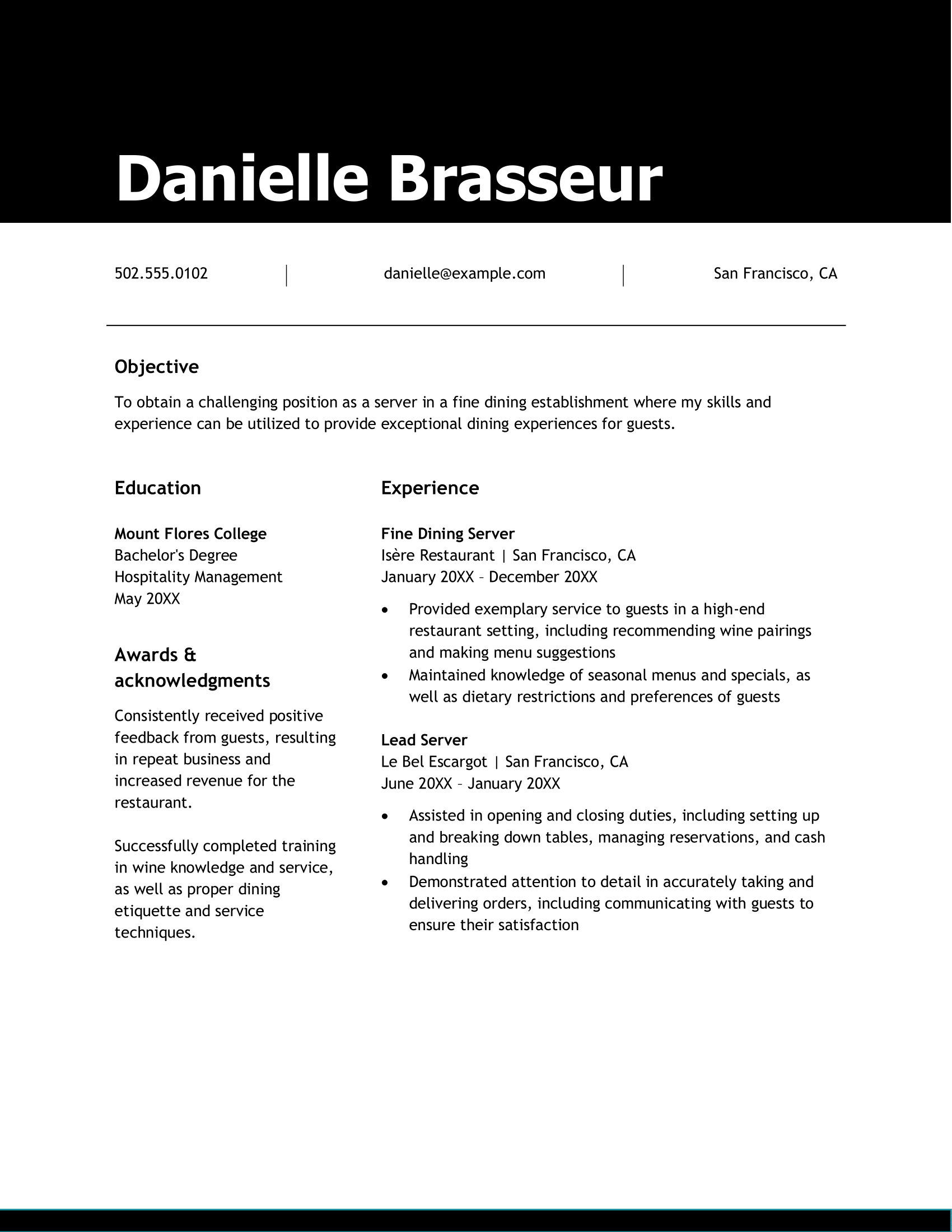
Black resume template
This sleek template effectively showcases your achievements, no matter your industry. Make sure to use bullet points for your work experience, just like in the education section. And keep in mind the black background can make your resume harder for ATS to scan.

Clean resume template
A modern, streamlined design that highlights your key skills and experience. It’s easy to read and works well across various industries.
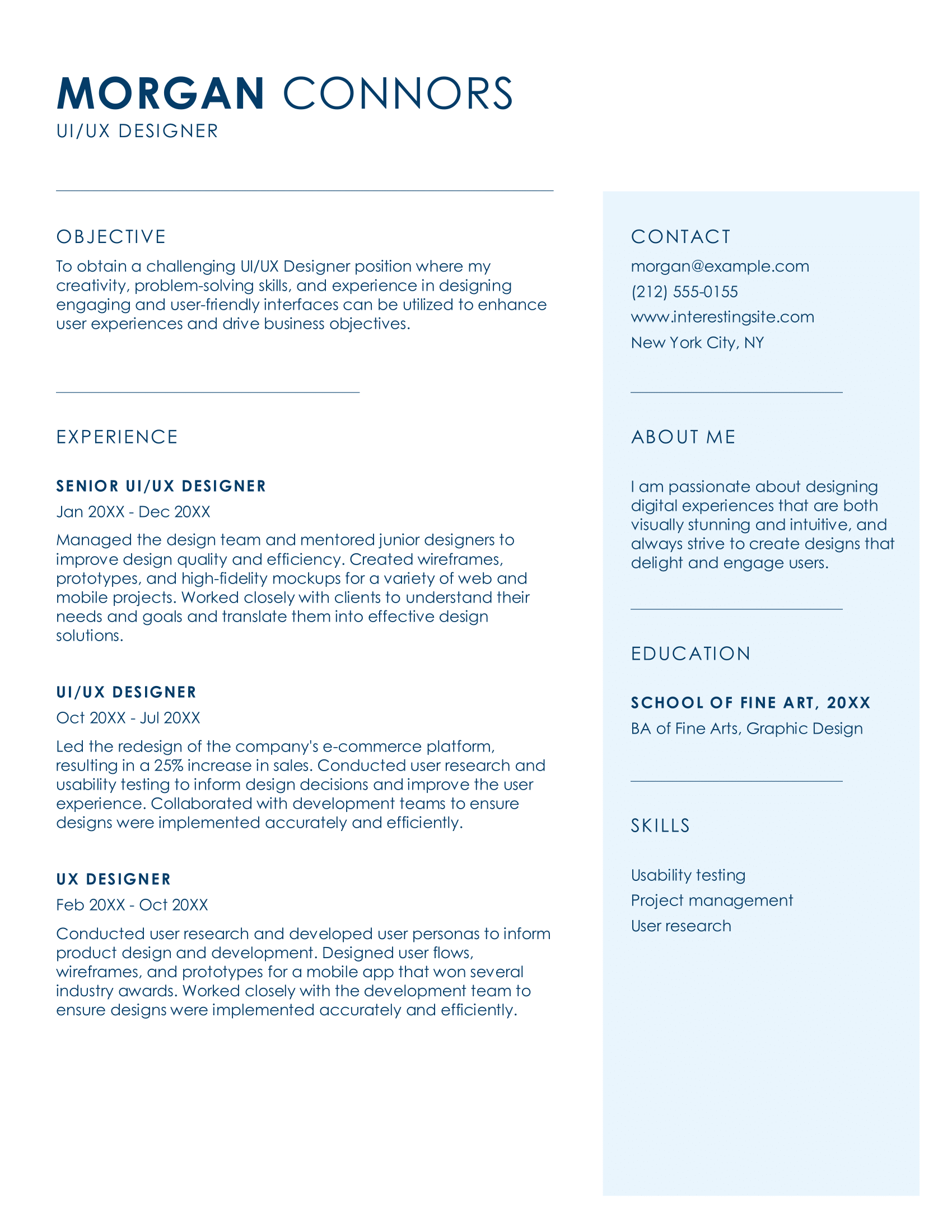
Bold resume template
This colorful template helps you stand out while keeping things professional. It’s perfect for creative industries, just leave out the photo. Add your key achievements under your work history and include a resume summary or objective right below your contact info.
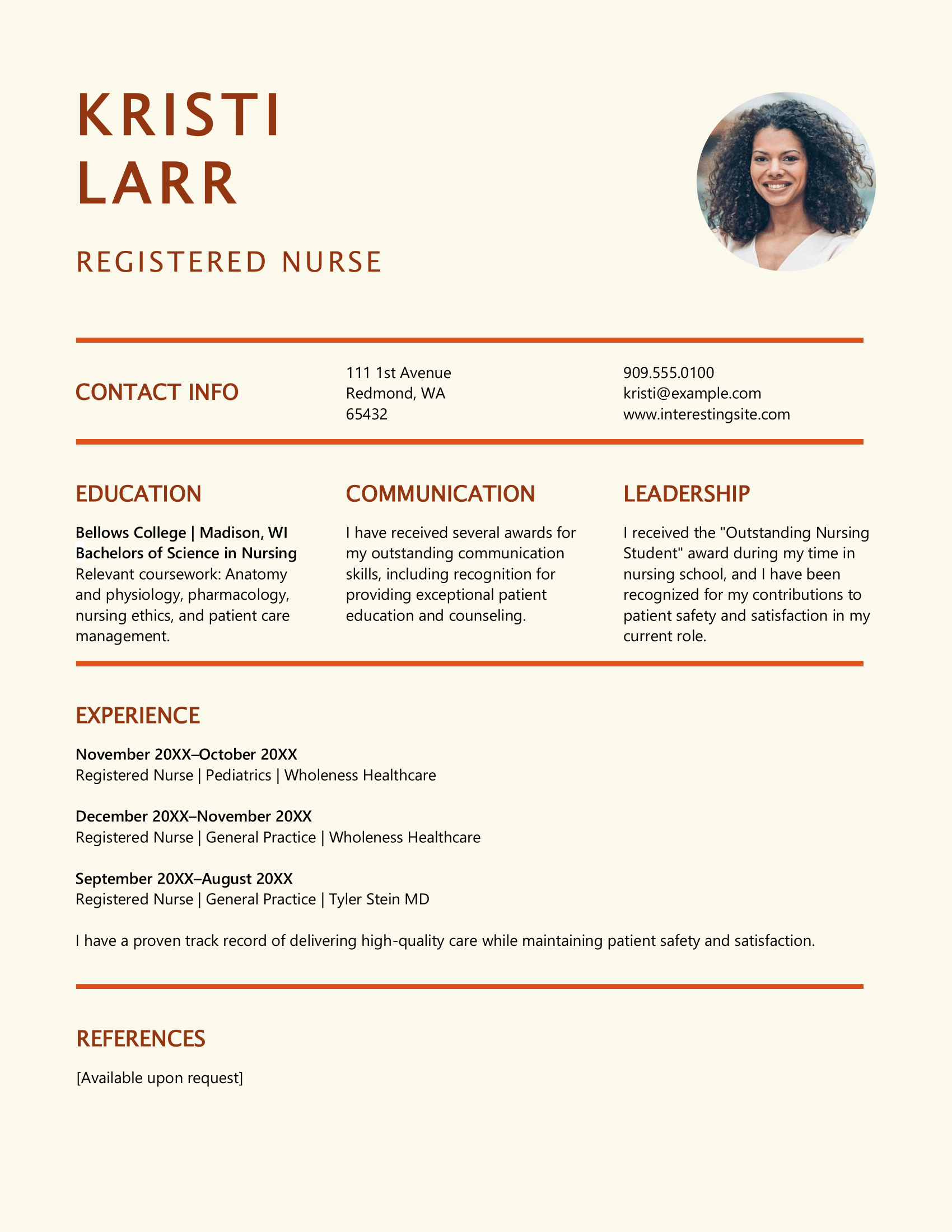
Purple resume template
A vibrant, creative template that maintains a professional feel (just get rid of the stars). It's ideal for education or the arts. Instead of describing the skills separately, weave them into your work experience for more impact.

Standard resume template
With its classic design, this template works across a variety of industries. Bullet points would help make your achievements easy to scan and digest.
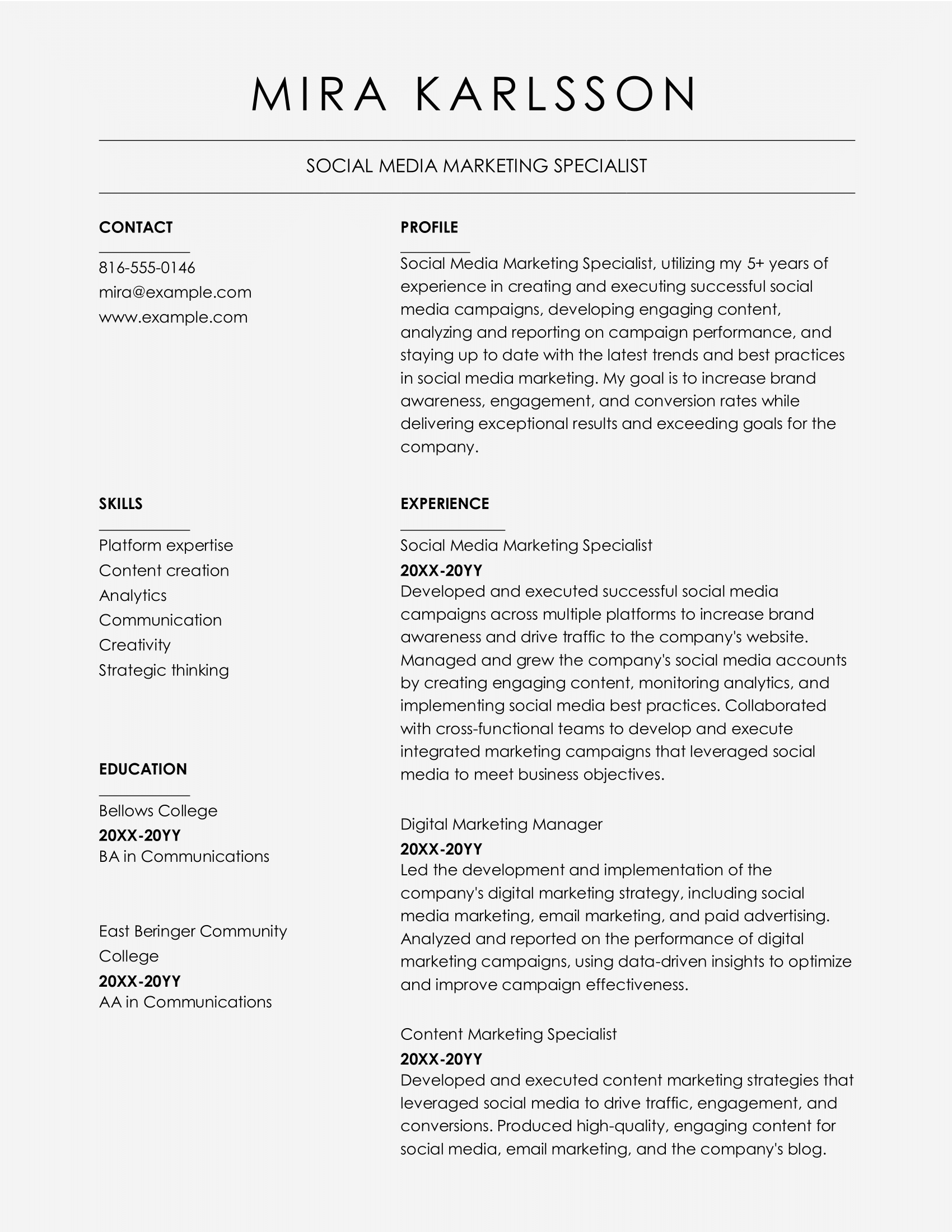
Color resume template
For creative professionals, this dynamic template helps you stand out while staying polished and professional.
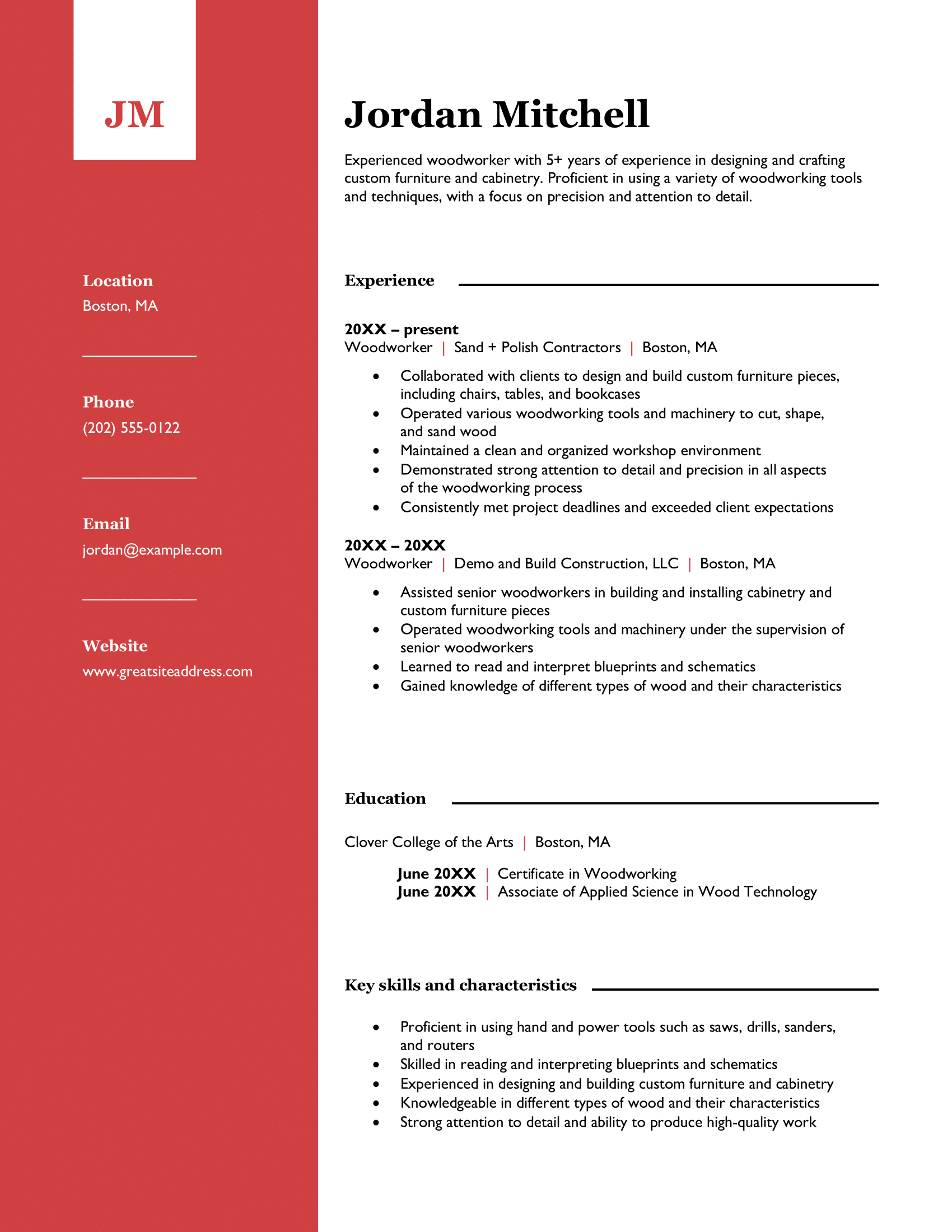
Polished resume template
The bright red on this resume catches the eye, but make sure your content keeps their attention. It includes space for your initials above your contact info for a personal touch. Since space is limited, keep your resume concise, focusing on relevant experience, education, and skills.
Structured resume template
This template works well if you have one standout experience and other roles with transferable skills. It’s clean, organized, and easy for hiring managers to skim and focus on your main qualifications. This layout is perfect if you want to keep it traditional but still stand out.
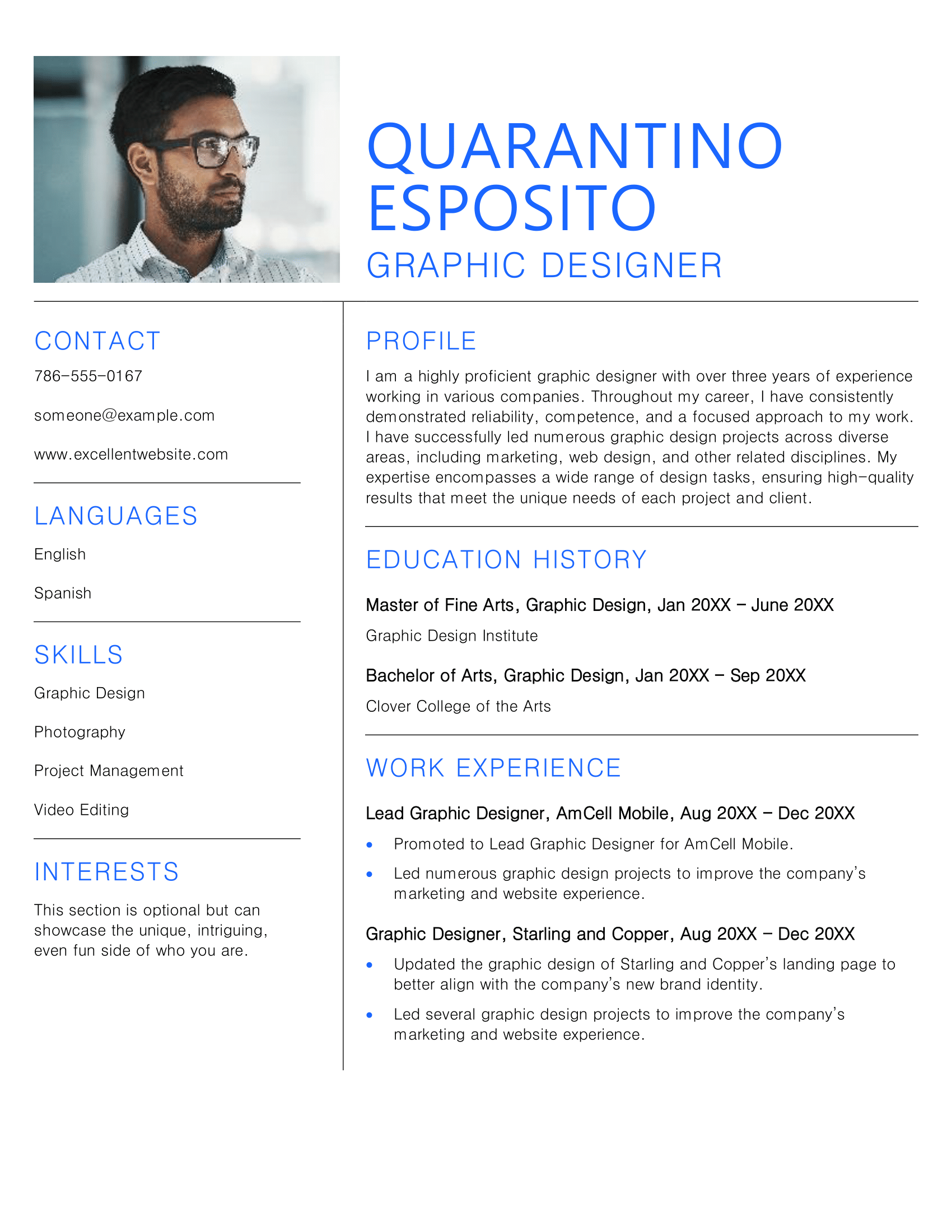
Minimalist resume template
With a sleek, minimalist design, this template is ideal for anyone who wants a modern look that emphasizes their qualifications and achievements without distractions. Just remember, photos are best saved for modeling or acting jobs.
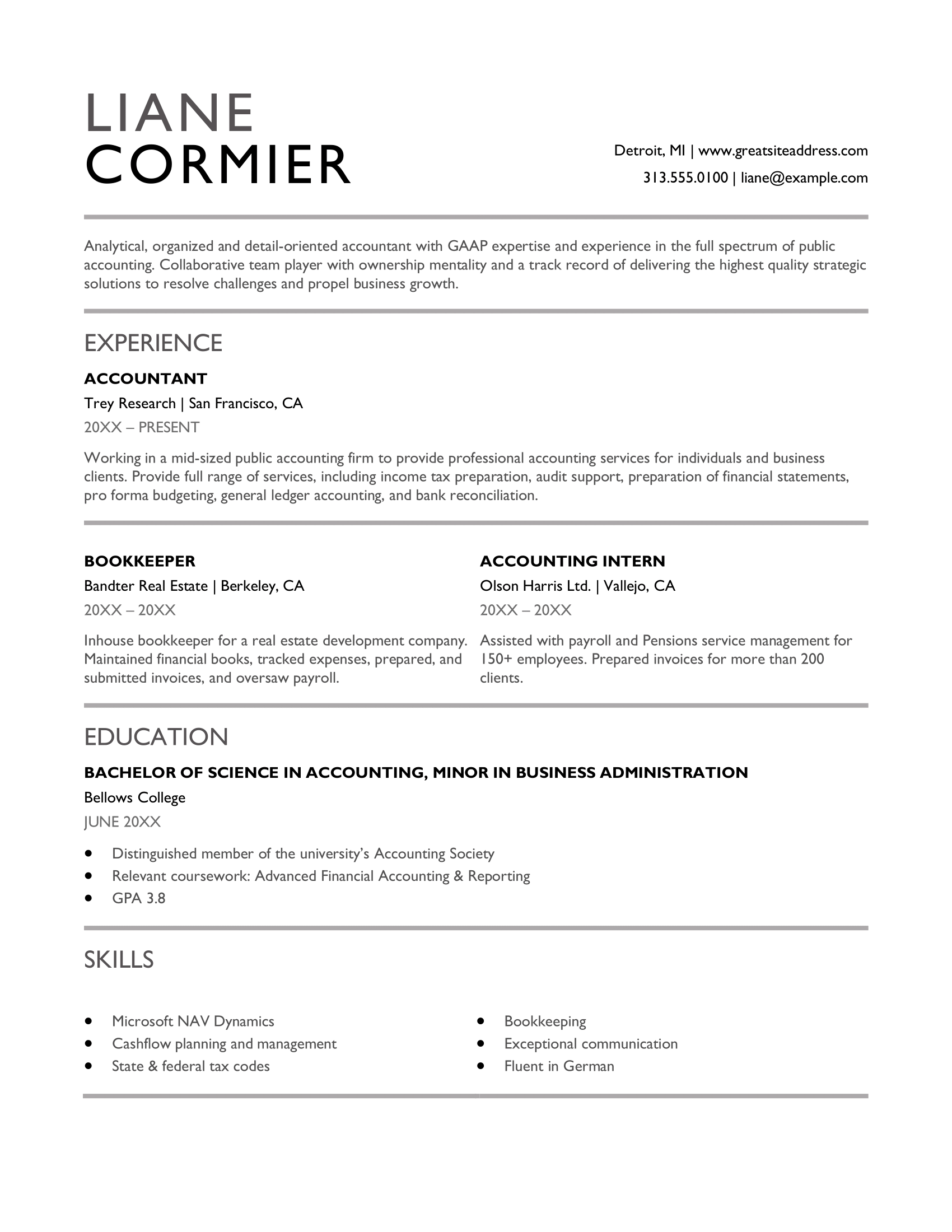
Traditional resume template
This template is one of my favorites. It's a classic, easy to scan, and most importantly, built with an ATS-optimized layout. If you have solid experience, swap the objective for a summary to show off your top achievements and enthusiasm for the role.

Basic resume template
This clean, simple design emphasizes your key accomplishments and experience. The blue font subtly highlights job titles and degrees, perfect for those with diverse, relevant experience and education.
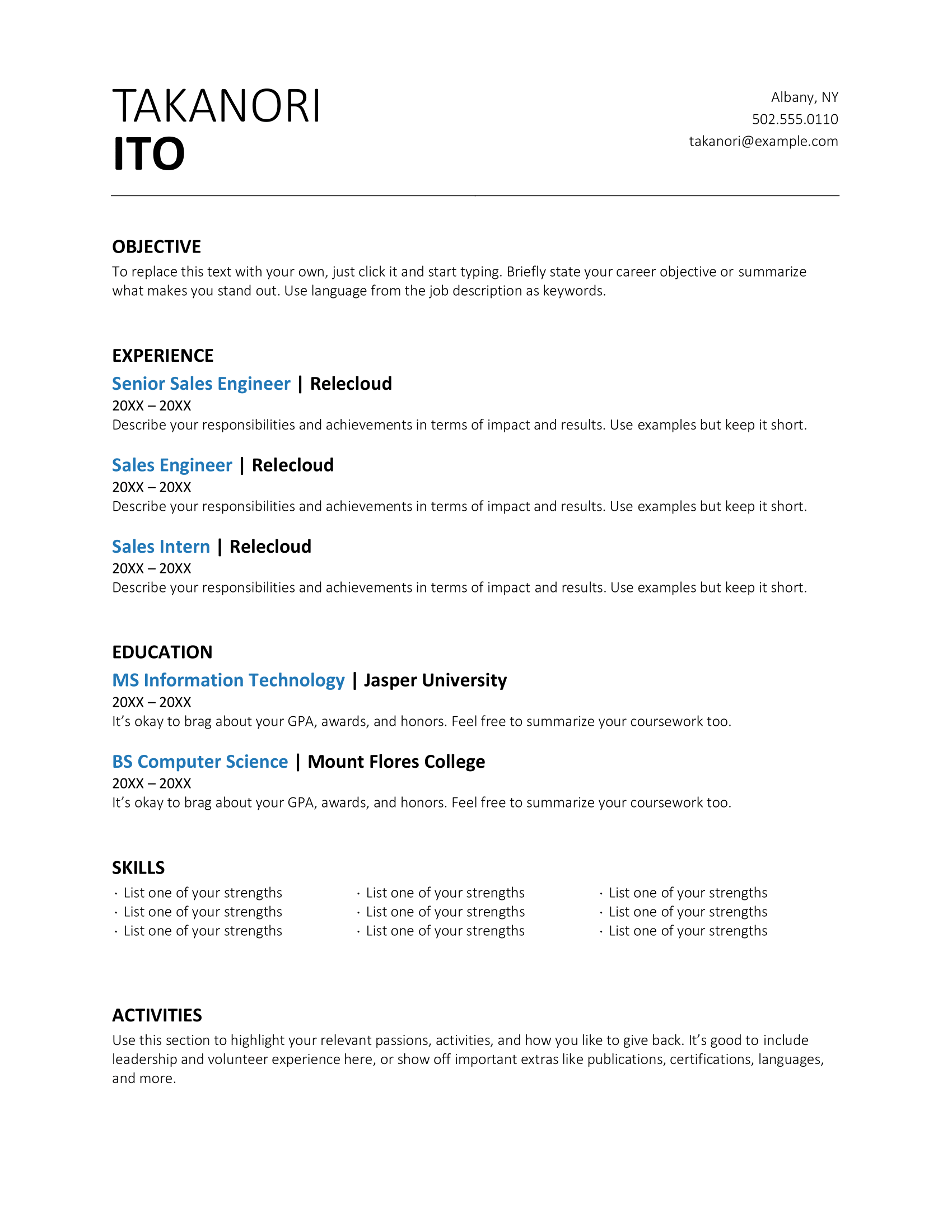
Extended resume template
A versatile design that's ideal for candidates with extensive experience or multiple roles. To improve readability, use bullet points to organize the skills and awards sections. The header takes up most of the space, so reduce the size if you want to add more experience.
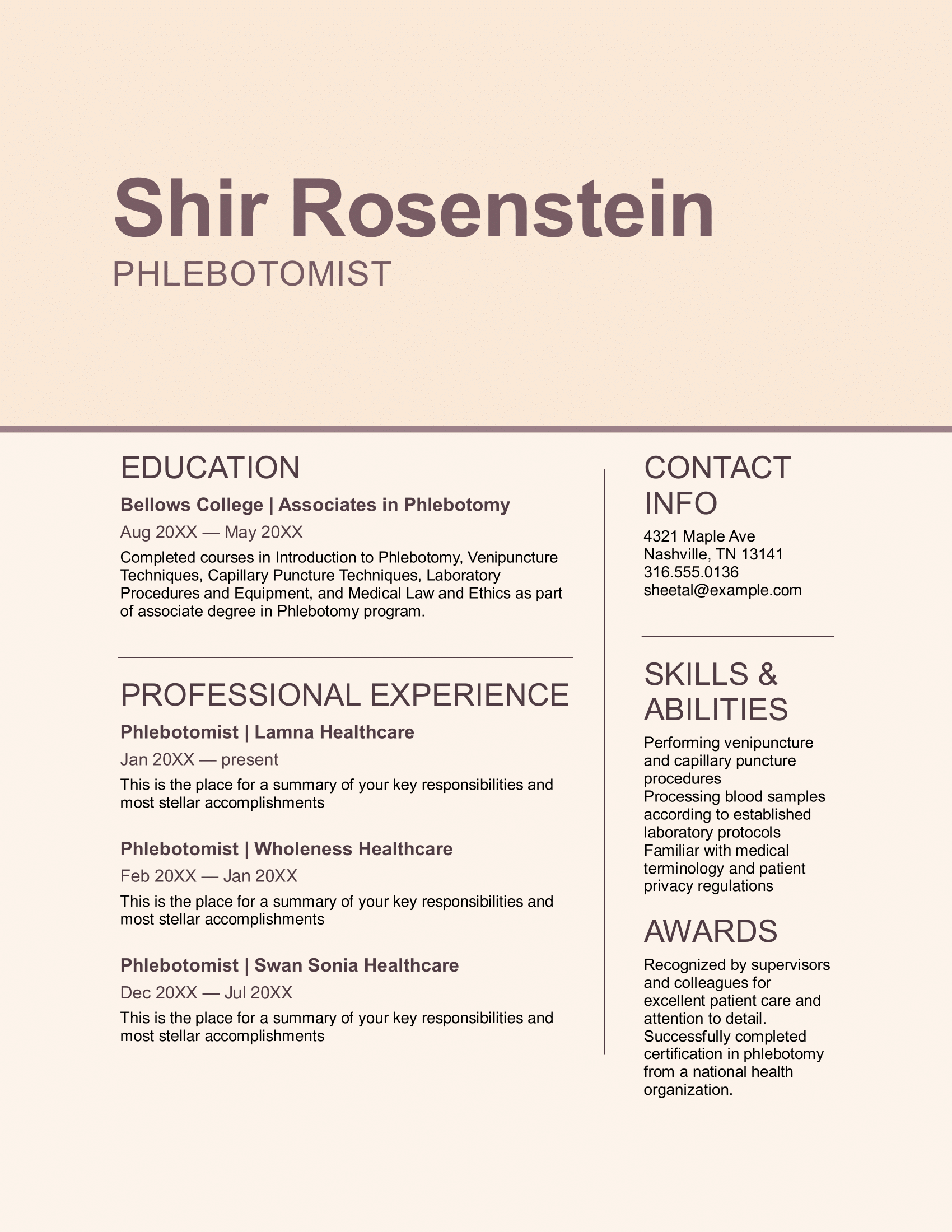
Subtle resume template
A clean, spacious layout that focuses on your leadership experience and qualifications. Perfect for advancing in your career or making a strong first impression in any industry. The built-in tips also simplify creating your resume.
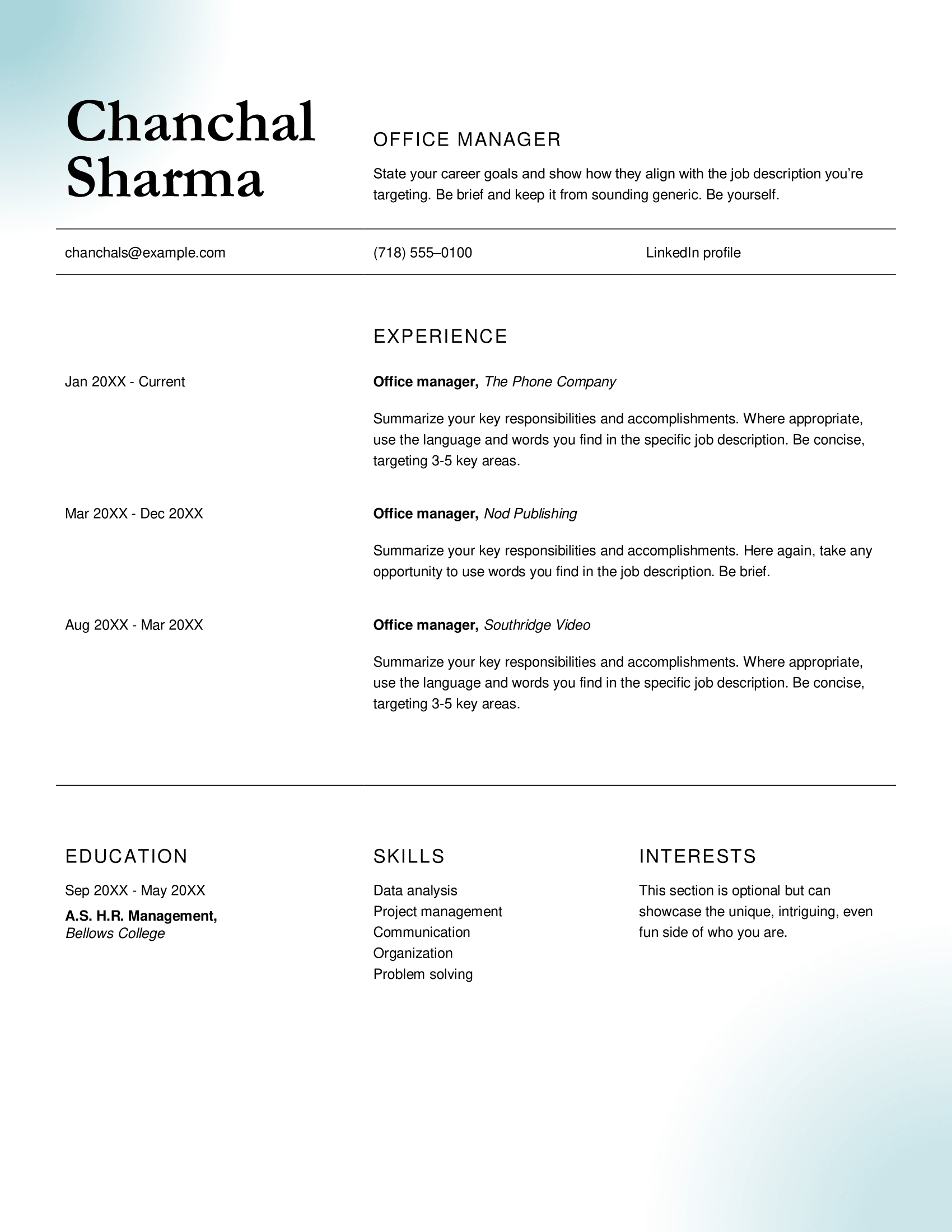
Turquoise resume template
A straightforward design with bold headings that help your achievements stand out. Perfect for professionals who want to make an impact without clutter. Break up the text with bullet points to make your resume more skimmable.
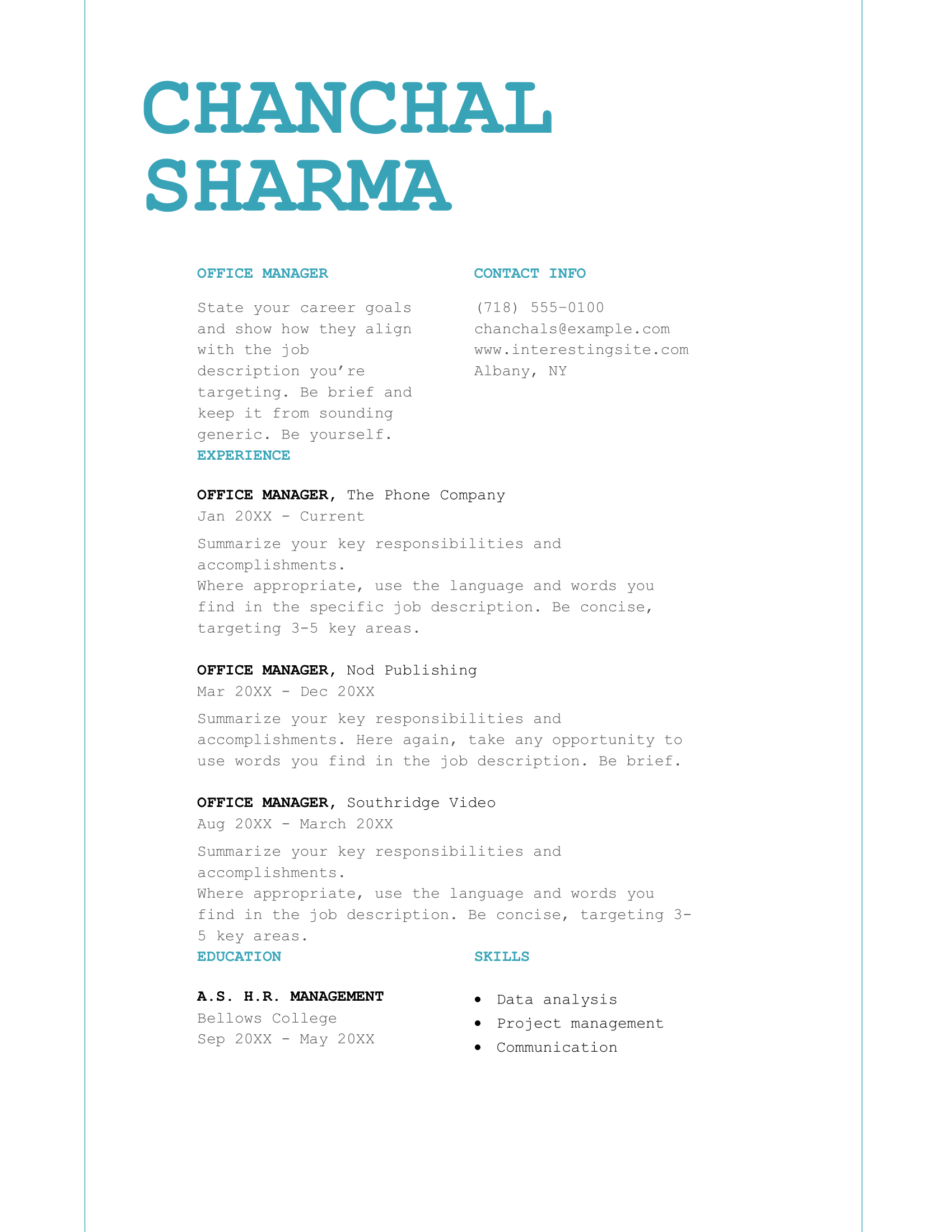
Chronological resume template
This template highlights your career progression with a reverse-chronological layout. It showcases recent accomplishments and career growth in a structured manner.
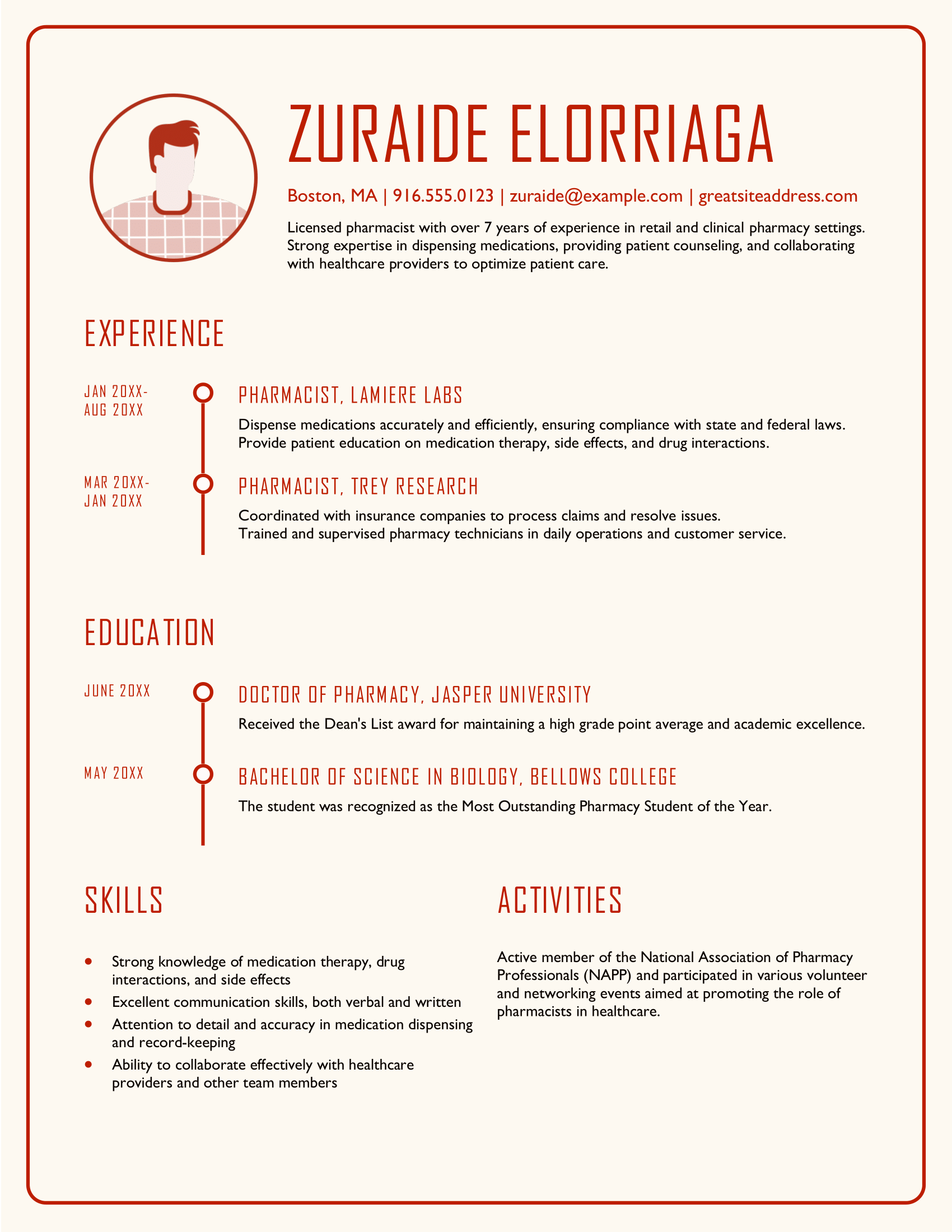
Impact resume template
With clear sections and bold headers, this template is designed to grab attention while keeping your achievements front and center. Great for making a strong first impression in any industry.
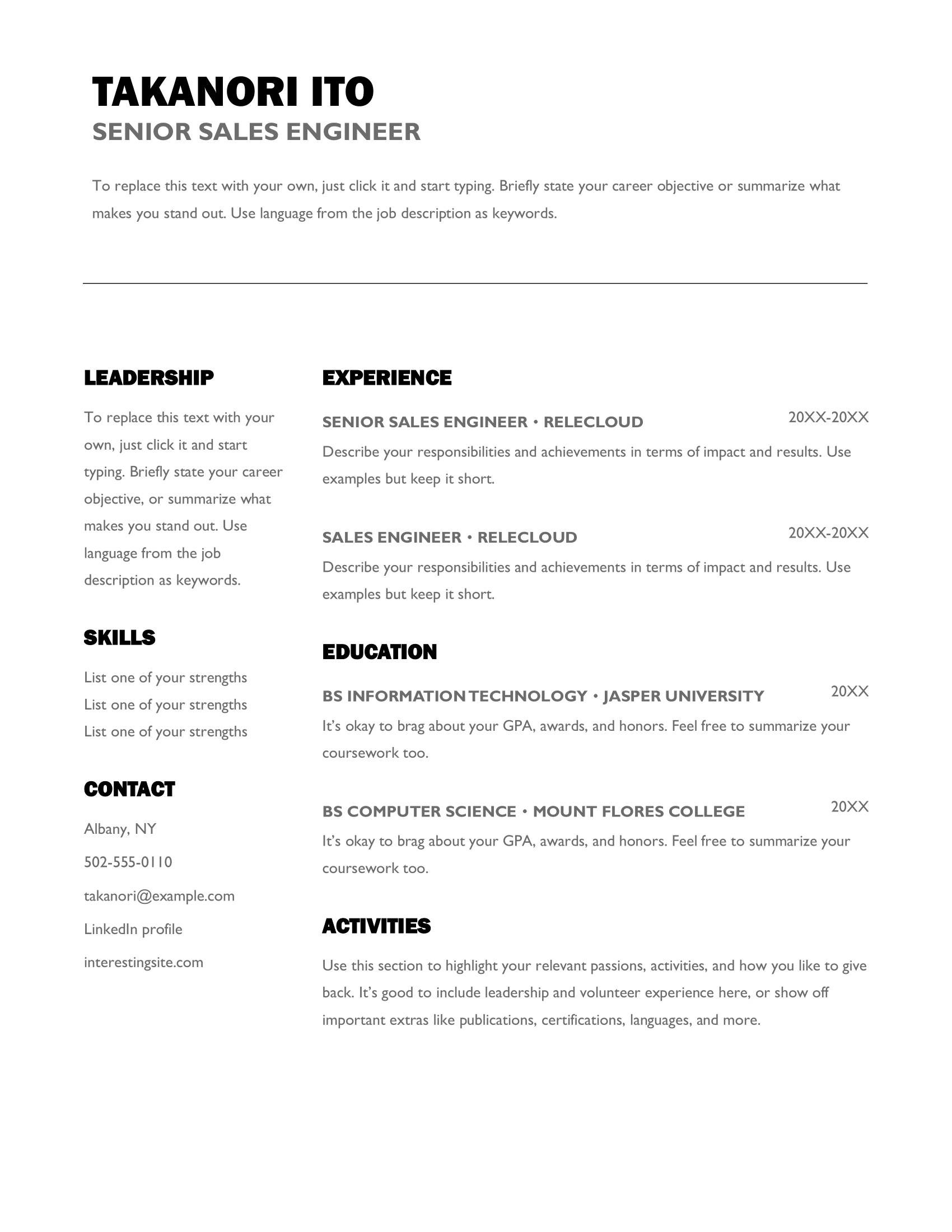
Polished resume template
A minimalist template with a focus on your key skills and accomplishments. It’s perfect for professionals who prefer a simple yet polished approach to their resume.
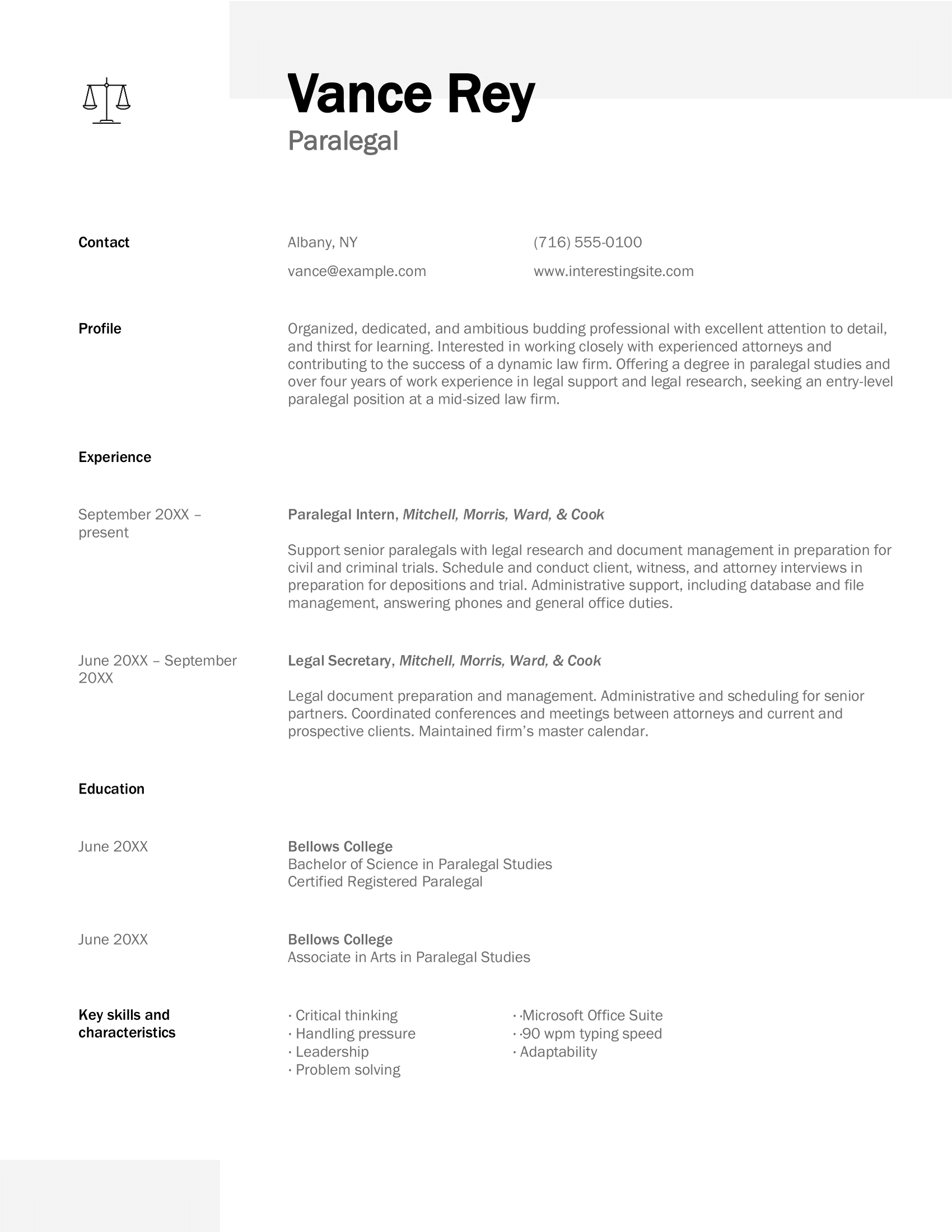
Typewriter resume template
This basic template is suitable for a wide range of industries. Its clean sections and ample white space keep the focus on the important details.
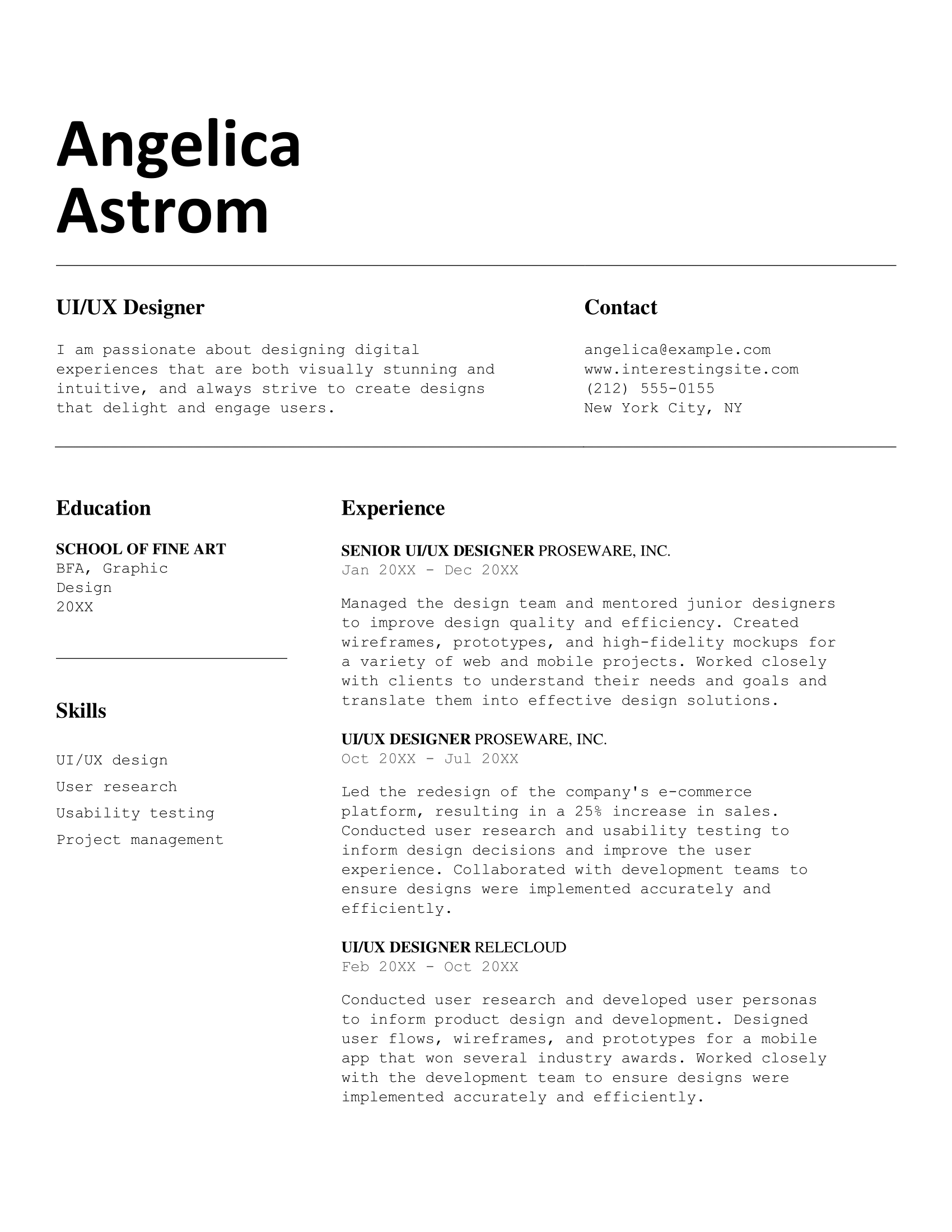
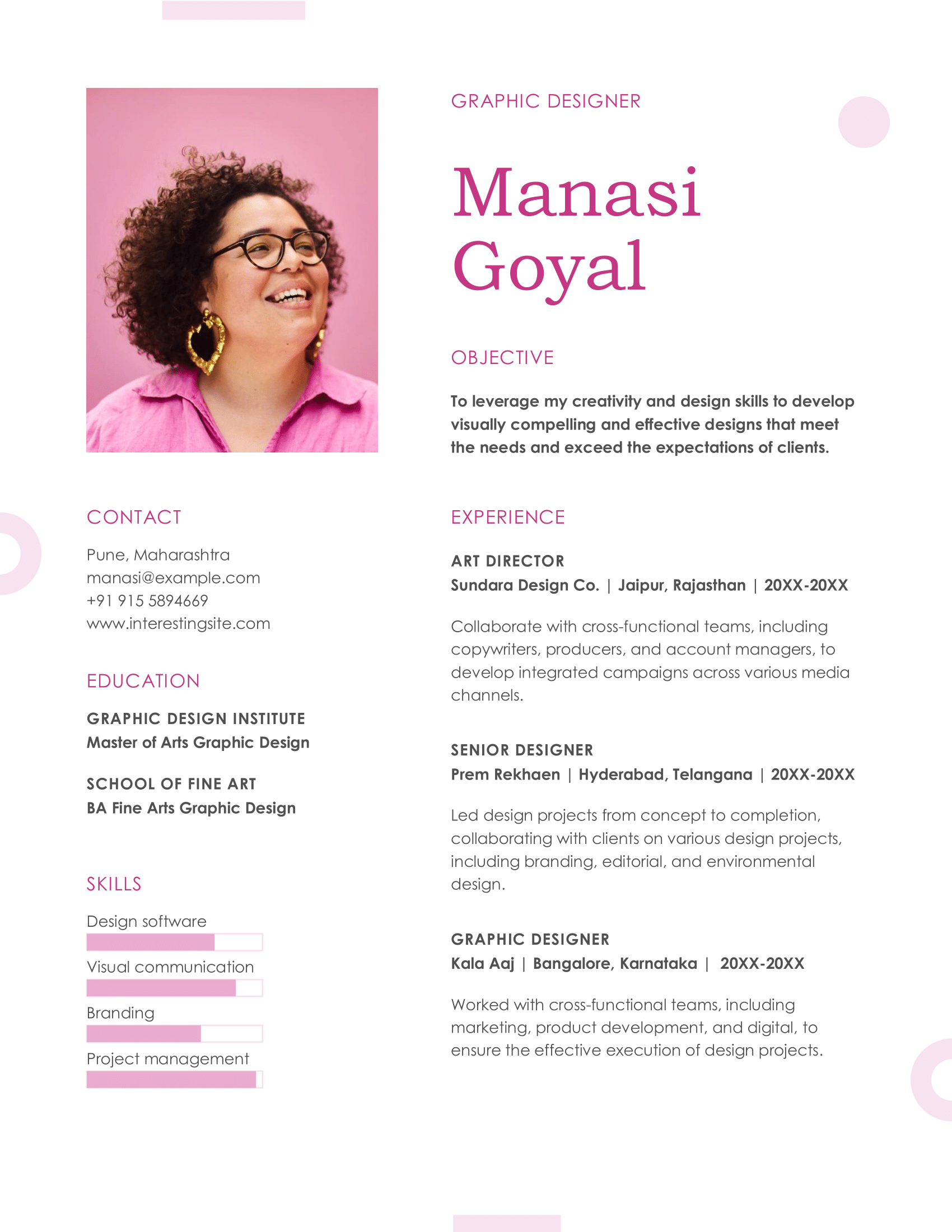
Pink resume template
Perfect for industries like modeling or acting, this template includes space for a professional photo while highlighting your skills and achievements.
Modern bold resume template
With bold headers and clean sections, this template grabs attention while staying professional. Place your contact info at the top so hiring managers can spot it right away.
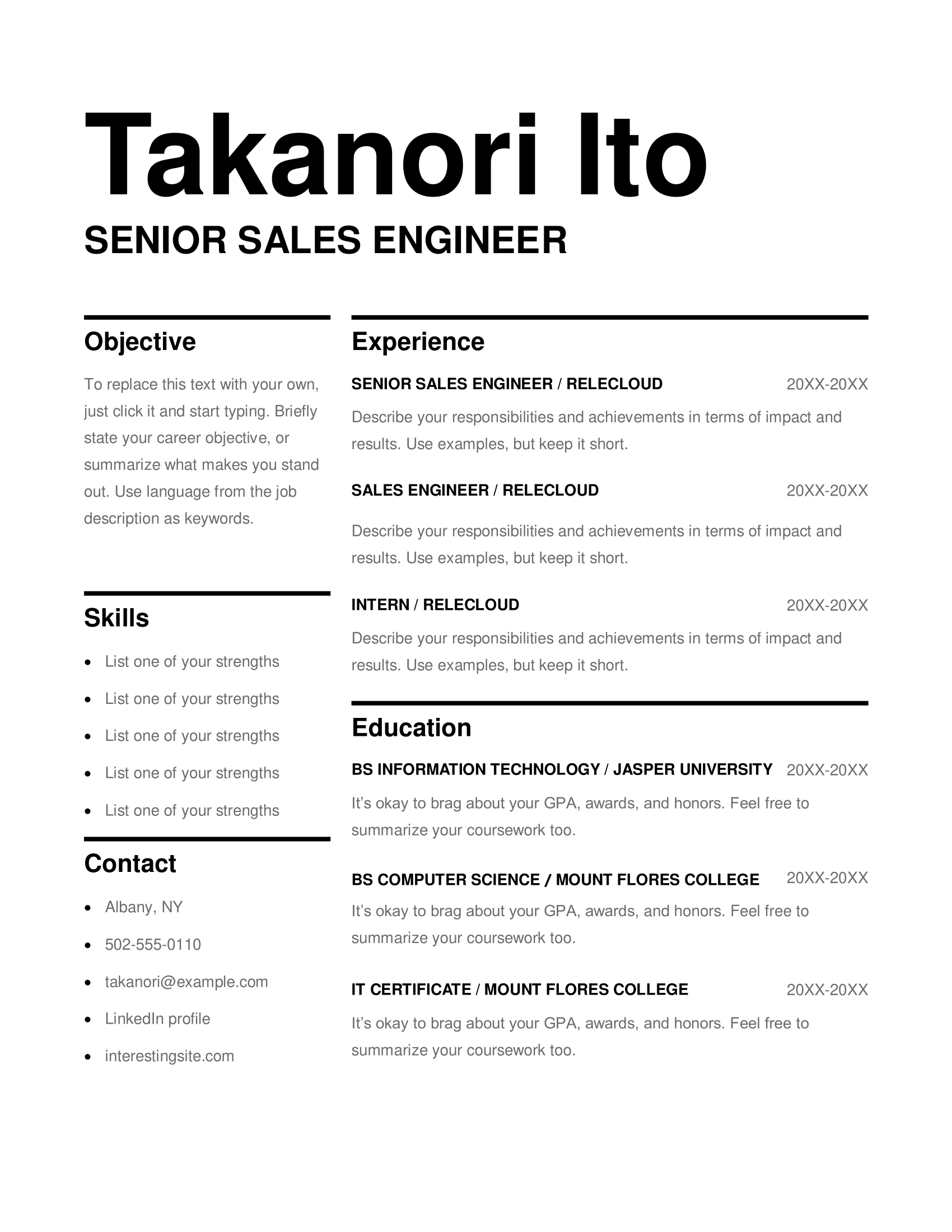
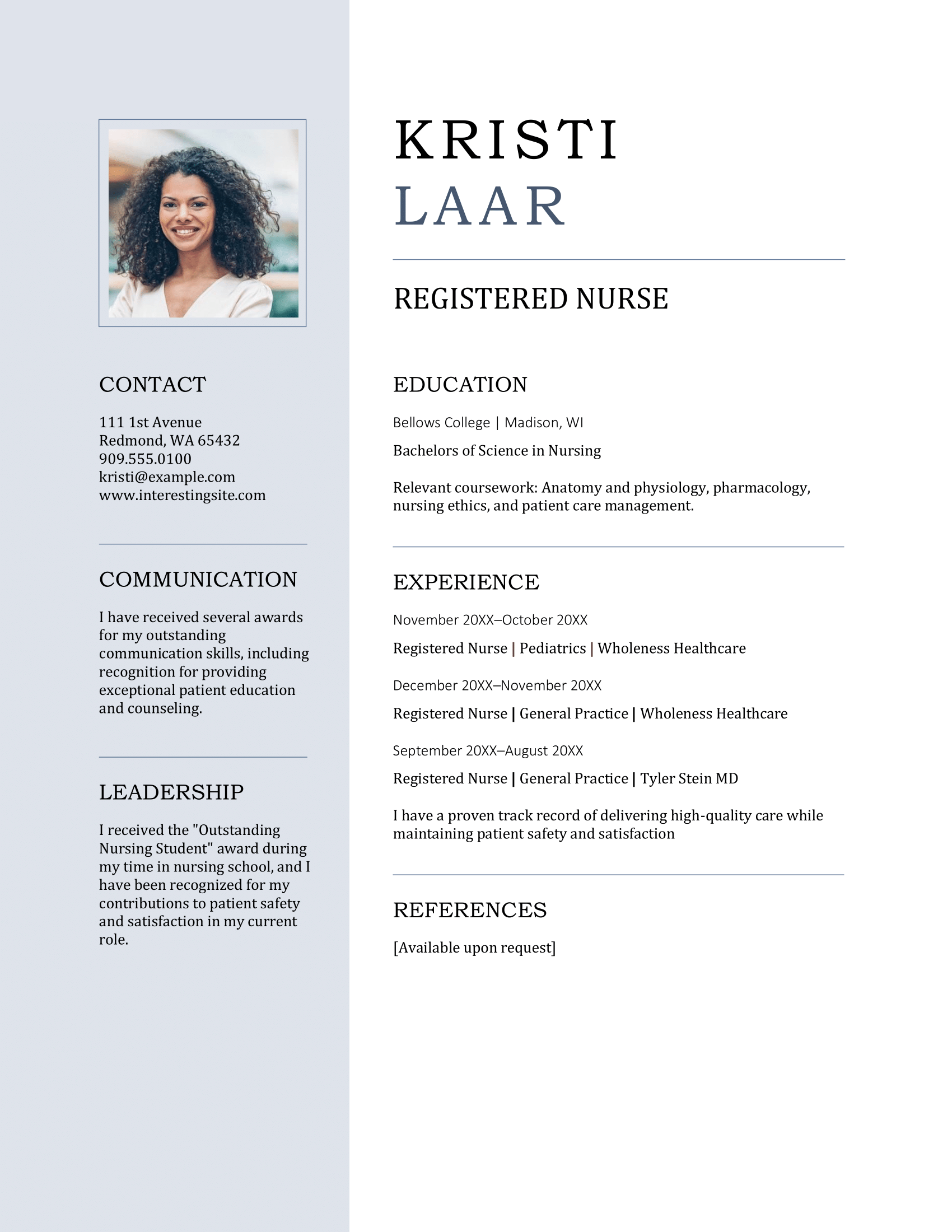
Photo resume template
A sleek design that showcases your qualifications and includes space for a photo. The photo is necessary for entertainment roles, but it’s best to remove it for other jobs.
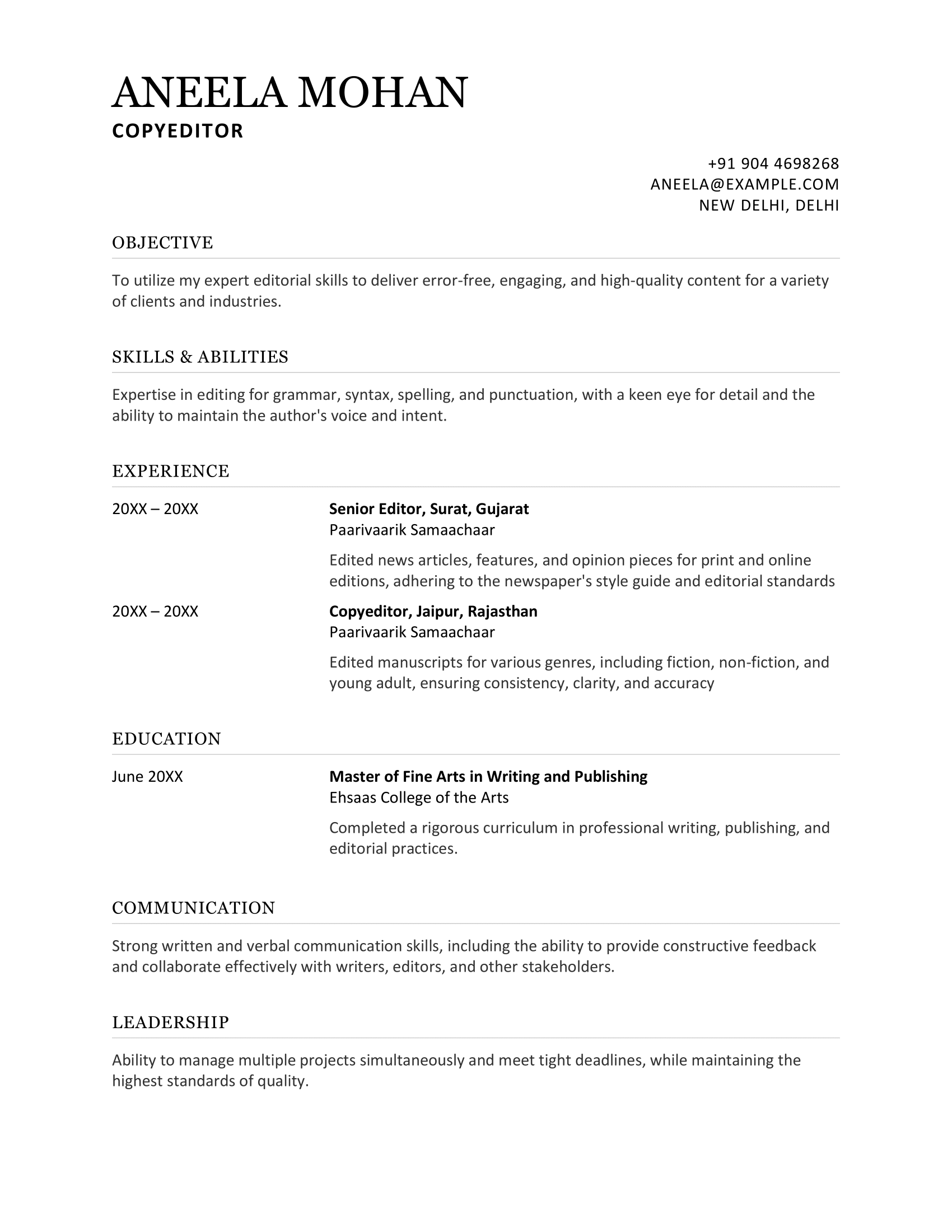
Old-school resume template
A traditional layout that highlights your work experience in reverse order, making it ideal for professionals with a clear career path looking to highlight their growth and progression.
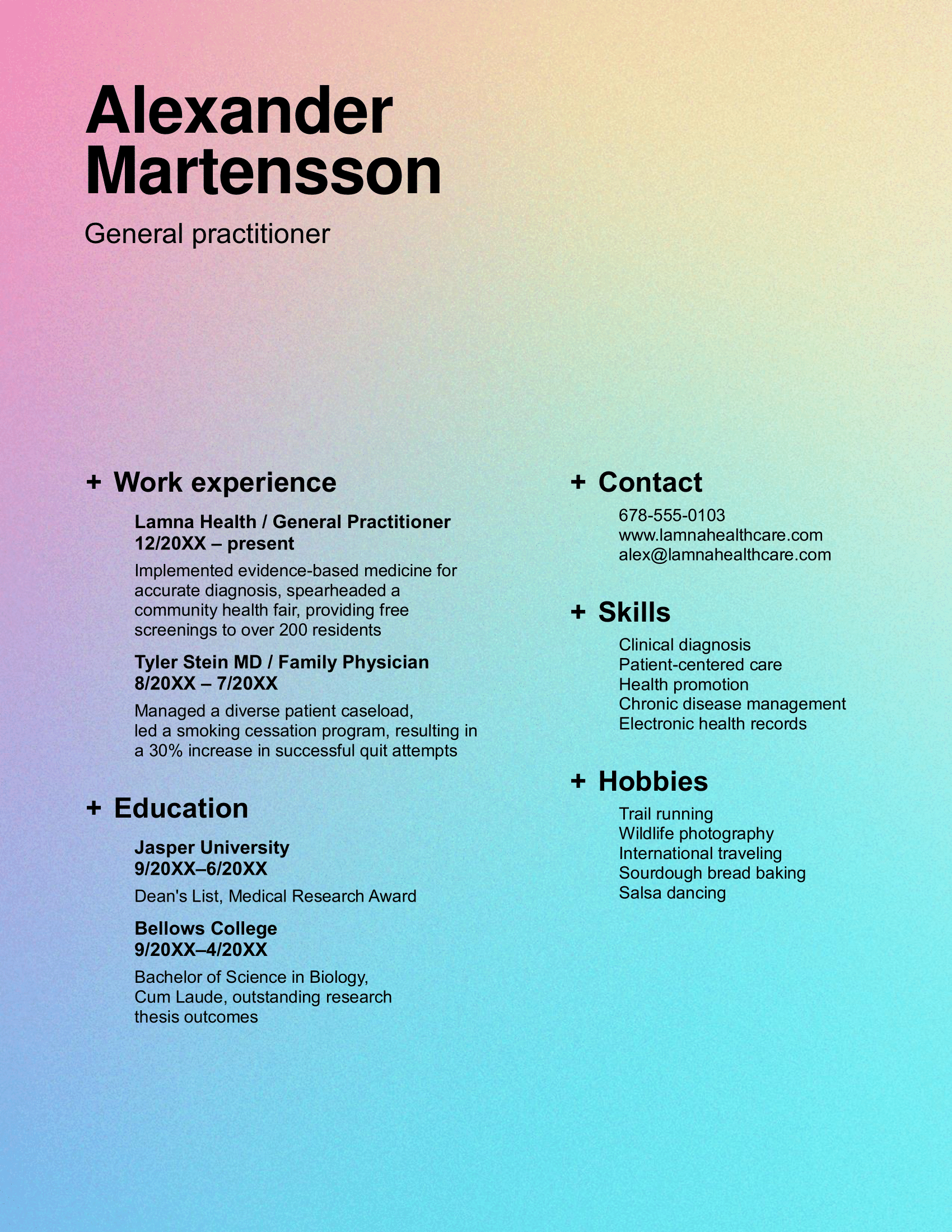
Gradient resume template
This template strikes a balance between creative and professional, making it ideal for industries that require both structure and innovation. Just keep in mind that the colored background might cause issues with the ATS.
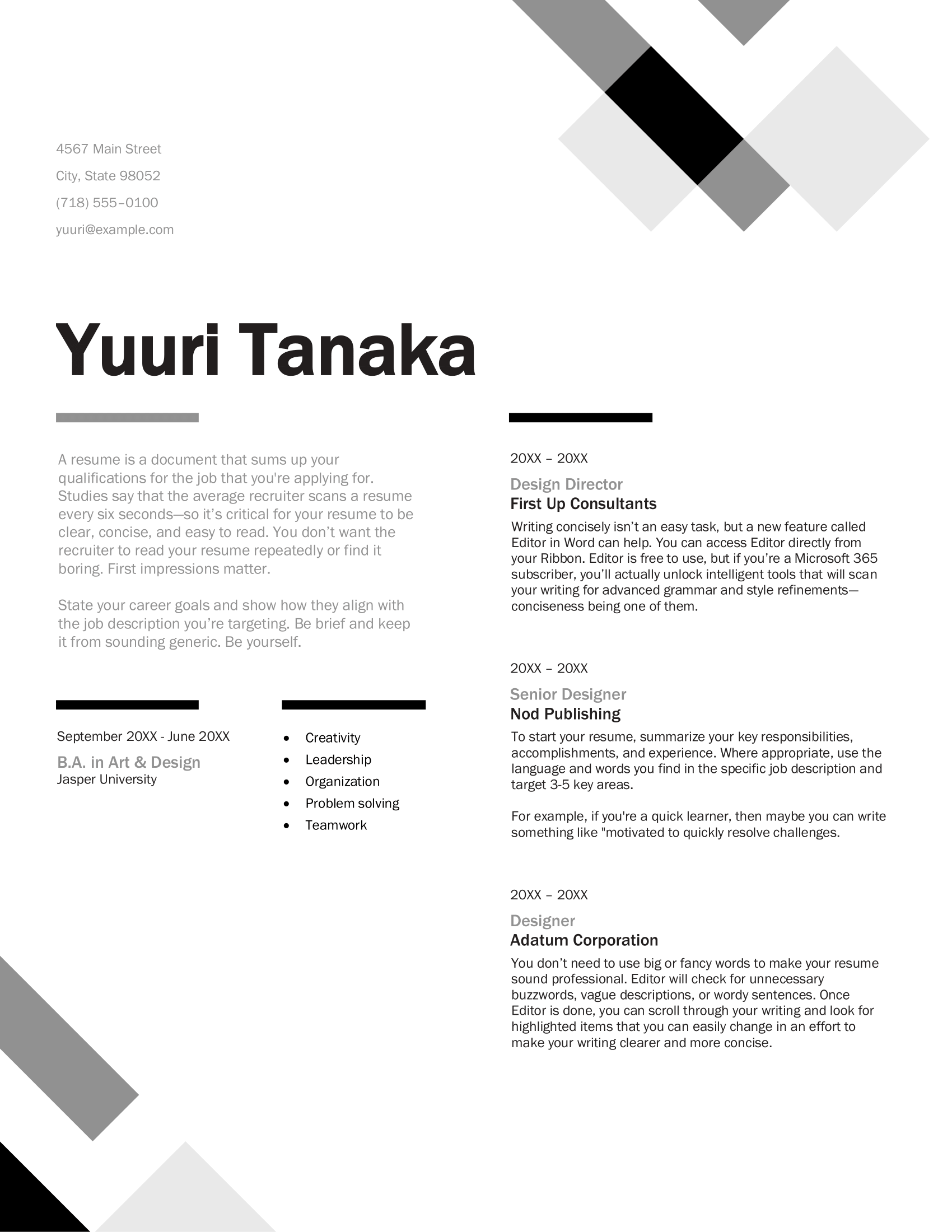
Geometric resume template
A contemporary design with bold, geometric shapes that adds a modern touch while keeping the content organized and professional.
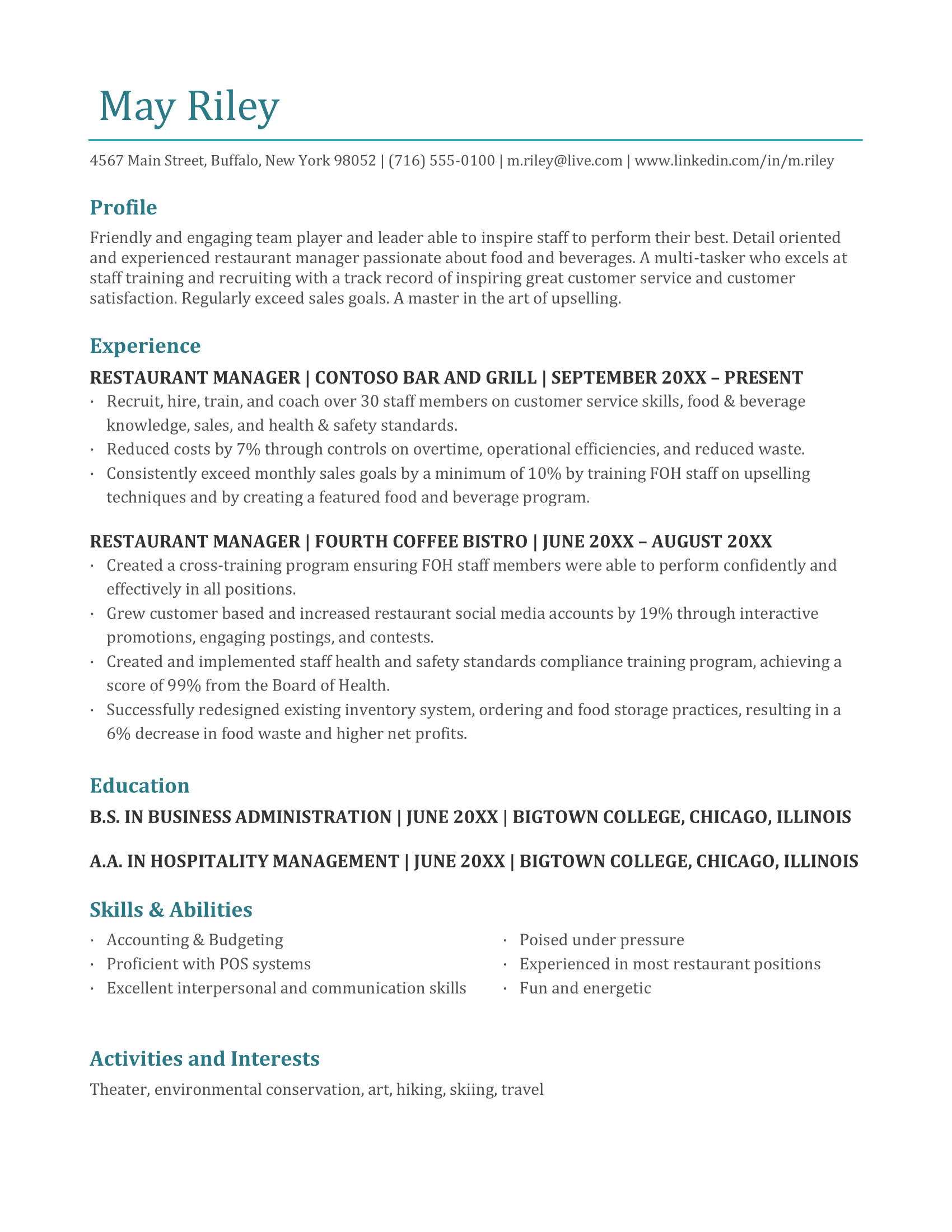
Industry resume template
This template is flexible enough to suit various industries, offering space to highlight leadership experience, certifications, and achievements. Personally, this is another of my favorites.
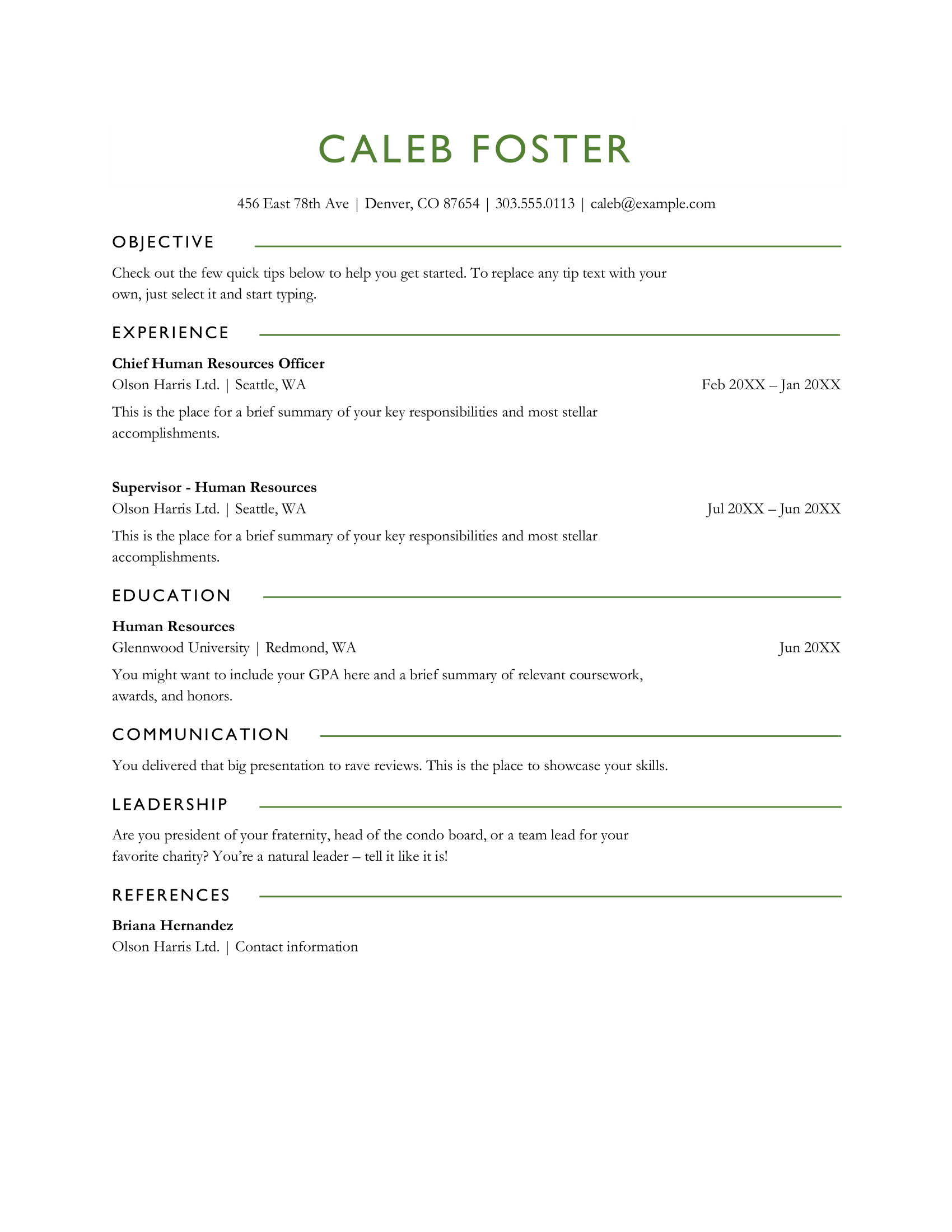
Green resume template
An ATS-friendly, minimalist design that ensures clarity and simplicity, making it ideal for entry-level and experienced professionals across any industry.
Elegant green resume template
Designed with a clean and elegant layout, this template has elements of style and functionality. It’s perfect for candidates who want to showcase their artistic flair and attention to detail.
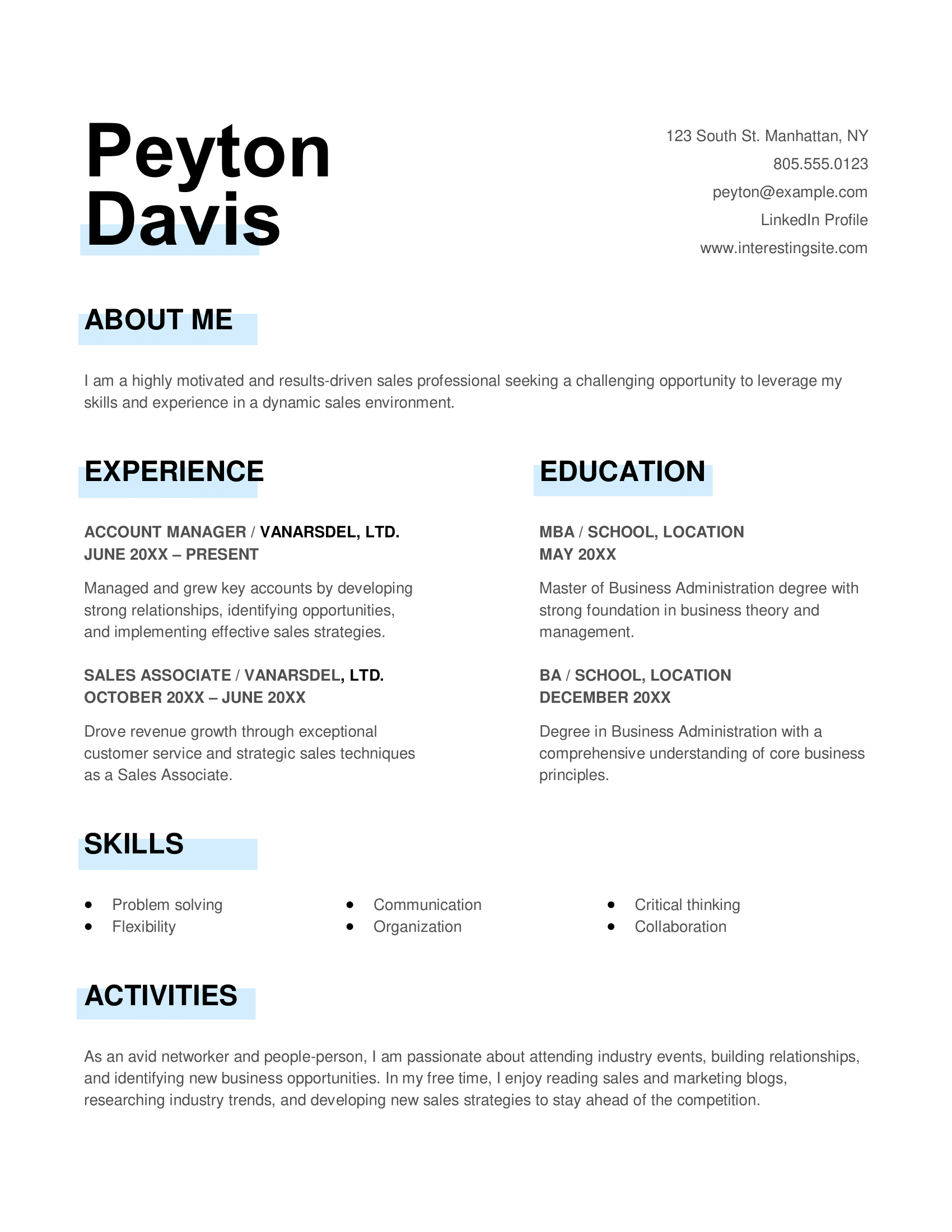
Blue resume template
A sleek, modern template that combines professionalism with a touch of personality, making it perfect for job seekers across any industry who want a dynamic, engaging resume. Highlighted headings can trip up ATS, so it's safer to just change the font color instead.
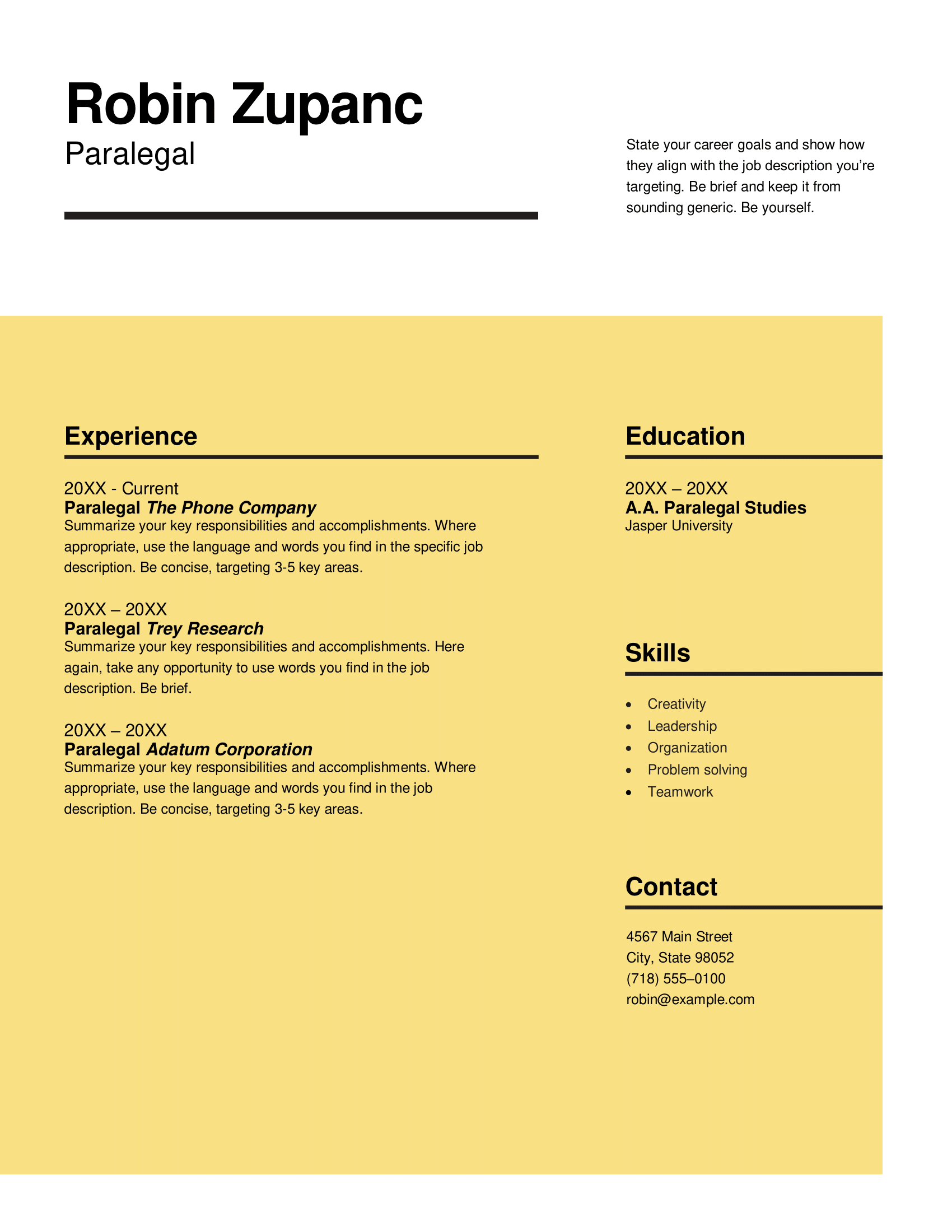
Yellow resume template
This template delivers a strong, memorable design. Its organized layout works for both entry-level and experienced professionals, whether you prefer concise details or more in-depth descriptions.
For even more options, take a look at 35+ Free & Professional Resume Templates.
How to Create a Resume on MS Word
Here’s how to create a resume on Word:
- Search “resume” in Word’s template gallery and pick a clean, professional design that fits your industry.
- Keep formatting simple by using reverse chronological order and clear fonts like Arial or Calibri.
- Input your contact details at the top, followed by a summary or objective, experience, education, and skills.
- Focus on achievements by quantifying results with numbers and action verbs.
- Tailor your resume to the job description by including relevant keywords and customizing sections to highlight qualifications that match the role.
If your past resume-making experience has looked like opening a blank document and hoping for the best, I feel you. That’s exactly how I started off too. Luckily, Microsoft Word makes it way easier now with its built-in resume templates, many of which are clean, professional, and ATS-friendly.
Here’s a step-by-step guide to making your resume on Word:
1. Choose a Microsoft Word resume template
Pick an MS Word resume template that feels like you while still looking polished, professional, and aligned with your industry.
What this means for you:
- Open Word and browse the template gallery by searching “resume” in the search bar. You can find a list of the templates at Microsoft Create.
- Pick a template that suits your industry and personal style, but keep it simple. Overly complex designs with too many graphics or color can confuse the Applicant Tracking System (ATS) and hurt your chances of getting noticed.
2. Format your resume in Word
A well-structured resume makes it easier for hiring managers and ATS to scan your information. Use a professional layout that keeps everything clear and consistent.
What this means for you:
- List your most recent job first in reverse chronological order. If you’re light on experience, move your “Education” section above “Experience.”
- Opt for simple fonts like Arial or Calibri (10–12 pt for body, 14–16 pt for headings).
- Stick to a one-page resume with single spacing and one-inch margins.
Learn more about How to Format Your Resume Right.
3. Input your details
Your resume should be easy to navigate, with essential details placed where hiring managers expect to find them. An organized structure can make all the difference.
What this means for you:
- Place your full name, location, phone, email, and LinkedIn at the top.
- Include clearly defined resume sections for your resume summary or objective, work experience, education, and skills.
- Use bullet points strategically to break up information and spotlight your wins.
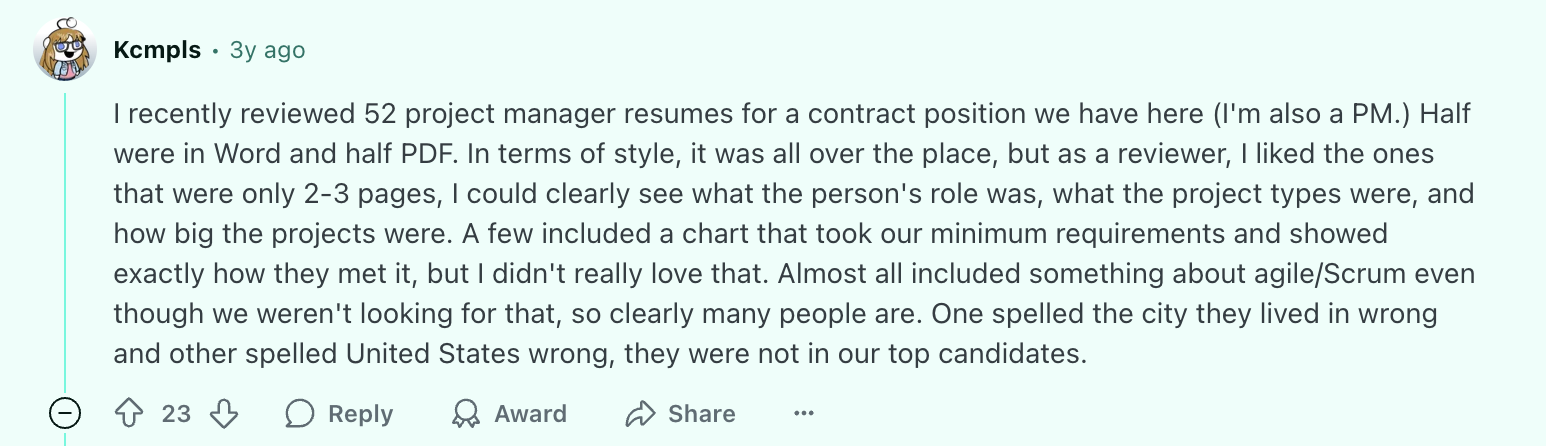
Here’s what one Redditor recommends including (and avoiding) on your resume:
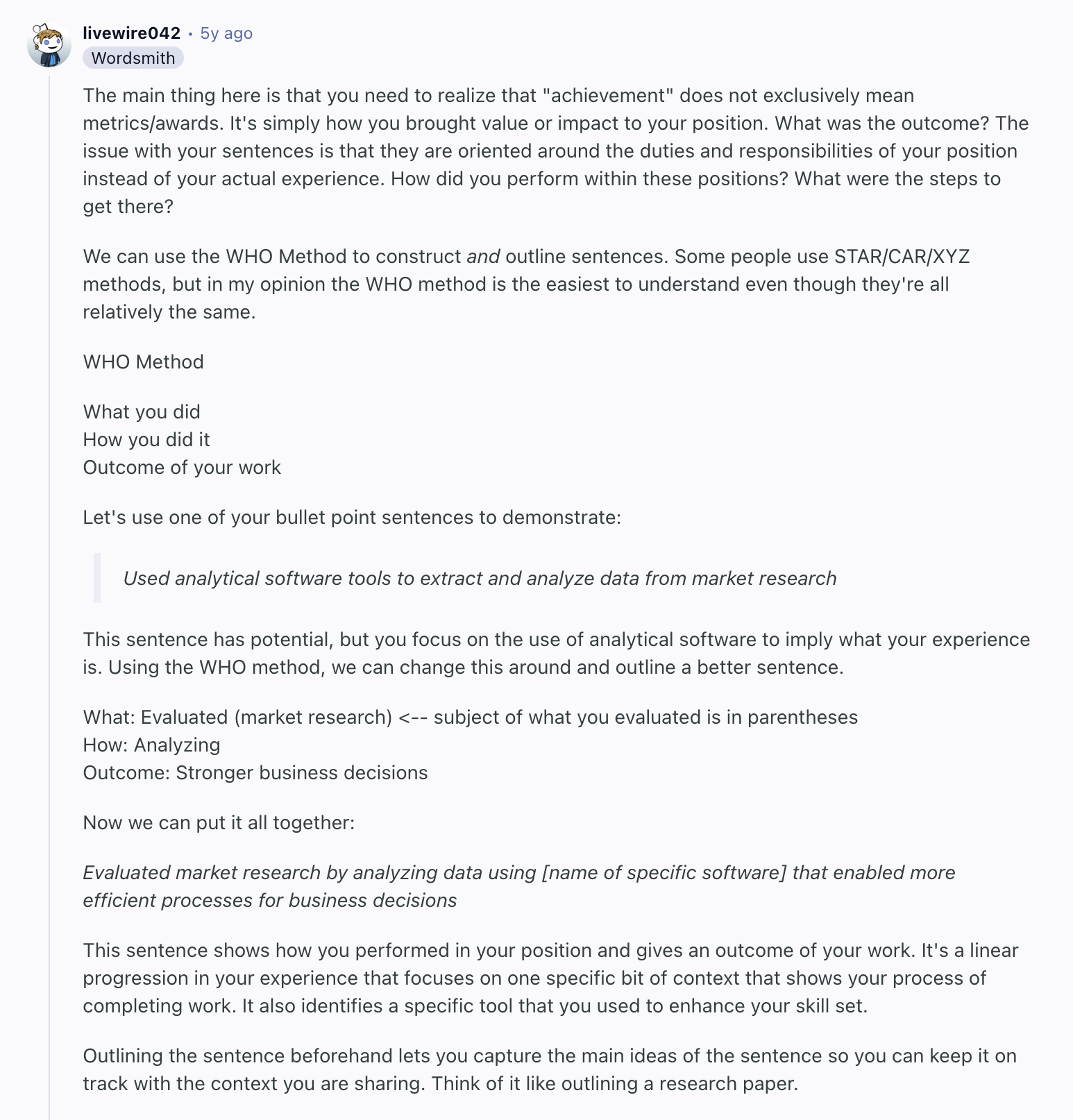
4. Focus on your achievements
Employers want to see the impact you’ve made, not just the duties you performed. Strong, results-driven descriptions will set you apart.
What this means for you:
- Use numbers and percentages to highlight your accomplishments. For example, “boosted sales by 30%” or “managed 50+ clients.”
- Start each bullet point with a strong action verb like “led,” “optimized,” or “implemented,” and focus on results (cost savings, time efficiency).
This Reddit user explains how to outline your accomplishments on your resume:
5. Tailor your resume to the job description
Customizing your resume to the job description shows you’ve put in the effort and aligns your skills with the employer’s needs.
What this means for you:
- Examine the job description for key skills, qualifications, and phrases, then naturally incorporate those keywords into your resume.
- Focus on experience, achievements, and skills that directly relate to the role, and adjust your summary to reflect the job’s specific requirements.
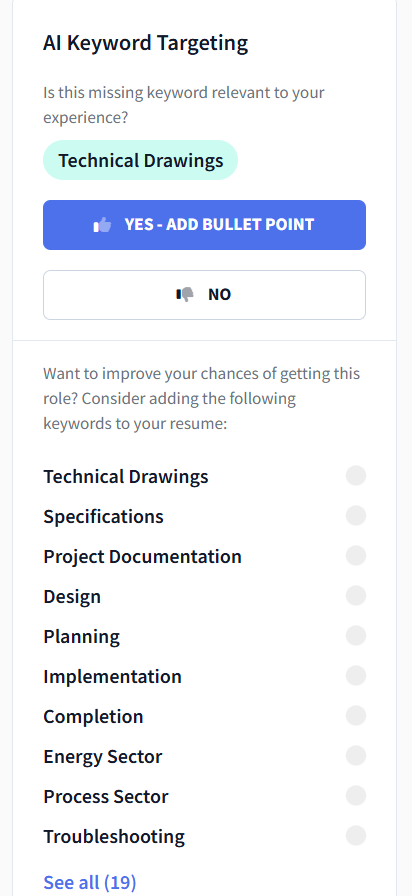
Not sure which keywords to use? The AI Keyword Targeting tool scans the job post and generates a tailored list of relevant keywords for you. Even better — it can write bullet points using those keywords too. Pretty helpful, if you ask me.
Here’s an example of the kind of keyword suggestions it gives:
If you’re unsure how the Microsoft Word formatting holds up in an ATS, the Rezi AI-optimized resume templates are a safe bet for extra peace of mind.
Pros and Cons of Using a Word Resume Template
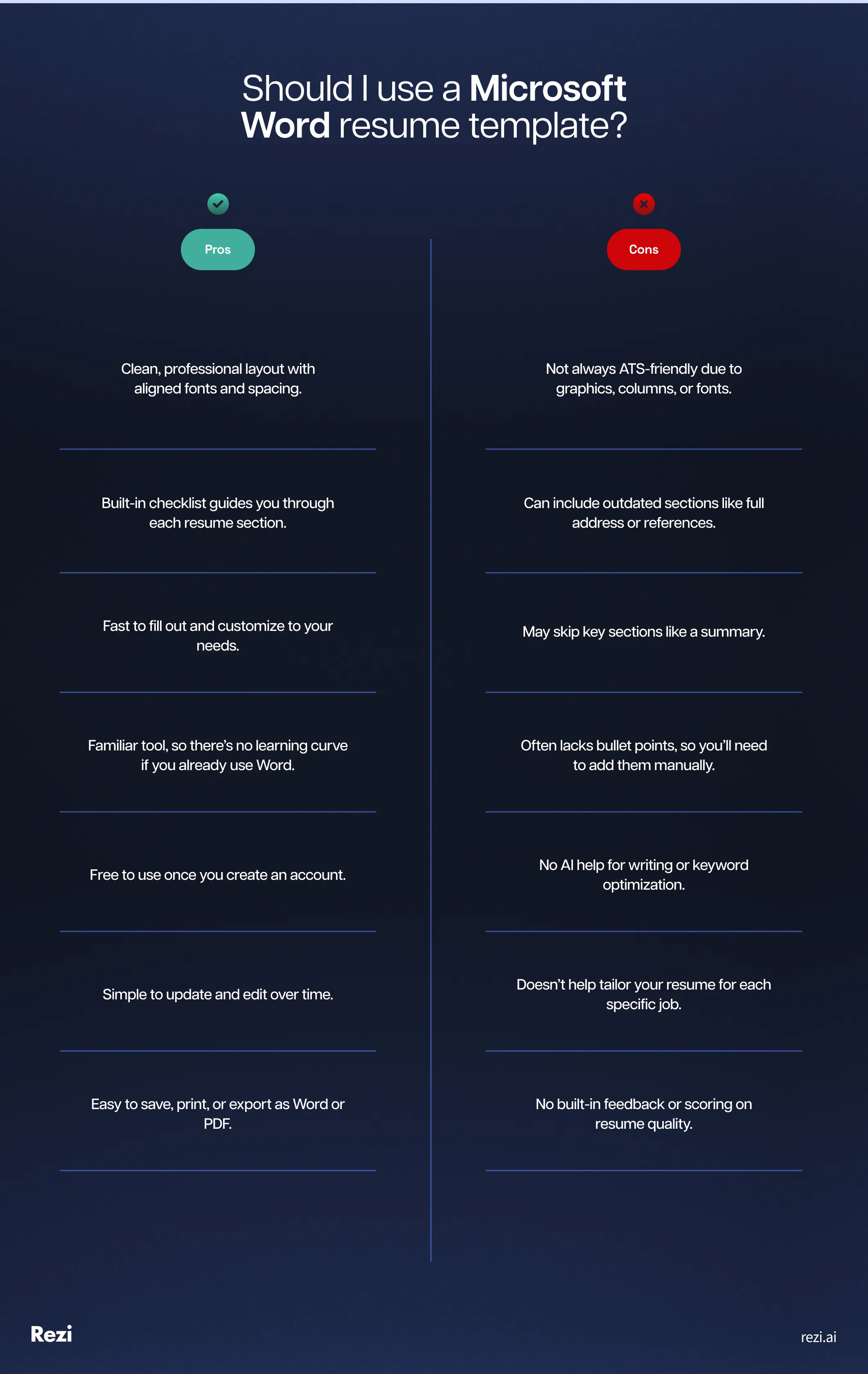
Here are the pros and cons of using a Word resume template:
- Easy to use and edit, especially if you’re already familiar with Word.
- Offers clean, professional formatting that’s quick to customize.
- Free to access with a Microsoft account and simple to export as PDF.
- But not all templates are ATS-friendly — some use columns or fonts that cause issues.
- May include outdated elements like full addresses or references.
- Often skips helpful details like a summary or bullet points.
- Doesn’t offer writing guidance, keyword help, or resume feedback.
- Not ideal for tailoring your resume to each job unless you do it manually.
MS Word is a classic. Reliable, familiar, a household name. It’s been around longer than I have (not sure that’s the brag I think it is). But when it comes to building a resume in 2025, is it really your best option? Sure, it gets the job done, but it doesn’t come with an AI Bullet Point Writer or a resume checker.
Let’s look at why Word still holds up — and why you might want to switch to a dedicated resume builder instead:
Summary
Here’s a recap of how to build your resume on MS Word:
- Choose a resume template that suits your industry and job level (e.g., modern templates for tech roles, creative templates for arts or design).
- Ensure your resume is ATS-friendly by using simple structures, bullet points, and avoiding unnecessary details like full addresses.
- Opt for clean, professional templates with legible fonts like Arial or Calibri, and a layout that emphasizes key accomplishments.
- Organize work experience in reverse chronological order to highlight recent achievements and career growth.
- Quantify results and use action verbs to show impact, particularly in your work experience section.
- Tailor your resume for each job by emphasizing relevant experience and skills from the job description.
- Organize your resume into sections such as contact info, summary, experience, education, and skills.
- Include a photo in your resume only if you’re applying for roles in industries like modeling or acting.
- Be aware that not all Word templates are ATS-compatible — avoid designs with multiple columns, graphics, or fancy fonts.
- While Word templates are a great starting point, they don’t offer built-in writing support, keyword optimization, or resume checking, so you’ll need to do that part yourself.
FAQ
Which template is best for a resume in MS Word?
When choosing a resume template in MS Word, keep it simple and professional. Choose one that’s easy to read, with clear headings, well-organized sections, and one column. Templates with minimal graphics usually highlight your experience better than overly flashy ones. Two of my favorites are the Industry manager resume and ATS bold accounting resume, because they’re both modern and ATS-friendly.
Are there any free resume templates in Word?
MS Word offers plenty of free resume templates — all the above templates are free and accessible to everyone. Just open Word, search for “resume” in the template section, and you’ll find several customizable options, ready to fill in and adjust to your style.
How far back should a resume go?
For most industries, your resume should cover the last 10–15 years of work experience. You don’t need to include jobs from decades ago unless they’re really relevant. If you’re just starting out in your career, focus on relevant internships, volunteer work, and experience.
For more on this, check out How Far Back (How Many Years) Should a Resume Go?
What font should a resume be?
Go with a professional, easy-to-read font like Arial or Calibri. Stick to 10–12 pt, and make sure it’s legible when printed or read on a screen.
Do companies prefer Word or PDF resumes?
PDF resumes are generally preferred because the formatting stays intact across different devices and software. However, some companies still request Word docs for compatibility with older ATS. If the job posting doesn’t specify, go with PDF — it’s usually the safest choice.
What should not be on your resume?
Avoid adding irrelevant personal info like your age, marital status, photo, or social security number. Also, steer clear of clichés like “hardworking” or “team player” — they’re overused and don’t add much value. And proofread your resume before sending it anywhere to make sure it’s error-free.
Is a one-page or two-page resume better?
A one-page resume is best to keep things concise and to the point. But if you have 10+ years of relevant experience, a two-page resume is fine to show off your achievements. Just make sure your resume isn’t spilling onto the second page with just a few lines. If that’s the case, trim it down to fit on one page.

Upload or drop your resume to get started
Upload your resume to get started
Score my resume

Sarah Coghlan is a writer and editor passionate about making resume and career advice clear and accessible to all. Based in Barcelona, her goal is to help job seekers create standout resumes and navigate the job search process with confidence and ease.