Resume
35+ Professional Resume Templates (Free Download, ATS-Friendly)
Download 35+ free professional resume templates that pass ATS screening. Available for Word, Google Docs, and Canva. Designed by HR experts to help you land interviews faster.
Published on
February 20, 2025
Updated on
February 25, 2026
Key Takeaways
• “Professional” means clean hierarchy and scannable sections — not flashy colors, icons, or heavy graphics.
• Choose a layout that fits your experience length (e.g. one-column when you need room for a longer work history).
• Treat the template as a base: rewrite content for the target job instead of shipping stock filler.
• Prefer simple, ATS-safe formatting (standard headings, minimal columns) over decorative designs that look good on Instagram.
• Content and relevance beat the skin — a plain template with strong bullets outperforms a stylish empty one.
A professional resume template doesn’t have to mean “boring.” A well-structured resume shows confidence, professionalism, and a firm grasp of workplace norms — without relying on flashy colors or over-the-top designs. Save the personality for the interview; your resume’s job is to prove your value at a glance.
I’ve searched high and low for the best professional resume templates for different industries, experience levels, and platforms. Just remember, your resume should reflect you. Use these templates as a base, but don’t be afraid to tweak them to make them your own.
This guide will deliver:
- A range of professional resume templates and examples.
- Tips and examples of what to include in your resume.
- The best tactics to find the best template for you.
{{cta-upload}}
Don’t want to second-guess if your template is “professional” enough? Just try our free AI Resume Builder to generate a tailored, ATS-friendly resume in minutes with our expert technology.
And take a look at more of our top template picks:
- Free & Basic Resume Templates
- Free Cover Letter Templates & Samples
- Creative Resume Templates and Examples
- Free Cover Letter Templates for Microsoft Word
12 Rezi Professional Resume Templates
At Rezi, we believe your qualifications should do the talking, not flashy graphics or bold colors. While Instagrammable designs might look good on paper, they tend to distract from what really matters — your experience and skills.
Our templates are simple and focused on showing why you’re the perfect fit for the job. Plus, our straightforward designs help ensure your resume gets through Applicant Tracking Systems (ATS) without any trouble. If you'd like to get started, try our free Google Docs resume template.
Check out some of our most popular Rezi resume templates:
Standard Resume Template
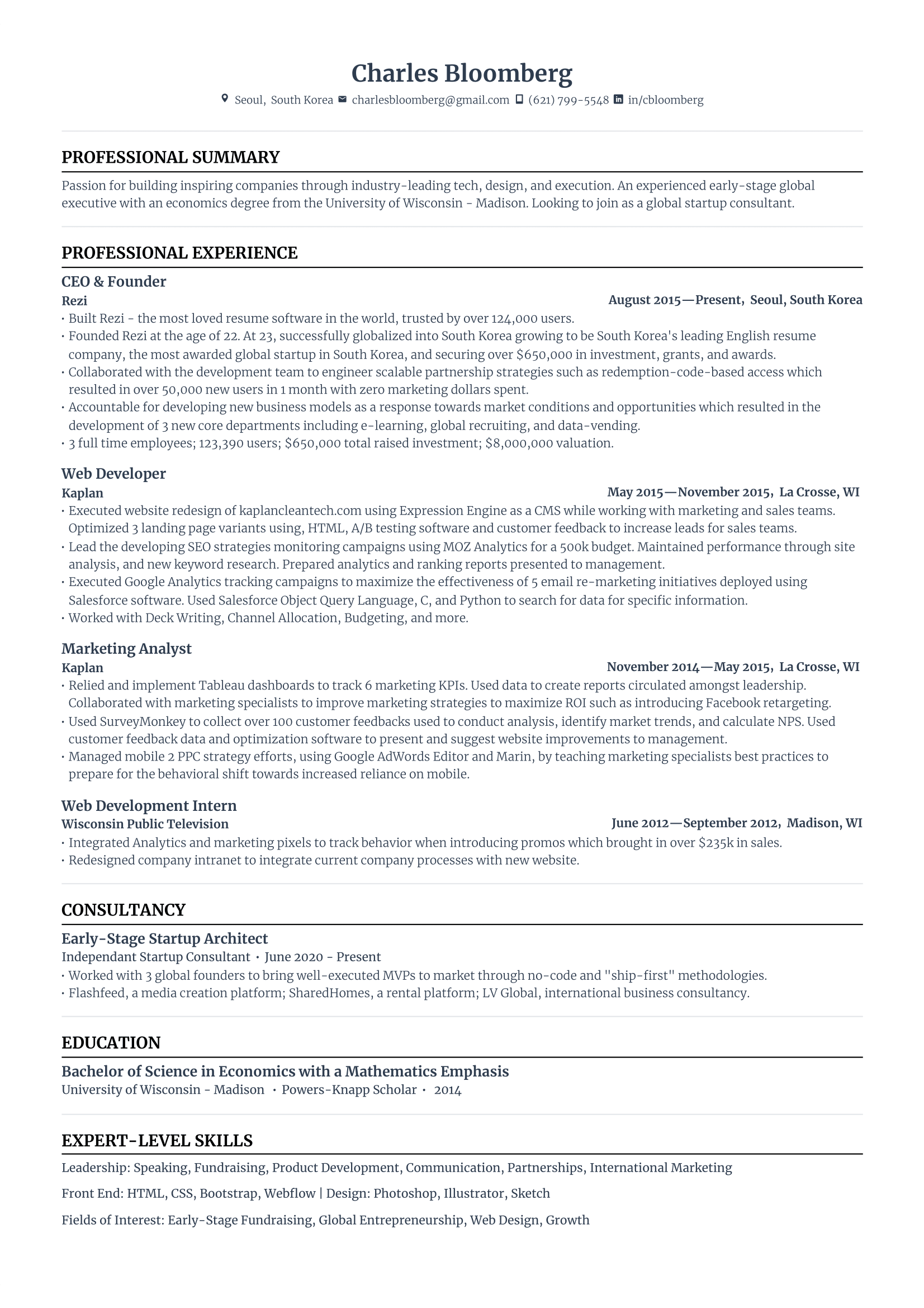
This Standard Resume has a one-column design, giving plenty of room for a detailed work history without feeling cluttered. Straight-line dividers, bullet points, and bold headings keep things structured. There are also sections for resume projects and achievements to strengthen your application.
Modern Resume Template
The Modern Resume uses bold headings and a hint of blue for a polished touch. A mix of fonts adds personality while keeping things readable. It balances creativity and professionalism, giving you space to showcase your experience, skills, and education.
-1.png)
Bright Resume Template
Our Bright Resume Template uses a pop of orange to add warmth without overpowering your content. Job details are neatly aligned on one line, freeing up space for detailed bullet points in the work experience section. It’s professional, eye-catching, and easy to skim.
-1.png)
Harvard Resume Template
While Harvard Resumes typically emphasize education first, we’ve adapted this layout for job seekers who want to place work experience front and center. Centered headings also help to create a clean look, making it easy for recruiters to find key details.
-1.png)
Structured Resume Template
Our Structured Resume has a no-nonsense layout, keeping job titles, dates, and bullet points close together for quick readability. Despite its compact design, bold headings and a clear font keep everything easy to follow. It’s perfect for traditional roles where clarity and efficiency matter.
-1.png)
Minimalist Resume Template
Simple, professional, and checks all the boxes. It’s ideal if you’re early in your career and want your content to take center stage. No distractions, just a layout that works in almost any industry.

Trendy Resume Template
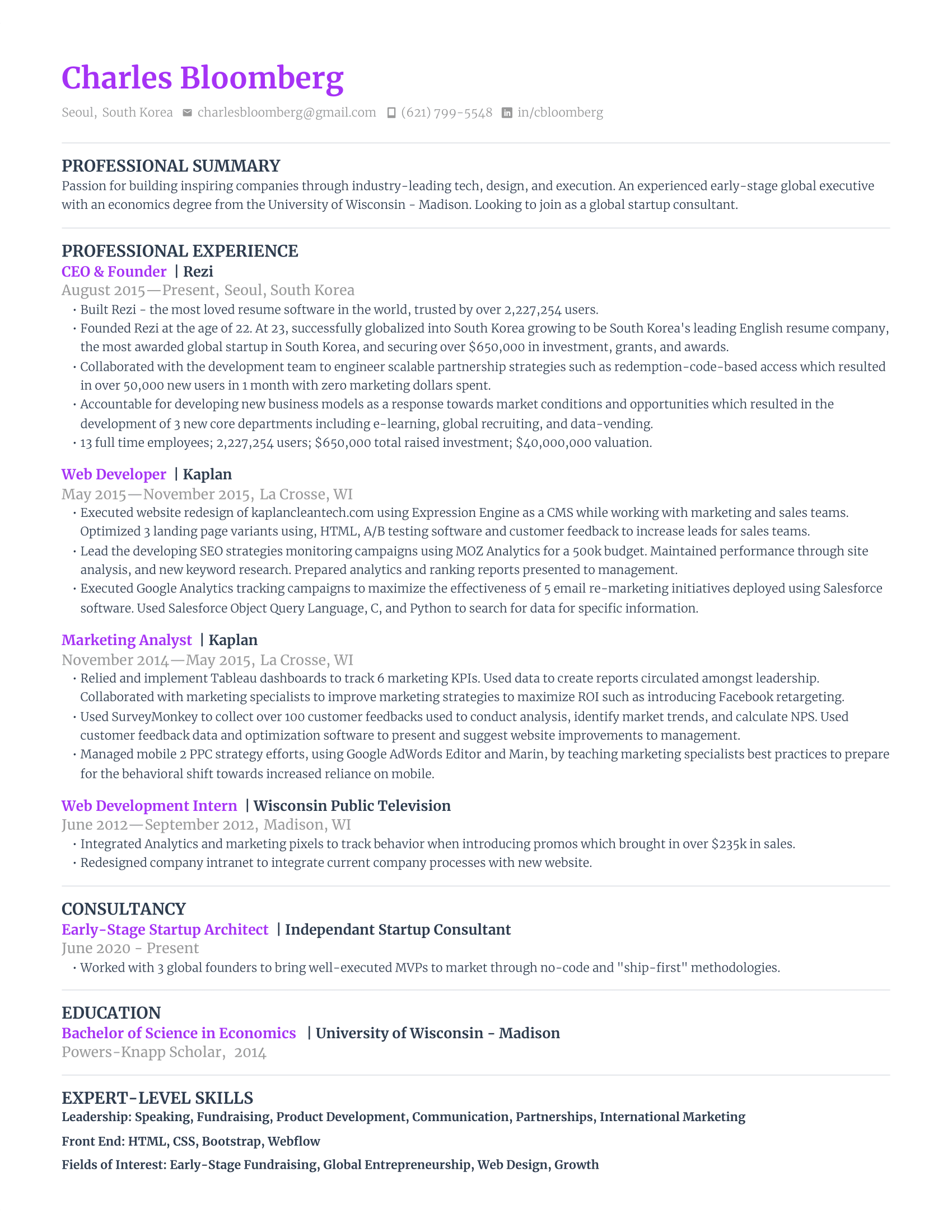
Professional with a pop of color. Great if you want to stand out a bit, especially in creative roles or customer-facing jobs, while still keeping it ATS-friendly and easy to read.
Smart Resume Template
Love the sleek look of the Modern template, but not sure about the color? The Smart template keeps the same sharp design but in a clean, color-free style that’s still professional.

Vibrant Resume Template
Want just a hint of personality? This one adds a subtle colored border in blue, red, orange, or green, without messing with readability or ATS compatibility. It’s a great pick for creative roles or startups. If I had to pick a favorite, it’d be this one — it stands out just enough to feel modern, but still looks polished and professional.

Neat Resume Template
Clean and adaptable across industries. Smart formatting makes your experience easy to scan, and the lighter font for dates and locations gives the layout a nice visual balance.

Compact Resume Template
For the experienced professionals who’ve got plenty to say. This layout maximizes every inch of space and gets straight to the point. It’s great for roles in law, finance, or other traditional fields.
Maximum Resume Template
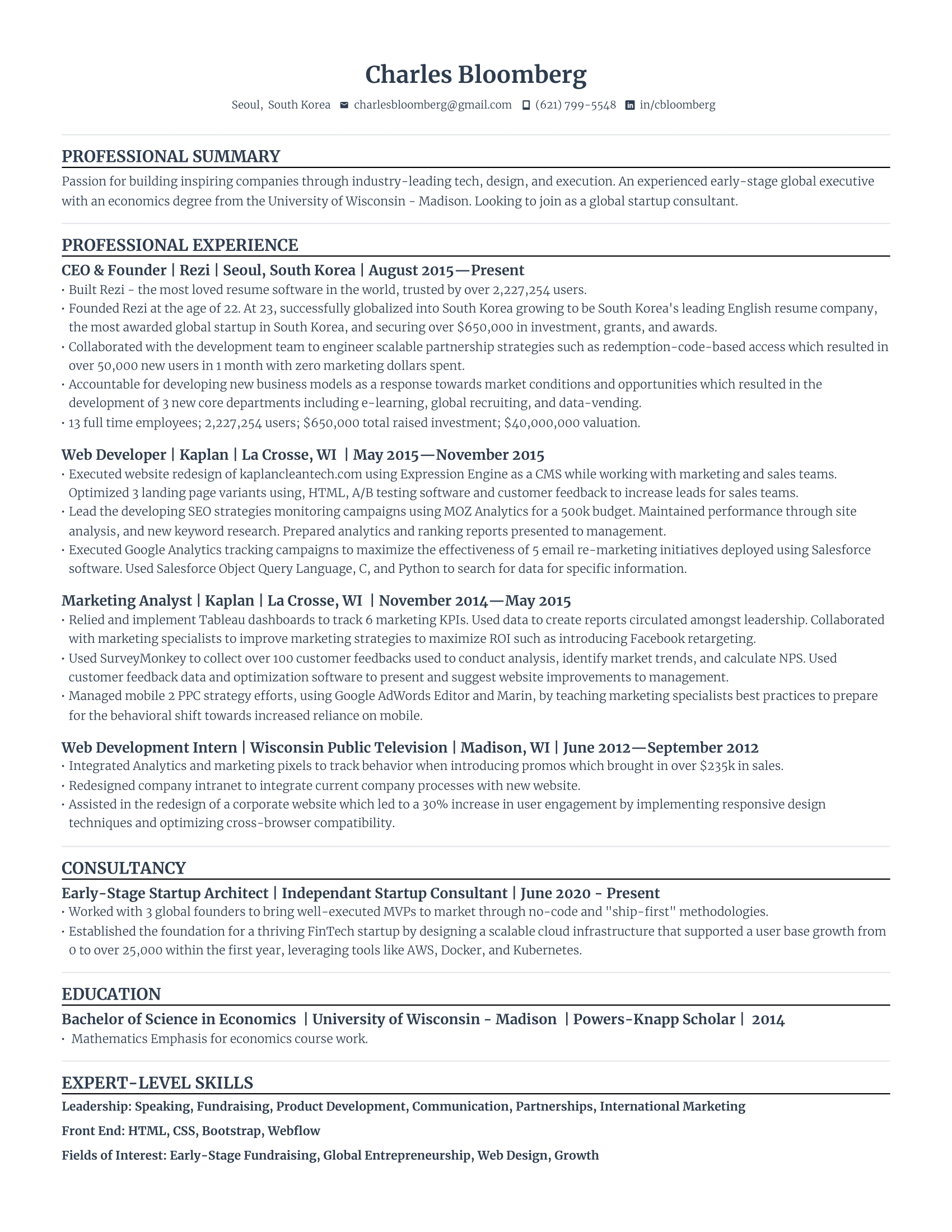
Think of this as the bold, confident cousin of the Compact template. Your name, job titles, and degree names stand out in bold, making them impossible to miss. It’s text-heavy, but the clean layout makes it easy for recruiters to scan and spot the highlights.

Check out our complete collection: ATS-Friendly Resume Templates
10 Professional Microsoft Word Resume Templates
Microsoft Word offers a variety of resume templates, many of which are organized and professional. But as most are on the simple side, you may need to make some formatting tweaks to fit a more detailed work history. The good news? ATS scanners love straightforward designs — just be sure to add enough detail to make your experience stand out.
Here are the top resume templates for Microsoft Word:
Basic Professional Resume Template
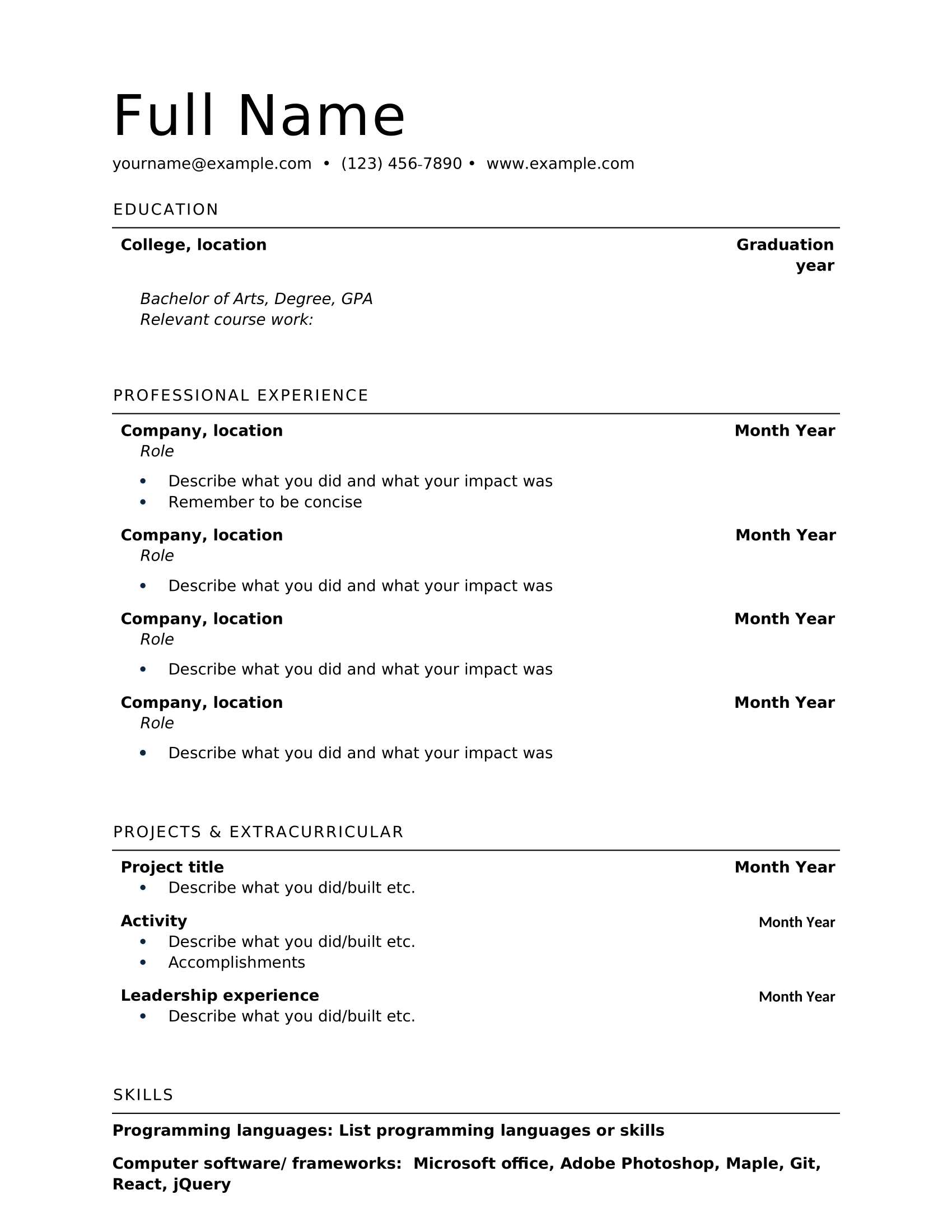
This Basic Professional Resume focuses on your achievements without unnecessary design elements. Ideal for students and new grads, it places education up top and leaves space for projects and extracurriculars. Once you gain experience, you can shift your work history higher.
Modern Resume Template
The Modern Resume Template creatively blends one- and two-column layouts for a fresh touch. Your name stands out in the top left, and the resume includes brief paragraphs to keep job descriptions concise. If you have a longer work history, I suggest switching to bullet points to make it easier to scan.

Bold Classic Resume Template
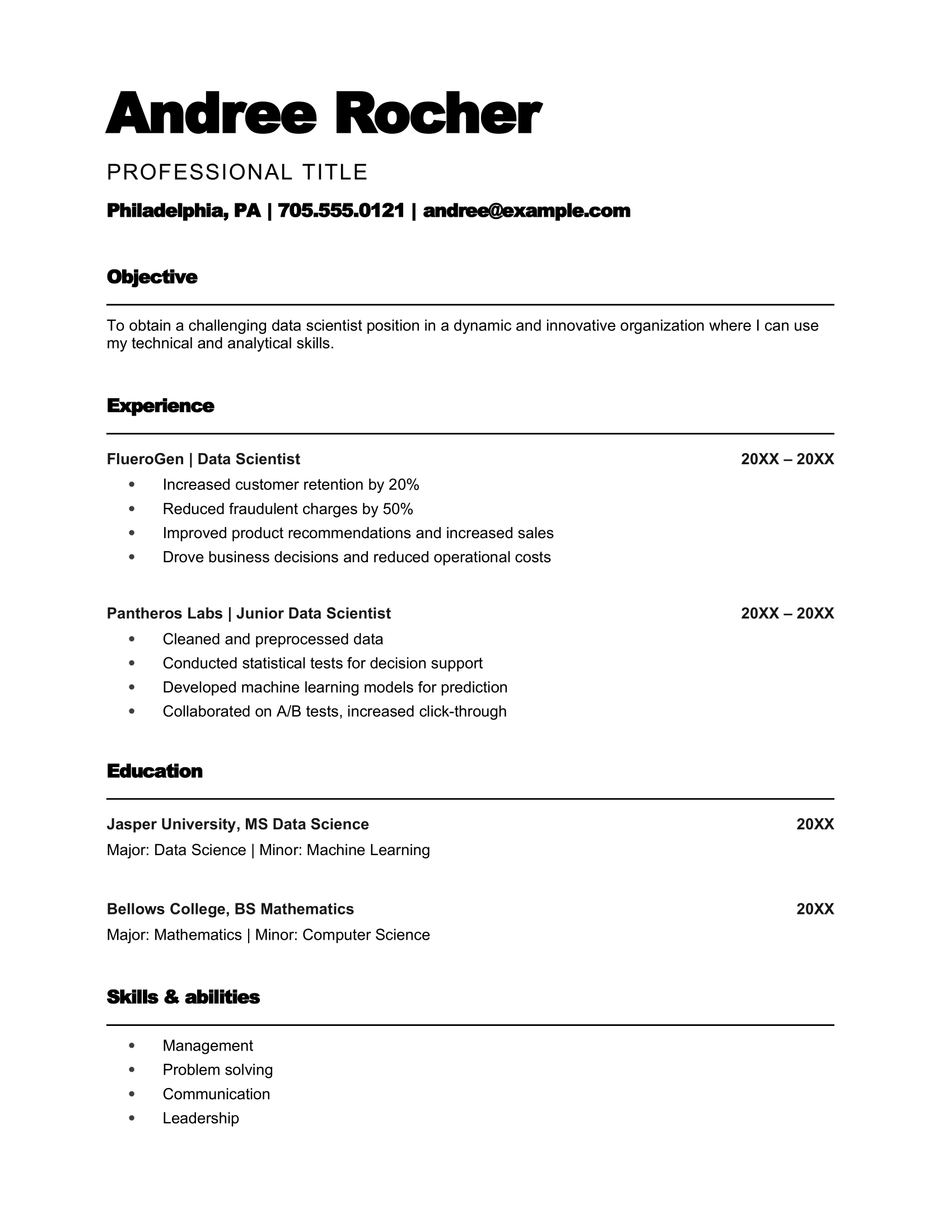
Make a statement with your name in oversized text alongside contact details at the top. This Bold Classic Resume keeps things structured with eye-catching section headings. It also includes a resume objective, which focuses more on career goals than past achievements.
ATS Simple Classic Resume Template
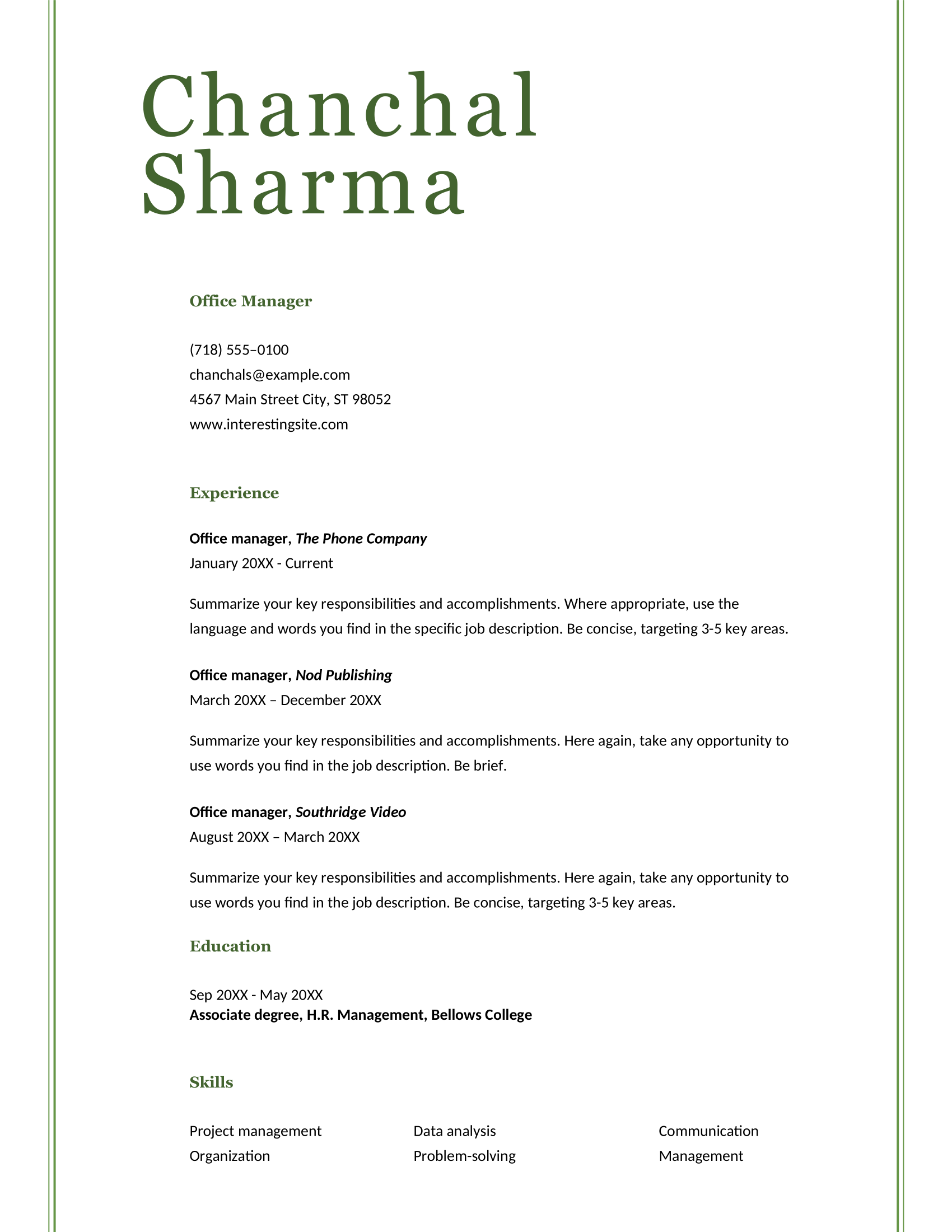
Getting through an ATS scanner doesn’t mean your resume has to be dull. A green border and stylish name header add subtle flair while keeping it professional. However, I recommend switching work history paragraphs to bullet points to improve readability.
Modern Initials Resume Template
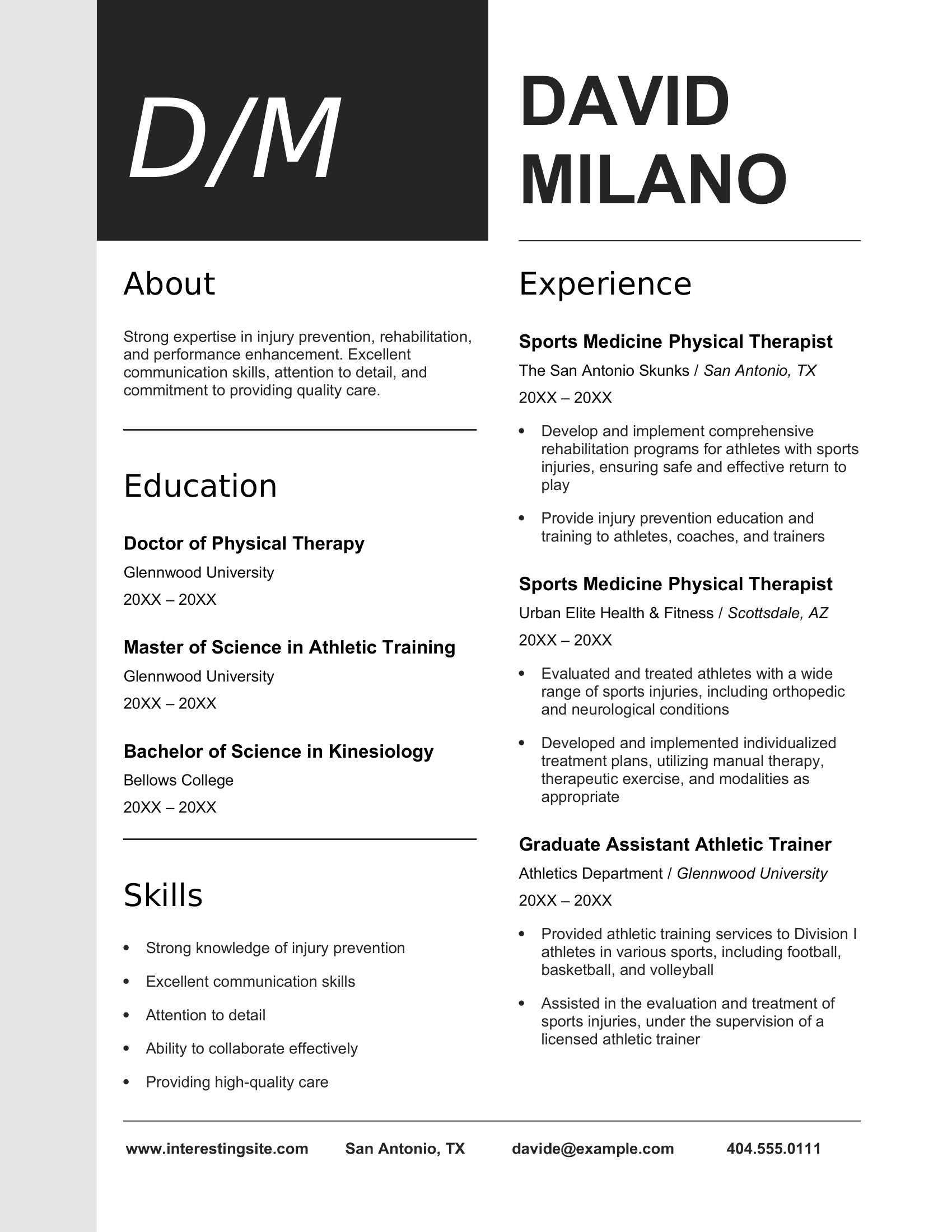
The Modern Initials Resume has a sleek design and a standout name header. Bullet points make scanning easy, while the bold contact section catches attention. Consider swapping out soft skills for technical abilities listed in the job description to strengthen your application.
Industry Manager Resume Template
Designed for seasoned professionals, the Industry Manager Resume skips borders and dividers to maximize space for work experience. The template is ideal for those with extensive experience or without a formal degree, as it prioritizes career history over education.
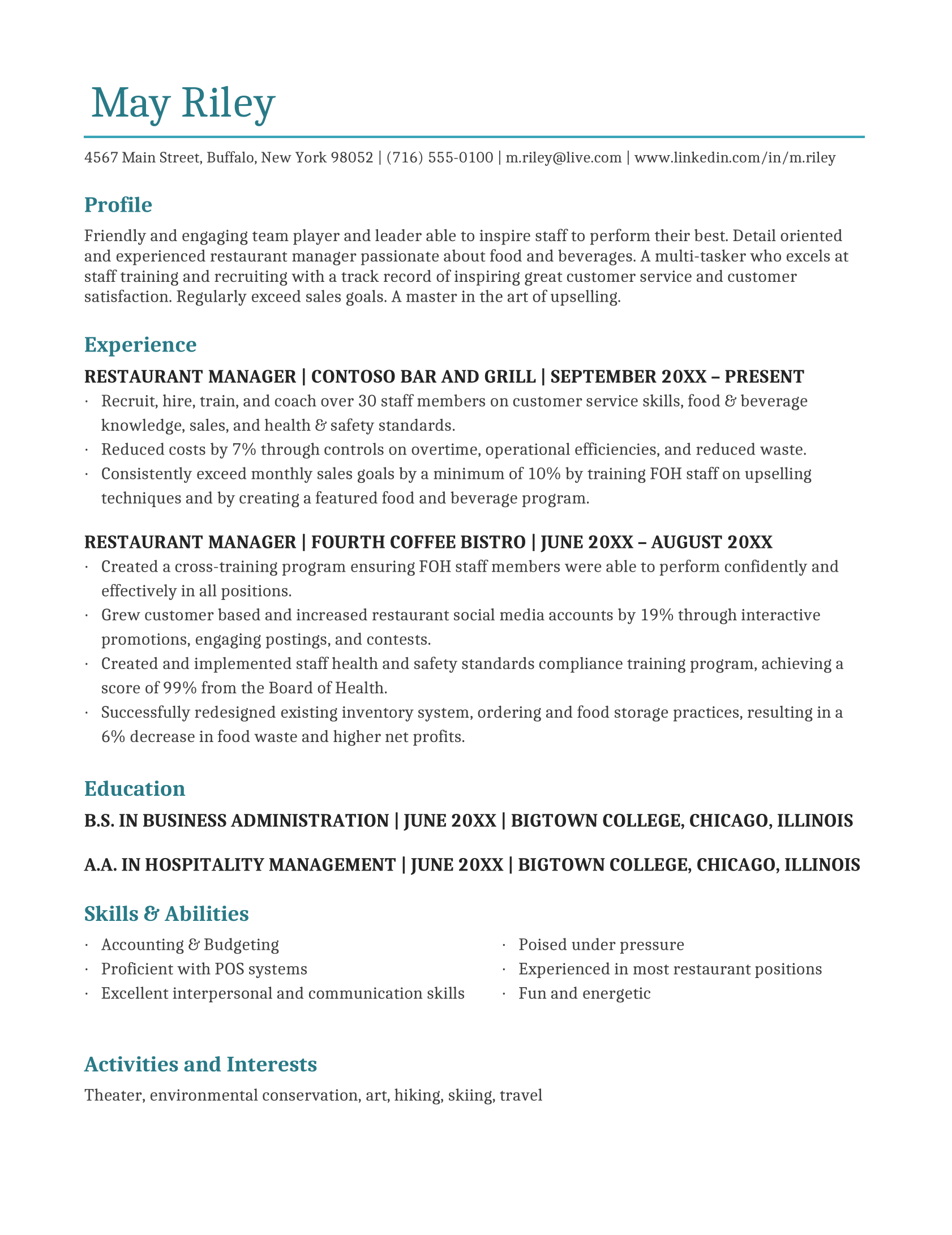
Simple Resume Template
The Simple Resume Template uses a blue color block to add personality — perfect for creative industries or relaxed companies. Work experience gets plenty of room, but swapping bulky paragraphs for bullet points can improve readability and make key accomplishments stand out.
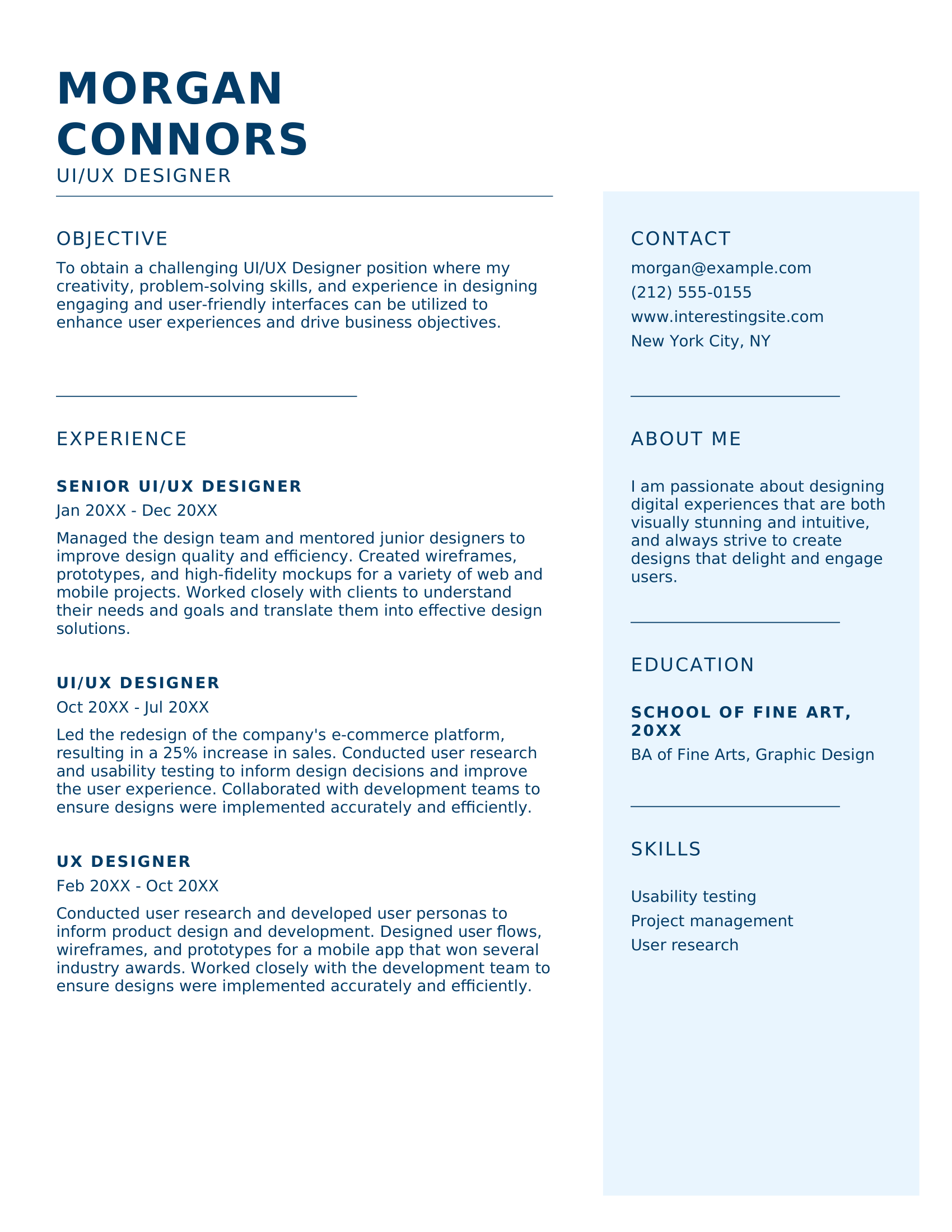
Modern Bold Resume Template
Your name takes center stage with the Modern Bold Resume, ensuring recruiters remember you. This balanced layout gives equal weight to education and work experience, making it a solid choice for those with a strong academic background and a few relevant jobs.
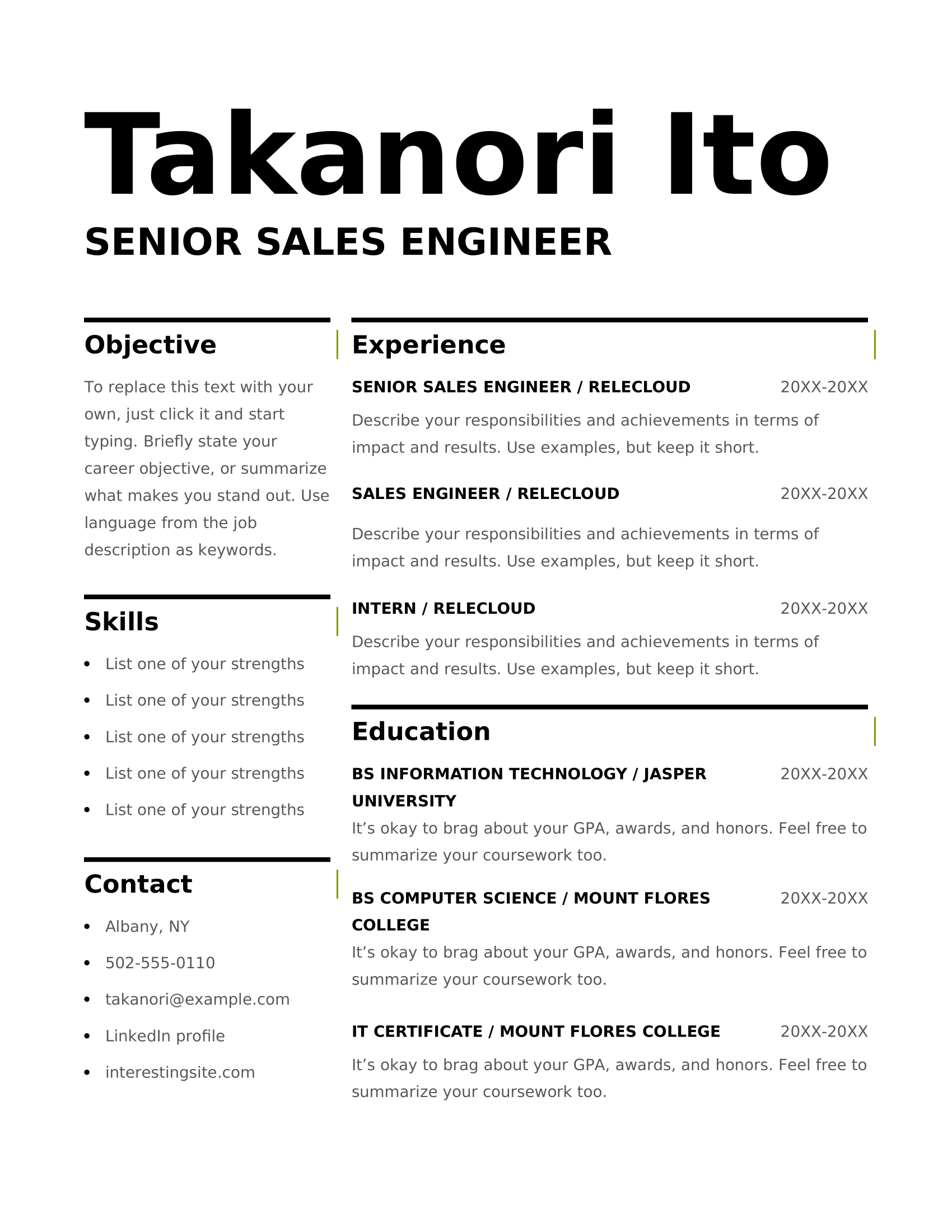
Internal Transfer Resume Template
Are you applying for a new role in your company? The Internal Transfer Resume shows your professional growth and contributions. Highlight key accomplishments with quantifiable results, and consider shifting your education section lower to focus more on your work experience and current impact.
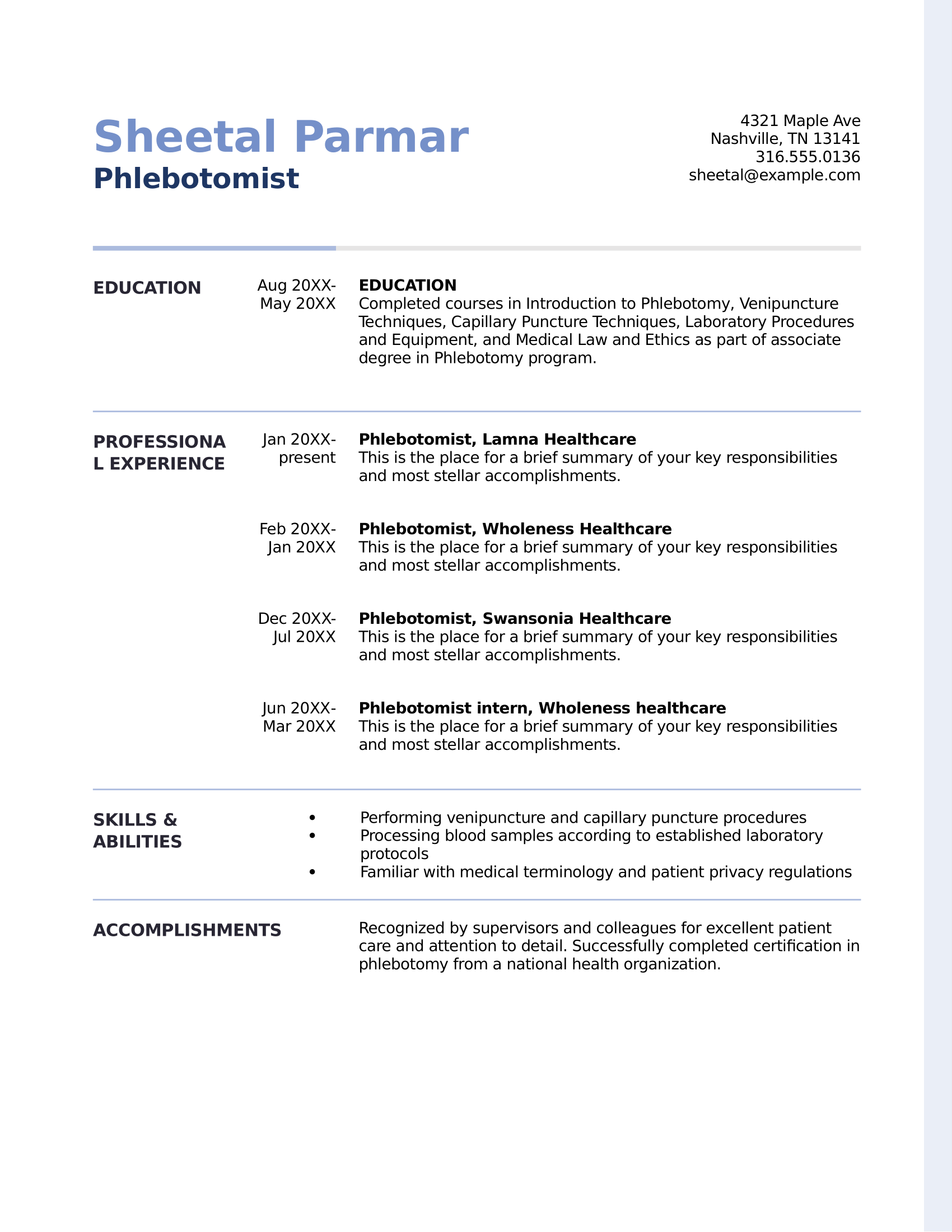
Bold Red Resume Template
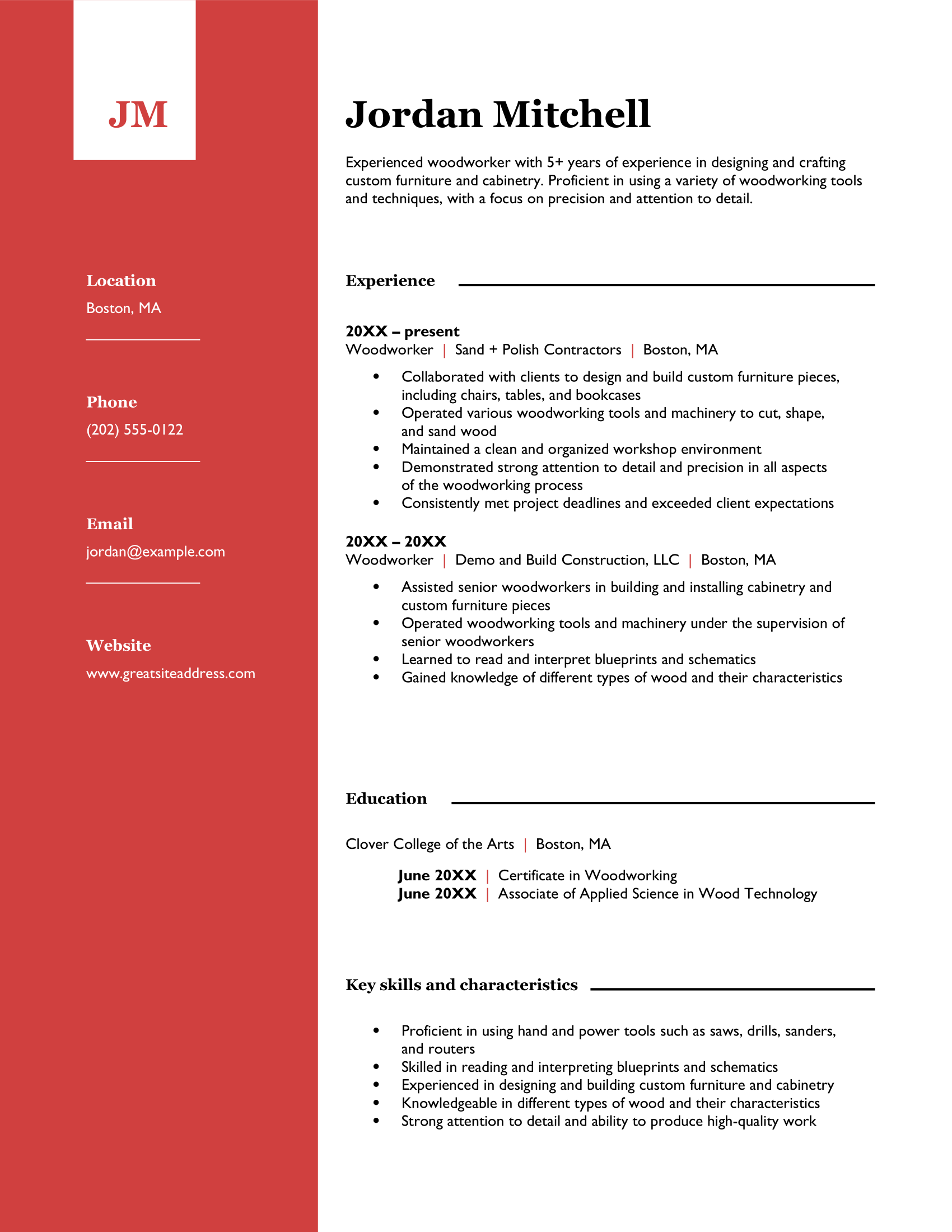
The Bold Red Resume Template features a striking red block with your initials and contact details, projecting confidence and ambition. It balances style and substance, offering plenty of space for work experience, with bullet points to keep job details easy to read.
Check out more of our favorite Microsoft Word resumes: 50 MS Word Resume Templates
5 Professional Google Docs Resume Templates
Google Docs is a familiar favorite — you just need a Google account, and you’re ready to go. You can find five resume templates in the Google Docs template gallery, all of which keep it simple with a subtle touch of color.
The catch? They’re a little basic. While perfect for ATS scanners, you might need to add extra details to fully highlight your experience and skills.
Take a look at the official Google Docs resume templates:
Swiss Resume Template
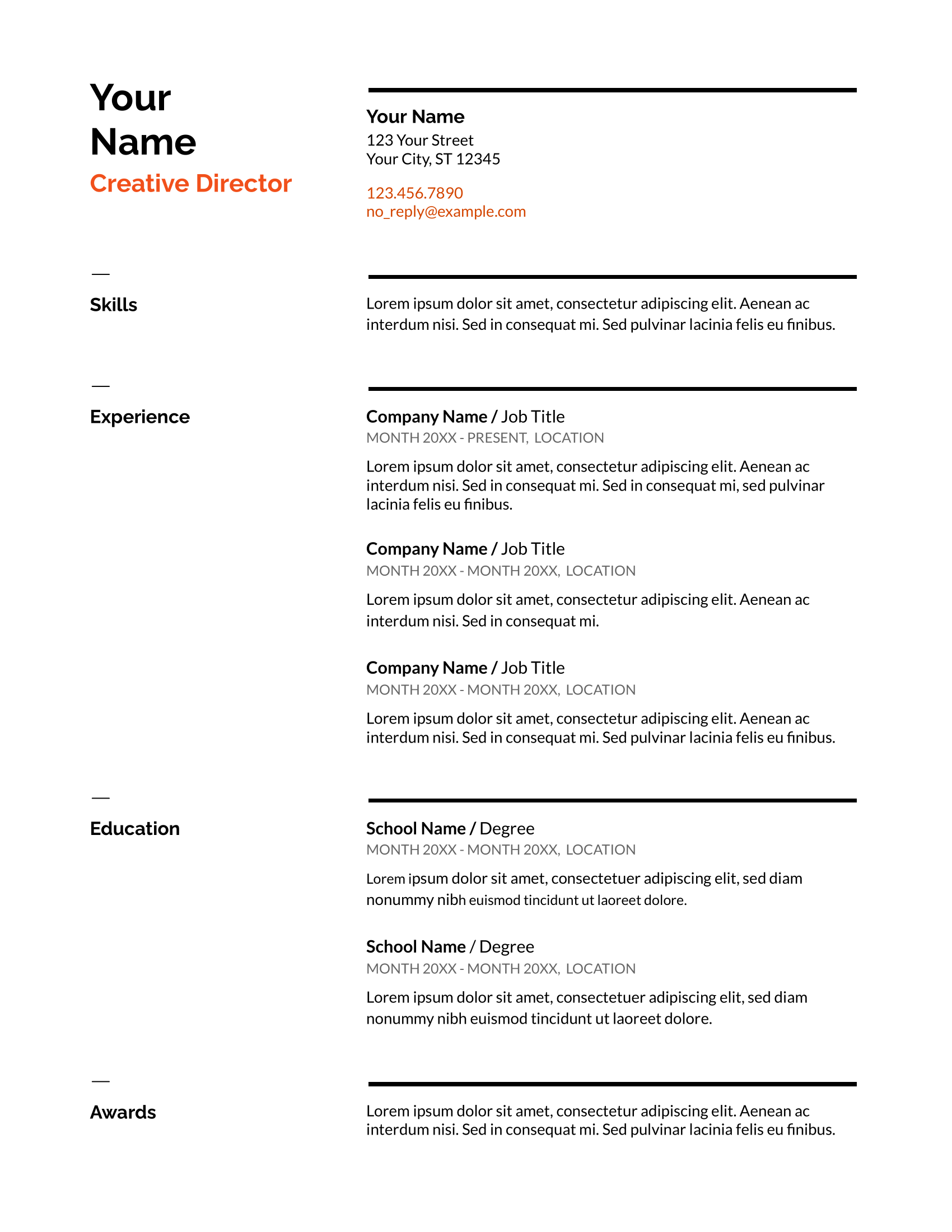
The Swiss Resume Template stands out with a subtle orange accent, giving it a professional pop. Line dividers and bold headings keep things neat. However, the left space limits room for detailed work experience, so it’s not the best choice if you have an extensive job history.
Serif Resume Template
The Serif Resume Template has a modern look with blue headings and a two-column layout. It uses white space and bold headings for a clutter-free design. Plus, there’s room for extra sections like skills, awards, and languages, so you can highlight what makes you stand out.
.png)
Coral Resume Template
The Coral Resume Template adds a creative touch with playful fonts like Playfair, Lato, and Italic. The skills section sits at the top, making it easy to highlight your technical abilities right away — perfect for roles that focus on expertise and qualifications.
.png)
Spearmint Resume Template
The Spearmint Resume Template includes large bullet points to highlight your experience and accomplishments. A bold green color makes a statement without distracting from your content, making it a smart choice for those who want to get noticed without overwhelming the reader.
.png)
Modern Writer Resume Template
The Modern Writer Resume adds a hint of pink to keep things professional but fun. It uses a one-column layout with skills at the top, perfect for jobs requiring specialized skills. The source code font is also a subtle nod to coding languages, making it a solid fit for tech roles.
.png)
Explore more Google Doc-compatible resume templates: Free Google Docs Resume Templates
8 Professional Canva Resume Templates
Canva makes design easy for everyone — even if you’re not a pro. But when it comes to resumes, less is more. It’s tempting to go all out with snazzy styles, but a simple, professional layout keeps the focus where it matters: on your content.
I’d suggest making all your edits in Canva first to avoid formatting headaches when transferring to another platform.
Check out the best professional resume templates on Canva:
Corporate Resume Template
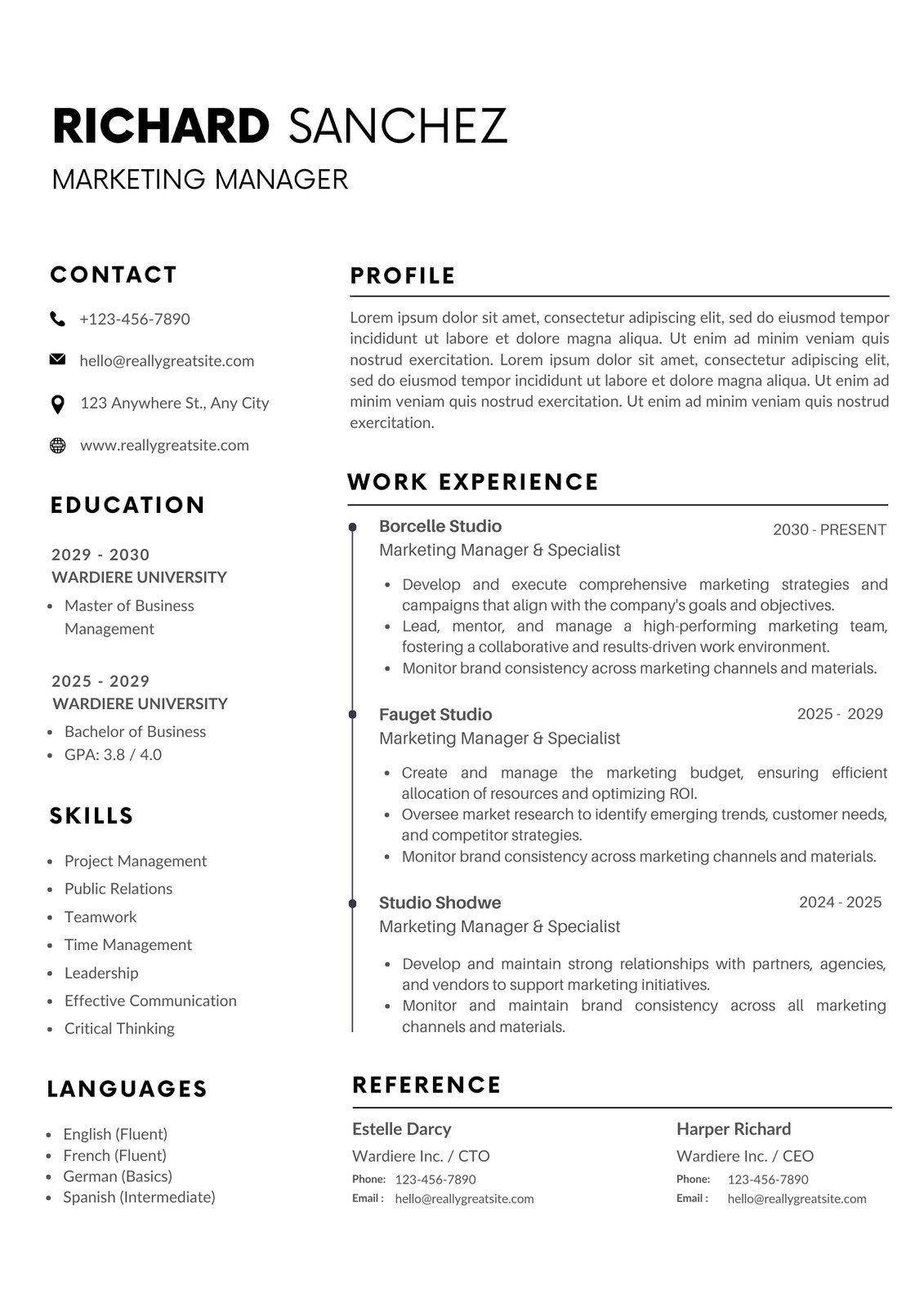
The Corporate Resume uses dividers to organize sections, with a standout work experience area. Consider removing references to free up space, as employers typically request them separately. You can also swap the language section for notable projects or achievements.
Minimalist Resume Template
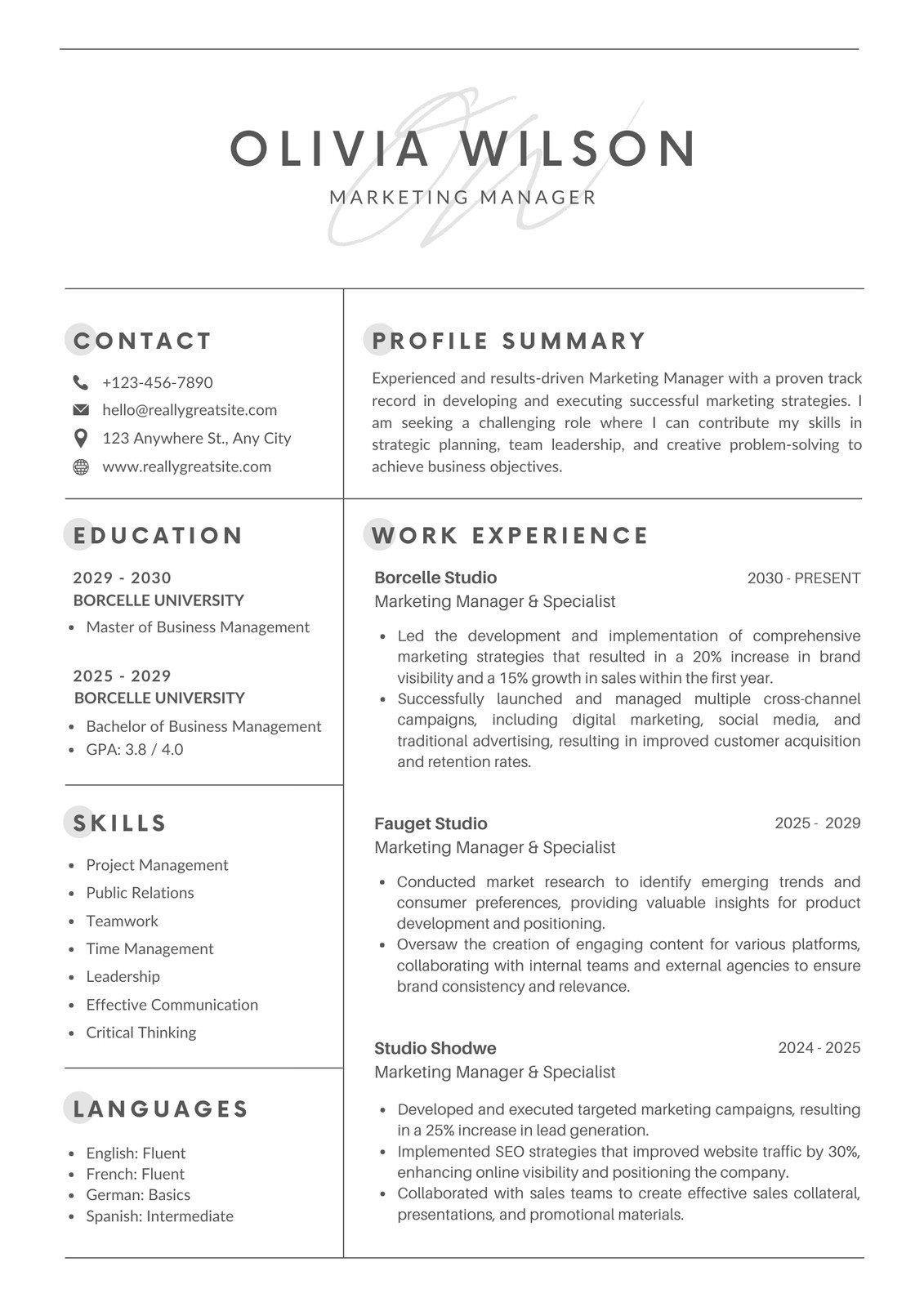
Neat boxes separate sections, making the Minimalist Resume Template easy on the eyes. Your work experience has the largest section, and your name takes center stage. With a simple gray and black color scheme, it’s perfect for a minimalist look that’s still impactful.
White and Orange Resume Template
The White and Orange Resume adds a touch of color to divide sections while keeping things professional. The layout includes areas for contact details, work experience, skills, and education, with extra space for awards or projects. Its bright design feels modern and approachable.

Modern Resume Template
This Modern Resume includes a bold name and icons to immediately grab attention. The clean layout uses headings to break up sections, leaving plenty of space to expand on experiences. Sections for education, skills, and certifications are perfect for showing your technical expertise.

Blue and White Professional Resume Template
Hints of blue throughout this Blue and White Professional Resume create a polished, organized look. Your bold name and profile help set the tone for your application. With separate sections for work experience, education, and skills, it’s easy to highlight your technical abilities and certifications.

Professional Modern CV Resume Template
Organized and sleek, the Professional Modern CV Template uses dividers and a gray block to separate key sections. The layout is perfect for readability, but be cautious about including a photo, as many U.S. employers discourage it. Research your industry or location to see if it’s acceptable.
Purple and White Resume Template
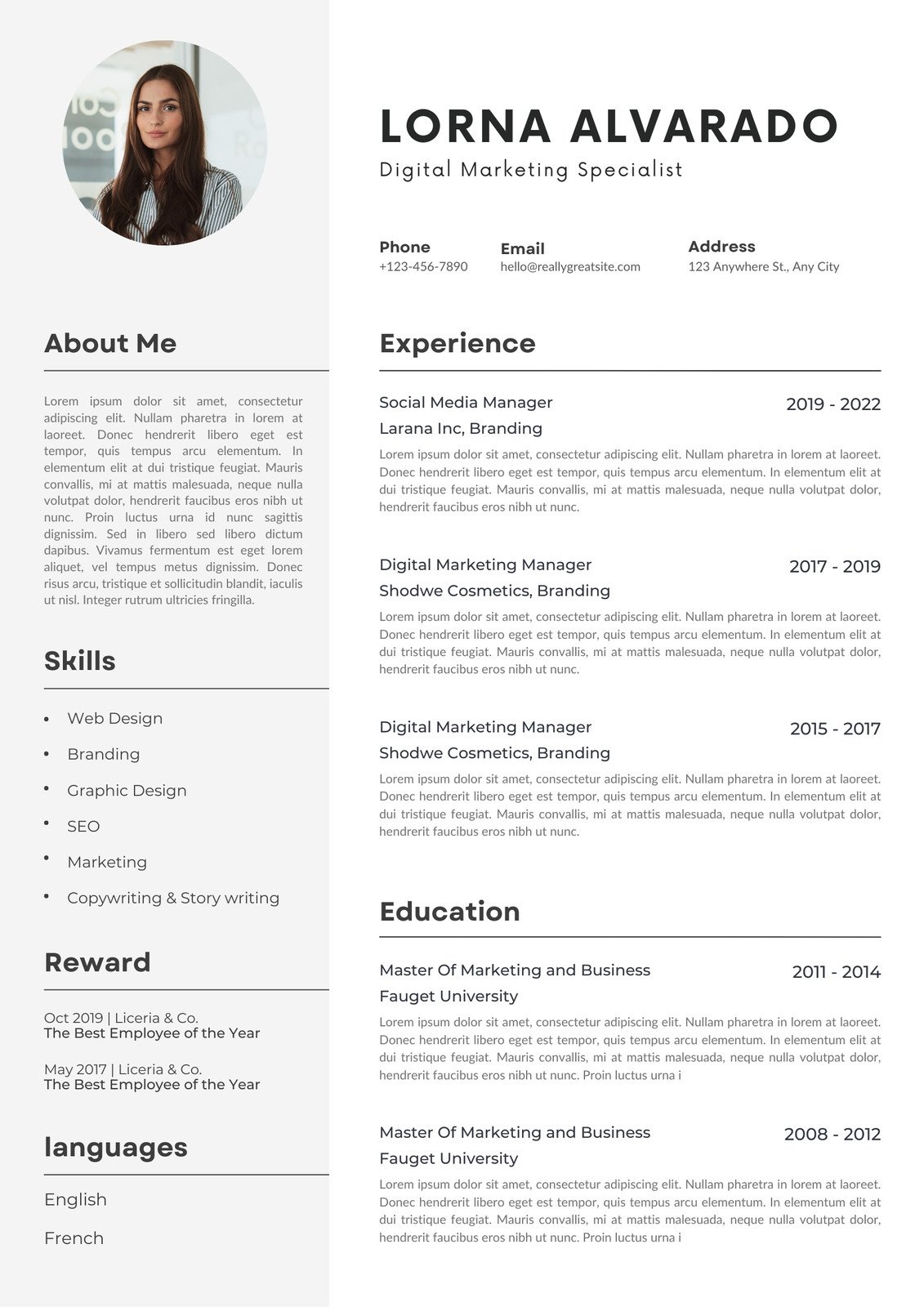
The Purple and White Resume uses purple accents to give this template personality, while the professional format keeps it grounded. One-line job details maximize space for bullet points, allowing you to detail your experiences.
Blue Simple Professional CV Resume Template
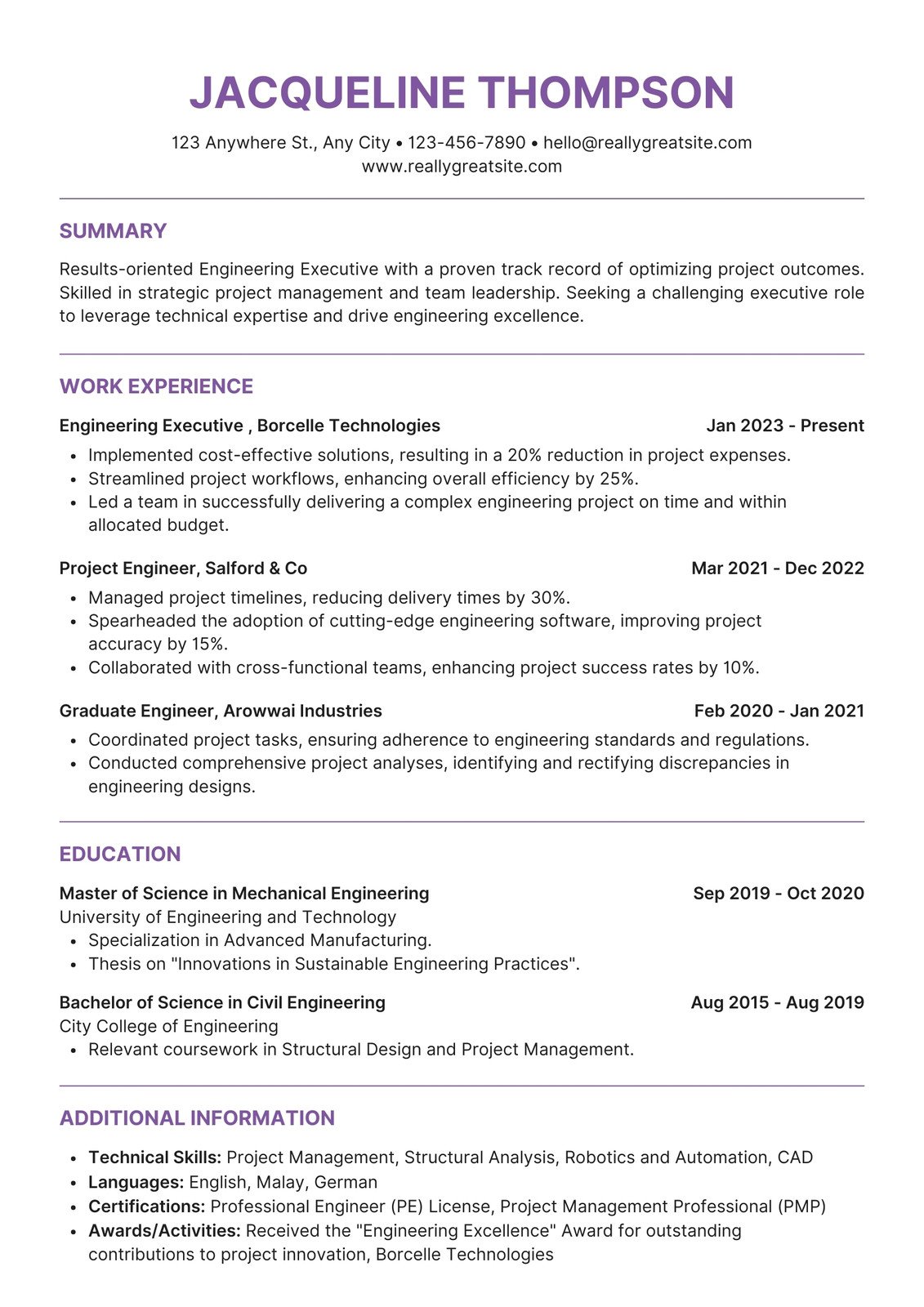
The Blue Simple Professional CV uses light blue splashes to make this template easy to read without overshadowing your content. Clear section borders ensure your work experience and education stand out, and bullet points help with readability.
Find our complete list of top Canva resumes: Free Canva Resume Templates
5 Professional Adobe Resume Templates
Adobe is a firm favorite amongst marketers, artists, and graphic designers, and their resume templates definitely show it. While the bold colors and artistic formatting can shine in creative fields, they might not be the best fit for a more traditional professional resume.
Lucky for you, I’ve found some templates that strike the perfect balance — they’re still polished with a touch of personality.
Check out my top picks for Adobe resume templates:
Yellow and White Resume Template
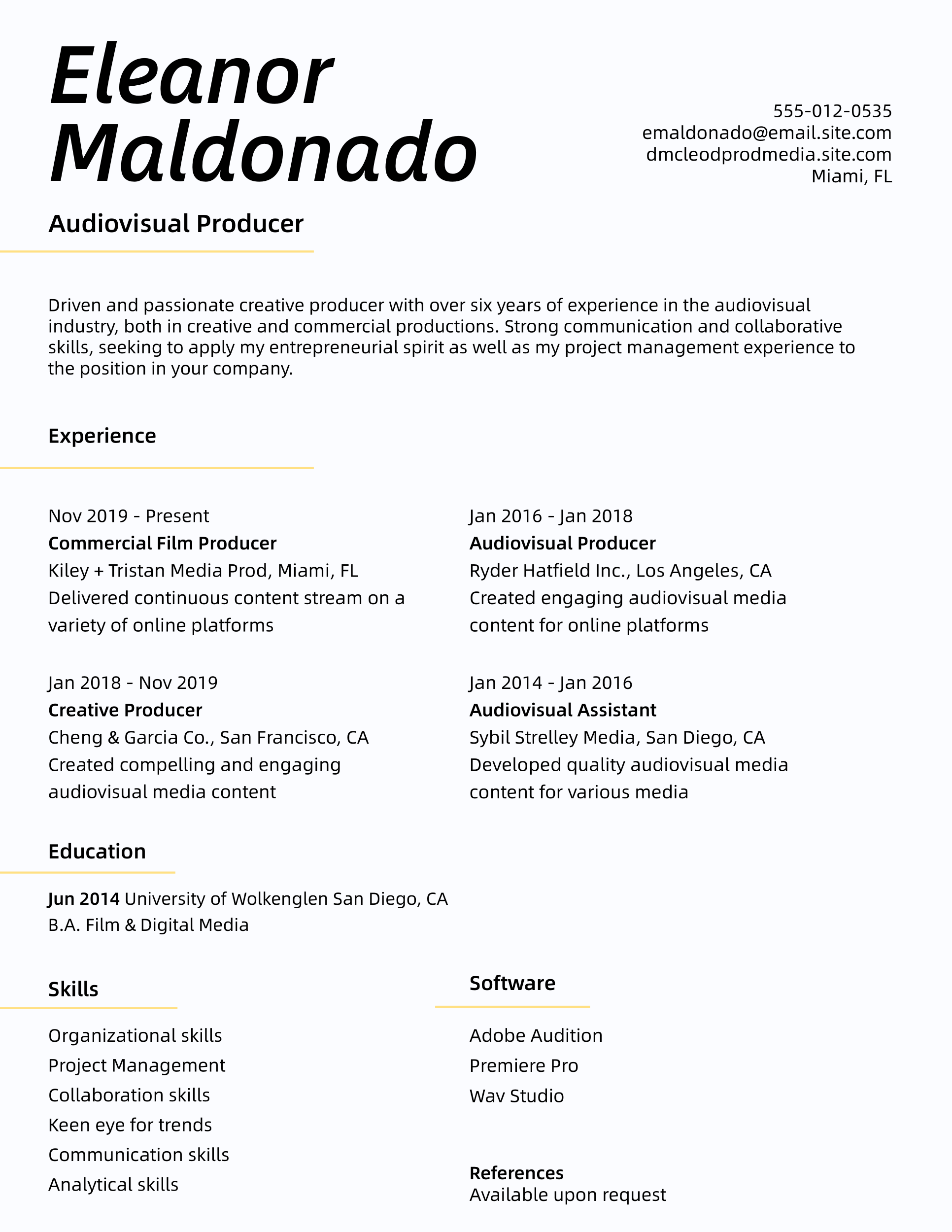
The Yellow and White Resume uses a subtle yellow accent to divide sections. The two-column layout highlights your work experience while providing space for skills and education. There’s also room for software, great for showcasing your technical expertise.
Simple Resume Template
Perfect for new grads, this one-column Simple Resume Template emphasizes your education and includes a section for memberships to highlight your passions outside the classroom. However, I would skip the photo unless the employer specifically requests one.
.webp)
Bold Resume Template
The Bold Resume delivers a strong first impression with a bold name and lines to separate sections. Ideal for students or recent grads, it allows space for extracurriculars, awards, and skills. It’s perfect for showing potential, even without a ton of work experience.
.png)
Minimalist Resume Template
This Minimalist Resume has a unique corner design that adds a creative touch. The layout places work experience and skills side by side, emphasizing your technical abilities with quantifiable achievements. It also includes a section for certifications to highlight your expertise.
.png)
Blue and White Resume Template
The Blue and White Resume has a dark blue border for a formal and dynamic feel. The template also offers plenty of space for detailed bullet points in the work experience section. However, I suggest expanding your contact details with LinkedIn or portfolio links to make it more comprehensive.
.png)
5 Professional University Resume Templates
Are you a college student looking for a job? Many universities provide resume templates and career resources to help you get started. Since students often have limited work experience, these templates highlight education with sections for projects, extracurriculars, and skills — helping you show your potential and stand out to recruiters.
Here are some of the top university resume templates:
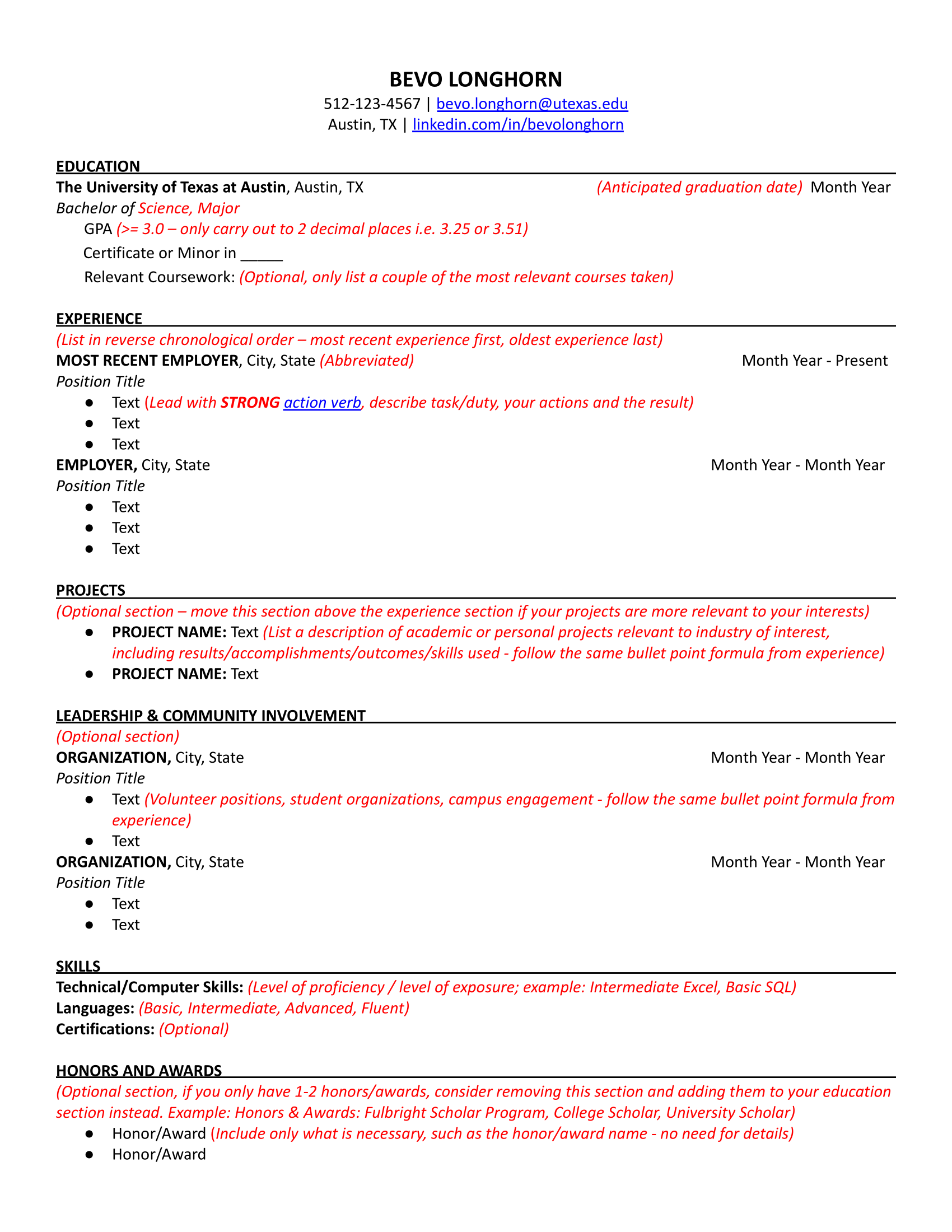
The University of Texas at Austin Resume Template
This editable template offers helpful tips throughout to help you build your resume. It emphasizes education, with sections for projects, leadership, skills, and awards — great if you’re a recent grad with little work experience who wants to show off your drive and accomplishments.
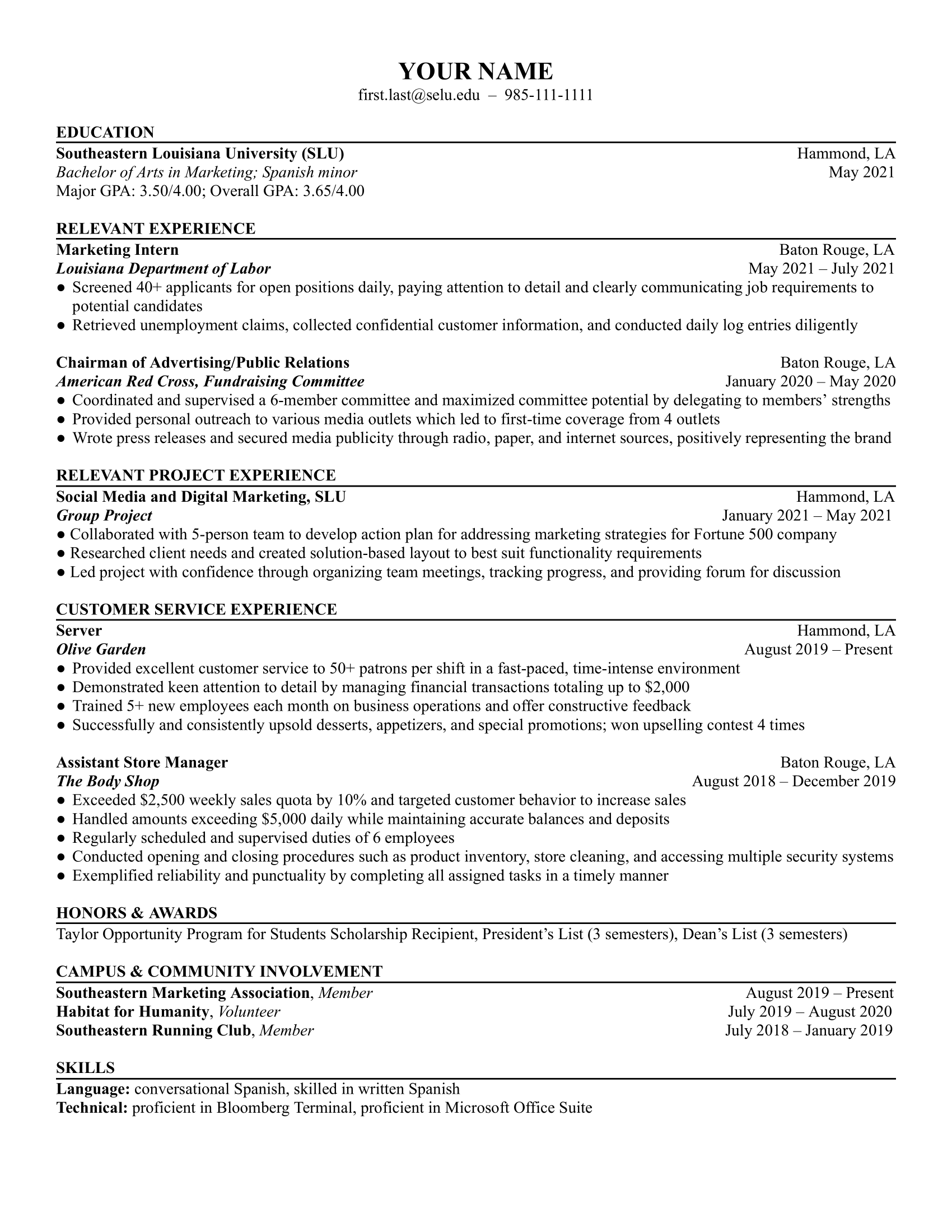
Southern Louisiana University Resume Template
This template divides work experience into general work and customer service (which you can swap out for another industry). While not traditional, it could be useful to highlight certain experiences, like volunteer work, or emphasize specific roles that align with the job.
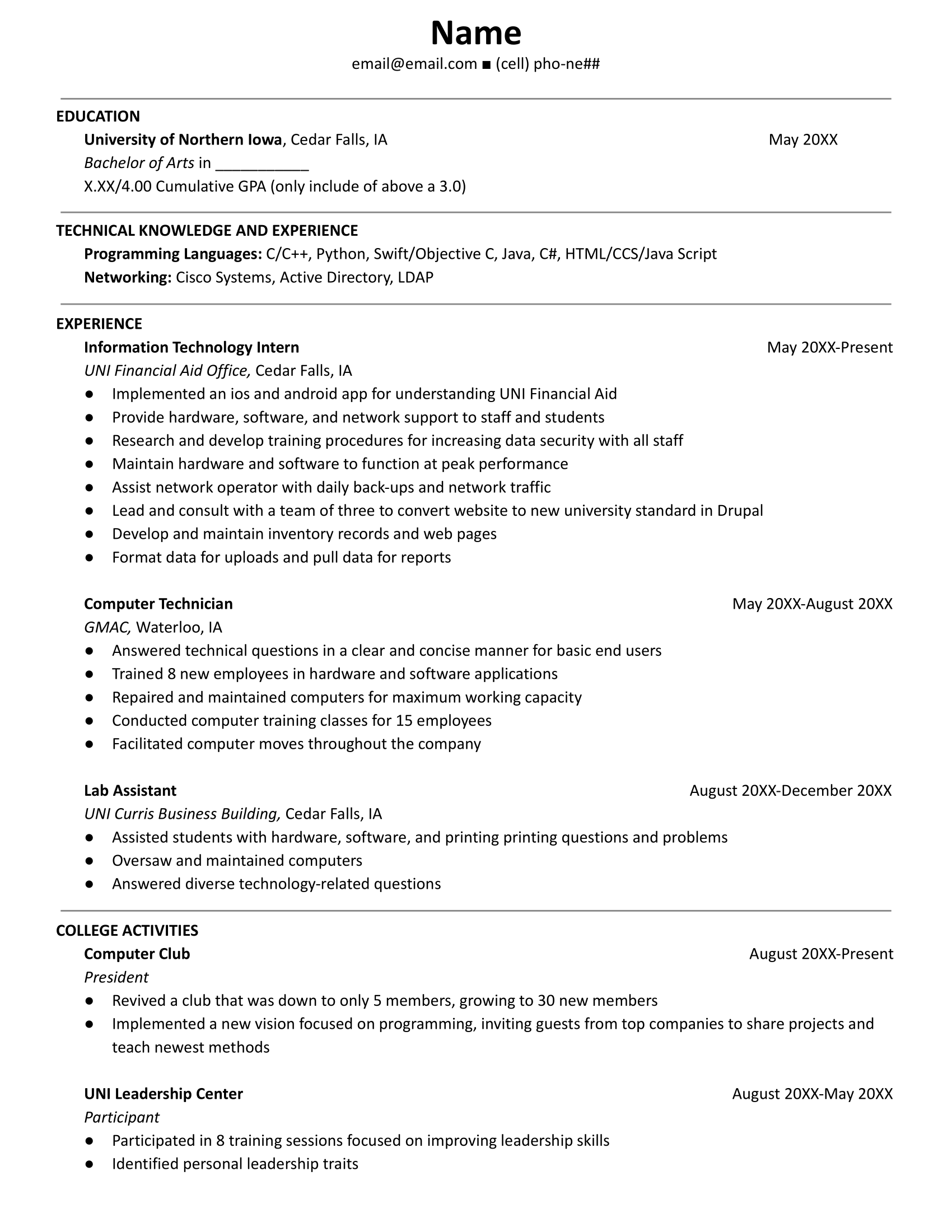
University of Northern Iowa Resume Template
This resume template puts education at the top and offers a section for technical skills — perfect for jobs requiring specific software knowledge. It also includes space for college activities, so you can demonstrate your skills and passion beyond the classroom.
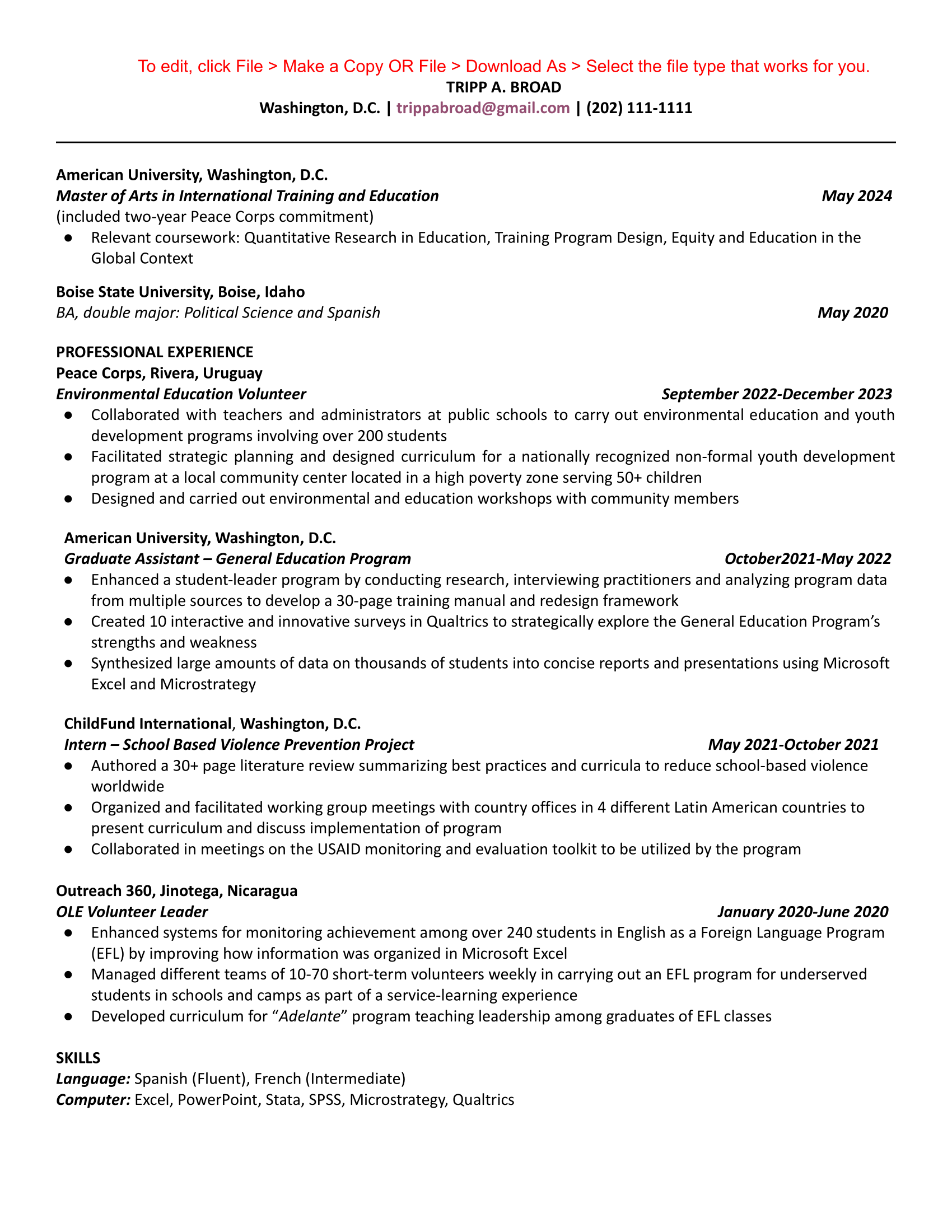
American University Resume Template
This one-column resume is great for professionals with an extensive job history. If you have a strong background, move your education section lower, unless it’s relevant to the position. The template’s straightforward format suits traditional and professional employers.
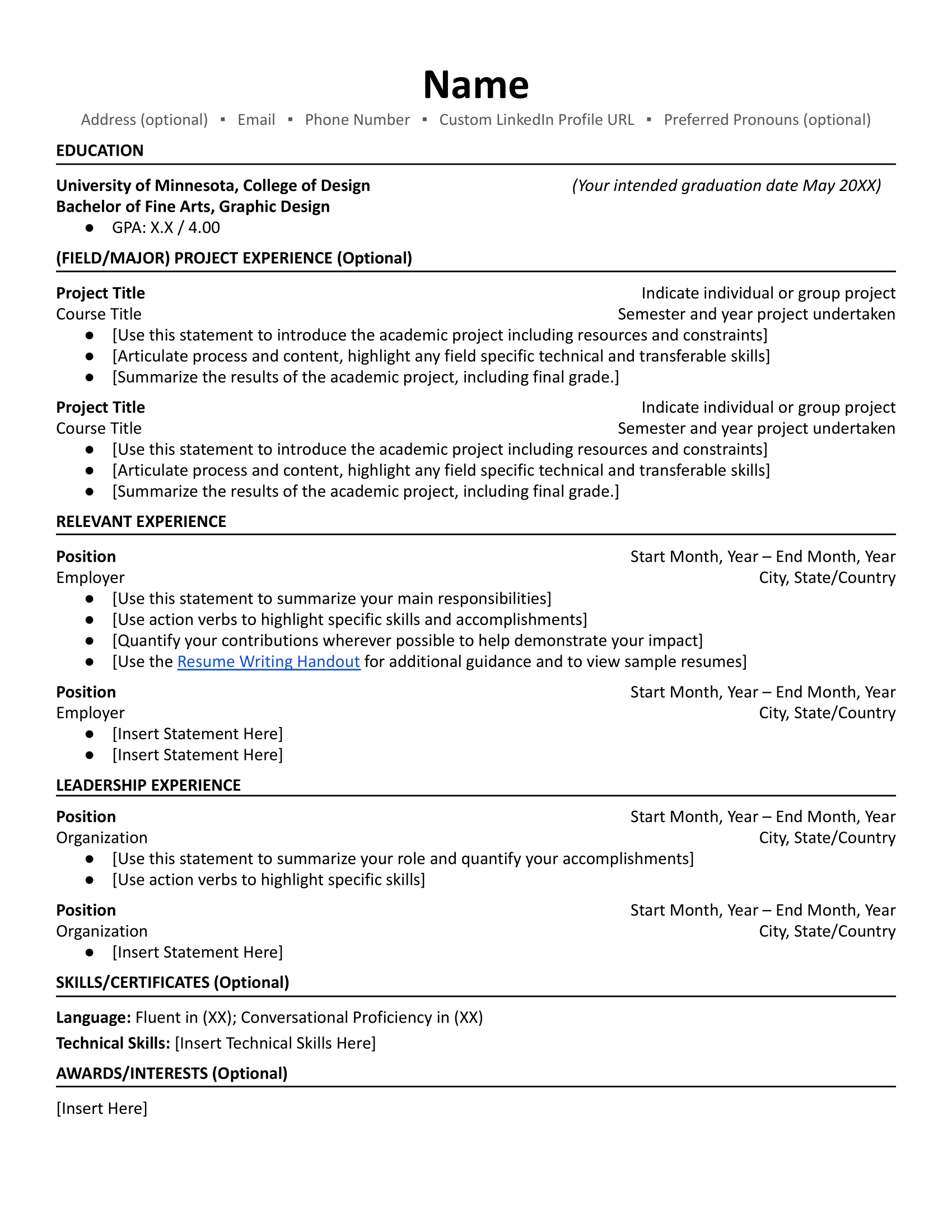
University of Minnesota Resume Template
This template is perfect for academic roles, as it highlights education, projects, leadership, and awards. However, if you have a few years of experience, consider a template that focuses on work experience more — employers often prioritize practical experience over academic achievements.
Are you fresh out of college or still in school? Find out more:
- How to Choose a Career
- How to Write a Resume With No Experience
- How to Write a Cover Letter With No Work Experience
- Gen Z Job Market: What Needs to Change in the Workplace
5 Professional Overleaf Resume Templates
Overleaf is a cloud-based platform where you can write, edit, and collaborate on LaTeX documents, including resumes. It’s a favorite for researchers, engineers, and anyone comfortable with LaTeX. Most of their templates are geared toward students and focus on highlighting education and technical skills.
Here are some Overleaf templates you can use to build your resume.
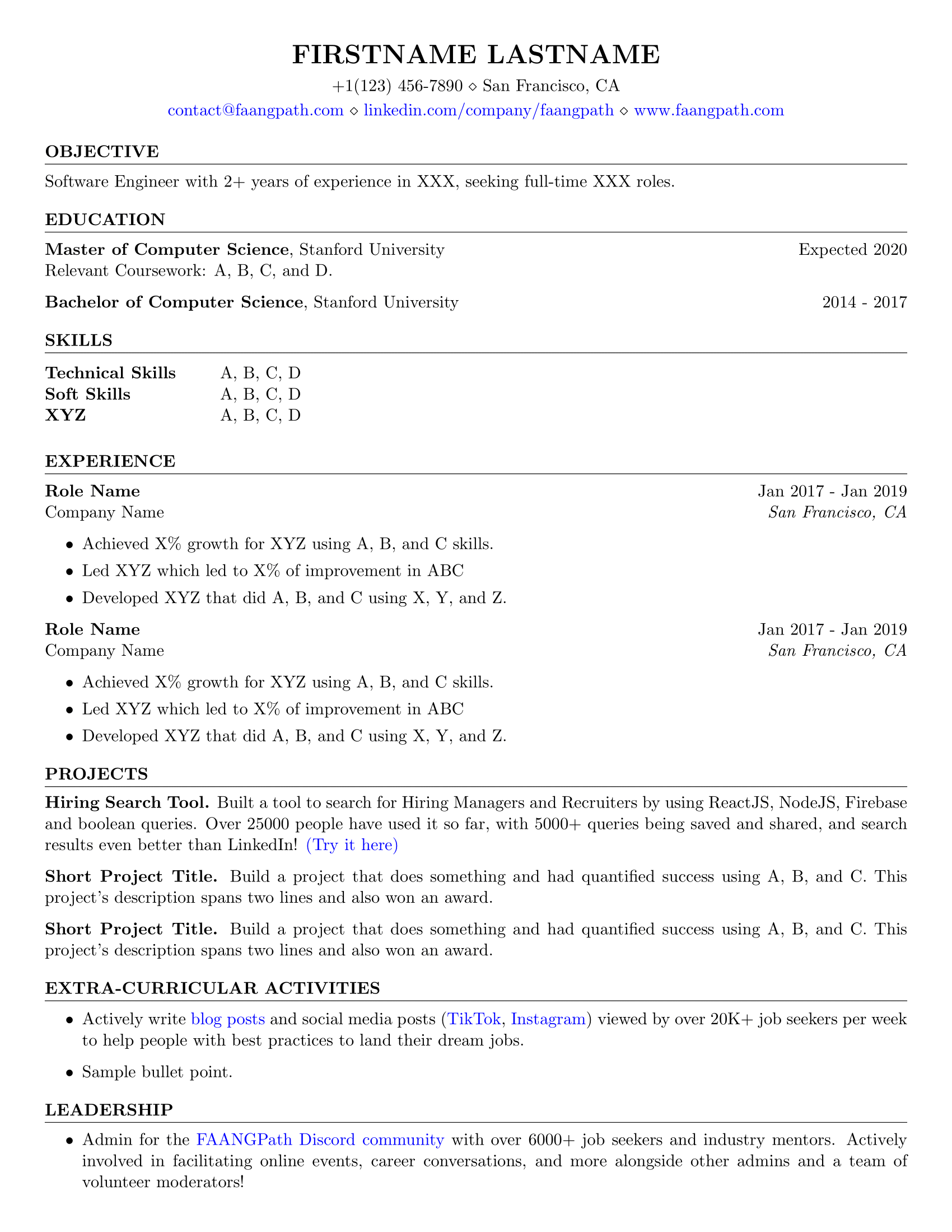
FAANG Resume Template
This template was created with students and new grads in mind who are aiming for a job at the top tech companies. You have room for projects and leadership examples, which helps fill gaps when you don’t have much experience yet. Once you’ve built a stronger work history, you can shift the focus by expanding your job section and trimming older academic details.
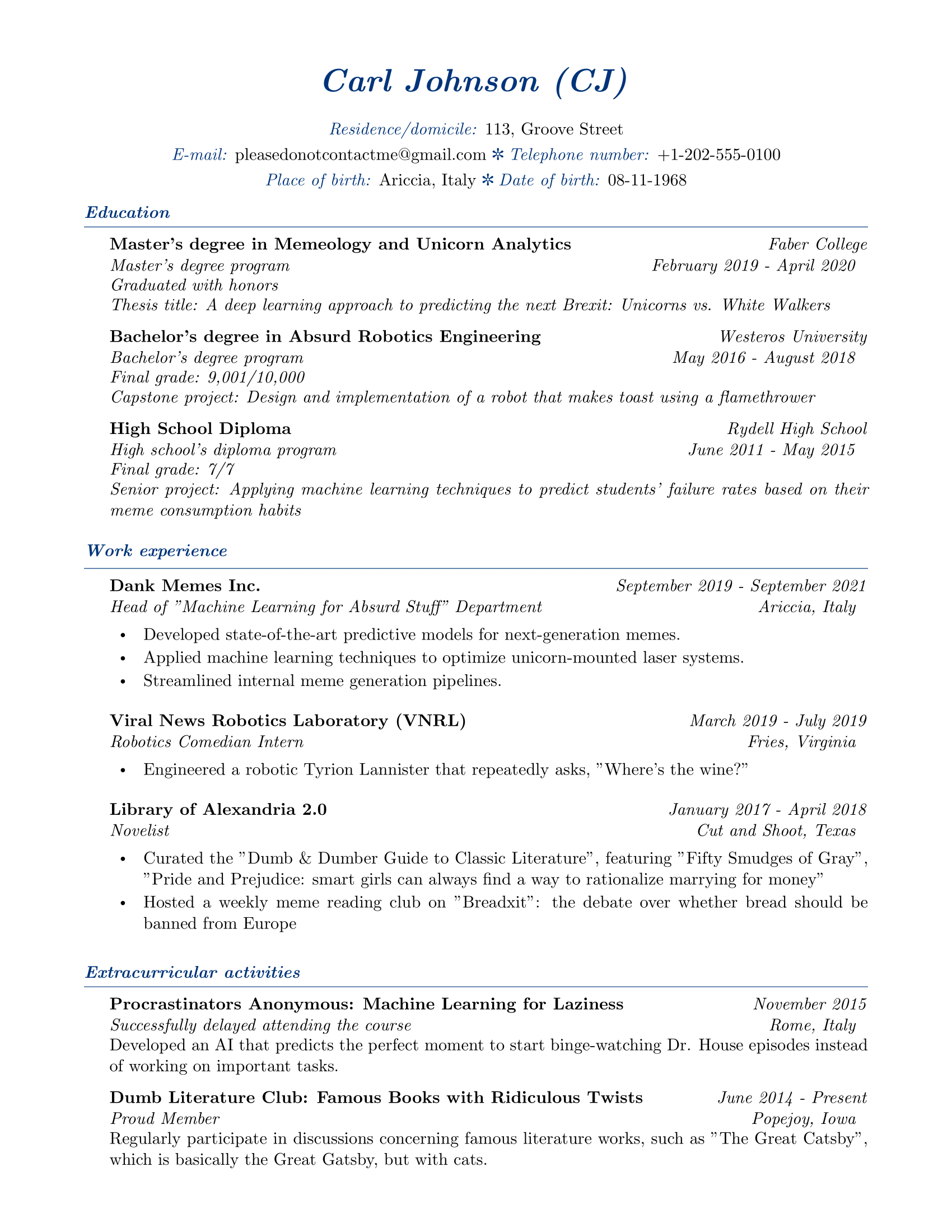
Elegant Resume Template
This template brings a classy, formal tone that works well for research-focused roles or companies that expect a polished presentation. Navy headers help break up the text and draw attention to your key details. And just a heads up: the placeholder content is intentionally humorous — you’ll definitely want to tone that down and replace it with your actual information.
Student Resume Template
This template flips the usual resume structure by dropping the work experience section, which can be helpful if you have nothing to include. Instead, it focuses heavily on education, skills, and projects. You can update the publication section with relevant coursework or certifications. I’d also remove the references section unless someone specifically asks for it.

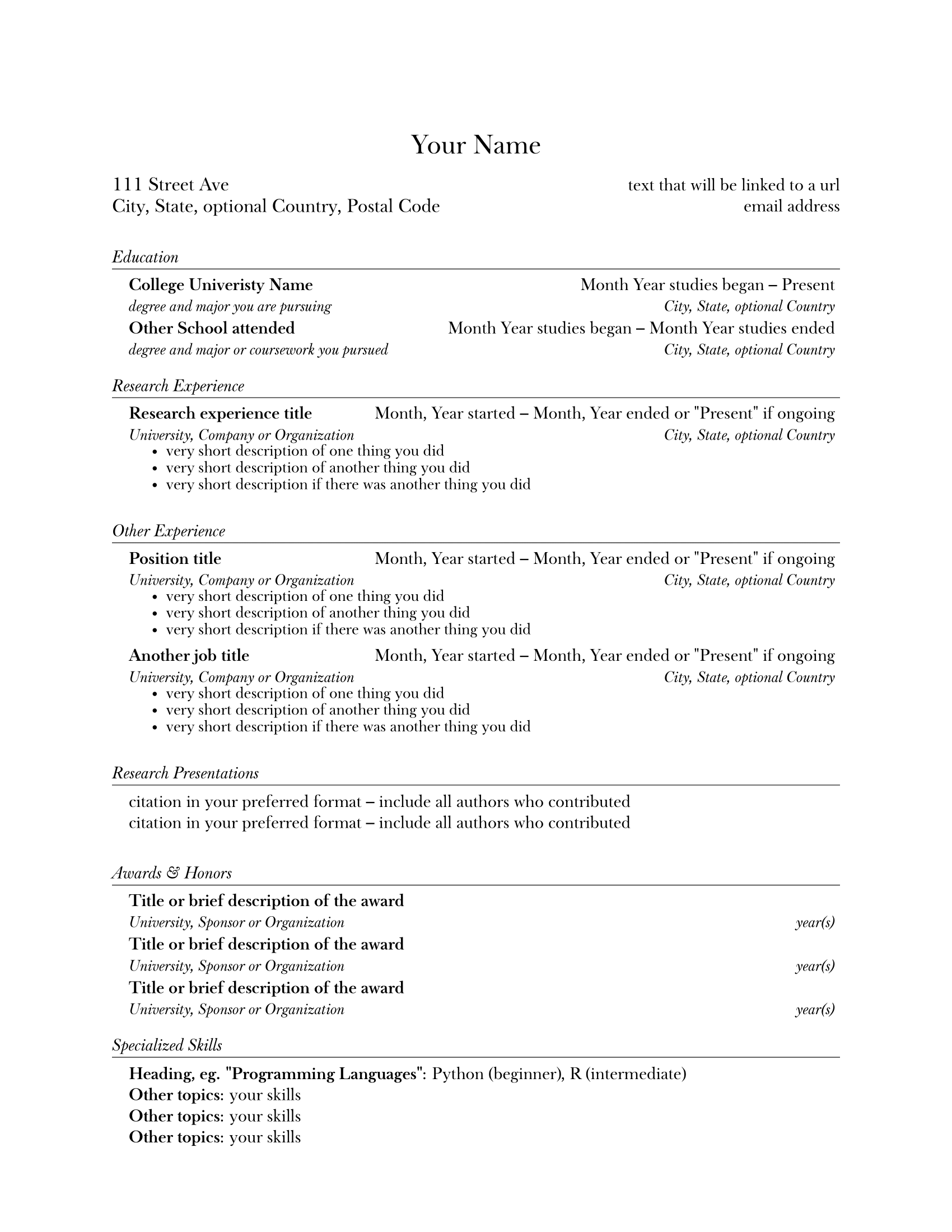
Research Resume Template
The research template is built for students applying to labs, academic programs, or research positions. Its minimalist design keeps the focus on your content, not your formatting, and the sections are divided with lines, so everything stays readable. It emphasizes your academic background with space for research experience, presentations, and awards.
LaTeX Resume Template
This layout is structured and instantly readable. Your technical skills sit at the top in categories, making it easy for hiring managers to see if you meet their requirements. There’s also room for projects and certifications, which is smart if you’re proving your abilities through hands-on work. Just keep everything aligned with the job you’re targeting.
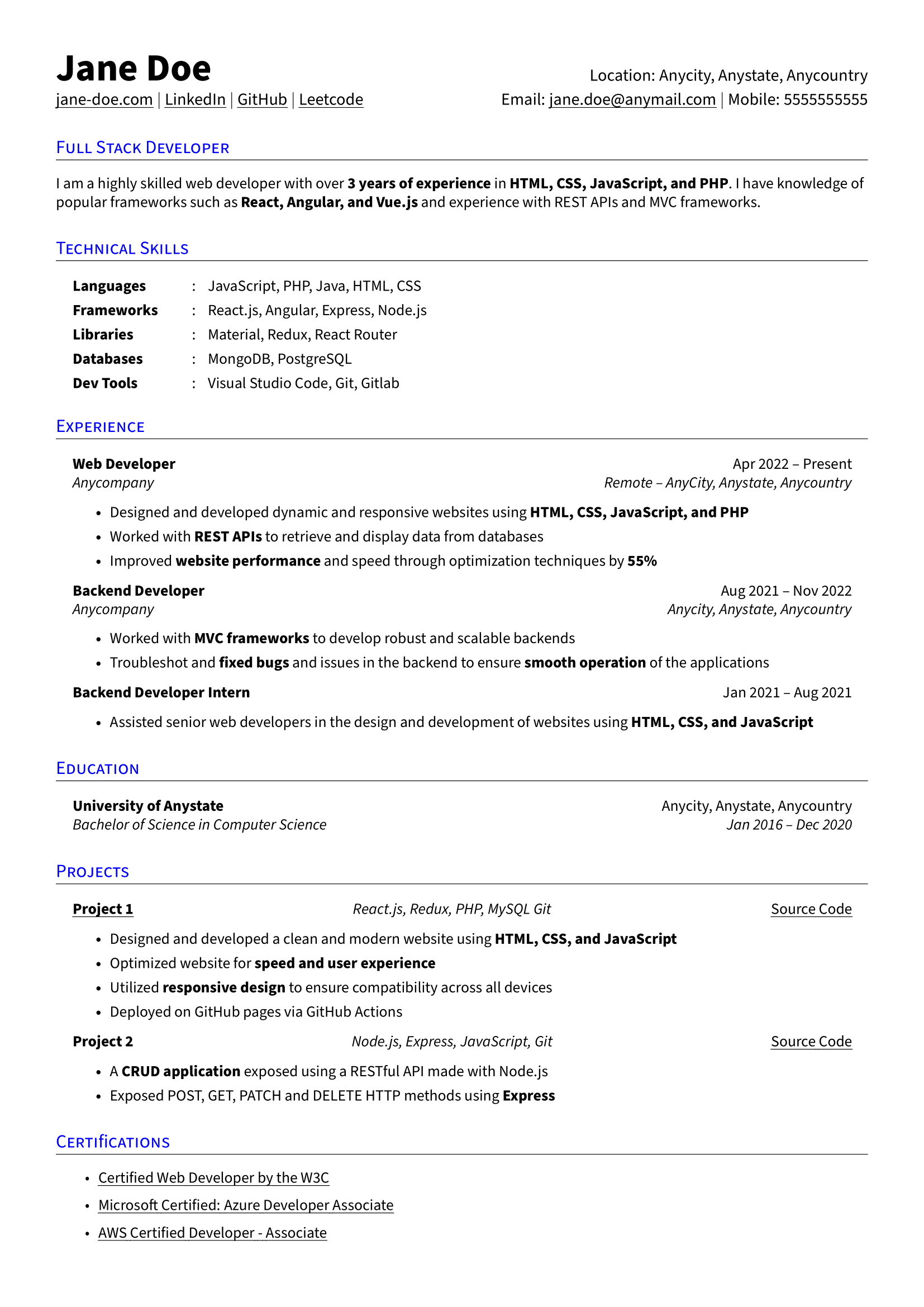
Check out more LaTeX resumes: Best LaTeX Resume Templates for Professionals
5 Professional Etsy Resume Templates
Let’s be honest, why pay for a resume template on Etsy when there are plenty of free options online? Well, you’re not just buying a template. Many come with writing guides, cover letter templates, and even video tutorials. Yes, you can find all of this for free if you hunt for it (or by heading to our blog page), but Etsy makes it convenient to have everything in one place.
Here are my top budget-friendly resume templates from Etsy.
ATS Resume Template
This template is modern and safe for applicant tracking systems, making it a solid choice for job hunting in competitive fields. It comes with lots of extras, such as Word files, a cover letter, guides, and even an action-verb list. Everything is fully customizable, from fonts to icons, so you can tailor the layout to fit your style and experience without losing ATS compatibility.

Professional MS Resume Template
This professional template is minimal, organized, and easy to tweak to align with your details. It’s ATS-friendly and easy to edit in Word, so you can adjust fonts, colors, and layouts until it feels like “you.” It even includes icons and a guide to help you improve your application. There’s also a references page, but I’d skip including it since modern resumes rarely need one.

Minimalist Resume Template
This design keeps things sleek and simple while still looking professional, and it’s fully ATS-compatible. You can choose a one- or two-page version, though a single page usually makes for a stronger, quicker read unless you have a lot of relevant experience. It comes bundled with multiple file formats, a cover letter, helpful guides, and clean icons.
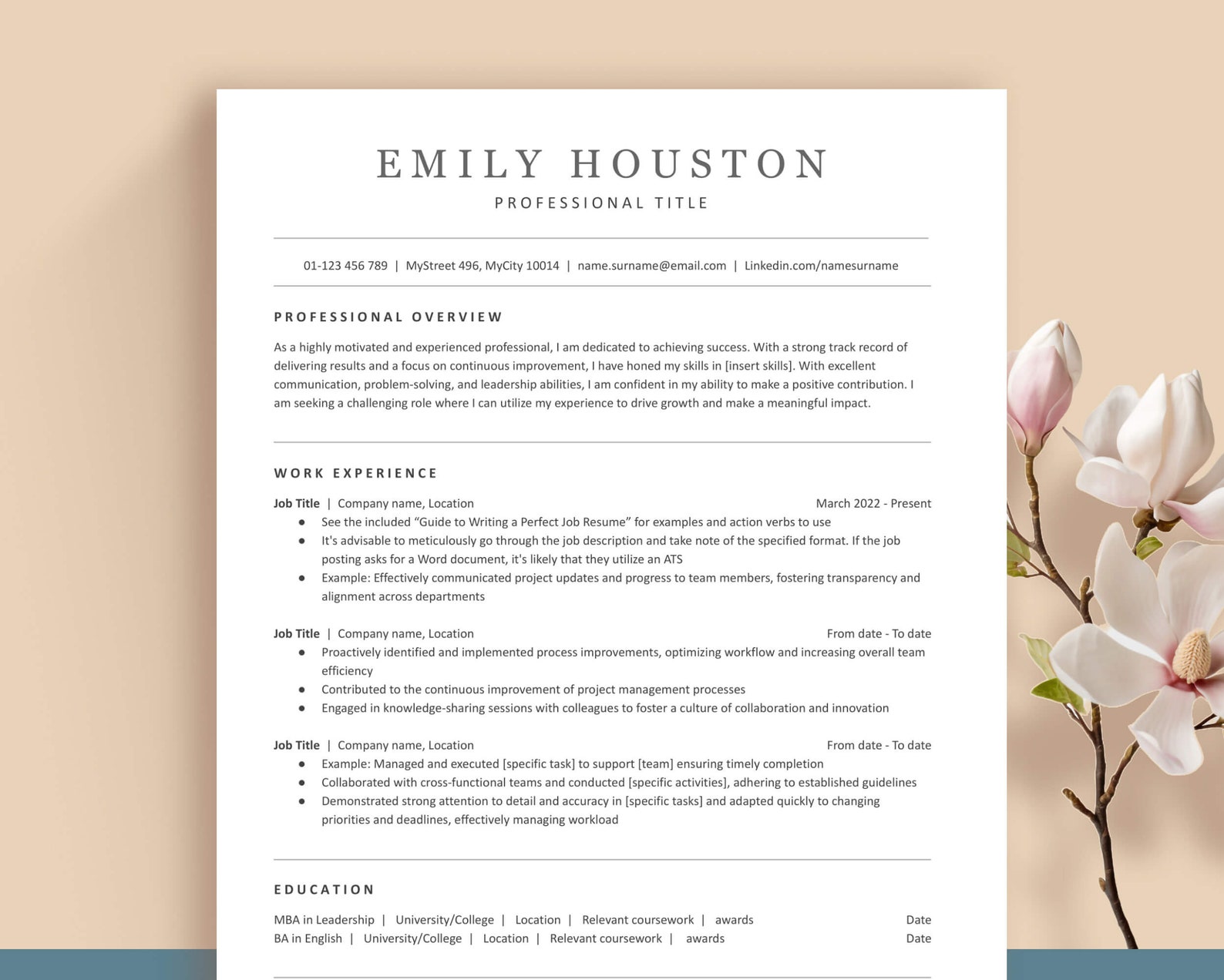
Clean Resume Template
This two-column layout leaves plenty of space to break down your work history, while also letting you separate general skills from technical ones. Everything is customizable, from text and icons to entire sections. You also get various helpful tools like writing guides, templates, and tutorials, making it pretty easy to personalize the whole package.
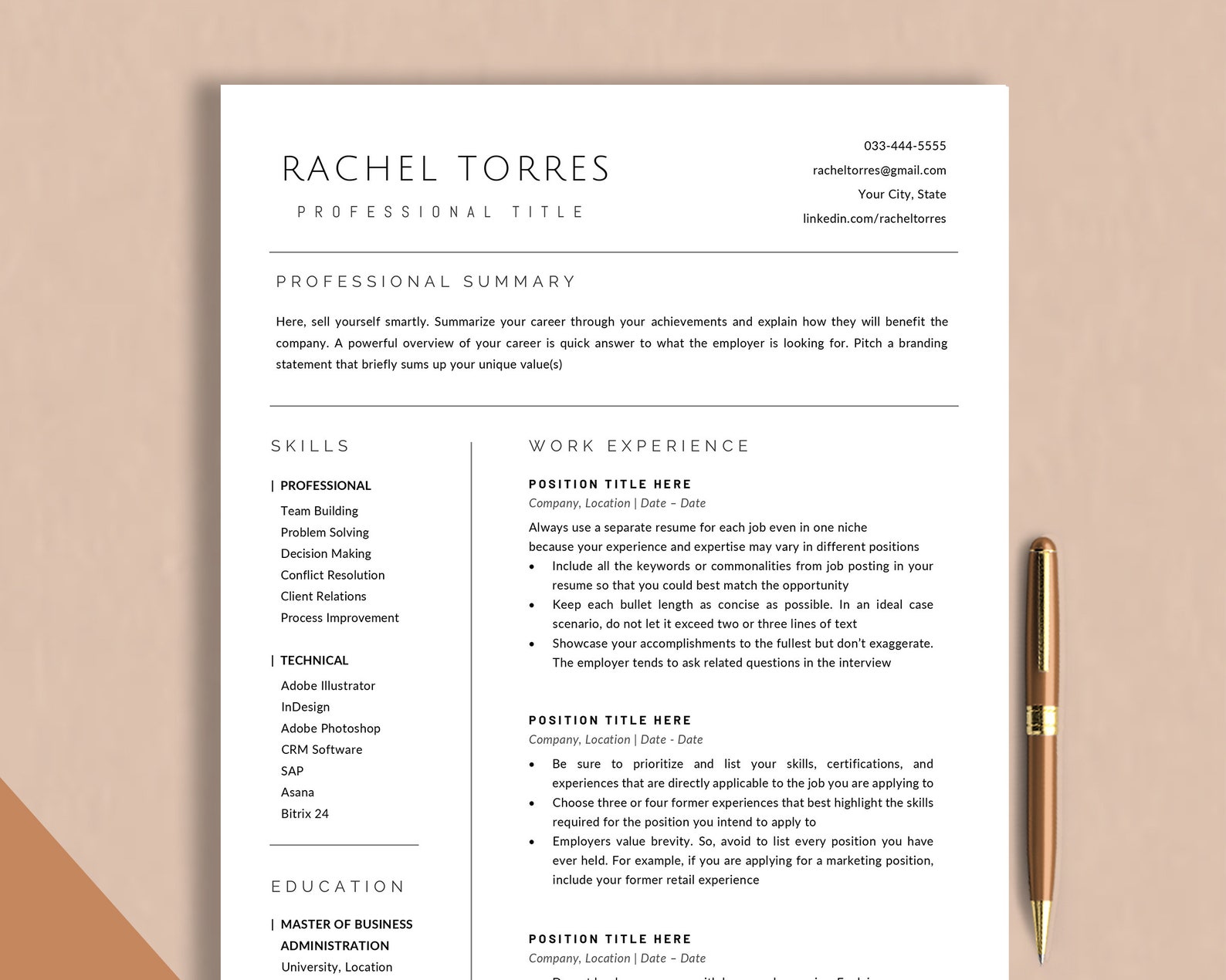
Simple Resume Template
This straightforward template keeps everything tidy and focused on your experience. The single column leaves generous room for your work history while still leaving space for skills, certifications, and education. It’s ATS-friendly and easy to edit, and the download includes icons, helpful guides, and checklists to make writing your resume a whole lot easier.

Check out the full list: Best Etsy Resume Templates
Professional Resume Templates by Experience Level
Your skills and experience evolve as your career progresses, and your resume should too. Including high school details for a senior-level role is just plain confusing, while a student with limited work history might struggle to fill a traditional resume format.
Here are some resume templates that are easy to tailor to your age and experience level.
High School Resume Template
This template keeps things simple and allows recruiters to focus on your strengths, interests, and any early experience. The blue-and-white color scheme gives it a fresh feel without being distracting. It’s easy to edit in Google Docs, and you can fill it with things like volunteer work, clubs, classes, or leadership roles if you don’t have formal job experience yet.
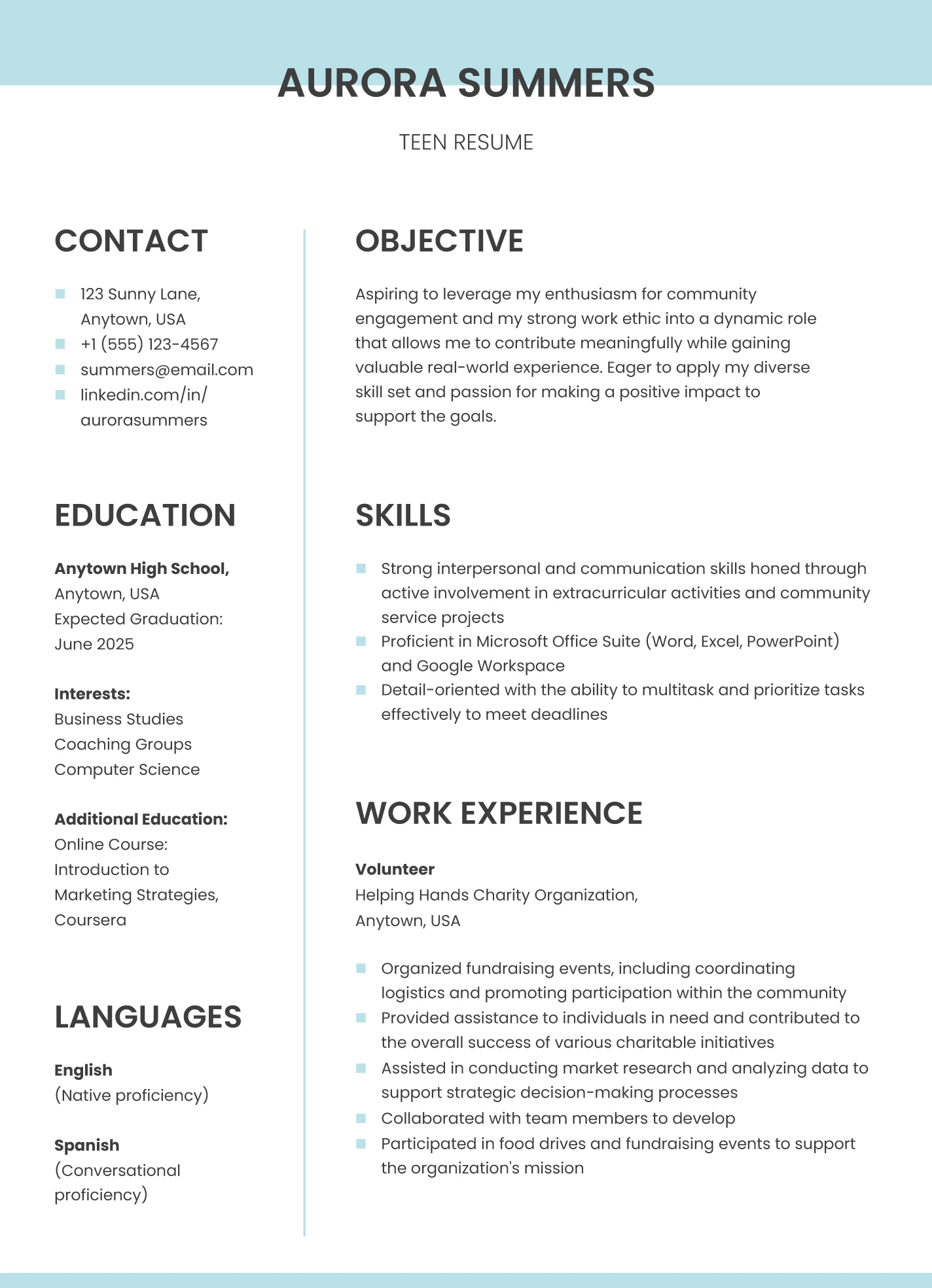
College Resume Template
This resume is perfect for students who want to highlight their education over their work experience. The black-and-white layout is professional, and the organized text blocks help you outline your coursework, campus projects, and other relevant involvement. You can also add a summary under your contact details to frame your goals and skills.
Internship Resume Template
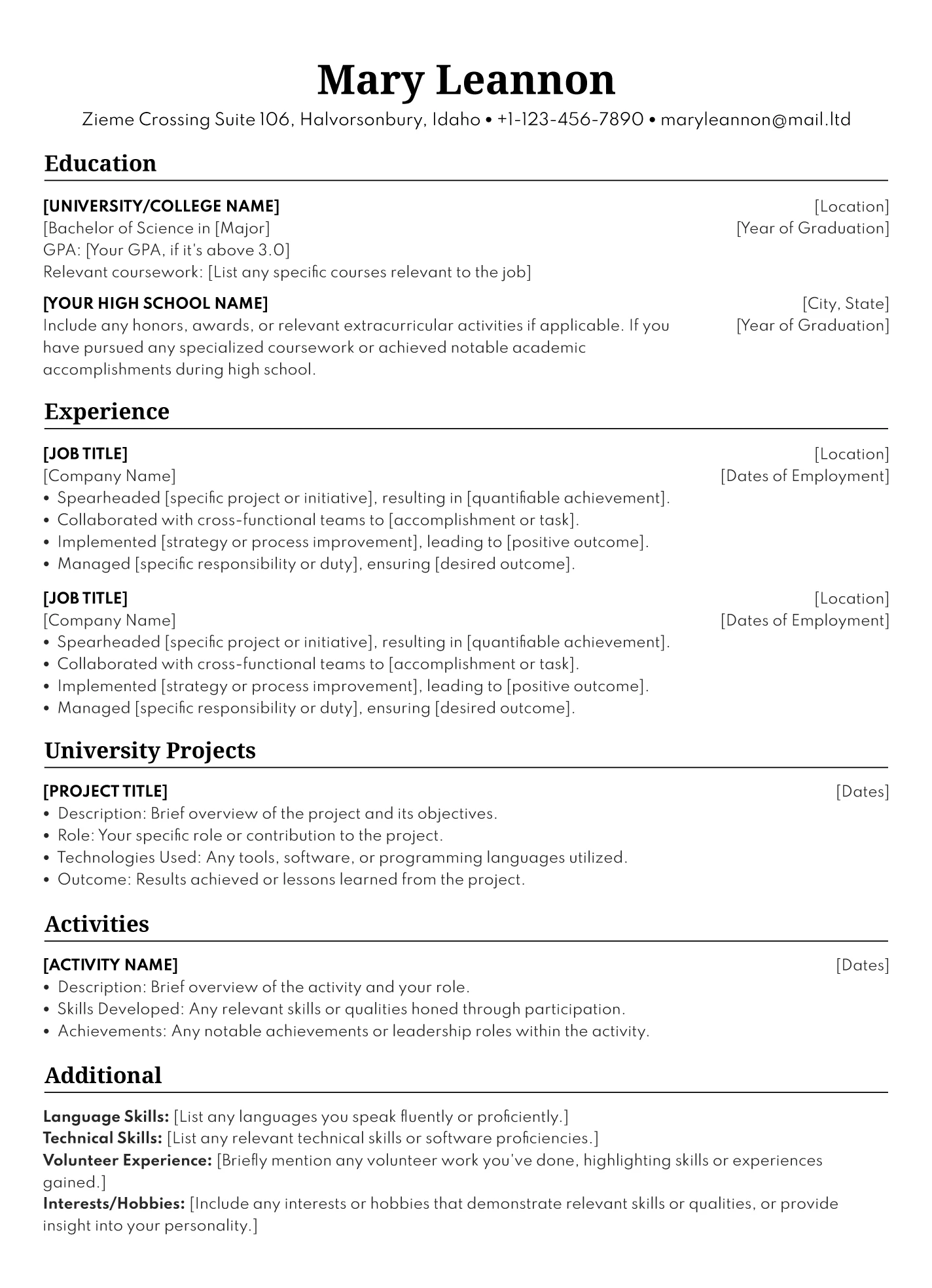
If you’re hunting for an internship, this template gives you a balanced layout that doesn’t pressure you to fill every inch of the page. The bold red nameplate at the top helps you make a confident first impression, even if your experience is limited. It includes space for awards, certifications, and past roles so you can show you’re ready to contribute.
Entry-Level Resume Template
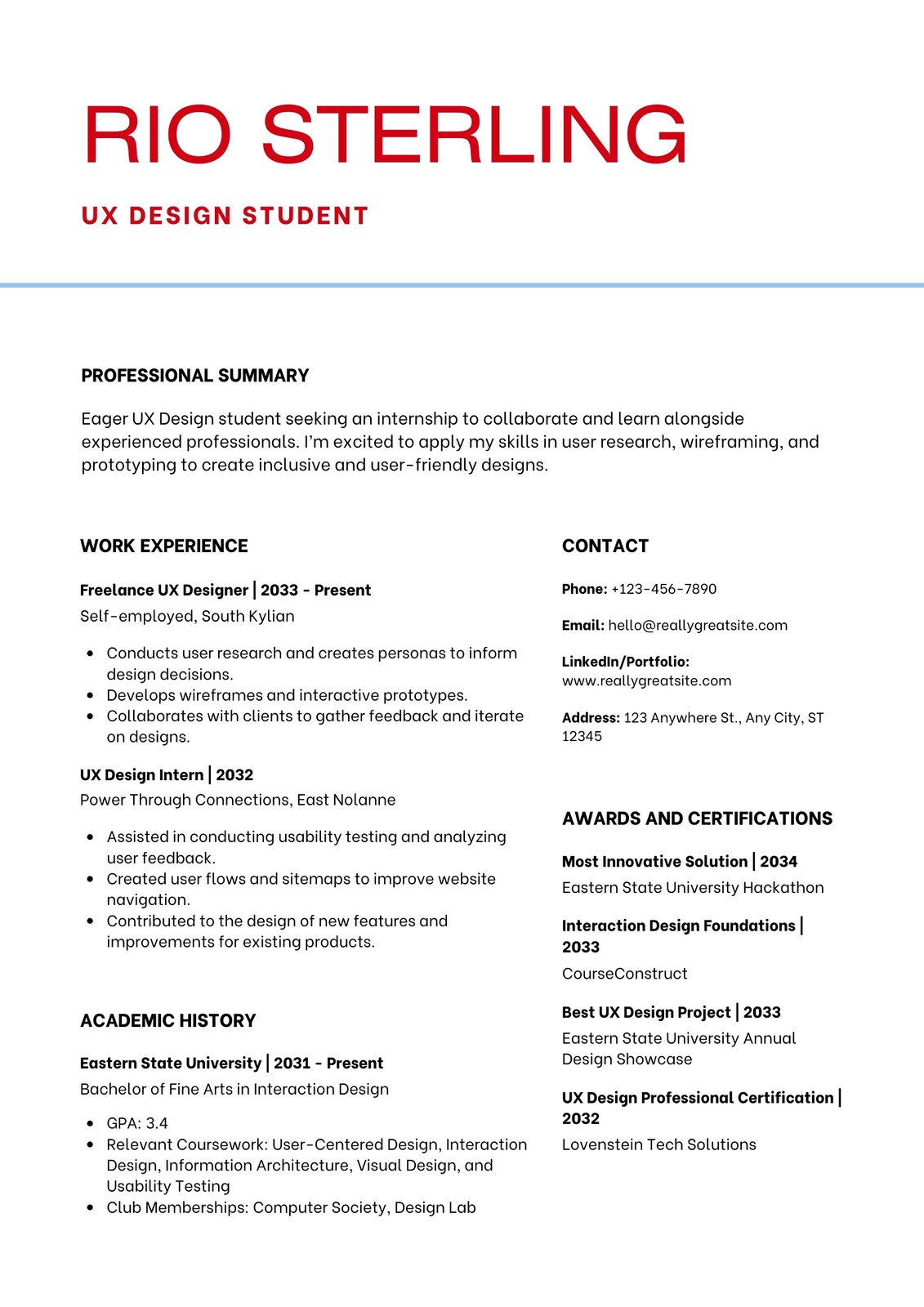
This minimalist format keeps everything neat and professional, which is great when you’re new to the workforce. It guides you to include the essentials, such as contact details, experience, and skills, without overwhelming the page. Since it’s easy to customize in Google Docs, you can adjust fonts, colors, and layout to match your style while keeping the overall look career-ready.
Executive Resume Template
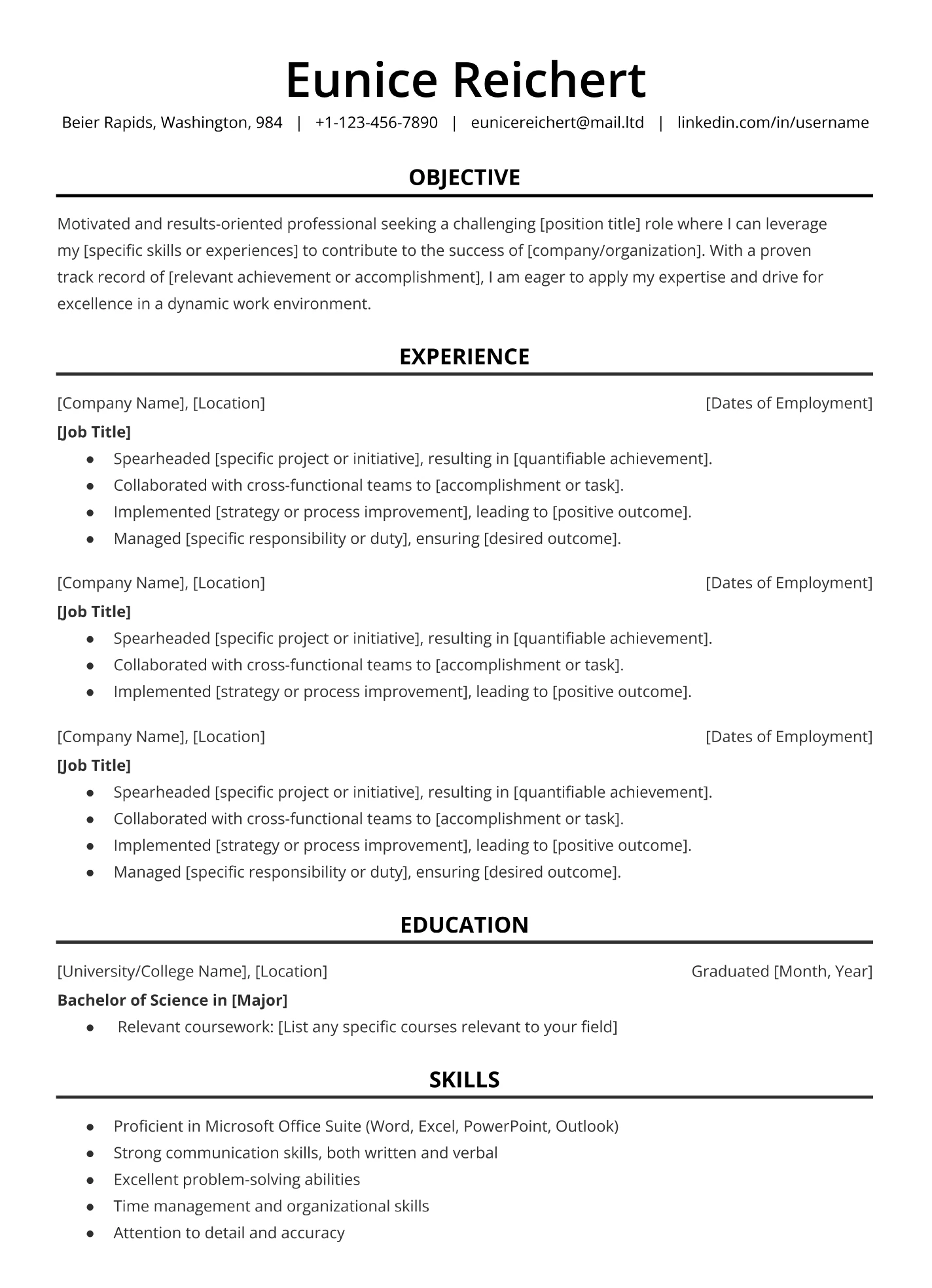
This template works well for senior candidates who need to fit a lot of information onto one page without sacrificing readability. The single-column layout keeps your job title, company, and dates aligned, and the bold section headers help separate your accomplishments. It’s ideal for executives, leadership roles, and industries where the details really matter.
Professional Resume Templates by Industry
The best resumes are simple and versatile enough to work across industries. That said, small tweaks can make a big difference if you’re targeting a particular field. For technical roles, highlighting tools and software at the top helps recruiters see your fit quickly, while a touch of color can help your resume stand out in creative industries.
Check out these resume examples for different careers.
Marketing Resume Template
You don’t need a wildly designed resume to show creativity. This marketing template uses subtle red accents and italic section headers to add just enough flair while keeping attention on your skills and achievements. It’s a smart option for marketing roles where visual taste still needs to stay professional.

Computer Science Resume Template
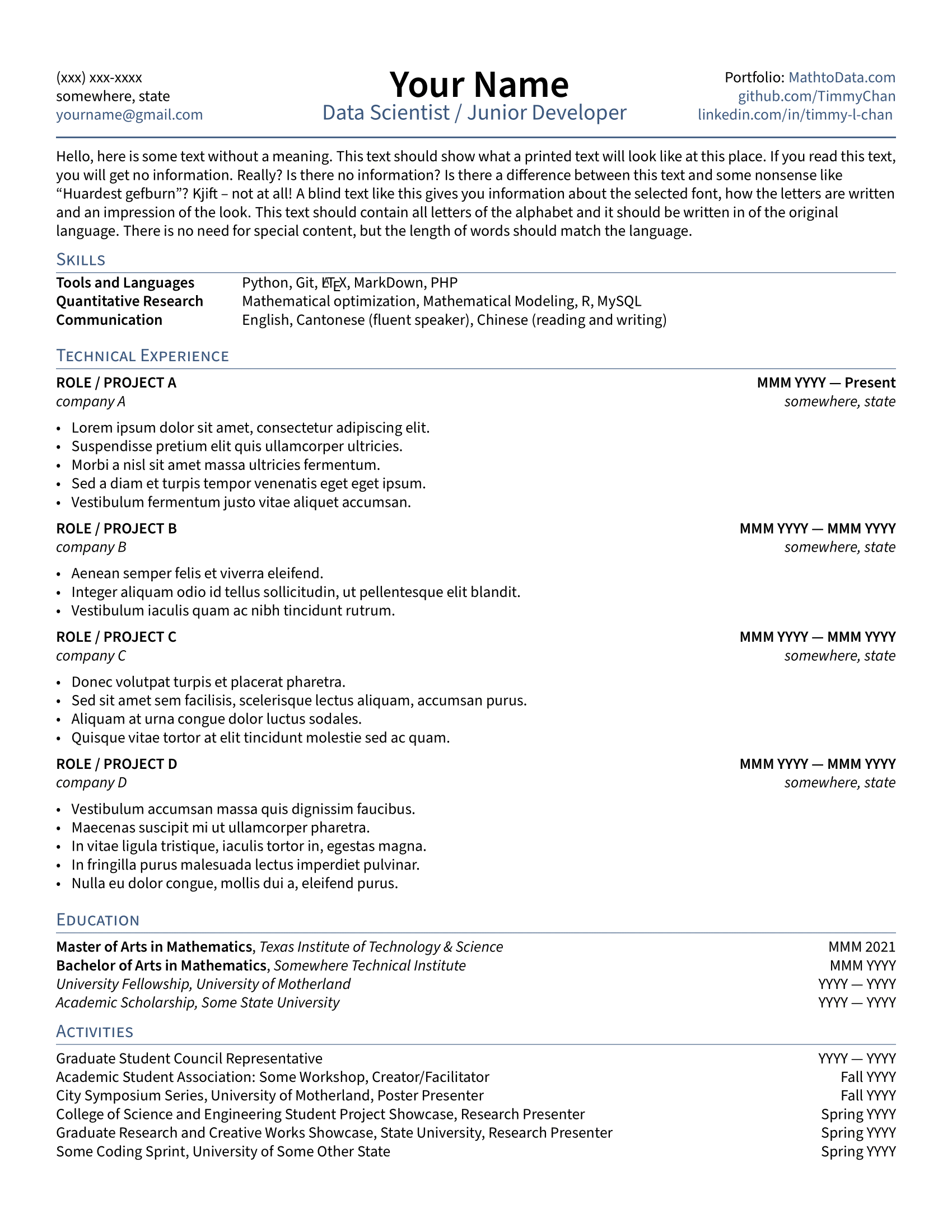
This template cuts straight to what tech recruiters want: your skills and projects. Grouping your technical abilities into categories at the top makes it easy to spot whether you fit the requirements. There’s lots of room for work experience, but you can also use that space to highlight personal or academic projects if you’re newer to the field.
Teaching Resume Template
This template lets your creativity peek through while keeping the focus on your qualifications. The bright color accents make your name and job titles pop, and the varied fonts help with readability. It’s warm, friendly, and great for roles where connection and communication matter, including teaching, customer-facing jobs, or positions in small businesses.
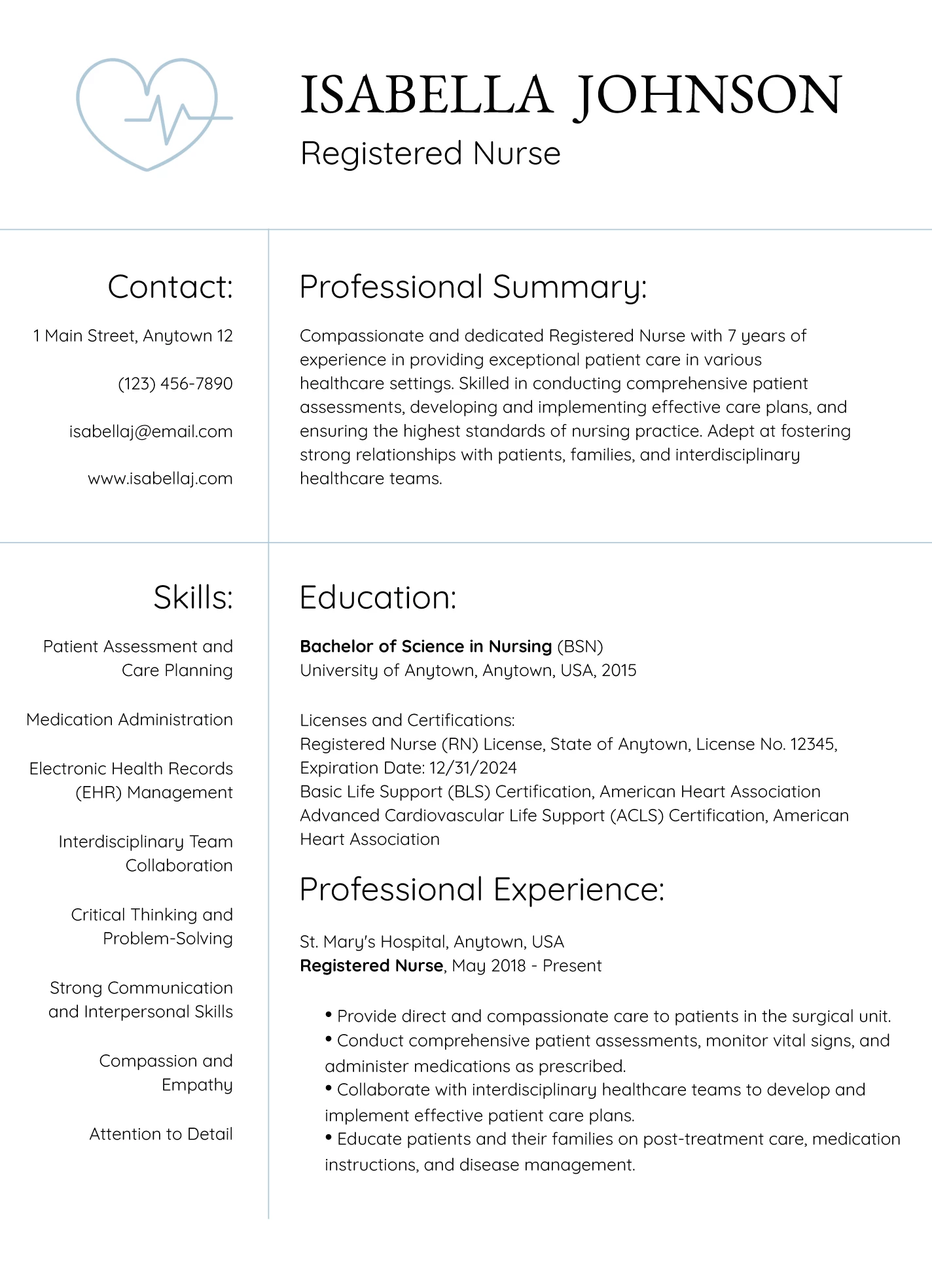
Nursing Resume Template
This design gives a quick nod to healthcare with a small medical-themed graphic, which works for smaller clinics but might feel too casual for large hospitals. Education starts above experience, which is perfect for new grads, though I’d flip that once you have more hands-on work. In the skills section, I suggest swapping broad soft skills for job-specific technical ones.
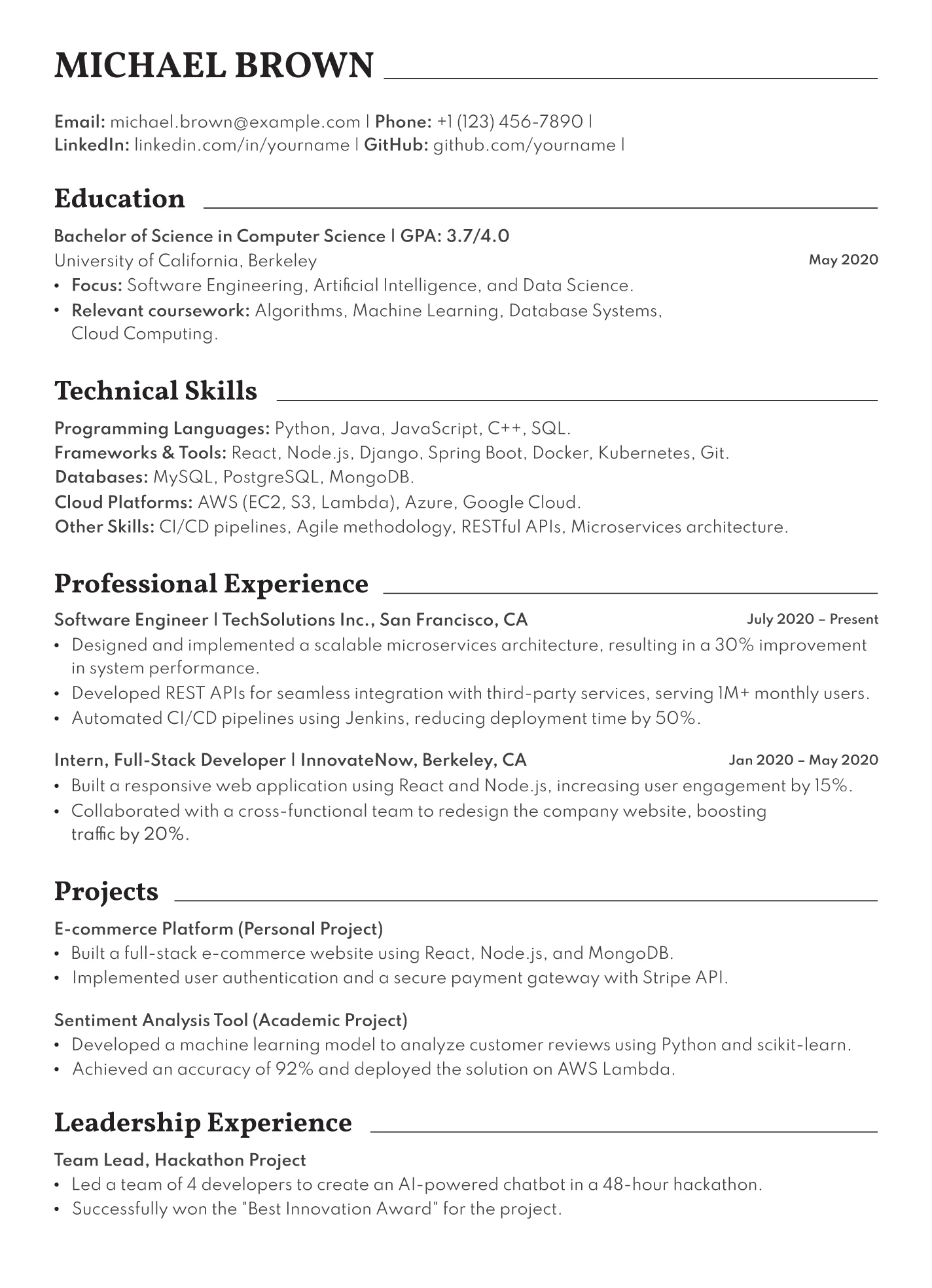
IT Resume Template
This modern layout is ideal for tech roles and packs everything onto a single page. Your contact information and summary come first, followed by clearly defined sections for education, technical skills, and key experience. Make sure to highlight programming languages, tools, cloud platforms, and relevant projects to show what you can really do.
How to Choose the Best Professional Resume Template?
Short answer:
Choosing the best resume template starts with keeping it professional and easy to read. Look for a template with clear section headings, a simple layout, and minimal design elements. A reverse-chronological format works best for most, since it highlights your work history and career progression. Ensure the template is ATS-friendly, using standard fonts (like Arial or Calibri), and avoids text boxes or images that could confuse applicant tracking systems. Tailor your resume for each job and pick a format that allows for quick edits without messing up the layout.
Resume templates, designs, and formats explained
People often use “resume templates,” “design,” and “format” as if they mean the same thing, but they don’t.
- A resume template is a ready-made layout you can fill in with your own details. It decides where each section goes and ensures everything is neatly arranged.
- Resume design is the styling of that layout: fonts, colors, spacing, and visual elements that can give your resume more personality.
- Resume format is the structure of your content: the order of your sections and what you choose to emphasize first. The three main resume formats are reverse chronological (the most recommended), skills-based (for career changers or gaps), and combination (a mix of skills and experience).
Review the job description and requirements
Always tailor your resume to the job — sending out the same cookie-cutter resume for every application doesn’t exactly scream enthusiasm to employers. I’m not saying you need a new template for every job (procrastination at its finest), but picking one that fits your experience level and industry is a smart move.
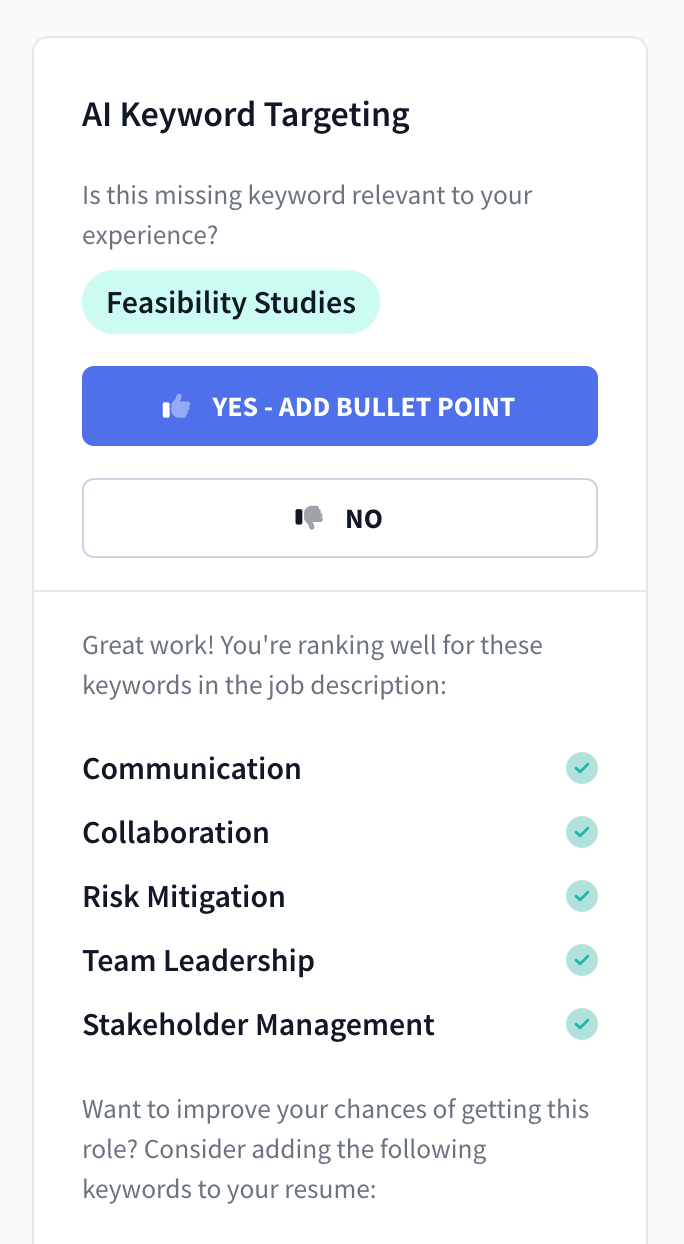
If you need help tailoring your resume, check out our AI Keyword Targeting tool to get personalized keyword suggestions to match the job ad and your job title.
Applying for entry-level roles? Go for a template that focuses on education. Since you might not have much work experience, highlighting your coursework, projects, and extracurriculars on your resume can help bridge the gap.
If you’re mid-career or highly experienced, pick a template with enough room to showcase your accomplishments without cramming them in. For example, the Rezi compact resume template is a great choice — it handles longer work histories while staying clean and uncluttered.
A functional resume template with skills at the top of the resume could be a smart choice for technical roles. If the job posting emphasizes specific software, tools, or certifications, pick a design that lets those abilities shine to show recruiters you’re a match.
And what about photos? It’s best to leave them off altogether. Most U.S. resumes skip them because of strict hiring policies, but they might be expected in countries outside the U.S. Always check the standards for your field before deciding.
Select the right layout and order
Recruiters go through dozens of resumes — don’t make their job harder with an overly “creative” layout. They’re in skim mode, scanning for key details to see if you’re a good fit as fast as possible.
Your best bet? Stick with a reverse chronological order. List your most recent job first and work backward. It highlights your career growth and, more importantly, it’s what recruiters expect.
A typical resume includes these sections in the following order:
- A resume summary or objective
- Work experience
- Education
- Skills
- Additional sections, like certifications or languages
If you don’t have much work experience, move the education section higher up and highlight relevant coursework, projects, or academic achievements.
You’ll also need to decide between a one-column or two-column layout — both have pros and cons. Here’s a quick comparison:
- One-column: ATS-friendly, easy to read, and great for corporate or traditional roles.
- Two-column: More visually appealing and can fit more details, but can trip up ATS.
When in doubt, stick with a one-column layout — however, it’s usually your experiences and skills that are the deciding factor.
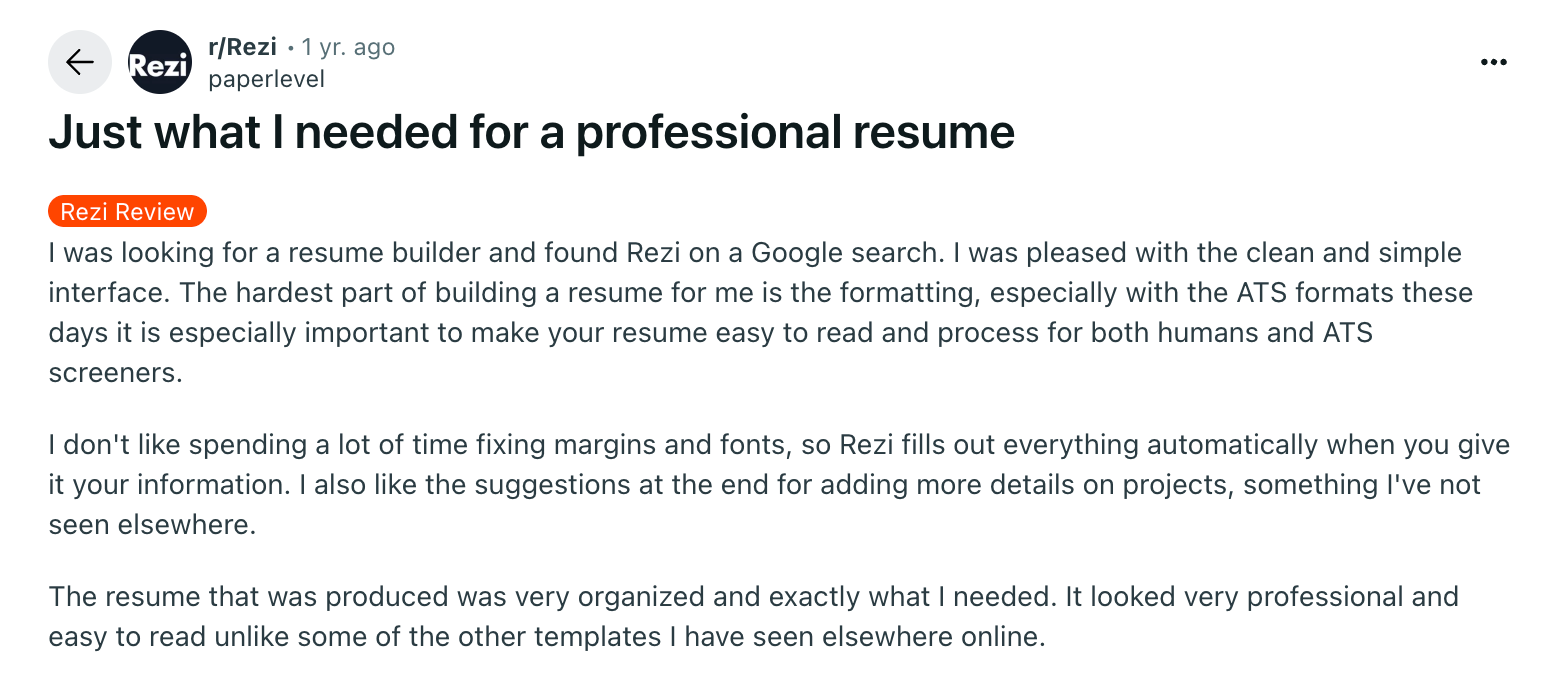
And if you want us to do the hard work for you, just use our AI Resume Builder to take care of the structure, format, and content. Here’s what one user said about how Rezi helped simplify the process:
Stick with professional formatting
While content is king, it’s much easier to digest if your formatting is on point. You’ve already lost points if a recruiter has to squint to figure out your experience,
Here are some formatting tips to keep in mind when choosing and editing your template:
- Font: Use professional resume fonts like Calibri, Helvetica, and Georgia. Didot and Lato can also work if you’re in a creative field. Avoid outdated (hey, Times New Roman) or overly decorative fonts (looking at you, Brush Script). Keep the main text 10–12 pt and headings 14–16 pt.
- Spacing and margins: Stick to single or 1.15 spacing with one-inch margins around the sides. This keeps everything looking neat and prevents overcrowding.
- Length: A one-page resume is ideal, but a two-page format can also work if you’ve got years of relevant experience. Just make sure every section adds value and is tied to the position.
- References: No need to list references on your resume — recruiters will ask if they need them. Save that space for more important content, like achievements and skills.
- Bullet points: Use bullet points in your experience, education, and skills sections. Limit each job to six bullet points max — focus on impact, not fluff.
We recently tested nine resumes built with different popular resume builders (including our own), plus two plain-text versions from Word and Google Docs. When we uploaded them into a common ATS, even the best template only had 58% of its information parsed correctly. (Read more about the experiment on why resume scanners don’t work.)
Although resume scanners are far from perfect, most companies rely on them for filtering candidate applications, so they’re still crucial to consider when building a resume.
One of our users, Majid, also spoke about the importance of professional formatting when he discovered his old resume wasn’t ATS-friendly:
Check the download instructions
Before downloading a resume template, make sure it’s compatible with your preferred software, such as Google Docs or Microsoft Word. Not all templates work as expected, so double-check before you commit.
For example, the site GDoc claims its templates are compatible with Google Docs and even has a button that says “Start editing now in Google Docs.” But when you click it, you’re actually taken to Google Slides, which isn’t ideal for resume formatting (not to mention misleading).
The takeaway? Always check the download instructions. Save yourself the hassle by verifying the file type before you start customizing.
Summary
Here’s a recap of everything you need to know when finding and customizing a professional resume template:
- Opt for resume templates with clean layouts and minimal design elements. A pop of color is fine for creative fields, but keep it professional for traditional industries.
- Choose templates that let you easily edit sections and formatting without disrupting the layout. Ensure ATS compatibility with templates that avoid complex elements like images and charts.
- Check that your resume is easy to skim with clear headings, bullet points, and enough white space. Stick with professional fonts like Arial, Calibri, or Helvetica.
- Select the right format for your industry and experience level. Going with a reverse-chronological layout is the safest bet — it’s familiar and shows your career progression.
- Don’t overcrowd your resume with unnecessary sections — focus on relevant skills, experiences, and education.
- Edit and tailor your resume to match the job and company you’re applying for, ensuring it reflects the required qualifications.
FAQ
What is the most professional template for a resume?
A professional resume template is easy to read and well-organized. Templates work best with a simple one- or two-column layout, clear section headings, and minimal design elements. Avoid excessive colors, graphics, or fancy fonts — recruiters care more about your experience than flashy visuals.
The reverse-chronological format is widely accepted because it highlights your work history and career progression. Google Docs, Microsoft Word, and platforms like Rezi offer ATS-friendly templates that keep things professional while making your resume stand out.
How far back should a resume go?
For most professionals, you shouldn’t go beyond 10 to 15 years. Employers care about your most recent and relevant experience, so there’s no need to include every job you’ve ever had. If you’re early in your career, include all relevant experiences, even internships or part-time jobs. For senior roles, focus on key achievements rather than listing outdated positions.
Find out more: How Far Back (How Many Years) Should a Resume Go?
What do you include on a student resume?
If you’re a student or recent graduate, your resume should highlight education, skills, internships, part-time jobs, and relevant coursework.
Since your work experience may be limited, include extracurricular activities, volunteer work, or projects that show leadership, teamwork, or communication skills. Don’t forget a strong resume objective at the top, emphasizing what you bring to the table and your career aspirations. Keep it clear, concise, and relevant to the job you’re applying for.
What is the best site for resume templates?
Google Docs and Microsoft Word offer free, simple templates. Canva has visually appealing designs (though not always ATS-friendly). If you want an optimized, ATS-compliant resume, check out Rezi, which provides structured and simple templates designed to get past applicant tracking systems.
Which format do most employers prefer for resumes?
The reverse-chronological format is the most preferred resume layout because it clearly presents your work history, starting with your most recent job. It’s easy for recruiters and hiring managers to skim and helps ATS scan your experience. Hybrid and functional resumes are alternatives, but they’re not as common and are only really suited for career changers or those with employment gaps.
Does the template of your resume matter?
A clean, well-organized template makes your resume easier for both humans and the Applicant Tracking Systems to read. Flashy fonts, graphics, or cluttered layouts can get in the way of your content, even if you’re a great candidate. Keep it simple and skimmable.
Can I use color or graphics on my resume?
Yes, but keep it minimal. A little bit of color in your name or section headings is fine if it looks professional. Avoid background colors, images, or graphics that can distract or affect the ATS. Choose readable and modern over creative-for-creative’s sake.
How to format a resume?
Formatting your resume is all about clarity and consistency. Stick to one or two professional fonts, keep margins around one inch, and use bullet points to make your resume achievements easy to skim. Keep your text aligned, use bold for section titles, and avoid busy colors or graphics unless you’re in a creative field. Save your resume as a PDF so the layout stays intact. Most importantly, make sure your spacing, punctuation, and headings stay uniform.
What’s the best CV template?
The best CV template depends on your industry and experience, but a strong template shares a few qualities: clean lines, predictable structure, and plenty of room for accomplishments. A single-column design works well for most professionals and keeps your content easy to read.
For more experienced candidates, templates with clear sections for research, publications, or extensive work history can help organize information without overwhelming the page. No matter the template, choose something modern, simple, and tailored to your field.

Upload or drop your resume to get started
Upload your resume to get started
Score my resume

Lauren Bedford is a seasoned writer with a track record of helping thousands of readers find practical solutions over the past five years. She's tackled a range of topics, always striving to simplify complex jargon. At Rezi, Lauren crafts genuine and actionable content that guides readers in creating standout resumes to land their dream jobs.