Resume
20 Best Etsy Resume Templates for 2026 (Tips and Ideas)
Discover the best Etsy resume templates for 2025, with expert tips and ideas to help you choose the right one for your job search.

Published on
September 22, 2025
Updated on
February 25, 2026
Why would you buy a resume template when you can just make one for free? Valid question. Aside from being fairly cheap (if you have a few extra dollars to spend), there are other perks. The biggest draw is that there are many ATS-friendly templates on Etsy that come with a bunch of extra resources to help guide you through the process.
Many of these templates include how-to guides, action verbs, interview tips, and career advice. I’ll be honest, you probably don’t need to go down this route if you’re familiar with resume writing. But these resources can be handy if you’re just starting out or need some guidance.
Just choose your resume templates wisely (it’s only a job on the line). This guide will cover:
- My picks for the best alternative resume templates.
- The top Etsy resume templates for your job application.
- How to download and use your favorite Etsy templates.
And check out these free resume templates:
- 35 Blank Resume Templates
- 30+ Free & Basic Resume Templates
- 35+ Free Professional Resume Templates
- 15 Creative Resume Templates and Examples
- Free ATS Resume Template
Alternatives to Etsy Resume Templates
Etsy offers a bunch of solid templates that are aesthetically pleasing and professional. But they’re just a starting point. You’ll still need to do the researching, writing, and formatting using the how-to guides that often come with your download.
If you'd rather skip the guesswork, our AI Resume Builder pairs ATS-friendly templates with smart tools that do more than just look good. Our technology offers bullet point suggestions, personalized feedback, and a range of skills, all tailored to your desired job and industry.
Before we dive into Etsy options, here are a few of my favorite templates if you want to speed up the resume-writing process.
Rezi Standard Resume Template
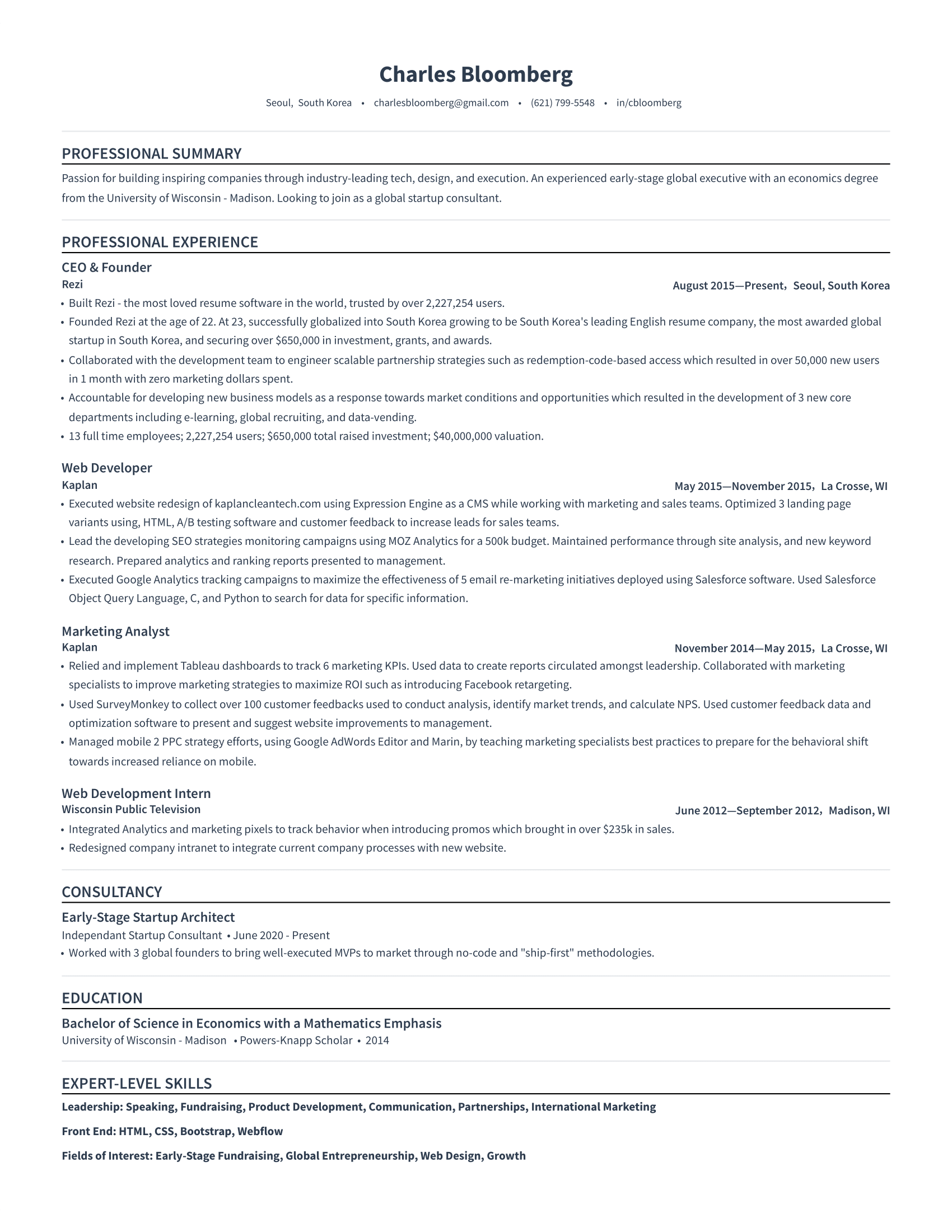
What does our standard resume template have that Etsy doesn’t? It’s totally free. On top of that, it’s practical, straightforward, and gets the job done. The single-column format is easy to scan and gives you space to dive into your work experience. There’s also room for extra resume sections like awards, certifications, or projects (all of which you can edit and move around).
Rezi Modern Resume Template
Our modern resume template uses color in a smart way, with your name and job titles highlighted in blue to catch recruiters' attention. Clean dividing lines and organized sections keep it neat, while the layout lets your experience stand out. It’s a great mix of modern style and function, especially if you want your titles to shine.
-1.png)
Rezi Bright Resume Template
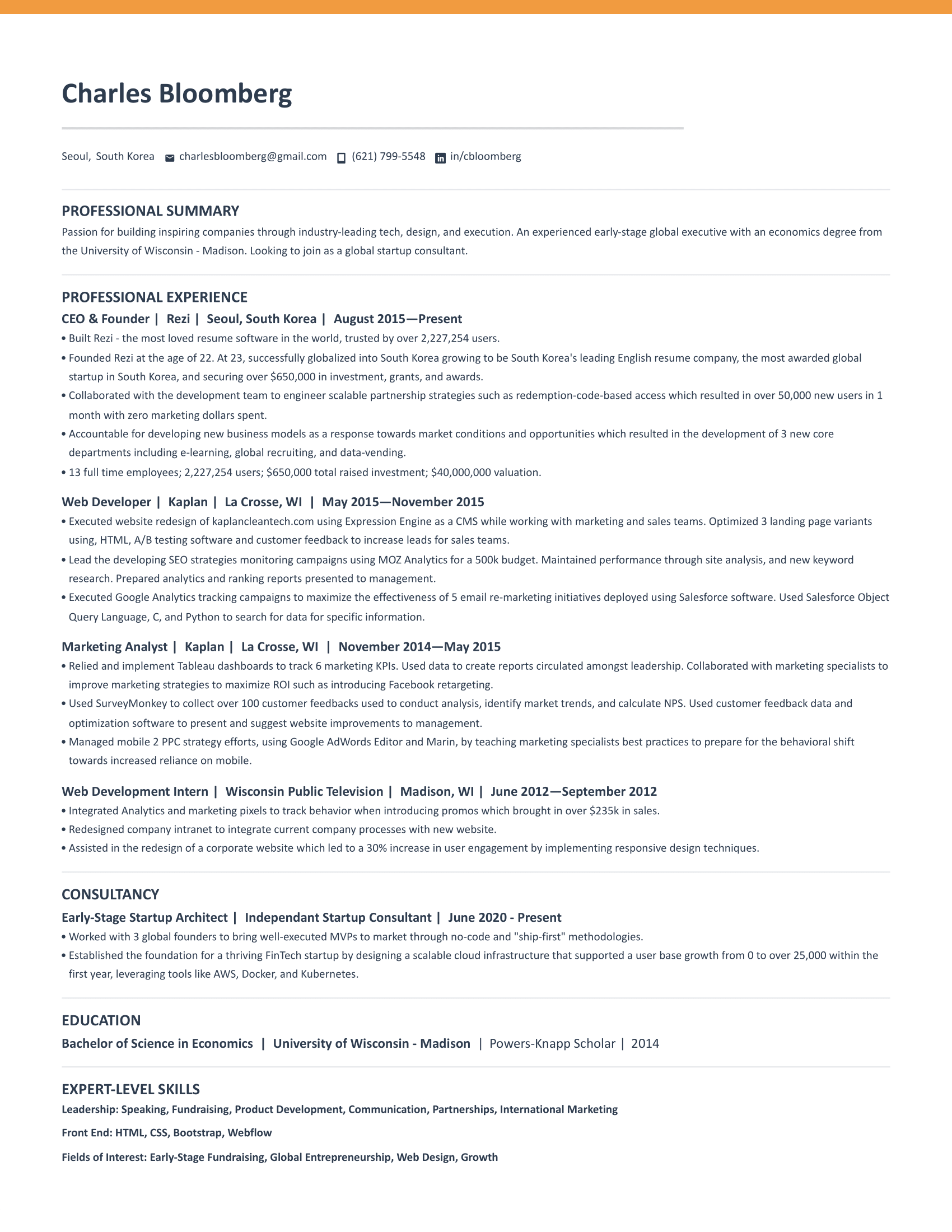
Want a little personality without your resume looking like an art project? This bright resume template uses a bold orange strip to add color while keeping the rest of your resume professional and clean. It’s perfect if you want to stand out just enough while still staying ATS-friendly. You can also find similar templates in blue, red, and green if orange isn’t your vibe.
Rezi Trendy Resume Template
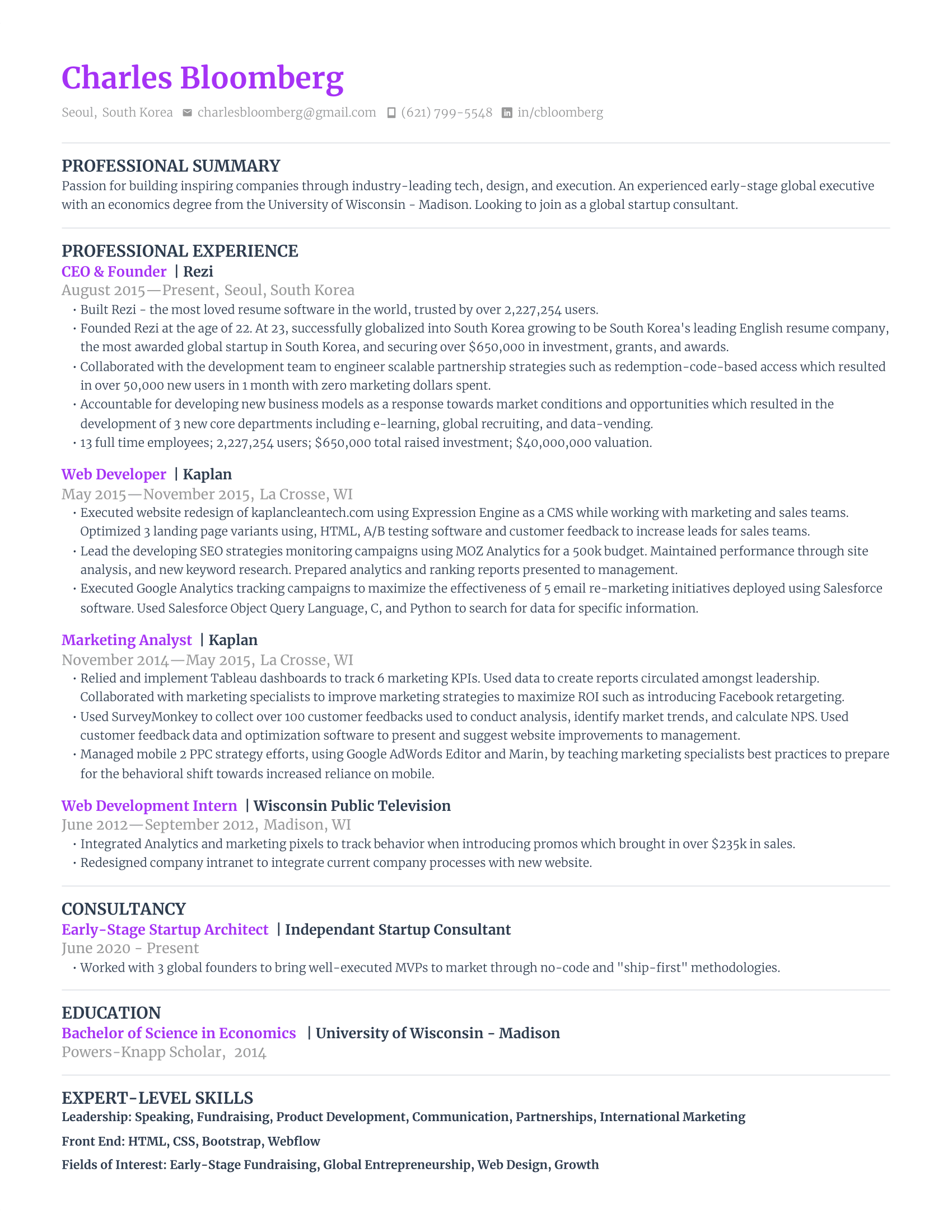
This trendy resume template uses a bright purple to highlight your name and job titles, which is great if recruiters are skimming through your previous jobs to see if you’re a good fit. It’s bold but still professional, with a single-column layout that works well with ATS scanners.
Rezi Smart Resume Template
Our smart resume template keeps everything simple, so your content does the heavy lifting. A consistent color scheme, bold job titles, and clean formatting make it super easy to read. Capitalized headings and bullet points help guide the eye, which is perfect for both ATS and recruiters.

Take a look at our complete template gallery: ATS-Friendly Resume Templates
20 Etsy Resume Templates
Etsy offers hundreds of resume templates, with many of them claiming to be the one that will help you land an interview. However, when money is on the line, you want to make sure you’re picking the right one.
Lucky for you, I’ve narrowed it down to the top 20 resume templates. But I haven’t just picked them at random. Here are a few features I was looking for (and avoiding):
- Layouts: Simple designs that don’t distract from the main content.
- Formatting: ATS-friendly resume fonts and section headings that are widely recognized by recruiters.
- Images: No photos or other graphics that aren’t appropriate for a professional resume.
- Additional features: Guides, interview tips, verb lists, and other extras included in your purchase.
With that said, here are the best resume templates on Etsy.
ATS-Friendly Resume Template
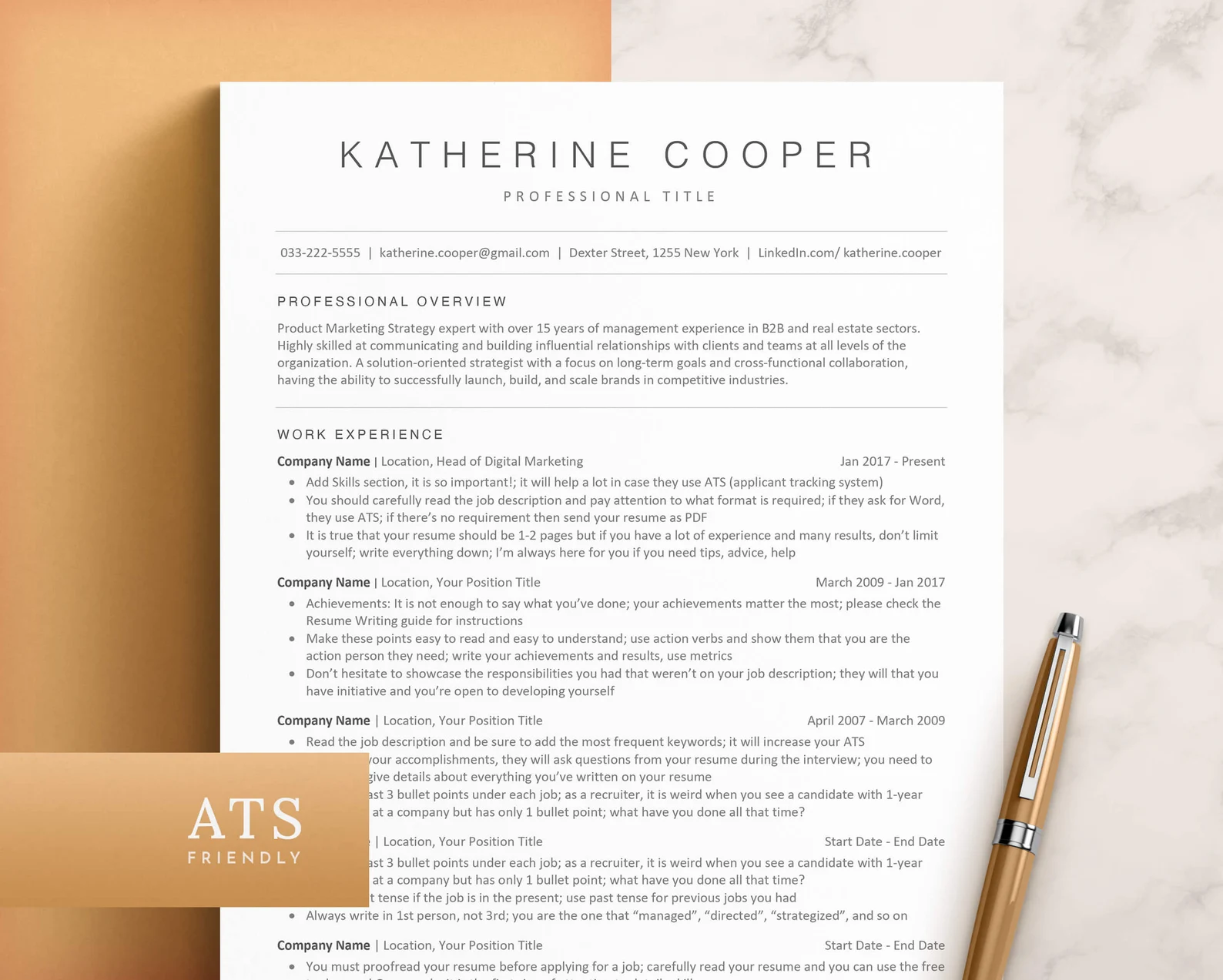
The ATS-friendly resume template is a simple, single-column design that avoids anything that could trip up Applicant Tracking Systems (no text boxes or fancy formatting). The template comes with resume icons, free fonts, and writing guides to help customize your resume and cover letter. You can use it with Word, Google Docs, and Apple Pages.
Single Column Resume Template
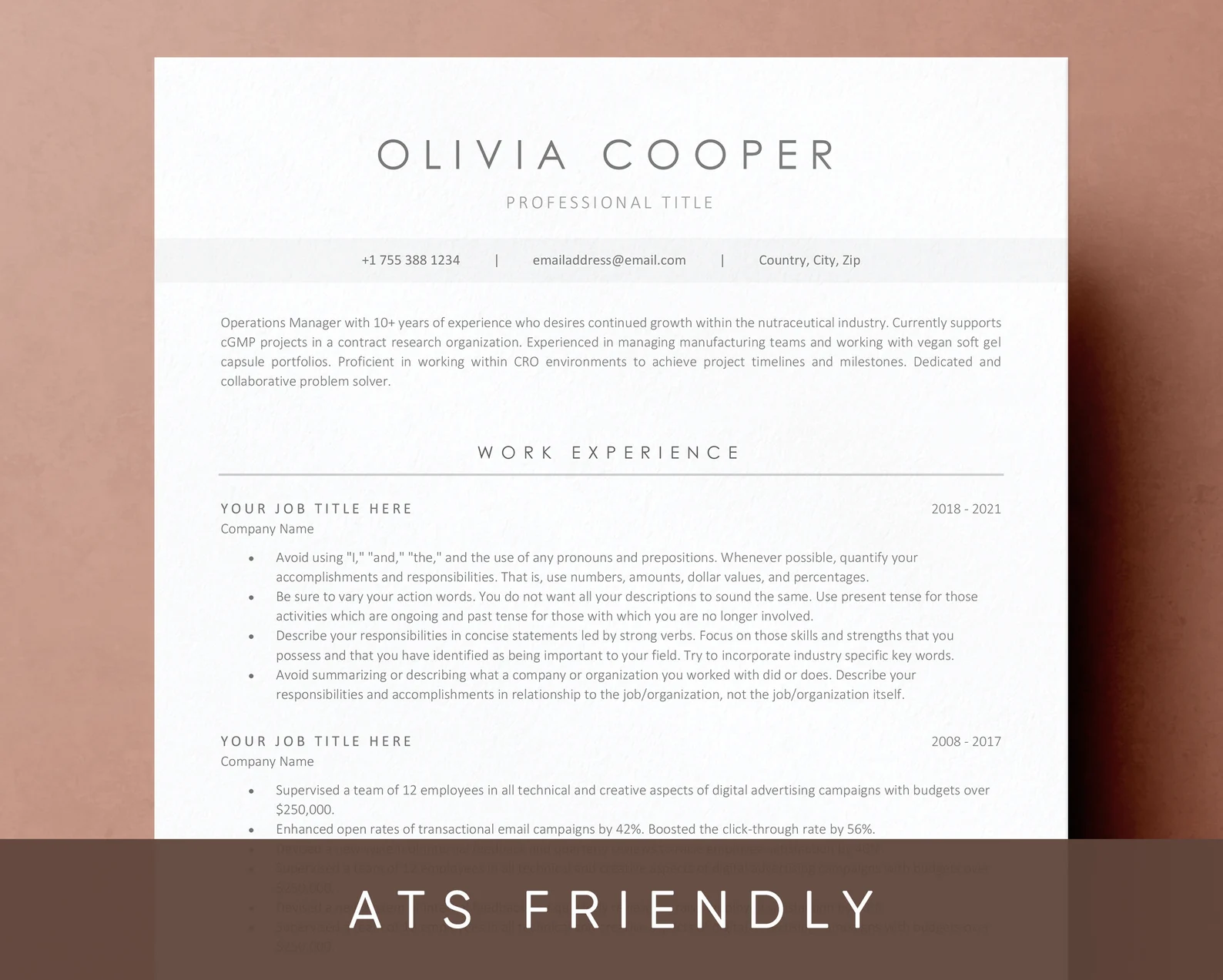
This single-column resume template is easy to read and gives you plenty of space to highlight your experience without feeling cluttered. You can tweak colors, headings, and the content to make it your own. It also comes with a resume guide, an action verbs list, and video tutorials to help you through the process. Plus, it works with both Word and Google Docs.
Editable Resume Template
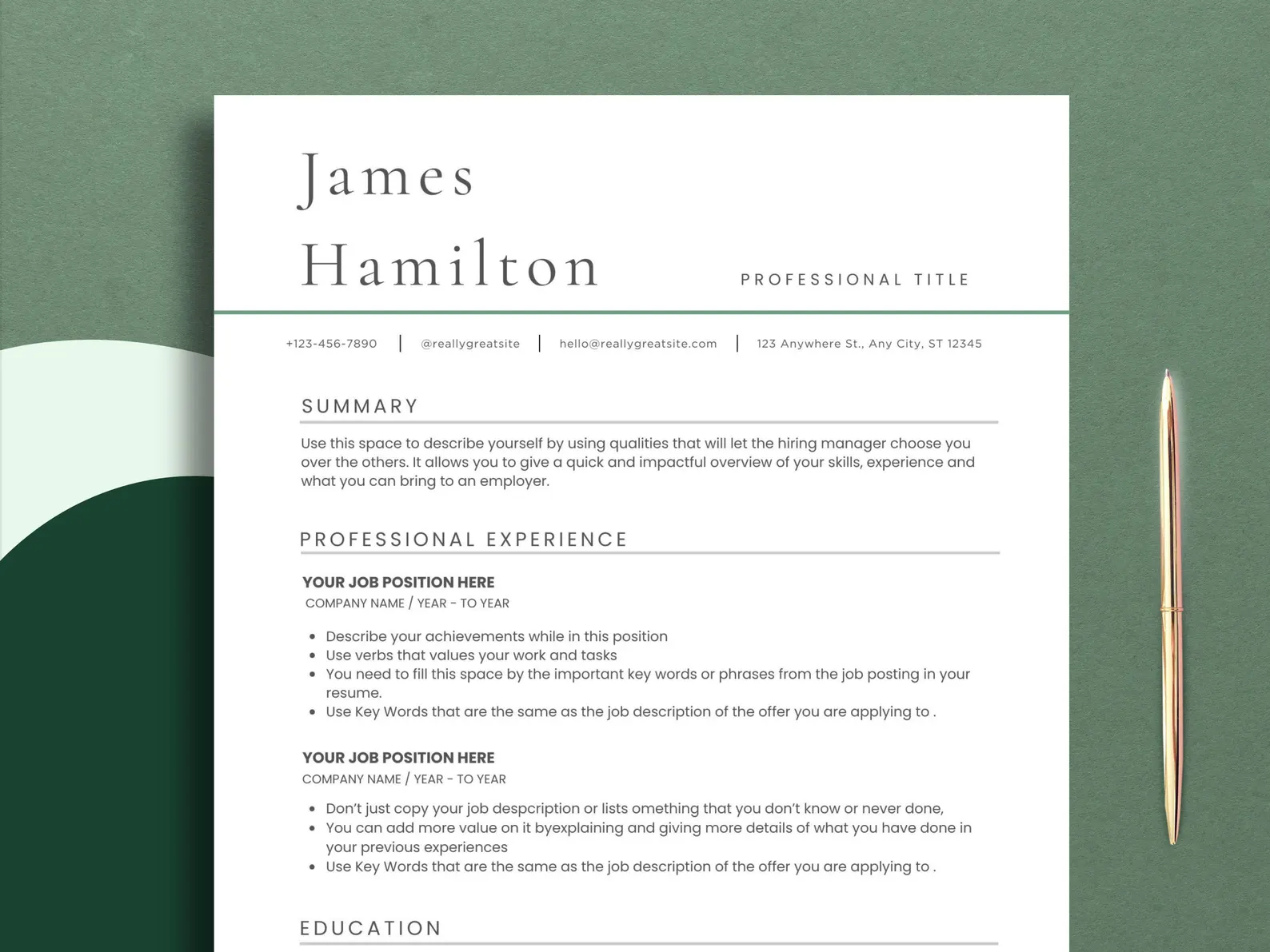
This editable resume template is perfect if you want total freedom to personalize. You can change everything from layout to colors and edit it in Canva, Word, Google Docs, or Apple Pages. It keeps things simple, but adds a subtle pop of green and a bold name header to help you stand out while keeping things professional.
Modern Resume Template
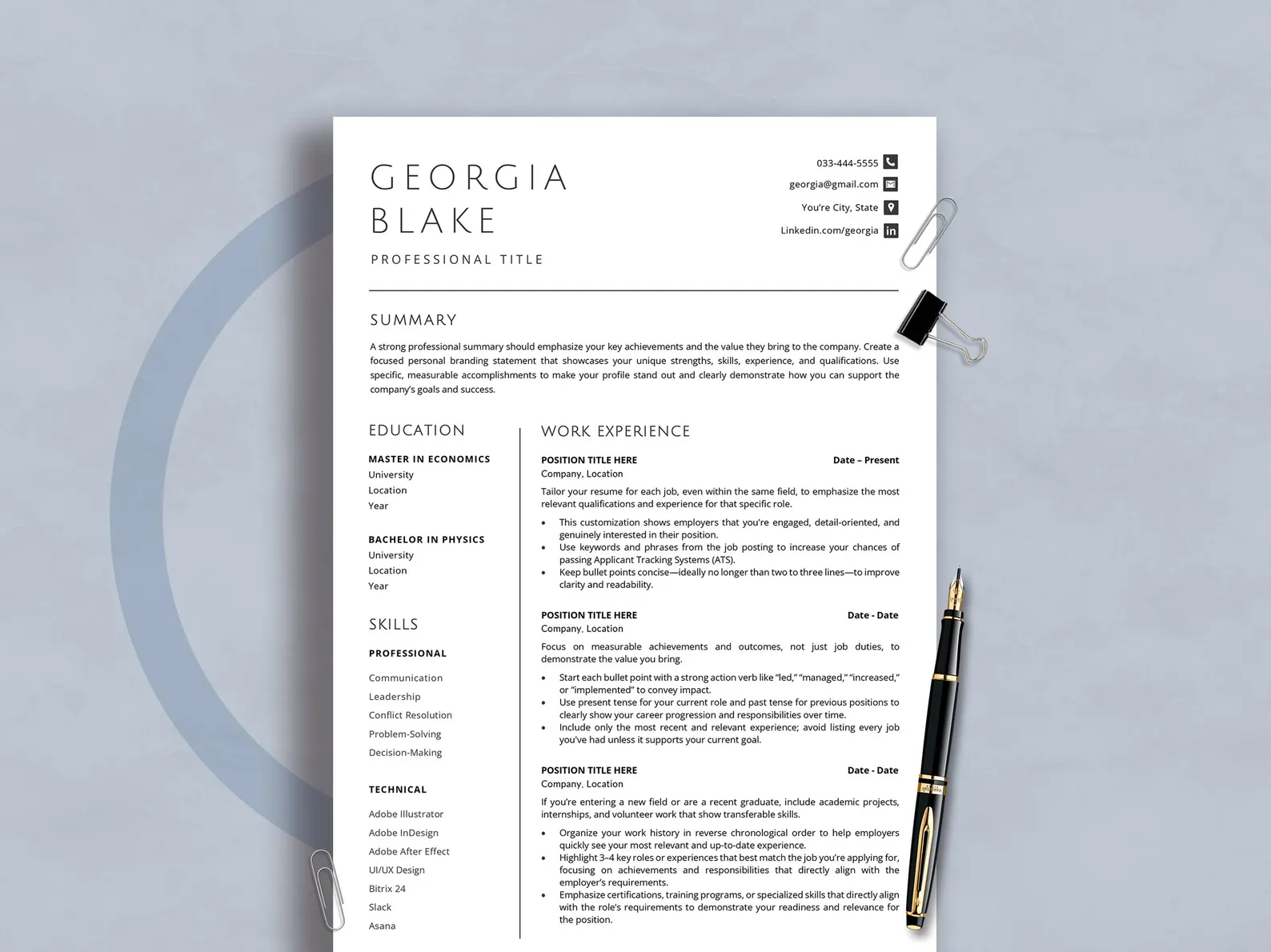
A modern resume template doesn’t have to be flashy; it’s about being functional. This two-column layout highlights your experience while keeping sections separated and easy to scan. It's easy to edit and comes loaded with career tips, resume advice, and over 100 bonus icons. You also get a list of hard and soft skills to include.
Minimalist Resume Template
This minimalist resume template is all about keeping it clean. There are no distractions, just an organized layout with clear headings and professional fonts that focus attention on your experience and skills. You also get editing flexibility, a resume writing guide, and an action verbs list. The template is compatible with Word, Google Docs, and Apple Pages.
Professional Resume Template
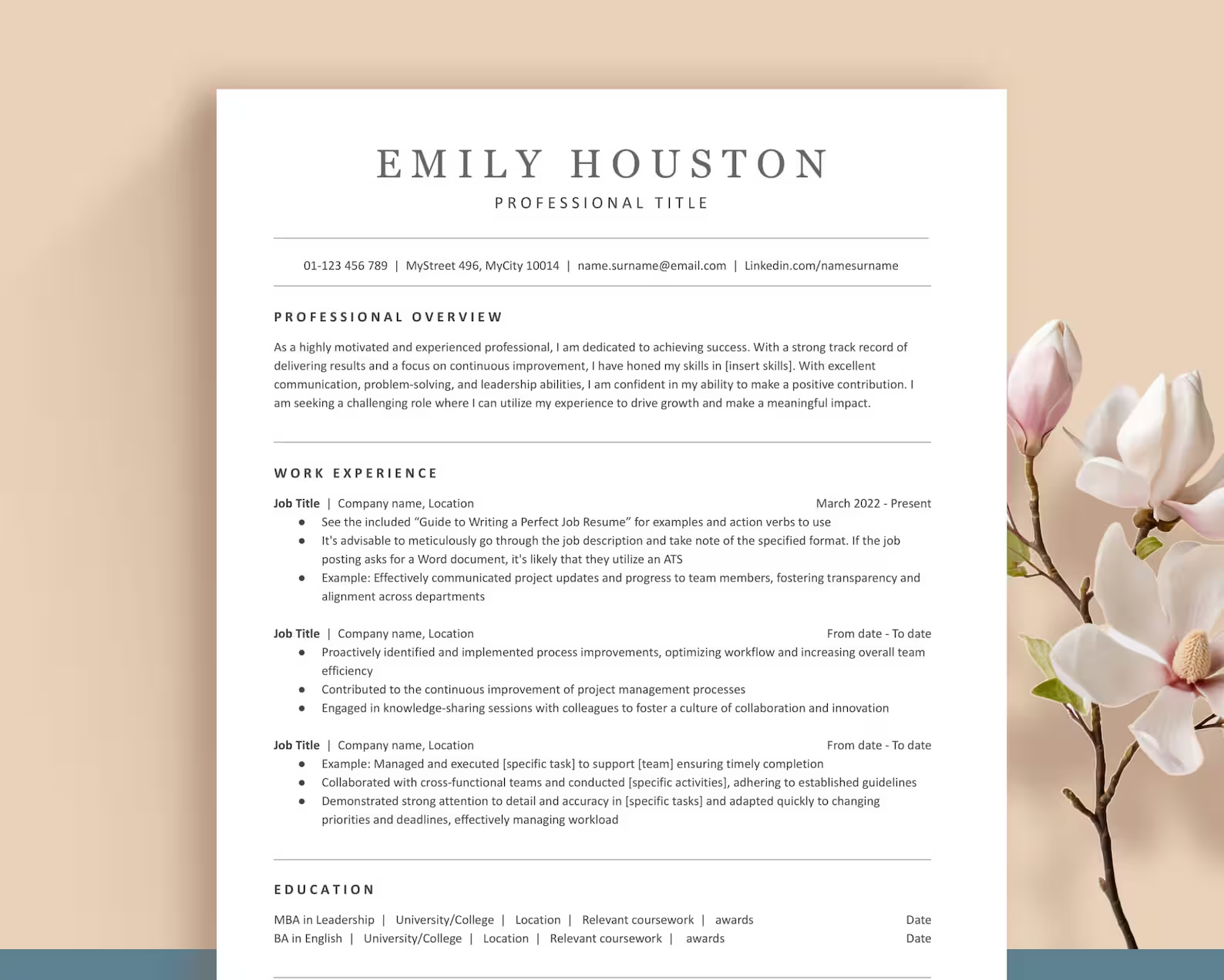
This professional resume template keeps things polished without going over the top. Your name and contact details are easy to spot, and the layout focuses on your work history. It comes with over 200 icons (use sparingly) and a guide covering resume tips, ATS advice, and ChatGPT prompts. Just a heads-up: it only works with desktop Word (not Google Docs or Word Online).
Clean Resume Template
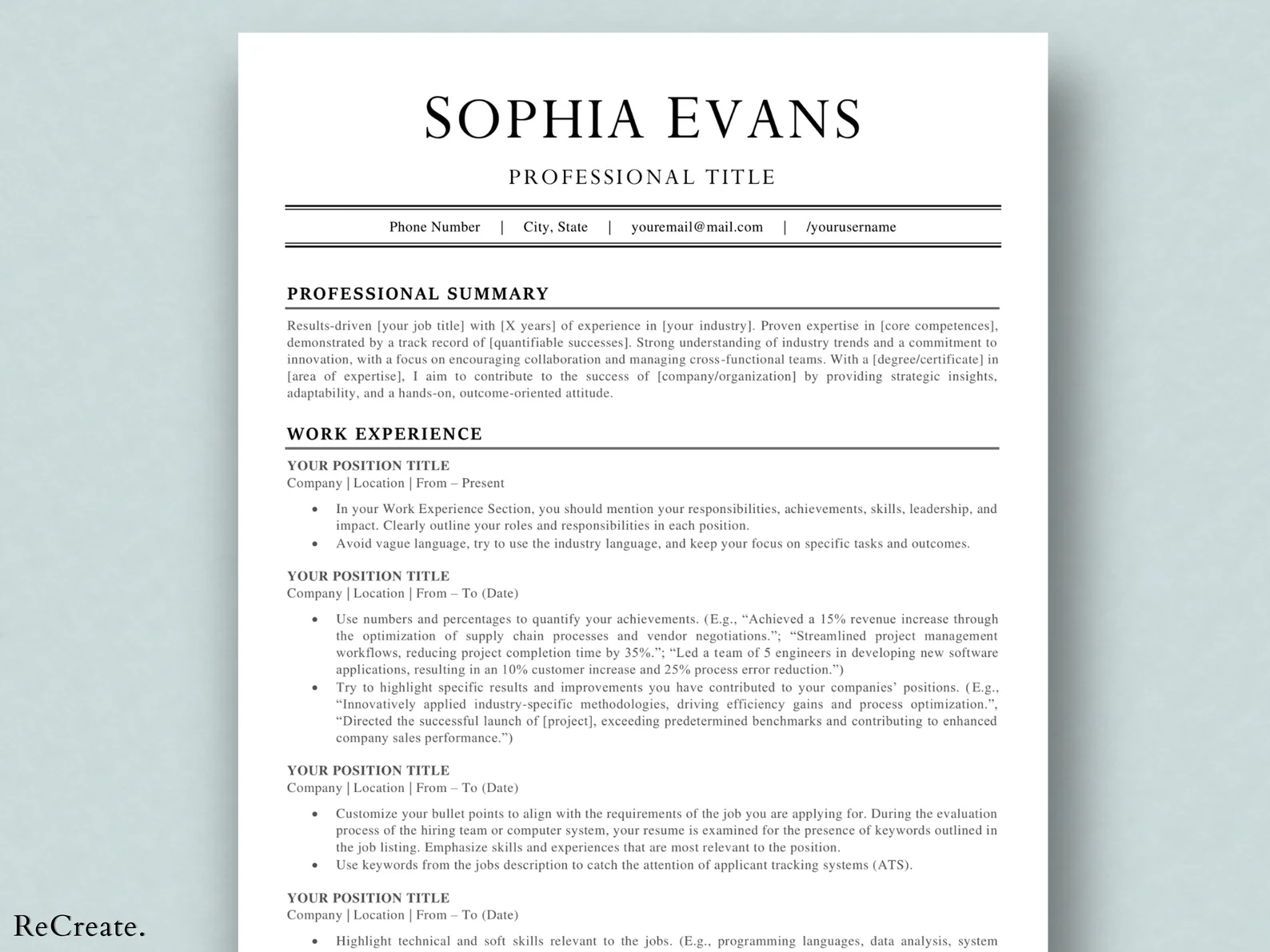
The clean resume template is perfect if you want to make a strong first impression without the fluff. It uses white space to separate sections and keep everything readable. The two-column format spotlights your work experience while tucking your other details to the side. Easily customizable in Canva, it’s ideal for highlighting your achievements clearly and professionally.
Executive Resume Template
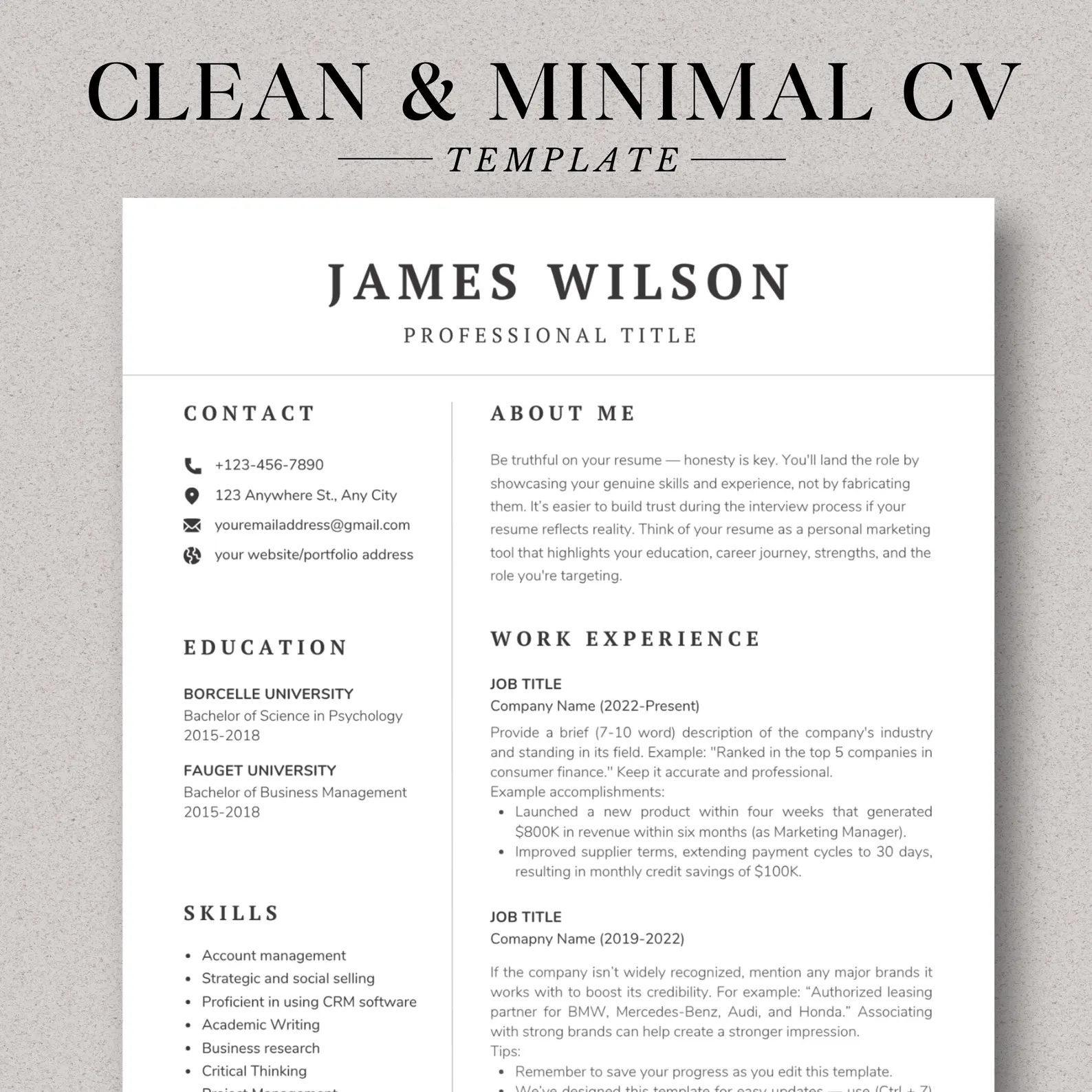
Designed with leadership roles in mind, the executive resume template puts your summary up top and shifts less crucial details to the side to open more room for your work experience. It’s great for senior candidates with a longer professional background and includes a checklist, writing guide, soft skills, and interview tips.
Simple Resume Template
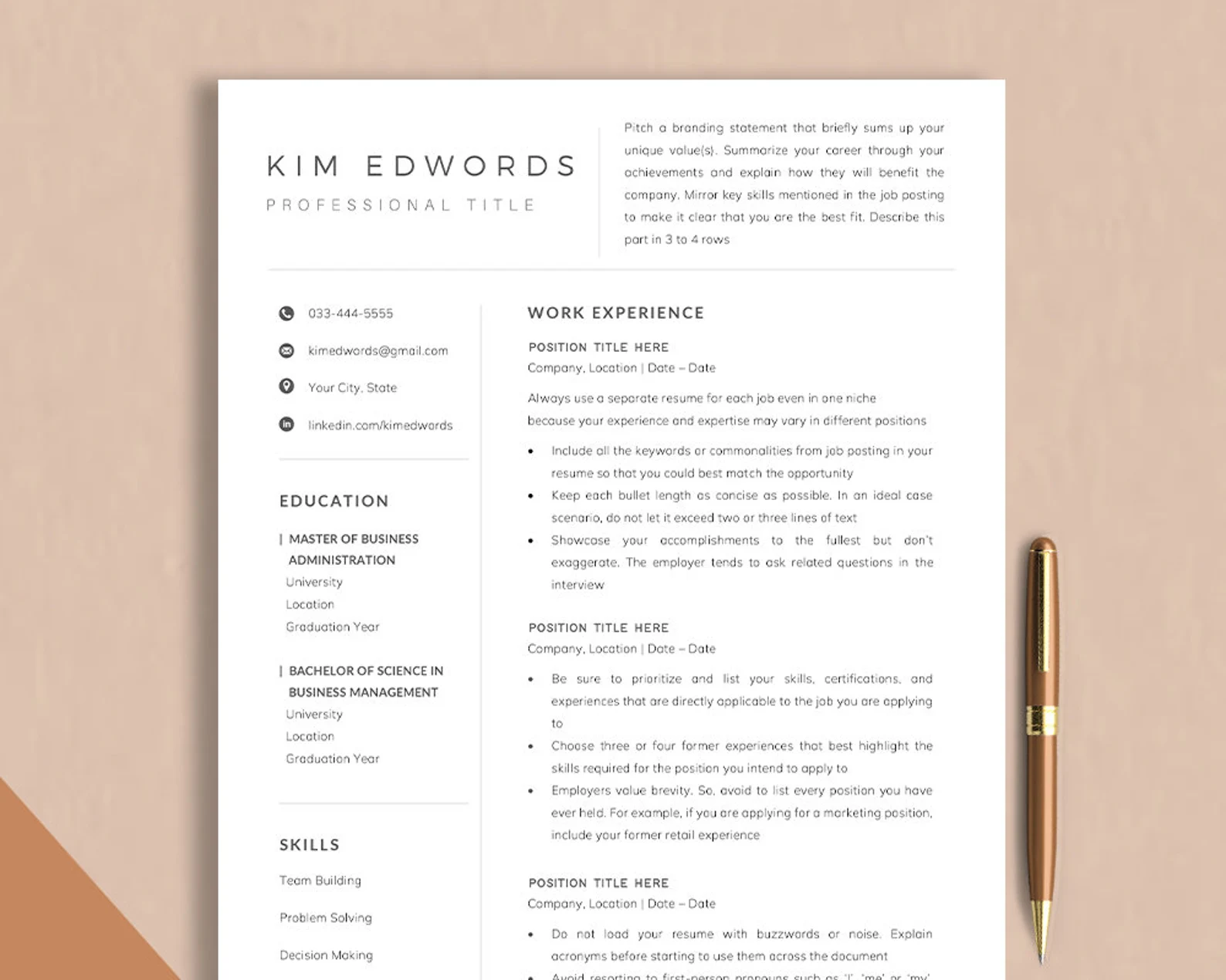
This simple resume template skips the extras and focuses on professional fonts, a scannable layout, and clear section headings. Your work experience takes center stage, with space to break down your skills into technical and professional categories. You also get free fonts, icons, and a full career guide with writing tips, interview prep, and resume advice.
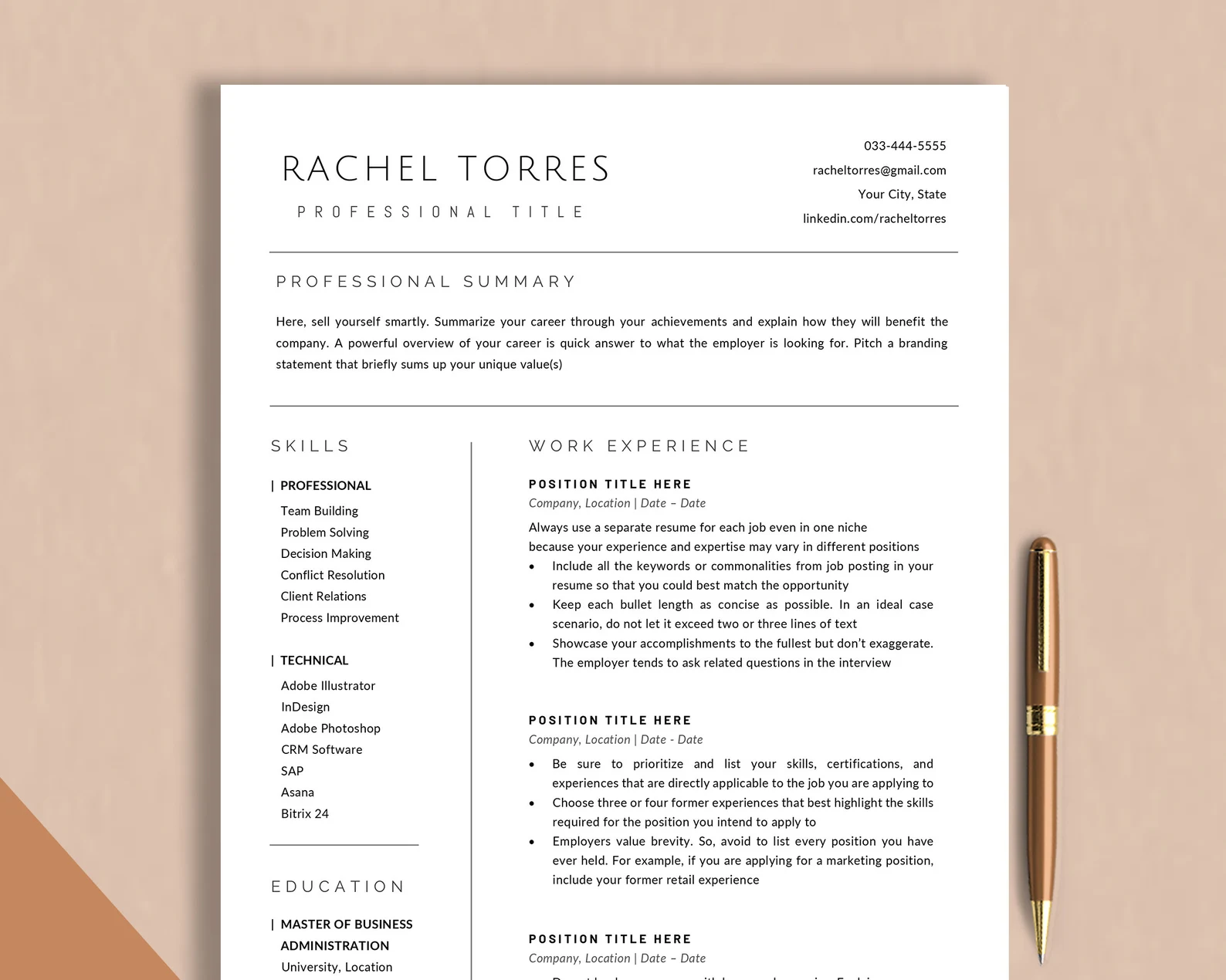
Classic Resume Template
If you’re into timeless design, this classic resume template gives you elegant fonts, clean borders, and enough space for a detailed work experience section. Everything’s editable, so you can make it your own. It comes in Word and Apple Pages formats, but it’s not compatible with Google Docs or online versions of Word.
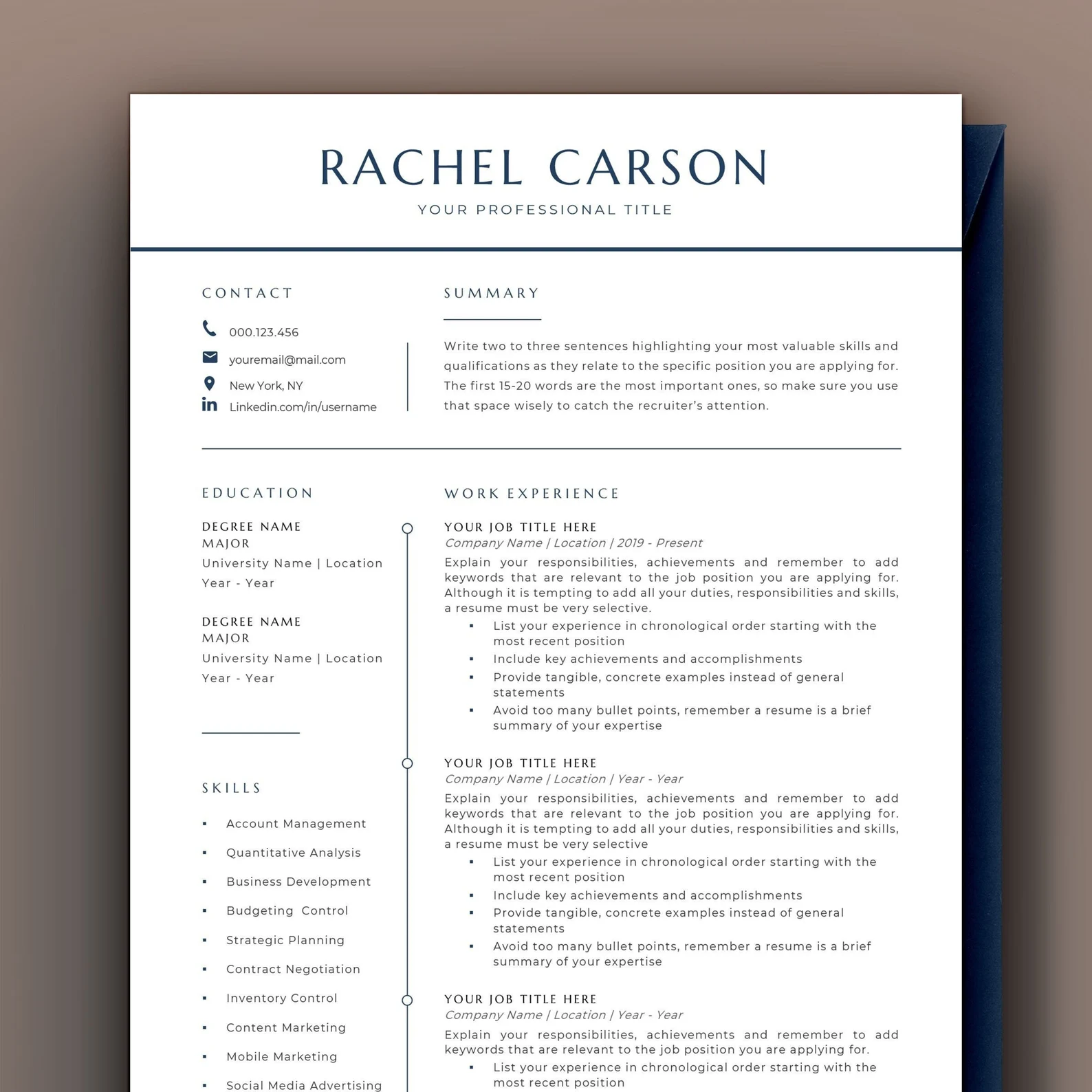
Creative Resume Template
This creative resume template is a great example of how to add a subtle, creative touch without pulling focus from your actual content. It uses stylish fonts and green headings to show some personality without going overboard. You also get interview tips, ATS-friendly formatting, free fonts, and step-by-step instructions.
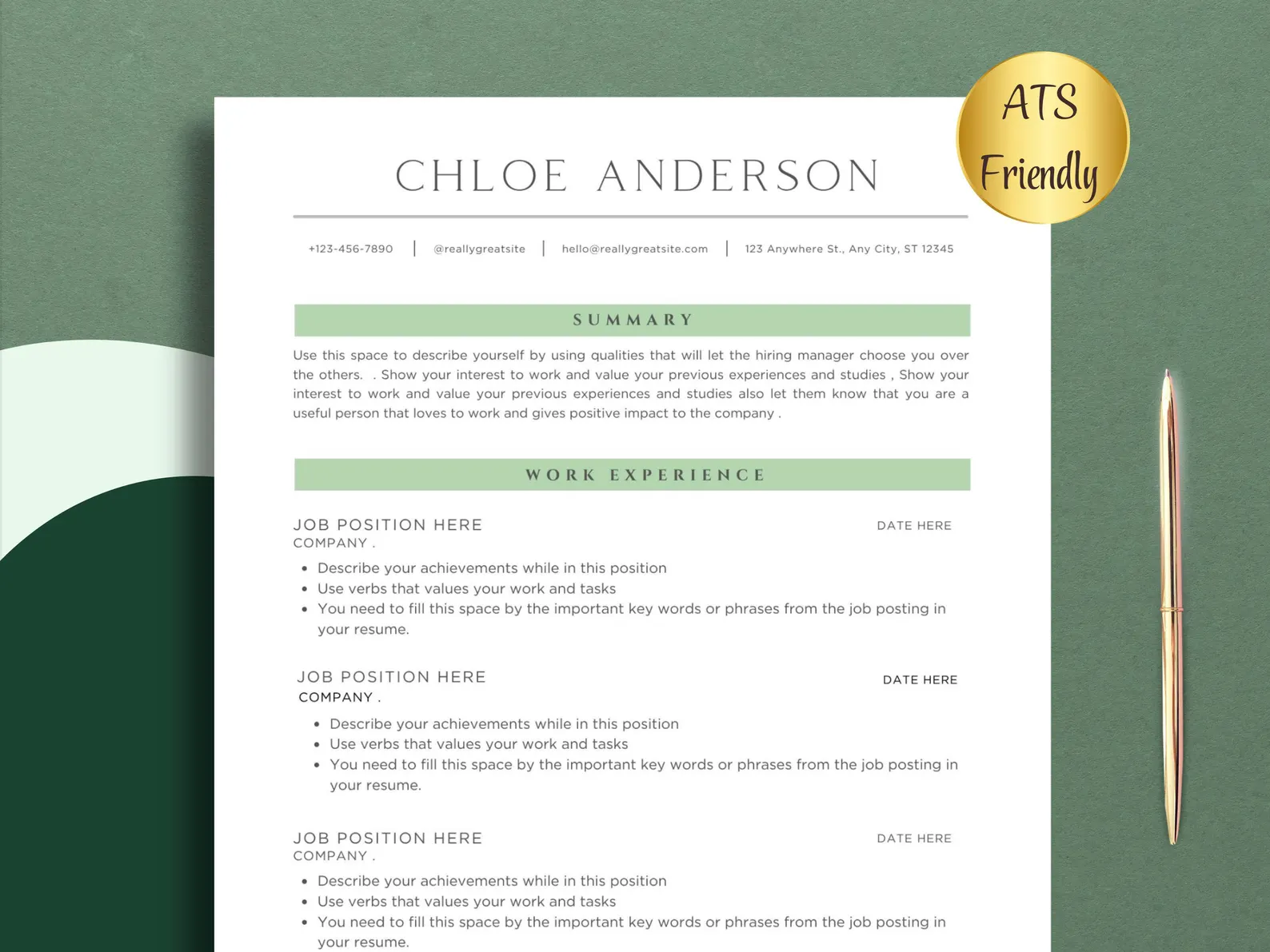
Elegant Resume Template
This elegant resume template uses beige tones to keep the design warm and modern. It sticks to a single-column layout, which makes it easy to read and ATS-friendly. You get a full resume guide, interview tips, icons, and a checklist to stay on track. Everything’s customizable, and it works with Word, Google Docs, and Apple Pages.
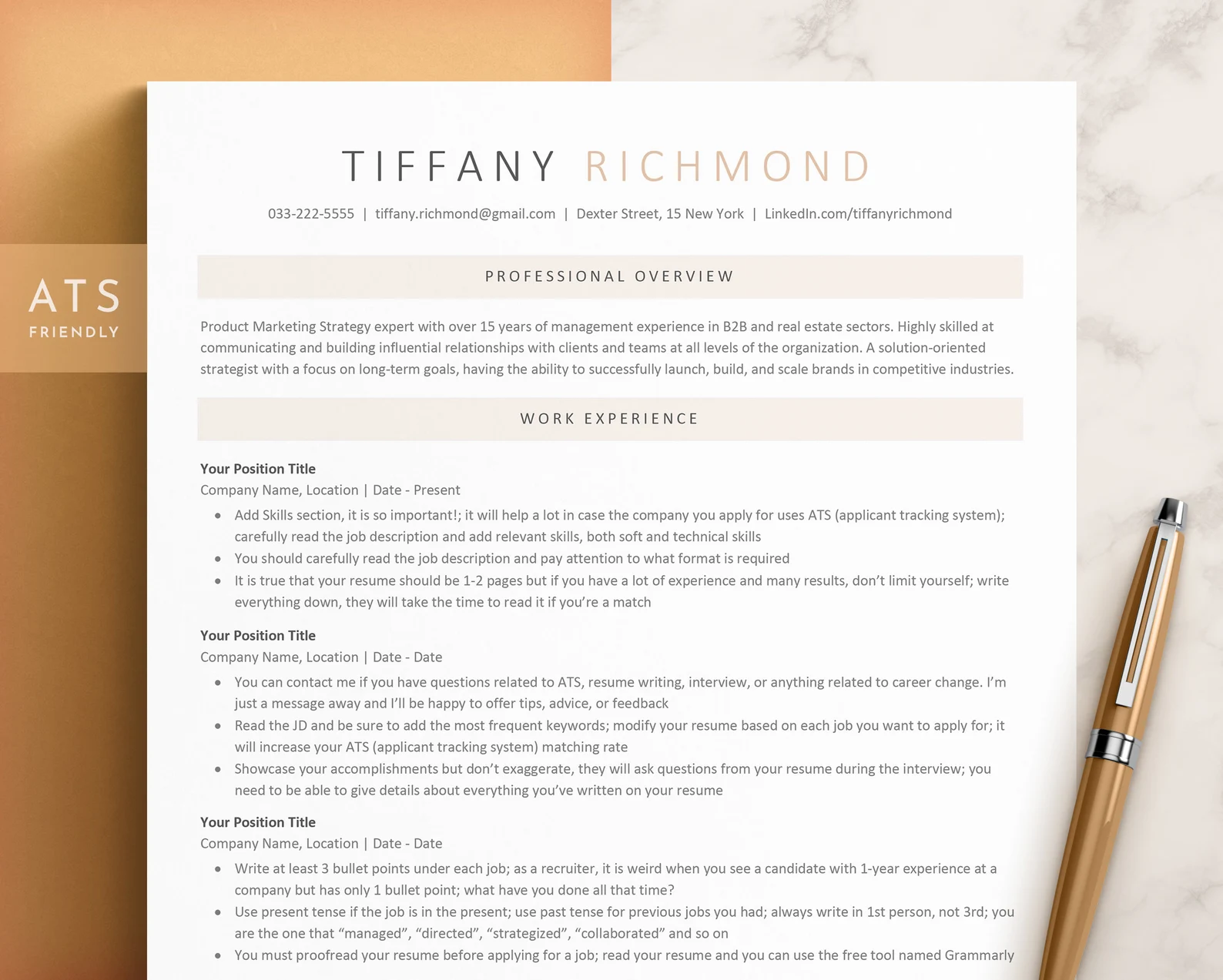
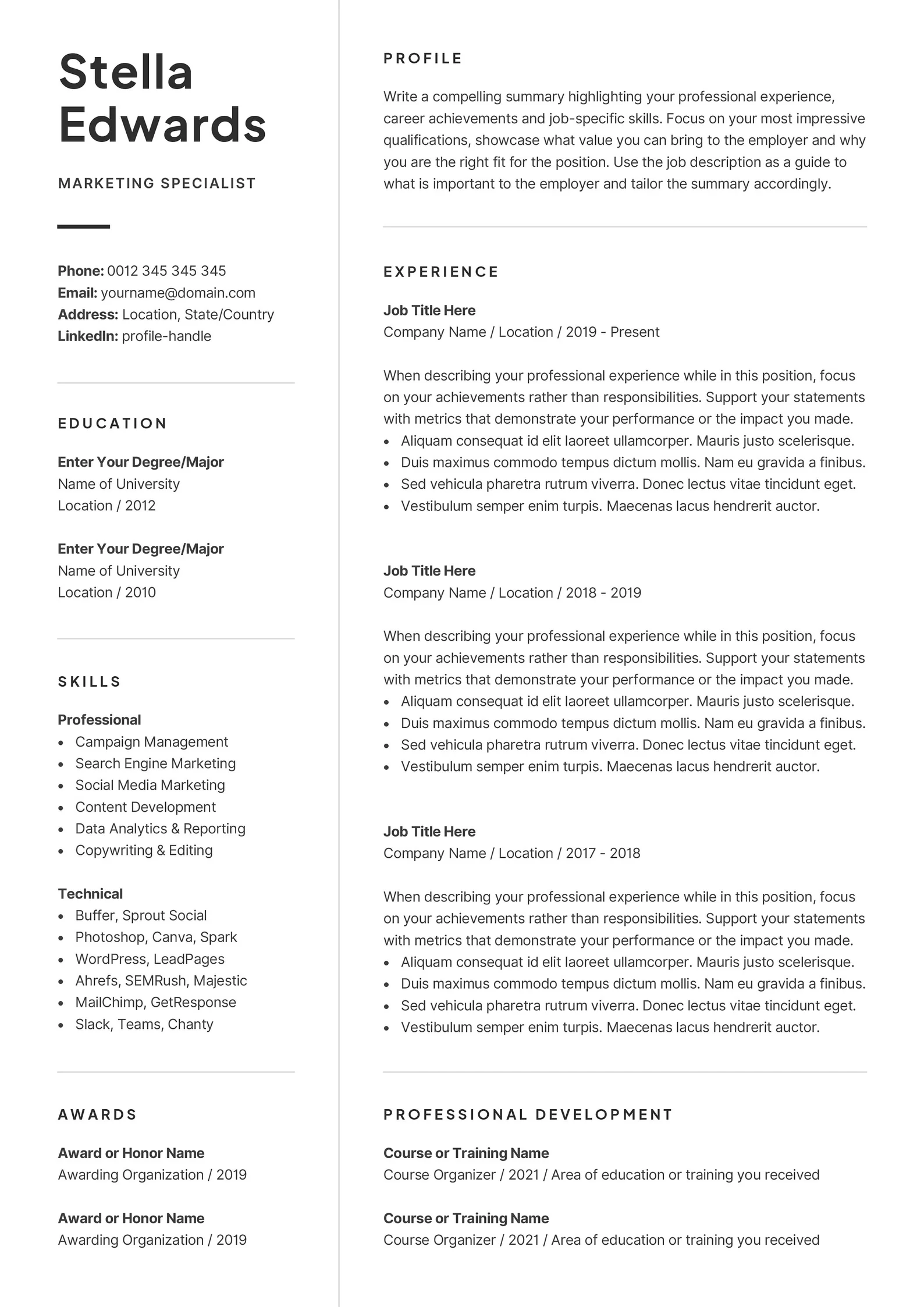
One-Page Resume Template
The one-page resume template is ideal if you want to keep things concise and relevant. It fits your experience, skills, and extra sections all on one page without feeling cramped. You also get a user guide, icons, and free fonts. The template is compatible with Word and Apple Pages, but not with Google Docs or online editors.
Learn more: Should a Resume Be One Page?
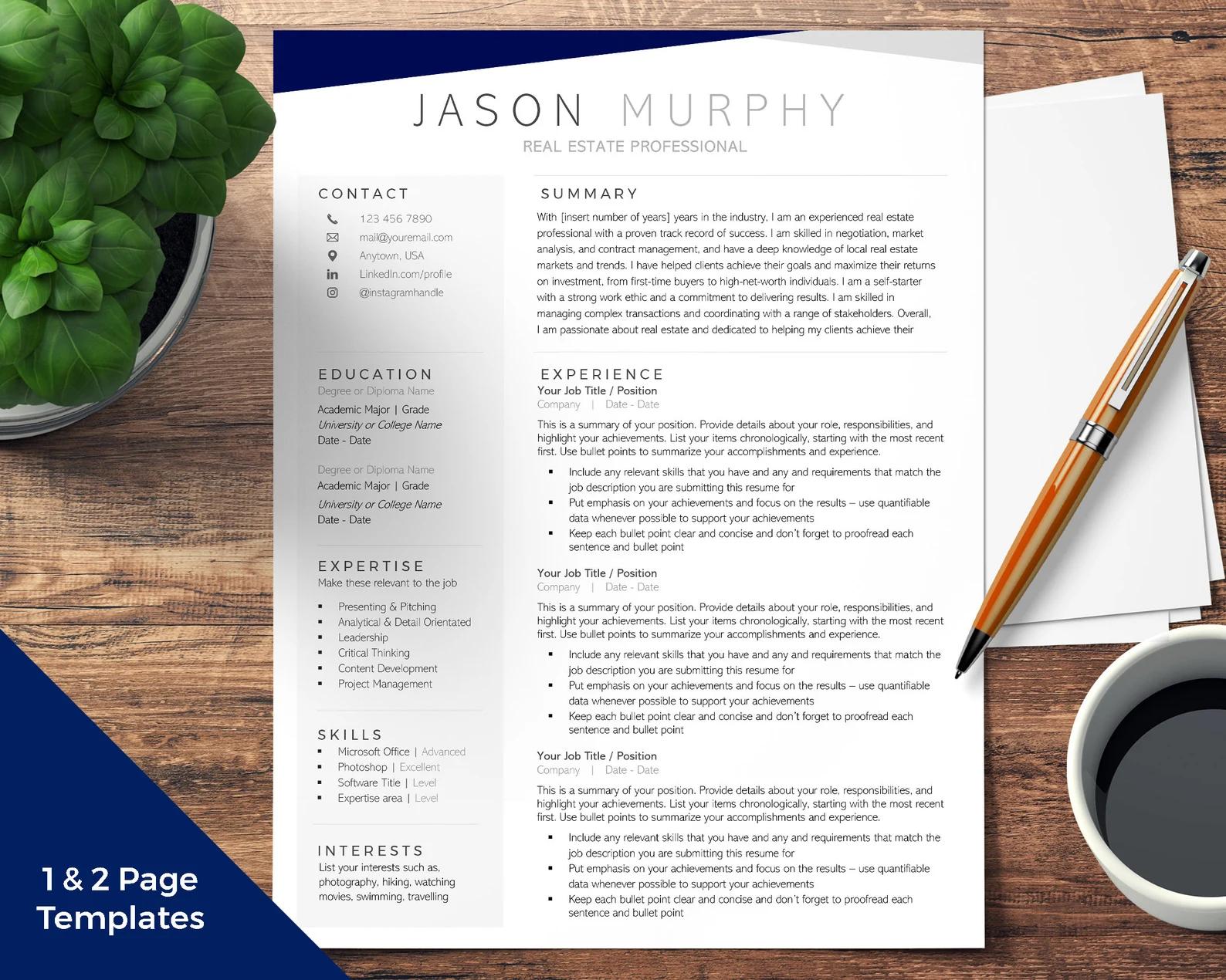
Two-Page Resume Template
This two-page resume template lets you dig further into your experience without cramming everything together. However, I only recommend spilling onto two pages if you have lots of experience and everything is relevant to the role. I’d also cut the references section and only include interests if they truly add value to your application.
Should your resume extend to the second page? Find out: Is a Two-Page Resume Better?
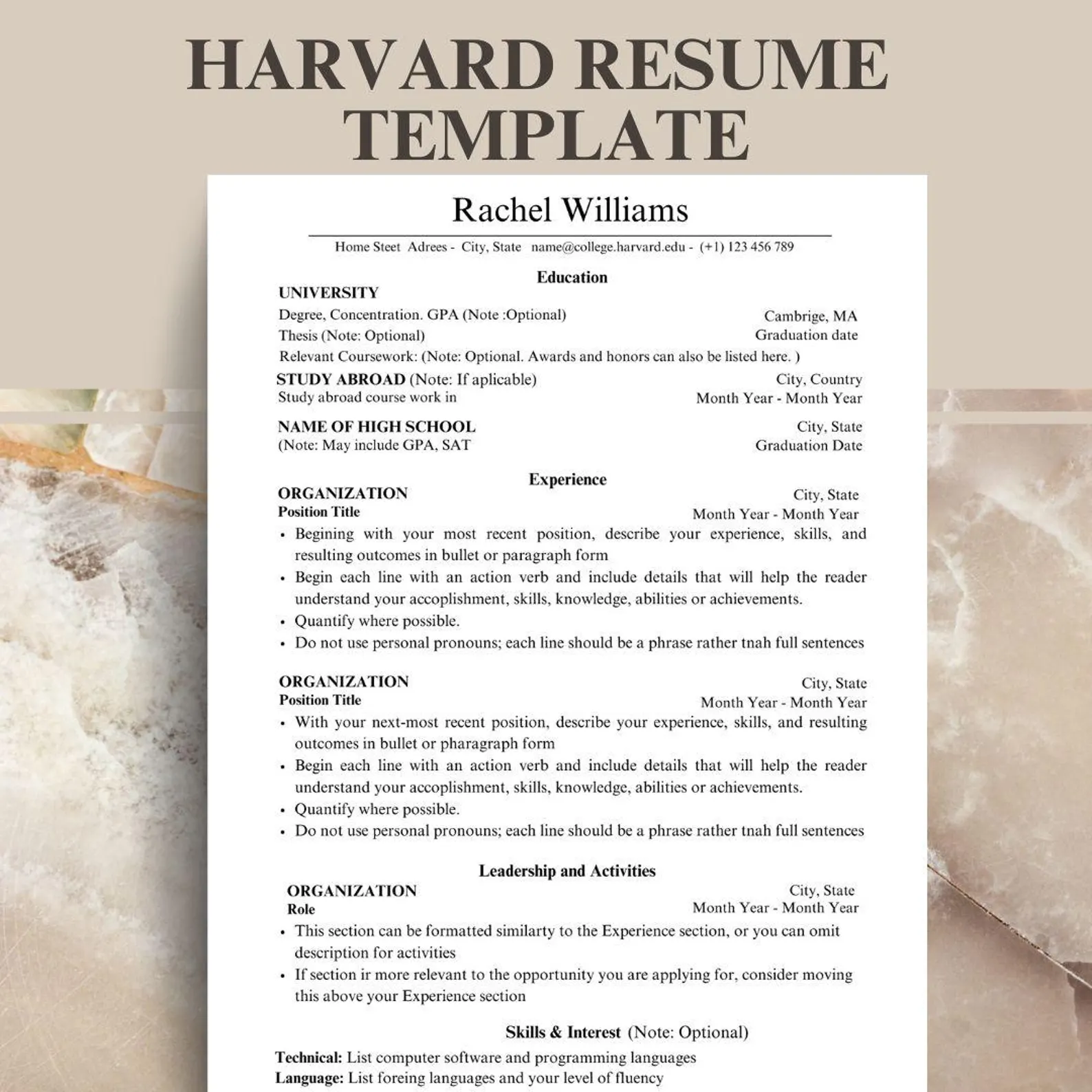
Harvard Resume Template
This resume template mimics the classic Harvard resume: education first, accomplishments, and ideal for academic or research-heavy roles. While you can get the original online for free, this version gives you added features like Canva compatibility and a matching cover letter. That said, I recommend checking Harvard’s free version first to see if it suits your needs.
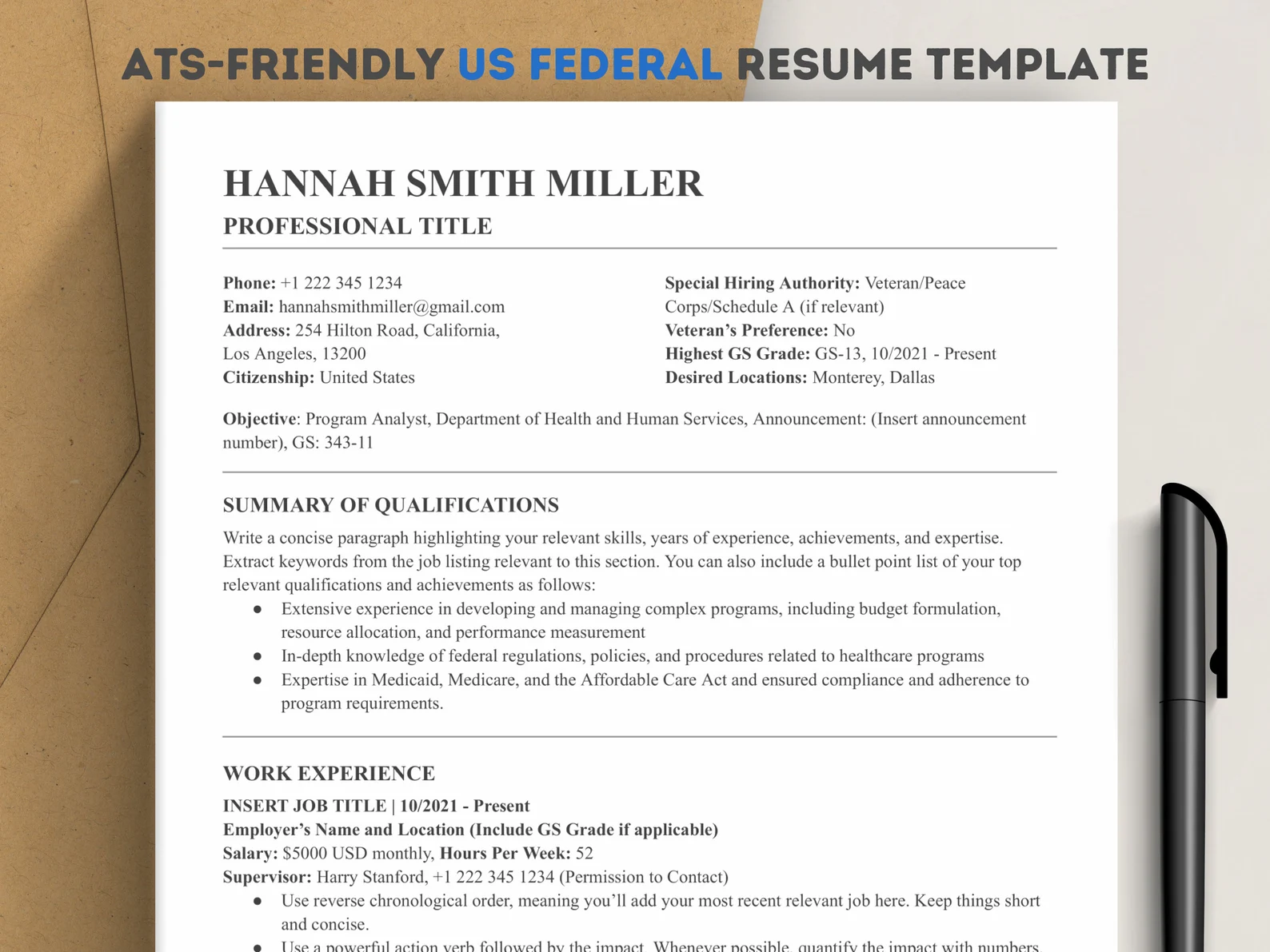
Federal Resume Template
Federal resumes are longer, more detailed, and include specifics like your GS grade, citizenship, and clearances. This resume template gives you space for that, plus extra room under job titles for your accomplishments. It’s structured to meet government standards, but you should still cross-check the job ad before sending it off.
No Experience Student Resume Template
This student resume template is great if you’re just starting out and need to focus on education, extracurriculars, and skills. It also highlights volunteer work, leadership roles, and school projects. You get a full guide with examples, plus an editing guide and checklist. However, if you have some work experience, I recommend making that the focus of your resume.
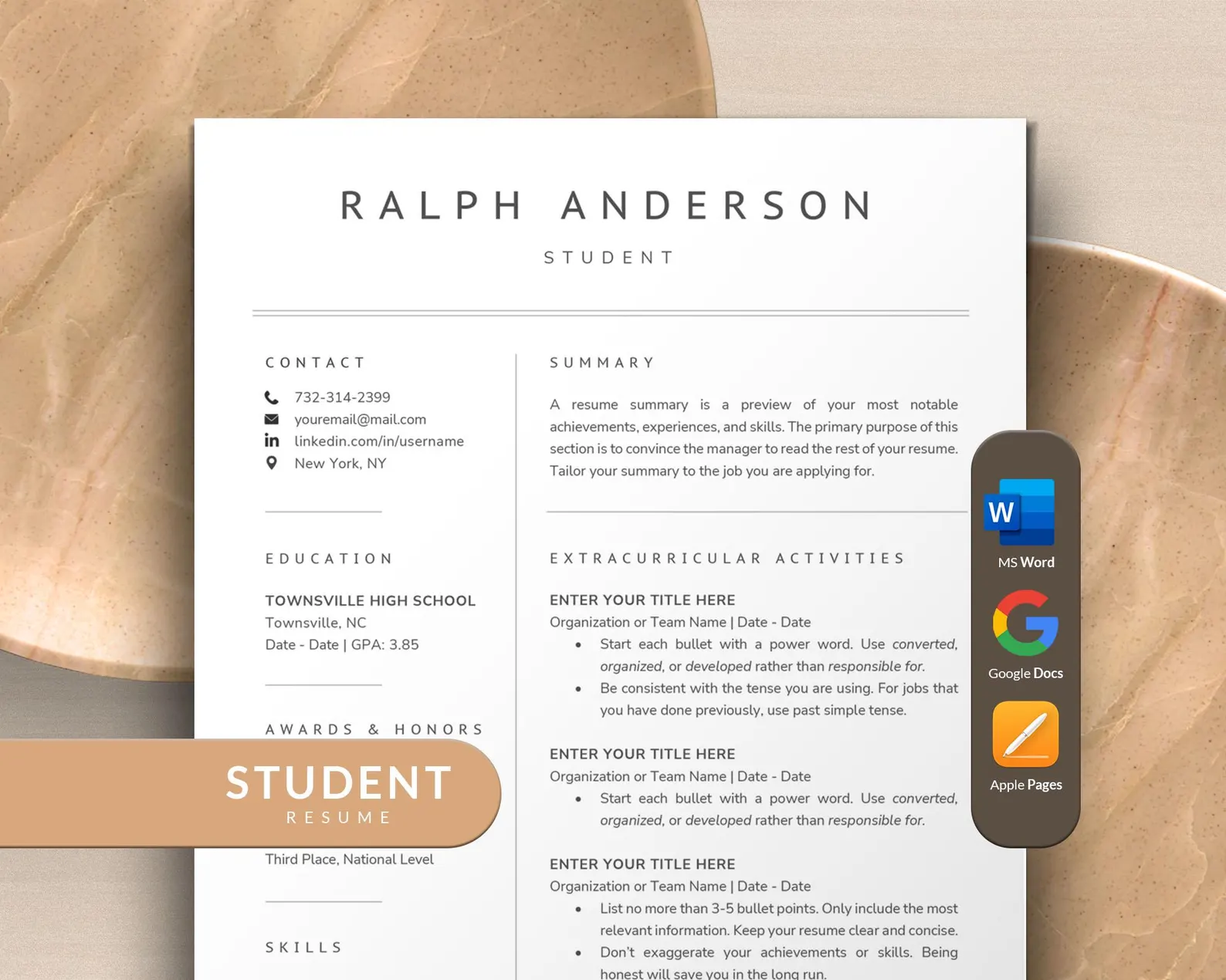
No work experience? Take a look: How to Write a Resume With No Experience
Google Docs Resume Template
This ATS-friendly template was designed with Google Docs in mind, but is also compatible with Canva, Word, and Pages. It’s a solid pick if you’re new to the workforce, as it gives equal space to projects, a summary, and skills. It comes with editable icons, fonts, and color options, plus resume checklists, an action verbs list, and interview tips to help you stand out.
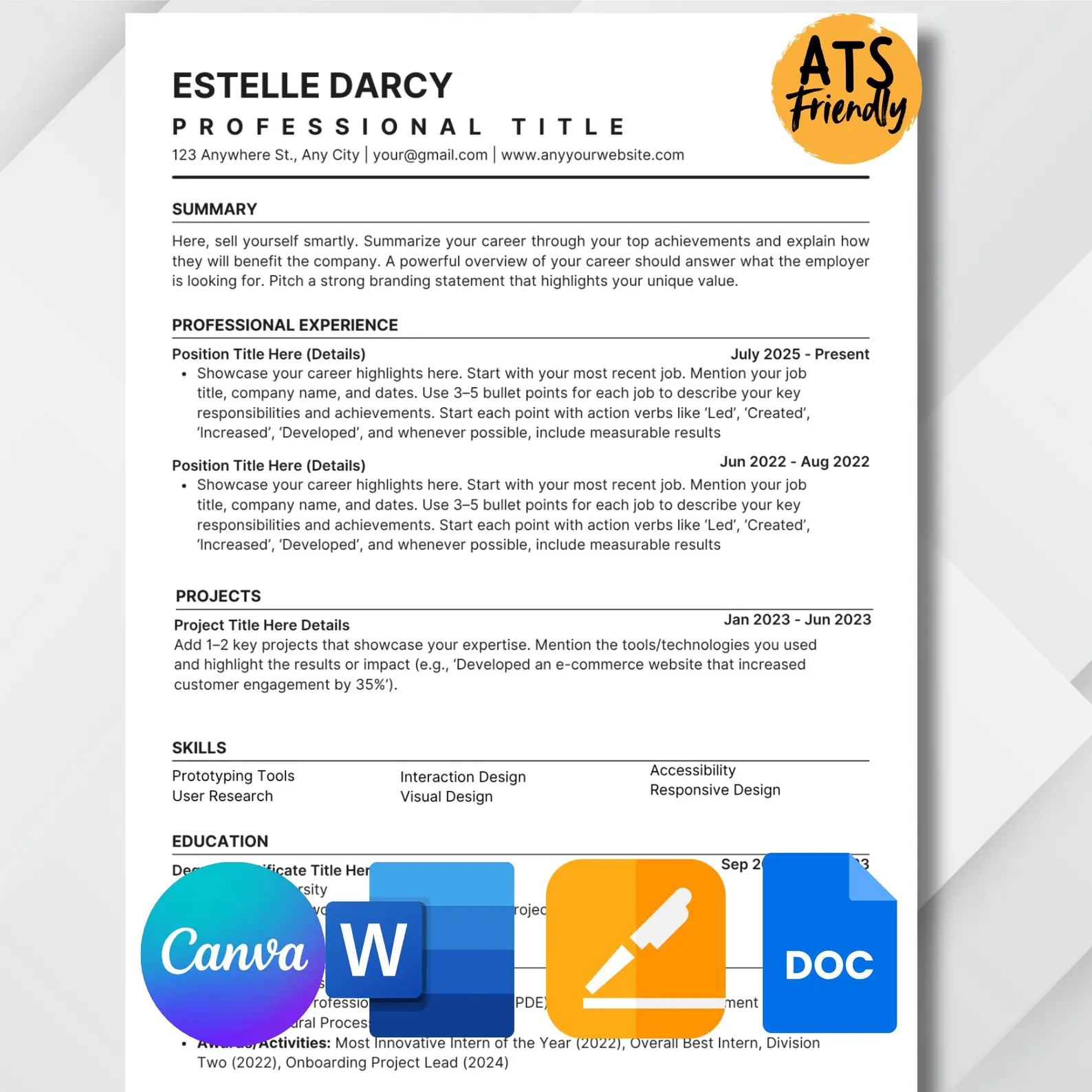
Discover more options: 40 Free Google Docs Resume Templates
Microsoft Word Resume Template
Made for Word and Pages, this template mixes professionalism with a touch of personality. Your name and section headers pop in blue, drawing attention without crossing the line. The template comes with many extras, including font guides, an editing walkthrough, and an e-book on networking and finding hidden job opportunities.
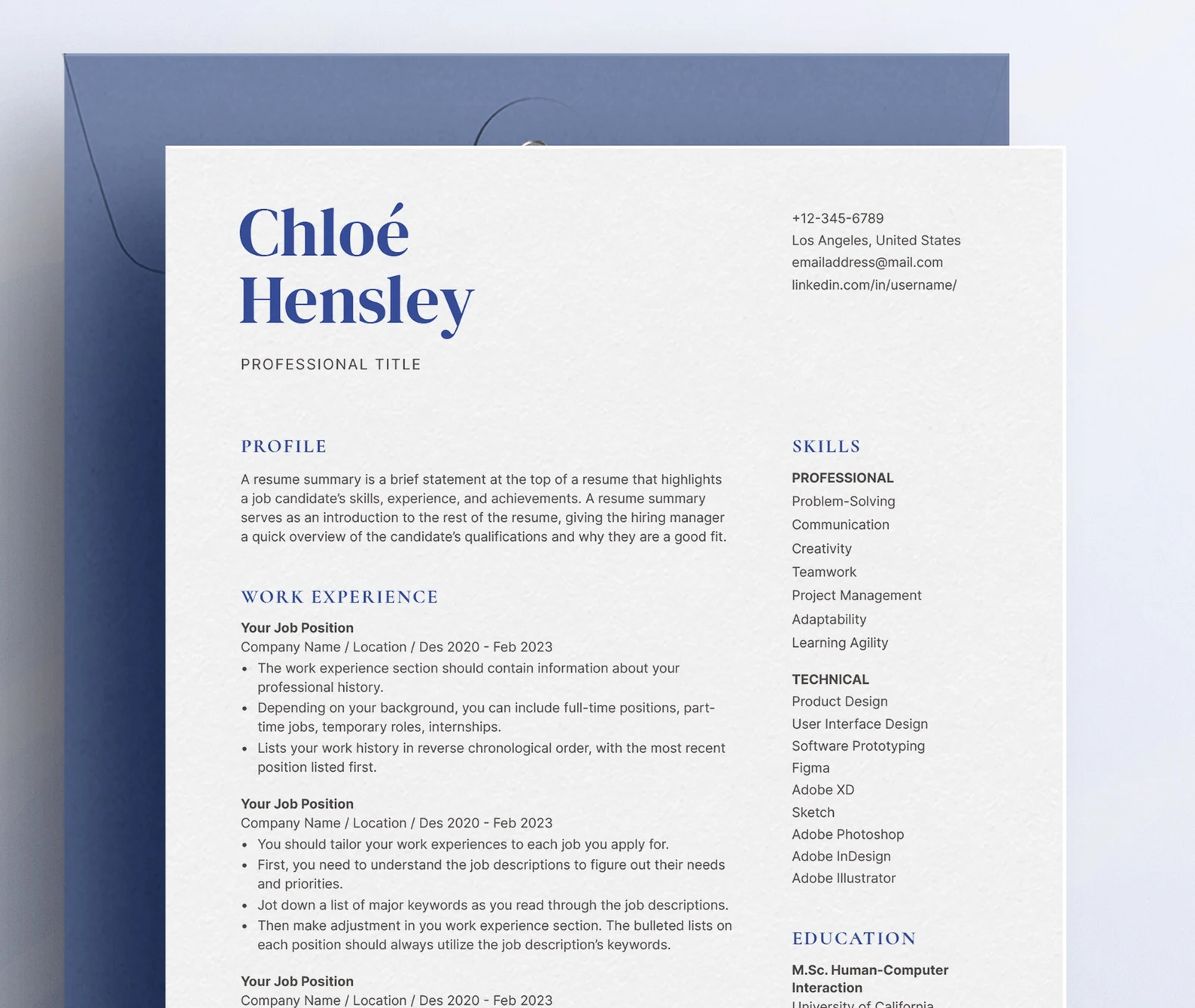
Check out more free Microsoft Word resume templates: 50 MS Word Resume Templates
Canva Resume Template
This Canva resume template keeps everything organized with simple formatting. It includes sections for interests and references, but honestly? You can ditch those to make space for your experience. Unless the job ad asks for them, references usually don’t belong on your resume. It’s also worth checking Canva first to see if there are any free templates you can use instead.

Here are some more Canva resume templates: Top 25+ Free Canva Resume Templates
How to Use Etsy Resume Templates?
Here’s how to download and use an Etsy resume template:
1. Purchase your template: Add the resume template you like to your Etsy cart and check out. After your payment, Etsy will automatically give you access to your files.
2. Download your files: You’ll get an email from Etsy with a download link, or you can head to Your Purchases to grab the files directly. Most templates come in a ZIP folder, so everything’s bundled together.
3. Install any included fonts: Before opening the resume file, check for a “Fonts” folder. Most templates include custom fonts, and you can often just double-click each font file to install it.
4. Open the template in the right program: Depending on what you bought, the template should be compatible with Microsoft Word, Google Docs, Apple Pages, and/or Canva. Follow the instructions in the included guide to open it in the correct app.
5. Customize your resume: Personalize your resume by editing text (name, job titles, bullet points), changing fonts, colors, and icons. You can also delete sections and rearrange layout elements to match your experience. Take your time and keep the job description nearby so you can tailor your resume to fit the role.
6. Save and export: Once your resume’s ready, export it as a PDF (that’s the format most job applications want). Be sure to name the file professionally: (Firstname_Lastname_Resume.pdf).
Summary
Here’s everything you need to know about finding and using an Etsy resume template:
- Use keywords like “ATS-friendly resume,” “modern resume,” or “Word resume template” to narrow your search based on your needs and preferred editing tool.
- Make sure the template is compatible with your editing software (Word, Google Docs, Canva, or Pages), as not all templates work across all platforms.
- Avoid overly graphic layouts or templates with columns, images, or text boxes that may confuse resume scanners.
- Check if the seller offers bonus resources like how-to guides, action verb lists, and interview tips to help you improve your resume.
- After purchasing, access your files through your Etsy account under Purchases or follow the link sent to your email.
- Unzip the file and install the fonts before opening your resume to make sure the formatting stays intact.
- Change colors, headings, fonts, and even rearrange sections to keep it ATS-friendly and focused on your most relevant experience.
- Always save your finished resume as a PDF to preserve formatting and ensure it looks neat when sent to employers.
FAQ
Are Etsy resume templates ATS-friendly?
Some Etsy resume templates are ATS-friendly, but not all. ATS (Applicant Tracking Systems) can struggle with templates that use fancy graphics, tables, or non-standard fonts. When shopping on Etsy, look for resumes that mention “ATS-friendly” or “ATS-compatible” in the description. Clear layouts, organized resume sections, and simple formatting are your best bet.
Find out more: How to Beat Applicant Tracking Systems (ATS)
Can you edit Etsy resume templates?
Yes, most Etsy resume templates are editable in programs like Microsoft Word, Google Docs, Apple Pages, or Canva (depending on the file you purchase). You can usually change fonts, colors, section headings, and layout elements. Just make sure to install any custom fonts provided in the download before opening the file.
How to download Etsy files?
Once you’ve completed your purchase, Etsy will send a download link to your email, and you can also find it under Purchases on your Etsy account. The files usually come in a zipped (.zip) folder. Just double-click it to extract, or use a free tool like 7-Zip if it doesn’t open. Inside, you’ll find your resume template, fonts, and often a how-to guide.
Which resume file type should you use?
Always submit your resume as a PDF unless the job posting says otherwise. PDFs preserve your formatting no matter what device it’s opened on. Word docs (.docx) can shift or break depending on the recruiter’s software. Once you've finished editing your template, export it as a PDF for a clean, consistent look.
Do you need to put a photo in your resume?
In most cases, no. In fact, including a photo can work against you, especially in the U.S., Canada, and the U.K., where resumes with photos may be rejected to avoid bias claims. Unless you’re in a country or industry where it's the norm (like modeling or acting), you should skip it.

Upload or drop your resume to get started
Upload your resume to get started
Score my resume

Lauren Bedford is a seasoned writer with a track record of helping thousands of readers find practical solutions over the past five years. She's tackled a range of topics, always striving to simplify complex jargon. At Rezi, Lauren crafts genuine and actionable content that guides readers in creating standout resumes to land their dream jobs.