Resume
20 Best LaTeX Resume Templates for 2026 (Free & Overleaf-Ready)
Download 20 free LaTeX resume templates compatible with Overleaf. Clean, ATS-friendly designs for developers, academics, and engineers. Includes .tex source files and customization tips.


Published on
September 19, 2025
Updated on
March 11, 2026
Key Takeaways
• LaTeX shines for tech, research, and academic resumes: clean typography when you start from a solid Overleaf template.
• Learning LaTeX from scratch is slower than Word or Docs — customize a ready .tex template instead of building layout yourself.
• Stay ATS-safer with a single-column layout; skip icons, graphics, skill bars, and decorative ratings.
• Most templates omit a summary — add one; if you have strong experience, put education after work history.
• Popular picks in the guide (e.g. Jake’s one-pager, Ethan’s ATS-style) work when you personalize sections and drop unused chrome.
LaTeX resumes are a great way to create a clean, polished, and professional look, especially if you’re applying for roles in tech, research, or academia. With a free Overleaf account and a ready-made template, it’s easy to get started. Just swap in your own info, adjust fonts and sections to suit your style, and make sure to keep it ATS-friendly by using a single-column layout and skipping icons or graphics. It might take a little practice, but the end result is well worth it.
If you’ve spent way too many hours wrestling with resume templates, only to end up frustrated because it still doesn’t look quite right, welcome to the club. Maybe you even tried building your own in Word or Google Docs, thinking it’d be quick and easy. But it rarely is, is it? Somehow, it never looks professional enough, and you’re tired of wasting time on something that should be simple.
Your resume isn’t where you should be spending all your energy. That time could be better spent applying for jobs. Or, honestly, doing something fun for a change.
LaTeX is a powerful tool that can make your resume look incredibly sharp and polished. But fair warning: it’s also kind of a pain to learn if you’ve never used it before. It takes longer than Word, and the editor can be pretty confusing at first. So, unless you want to invest a lot of time figuring it all out, your best move is to grab a solid template and customize it to fit you.
You’re in the right place. In this guide, you’ll get:
- 20 LaTeX resume templates ready to personalize.
- Helpful tips on how to put together your LaTeX resume.
- The pros and cons of going with LaTeX for your resume.
Not feeling LaTeX? Try our free AI Resume Builder to create a professional resume in minutes, with no design skills needed. Or if you’re exploring other templates, check out these guides:
- 25+ Best Canva Resume Templates
- The Best Free Resume Templates You Can Download
- Blank Resume Templates to Jumpstart Your Design
- 50 Free Microsoft Word Resume Templates
- 35+ Professional Resume Templates for Any Industry
- 30+ Simple Resume Templates That Still Stand Out
- 40 Resume Templates for Google Docs
- The Free ATS-Friendly Resume Template
Sample LaTeX Resume Templates
I’ve pulled together some of the best LaTeX resume templates to save you time and help you get started faster. These are clean, professional, and widely used, especially for technical or academic roles.
Quick heads-up: most of these don’t include a resume summary or objective by default, so be sure to add one yourself. And if you have some solid work experience, I recommend placing your education section after your experience to let your career story shine.
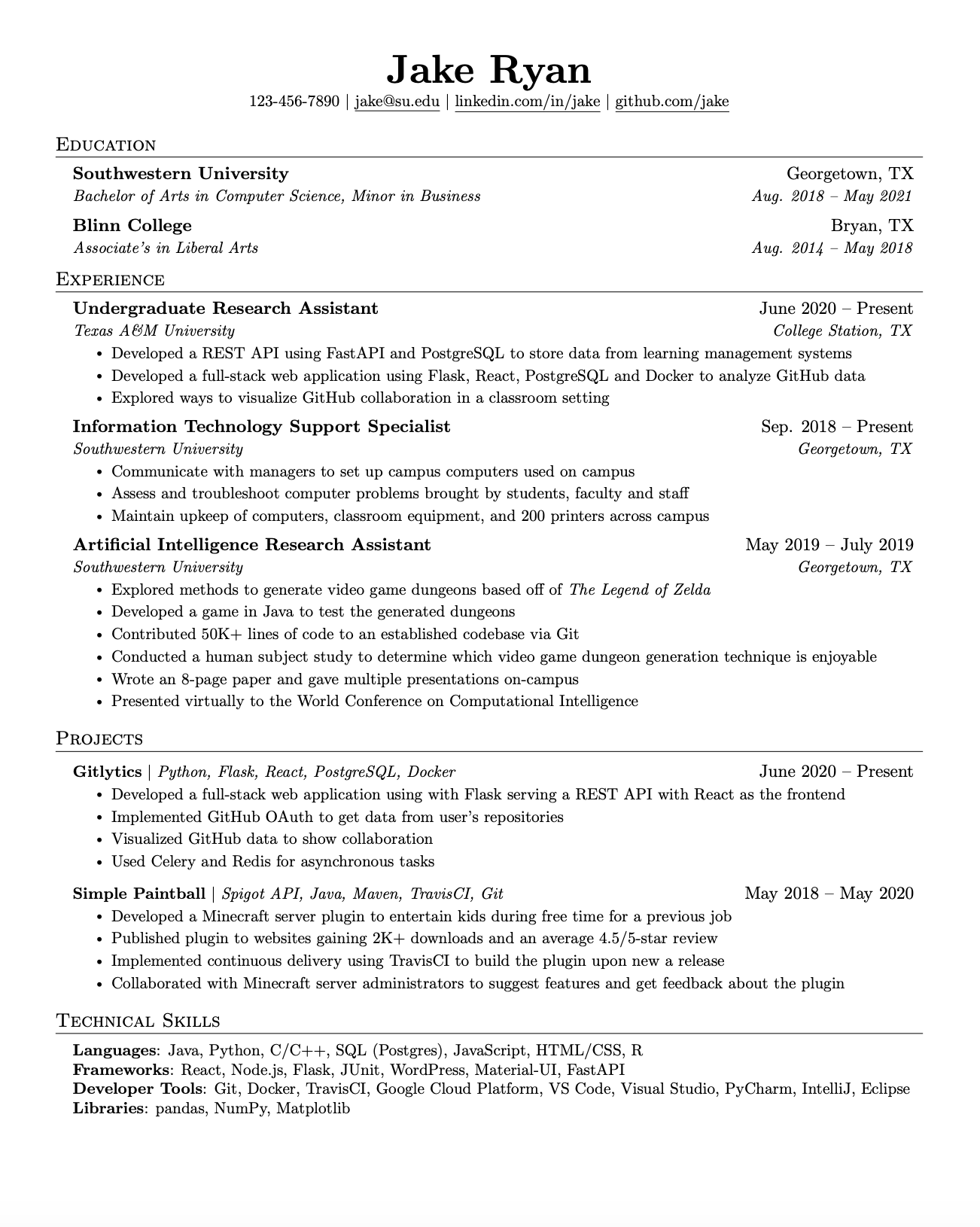
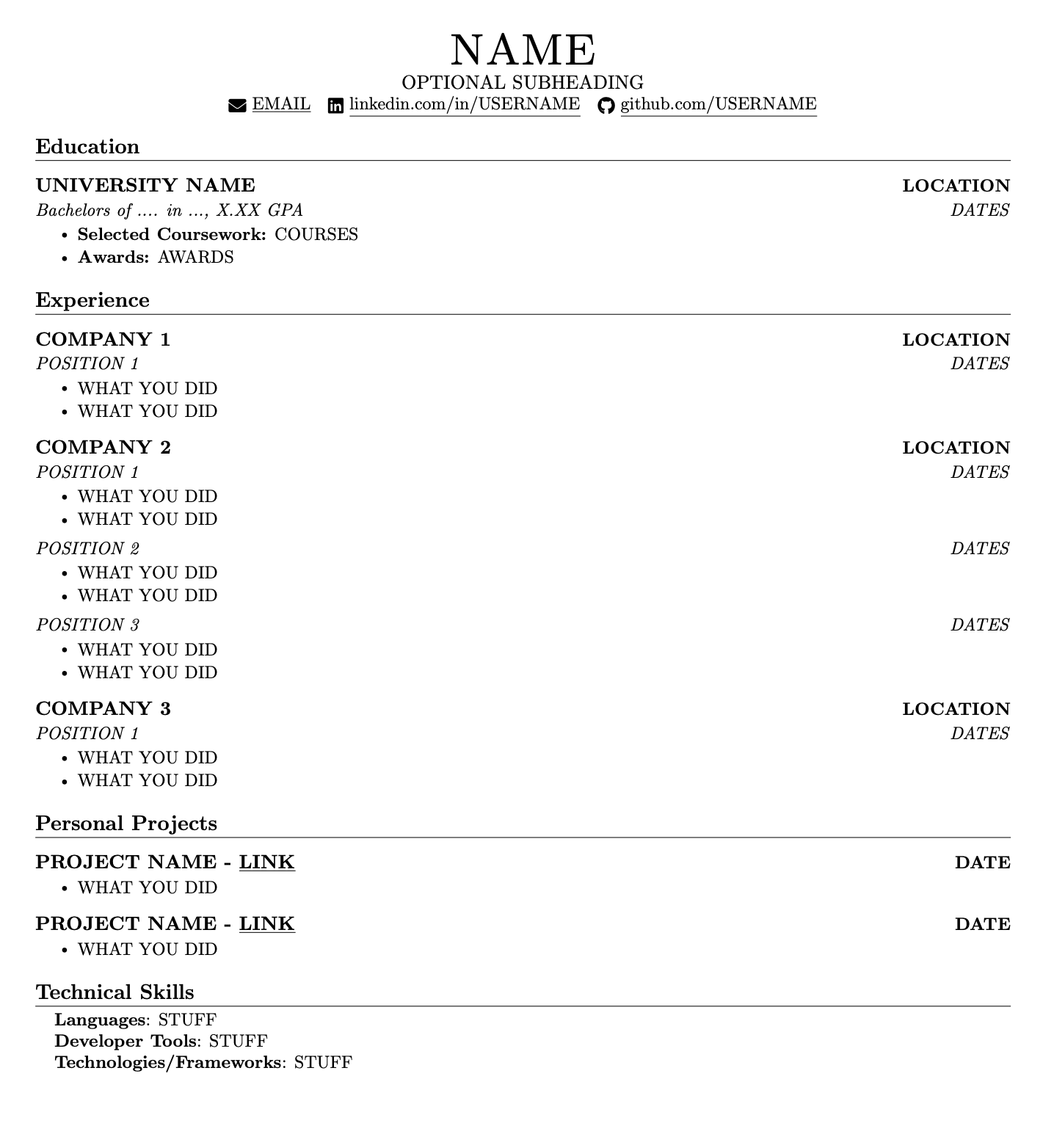
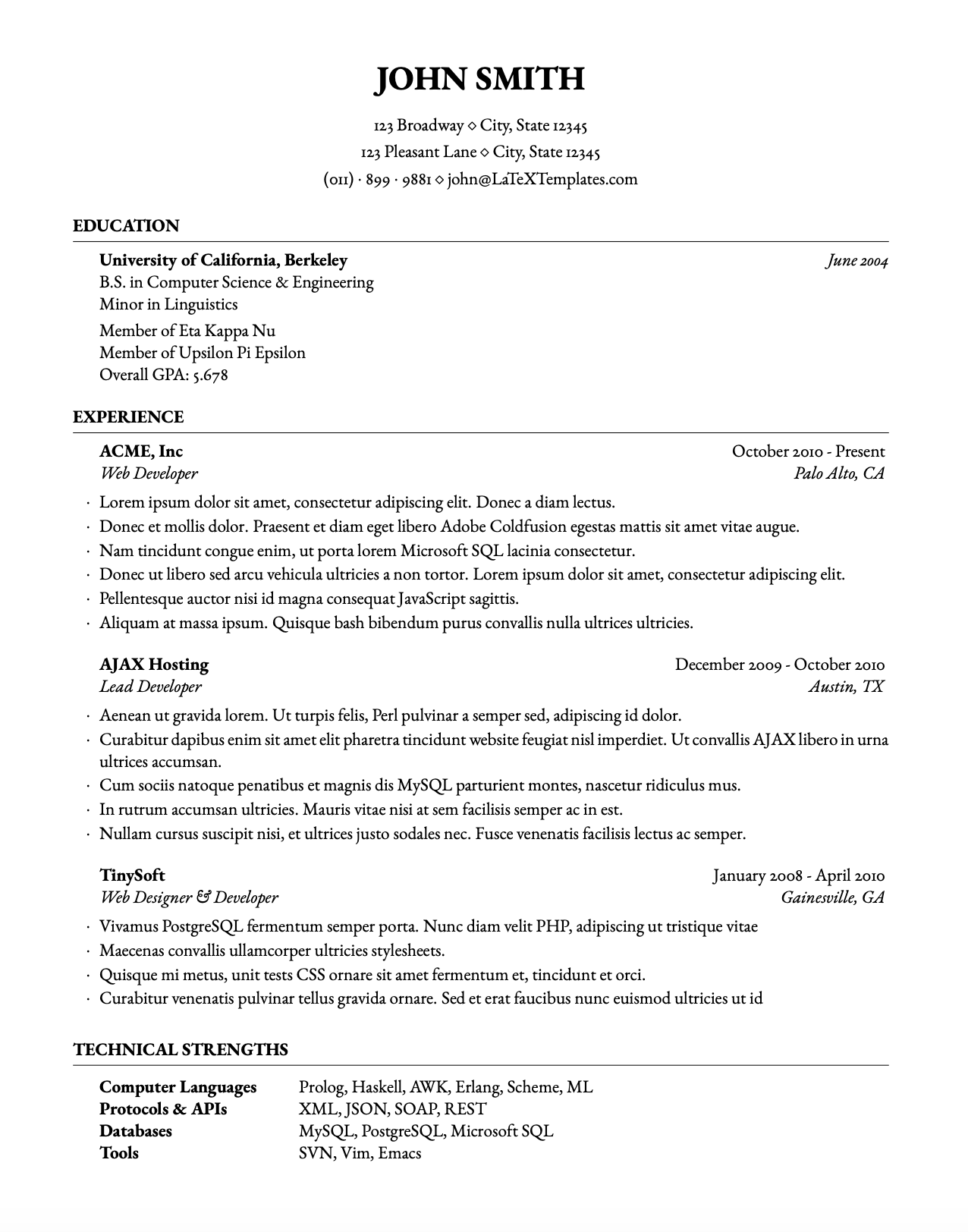
Jake’s resume template
The famous LaTeX one-pager that’s clean, sharp, and easy to follow. No clutter, no gimmicks, just well-spaced sections, clear headings, and indented bullet points that make your achievements stand out. It’s a favorite in the tech and academic communities, and for good reason.
It’s a popular choice on Reddit, too:

Customized CurVe CV
One of Overleaf’s most popular academic CV templates. It’s elegant and tailored for researchers and grad students, but skip the icons if you’re applying online, as they’re not ATS-friendly. Add bullet points under your roles, and leave out the references section.

Ethan’s resume template
Super straightforward and ATS-optimized, it’s great if you want a no-frills layout that gets the job done. Just be sure to include a short summary or objective at the top. Skip the skill bars and ratings; listing your skills is enough.

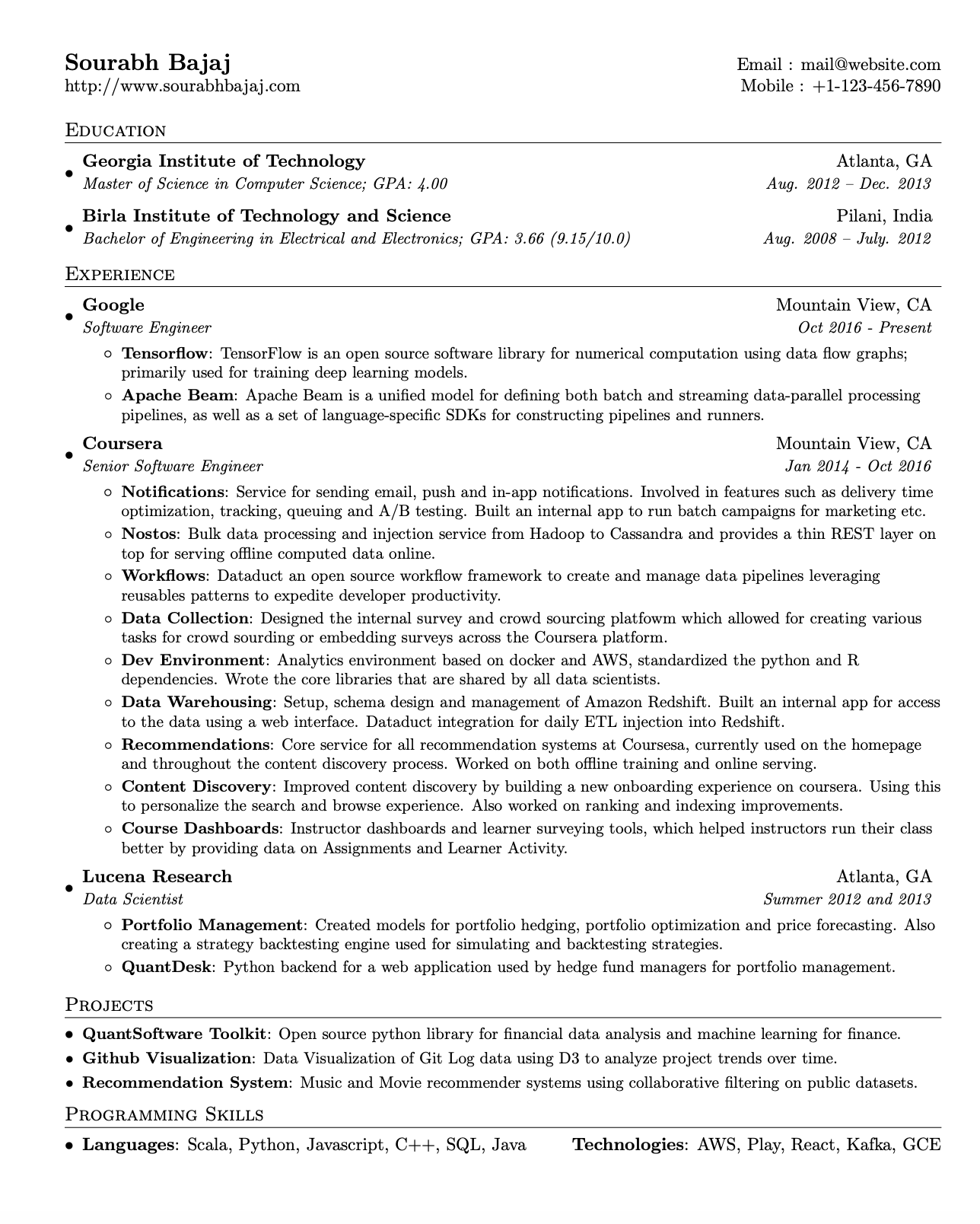
Software engineer resume template
Polished and professional with a nice flow, but make your name stand out more at the top, as it’s too easy to miss. Add a quick resume summary before your education section to highlight your top skills and experience at a glance. It’s a great fit for technical roles.
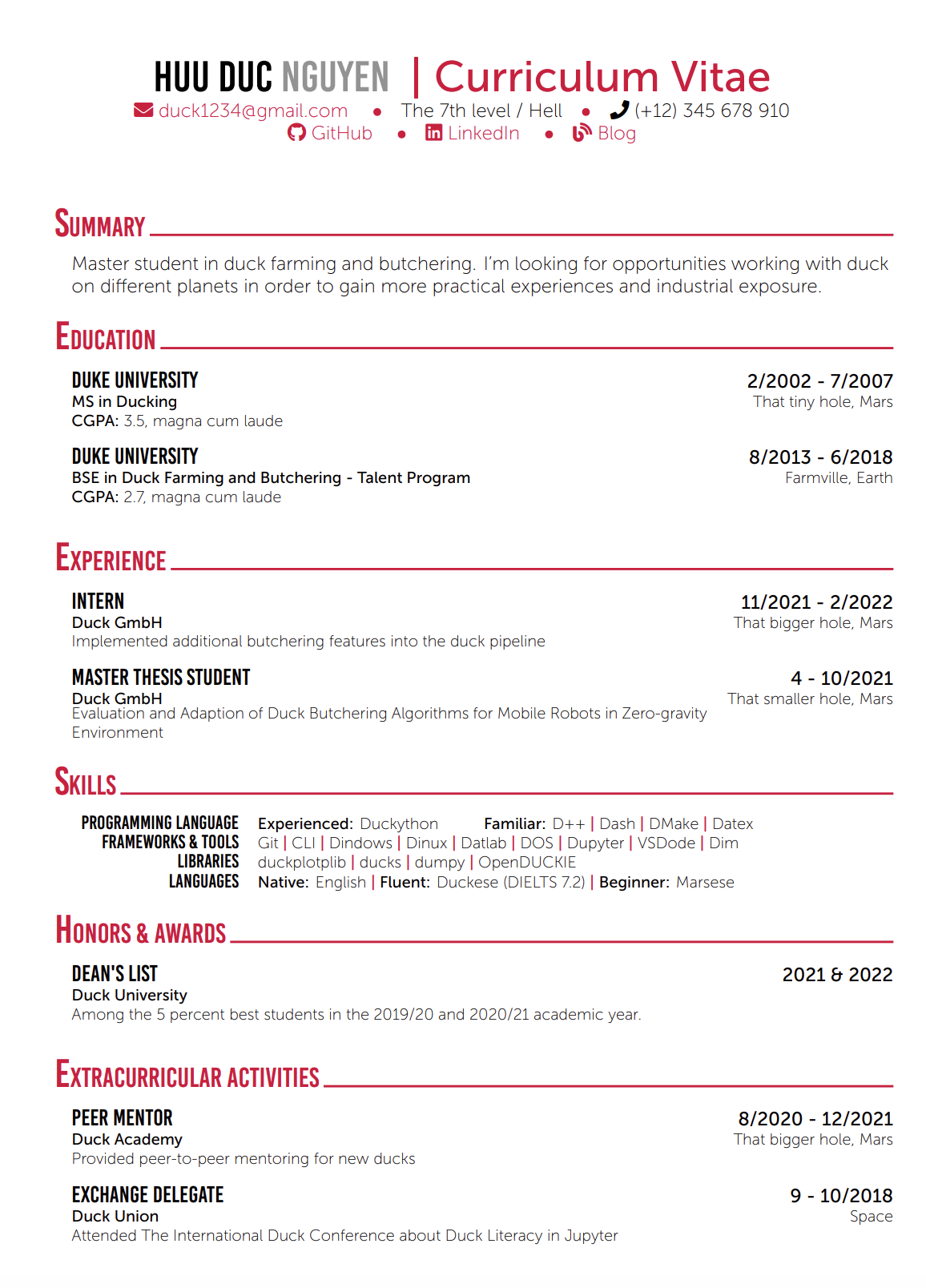
Creative resume template
This one’s bright, fun, and still readable by most resume scanners, which is a rare combo. The font adds personality without going overboard, though three colors in the header might be too much. Skip writing “Curriculum Vitae” by your name, and only keep the sections that actually add value.
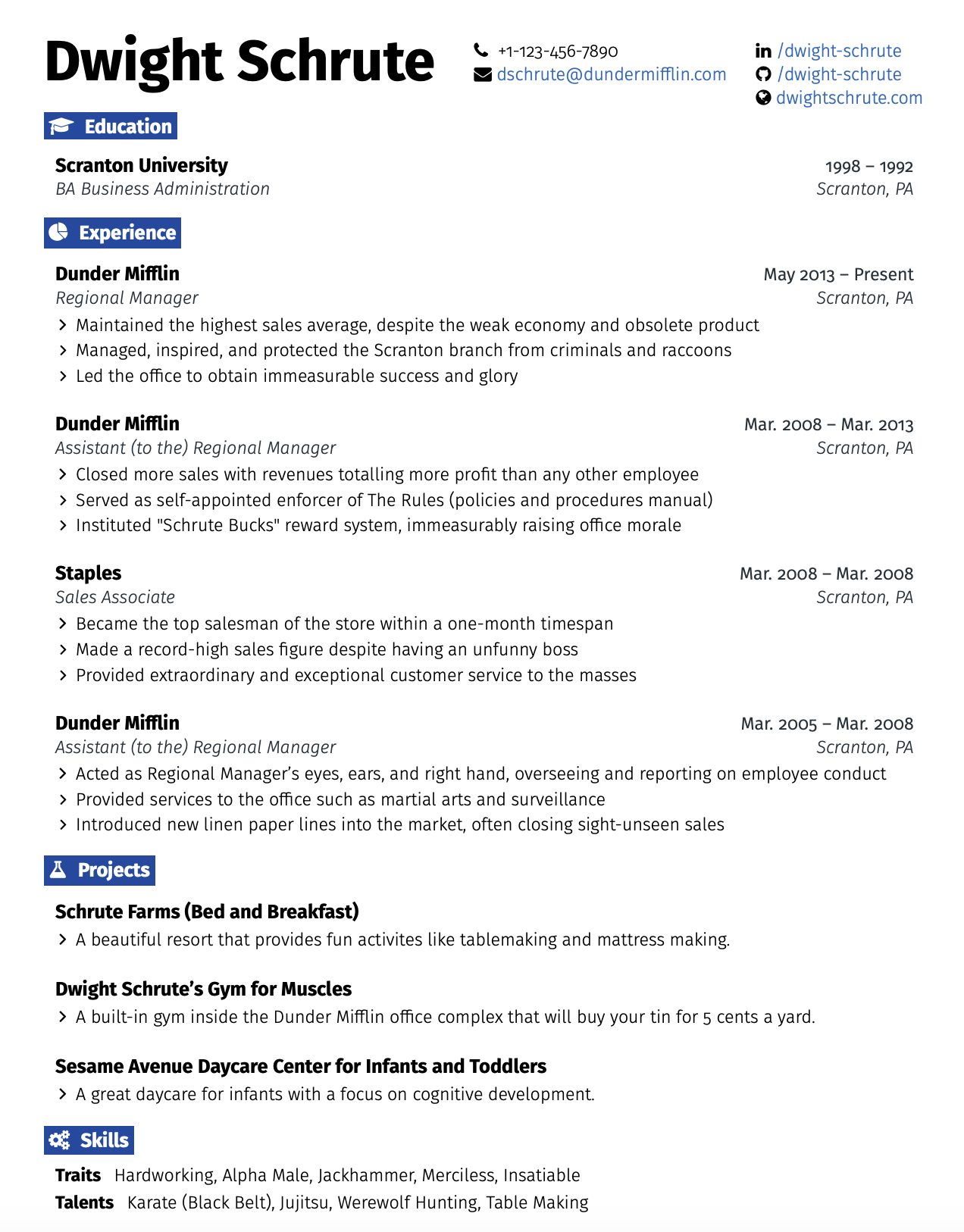
Office resume template
Clean, professional, and a great fit for roles in engineering or traditional industries. The layout is easy to follow, and the muted color keeps it modern without being flashy. Just watch out for icons or highlighted headings; they might be unreadable by ATS. And don’t skip the summary.
Awesome resume/CV template
This one comes with a matching cover letter and loads of sections, but three pages is pushing it unless you’re writing an academic CV. Trim it down to one or two pages and focus on what’s actually relevant. More isn’t always better when it comes to resumes.

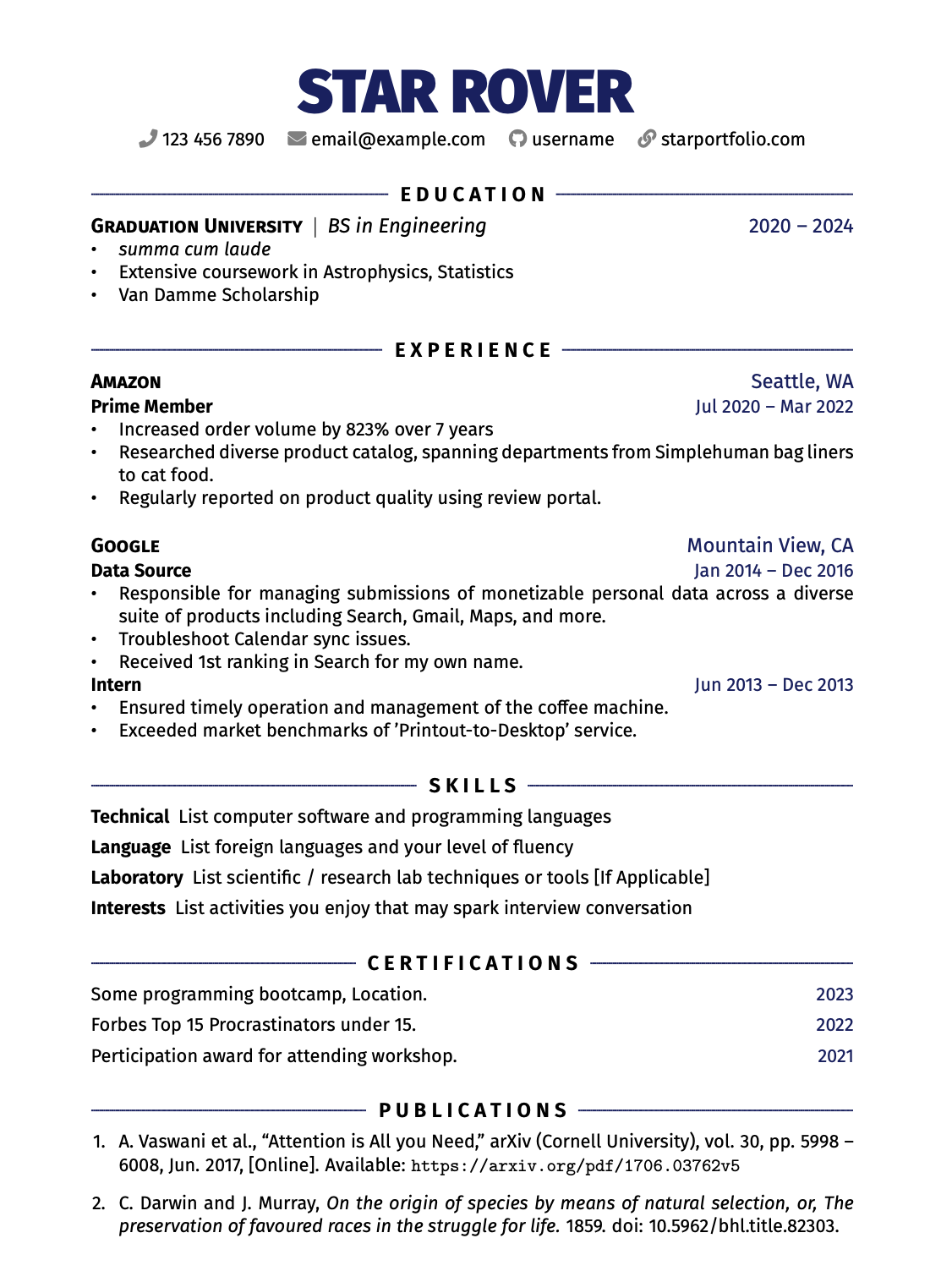
Rover resume template
Simple, clean, and well-structured. The center-aligned headings and divider lines give it a polished feel, and your name really stands out at the top, just as it should. It’s a great pick if you want something professional but not too rigid.
IT resume template
Straightforward and built for clarity, this one’s great for IT professionals who want their experience to speak for itself. No fluff, no unnecessary sections. Just keep it focused on what’s relevant to the role you’re applying for.
Academic CV
The green accent works really well here; it draws attention to your experience, location, and key skills. It’s perfect for showcasing research, professional, or academic achievements. If you’re putting your skills in green, make sure to tailor it to the job description and highlight the right keywords.

Professional resume template
This one’s polished and easy to navigate. Honestly, it’s on par with Rezi’s templates. Want to save space? Put your contact info all on one line. And if your work experience is strong, keep the education section short without the additional details.
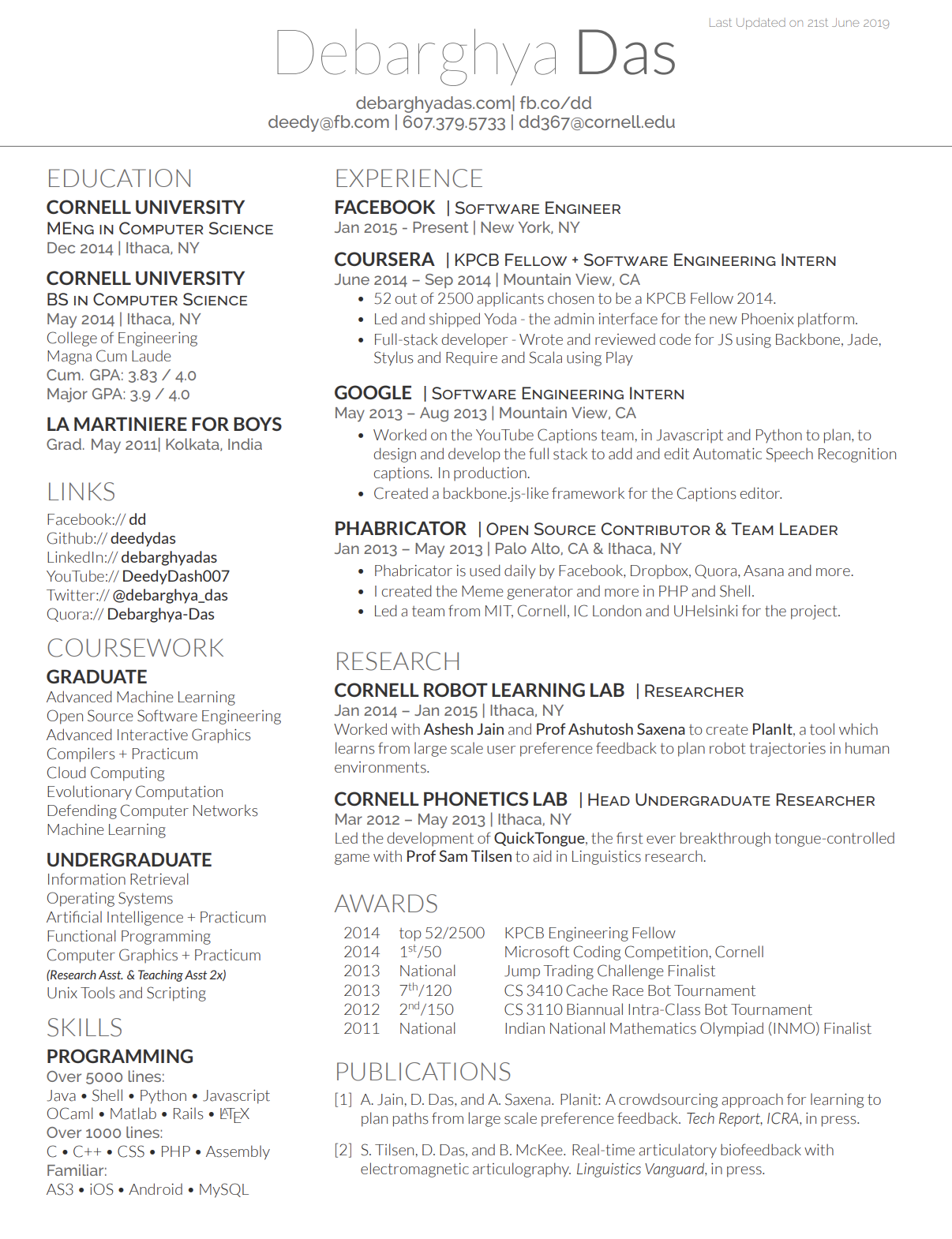
Deedy’s resume template
This one’s a classic, but in my opinion, it’s a bit much. The two-column layout feels cramped, and there’s just not enough space. If you must use it, at least give it a second page so your content (and the reader) can breathe.
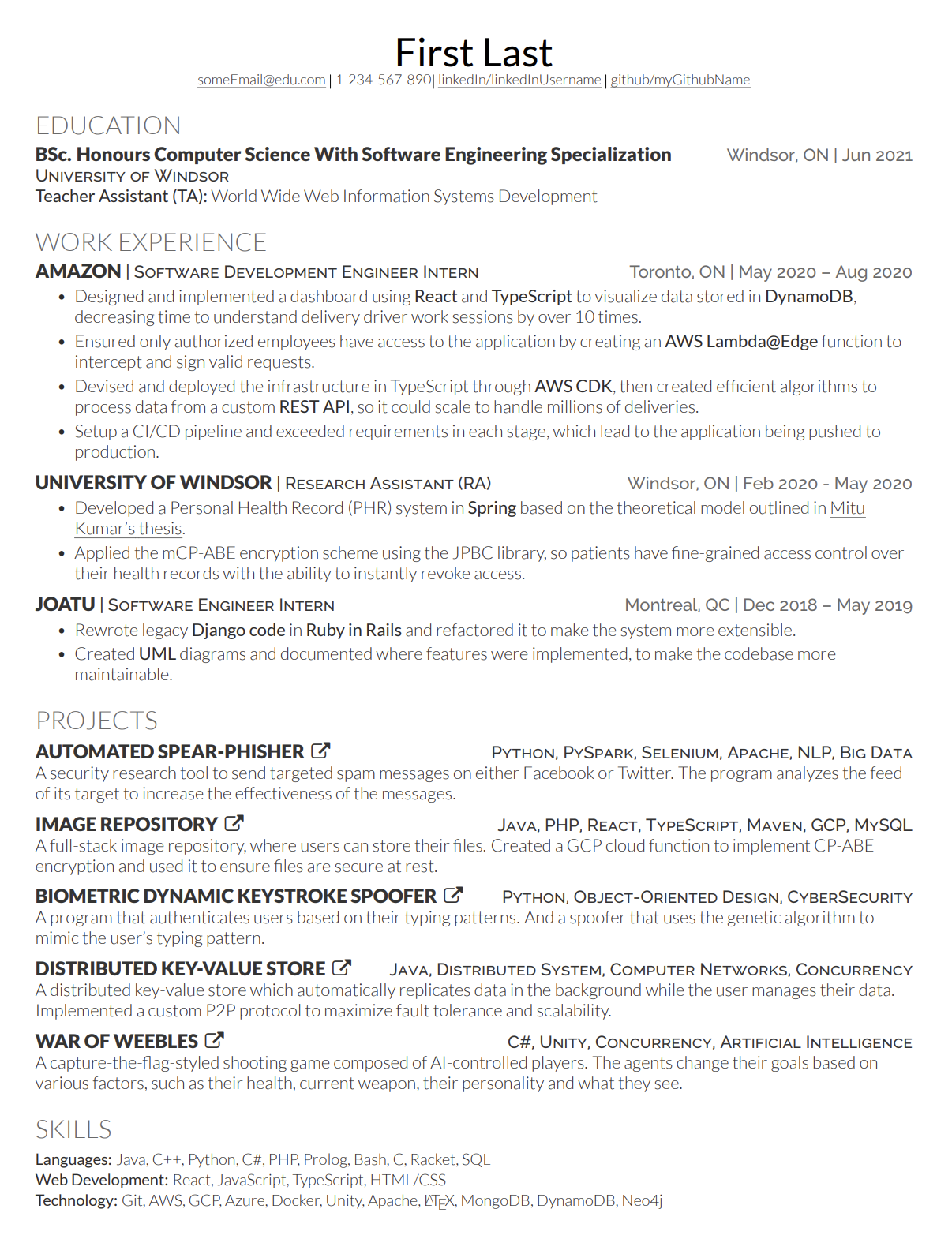
Modern Deedy resume template
This is Deedy’s glow-up. The single-column layout makes it easier to read, and the overall design feels more focused. It could still use more spacing around the headings, but it’s much more user- and recruiter-friendly. Just don’t forget to include a summary at the top.
How to Build Your LaTeX Resume Template
Here’s how to put together your LaTeX resume template:
- Create a free Overleaf account to get started.
- Learn the basics with a 30-minute LaTeX guide if you’re new.
- Browse resume templates on Overleaf, GitHub, CTAN, or LaTeXTemplates.com.
- Click “Open as Template” and start replacing the placeholder text with your own.
- Edit section titles, add bullet points, and adjust layout or colors as needed.
- Include your contact info, summary/objective, experience, education, and skills.
- Optional sections: projects, awards, certifications, volunteering, hobbies.
- Keep it ATS-friendly with one column, skip icons, and tailor keywords to the job.
Putting together a LaTeX resume might seem a bit intimidating at first, but once you get the hang of it, it’s surprisingly satisfying. If you like having full control over the look and layout of your resume, this might actually be your kind of fun.
1. Set up your Overleaf account
If you’re new to LaTeX, start with Overleaf. It’s free, beginner-friendly, and runs in your browser, with no setup needed. Sign up for the free plan, and it’s all you need to build a professional-looking resume.
Need a quick crash course? LaTeX in 30 minutes is a great starting point to help you get comfortable editing right away.
2. Choose a template
There are tons of LaTeX resume templates out there, so just find one that feels close to what you need.
- Browse Overleaf’s resume/CV templates and pick one that matches your style.
- Once you find one you like, click “Open as Template” to start editing.
- You can also explore templates on:
Don’t worry about picking the perfect one. What matters most is finding a layout you can easily customize.
3. Edit your resume
Once your template opens in Overleaf, you’ll see a split screen: the LaTeX code on the left and the live preview on the right.
Here’s how to make it your own:
- Replace placeholder text with your own info. Just overwrite the text between the curly brackets {like this}.
- Change section titles to match your background (e.g., rename “Publications” to “Projects” if that fits better).
- Add or remove bullet points by copying or deleting lines of code (aim to have 3–8 bullets per job).
- Tweak the font size, spacing, section orders, and colors. It’s your resume, so make it reflect your style and strengths.
If you need some help or inspiration when editing, you can check out our free AI Resume Bullet Point Generator. All you need to do is enter a few role details, and our AI will provide a list of tailored bullet point suggestions you can add to strengthen your resume.
4. Include the right resume sections
Here’s a quick checklist of must-have sections for your resume:
- Contact info (name, email, phone, location, LinkedIn, GitHub, etc.)
- Resume summary or objective
- Work experience
- Education
- Skills
Optional but helpful resume sections to include:
Note: Most LaTeX templates don’t come with a resume summary section by default, so add it near the top manually.
5. Make it ATS-friendly
This part gets skipped a lot, but it’s important if you’re applying through online systems:
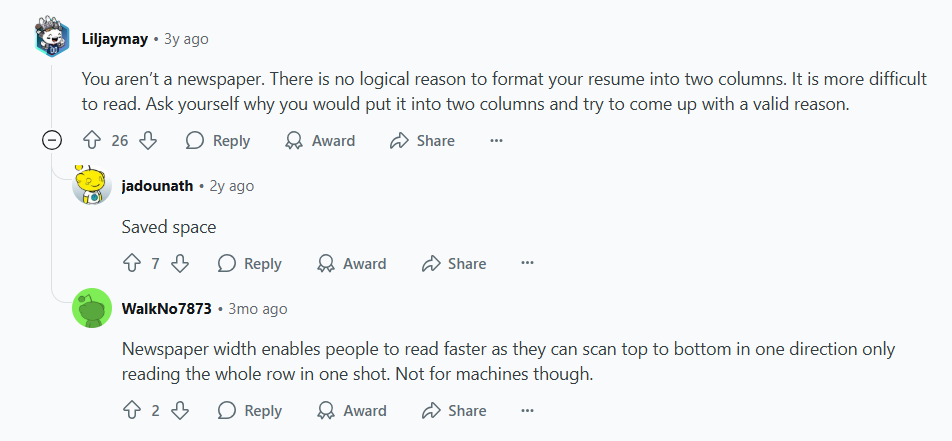
- Stick with a single-column layout. Multi-column designs often confuse ATS.
- Avoid icons or graphics. They look nice, but don’t translate well when parsed.
- Use standard section titles, like “Experience” and “Skills.”
- Match your bullet points and skill keywords to the job description as closely as possible.
Customizing every resume takes effort, but it can seriously boost your chances of ranking high in ATS and being seen as one of the most suitable candidates.
This Reddit user’s on the same page with multiple-column resumes:
6. Or build your resume from scratch
If you’re comfortable with LaTeX or want total freedom, you can make your resume from scratch using any LaTeX editor, like TeXstudio, VS Code with a LaTeX plugin, or even a basic text editor.
Pros and Cons of Using LaTeX Resume Templates
Here are the pros and cons of using LaTeX resume templates:
- Gives you a sharp, polished resume with a consistent design.
- You can tweak nearly everything: fonts, layout, spacing, and sections.
- Especially popular (and appreciated) in tech, academia, and research.
- Generates crisp PDFs that look great across devices.
- Works smoothly with Git if you’re tracking changes.
- It’s completely free, with plenty of templates available online.
- That said, it takes some time to learn if you’ve never used LaTeX before.
- You’ll be writing code, not dragging and dropping, so there’s no real-time editing.
- Fixing errors in the code can be annoying, especially when you’re starting out.
- Most templates need adjusting to pass through ATS properly.
- Doesn’t offer built-in tools for optimizing keywords or content.
- Not the easiest option if you’re collaborating or sharing with others.
LaTeX resume templates can work, but they’re not always the perfect choice for everyone. Some Reddit users even recommend sticking with basics like Word or Google Docs instead:

Before you make up your mind, take a look at the pros and cons of LaTeX resume templates. It’ll help you weigh your options and figure out what works best for you.
.webp)
Best Alternatives to LaTeX Resume Templates
More and more job seekers are ditching flashy resume designs in favor of something clean, structured, and practical. The trend has moved back to basics, but in a good way.
We break this down in more detail in our video:
So, if you’re looking for a no-fuss, reliable format that still gets noticed, here are some of the most trusted Rezi resume templates to try.
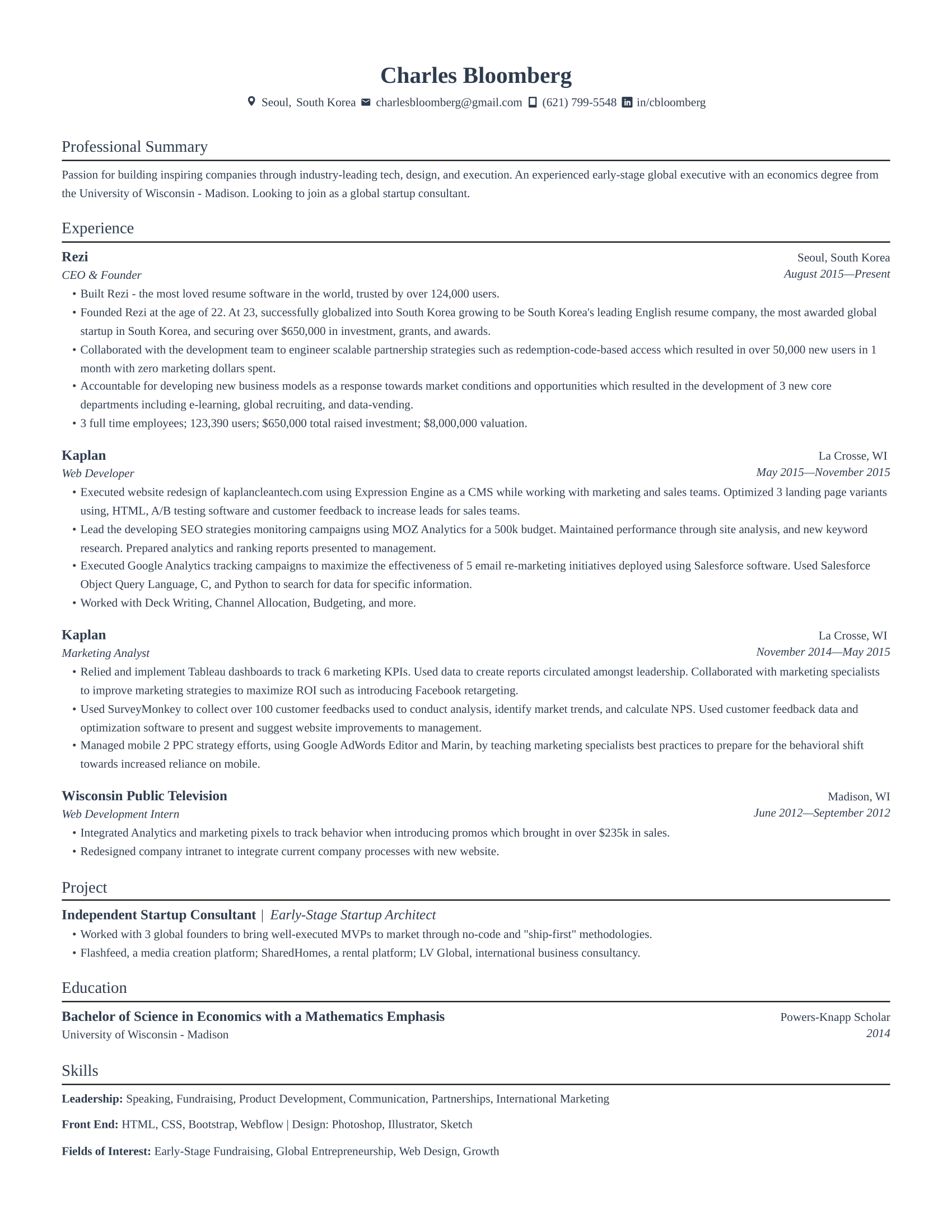
Jake’s resume template (Rezi’s version)
A classic LaTeX favorite, now with our personal twist. I love how it strikes a balance with indented bullet points, clearly separated roles, and just enough breathing room. It’s simple without being boring, and polished without trying too hard.
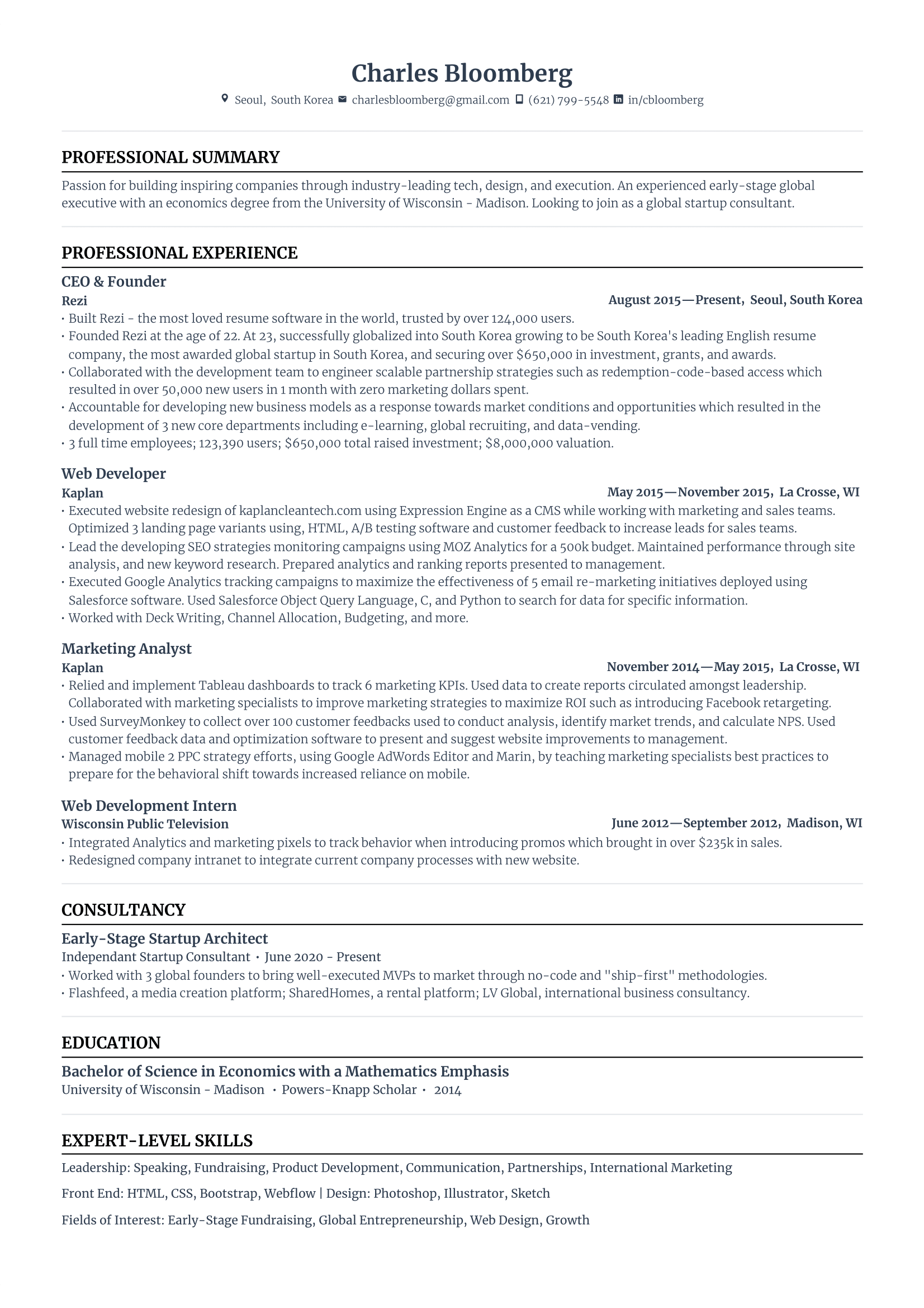
Standard resume template
I think of this as the classic — it’s structured, reliable, and just works. If you want something that gets past ATS and still looks sharp, this one’s got you covered. Want to spice it up? Try changing the job title font style or color.
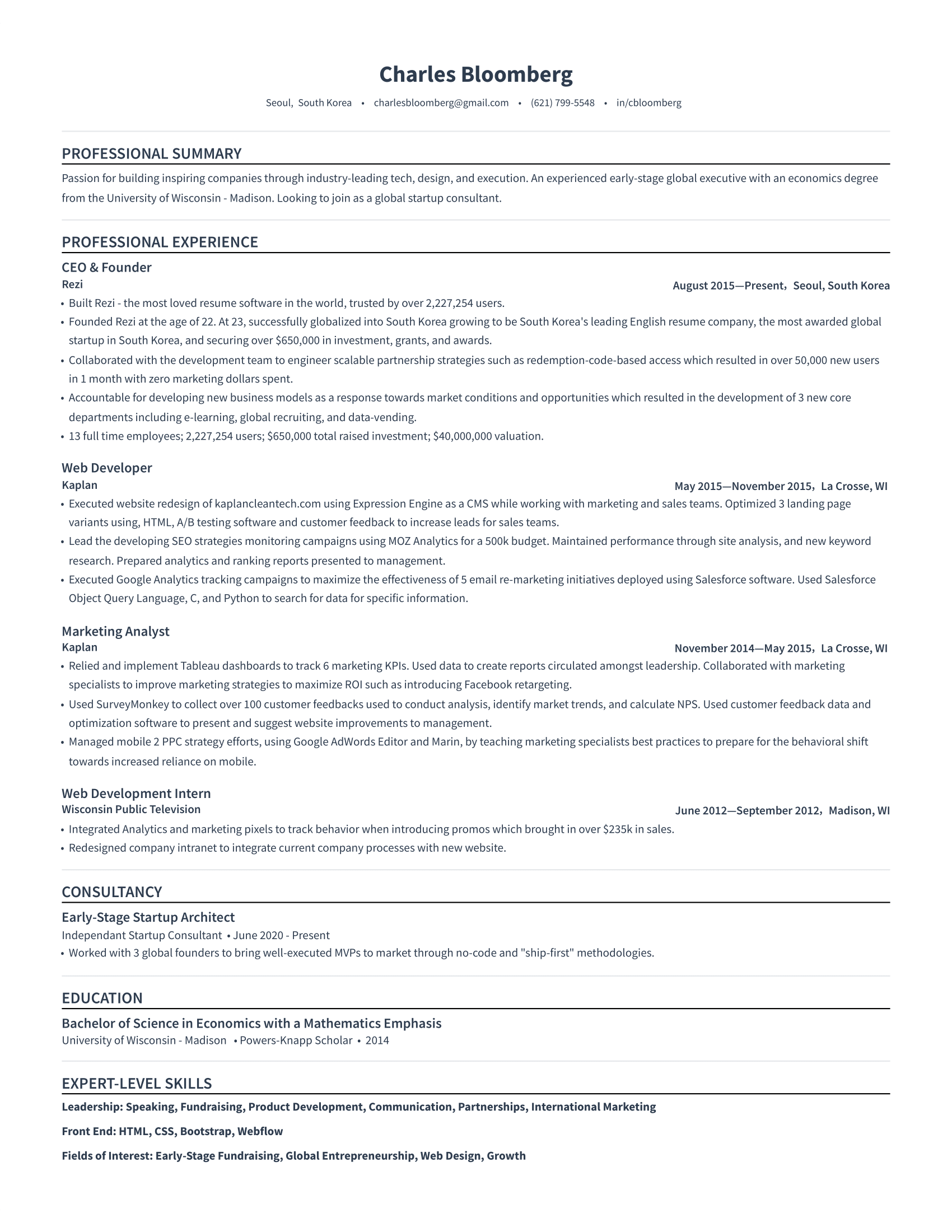
Simple resume template
This layout keeps things minimal without feeling empty. It drops the contact icons and adds just enough spacing to make everything feel lighter, even if you’ve packed in a lot. If you’re into clean, understated design that still lets your content shine, this one’s for you.
Modern resume template
I like how this template uses color to separate job titles and sections instead of using lines; it feels fresh without overdoing it. The purple looks great if you’re feeling daring, but the blue keeps things more traditional.
-1.png)
Bold resume template
Your name really gets the spotlight here (as it should). The bold top line adds personality, and the layout saves space by fitting job title, company, and dates on one line. Modern, confident, but still professional.
-1.png)
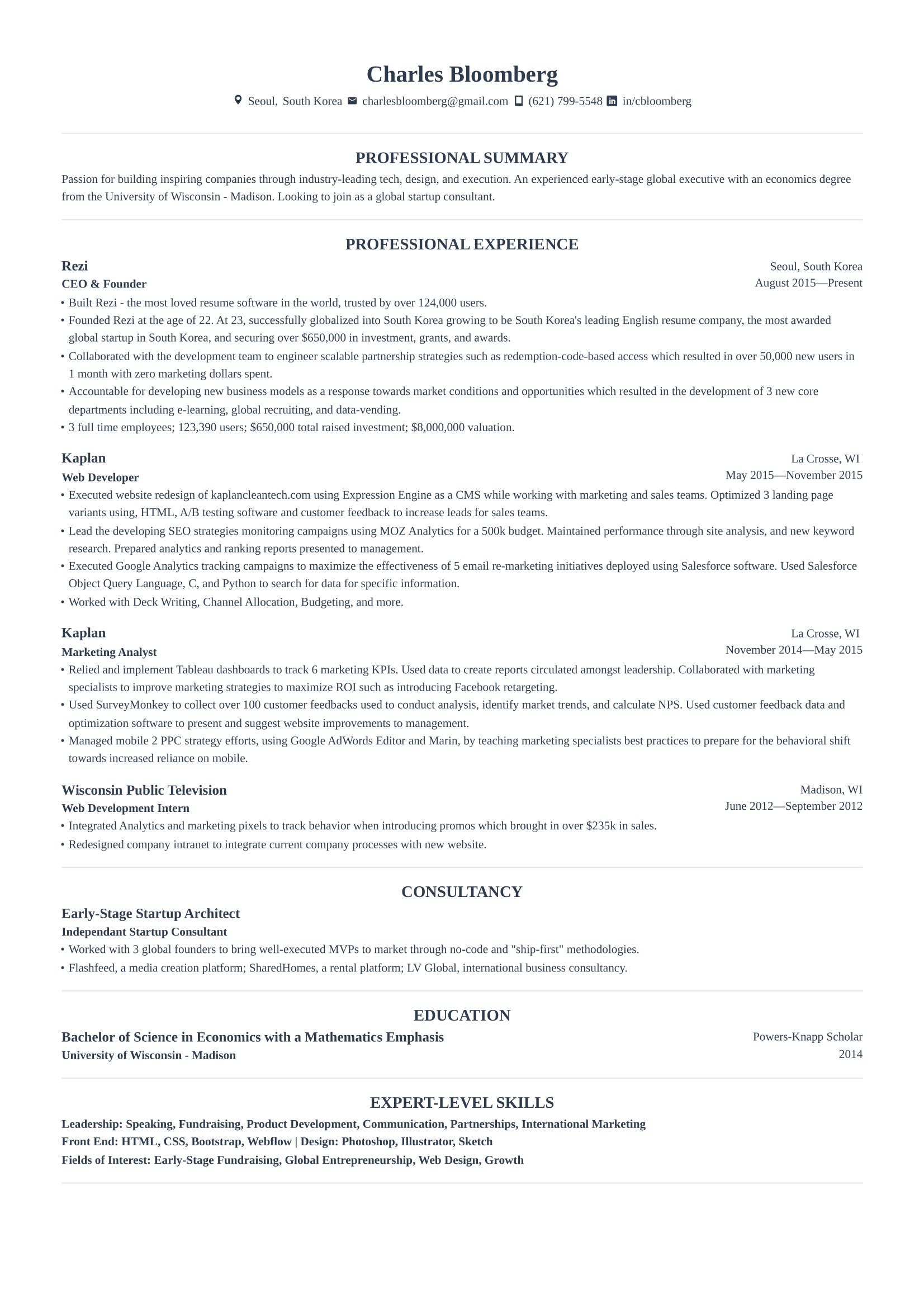
Harvard resume template
Our take on the iconic Harvard format, and it just flows nicely. The center-aligned headings and smart spacing make it easy to skim. Listing the company before the role works well if you’ve had a consistent title across impressive employers.
Compact resume template
If you have a lot to include but not much space to do it, this one’s a lifesaver. Minimal gaps between sections, and all job info fits neatly on one line. Traditional, efficient, and still easy to read.
-1.png)
Summary
Here’s a recap on LaTeX resume templates:
- LaTeX resumes look polished and professional, especially for roles in tech, academia, and research.
- They offer full design control over fonts, spacing, layout, and structure, but require some coding knowledge.
- LaTeX isn’t beginner-friendly, so be prepared for a learning curve if you’ve never worked with it before.
- Using a pre-built template is the smart move, as it saves time and helps you avoid formatting headaches.
- Overleaf is the easiest way to get started, with free LaTeX resume templates and a browser-based editor.
- Most templates need manual editing, including replacing placeholder text, adjusting sections, and adding bullet points.
- Resume summaries are often missing, so remember to include one near the top to highlight your key skills and experience.
- To pass ATS checks, use a single-column layout, skip icons, and stick to standard section titles like “Experience” and “Skills.”
FAQ
Is LaTeX good for resumes?
LaTeX is great if you want a clean, professional-looking resume, especially for tech, research, or academic roles. It gives you total control over formatting, and the final PDF looks incredibly sharp. That said, it’s not the easiest tool to learn, so it’s best if you’re comfortable tweaking code or willing to use a pre-made template.
Is the LaTeX resume not ATS-friendly?
It depends on the template. Some LaTeX resumes work fine with Applicant Tracking Systems (ATS), but many have two-column layouts, graphics, or non-standard section titles that trip up the ATS. If you stick to a single-column format with clear headings and no icons, LaTeX can be ATS-friendly.
Is it better to write a resume in LaTeX or Word?
It really depends on what you’re comfortable with. Word is easier and faster for most people, and many great resumes are made with it. LaTeX gives you cleaner formatting and a more polished look, but it takes more time to learn. If design is your priority, LaTeX shines. If speed and simplicity matter more, Word wins.
Is a LaTeX resume free?
Yes, LaTeX itself is open-source, and there are tons of free resume templates available on sites like Overleaf, GitHub, and LaTeXTemplates.com. You don’t have to pay to use LaTeX, though some platforms offer premium features if you want extras like real-time collaboration or additional storage.
Why are Canva resumes not ATS-friendly?
Canva resumes often use columns, icons, and text boxes, which are all design elements that confuse ATS. These layouts can make your content unreadable or get misinterpreted, so the system might miss your relevant skills entirely. Canva’s fine for direct emails or referrals, but it’s risky for online applications.
What is the most accepted resume template?
There’s no single “best” template, but the most widely accepted ones are clean, simple, and easy to read. Think single-column layouts with clear section headers and no fancy design elements. Templates from Google Docs, Microsoft Word, or ATS-friendly builders (like Rezi) tend to work well across all industries and companies.
Is there a 100% free ATS-friendly resume builder?
Rezi, Teal, and Jobscan are all free resume builders designed to be ATS-friendly. Rezi especially stands out for its built-in keyword and formatting guidance. While paid upgrades are available, the free versions give you everything you need to create a strong, ATS-ready resume.
How many pages should a resume be?
For most people, one page is ideal, especially if you have under 10 years of experience. Two pages are totally fine if you have more to show, but anything beyond that should be reserved for academic CVs or highly technical roles. Always aim for relevance over length — less can be more.

Upload or drop your resume to get started
Upload your resume to get started
Score my resume

Sarah Coghlan is a writer and editor passionate about making resume and career advice clear and accessible to all. Based in Barcelona, her goal is to help job seekers create standout resumes and navigate the job search process with confidence and ease.