Resume
Best Resume Templates and Examples 2026 (Free Downloads)
Explore the best resume templates and free downloadable designs to create a professional, ATS-friendly job application in minutes.
Published on
December 19, 2025
Updated on
January 6, 2026
A great resume template elevates your content instead of overshadowing it. It’s simple, modern, and structured in a way that naturally guides the reader’s eye from your name to your most impressive qualifications. It keeps formatting minimalistic, so your accomplishments do the talking. A strong template also adapts to your experience level, giving you room to show growth without feeling cluttered. Most importantly, it supports clear storytelling with organized sections, logical spacing, and enough flexibility to tailor your resume for different roles.
If you’ve done any research into resumes, you’ve probably stumbled across Applicant Tracking Systems (ATS). In short, it’s the software recruiters use to sort through all the applications they get for every job. While the internet can make ATS sound like some big, bad digital gatekeeper, it’s really just looking for something simple and easy to read.
So, what’s this got to do with resume templates?
ATS likes simplicity. Nothing wild, nothing overly stylized. Too many colors, fancy fonts, graphics, and skill charts can just confuse it and distract recruiters. You want the attention on your skills and experiences, not your eye for color matching.
Want to skip the template search? Try our free AI Resume Builder. It comes with ATS-friendly and professional templates that you can customize with your own details.
You can also check out more resume examples and tips:
- Blank Resume Templates
- Free & Basic Resume Templates
- Free Professional Resume Templates
- Creative Resume Templates and Examples
40+ Best Resume Templates
There are plenty of resume templates out there claiming they’ll land you a job. Let’s get something straight: a template alone won’t guarantee anything. But what it can do is give you a strong starting point. The best templates let your experience and skills stand out instead of getting lost in confusing layouts or unprofessional designs.
So, what does that actually look like? I’ve scoured the internet for resume templates that check five key boxes: ATS-friendly, professional, readable, simple, and easy to customize.
Here’s a look at all the templates I’ve included in this guide.
- Rezi resume templates
- Microsoft Word resume templates
- Google Docs resume templates
- Canva resume templates
- Overleaf resume templates
- Etsy resume templates
- Resume templates by age and experience level
- Resume templates by industry
Now, let’s explore these templates and why I’d trust them with my own resume.
Rezi Resume Templates
We get it; eye-catching templates are fun. But when it comes to getting hired, Rezi sticks to what actually works. That means organized, straightforward designs built to impress real recruiters and work with ATS scans. No fluff or distractions; just templates that get you closer to landing a job.
Check out my top picks below, or take a look at our ATS-friendly template gallery.
Standard Resume Template
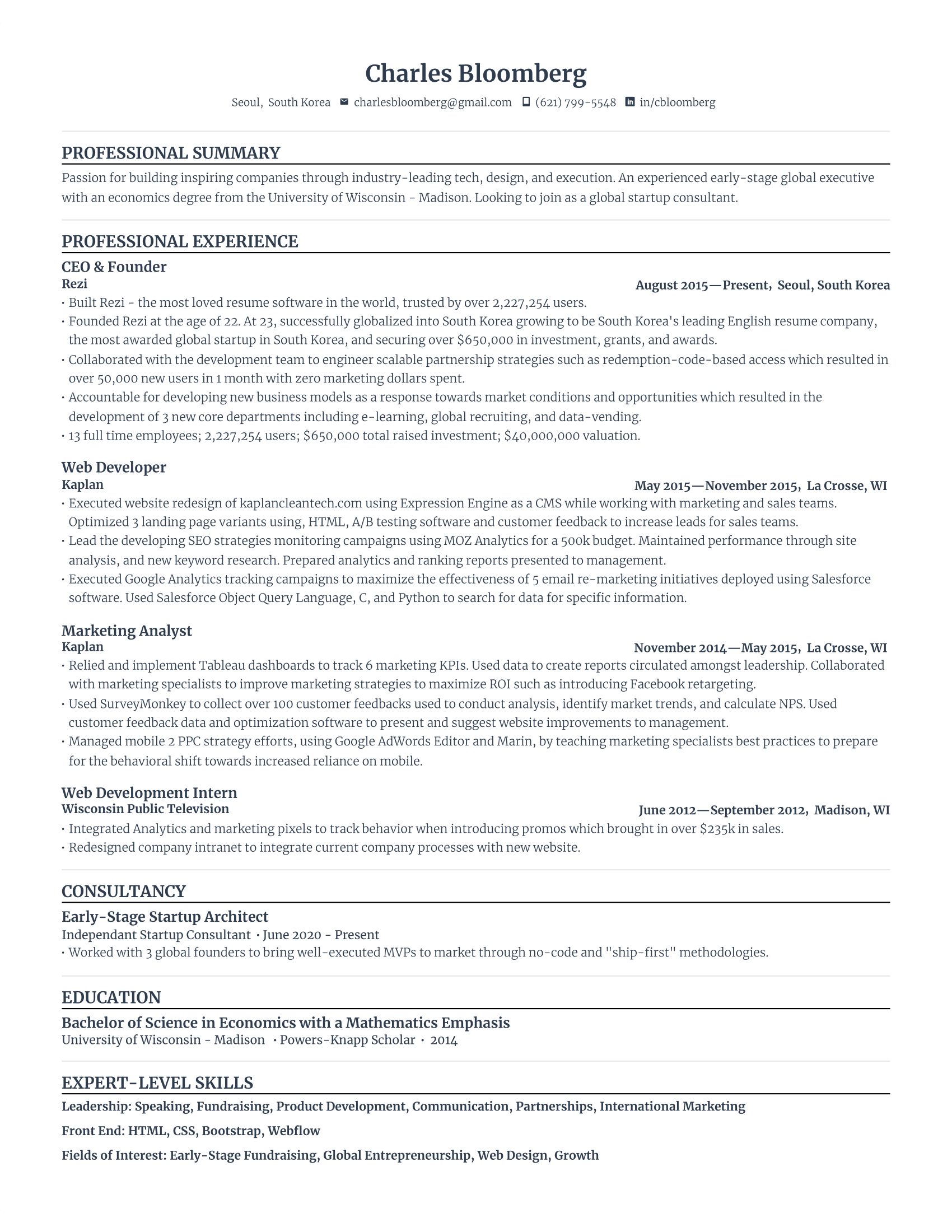
Our Standard Resume is simple, traditional, and totally ATS-friendly. It follows the tried-and-tested reverse-chronological layout that hiring managers can easily scan. That said, you can easily tweak the sections with our AI Resume Builder to match whatever story you want your resume to tell.
Modern Resume Template
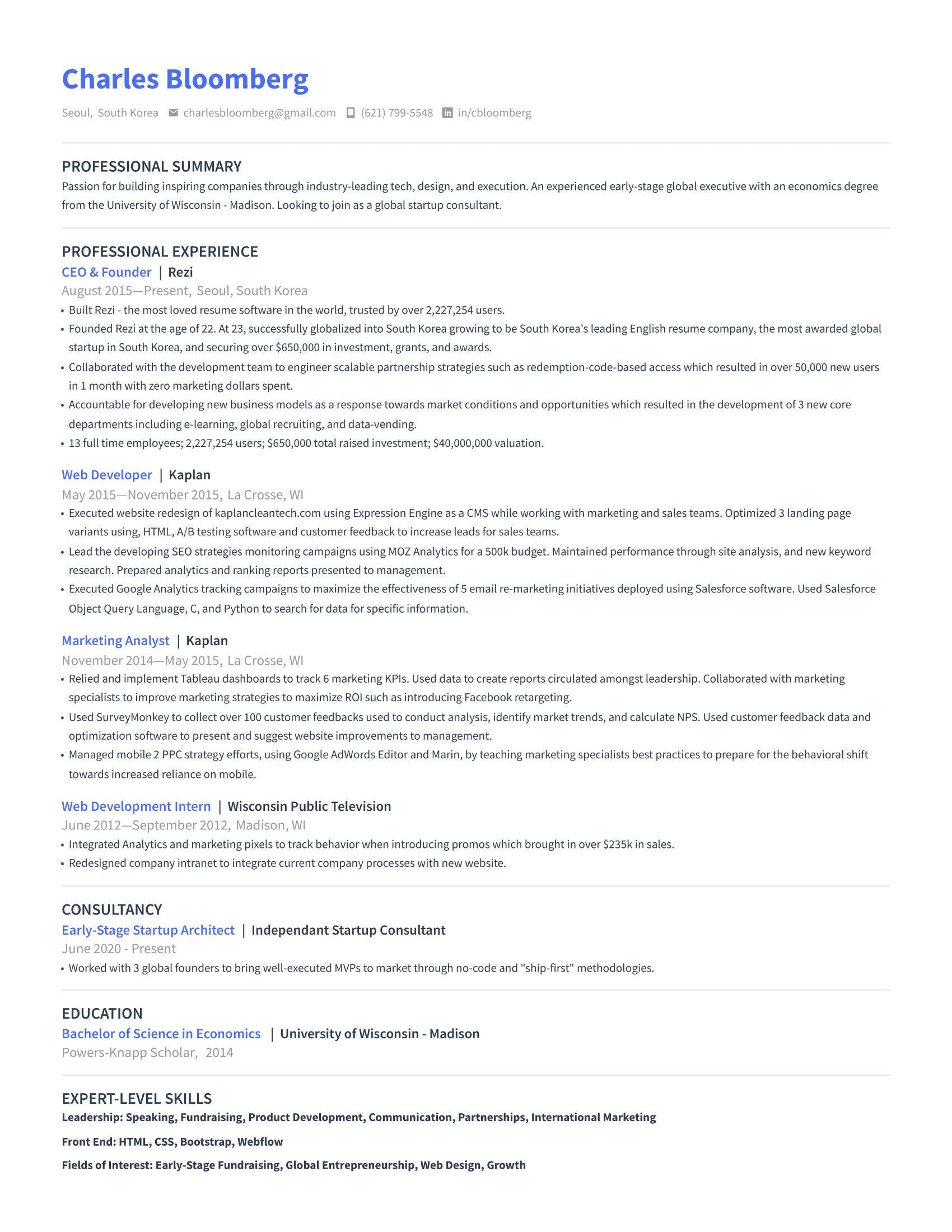
This Modern Resume gives your application a professional, aesthetically pleasing look without going overboard. It draws attention to your work experience, education, and skills, making it a strong option for any industry. The subtle accent color adds just enough personality to stand out while still staying safely within ATS guidelines.
Simple Resume Template
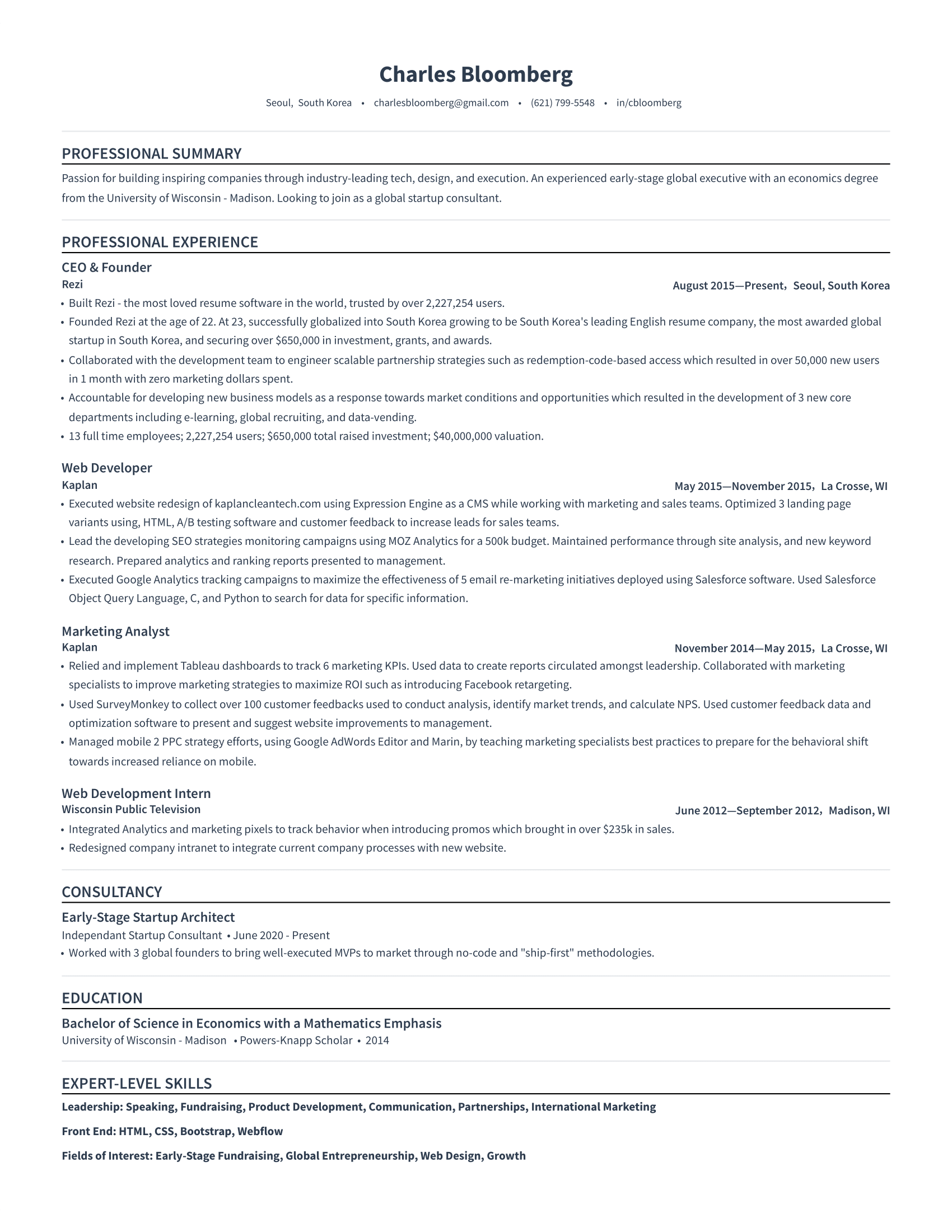
If you want a template that feels organized and effortless, our Simple Resume keeps everything minimal and easy on the eyes. It uses open space to guide a recruiter through your experience without any distractions. The single-column structure also makes scanning super quick, which is great if you want to keep the focus on your accomplishments.
Bright Resume Template
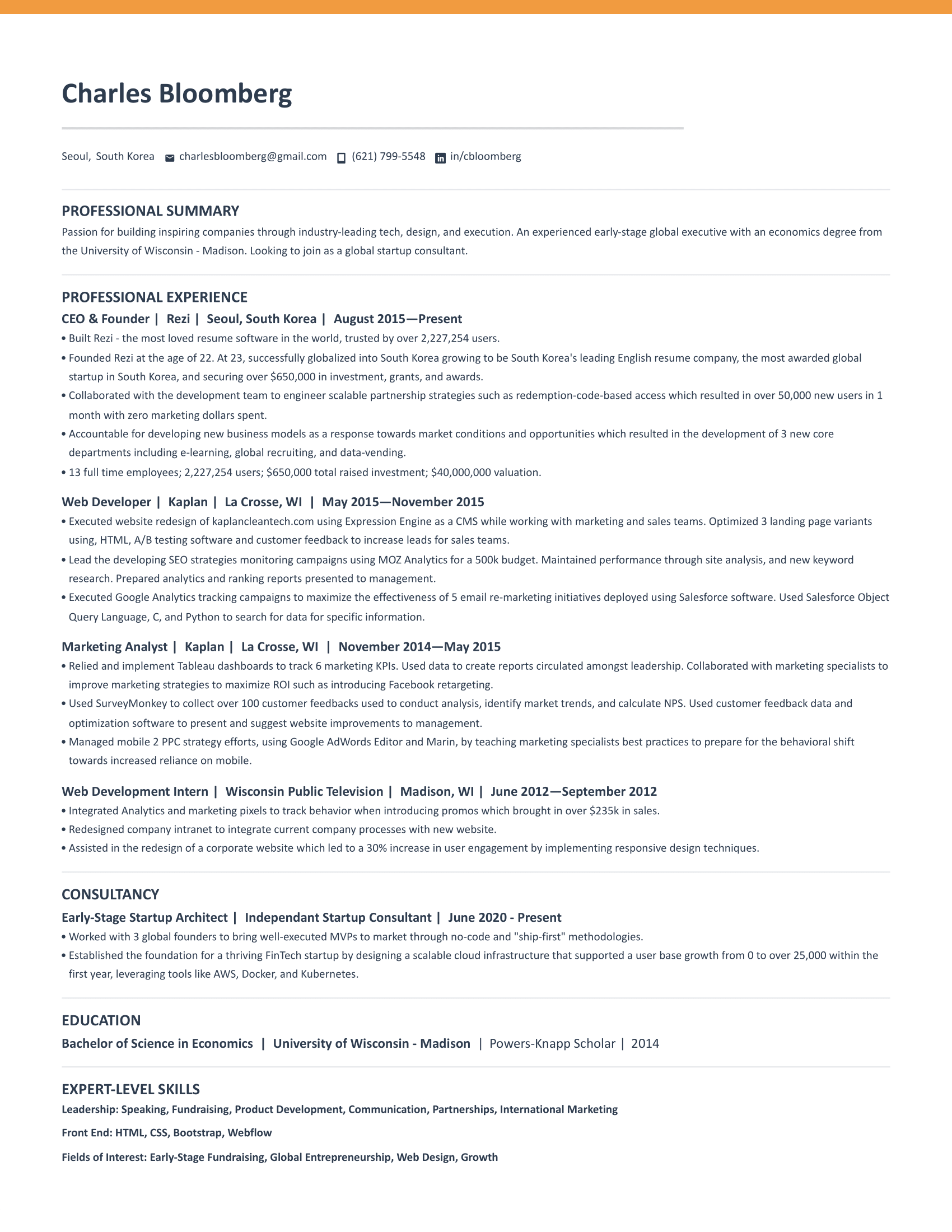
If you’re into professional layouts but want a little personality, this Bright Resume template strikes the perfect balance. The bold color strip at the top adds energy without hurting ATS compatibility (and you can switch it to other colors if orange isn’t your vibe). Keeping job titles, companies, and dates on one line also frees up space so you can fit more onto a single page.
Harvard Resume Template
Our Harvard Resume uses a classic, academic-inspired structure that’s perfect if you’re early in your career. You can move your education to the top of the resume or below your work experience if you have a strong professional background. The centered section headers help create a smooth visual path, making it easy for recruiters to pick up the details that matter most.

Learn more: Harvard Resume Templates: Best Formatting, Examples & Tips
Microsoft Word Resume Templates
Microsoft Word templates are hit or miss. You only have to scroll through their resume options to see documents full of colors, graphics, and the dreaded skills charts. But if you have MS Word, it’s still really convenient for building and updating your resume as you gain experience.
That’s why I’ve sifted through all the MS Word resumes to find the most professional templates.
Classic Resume Template
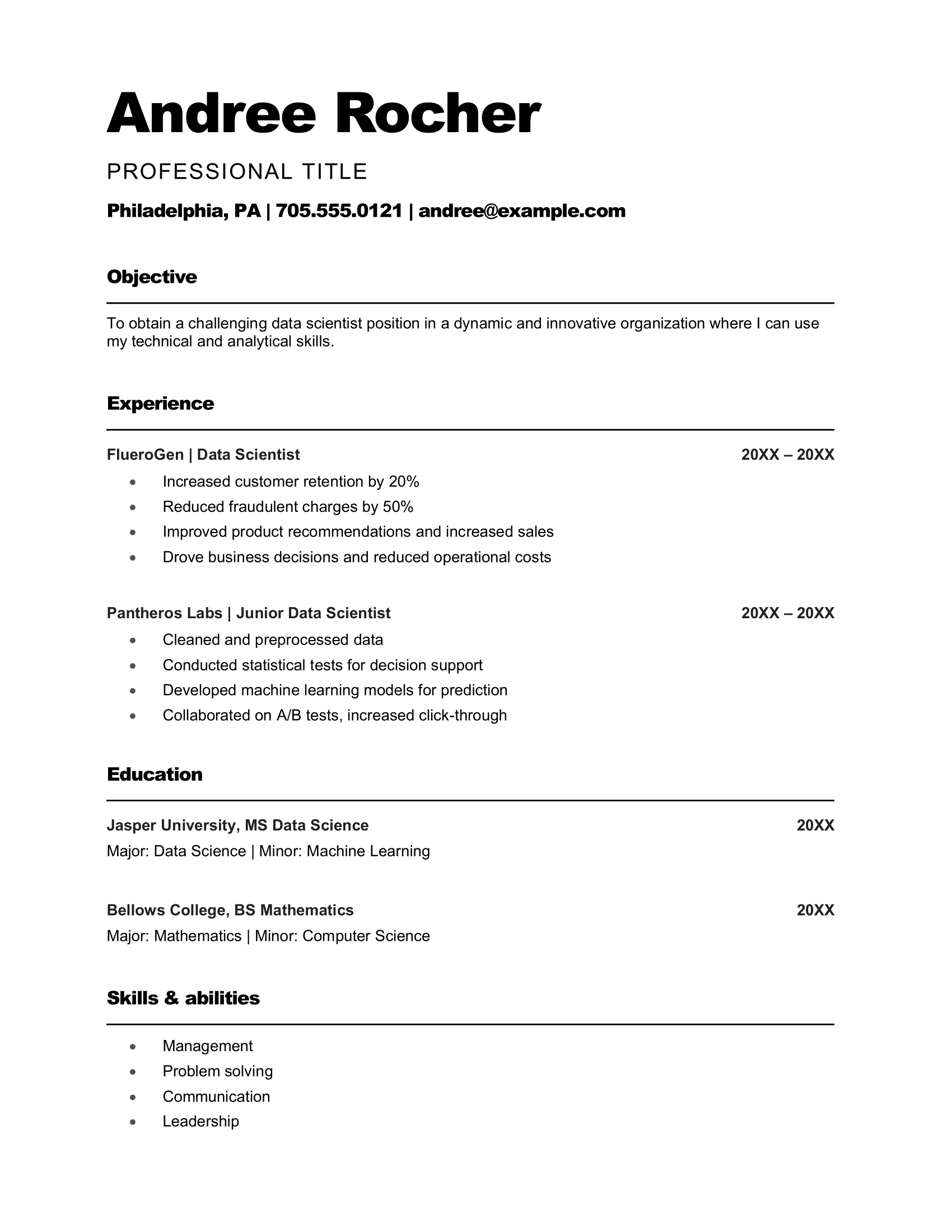
This template makes a strong first impression by placing your name in a bold, oversized font. Your job title sits right underneath, which is great if your past roles closely match what you’re applying for. Because the header takes up a good chunk of space, it’s a solid option for people with shorter work histories who don’t need long experience sections.
ATS-Friendly Resume Template
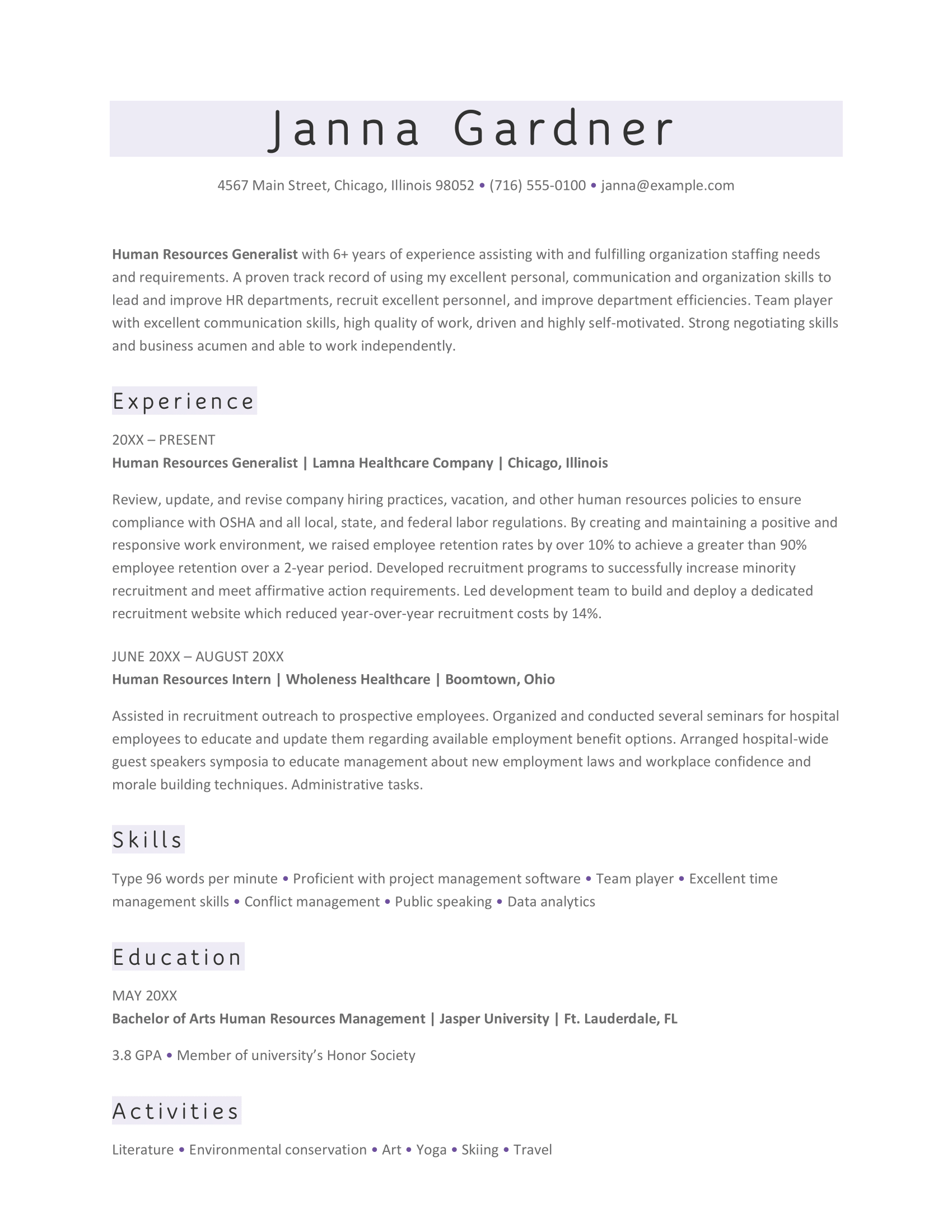
This ATS-friendly resume adds a touch of design without drifting into anything risky, using colored blocks behind your name and headers to break up the text. There’s a lot of room to detail your experience, but it works best if you convert the long paragraphs into bullet points. You can also swap the activities section for something like projects or certifications.
Chronological Resume Template
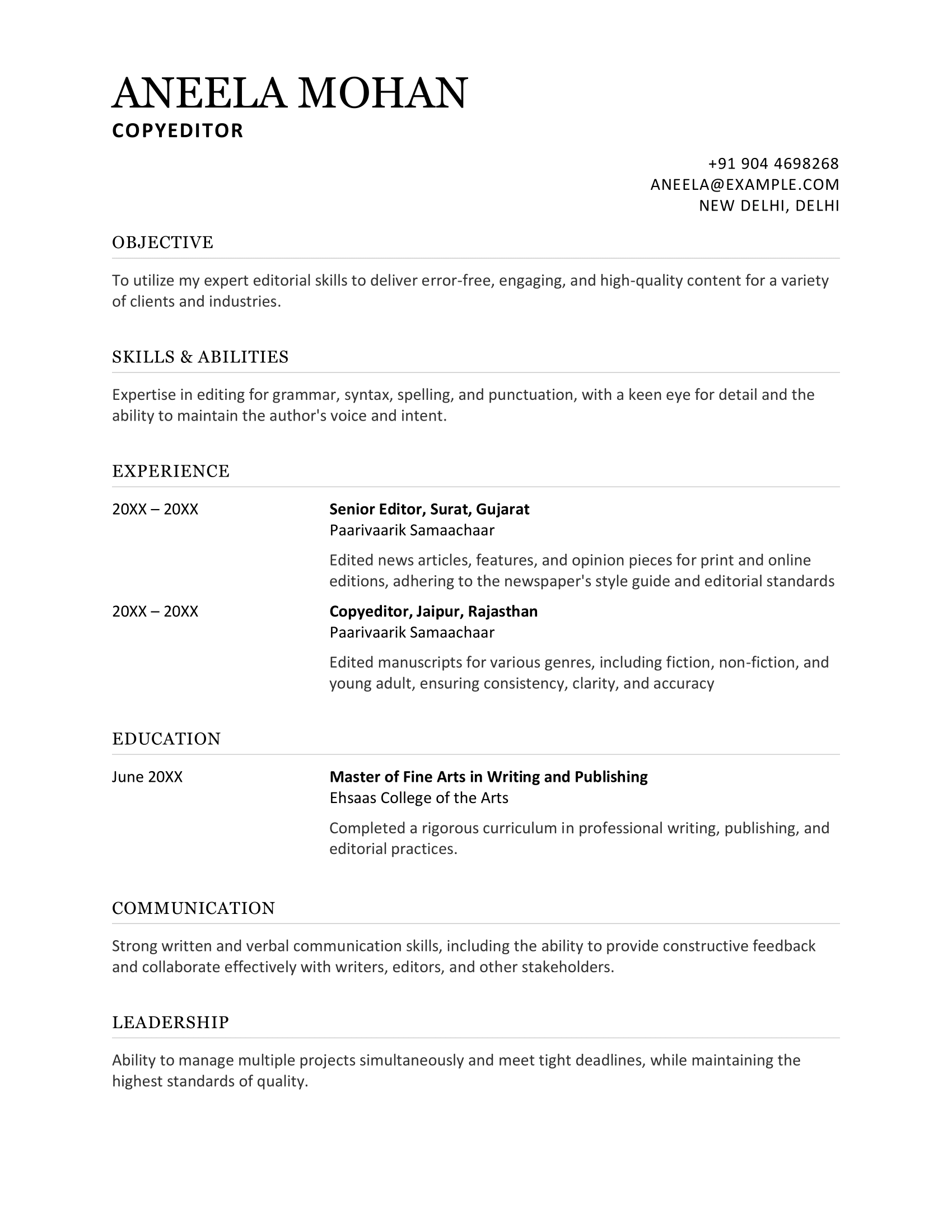
This chronological template has an organized structure and works well if you’re new to the workforce. The left-hand sidebar handles your headings and dates, leaving the right side for a short experience section. It’s not ideal for someone with decades of work history, but it’s great if you need to spotlight skills or education.
Basic Resume Template
If you’re a student or just breaking into the job market, this template keeps things simple and focused. It places education at the top, which makes total sense early in your career. You also have space for projects, extracurriculars, and skills (all of which show potential when formal experience is limited). Once you’ve built more work history, you can shift education lower.

Academic Resume Template
This template is structured like a traditional Academic CV, giving you space for research, teaching, publications, and other accomplishments. Academic CVs aren’t limited to one or two pages, so this multi-page format grows with you as you progress through your career. It’s perfect for faculty roles, postdocs, and research-focused paths.
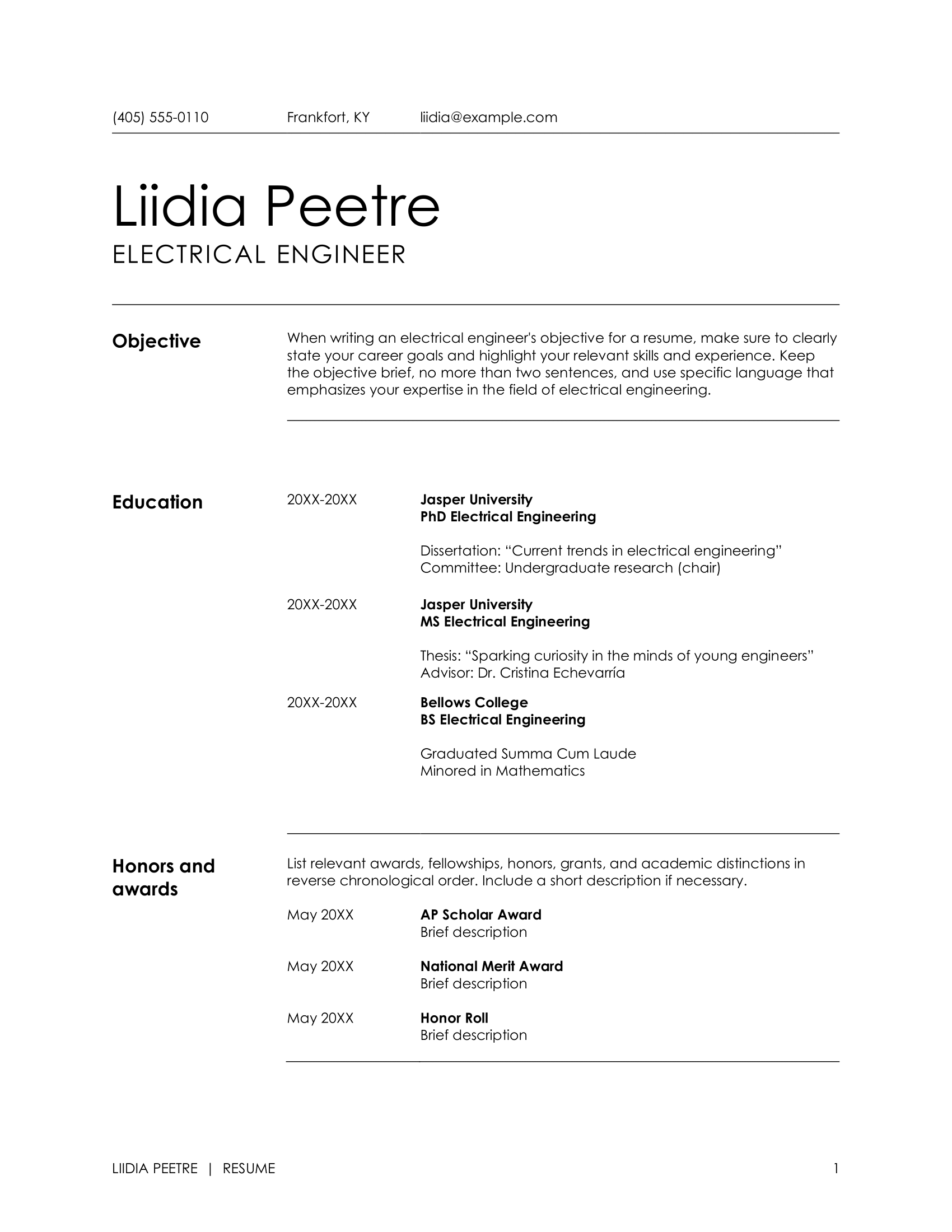
Check out our full list of Microsoft Word resume templates: MS Word Resume Templates
Google Docs Resume Templates
I’m a big fan of Google Docs (using it as we speak), so I get why people like building their resumes there. However, Docs only offers five templates, and most will need a little tweaking, such as moving your skills below your work experience or giving yourself more space to detail your jobs. That said, it’s a solid starting point if you don’t mind putting in a bit of extra work.
Here’s a look at all the Google Docs resume templates.
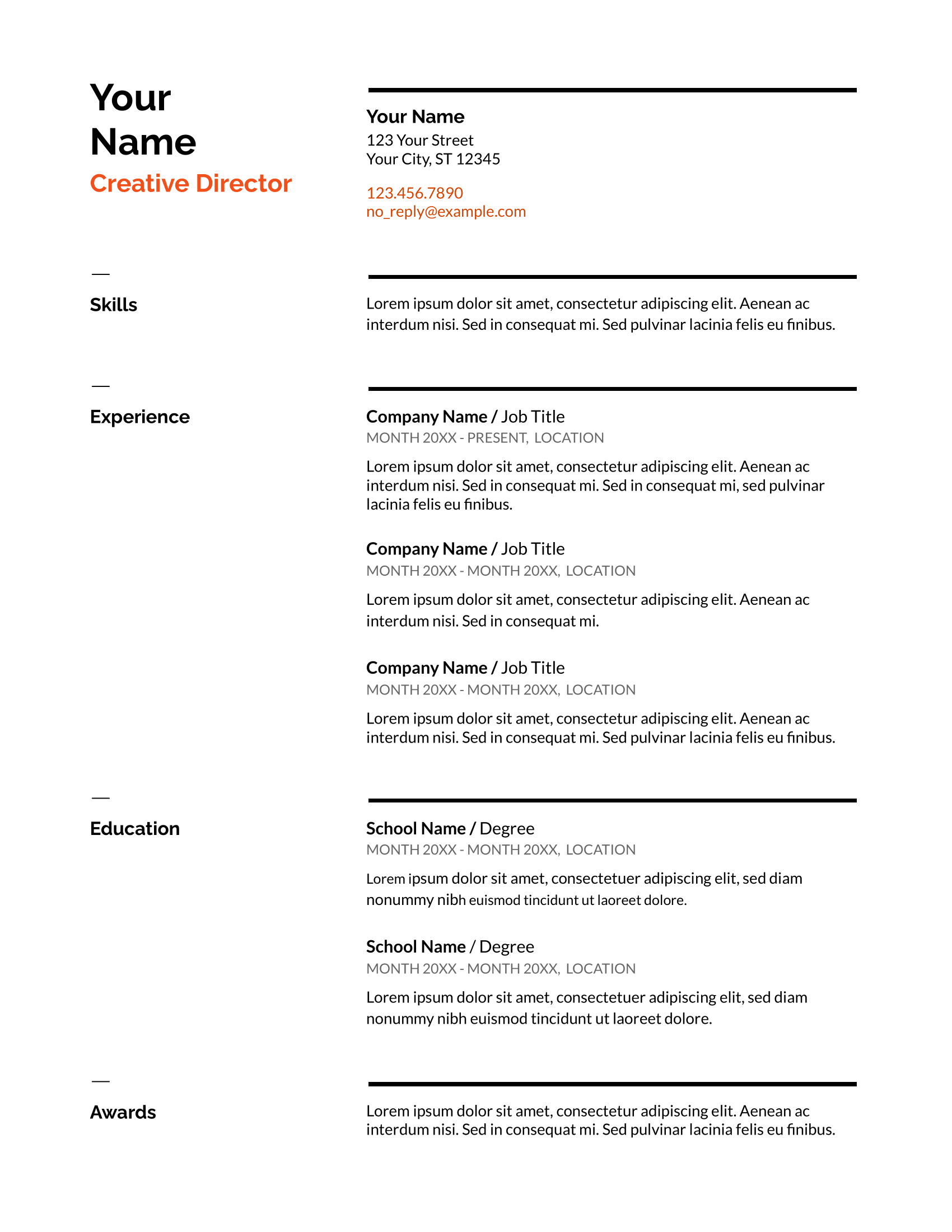
Swiss Resume Template
The Swiss template keeps everything simple with a single-column layout, clear dividers, and just a hint of orange for personality. Since the skills section sits near the top, it’s a solid pick for roles where expertise really matters. You’ll get better results if you swap the short text blocks for bullet points and add a short summary under the header to frame your strengths.
Serif Resume Template
This two-column style still gives you plenty of breathing room to expand on your experience. The serif font and light blue accents add a classic, professional feel without being boring. It also includes built-in spots for languages and awards. With all that space, aim for a handful of strong bullet points under each job to highlight what you’ve actually accomplished.

Coral Resume Template
This resume template uses warm color accents and stylish fonts to add personality without drowning out your content. Its open format makes it easy to stretch out your bullet points and show off your success stories. If you’ve got a longer work history, you can always move the skills section lower to keep things balanced.

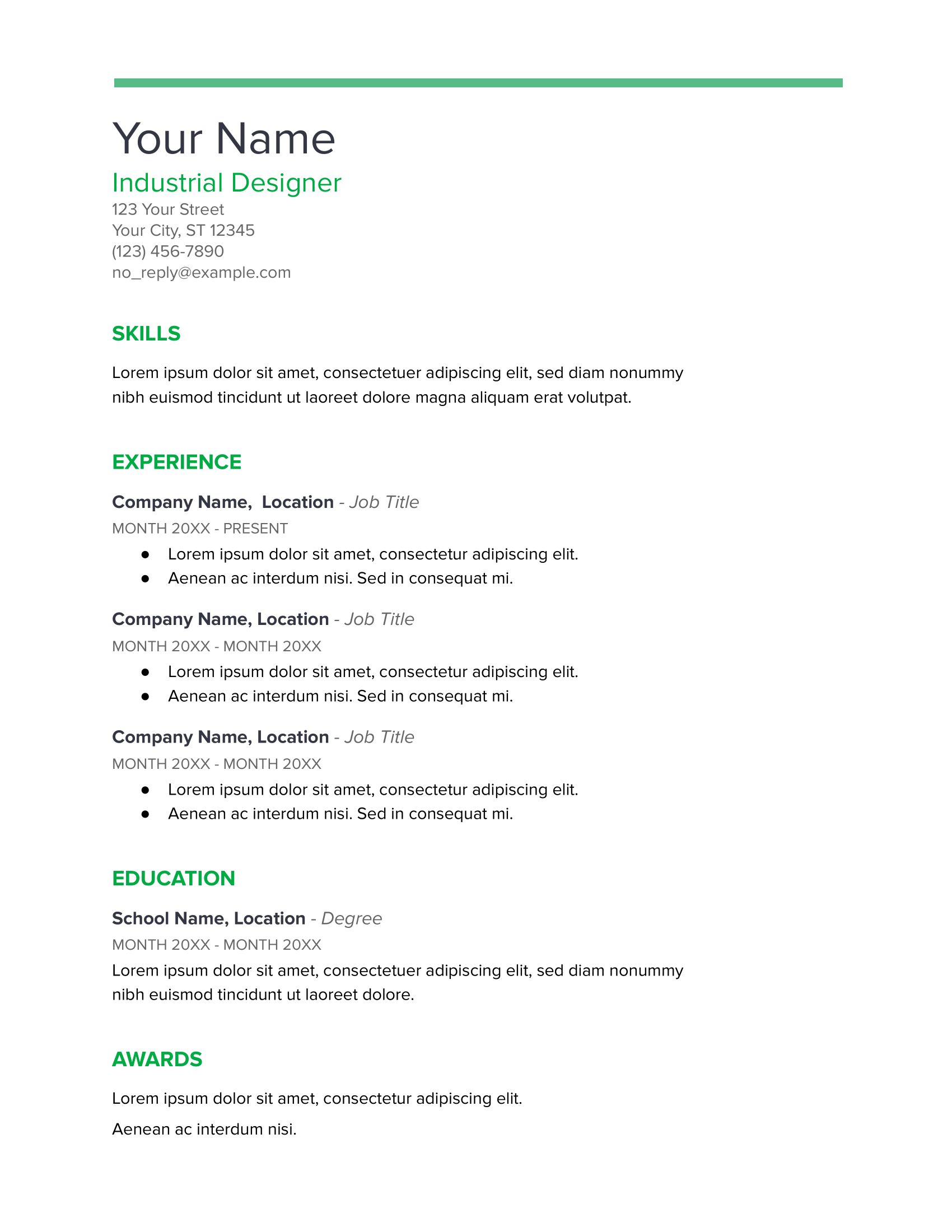
Spearmint Resume Template
With bold green headers and a simple single-column layout, this template feels fresh while still looking professional. It’s easy to skim, but space can get tight if you’ve got a lot to say. Shrinking the font slightly or compressing your contact details into one line can help. Listing your skills as bullet points under education also saves room and keeps everything tidy.
Modern Writer Resume
This template isn’t for everyone, with a quirky, tech vibe, monospaced font, and punchy pink accents. It could work if you’re applying somewhere casual or creative, especially in the tech industry. That said, this isn’t the best pick for traditional or formal fields, where they’d expect a more classic format.

Find out more: Free Google Docs Resume Templates
Canva Resume Templates
Canva is a popular choice for people looking for a wide variety of templates. The downside is that with so many options, it can take a while to find ones that aren’t overloaded with graphics, photos, or newspaper-style formats (yes, that’s a thing). I’ve done the hard work for you and picked the best free Canva templates that are both easy on the eye and professional.
From the hundreds of options available, here are my top five Canva resume picks.
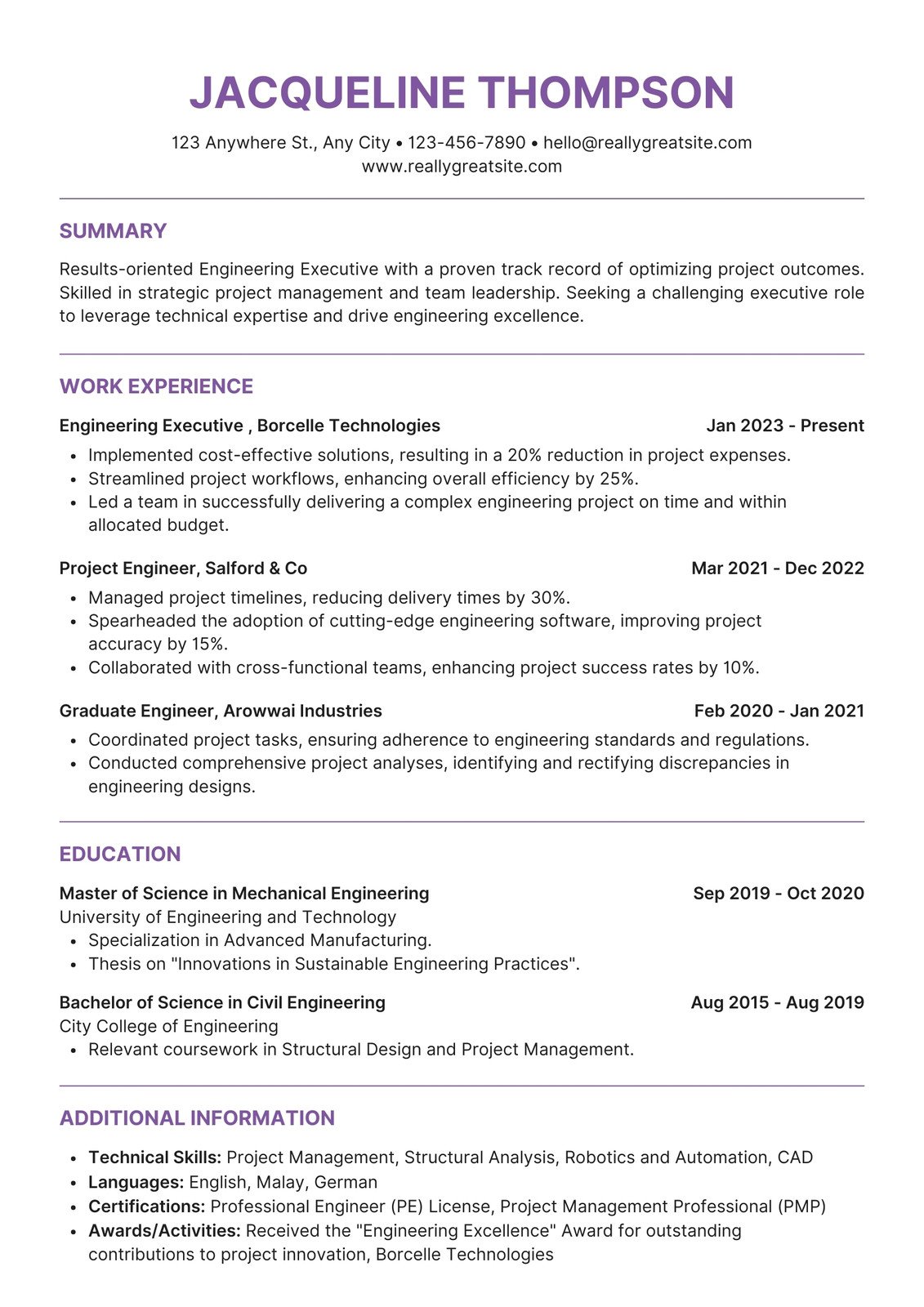
Clean Resume Template
This resume template balances professionalism with personality. The bold purple accents help your name and section titles stand out just enough to feel stylish without overwhelming the page. With its single-column structure and strong job title formatting, your experience stays easy to follow with plenty of room to fill out the page.
Black and White Resume Template
This template works best if you’re applying for a role where technical skills carry weight. Putting these skills right at the top lets recruiters quickly verify if you’re the right match. The subtle gray boxes used for section headers break up the layout and make it easy to scan the page. It’s simple, and especially effective for tech-heavy positions.

Minimalist Resume Template
This minimalist layout offers a stylish look without going overboard, which is perfect for showing some design sense. Decorative icons and section headers add a creative touch, while the two-column setup keeps everything organized. Each section is wrapped in a bordered box, with the largest space dedicated to your work experience.
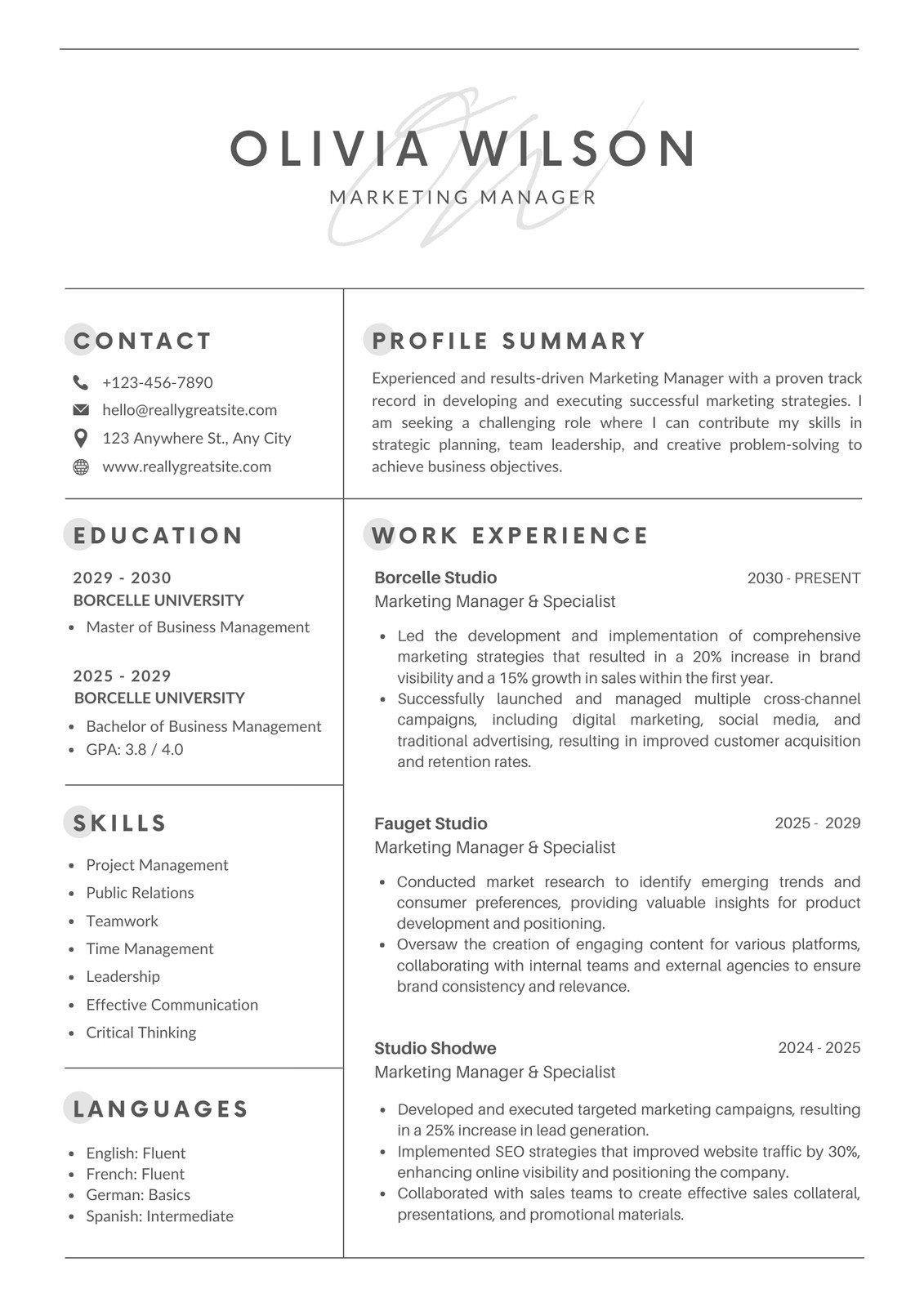
Professional Resume Template
This design leans more creative with its gray-and-white contrast, making it a good fit for relaxed or design-leaning workplaces. The headings and sections are neatly organized, and the timeline-style experience layout adds a bit of flair. However, I recommend moving the job titles above the dates so they stand out more.

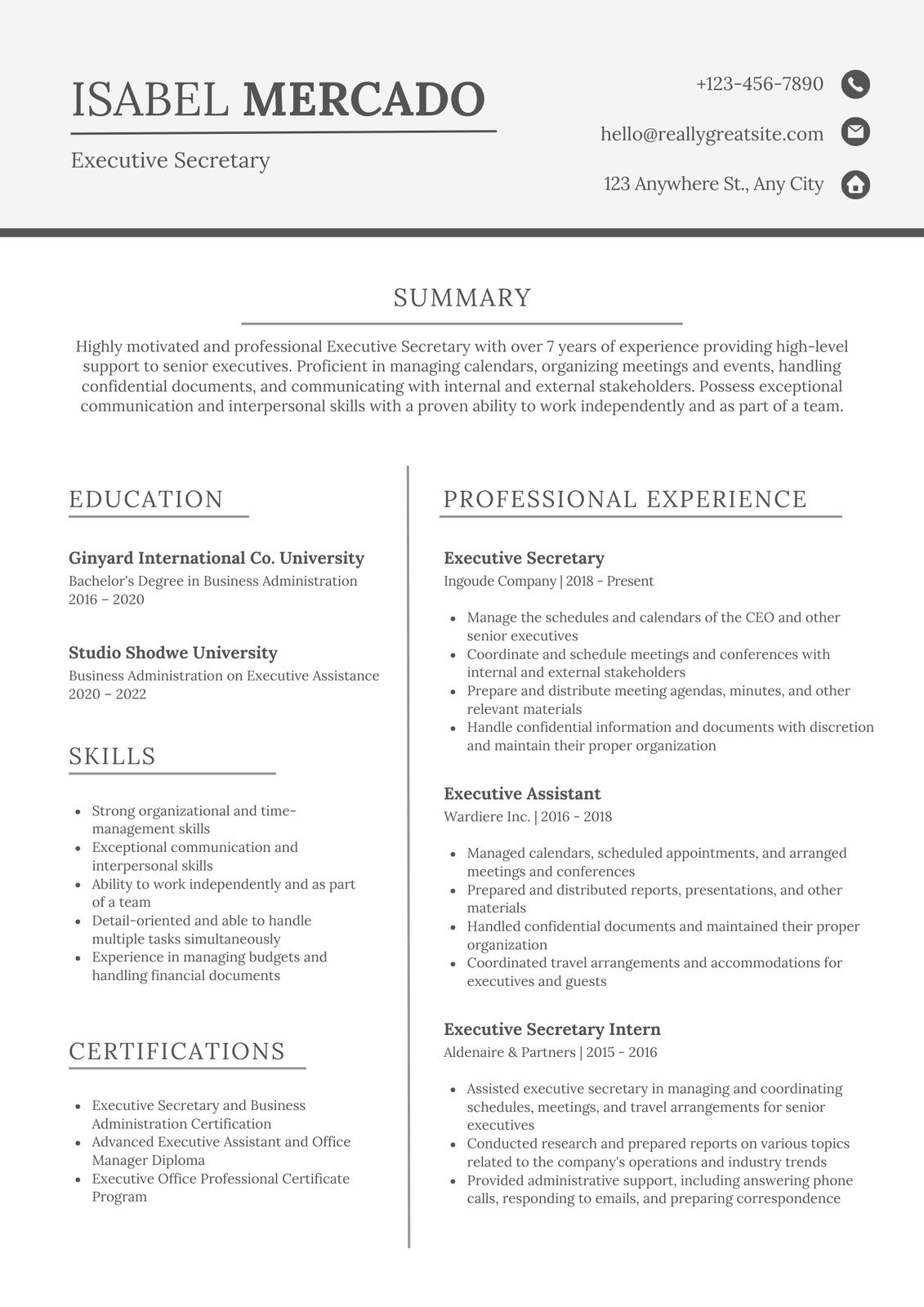
Gray and White Resume Template
If you want something modern and structured, this two-column format does the job well. Clean lines separate each section, and there’s generous room for three solid roles with detailed bullet points. Your name and contact details pop thanks to a bold divider at the top, and the centered summary helps set the tone right away.
Still haven’t found what you’re looking for? Take a look: Free Canva Resume Templates
Overleaf Resume Templates
Overleaf is a cloud-based platform where you can write, edit, and collaborate on LaTeX documents, including resumes. It’s a favorite for researchers, engineers, and anyone comfortable with LaTeX. Most of their templates are geared toward students and focus on highlighting education and technical skills.
Here are some Overleaf templates you can use to build your resume.
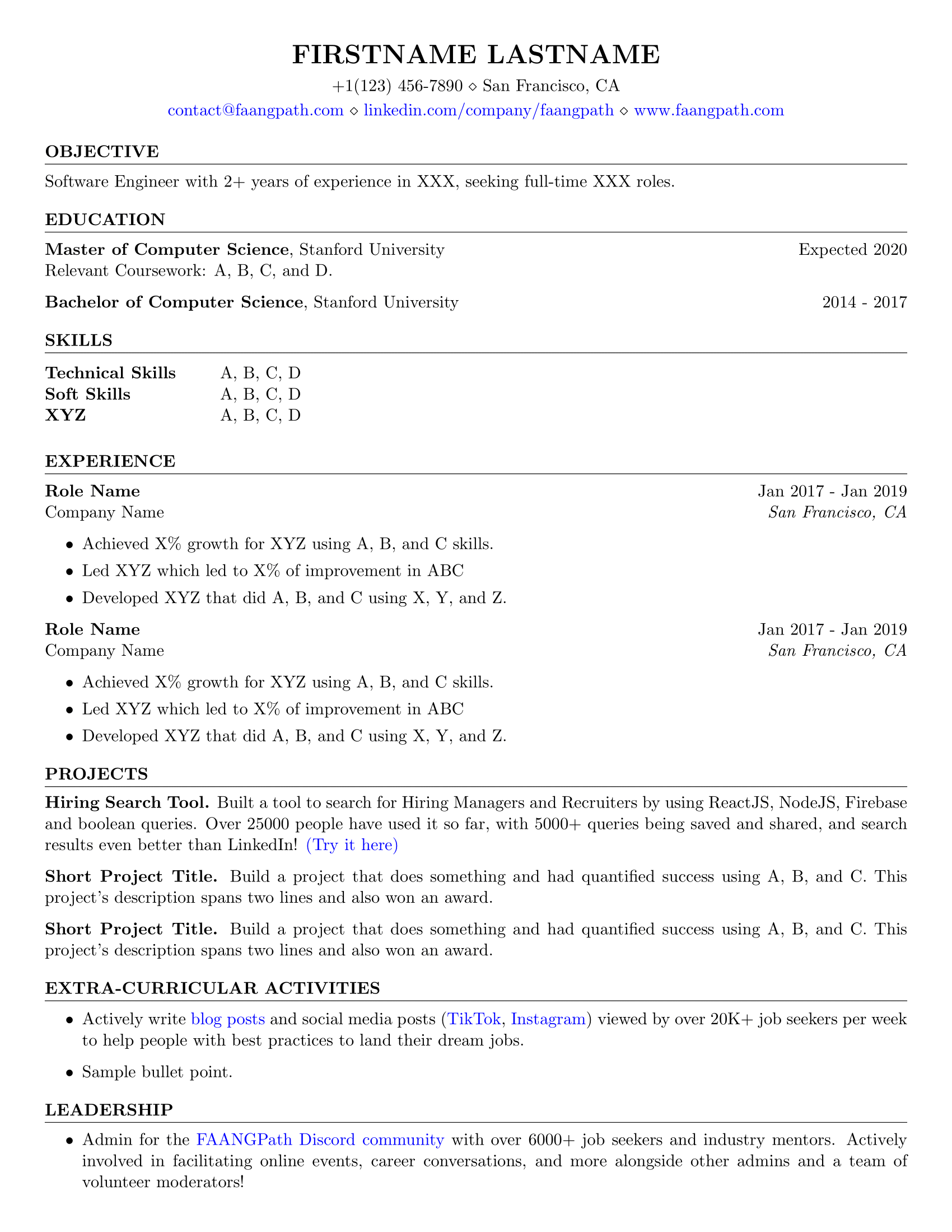
FAANG Resume Template
This template was created with students and new grads in mind who are aiming for a job at the top tech companies. You have room for projects and leadership examples, which helps fill gaps when you don’t have much experience yet. Once you’ve built a stronger work history, you can shift the focus by expanding your job section and trimming older academic details.
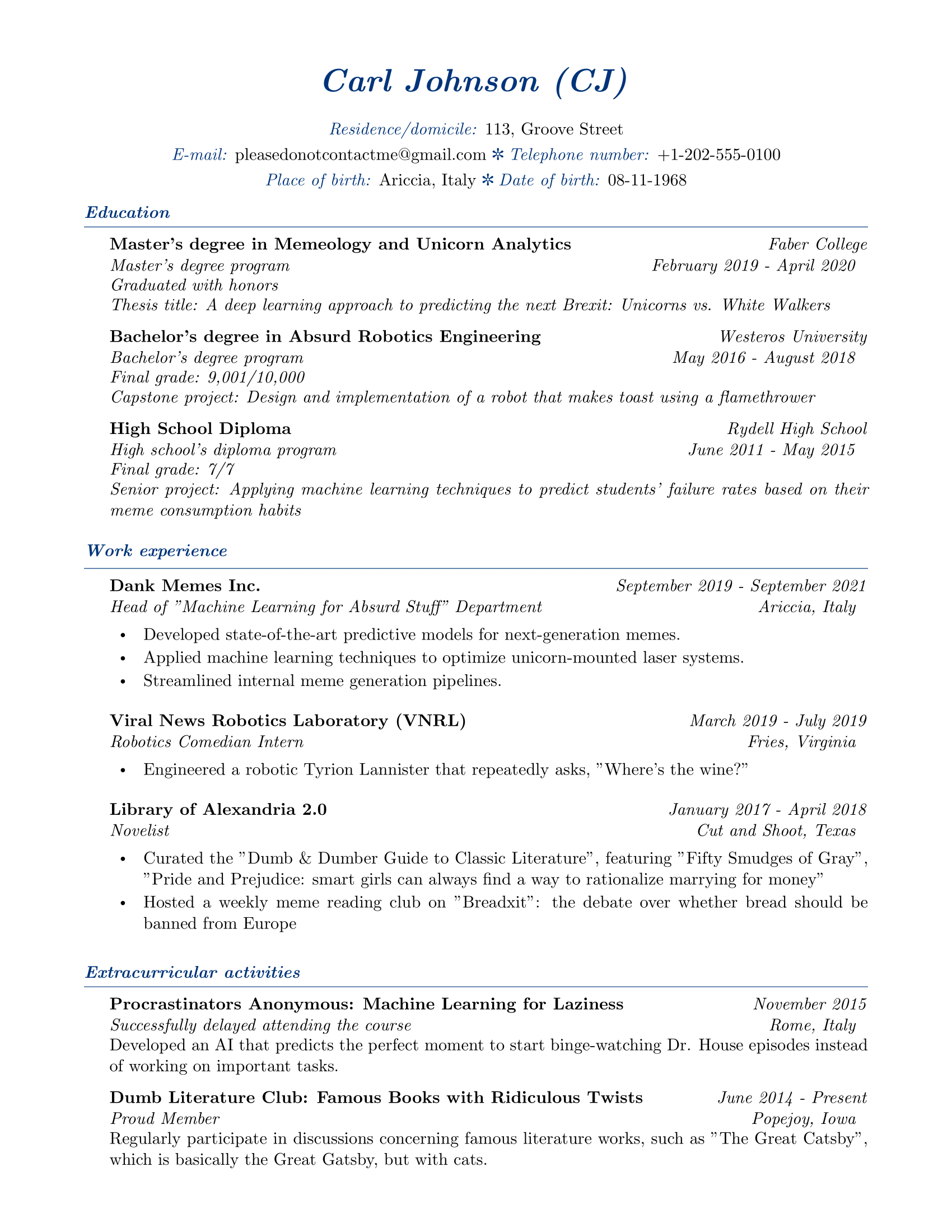
Elegant Resume Template
This template brings a classy, formal tone that works well for research-focused roles or companies that expect a polished presentation. Navy headers help break up the text and draw attention to your key details. And just a heads up: the placeholder content is intentionally humorous — you’ll definitely want to tone that down and replace it with your actual information.
Student Resume Template
This template flips the usual resume structure by dropping the work experience section, which can be helpful if you have nothing to include. Instead, it focuses heavily on education, skills, and projects. You can update the publication section with relevant coursework or certifications. I’d also remove the references section unless someone specifically asks for it.

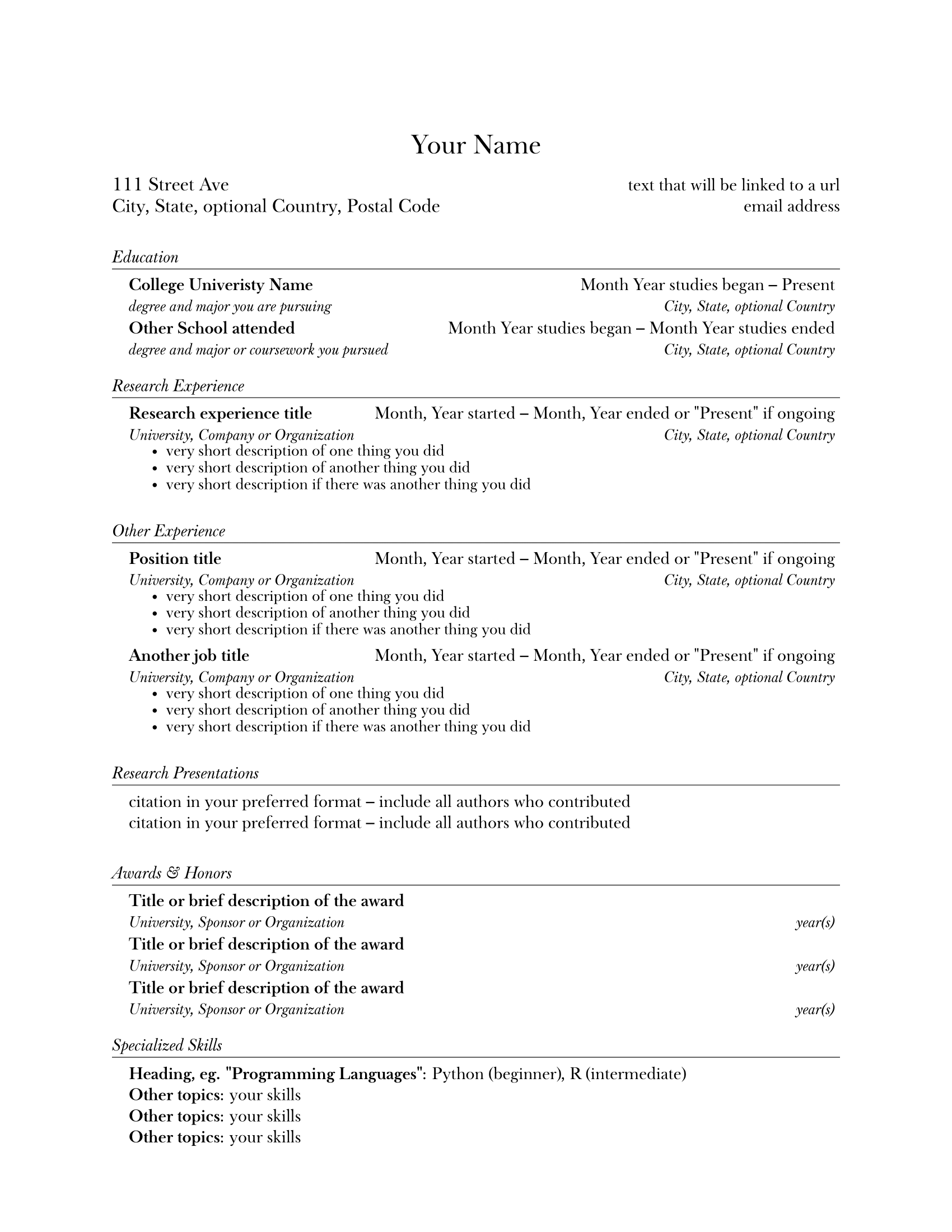
Research Resume Template
The research template is built for students applying to labs, academic programs, or research positions. Its minimalist design keeps the focus on your content, not your formatting, and the sections are divided with lines, so everything stays readable. It emphasizes your academic background with space for research experience, presentations, and awards.
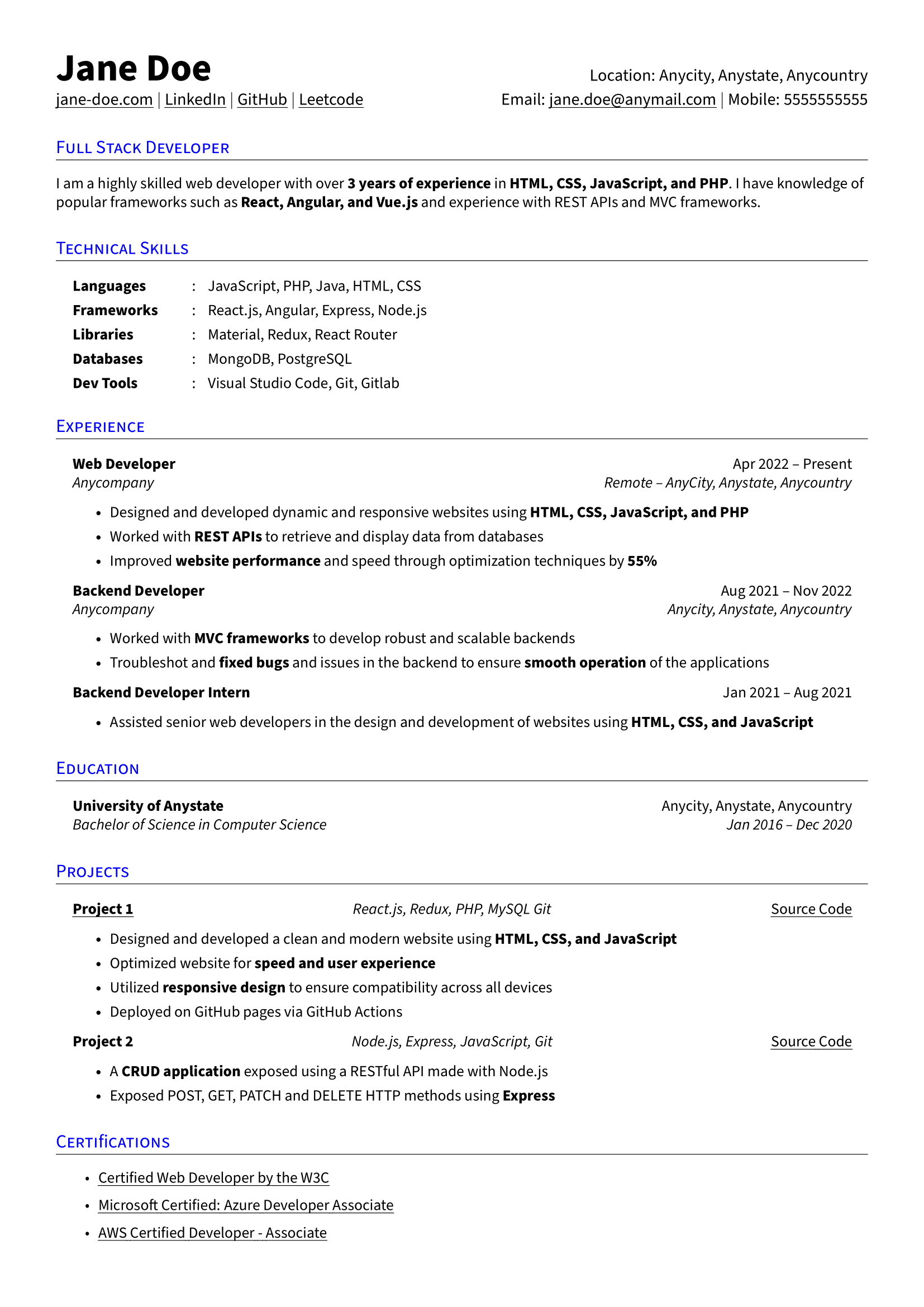
LaTeX Resume Template
This layout is structured and instantly readable. Your technical skills sit at the top in categories, making it easy for hiring managers to see if you meet their requirements. There’s also room for projects and certifications, which is smart if you’re proving your abilities through hands-on work. Just keep everything aligned with the job you’re targeting.
Check out more LaTeX resumes: Best LaTeX Resume Templates for Professionals
Etsy Resume Templates
Let’s be honest, why pay for a resume template on Etsy when there are plenty of free options online? Well, you’re not just buying a template. Many come with writing guides, cover letter templates, and even video tutorials. Yes, you can find all of this for free if you hunt for it (or by heading to our blog page), but Etsy makes it convenient to have everything in one place.
Here are my top budget-friendly resume templates from Etsy.
ATS Resume Template
This template is modern and safe for applicant tracking systems, making it a solid choice for job hunting in competitive fields. It comes with lots of extras, such as Word files, a cover letter, guides, and even an action-verb list. Everything is fully customizable, from fonts to icons, so you can tailor the layout to fit your style and experience without losing ATS compatibility.

Professional MS Resume Template
This professional template is minimal, organized, and easy to tweak to align with your details. It’s ATS-friendly and easy to edit in Word, so you can adjust fonts, colors, and layouts until it feels like “you.” It even includes icons and a guide to help you improve your application. There’s also a references page, but I’d skip including it since modern resumes rarely need one.

Minimalist Resume Template
This design keeps things sleek and simple while still looking professional, and it’s fully ATS-compatible. You can choose a one- or two-page version, though a single page usually makes for a stronger, quicker read unless you have a lot of relevant experience. It comes bundled with multiple file formats, a cover letter, helpful guides, and clean icons.
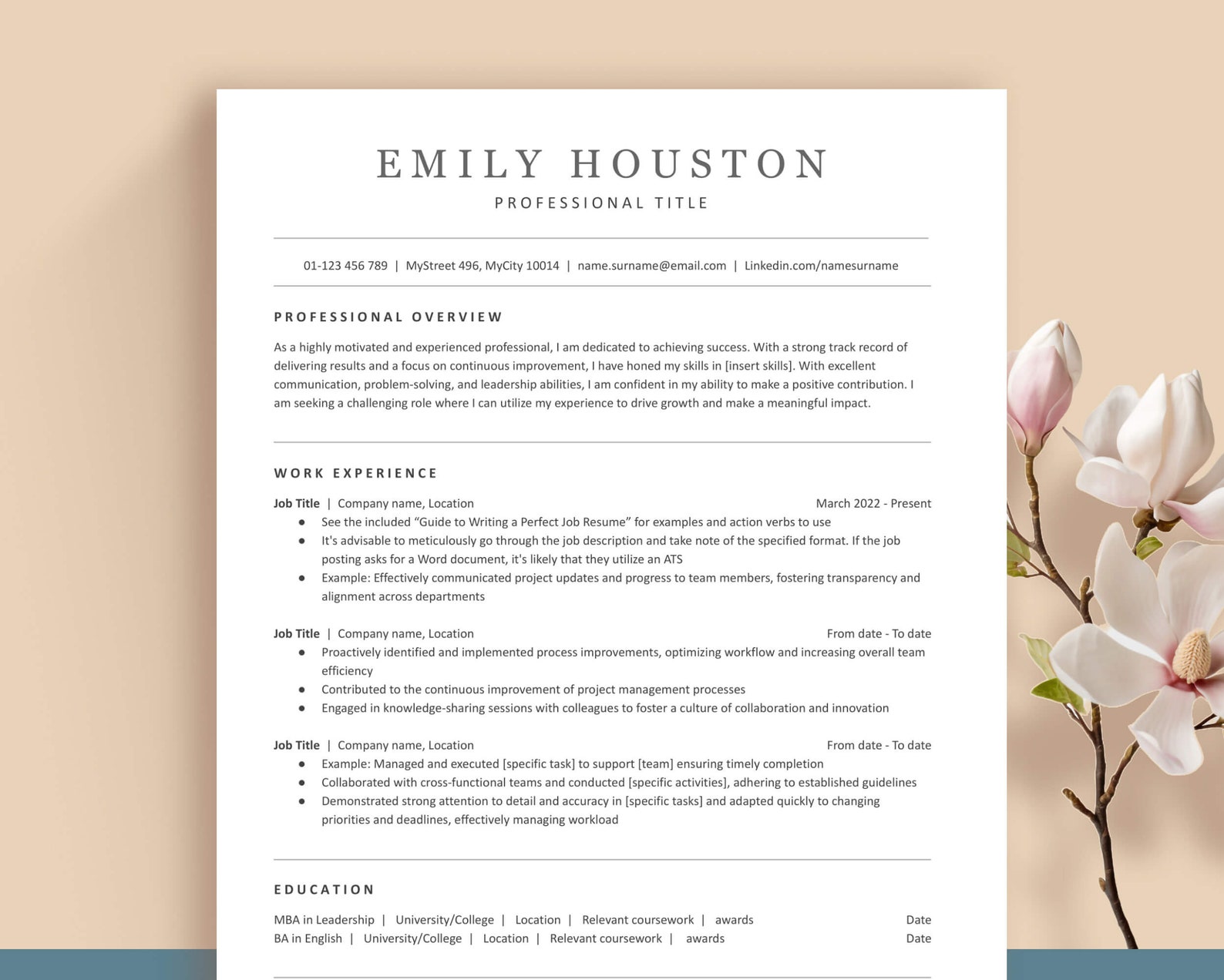
Clean Resume Template
This two-column layout leaves plenty of space to break down your work history, while also letting you separate general skills from technical ones. Everything is customizable, from text and icons to entire sections. You also get various helpful tools like writing guides, templates, and tutorials, making it pretty easy to personalize the whole package.
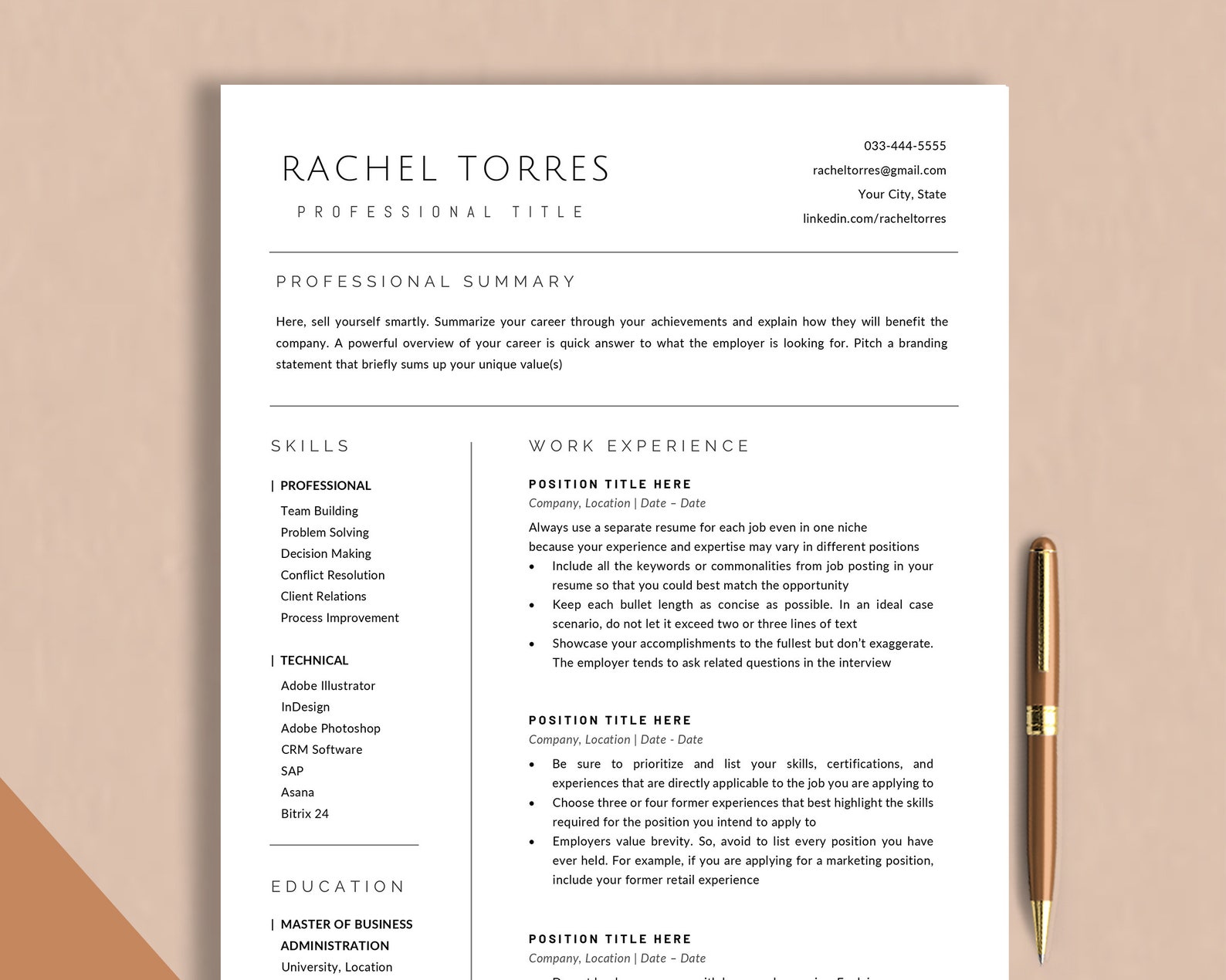
Simple Resume Template
This straightforward template keeps everything tidy and focused on your experience. The single column leaves generous room for your work history while still leaving space for skills, certifications, and education. It’s ATS-friendly and easy to edit, and the download includes icons, helpful guides, and checklists to make writing your resume a whole lot easier.

Check out the full list: Best Etsy Resume Templates
Resume Templates by Age and Experience Level
Your skills and experience evolve as your career progresses, and your resume should too. Including high school details for a senior-level role is just plain confusing, while a student with limited work history might struggle to fill a traditional resume format.
Here are some resume templates that are easy to tailor to your age and experience level.
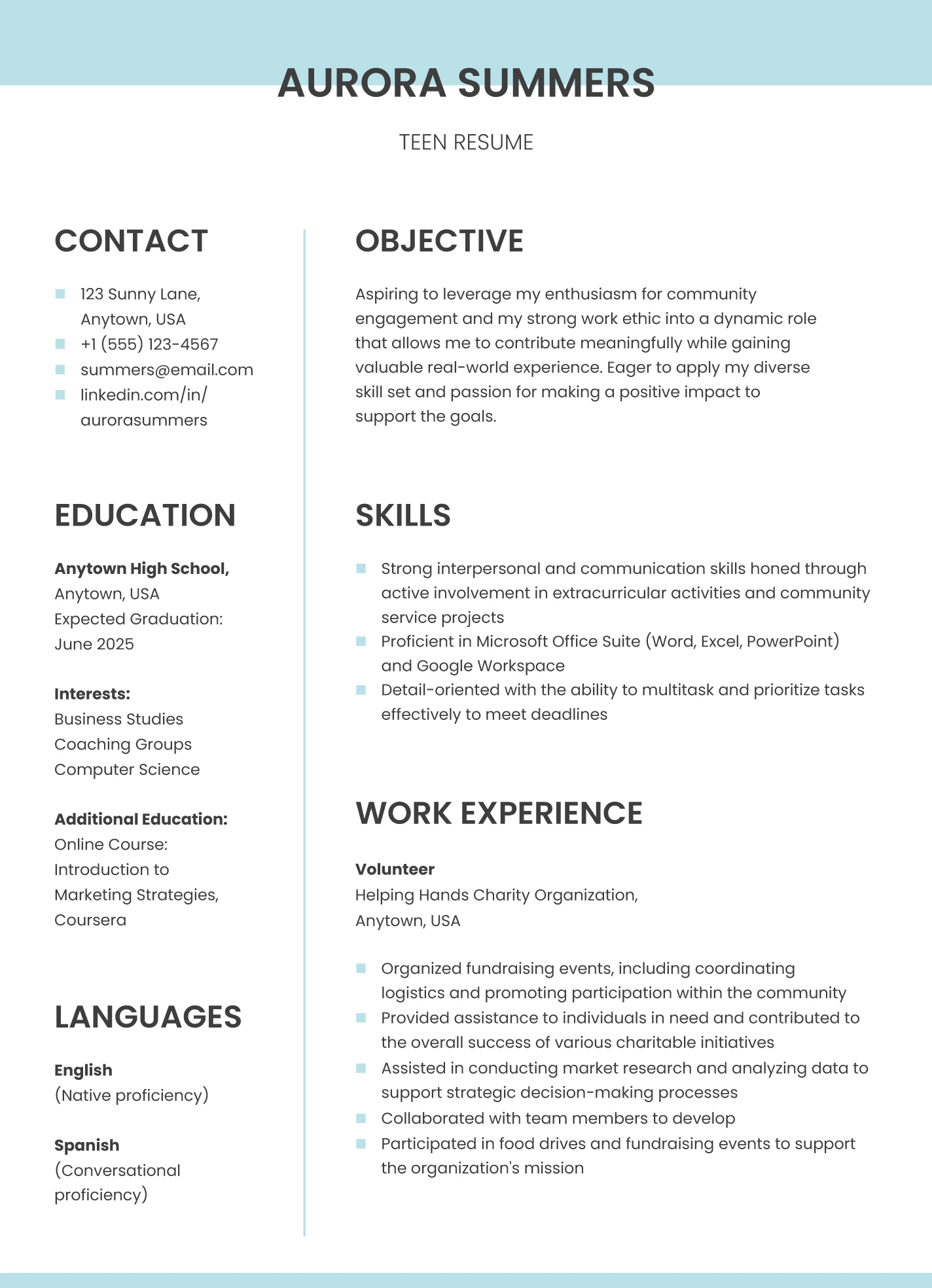
High School Resume Template
This template keeps things simple and allows recruiters to focus on your strengths, interests, and any early experience. The blue-and-white color scheme gives it a fresh feel without being distracting. It’s easy to edit in Google Docs, and you can fill it with things like volunteer work, clubs, classes, or leadership roles if you don’t have formal job experience yet.
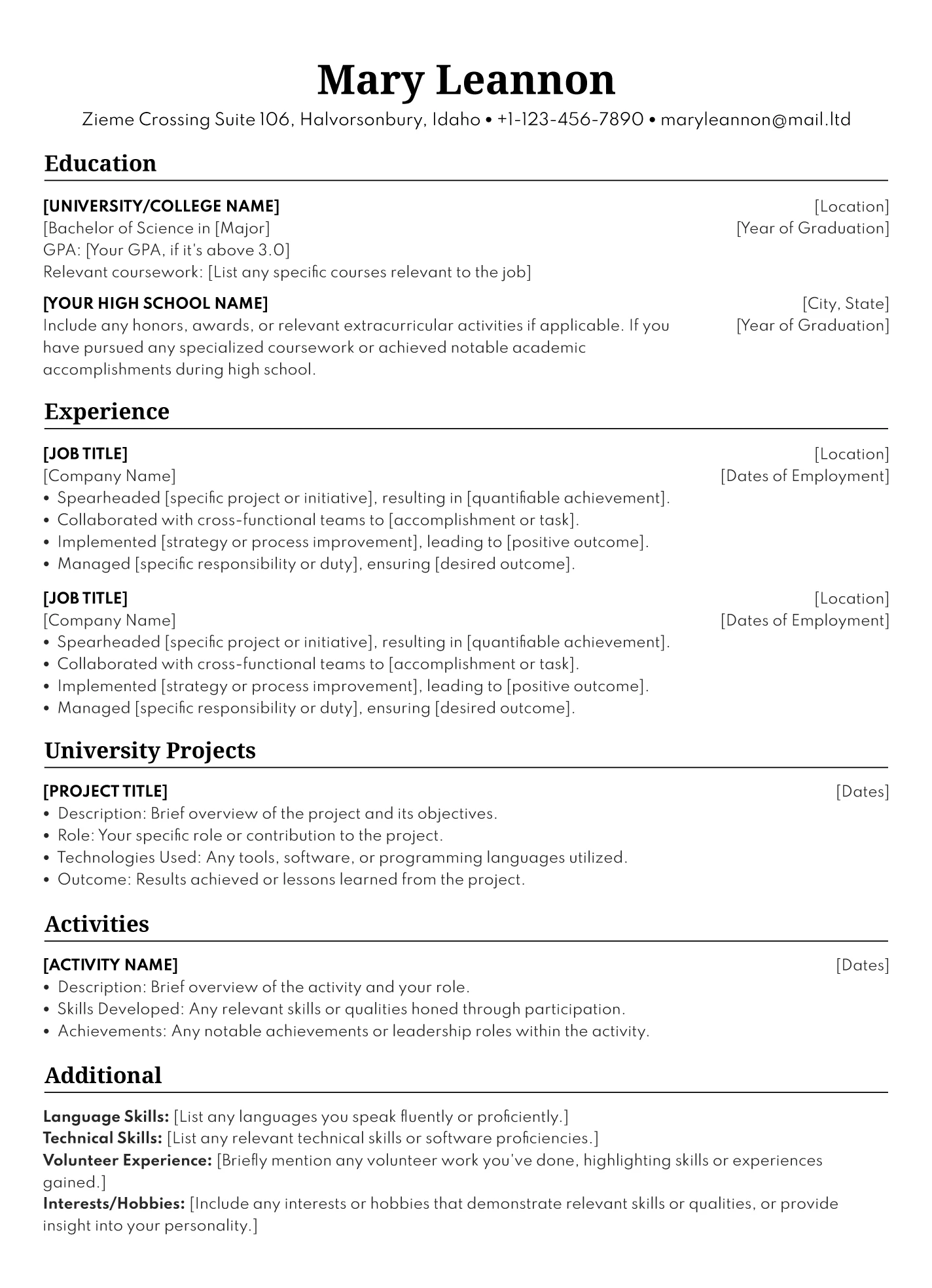
College Resume Template
This resume is perfect for students who want to highlight their education over their work experience. The black-and-white layout is professional, and the organized text blocks help you outline your coursework, campus projects, and other relevant involvement. You can also add a summary under your contact details to frame your goals and skills.
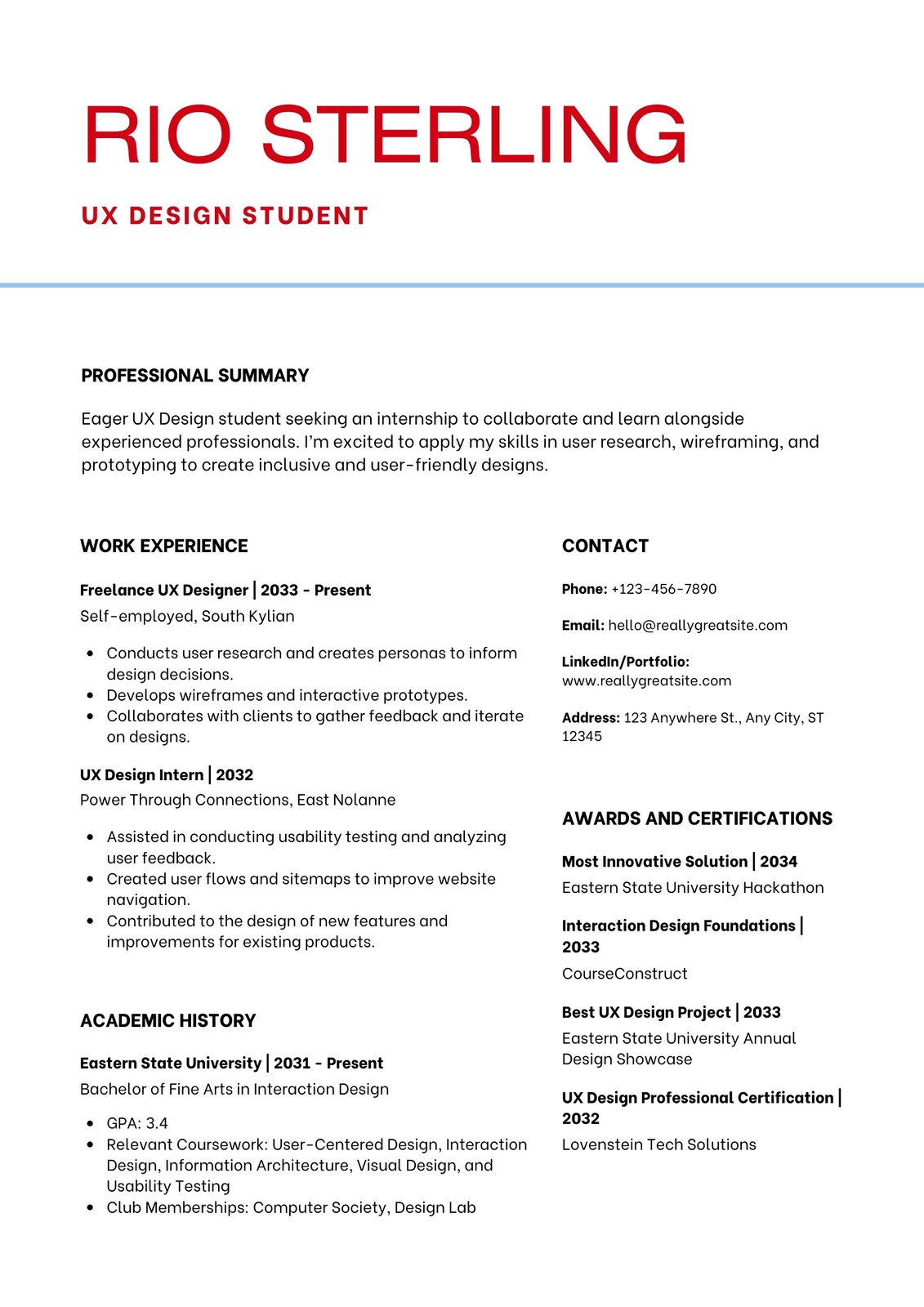
Internship Resume Template
If you’re hunting for an internship, this template gives you a balanced layout that doesn’t pressure you to fill every inch of the page. The bold red nameplate at the top helps you make a confident first impression, even if your experience is limited. It includes space for awards, certifications, and past roles so you can show you’re ready to contribute.
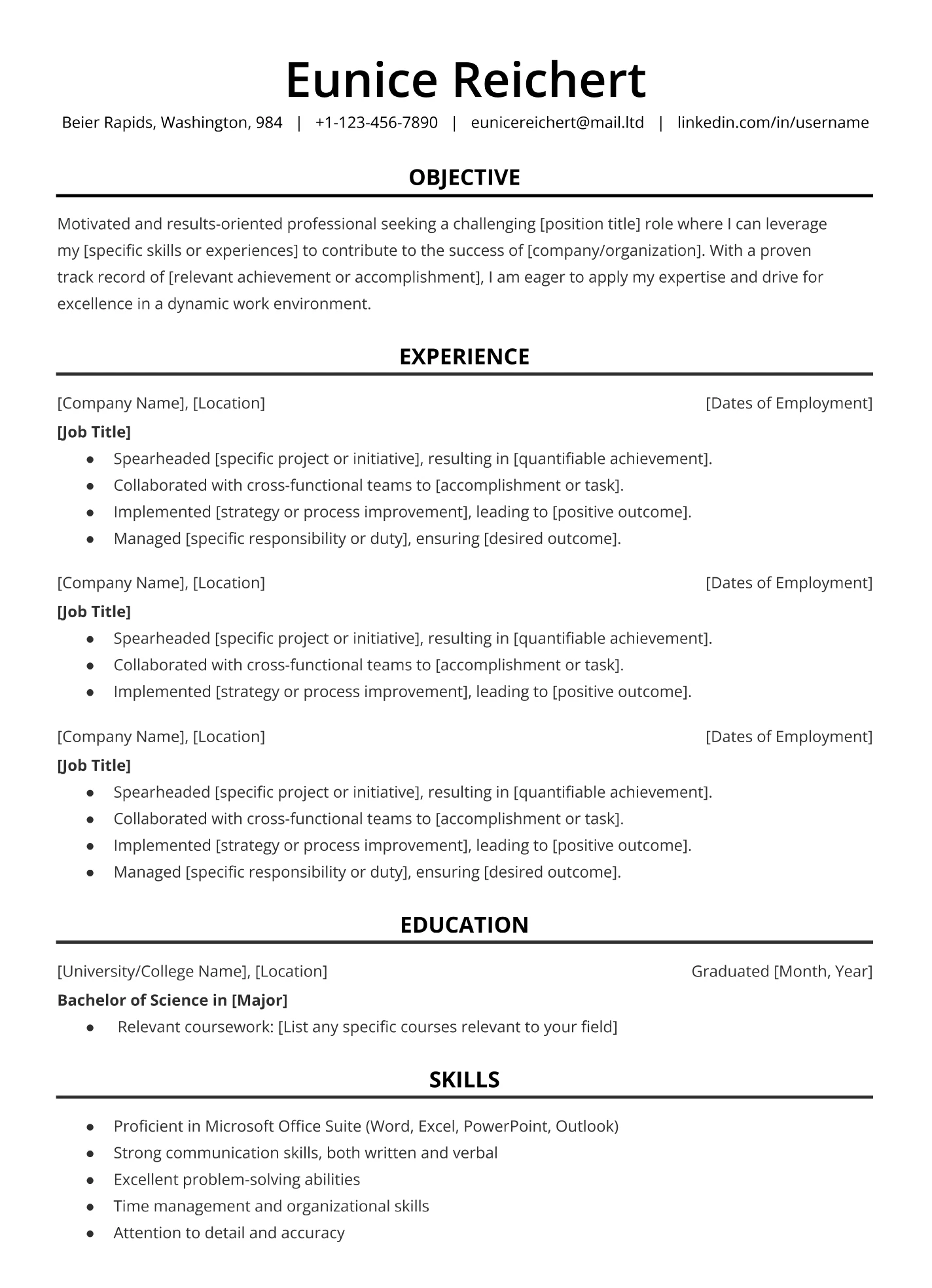
Entry-Level Resume Template
This minimalist format keeps everything neat and professional, which is great when you’re new to the workforce. It guides you to include the essentials, such as contact details, experience, and skills, without overwhelming the page. Since it’s easy to customize in Google Docs, you can adjust fonts, colors, and layout to match your style while keeping the overall look career-ready.
Executive Resume Template
This template works well for senior candidates who need to fit a lot of information onto one page without sacrificing readability. The single-column layout keeps your job title, company, and dates aligned, and the bold section headers help separate your accomplishments. It’s ideal for executives, leadership roles, and industries where the details really matter.

Resume Templates by Industry
The best resumes are simple and versatile enough to work across industries. That said, small tweaks can make a big difference if you’re targeting a particular field. For technical roles, highlighting tools and software at the top helps recruiters see your fit quickly, while a touch of color can help your resume stand out in creative industries.
Check out these resume examples for different careers.
Marketing Resume Template
You don’t need a wildly designed resume to show creativity. This marketing template uses subtle red accents and italic section headers to add just enough flair while keeping attention on your skills and achievements. It’s a smart option for marketing roles where visual taste still needs to stay professional.

Computer Science Resume Template
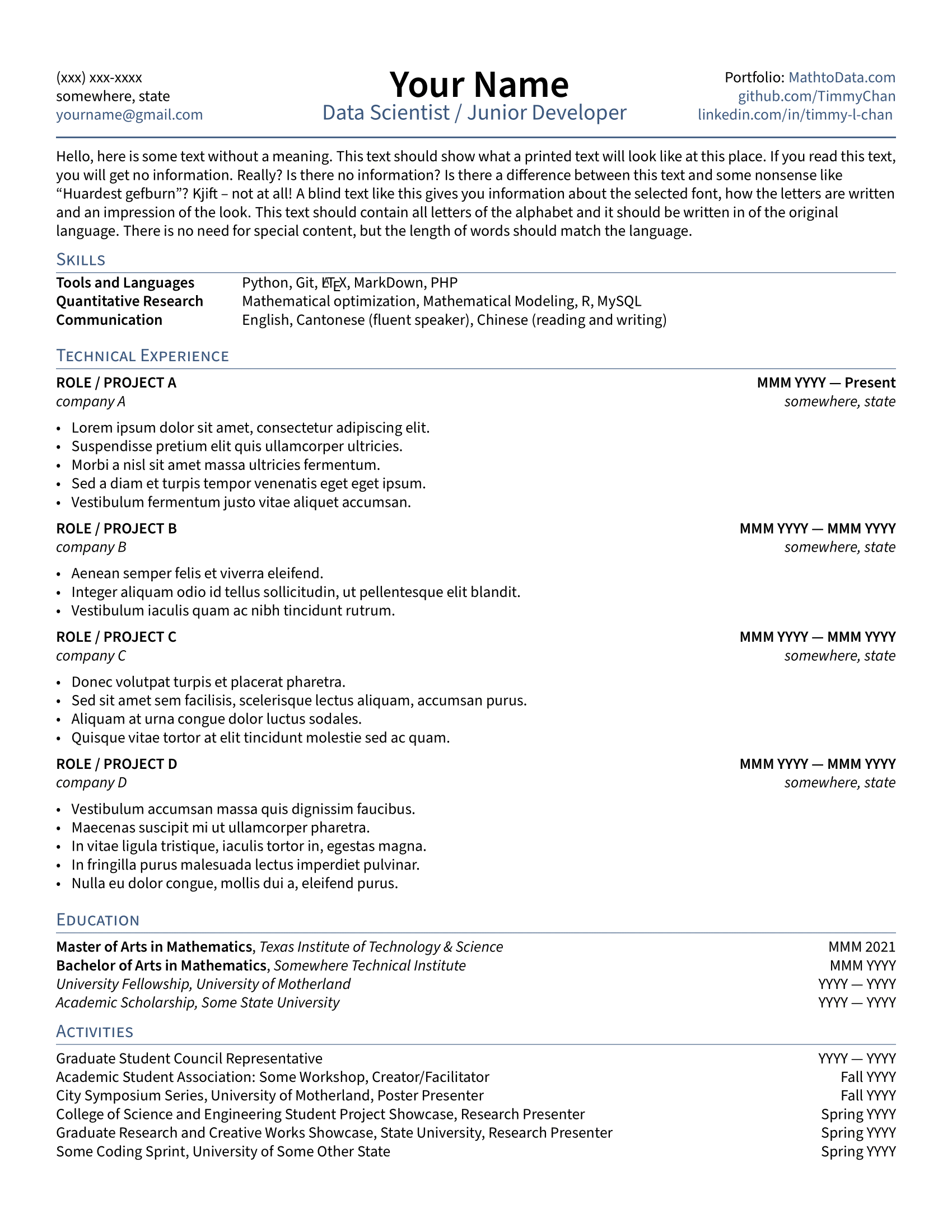
This template cuts straight to what tech recruiters want: your skills and projects. Grouping your technical abilities into categories at the top makes it easy to spot whether you fit the requirements. There’s lots of room for work experience, but you can also use that space to highlight personal or academic projects if you’re newer to the field.
Teaching Resume Template
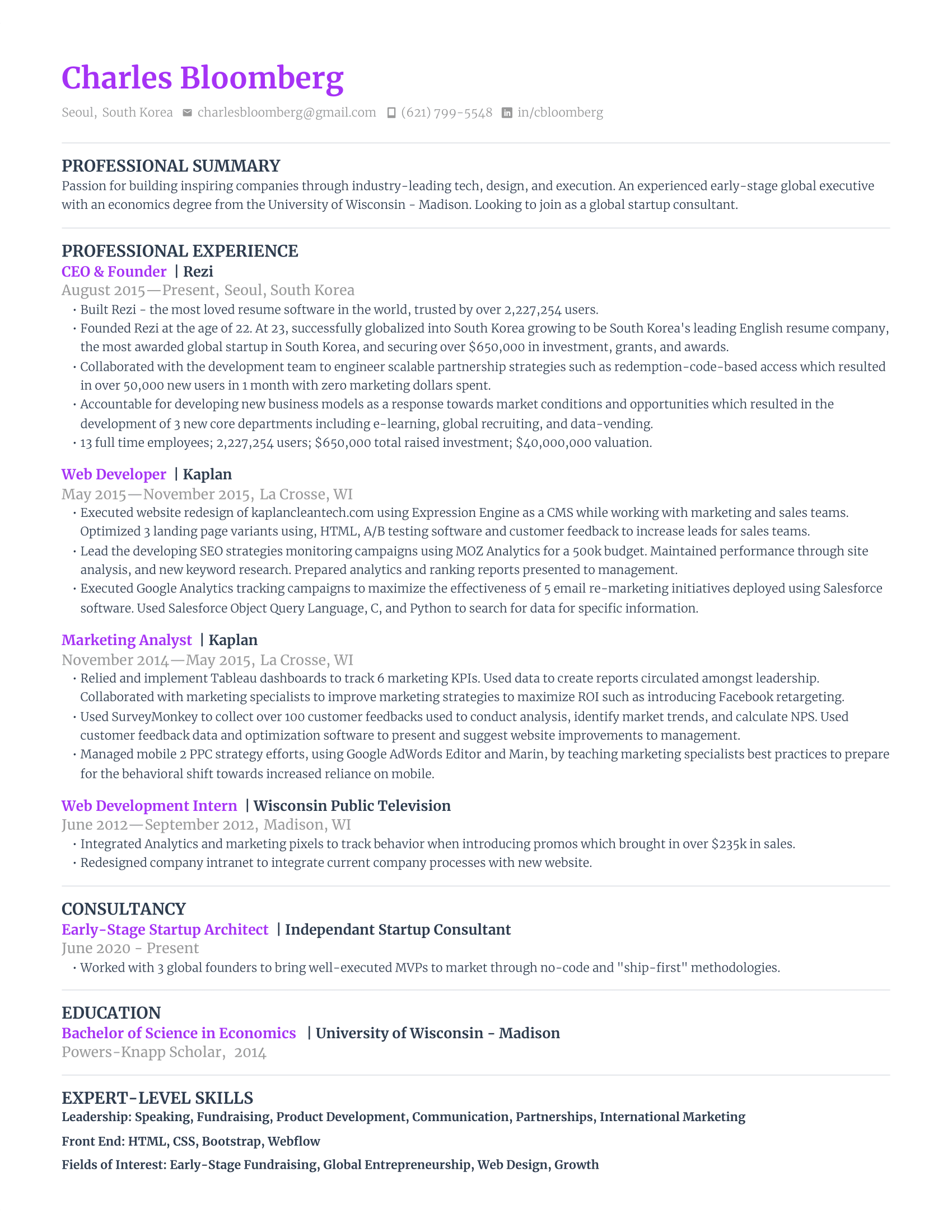
This template lets your creativity peek through while keeping the focus on your qualifications. The bright color accents make your name and job titles pop, and the varied fonts help with readability. It’s warm, friendly, and great for roles where connection and communication matter, including teaching, customer-facing jobs, or positions in small businesses.
Nursing Resume Template
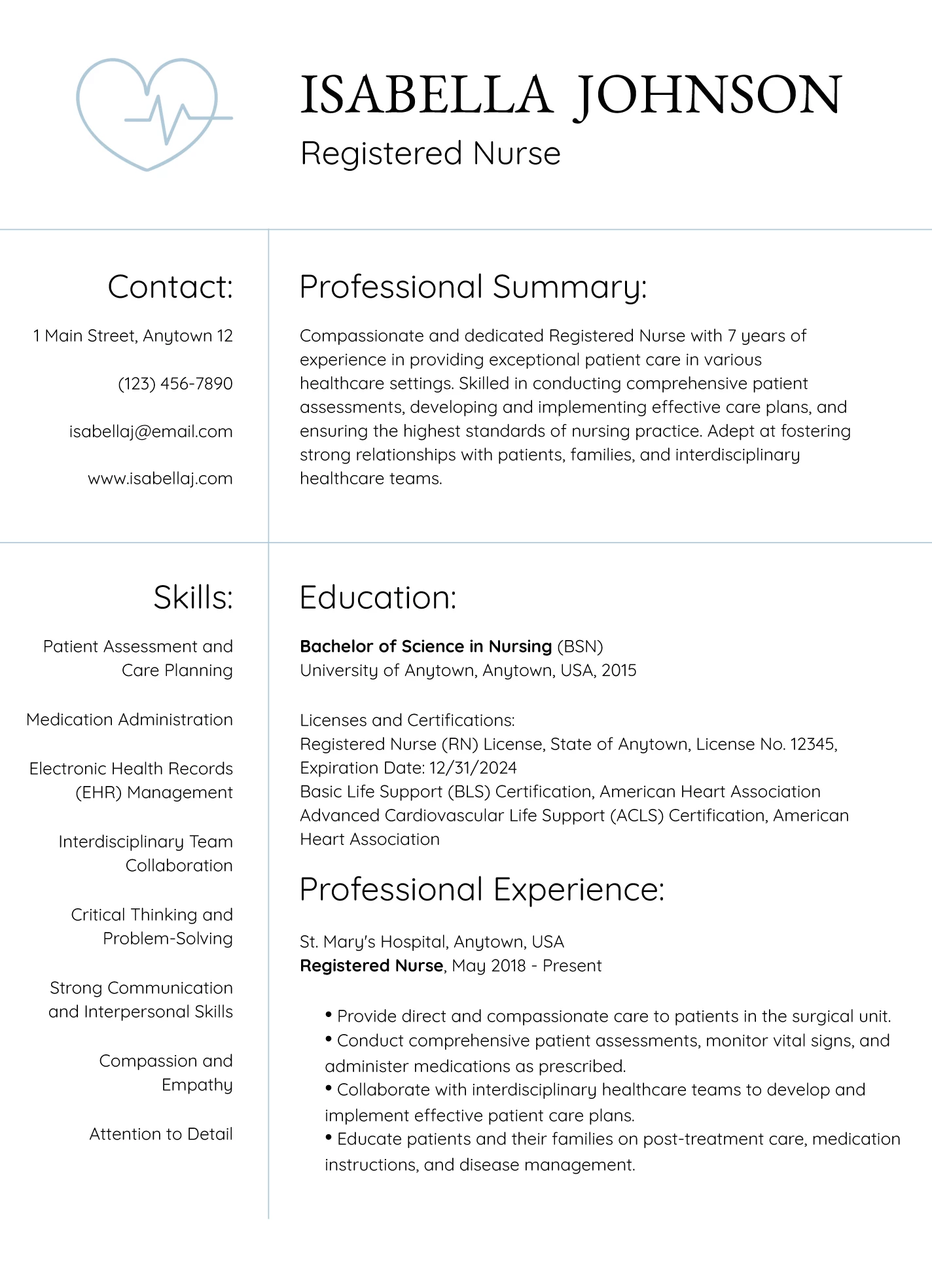
This design gives a quick nod to healthcare with a small medical-themed graphic, which works for smaller clinics but might feel too casual for large hospitals. Education starts above experience, which is perfect for new grads, though I’d flip that once you have more hands-on work. In the skills section, I suggest swapping broad soft skills for job-specific technical ones.
IT Resume Template
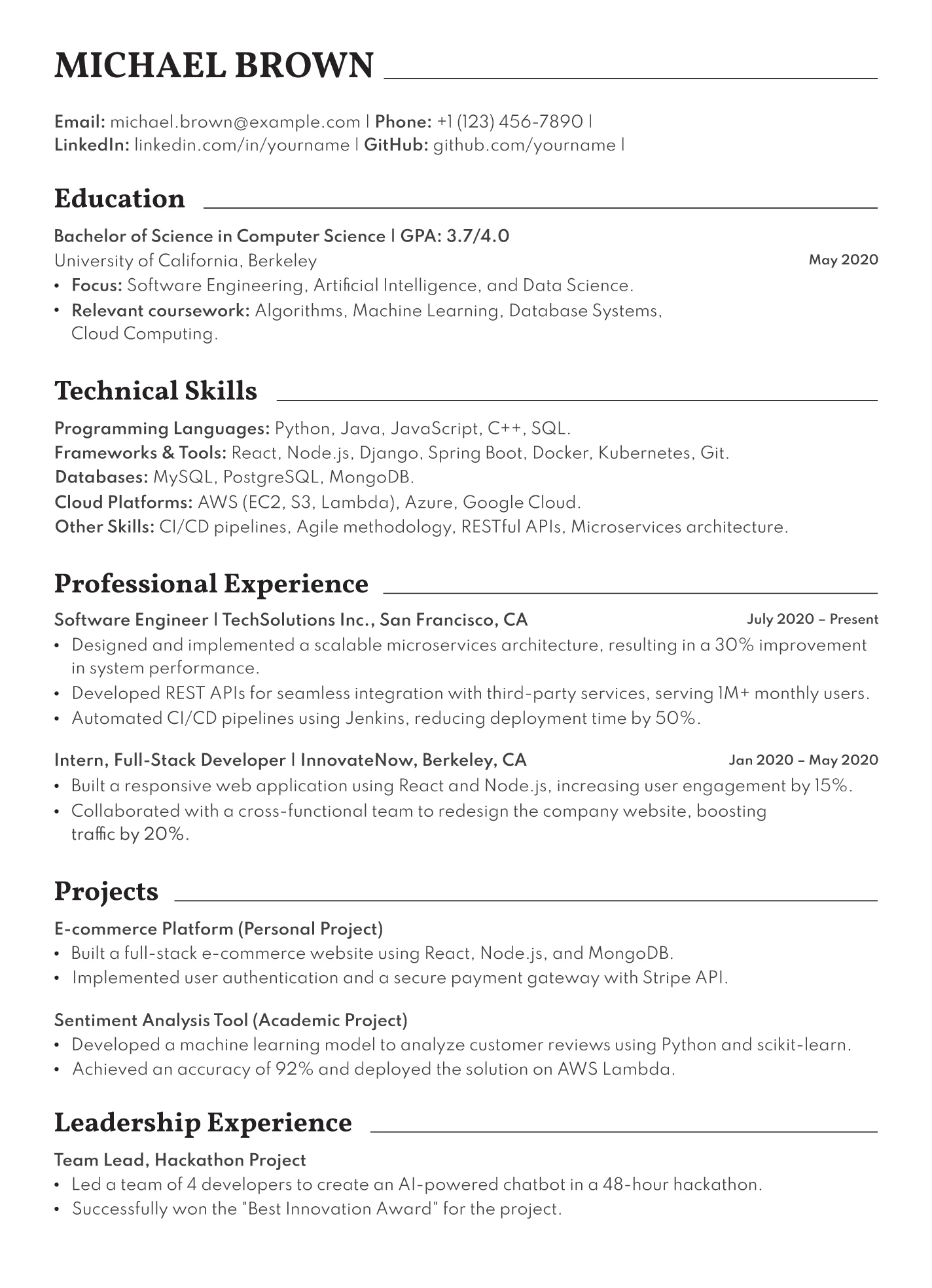
This modern layout is ideal for tech roles and packs everything onto a single page. Your contact information and summary come first, followed by clearly defined sections for education, technical skills, and key experience. Make sure to highlight programming languages, tools, cloud platforms, and relevant projects to show what you can really do.
Once you’ve decided on a resume template, you can move on to other parts of your application. Take a look at these cover letter templates and tips:
- Short Cover Letter Samples
- Cover Letter Google Docs Templates
- Basic Cover Letter Tips and Examples
- Free Cover Letter Templates for Microsoft Word
What to Include in a Resume?
Here’s a quick overview of what to put on your resume:
- Start with your name and contact details, so employers can quickly identify you and reach out without distractions.
- Emphasize achievements in your work history by explaining not just what you did, but how you did it and why it mattered.
- Outline your education and training in a clear and organized way, so employers immediately see your academic strengths.
- Add relevant skills and abilities that genuinely reflect what you bring to the table, not just vague buzzwords.
- Weave keywords into your summary to make a strong first impression and align your resume with the job posting.
Choosing the right template is just the foundation; it’s how you present your skills, achievements, and potential that really matters. Let’s get into the details.
1. Start with your name and contact details
Start with the basics: your name, phone number, a professional email (no 7th-grade usernames, please), your city and state, and links to your LinkedIn or online portfolio. That’s all an employer needs to reach you.
Leave out anything personal that could introduce bias, such as photos, age, gender, marital status, or anything sensitive like a Social Security number.
Here’s what your contact details should look like:

Find out more: Personal Details in a Resume
2. Emphasize achievements in your work history
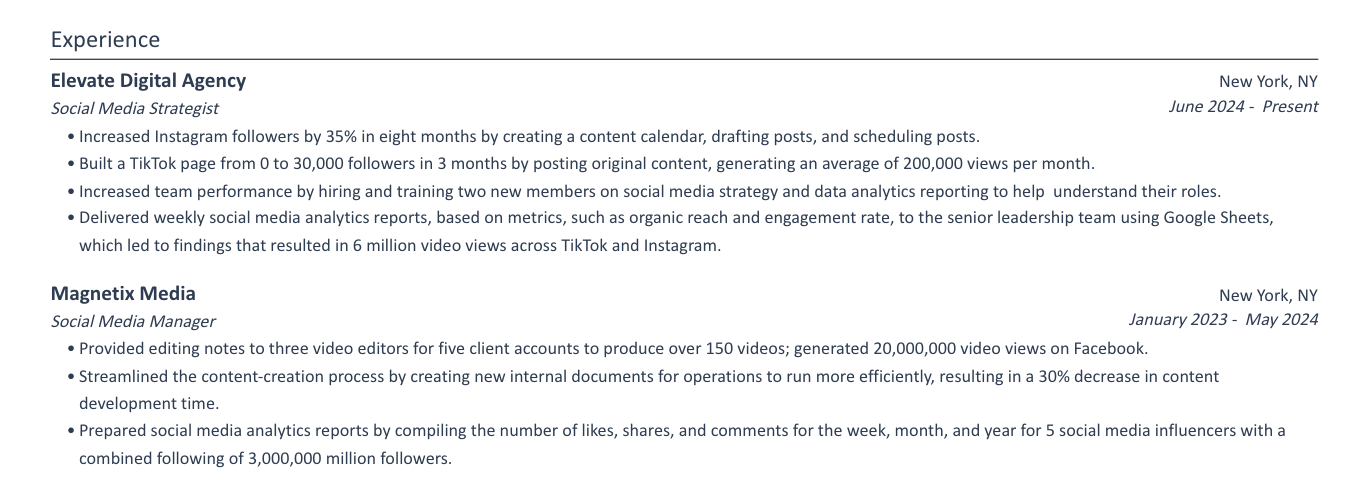
When you write your work experience section, don’t just list tasks (you don’t want your experiences to sound like a job description). Explain what you did, how you did it, and what came out of it.
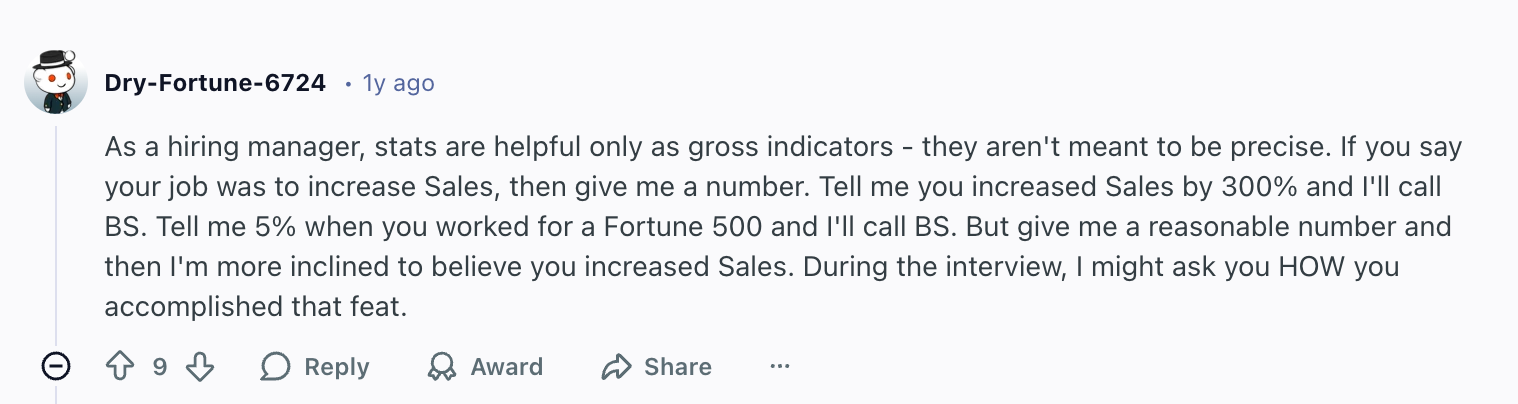
The goal is to prove what you can contribute to the company, so get specific. Mention tools, frameworks, or approaches you used, whether that’s a sales method or a storytelling technique for presentations. When possible, show results with numbers or positive outcomes. And if hard metrics aren’t available, estimate or highlight impact in another way.
Here’s some no-nonsense advice from a hiring manager about adding metrics:
And if your job history is still pretty light, mention volunteer work, class projects, part-time roles, or extracurriculars. They can still show reliability, initiative, and transferable skills (everyone has to start from somewhere).
Check out this work experience section example:
Need help selling yourself? Try our AI Bullet Point Writer to get customized bullet points that focus on positive results and measurable impact.
3. Outline your education and training
Your education section should clearly list the school name, degree, and field of study. If you graduated recently, include your dates; if not, it’s fine to leave them off. Add relevant extras like minors, honors, or academic achievements, but stick to what actually strengthens your application.
Arrange everything in reverse chronological order, so your most recent and impressive qualifications show up first. Quality trumps quantity here. One strong, relevant credential helps you far more than a long list of courses about ‘monsters in literature’ for an IT job.
Here’s what a simple education section looks like with some relevant extras:

4. Add relevant skills and abilities
Your skills section should give employers a quick idea of what you have to offer, but it shouldn’t turn into a generic buzzword list. It’s easy to list teamwork on your resume, but that could mean anything from contributing to a presentation to organizing (and then forgetting) the annual Secret Santa.
Keep your skills specific and relevant to the job. You can also make it easier for the recruiter to scan your page by splitting your skills into simple subcategories like Tools, Technical Skills, Languages, and Software.
Here’s some advice from a recruiter:

No progress bars or percentages — this is just confusing for ATS and recruiters. And avoid listing soft skills you can’t demonstrate. If you claim to be great at problem-solving or communication, back it up in your experience section instead of just stating it here.
Here’s how you can organize your skills section:

You can find all the skills for your industry and job title using our AI Skills Explorer. Just type in an existing skill or job, and our technology will give you tailored suggestions.
Or find out more about the most in-demand skills to include on your resume:
- AI Skills for Your Resume
- Skills Section for a Resume
- Best Technical Skills for a Resume
- High-Income Skills to Make More Money
5. Weave keywords into your summary
Your resume summary is a 3–4 sentence paragraph that takes the most relevant parts of your resume and sums them up in an introductory paragraph to deliver that all-important first impression. That’s why it’s best to write it last, so you can review and choose the best bits.
This is a perfect opportunity to add job-specific language. You can study the job posting and mirror the terminology they used to tell them straight away why you’re a good fit for the job and push them to read more of your resume.
And don’t stop at your summary. You should also use keywords and phrases from the job ad throughout your resume. But they only matter when they have context, so explain how you used those skills in real scenarios.
Take a look at this summary example:

Suffering from brain fog? Try out AI Resume Summary Writer to generate a professional and tailored summary in seconds.
Summary
Let’s wrap up with a summary of how to choose the best resume template:
- Choose a template that matches your experience level, whether you’re a student or a seasoned leader. The right layout highlights your strengths instead of emphasizing gaps.
- Stick with simple, easy-to-scan designs. Recruiters skim fast, so avoid clutter, heavy graphics, and decorative fonts that distract from your accomplishments.
- Make sure your template is ATS-friendly. Simple formatting, clear headings, and standard fonts help your resume pass through applicant tracking systems.
- Pick a layout that aligns with your industry. Tech and engineering benefit from skills-first designs, while business, education, and corporate roles usually prefer classic formats.
- Prioritize templates that leave enough space to show results, not just duties. Look for structured sections where you can highlight achievements and measurable impact.
- Choose templates with flexible sections so you can reorder content, such as putting education first if you’re a student or work experience if you’re more established.
- Avoid templates that rely heavily on skills icons, charts, or progress bars. They confuse ATS systems and don’t communicate your skills as effectively as real examples.
- Select a template you can easily customize in programs you’re comfortable using, such as Google Docs, Word, or Overleaf.
- Pick a design that feels like you, but stay professional. A hint of personality is great, especially in creative fields, as long as it never overshadows your content.
FAQ
What does a resume look like?
A resume is usually a one-page document that highlights who you are and why you’re worth hiring. At the top, you’ll see your name and contact details, followed by sections for your summary, work experience, education, skills, and any extras like certifications or projects. In these sections, traditional resumes list their details in reverse chronological order.
The best ATS resume formats use plenty of white space, clear headings, professional fonts, and stick to easy-to-read bullet points. You should avoid using headshots, graphics, skills charts, or too many design elements, as it’ll make your resume less ATS-friendly.
How to make a resume with no experience?
If you’re new to the workforce, build your resume around what you do have, not what you don’t. Highlight school projects, volunteer work, part-time jobs, clubs, leadership roles, or anything that shows responsibility or transferable skills.
You could also add a short resume objective explaining your goals and strengths, then include a skills section with abilities relevant to the job. Employers know early-career candidates won’t have long work histories, so focus on showing potential, enthusiasm, and real-world examples that prove you’re capable.
Find out more: How to Write a Resume With No Experience
What’s the best resume layout?
The best layout is usually the one that makes your strengths easiest to find. Most people opt for the tried-and-tested reverse-chronological format, where your most recent and relevant experience appears first. It’s organized, predictable, and preferred by recruiters.
Your sections should follow a logical flow: contact information, summary, experience, education, skills, and optional extras. However, you can swap these around depending on your experience level or the type of job.
Use consistent spacing, bold headings, resume bullet points, and standard fonts to give your job application a professional overall look.
How to format a resume?
Formatting your resume is all about clarity and consistency. Stick to one or two professional fonts, keep margins around one inch, and use bullet points to make your resume achievements easy to skim. Keep your text aligned, use bold for section titles, and avoid busy colors or graphics unless you’re in a creative field. Save your resume as a PDF so the layout stays intact. Most importantly, make sure your spacing, punctuation, and headings stay uniform.
What’s the best CV template?
The best CV template depends on your industry and experience, but a strong template shares a few qualities: clean lines, predictable structure, and plenty of room for accomplishments. A single-column design works well for most professionals and keeps your content easy to read.
For more experienced candidates, templates with clear sections for research, publications, or extensive work history can help organize information without overwhelming the page. No matter the template, choose something modern, simple, and tailored to your field.

Upload or drop your resume to get started
Upload your resume to get started
Score my resume

Lauren Bedford is a seasoned writer with a track record of helping thousands of readers find practical solutions over the past five years. She's tackled a range of topics, always striving to simplify complex jargon. At Rezi, Lauren crafts genuine and actionable content that guides readers in creating standout resumes to land their dream jobs.