
Resume
ATS-Friendly Resume Checklist, Tested in Workday
Make an ATS-friendly resume with this checklist, plus what Workday and SmartRecruiters pulled from three resume templates when we uploaded them to real jobs.

Published on
August 17, 2022
Updated on
November 3, 2026
Short answer: An ATS-friendly resume is one an applicant tracking system can read correctly: a single-column layout, standard section headings, a common font, contact details in the body (not the header), and keywords from the job description used where they’re true. Save it as a text-based PDF or a Word file, whichever the posting asks for.
An applicant tracking system turns your resume into a profile that recruiters search. If it can’t read your layout, that profile can come out with missing or scrambled fields. You can catch most of these problems yourself before you apply.
To see what that looks like, Rezi writer Lauren Bedford uploaded the same resume in three templates to two live job applications, one on Workday and one on SmartRecruiters. Here’s what each system pulled out, the checklist that follows from it, and where the “75% of resumes are rejected” statistic came from.
Already have a resume? Upload it to the Rezi resume checker to see which formatting and keyword issues it flags before you apply (you’ll need a free account to see the report).
What is an ATS-friendly resume?
An ATS-friendly resume (also called ATS-optimized or ATS-compliant) is one an Applicant Tracking System can parse: it reads your file, splits it into fields like contact details, work history, education and skills, and stores it in a searchable database. Recruiters then search that database by resume keywords, job titles and filters tied to the role.
So your resume has two jobs: the system has to read it correctly, and it has to contain the words a recruiter will search for.
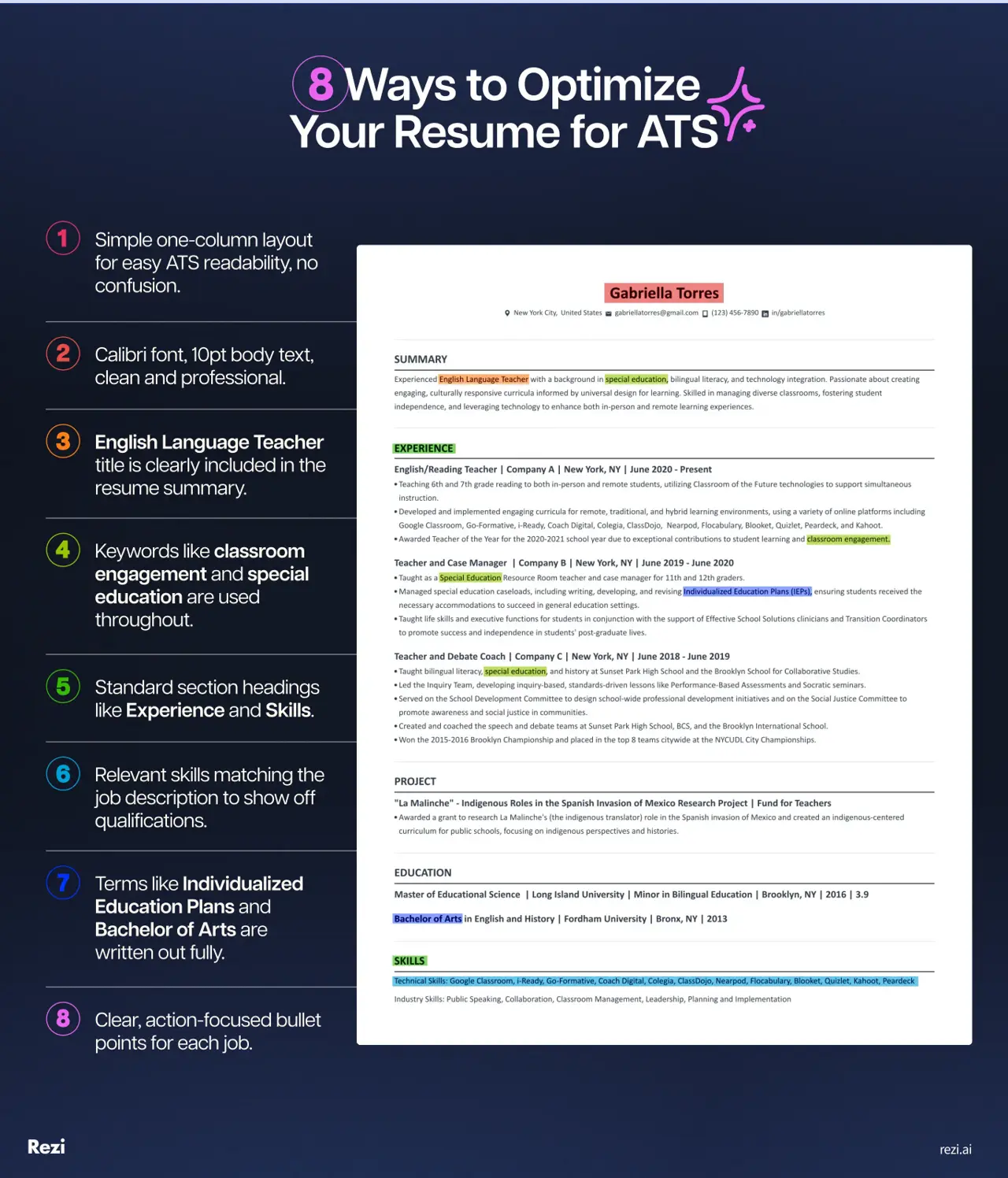
In practice, an ATS-friendly resume is one column of plain text with standard sections in this order:
- Contact details: name, phone, email, city and state, LinkedIn.
- Summary: two or three lines that use the job title from the posting.
- Work Experience: newest job first, each with title, company, dates and 3 to 5 bullets.
- Education: degree, school and graduation date.
- Skills: the tools and skills from the posting that you actually have.
- Optional: Certifications, Projects or Volunteer Experience, under those names.
What happens to your resume inside an ATS
Not every Applicant Tracking System works the same way, but most of them do this:
- Collect your application. When you apply through a company’s careers page or a job board, your resume goes into a central database.
- Parse it. The system splits your resume into contact details, work history, education and skills, and often uses them to prefill the application form.
- Apply knockout questions. If the employer set screening questions (work authorization, minimum years of experience, a required license), an answer that doesn’t meet them can remove you automatically. Some employers set other automatic rules too.
- Make you searchable. Recruiters search by keyword or filter by skills and experience. Some systems also show a match score.
- Run the hiring workflow. The same system posts jobs, tracks candidates, schedules interviews and sends emails.
A former in-house recruiter Lauren interviewed put it this way:
I relied heavily on the ATS software, not because it would keep me from recruiting (you don’t necessarily need it to recruit), but it makes your time more efficient. It can help you create lists of different candidates with different skill requirements and categorize each person. Overall, the main benefit is making your time more efficient and getting as many applicants as you can throughout the process.
Popular Applicant Tracking Systems
Some of the systems you’re most likely to apply through:
What your resume looks like in an ATS: our upload test
In April 2026, Lauren put the same work history and contact details into three templates (Rezi, FlowCV and Teal) and uploaded each one to two live applications: Visa, which used SmartRecruiters at the time (its careers page now redirects to Workday), and Adobe, which uses Workday. She then compared what each system copied into the application form.
The results, in short:
- Rezi, SmartRecruiters: titles, dates and the text of every bullet came through, but each job’s bullets ran together in one paragraph and one employer name was missing.
- Rezi, Workday: the right fields, with spacing intact.
- FlowCV (two columns), SmartRecruiters: experience and education came back empty.
- FlowCV, Workday: half a field blank and several bullets merged onto one line.
- Teal, SmartRecruiters: words split apart and the first name shortened.
- Teal, Workday: filled in without the gaps.
Check the upload limit before anything else: some of Lauren’s design-heavy exports from Canva and similar tools went over the 10MB cap on these forms.
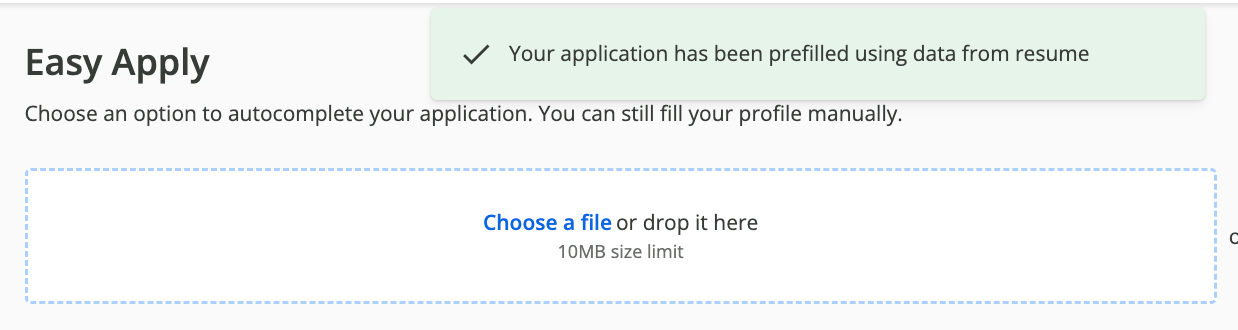
Rezi template: the most complete result
The first upload used a single-column template from Rezi’s ATS-friendly template gallery.
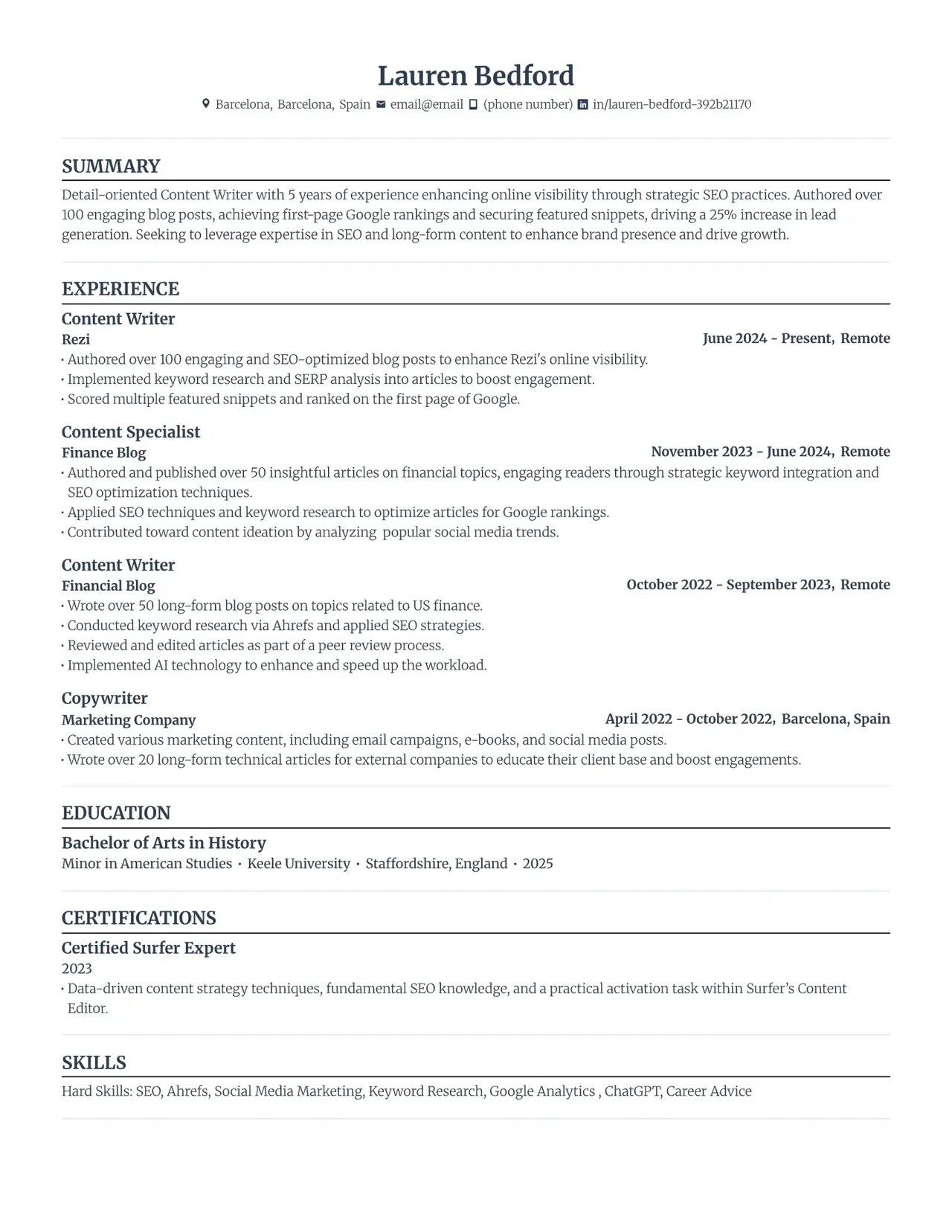
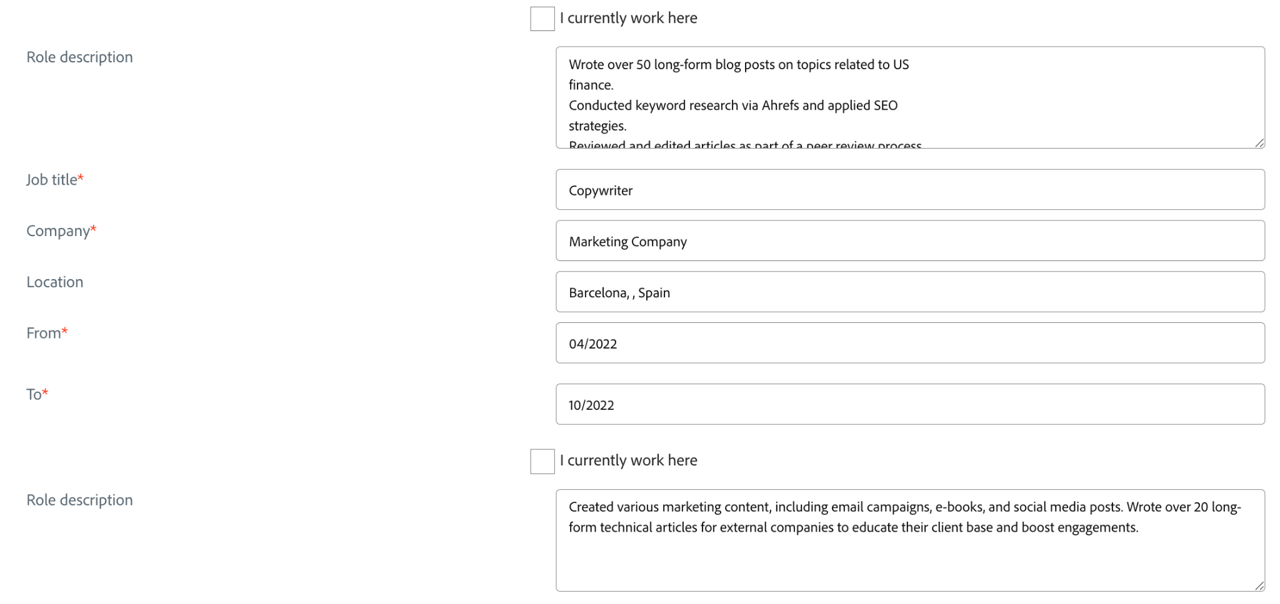
Visa’s form came back with the right job titles and dates and the text of every bullet point, but it ran each job’s bullets together in one paragraph and left out one employer name (Finance Blog).
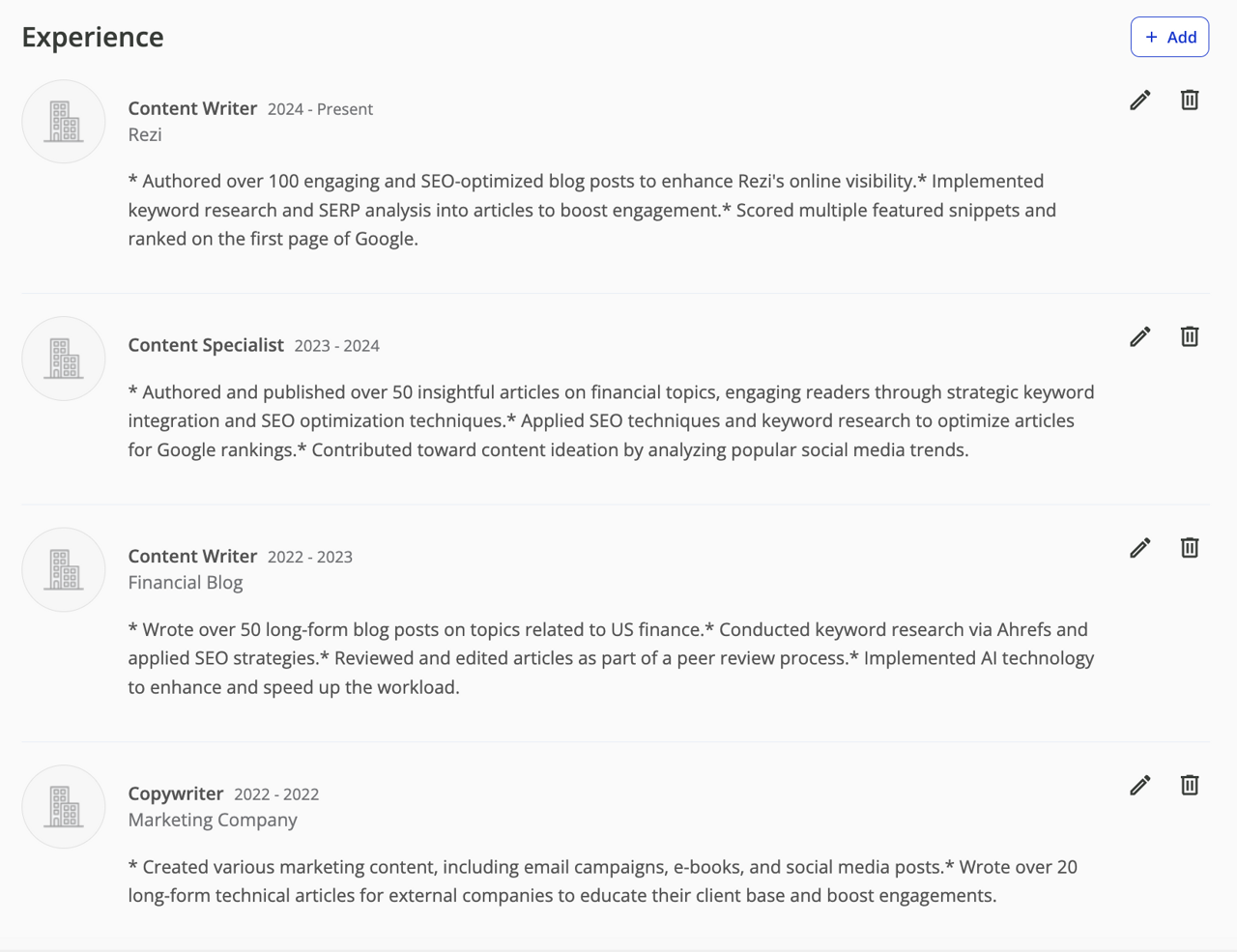
Adobe’s Workday form also picked up the right information, with lines and spacing intact.
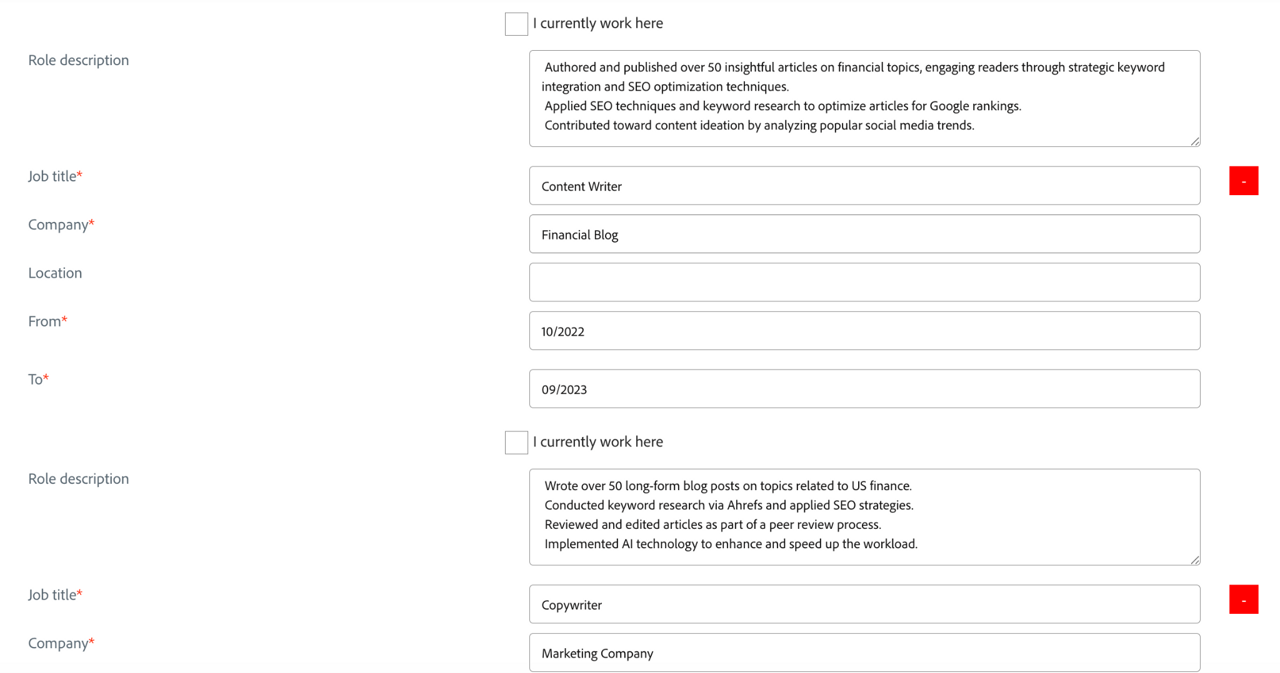
FlowCV two-column template: empty sections
Next came a FlowCV template with two columns and a colored sidebar. FlowCV has simpler templates too; this one was picked to see how the systems handle a more designed layout.
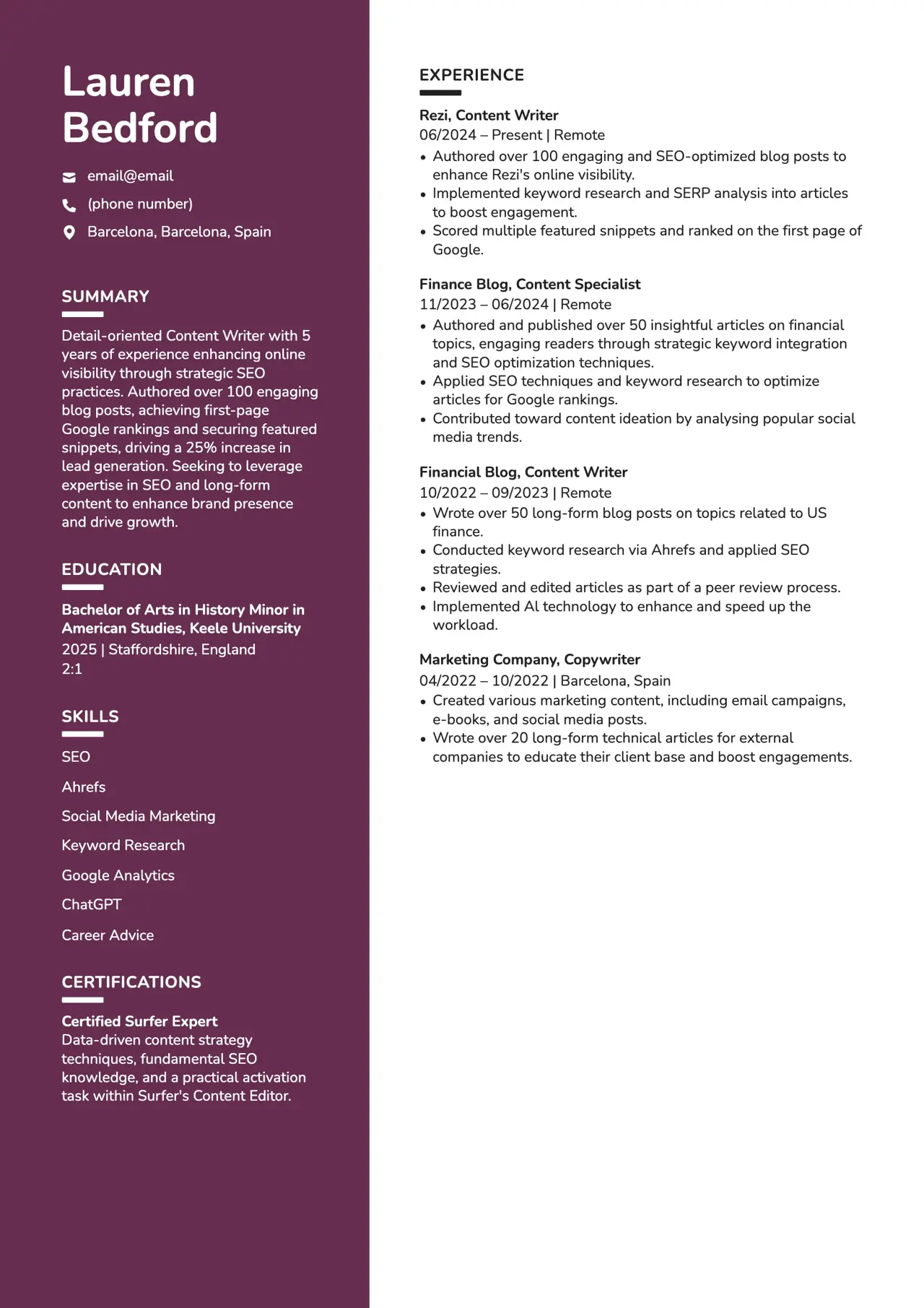
On Visa’s SmartRecruiters form, the experience and education sections came back completely empty.
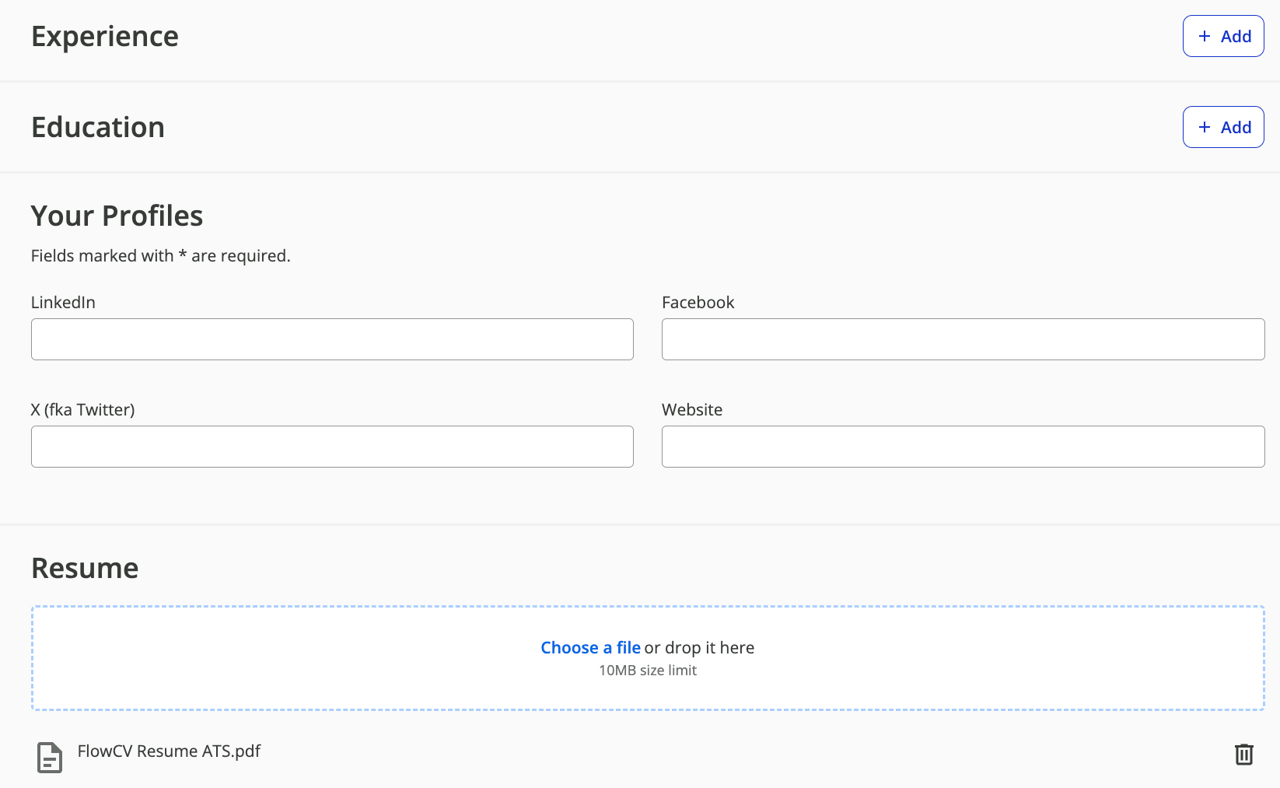
Workday read more of it, but the layout still broke, most likely because of the two columns: half a field was left blank and several bullet points landed on one line.
Teal template: broken words
The third upload used a simpler Teal template.
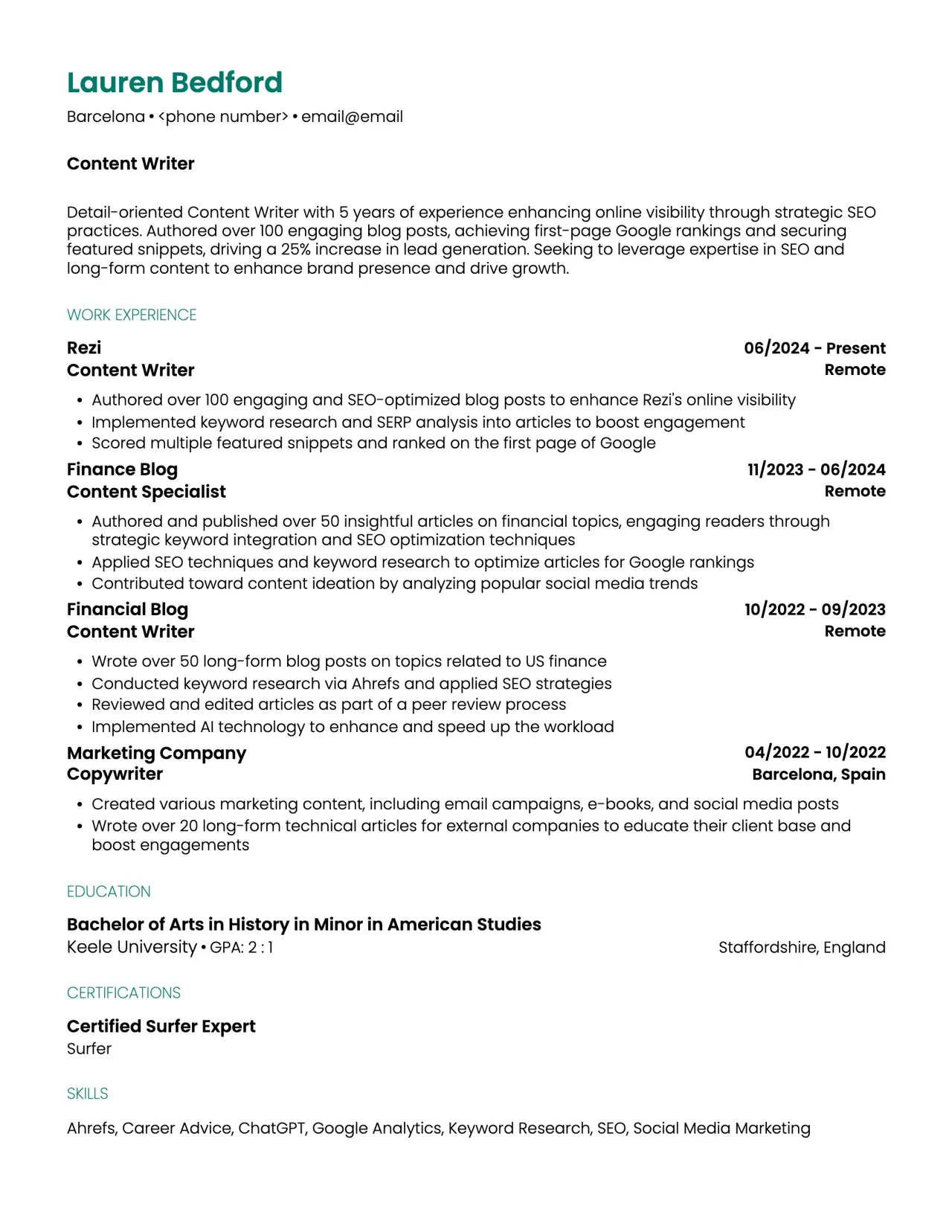
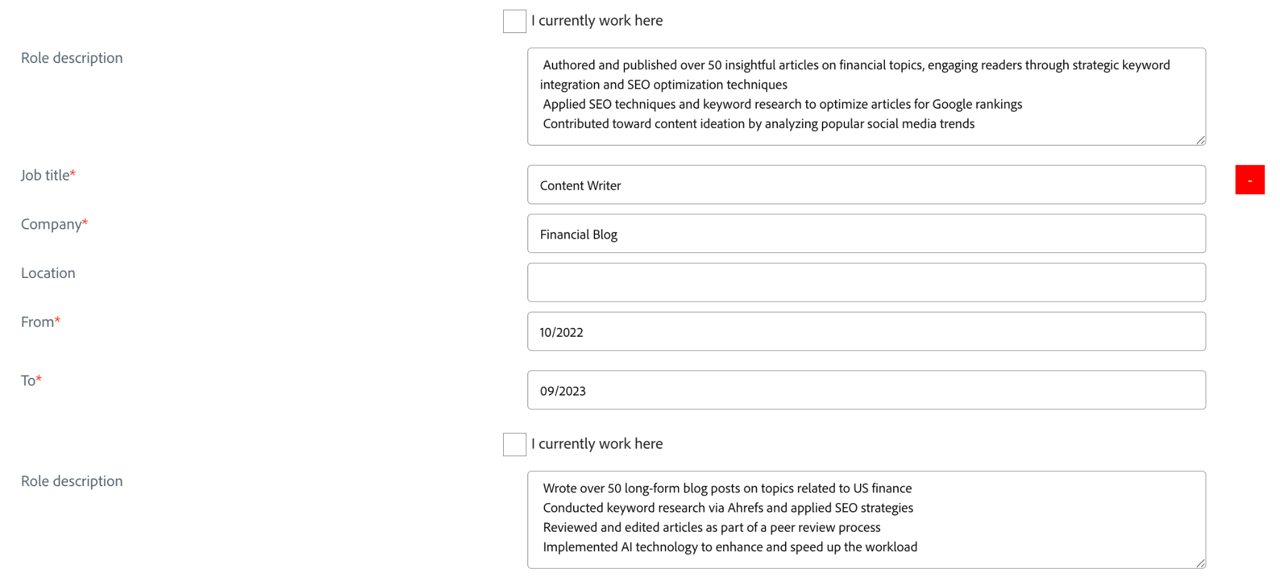
SmartRecruiters read most of it but split words apart (“Con ten t Writer”) and shortened the name “Lauren” to “Lau”. The test didn’t isolate the cause; the template’s Poppins font and tight spacing are possible reasons. Split words matter because a recruiter searching for “content writer” may not match “con ten t”.
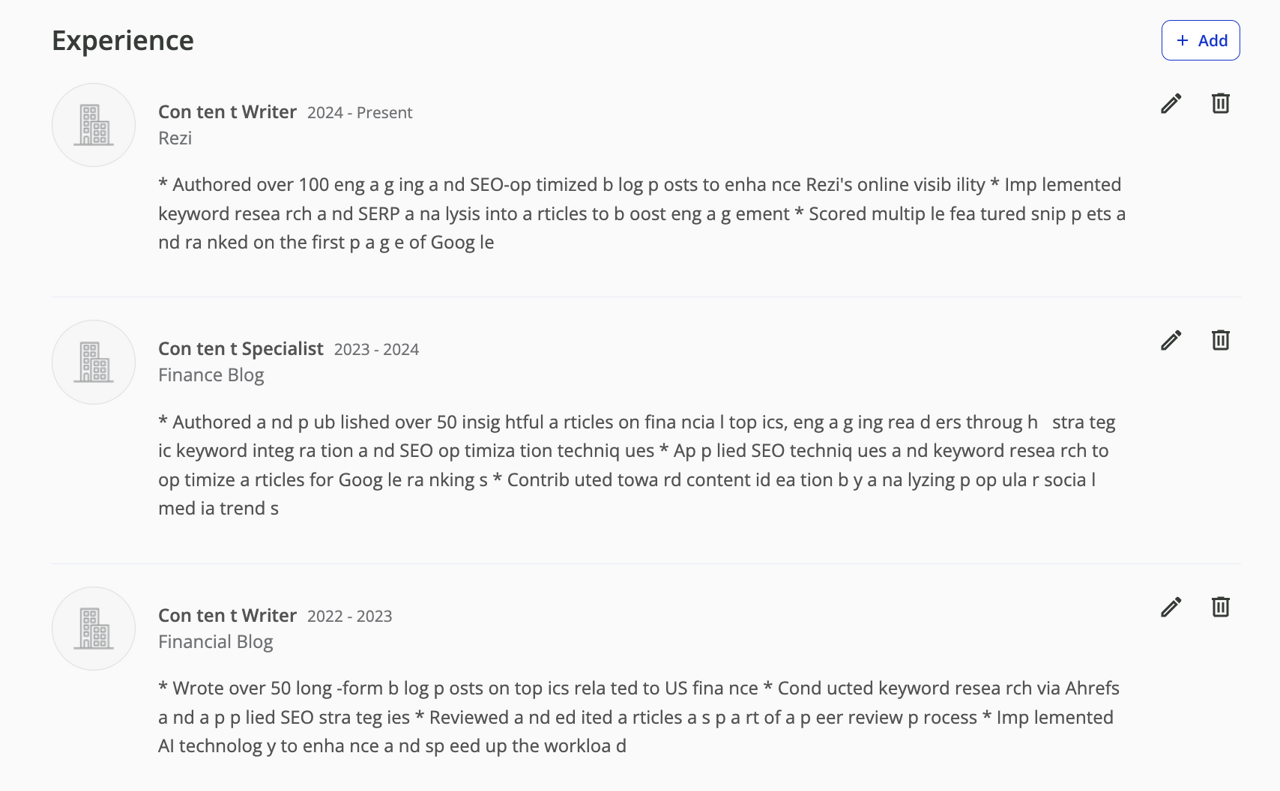
Workday handled the same file without the gaps.
What the test shows (and what it doesn’t)
This was one resume on two platforms, not the 100-plus systems on the market, and an employer’s own settings can change the result. In a separate, larger test for Rezi’s Resume Metadata Standard project, Rezi ran resumes from several builders through Workday, and even the best result (Rezi’s templates) carried only a little over half of the resume data through. The details are in our ATS myths experiment. Check your own exported file, even if its template is labeled ATS-friendly.
To start from the layout that came through most completely in this test, build your resume in a single-column Rezi template. It’s free to start, and no card is needed.
How to make your resume ATS-friendly: a checklist
Use a single-column layout
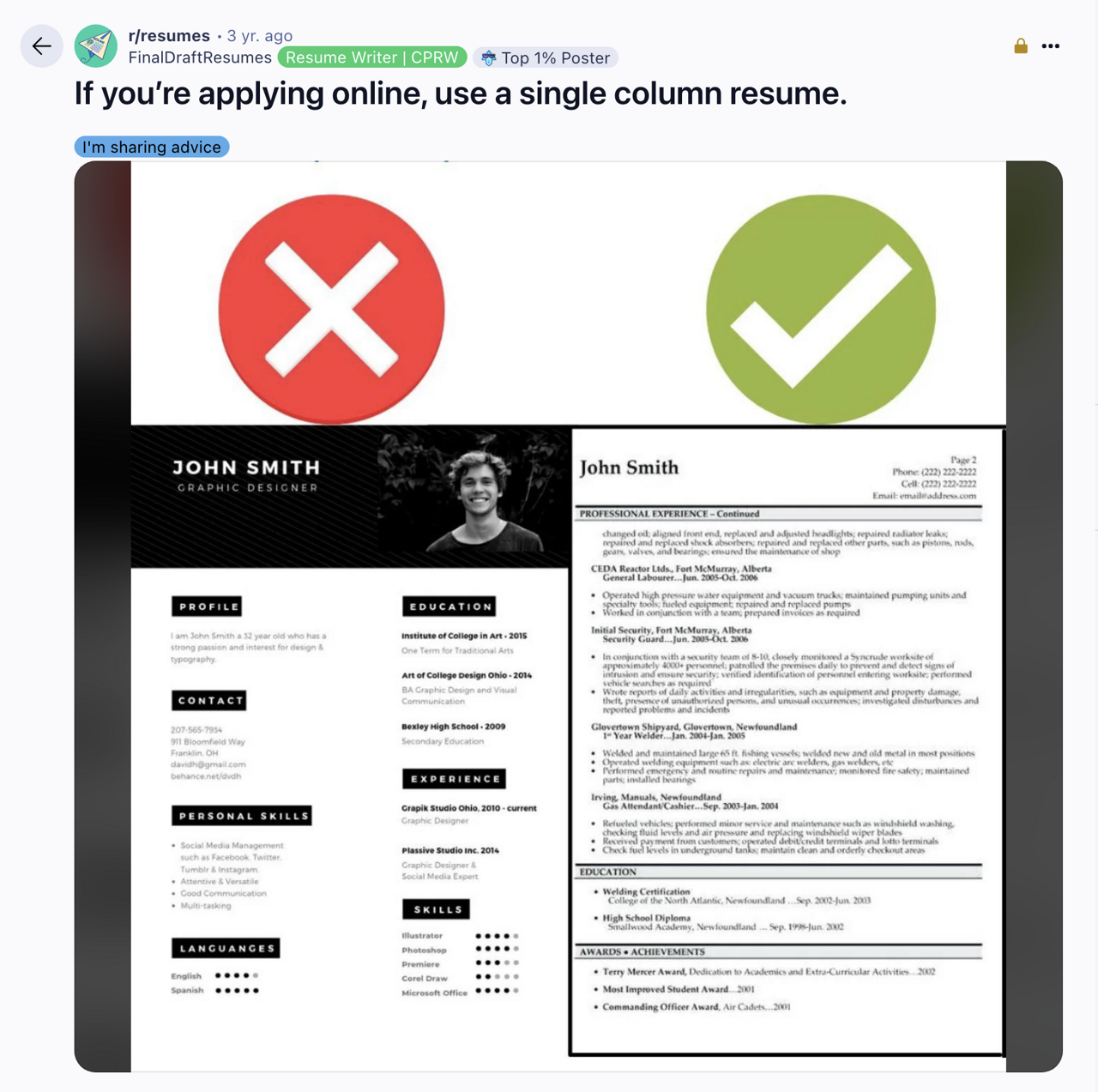
The two-column FlowCV file is the one that lost content in the test. Many systems read a page left to right, top to bottom, so a sidebar can get merged into your experience or skipped. Some newer parsers handle columns well, but you can’t tell which one an employer uses, so one column is the safer default.
- Use one column so everything is read in order.
- Left-align your text.
- Skip shaded backgrounds, graphics, icons and skill bars.
- Keep important text out of tables and text boxes.
- Use standard margins (0.5 to 1 inch) so nothing sits at the edge of the page.
Put your contact details in the body, in plain text
The ATS builds your profile from your contact details, and some systems ignore text in a document’s header or footer.
- Put your full name at the top in a larger, bold font (20–24 pt).
- Add your phone number, a professional email address and your city and state (skip the full street address).
- Add a link to your LinkedIn profile. If yours needs work, see how to create a LinkedIn profile.
- Add a portfolio link if it’s relevant to the job.
Use a standard font, and check how it exports
Arial, Calibri, Helvetica and Verdana are safe resume fonts; use one, with body text at 10–12 pt and headings at 14–16 pt. Then check the export. One Redditor found that text copied out of their PDF came back as “operaAons” instead of “operations”, so an ATS reading that file would likely have seen broken keywords.
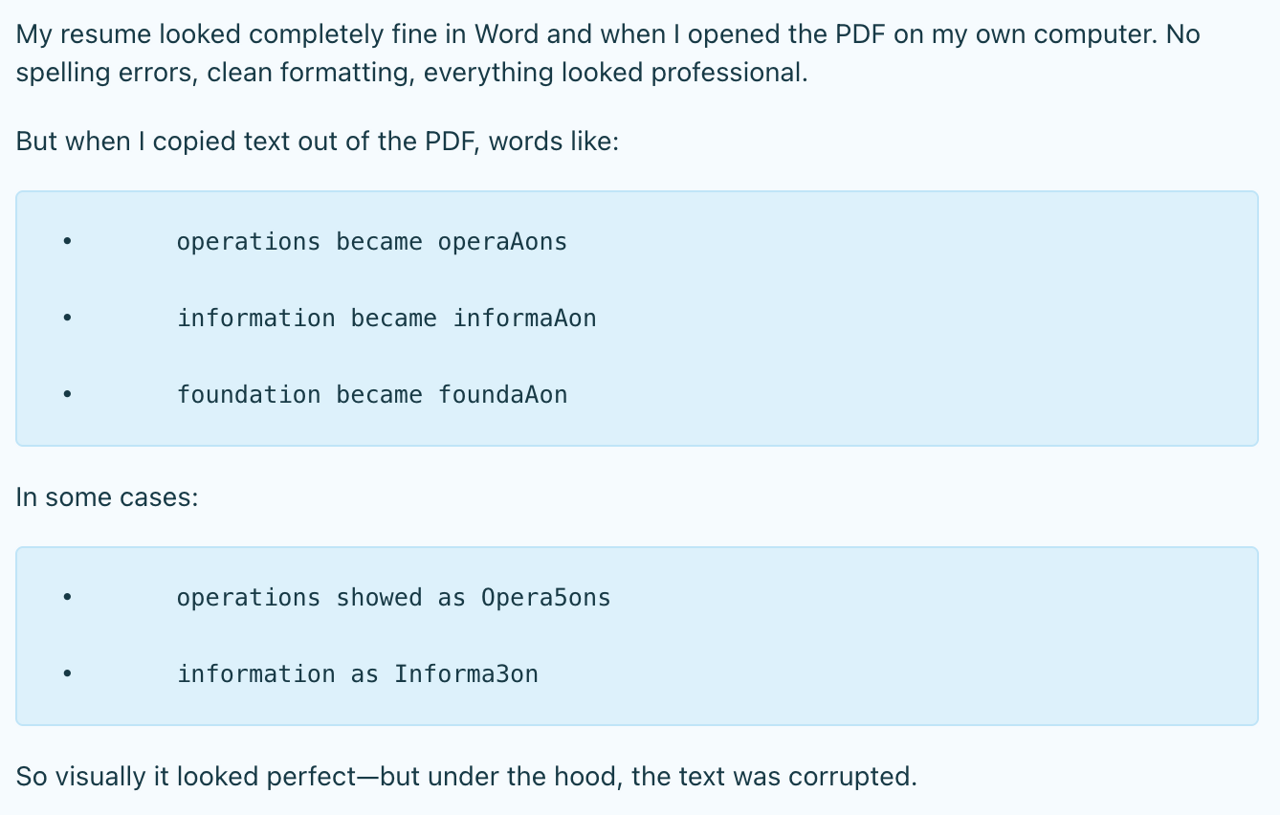
The fix was switching from Calibri to Arial and exporting the PDF again. Calibri is normally fine, so the test matters more than the font: copy all the text out of your PDF and paste it into a plain text editor. Garbled text there is a warning that the ATS may read the same broken words: re-export, and check the application’s autofill too. Turning off ligatures in your word processor can help.
Use keywords from the job description, where they’re true
Use the posting’s words in context, inside your achievements.
- Look for the skills, tools and qualifications the job description repeats.
- Work them into your work experience section. If the posting asks for “communication skills”, name the skill and show it, for example: “Ran weekly meetings to communicate project timelines to three departments.”
- Mix the posting’s exact term with related ones. If it asks for “customer service”, “client relations” may fit too.
- Add numbers where you have them (team size, budget, results), so the same line works for the search and for the person reading it.
- Use each keyword where it belongs; repeating one phrase 15 times doesn’t help.
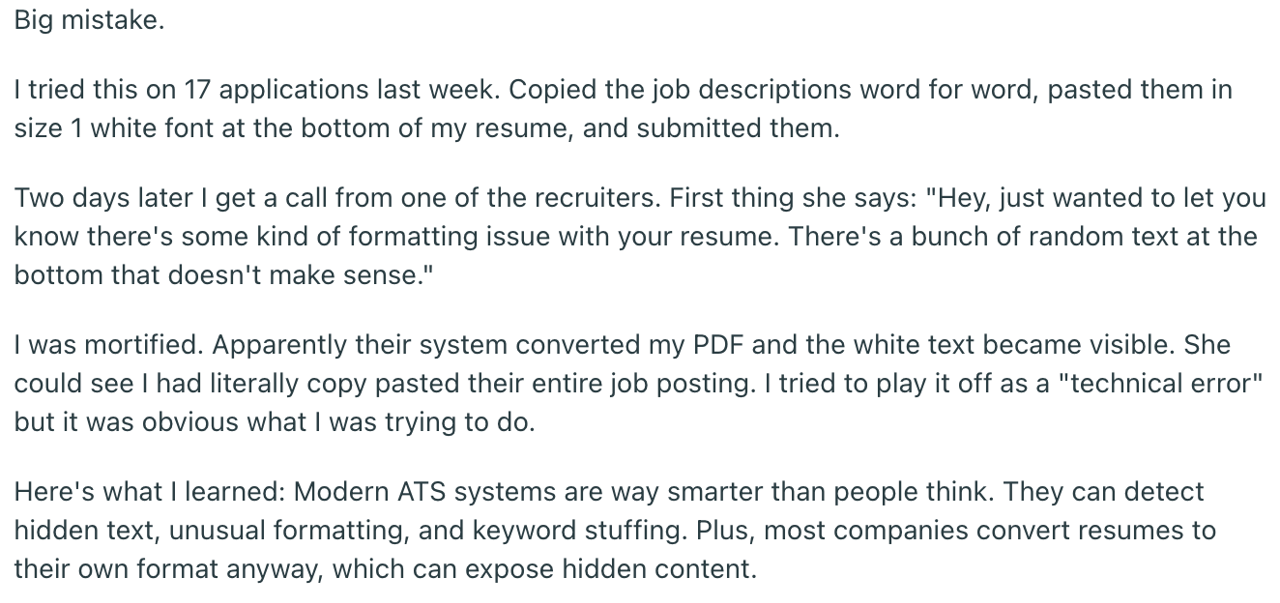
Don’t hide the job description in white text. Some systems strip formatting, and the hidden text shows up. Here’s how that went for one Redditor:
For a step-by-step method, see how to tailor your resume to a job description.
Use standard section headings
The ATS sorts your resume by its headings. “Work Experience”, “Education” and “Skills” get read; “What I Bring to the Table” or “My Academic Era” may not, and recruiters scanning quickly look for the standard names too.
List your jobs newest first rather than in a functional (skills-first) format. A functional resume separates your skills from the companies and dates where you used them, which leaves your candidate profile thin.
Use the exact job title from the posting
Put the job title, exactly as the posting writes it, in your resume summary or objective. If they’re hiring a “Teacher Assistant” and you’ve always written “Teaching Assistant”, use their wording.
- Experienced: “Marketing director with eight years leading brand campaigns for consumer tech companies.”
- New to the role: “Mechanical engineering graduate with CAD and prototyping experience, applying for the Mechanical Engineer role at ABC Corp.”
List only the skills you have
List the skills you can explain and show in an interview, and back the important ones up in your bullet points. If you’re taking a relevant course, list the course as in progress, but don’t claim the skill yet. Group your skills in a short skills section so a recruiter can scan them.
Spell out abbreviations once
A recruiter may search for the full term or the acronym, so include both: “Project Management Professional (PMP)”. Write full year ranges (2020–2022, not ‘20–’22), and use one date format throughout, such as Jan 2024–Mar 2026.
Keep bullet points simple
Use 3 to 5 bullets per job, start each with a strong action verb, and stick to plain round bullets or hyphens rather than symbols or icons.
Give certifications and education their own sections
- List certifications in a separate certifications section, with the issuer and date. If you’re working toward one, write “Certified Data Analyst (in progress)”.
- Keep the education section short: degree, school and graduation date, highest degree first. Spell the degree out: Bachelor of Science (BS).
- Still in school? Add your expected graduation date and any relevant coursework.
Add extra sections if they’re relevant
If you have little work experience, optional resume sections can show the skills the job needs. Use the standard names so the ATS files them correctly:
- Projects: an app you coded, a blog you run, a portfolio you designed.
- Volunteer experience: tutoring, community service or event planning.
- Languages, with your level (basic, intermediate, fluent, native).
- Awards and honors, such as “Top Salesperson” or a scholarship.
- Extracurricular activities and hobbies, when they show a skill the job needs.
Save the file the way the posting asks
Follow the posting’s instructions first: if it asks for a Word document, send one. Otherwise, a PDF exported from a word processor or resume builder works for most systems because its text can be selected. A scanned or image-only PDF has no text layer, so a system without text recognition (OCR) has nothing to read. Name the file with your name, such as First-Last-Resume.pdf.
Then, before you submit: copy the text out of the file to check it, upload it, read every field the form fills in, and fix anything it got wrong.
Proofread
A misspelled keyword may not match an exact search. Run a spell checker such as Grammarly, read your resume aloud, check that headings and bullets look consistent, and ask someone else to read it against our list of common resume mistakes.
Get your resume in front of a person
If you know someone at the company, ask for a referral; otherwise, connect with people on the team on LinkedIn and send a short note after you apply. Daniel Chait, CEO of Greenhouse Software, advises job seekers to focus more on the people and decisions behind a hiring process than on the software filing their application. His advice: set job alerts so you can apply early, tailor your resume, and build real connections inside the company.
Is the ATS rejecting your resume?
Usually not. The idea that “75% of resumes are rejected before a human sees them” traces back to a 2012 sales pitch by Preptel, a resume-optimization company that published no study, method or sample size and shut down in 2013. It spread through Forbes, CIO.com and CNBC with no one checking the source, until HR consultant Christine Assaf traced it in 2020. The full citation trail is in the “How we tested” section below.
What does happen:
- Knockout questions. An instant rejection email often follows a screening answer: years of experience below the minimum, salary outside the range, a missing license or work authorization. In a 2025 Enhancv study of 25 U.S. recruiters (covered by HR Gazette), 23 said their system doesn’t auto-reject resumes for formatting, content or design; the other two used automatic match thresholds.
- Parsing errors. The system can strip formatting, skip headers and footers, break apart columns and text boxes, and miss text inside an image. Your resume isn’t rejected, but parts of your candidate profile can be missing or wrong, even though most systems keep the original file attached.
- Ranking and search. Recruiters search the database by keyword. If your resume lacks the posting’s key terms, it may not show up in those searches, and on a role with hundreds of applicants a recruiter may never open it.
Why your resume still isn’t being read
If your resume parses cleanly and matches the posting, the reason may have nothing to do with software, and without feedback you usually can’t tell. A recruiter may review enough resumes to build a shortlist and stop there. Once your file checks out, put the effort into openings that fit, applying early and asking for referrals.
ATS-friendly resume templates
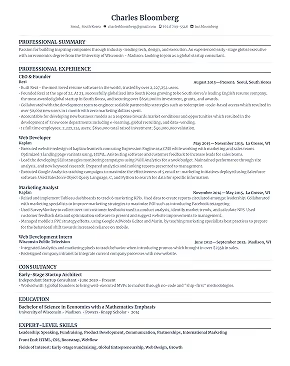
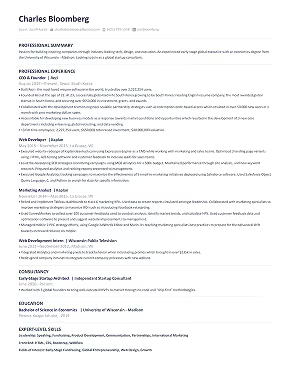
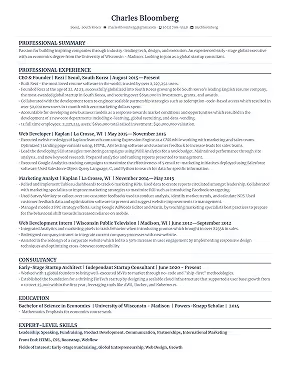
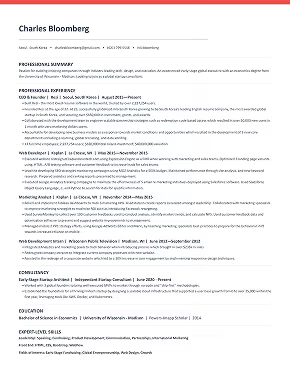
These three templates from Rezi’s resume builder use a single column, standard headings and a reverse-chronological layout, the setup that came through best in the test above. Comparing tools? See how to choose an ATS resume builder.
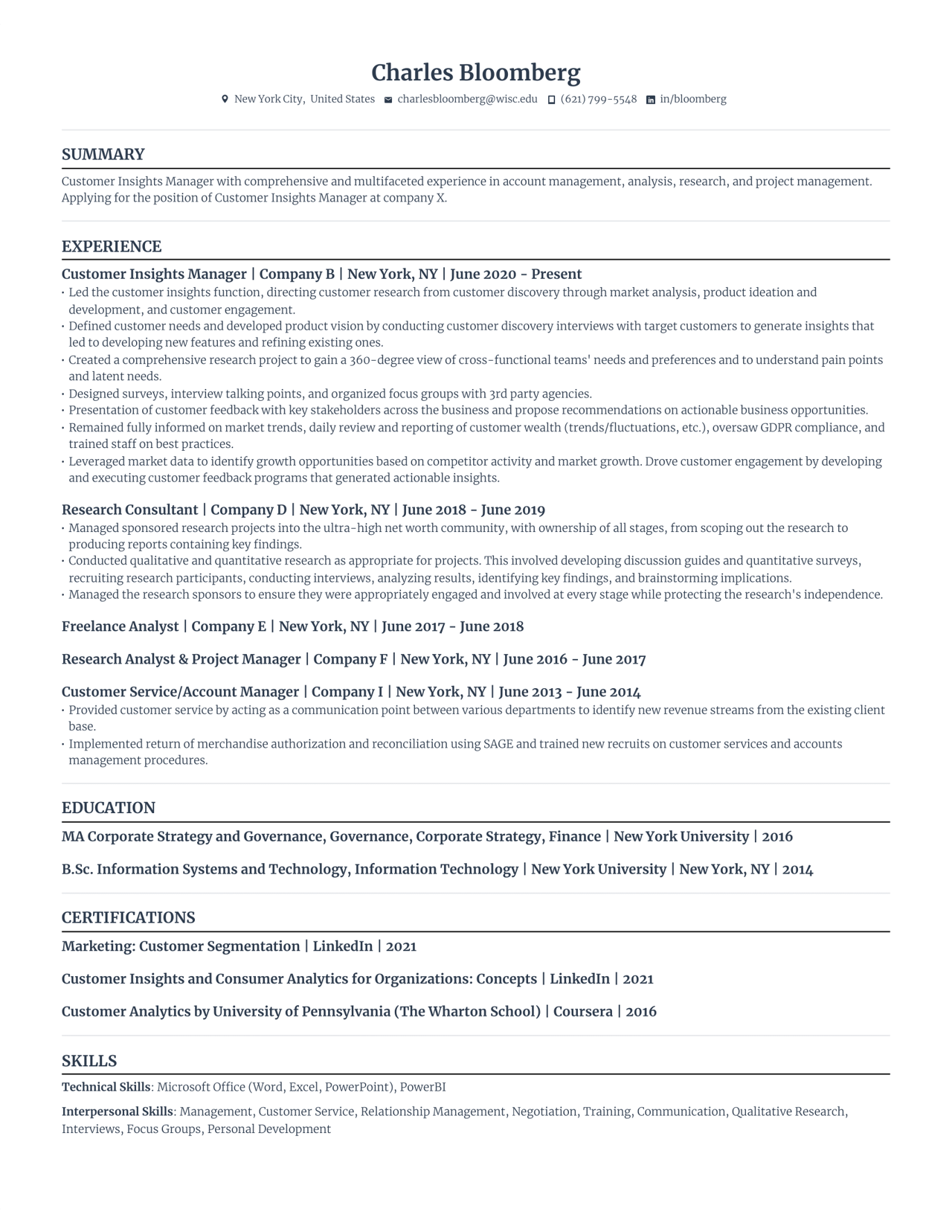
Professional resume template
A plain layout with clearly separated sections.
Want more options? Check out 35+ Free Professional Resume Templates.
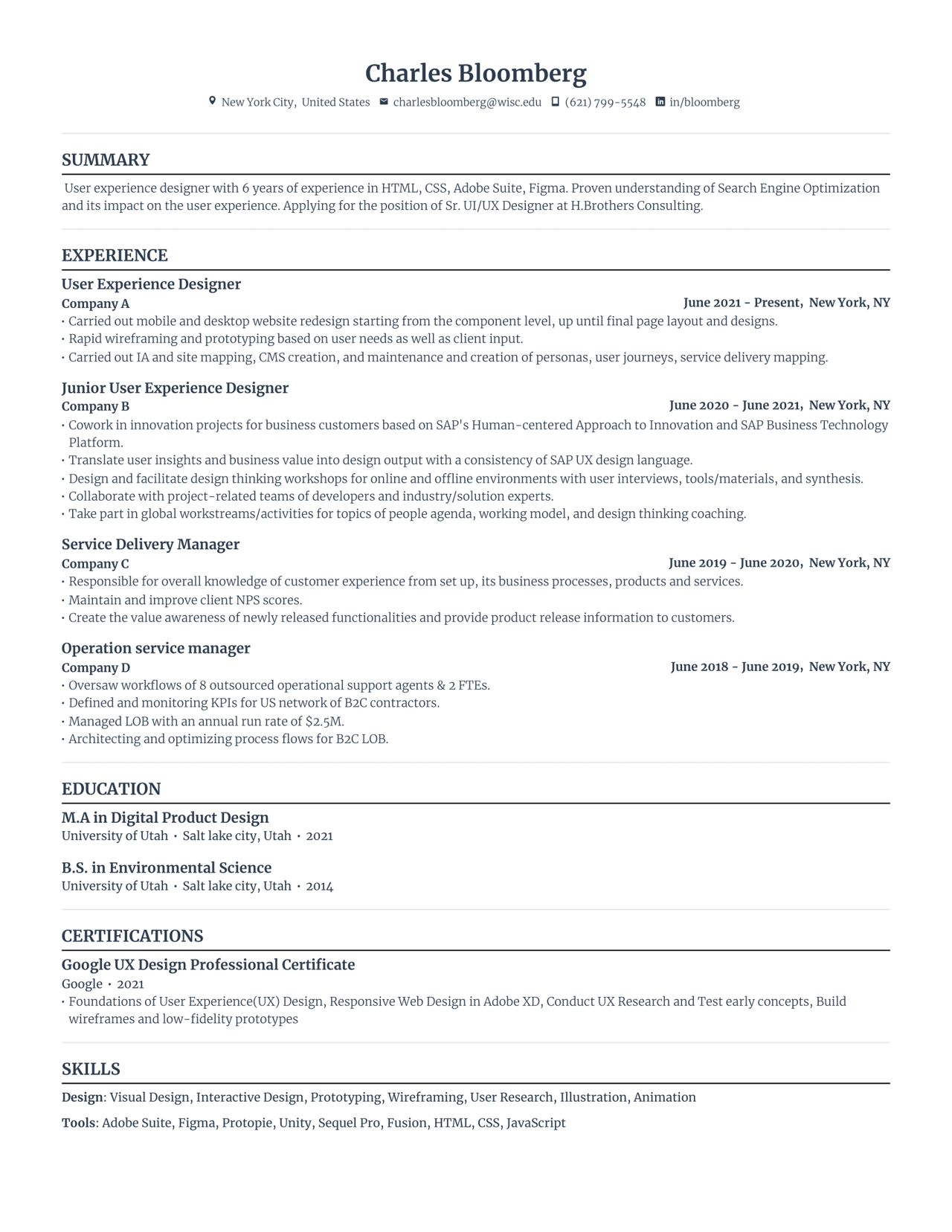
Basic resume template
The same structure with more white space between sections.
Need more minimalist designs? See 30+ Free & Basic Resume Templates.
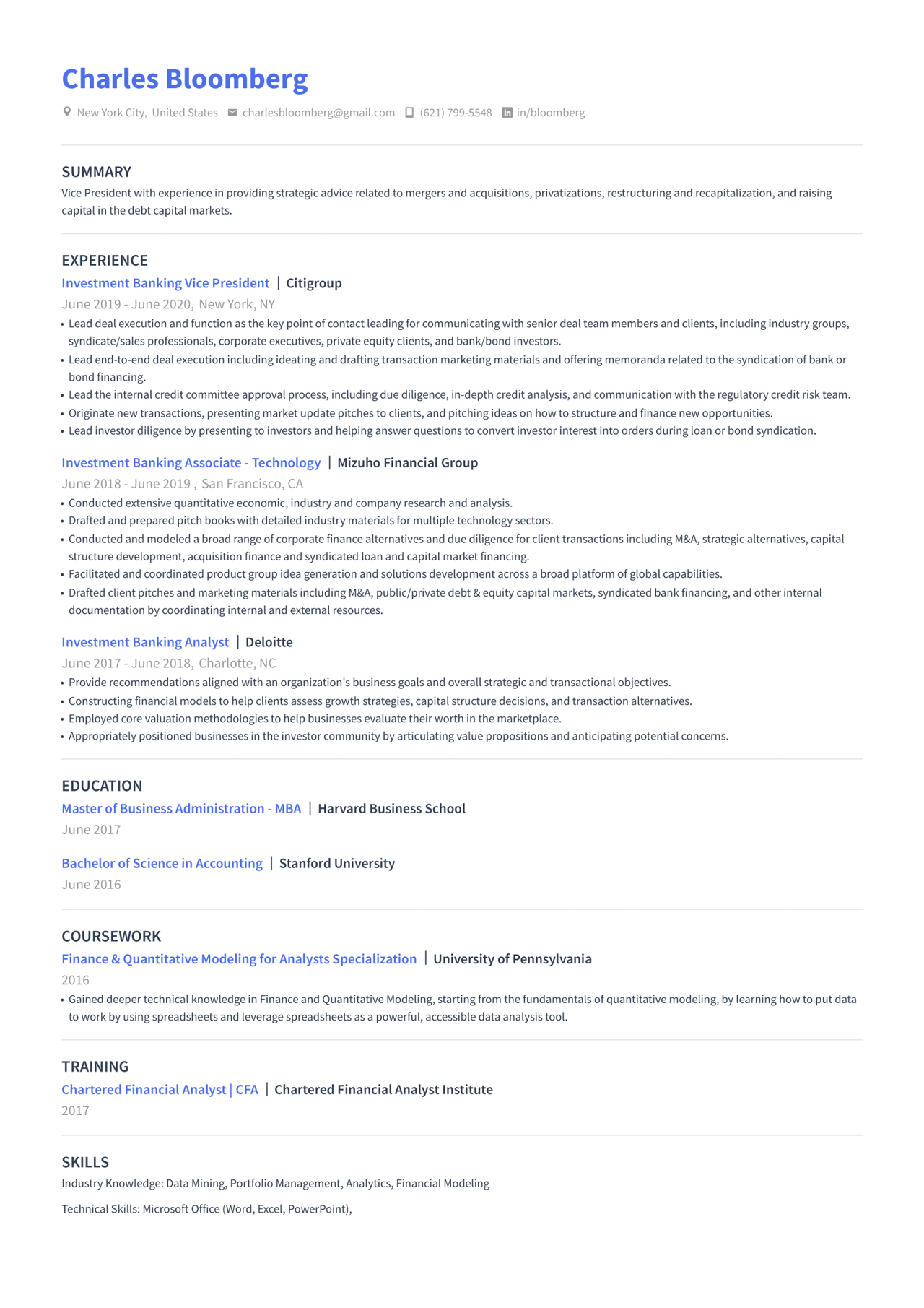
Modern resume template
Colored section headings, still in a single column.
For more ATS-friendly styles, browse ATS Resume Examples & Templates.
Before you send it, check your resume against the posting: Rezi’s resume keyword scanner shows which of its terms your resume is missing (it runs in the Rezi app, with a free account).
How much recruiters rely on ATS
Large employers almost all use one: Jobscan found an ATS at 97.4% of Fortune 500 companies in 2026. Recruiters are also busier: Gem’s 2026 Recruiting Benchmarks Report found 93% more applications per recruiter and about 40% more open roles at a time (13.4, up from 9.6), with teams 14% leaner since 2021.
Employers choose how much of that to automate, so you may meet human review, automatic rules or both. An Insight Global survey of hiring teams found 98% of hiring managers saw significant efficiency gains from AI, in tasks such as screening resumes and scheduling interviews. Software sorts the pile; in most hiring processes, a person still decides who gets the interview.
LinkedIn’s Future of Recruiting 2025 report found 37% of organizations already using or experimenting with generative AI in hiring, and HR.com’s Future of Recruitment Technologies 2025-26 report (sponsored by Eightfold) found nearly two-thirds of organizations using AI in talent acquisition (49% somewhat, 14% extensively), with bias (58%) and depersonalization (51%) as the main concerns. The recruiter Lauren interviewed worries that AI misses context:
From what I’ve heard from my recruitment network, the issue with AI is that it doesn’t understand human behaviour. For example, if a candidate lists their preferences as remote, the system could decide it’s not a match. But what if circumstances have changed, or this person is more desperate for a job? Or if someone graduated with a biology major, but their professional background is in finance. There could be a good reason for that jump, but the AI would just screen for the biology major and decide they’re not suited for a finance position.
The AI is filtering through the system, looking for keywords that are going to be beneficial to the job description and what you’re looking for. But I don’t think it will be able to make those judgment calls when considering candidates for certain jobs.
What job seekers think
In a LinkedIn poll Rezi ran in April 2026, 62% of voters called ATS “broken and frustrating”, 29% “necessary but flawed”, 7% said it “helps filter candidates” and 2% asked what an ATS is.
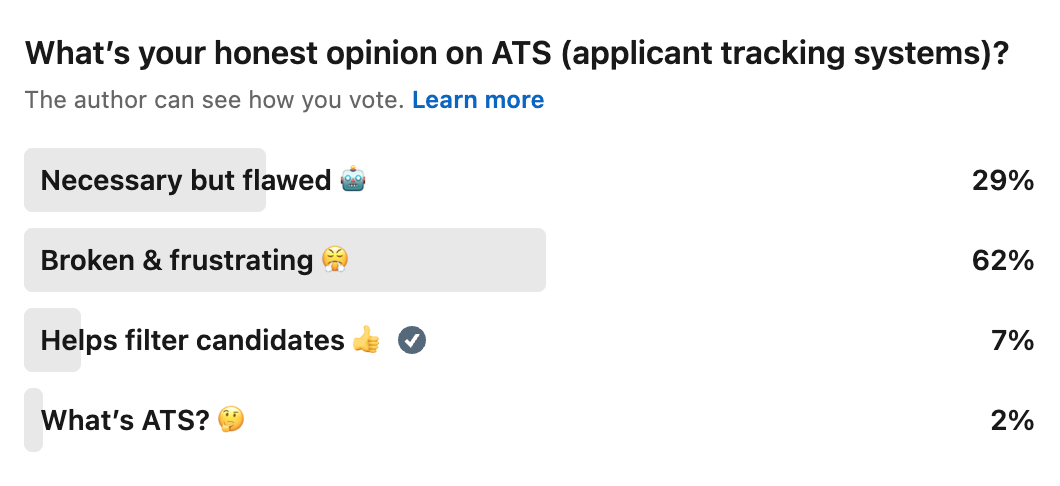
One respondent, Douglas, described the frustration:
It seems many companies are using the ATS to count out qualified applicants based on resume keywords. When tailoring a resume, the applicant shouldn’t have to stuff it with every keyword. There have been times when an application gets rejected within 24 to 48 hours because it didn’t use every keyword. And there’s no way that a human had a chance to look at the resume.
With a high number of resumes submitted, using an ATS could help to screen out those who don’t have the skills, experience, and qualifications. However, the screening rules need to be adjusted so they don’t rule out qualified people just because they don’t use specific keywords.
A fast rejection doesn’t prove software did it: knockout questions and quick human screens can be just as fast.
FAQ
How do I get my resume through Workday?
Workday parses your file to prefill the application, so use a single-column layout, standard headings and plain bullets, then check every field it fills before you submit and correct anything it got wrong. Answer the screening questions carefully: they, and any other automatic rules the employer sets, are what can screen you out, not your resume’s design.
Can ATS read bullet points?
Yes. Plain bullets (round dots or hyphens) parse fine and make your experience easier to scan, both in the candidate profile and on the page. Problems come from decorative symbols, icons or bullets typed as special characters, which some systems turn into stray characters. Keep each bullet to one achievement so the text still makes sense if the formatting is stripped.
Do headers and footers hurt ATS parsing?
They can. Some systems skip a document’s header and footer areas when they parse it, so anything you put there, often your name, email and phone number, may not reach your candidate profile. Keep that information in the main body of the page. Even a page number can show up as stray text in your work history on some systems, so leave the footer empty if you can.
How we tested
Resume parsing test
In April 2026, Rezi writer Lauren Bedford put the same work history and contact details into three templates (Rezi, FlowCV and Teal) and uploaded each to two live job applications: Visa, which ran on SmartRecruiters at the time, and Adobe, which runs on Workday. She compared how accurately each system extracted and prefilled name, contact details, work experience, dates and education.
Interviews and poll
Lauren conducted one on-the-record interview with a former in-house recruiter about day-to-day ATS use and AI in hiring; quotes are reproduced with her permission. Rezi also ran a LinkedIn poll of job seekers on their views of ATS, with on-the-record comments from one respondent.
Tracing the “75% of resumes are rejected by ATS” statistic
The figure comes from a 2012 sales pitch by Preptel, a resume-optimization vendor whose CEO, Jon Ciampi, had worked at ATS maker SumTotal Systems. Preptel published no study, method or sample size, and went out of business in 2013. It reached mainstream tech media through Computerworld’s March 2012 article “5 insider secrets for beating applicant tracking systems”, which credited Preptel, and a CIO.com review of Preptel’s ResumeterPro service the same year. From there it moved through a March 2014 Forbes column by the founder of a resume service and an April 2018 CIO.com article that paired the number with a quote from Josh Bersin of Bersin by Deloitte (both documented in Jan Tegze’s 2022 analysis), then Kerri Anne Renzulli’s February 2019 CNBC Make It article “75% of resumes are never read by a human”, which still credited Preptel six years after it closed. A September 2021 CNET article on automated hiring software (archived by Penn State), drawing on Harvard Business School’s “Hidden Workers: Untapped Talent” report, extended the story to millions of qualified applicants.
HR consultant Christine Assaf traced the statistic to Preptel on her blog HRtact in October 2020, in “Your job application was rejected by a human, not a computer”, which Ask a Manager reprinted that month. HiringThing (January 2022) and recruiter Jan Tegze (February 2022) also questioned the figure. In Enhancv’s 2025 interviews with 25 U.S. recruiters using more than 10 ATS platforms (also covered by HR Gazette), 23 said their systems don’t auto-reject resumes for formatting, content or design (they reject manually or through knockout questions); the other two used match thresholds.
Limitations
The parsing test covered two ATS platforms, not the 100-plus systems on the market; results vary with the system, its version and the employer’s settings. The recruiter interview reflects one person’s experience. The LinkedIn poll wasn’t a random sample and reflects people in Rezi’s network. Several reports cited here, including Jobscan’s Fortune 500 figure, come from vendors with a commercial interest in ATS, so treat them as indicative.

Upload or drop your resume to get started
Upload your resume to get started
Score my resume

Lauren Bedford is a seasoned writer with a track record of helping thousands of readers find practical solutions over the past five years. She's tackled a range of topics, always striving to simplify complex jargon. At Rezi, Lauren crafts genuine and actionable content that guides readers in creating standout resumes to land their dream jobs.