Comparisons
Rezi vs. MyPerfectResume: An Honest Comparison
Rezi vs. MyPerfectResume: Discover the key differences in features, templates, ATS-friendliness, and pricing to find the best resume builder for you.

Published on
October 13, 2025
Updated on
December 12, 2025
Most people turn to resume builders when their job search isn’t delivering any results (yes, I’ve been there). It’s around that time you start second-guessing, wondering if the problem is you or just your resume. The tough part is that sites can take advantage of that stress and don’t actually deliver what they promise.
That’s why I tested both Rezi and MyPerfectResume using the exact same resume details. You’ll be glad to know they’re both solid tools with similar features, but they have different approaches. Which one’s better for you comes down to what you need most out of a builder.
Keep reading for the full comparison. This guide will cover:
- An overview of all the key features.
- How Rezi’s features compare to MyPerfectResume.
- Which resume-building platform is the right fit for you.
If you prefer to see for yourself, try our free AI Resume Builder. You can build a tailored and ATS-friendly job application in minutes, with expert feedback to keep improving.
Interested in other sites? Check out more of our comparison guides:
- Rezi vs. Teal
- Rezi vs Enhancv
- Rezi vs. Jobscan
- Rezi vs Novoresume
- Rezi vs. SheetsResume
- Rezi vs. Resume Worded
Resume Builder Overview: Key Features
To keep things fair, I built the same resume on both platforms using the same details. That way, it’s a true side-by-side comparison. I explored every feature (and yes, took plenty of notes), so you don’t have to. My goal? To give you a clear idea of what each platform actually offers and which one might fit you best.
Short on time? Here’s a quick breakdown of Rezi vs. MyPerfectResume:

Let’s explore the details further so you can decide which platform is best for your job applications.
Rezi
Rezi is best known for its AI Resume Builder, specifically designed to help job seekers create professional resumes that are compatible with Applicant Tracking Systems (ATS). Our platform doesn’t tempt you with flashy designs that distract from your content. We focus on keeping everything straightforward and keyword-optimized.
Here are just a few of the expert features you can use to improve your job search:
- Generate AI bullet points tailored to your role.
- Use AI Keyword Targeting to add relevant phrases.
- Explore in-demand skills you might not think of on your own.
- Create summaries that align with the job description using the AI Summary Generator.
- Get real-time feedback with the Rezi score, which tells you what needs improvement.
You can also use Rezi to search for jobs, generate cover letters, and create resignation emails. Keep all your documents in one place on your dashboard, so you don’t have to waste time tracking down folders for all your documents.
MyPerfectResume
MyPerfectResume is a one-stop shop for all your job application needs. You get step-by-step advice, visual templates, and extra tools that go beyond resume-building. Instead of dropping you onto a blank page, it guides you through each section with suggestions and pre-written content you can adapt.
Here are some of the standout features:
- Explore 50+ templates with customizable fonts, spacing, and colors.
- Access to a huge library of pre-written bullet points, skills, and summaries.
- Generate a cover letter using different themes and tones.
- Practice common questions with interview prep and a “virtual recruiter”.
- Check your Resume Check Score out of 100, with basic suggestions for improvement.
If you want a guided process with plenty of options and don’t mind filtering through some design-heavy templates, MyPerfectResume can make resume building feel less intimidating and more simplistic.
Dashboard
The dashboard is your home base. Rezi keeps it minimal and organized with no distractions. While MyPerfectResume is more like a checklist with all the features on display. So, do you prefer a tidy workspace or a dashboard that guides you along step by step?
Rezi
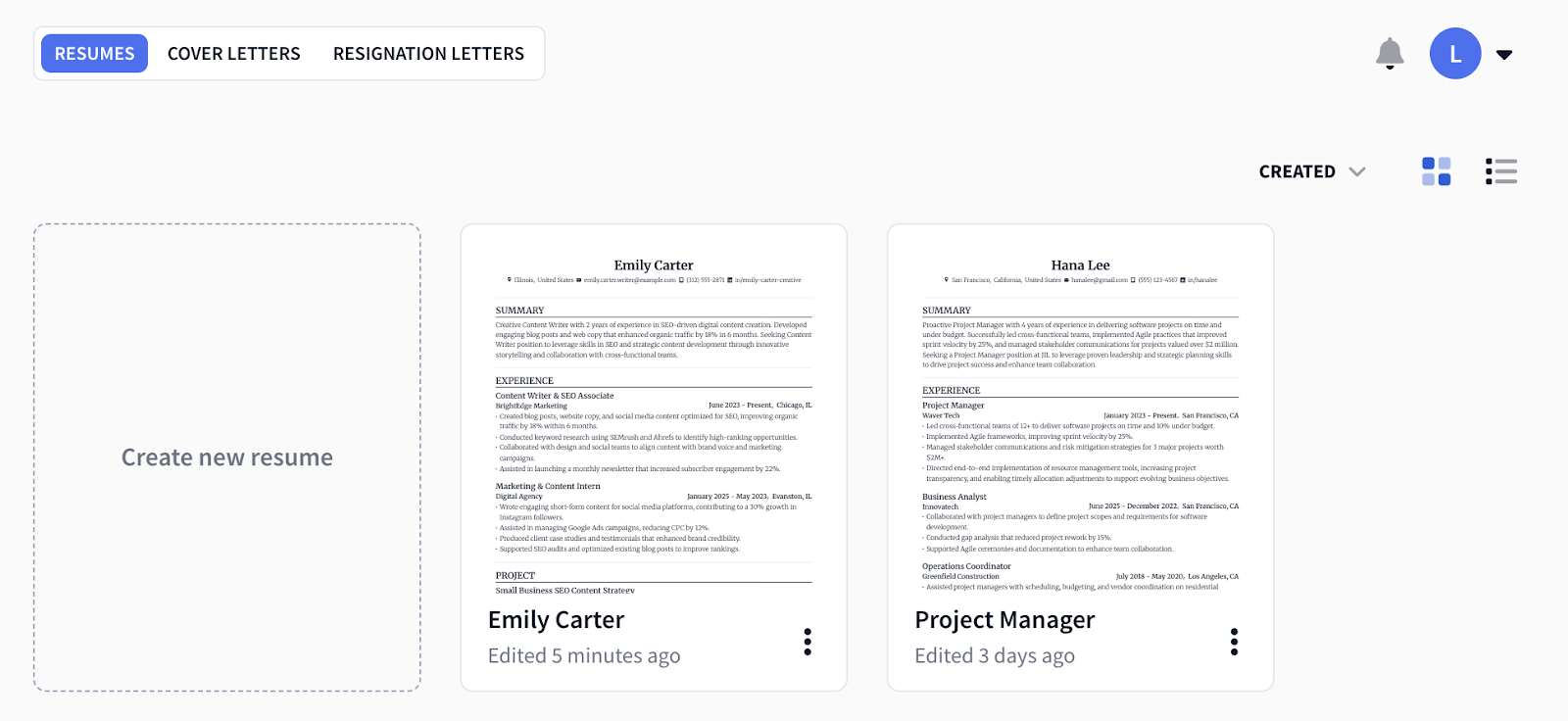
Rezi’s dashboard takes a straightforward, no-frills approach. All of your resumes, cover letters, and resignation letters live in one place, so you’re not spending too much time hunting around Google Drive to find the right document (just me?)
And as someone who has dozens of notebooks on my phone, I appreciate how you can create your own folders to organize your resumes. Sorting by Name, Created, and Edited filters also makes it easier to find your applications.
You can view your documents in grid mode, giving you previews of each resume without needing to go into every file. That saves a lot of clicks if you’ve got multiple versions of a resume tailored to different industries.
MyPerfectResume
MyPerfectResume has a checklist style, which can be motivating if you like to see progress. The dashboard shows a preview of your most recent resumes, along with details like creation date, resume strength, and any feedback.
There’s also a “to-do” list of tools you can use, such as:
- Resume builder
- Cover letter builder
- Resume feedback
- Job search
- Interview practice
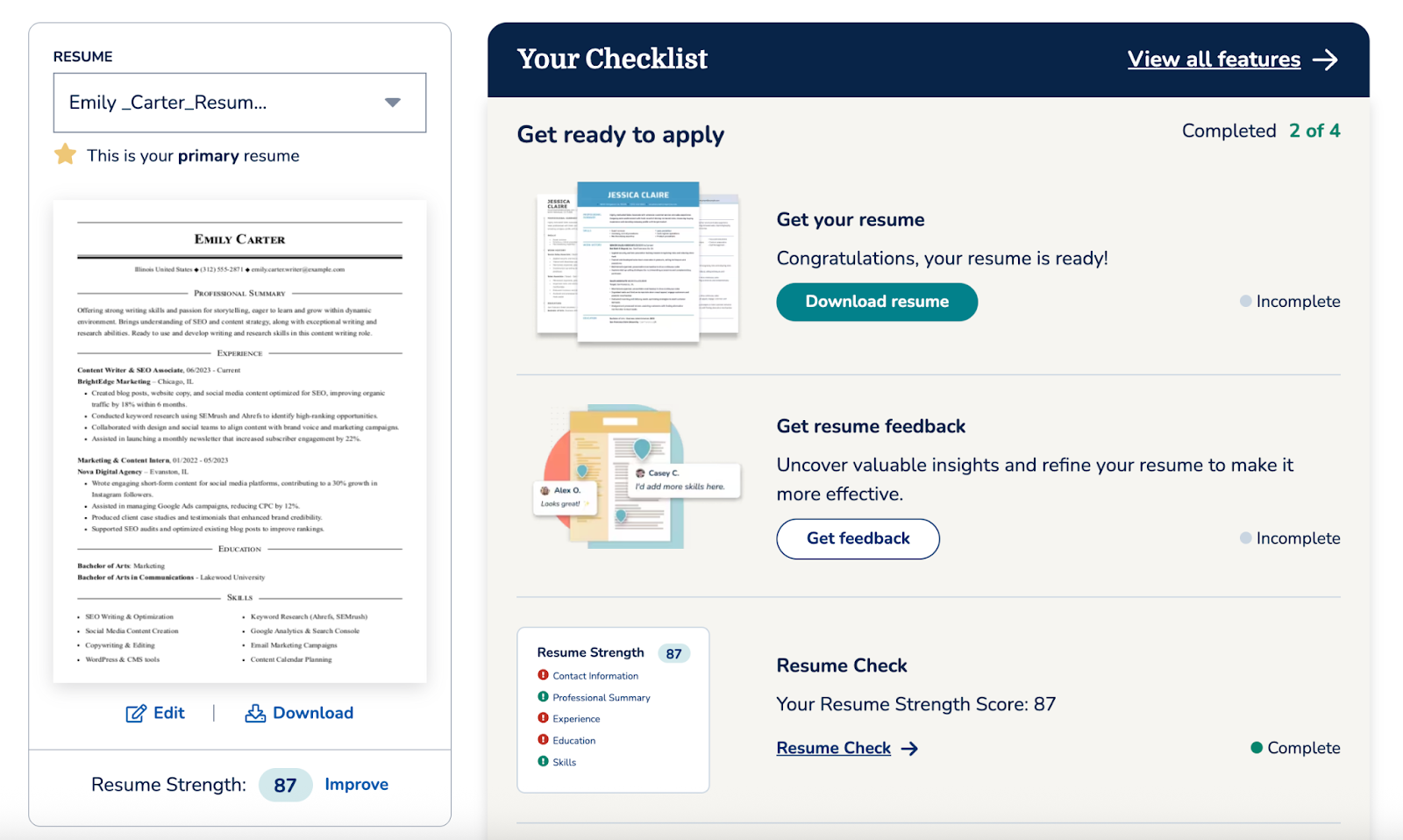
As you work through these, the dashboard tracks your completion and marks each one as “Completed”. It feels a little more guided than Rezi, which is nice if you want structure, but it can also feel busy compared to Rezi’s cleaner layout.
Templates and Formatting
When it comes to the all-important templates, Rezi plays it safe (in a good way) while MyPerfectResume goes all out with options. Rezi prides itself on its ATS-friendly designs that keep the focus on your experience. MyPerfectResume offers a greater variety of designs, but having more choices isn’t always for the best.
Rezi
Rezi is all about keeping resumes ATS-friendly. We offer 15+ templates categorized as Simple, Modern, Creative, and Compact. While that’s fewer than MyPerfectResume, we’ve designed every option to pass ATS (meaning: no tricky layouts, unnecessary graphics, or photos).
The Rezi templates all follow a standard structure, with your summary and work experience section at the top, which is what recruiters expect.
You can also make subtle style tweaks, such as:
- Adjusting font type and size
- Changing section spacing and line height
- Adding a pop of color to headings or borders
- Using icons for a modern touch
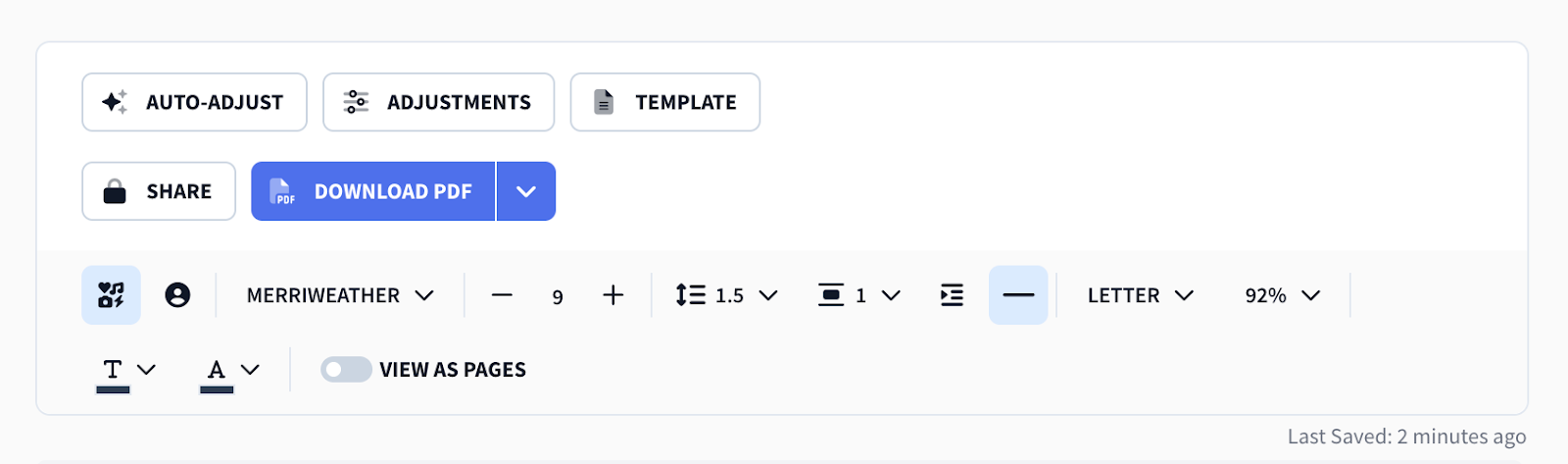
Yes, you can’t go crazy with graphics and colors, but that’s the point. The simplicity keeps your resume professional and its sections organized. And if you don’t like the structure? Just swap the sections around until it makes sense for your background.
MyPerfectResume
MyPerfectResume proves that more isn’t always better. The platform has 50+ templates with suggested designs based on your years of experience. Sounds like a nice variety, but the trade-off is that many templates are design-heavy (aka, not ATS-friendly).
Plenty of them have two-column layouts, colored backgrounds, and even photo slots (which are a big no-no across many industries).
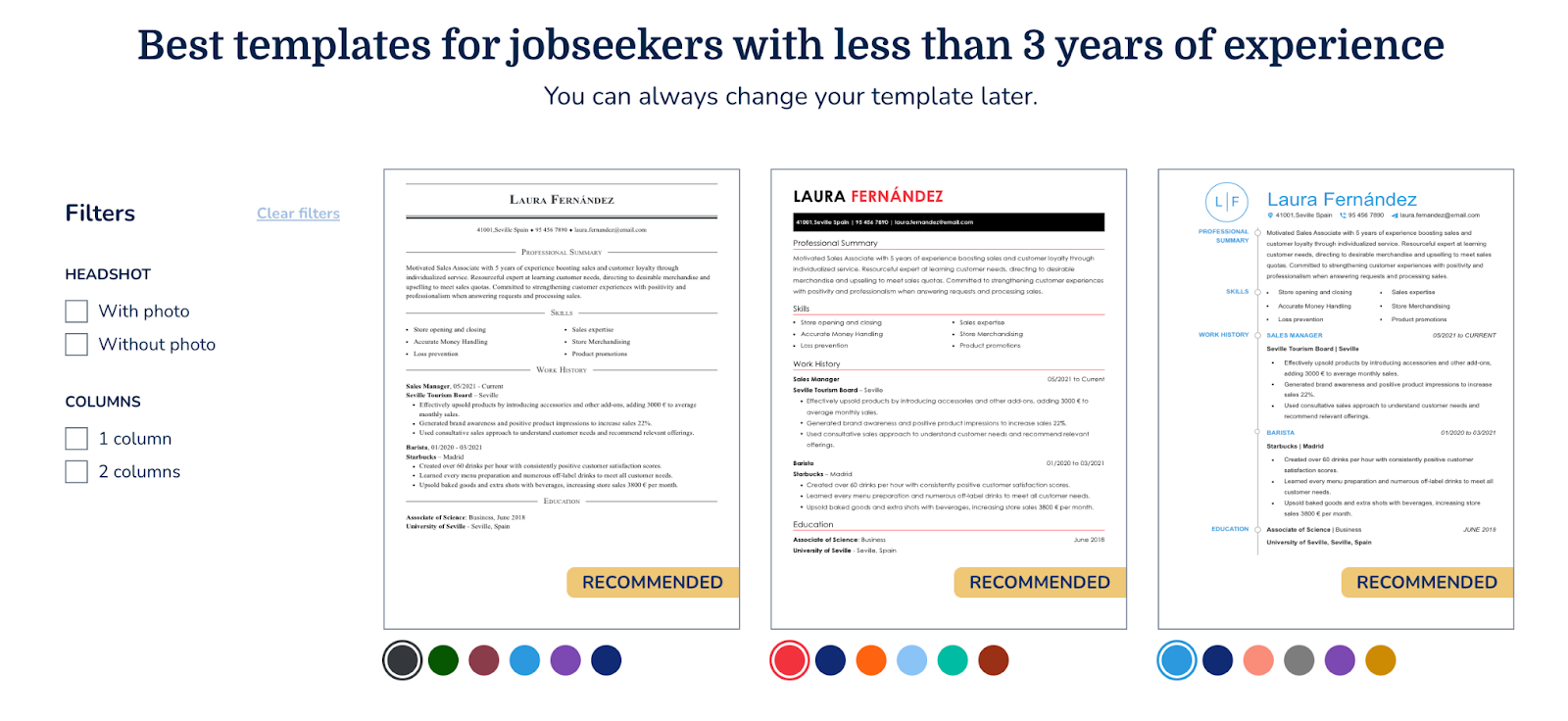
Here are some more quirks worth noting:
- Skills often appear above work history, which isn’t ideal if you’ve got a few years of experience.
- Fonts and spacing can be customized, but some choices (like bright colors or certain fonts) feel more decorative than professional.
- While you can fit everything onto one page (which is best practice), some templates encourage adding too much flair.
So while there are plenty of options, you’ll need to choose carefully to avoid style over substance.
Find out more about perfecting the resume format: ATS Resume Format
Resume Sections
Rezi’s resume sections are structured and simple, giving you real-time feedback as you build. MyPerfectResume is equally guided, with prompts and pre-set questions that make it easier if you don’t know where to start. Overall, Rezi feels like a precision tool that keeps you on track, while MyPerfectResume acts more like a coach helping you along.
Rezi
Rezi keeps the resume-building process structured but flexible. The essential resume sections are all here: contact details, summary, work experience, education, and skills.
Beyond that, you can add extras like:
- Projects
- Certifications
- Awards & honors
- Publications
- Coursework or involvement

Each section features the Rezi Score, giving you real-time feedback as you type. For example, if your points are too vague, it’ll flag them and suggest measurable improvements. The AI Writer can also generate content for each section, which you can edit to match your real experiences.
MyPerfectResume
MyPerfectResume also covers the basics: heading (contact information), work history, education, skills, and summary.
Extra sections include:
- Certifications
- Languages
- Accomplishments
- Affiliations
- Custom Option (if you need something unique).
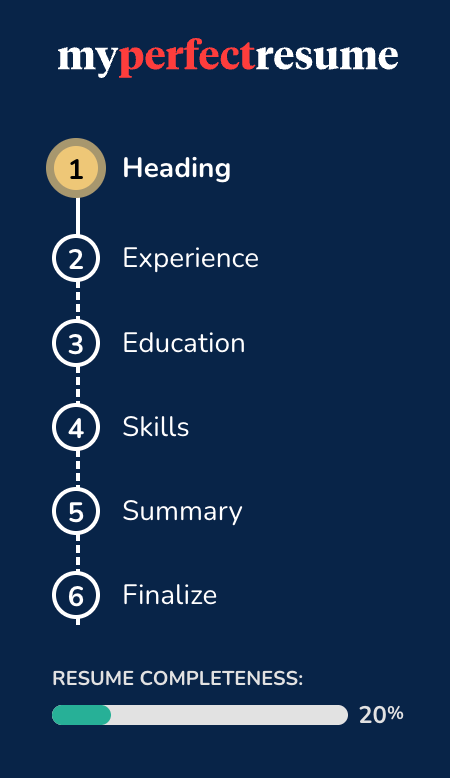
As you go through your resume, it asks questions to help tailor your content. For example, there are prompts in the Work History section to make sure you’re including responsibilities and achievements. You can also rename sections, bold or underline text, and insert resume bullet points as you go.
Bullet Points
Bullet points are the heart of your resume, so you don’t want to mess them up. Rezi and MyPerfectResume both help you write them, but their approaches are different. Rezi leans on AI to generate tailored, measurable bullets that are role-specific. While MyPerfectResume gives you a big library of pre-written options, helpful for inspiration, but often a little generic.
Rezi
Rezi’s AI Bullet Point Writer is one of its strongest features (and one of my favorites). You enter details about the role, and it generates professional resume bullet points that highlight your contributions. You can choose between:
- Standard bullets: Well-phrased accomplishments based on your role.
- Data-driven bullets: Include measurable outcomes, like “Increased sales by 35%.”
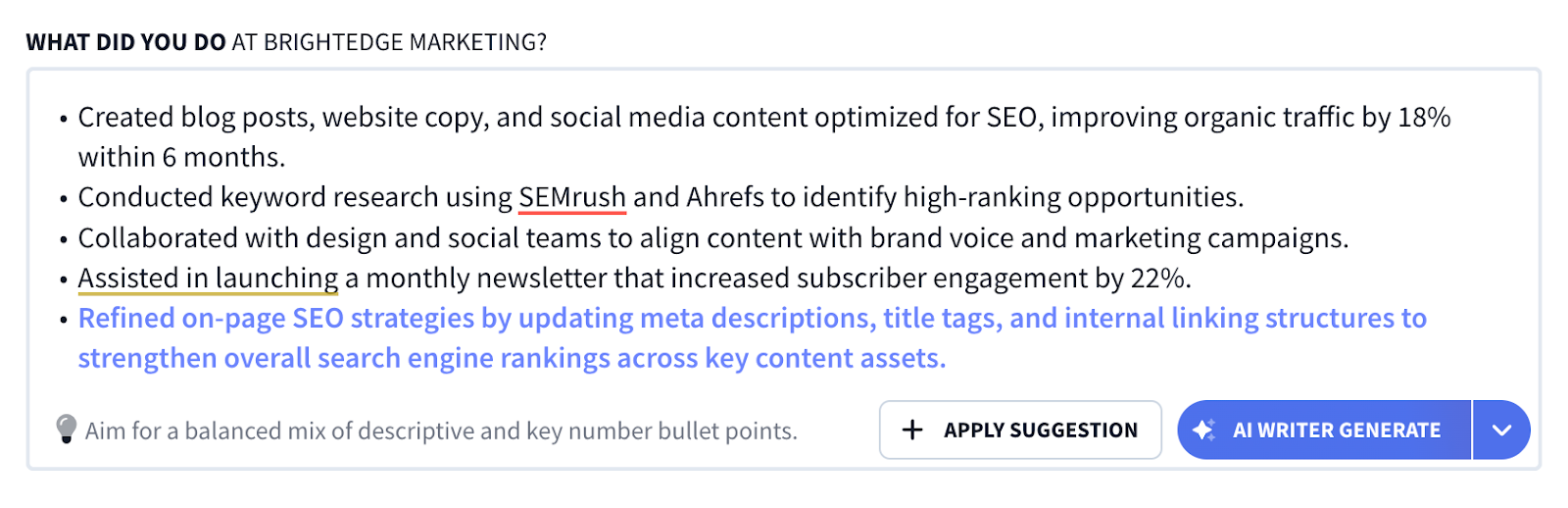
If you don’t like the first suggestion, you can regenerate as many times as you want until something resonates. The impressive part here is that Rezi tailors bullets to your actual role and industry, rather than offering generic phrasing.
MyPerfectResume
MyPerfectResume delivers again on choice, though sometimes its bullet point options are on the generic side. That said, you still get over 45 pre-written bullets for each job title. They’re helpful for inspiration, but most don’t include numbers or measurable results.
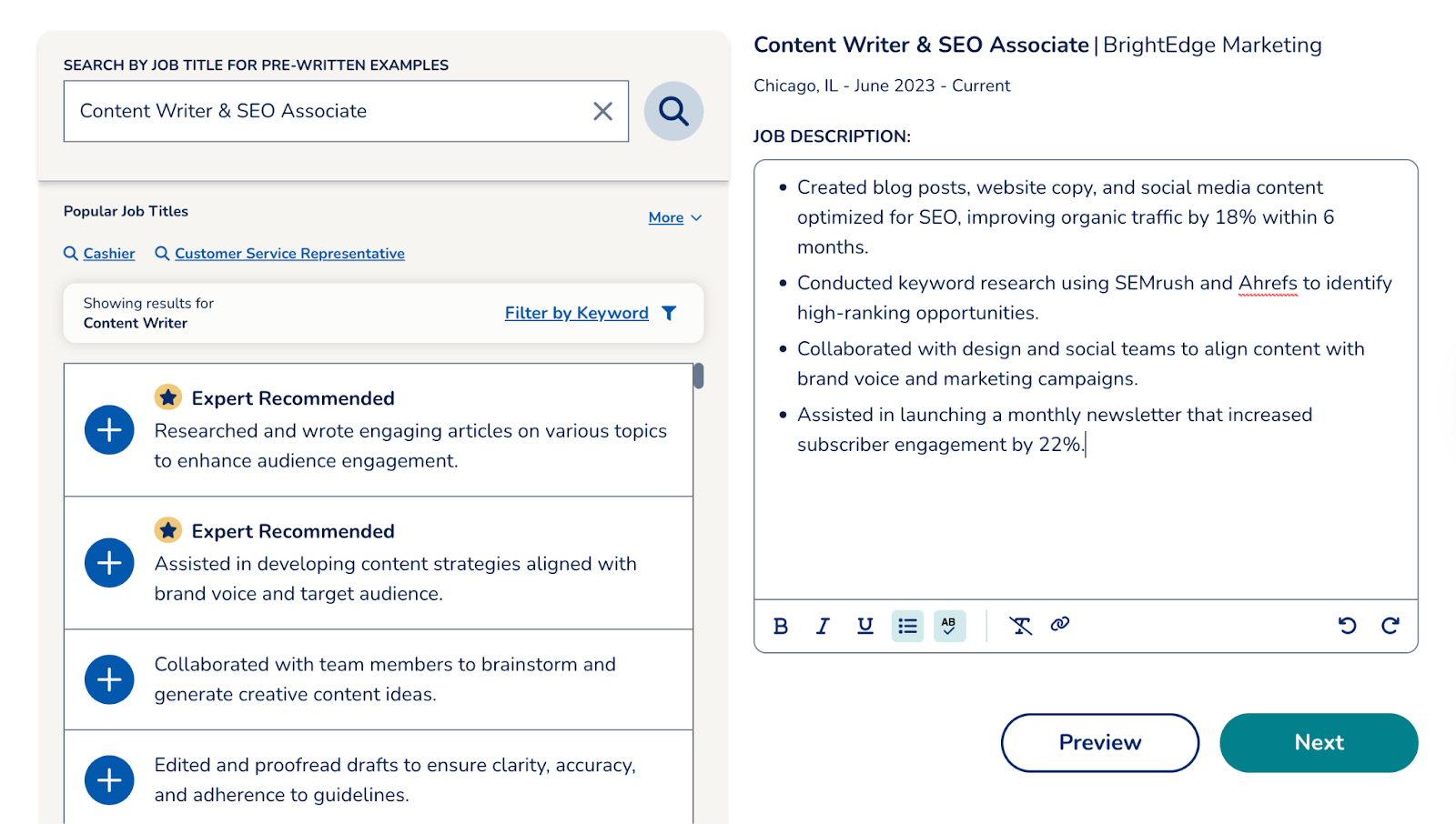
And if you want to emphasize a specific skill? You can filter the bullet point suggestions by keywords, then insert the ones you like, and edit them to reflect your own work. It’s a good starting point, but it requires more manual tweaking to make your bullets impactful.
Skills
Both platforms help you build a strong resume skills section, but again, their styles differ. Rezi’s Skills AI Explorer is smart and dynamic, offering suggestions based on your role and identifying related tools or abilities you might’ve missed. MyPerfectResume takes the volume approach with plenty of options, though not all of them are relevant.
Rezi
Rezi’s AI Skills Explorer feature provides endless inspiration if you’re stuck on which strengths to include in your resume. You type in your role or existing abilities, and it generates suggestions, up to 20 related skills for every one you input.
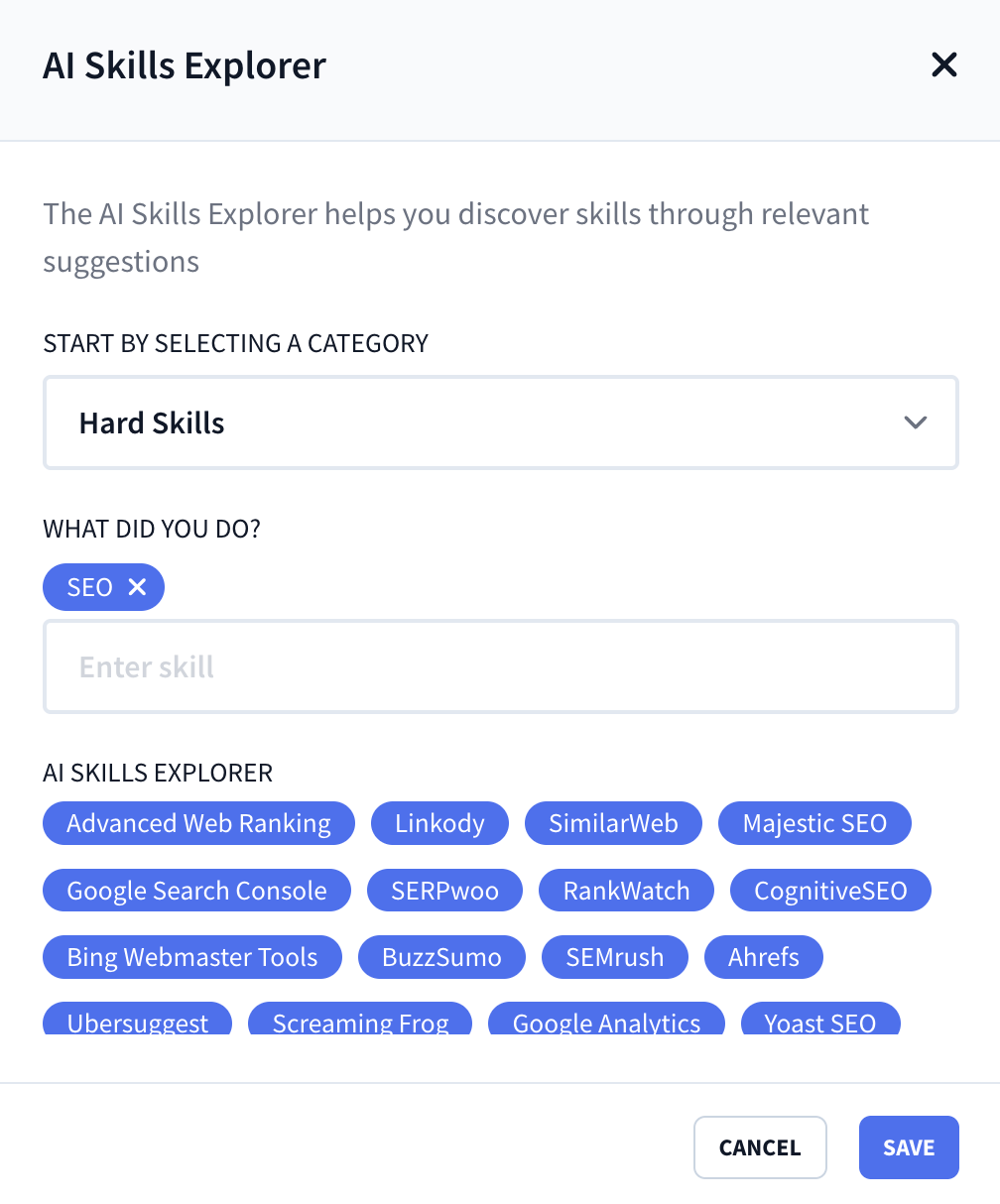
These categories also help refine your search:
- Hard skills
- Soft skills
- Technical skills
- Language skills
- Software
- Field of interest
This is especially valuable if you’re in a technical field or transitioning into a new area. It lets you uncover tools or programs you might have overlooked that employers expect to see.
MyPerfectResume
When you enter your job title, the system generates around 100 suggested skills. Having so many options is useful, though some are pretty vague. I typed in ‘Content Writer’ and got results like “brand consistency” or oddly specific “GIF animations”. That said, you can filter or search by related job titles for more ideas.

You also have the option to rate your skills on a 1–5 scale, but I wouldn’t recommend using that on your actual resume. Showing that you only rate yourself a “3/5” in something doesn’t exactly sell confidence.
Summary
Your resume summary is the short paragraph that sets the tone for everything else. Rezi’s tool focuses on customization, pulling from your resume and the job ad. MyPerfectResume gives you more of a template approach with dozens of pre-written options you can tweak. So, do you want something tailored automatically or prefer to start with a template and make it your own?
Rezi
Rezi’s AI Resume Summary Generator was built to save time and give you a strong foundation, while keeping things focused on the role and company.
The process is pretty simple:
- Provide the job description you’re applying to.
- Highlight the role or skills you want to emphasize.
- Let the AI generate a summary that aligns with best practices.
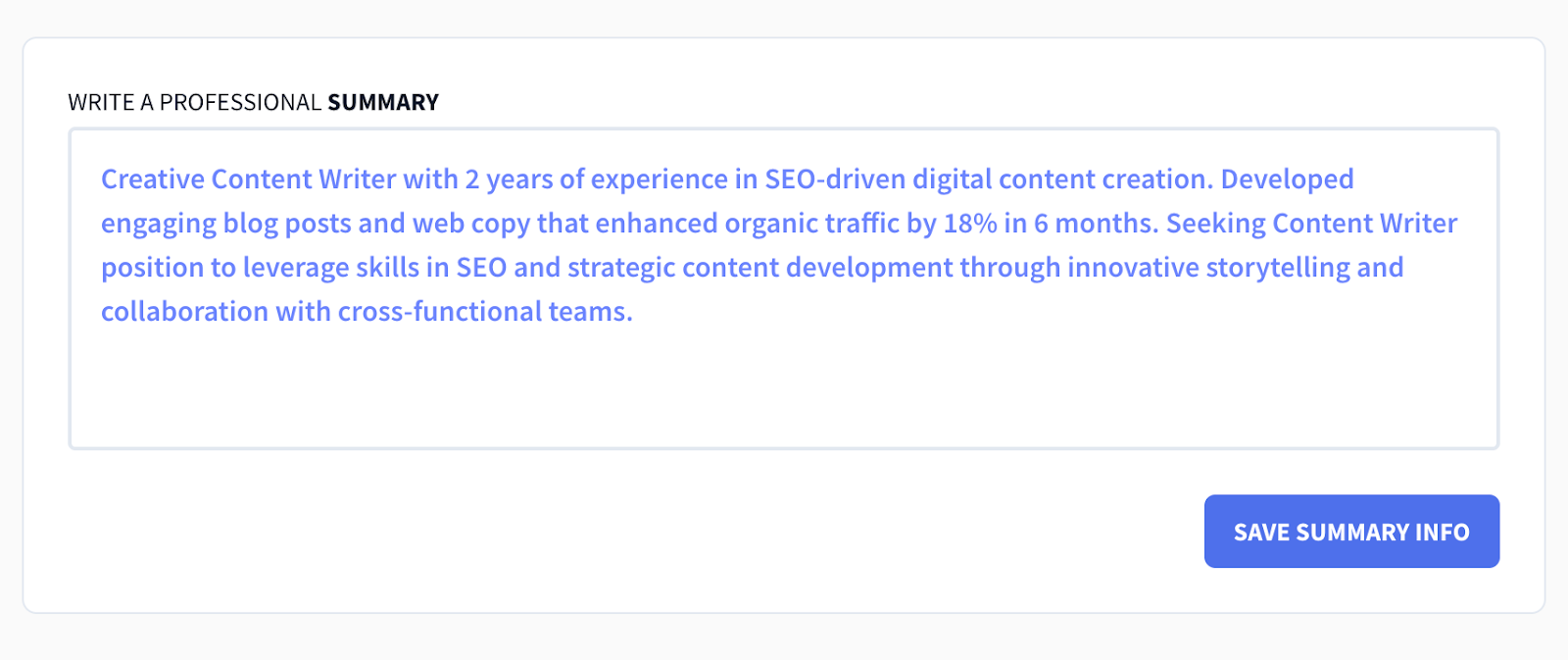
And it doesn’t just give you one version and call it a day. You can regenerate as many times as you like, swap out the highlighted skills, or change the role focus. It works best when your resume is complete, because the AI pulls directly from your work history, education, and skills to create a specific summary.
MyPerfectResume
MyPerfectResume takes a different approach: it offers over 20 pre-written summaries you can choose from. These are more like templates you can tweak, with placeholders where you can drop in your achievements or the company name you’re targeting.
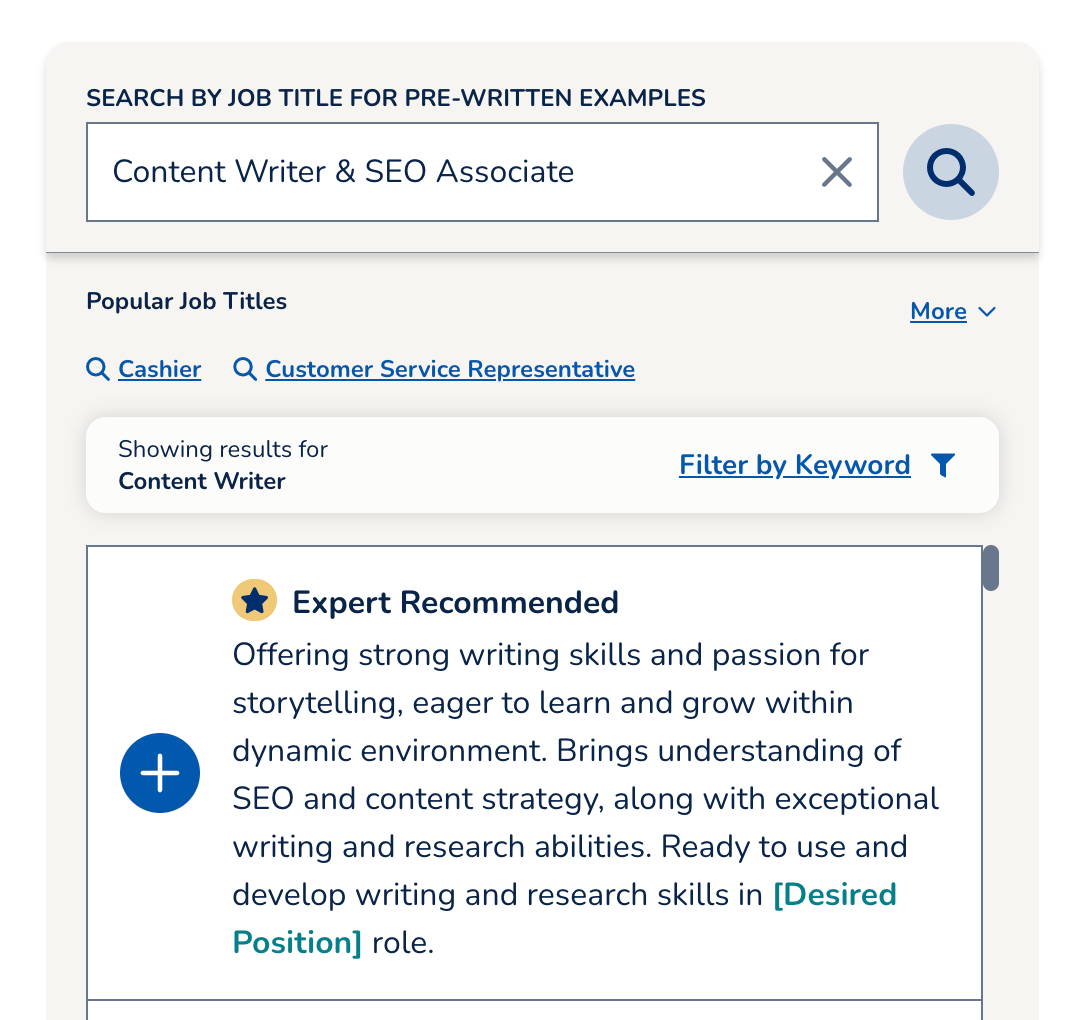
Another helpful feature is that you can compare an AI-improved version of your summary side-by-side with your original, making it easy to spot differences and decide which feels stronger. It’s great if you want options, but also like having control over the final wording.
Feedback and Scoring
Feedback is where you find out if your resume’s actually memorable or just… fine. Rezi gives detailed scoring, real-time analysis, and actionable suggestions that go beyond the basics. On the other hand, MyPerfectResume offers plenty of feedback throughout the resume-building process, but it’s lighter and sometimes a little vague.
Rezi
Rezi uses the Rezi Score as its main feedback system. It gives you a score from 1 to 100 based on factors recruiters and ATS systems actually care about. The breakdown includes:
- Content: Checks for weak wording, filler words, or missing metrics.
- Format: Makes sure your resume length, font, and layout are professional.
- Optimization: Scans for keyword targeting based on job descriptions.
- Best Practices: Looks at details like location formatting, word count, and section titles.
- Application Readiness: Final review of everything.
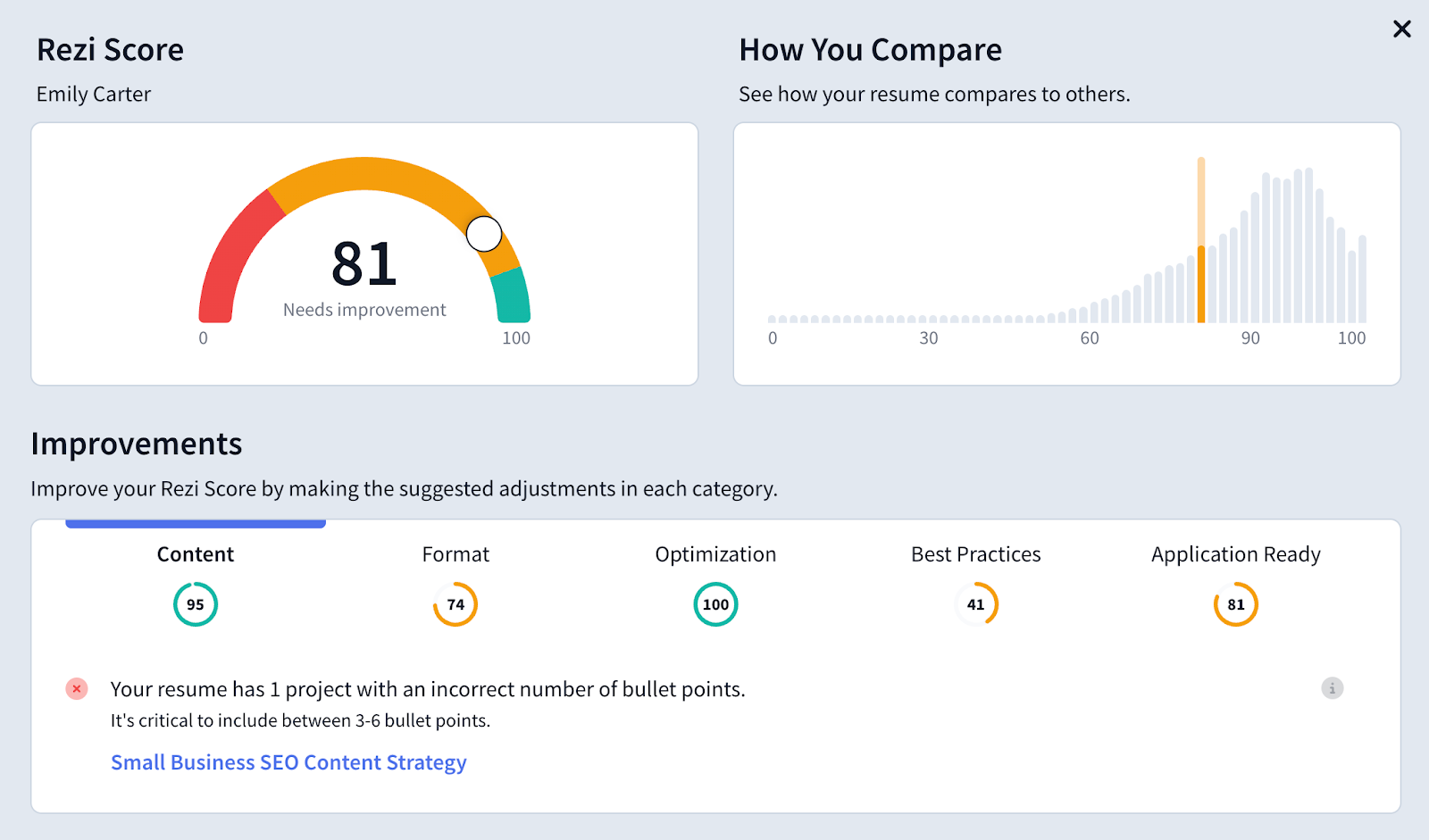
As you build your resume section-by-section, the Real-Time Content Analysis tool also flags issues like missing punctuation or vague phrases, and it gives direct, actionable suggestions (“add numbers here” or “rephrase for impact”), so you’re not left guessing how to improve.
Learn more about improving your job application: How to Update Your Resume
MyPerfectResume
When you upload a resume, MyPerfectResume also generates a score out of 100, but the feedback feels more surface-level. It gives three improvement suggestions per resume, but some can be off the mark. For example, it told me to add my email when it was already there, or recommended “fixing” section titles that were perfectly fine.
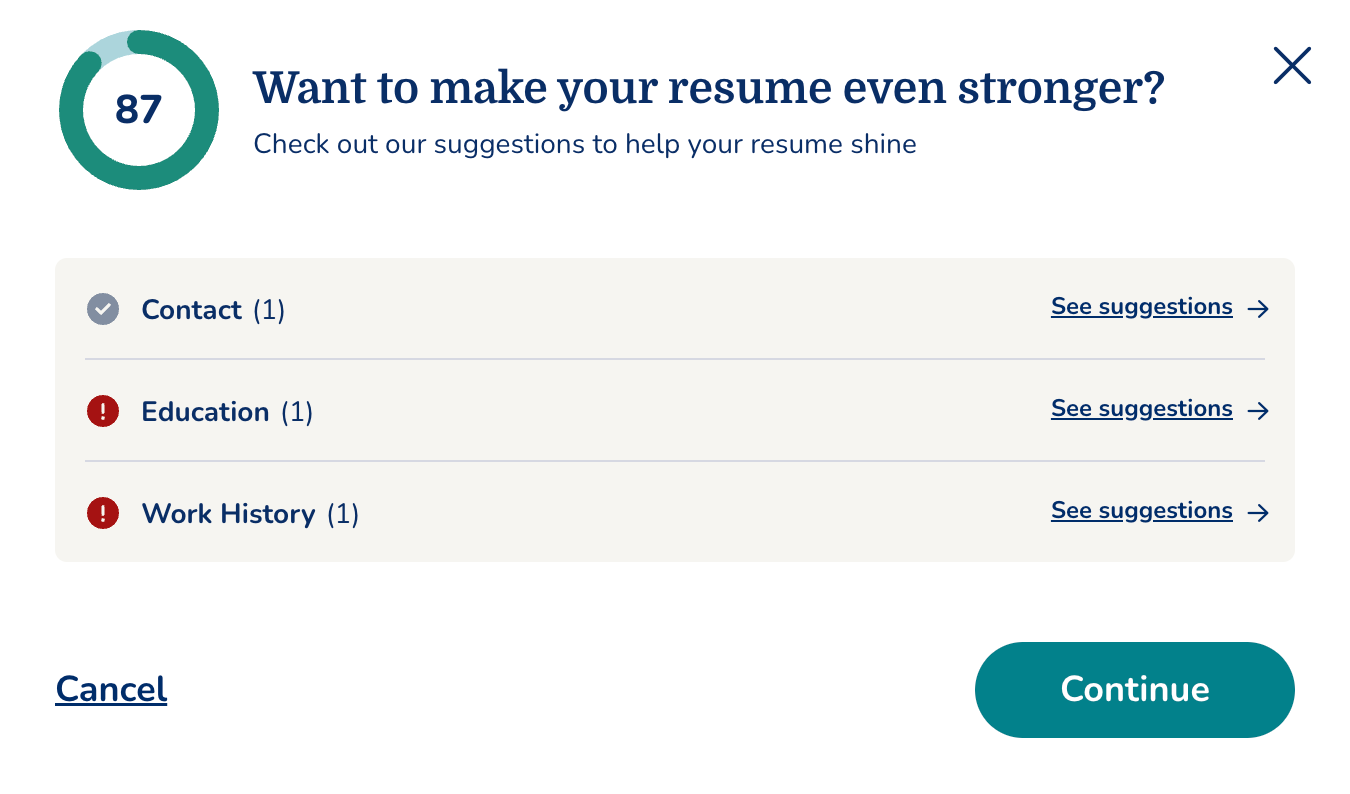
Each section also comes with tips, though some are generic, like changing “EDUCATION” to “Education.” You can click the Resume Check Score to see suggested edits per section, including missing fields, weak results, or spelling issues. It works, but compared to Rezi’s instant, detailed feedback, it feels less precise.
Job Search
Both platforms include similar job search tools, but they’re not identical. Rezi pulls curated listings straight from company sites, cutting down on spammy or outdated postings. MyPerfectResume does the same with more filters, but accuracy can be hit-or-miss.
Rezi
Rezi’s AI Job Search isn’t a traditional job board; it’s a curated feed of real listings pulled directly from company websites. That means fewer “ghost jobs” or recycled postings. You won’t find the typical LinkedIn spam, no irrelevant ads.
You can filter jobs by:
- Skill
- Role
- Location or remote work
Each posting includes a short summary before you even click in, which saves you from being redirected to every company website. You can also track each application in your dashboard under Applied, Interviewing, or Rejected.
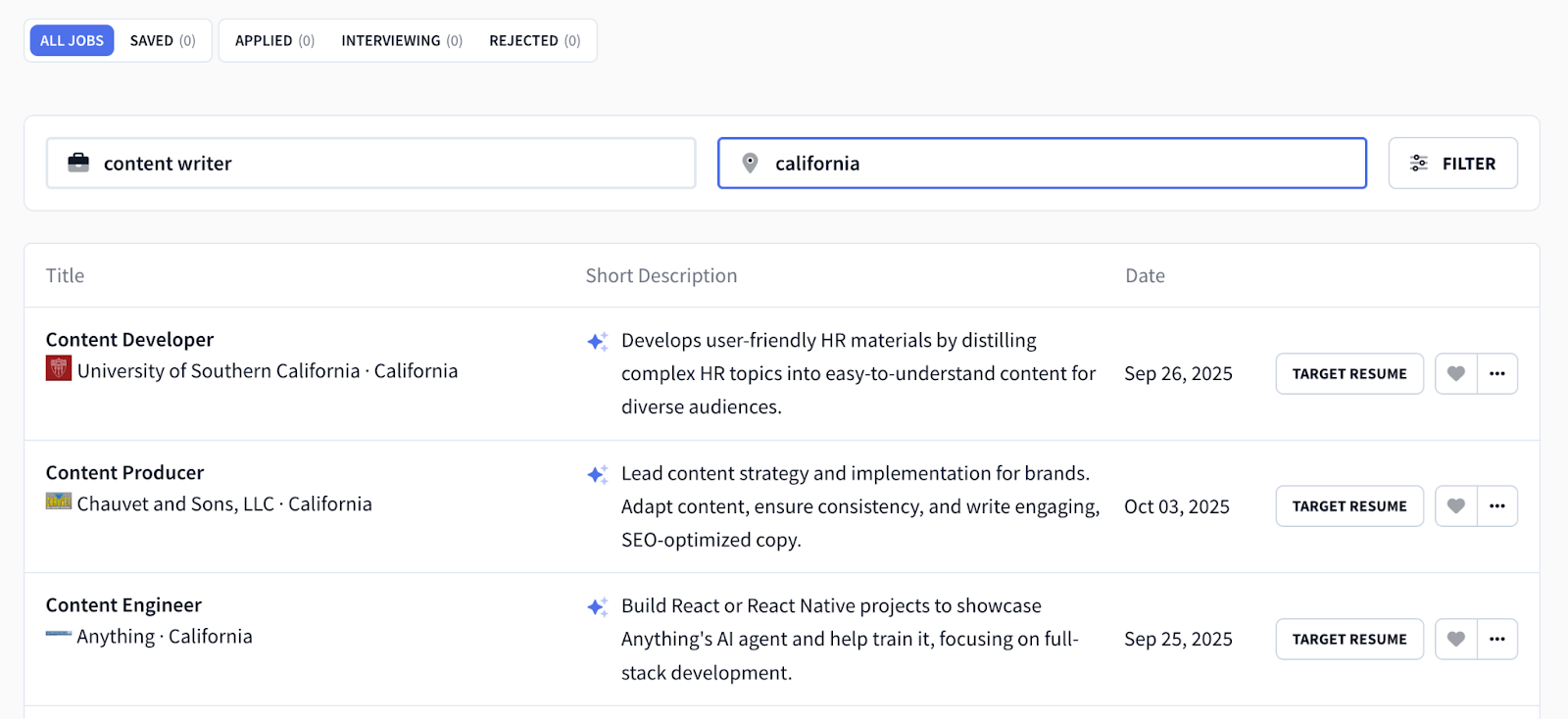
One of my favorite features is the “Target Your Resume” tool, where you select a saved resume and Rezi tailors it automatically to the job description.
MyPerfectResume
MyPerfectResume has a similar job search feature, though you won’t get as many results. You can search by title and location, and filter by distance, time posted, company, or remote. And like Rezi, when you click on a job, it also takes you to the original posting.
It’s handy to save roles to “Saved Jobs” or mark them as “Applied,” but search accuracy is hit-or-miss. For example, I searched for content writer roles in the United States, and it pulled up UK jobs. So while it looks robust, the filtering could be more reliable.
Check out more popular sites to find your next job: 15 Best Job Search Engines
Cover Letter
Let’s be honest, cover letters are a pain, so having a builder that speeds up the process is a nice touch. Rezi integrates cover letter writing directly with your resumes, pulling the right details automatically and letting you refine from there. MyPerfectResume ties cover letters to its job search tool and gives you themed structures to add those all-important personal touches.
Rezi
Rezi’s AI Cover Letter Generator is tightly integrated with your resumes. Once you’ve uploaded or created a resume, all that’s left to do is enter your contact information. The AI pulls relevant details, keywords, and phrasing from your resume to draft a natural-sounding 3 to 4-paragraph letter.
You can refine it further by:
- Adding the company name and job title
- Highlighting specific skills or experiences
- Regenerating until you get the tone right
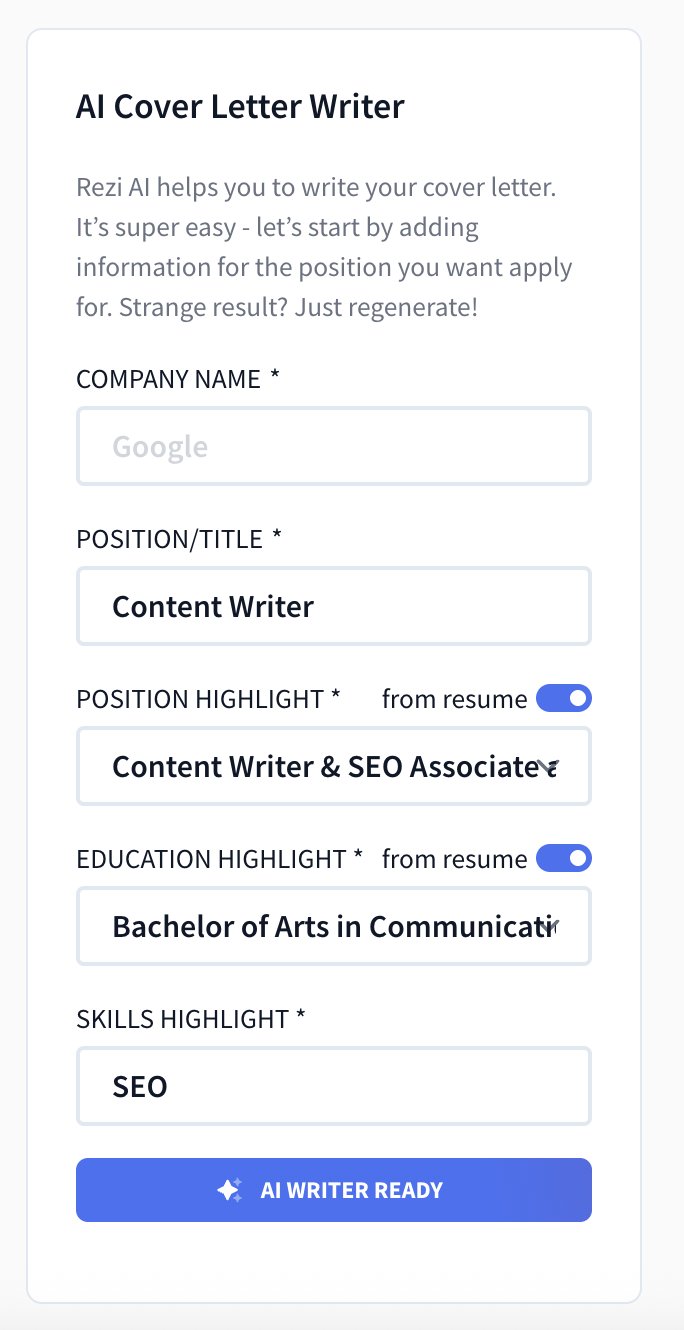
Already have a cover letter? You can upload it and use Rezi’s editor to align it with a specific job description. It’s straightforward and keeps everything organized on the same dashboard.
MyPerfectResume
You can create a cover letter from your resume or the job search tool. When you click on a job posting, it prompts you to create a cover letter for that role. You can choose the structure (Entry-level, Career Change, Professional, etc.) and even select a “theme” (like Creative vs. Professional), which changes the tone of the letter.
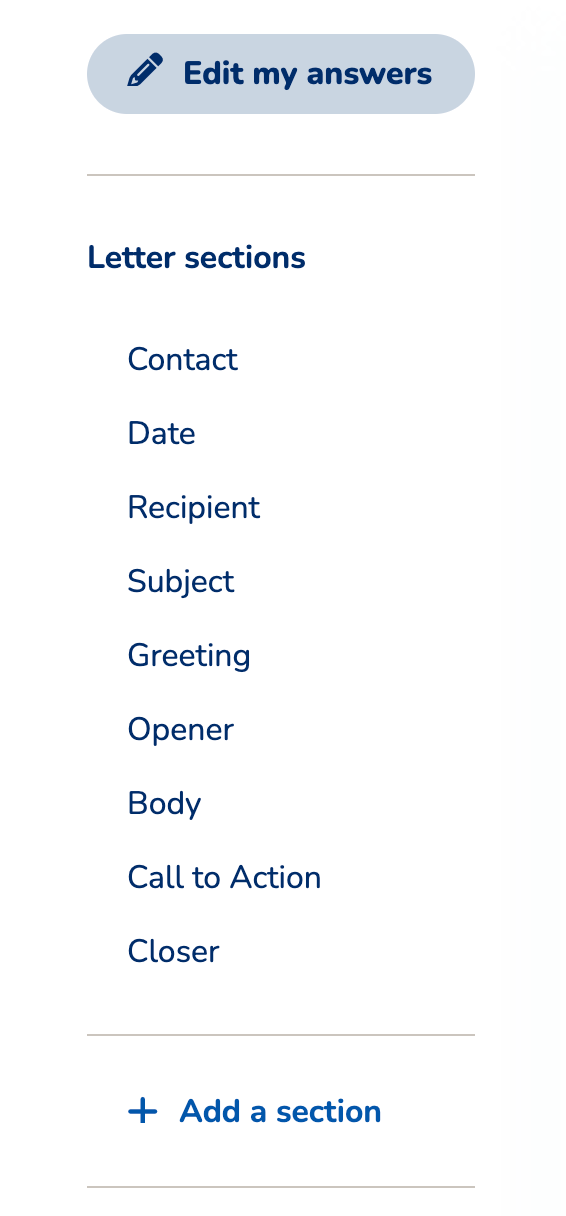
You can edit directly in preview mode or by filling sections such as Greeting, Body, Call to Action, and Closer. There are rewrite suggestions for each part, which help you fine-tune the tone. The only downside? Downloading is limited to PDF, Word, or Text — no direct Google Drive integration, which would be handy.
Check out our guides and tips to help you write a memorable cover letter:
- How to Format a Cover Letter
- How to Write a Cover Letter for a Career Change
- Best Cover Letters: Examples, Templates, and Writing Tips
Interview
This is where the two platforms start to diverge. Rezi’s AI Interview feels like a realistic practice session, generating tailored questions and scoring your answers to help you improve. MyPerfectResume takes a more traditional route with guides and sample questions, plus a virtual recruiter option on the paid plan.
Rezi
Rezi’s AI Interview feature builds off your resume and target job description. You’ll get five realistic questions across the introduction, behavioral, technical, and situational categories. The experience feels closer to an actual interview thanks to the tailored questions and opportunity to turn on voice activation (rather than simply typing your answer).
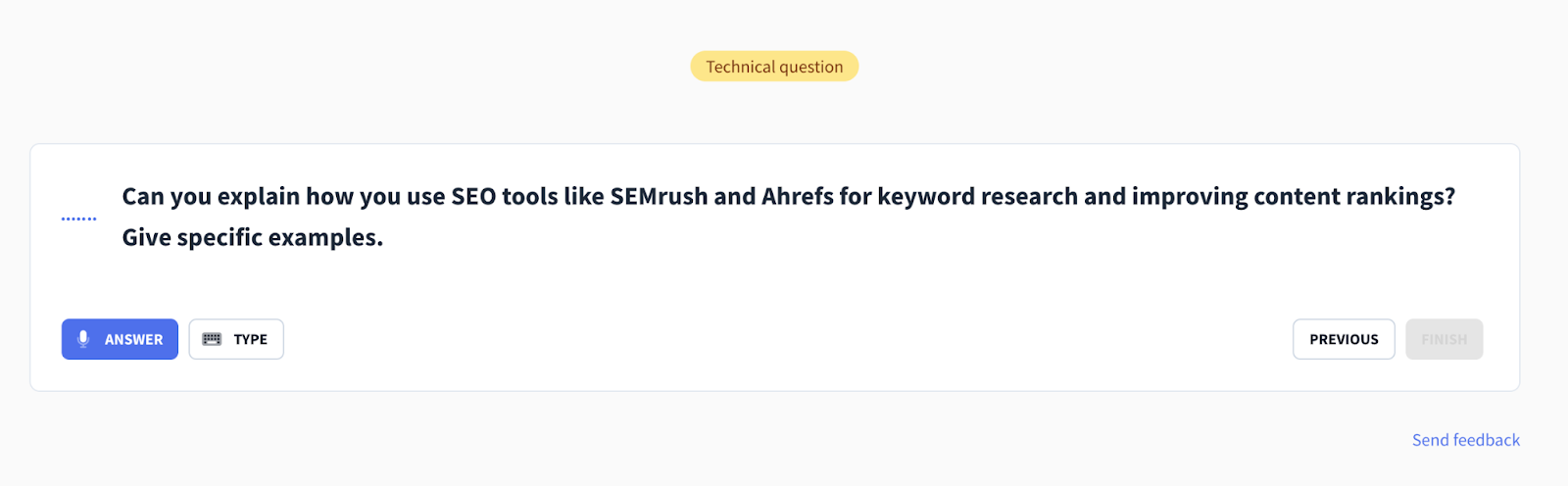
Once you answer everything, you get a score out of 100 with detailed suggestions on what to improve. It’s less about spoon-feeding sample answers and more about practicing under “real” conditions, which is great for building confidence.
MyPerfectResume
MyPerfectResume splits interview prep into two tools: an Interview Guide and Interview Trainer. The guide includes 10 common questions, for example:
- Tell me about yourself
- Why do you want to work here?
- Why do you want to work here?
You can type in your own response, but there’s no real feedback beyond the sample advice.

With the paid plan, you can also practice with a virtual recruiter up to three times a month. That adds some interactivity, but feedback is still limited compared to Rezi’s scoring system.
Take a look at more common interview questions:
- Phone Interview Questions to Prepare For
- Unique Interview Questions to Ask Employers
- Common Interview Questions & Sample Answers
Pricing Plans
Both platforms offer free features, though MyPerfectResume comes out cheaper. Rezi has a solid free plan, a straightforward monthly subscription, or a lifetime deal. MyPerfectResume comes with a cheap trial that renews into a pricier monthly plan unless you cancel. But which is better value for money?
Rezi
Rezi offers a free version that lets you build a resume and get limited access to advanced features, such as AI Keyword Targeting, Rezi Score, and the AI Resume Writer. With the paid plans, you get unlimited access to all of Rezi’s features, including the AI Cover Letter Writer, the AI Resignation Letter Writer, and all the ATS-friendly templates.
Here’s a breakdown:
- Free Plan: Create one resume, download it up to three times, limited AI tools, and one standard template.
- Pro Plan ($29/month): Unlimited access to all features, templates, and AI tools (including Cover Letter Writer, Resignation Letter Writer, and keyword targeting).
- Lifetime Plan ($149 one-time): Everything in Pro, forever.
The free plan is generous enough to get started, and the Lifetime option is a good deal if you plan to job hunt more than once. And if you leave a review on Reddit (good or bad), Rezi’s founder has been known to dish out free Lifetime Plans.
MyPerfectResume
MyPerfectResume offers many features for free, with access to the resume builder, cover letter writer, interview prep, and all the AI suggestions (though some of them are quite generic).
But even though you can use all the features for free, you can only download your resume as a plain text document. That means you’ll lose the formatting and have to copy all the text to an external document. You will need to pay for Word and PDF downloads.
Here are the paid plans:
- 14-Day Trial: $2.95, then auto-renews at $23.95 every four weeks unless canceled.
- Annual Plan: $7.95/month (billed as $95.40 upfront).
With premium access, you get:
- Unlimited resumes and cover letters
- 50+ templates, 1200+ design variations
- Resume check and feedback
- Personalized URL for your resume profile
- Interview trainer access
- 24/7 support
Reviews
You’ve heard my opinion, but what do others have to say about the platforms? To play it fair, I’ll give you a balance of the good and bad, along with the Trustpilot score.
Rezi
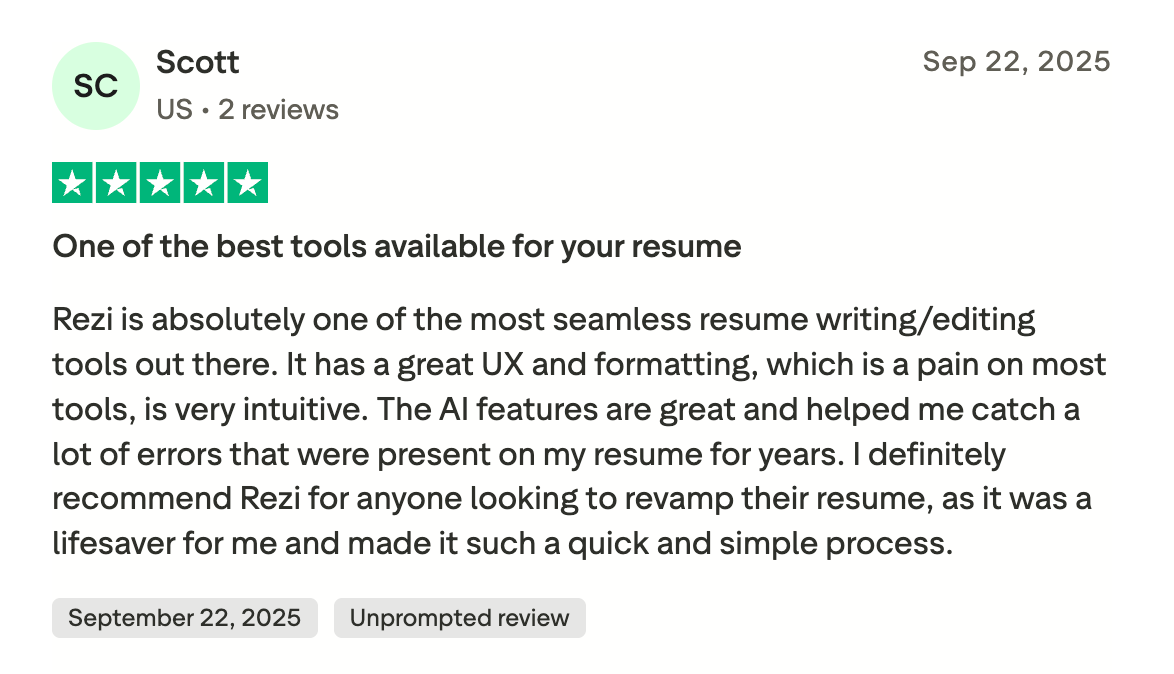
Rezi has a solid Trustpilot score of 4.5/5 out of 176 reviews, with 78% of reviews being five-star. Many top reviews comment on the AI features, how easy it is to use, and the useful feedback.
Here’s a recent positive review:
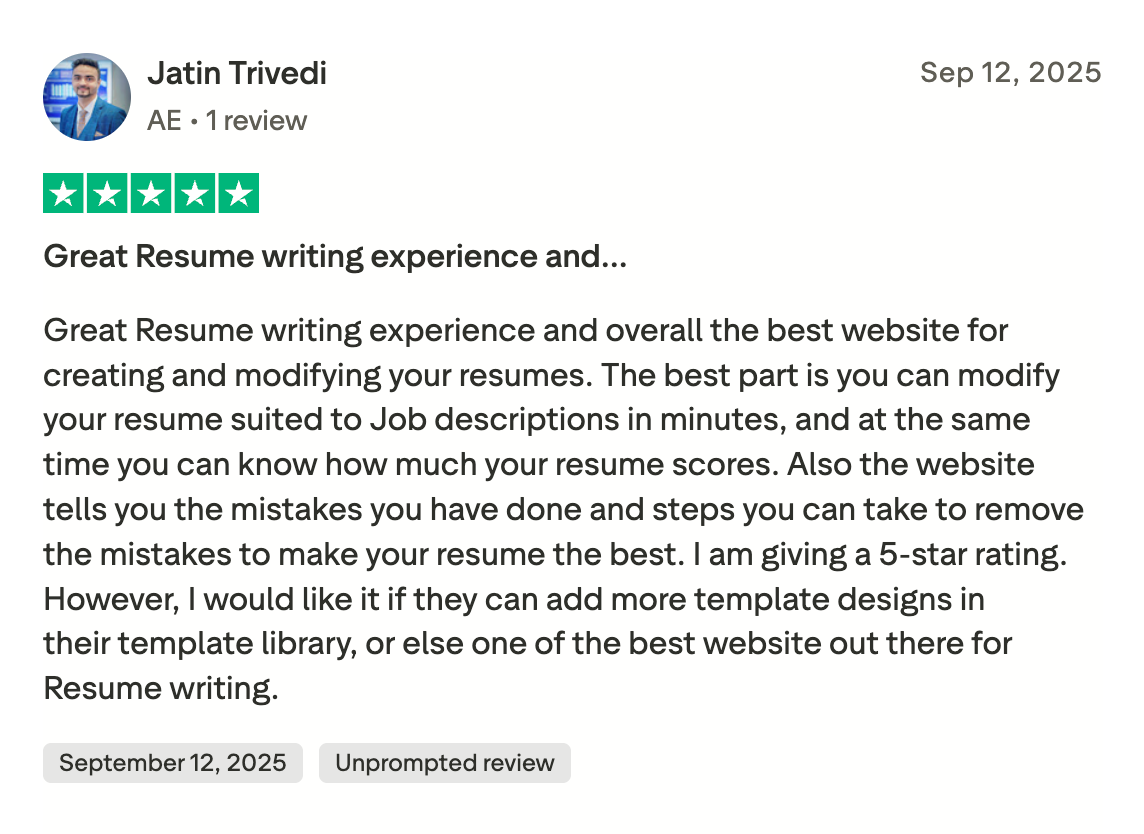
While another user noted they would like to see more resume templates (which Rezi listened to and plans on adding):
MyPerfectResume
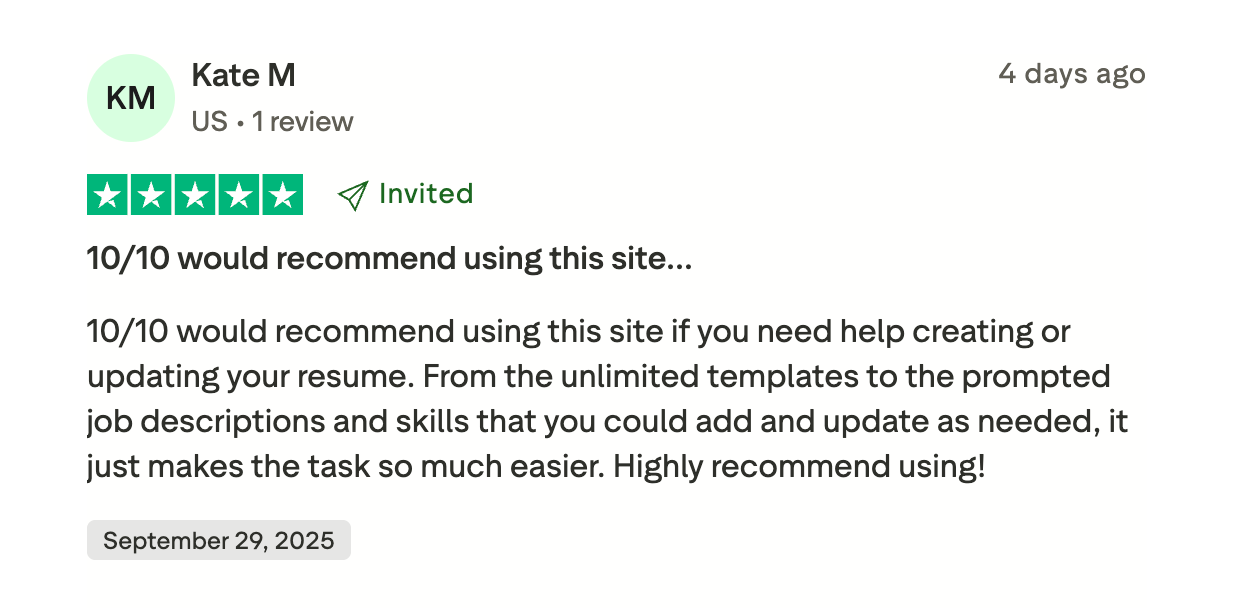
MyPerfectResume has a Trustpilot score of 4.6/5 from 16,000 reviews, with 81% giving it a 5-star rating. However, many of these reviews don’t have the “Unpromoted review label”, meaning they received an invitation to write a review, rather than doing it on their own.
Most of the positive reviews mention how much the feedback helped them, the simplicity of the platform, and how user-friendly the experience was when building a resume.
Here’s a glowing review from a happy user:
But most of the negative reviews centered on the lack of transparency around pricing:

Final Thoughts
If you want lots of choices, MyPerfectResume may feel more comfortable. The checklist dashboard keeps you on track, and the massive library of pre-written content means you’ll never be staring at a blank page. The downside? Some of its design-heavy templates and generic feedback may hold you back with more serious or ATS-driven applications.
Rezi is more straightforward, AI-driven, and recruiter-friendly. Its templates are modern and built to pass ATS checks, and the real-time feedback is genuinely helpful in improving your application. Features like the AI Skill Explorer and targeted resume tailoring save a ton of time and make sure your application feels tailored.
So here’s how I’d put it:
- Choose MyPerfectResume if you want a guided process, lots of template variety, and some free tools to support you along the way.
- Choose Rezi if you want efficiency, AI support, and the peace of mind that your resume will be ATS-optimized and recruiter-ready.
FAQ
Is a Rezi resume worth it?
Yes, especially if you want a resume that balances customization, quality, and ATS-friendliness. Rezi is built around AI tools that generate bullet points, summaries, and skills tailored to your role and industry, so you’re not starting from scratch. It also gives real-time feedback with a score, which helps you improve as you go. If you want a professional resume, optimized for applicant tracking systems without over-designing it, Rezi is definitely worth a try.
Find out more: Is Rezi Worth It
Is MyPerfectResume reputable?
Yes, MyPerfectResume has been around for years and is a widely used resume builder. It’s reputable in the sense that it offers a guided, step-by-step process and a large library of pre-written content to help you create a resume quickly.
However, its templates lean more toward style than ATS compatibility, so you’ll want to be careful in choosing designs. It’s a good platform if you want guidance and variety, but I’d recommend editing carefully to make sure the end result meets professional standards.
Does MyPerfectResume have good templates?
MyPerfectResume offers 50+ templates with over a thousand variations, so there’s definitely variety. Some are attractive and modern, while others feel a little flashy with two-column layouts, bold colors, or even photo slots. These can look eye-catching, but they’re not always recruiter-friendly or ATS-safe. So while the templates give you plenty of creative freedom, you’ll need to be selective — a simpler design is usually your best bet if you want both style and substance.
Is MyPerfectResume ATS-friendly?
Not always. Many of MyPerfectResume’s templates are visually appealing but use formatting elements (like graphics, multiple columns, and photos) that can confuse applicant tracking systems. The content suggestions and pre-written sections are useful, but the designs themselves may not always pass ATS scans. If you use MyPerfectResume, I’d recommend sticking to its simpler layouts and avoiding heavy formatting. That way, you can enjoy the platform’s guidance and content features while keeping your resume recruiter- and ATS-friendly.
Which AI resume builder is the best?
It really depends on your style and needs, but Rezi stands out as one of the best. Unlike some builders that prioritize flashy templates, Rezi is focused on ATS optimization and uses AI to help you create strong, tailored content quickly. Other platforms like Kickresume, EnhancCV, and Resume Worded are also solid choices with a variety of advanced resume-building features.

Upload or drop your resume to get started
Upload your resume to get started
Score my resume

Lauren Bedford is a seasoned writer with a track record of helping thousands of readers find practical solutions over the past five years. She's tackled a range of topics, always striving to simplify complex jargon. At Rezi, Lauren crafts genuine and actionable content that guides readers in creating standout resumes to land their dream jobs.